
Keap-arvostelu 2026: hyvät ja huonot puolet, ominaisuudet ja hinnoittelu
I see Keap as a strong all-in-one choice for small businesses that want CRM, marketing automation, and payments together—provided they’re ready for its learning curve and cost.

We review tools independently, and commissions help fund our testing. See our transparency policy, our methodology, or suggest a tool.
Keap is a marketing automation software platform with CRM, email campaigns, sales pipelines, appointment scheduling, and payments for small businesses. I’d consider it when you need one system to manage leads, automate follow-ups, and collect payments, with Keap offering a more small-business-focused setup than HubSpot.
Keap Evaluation Summary
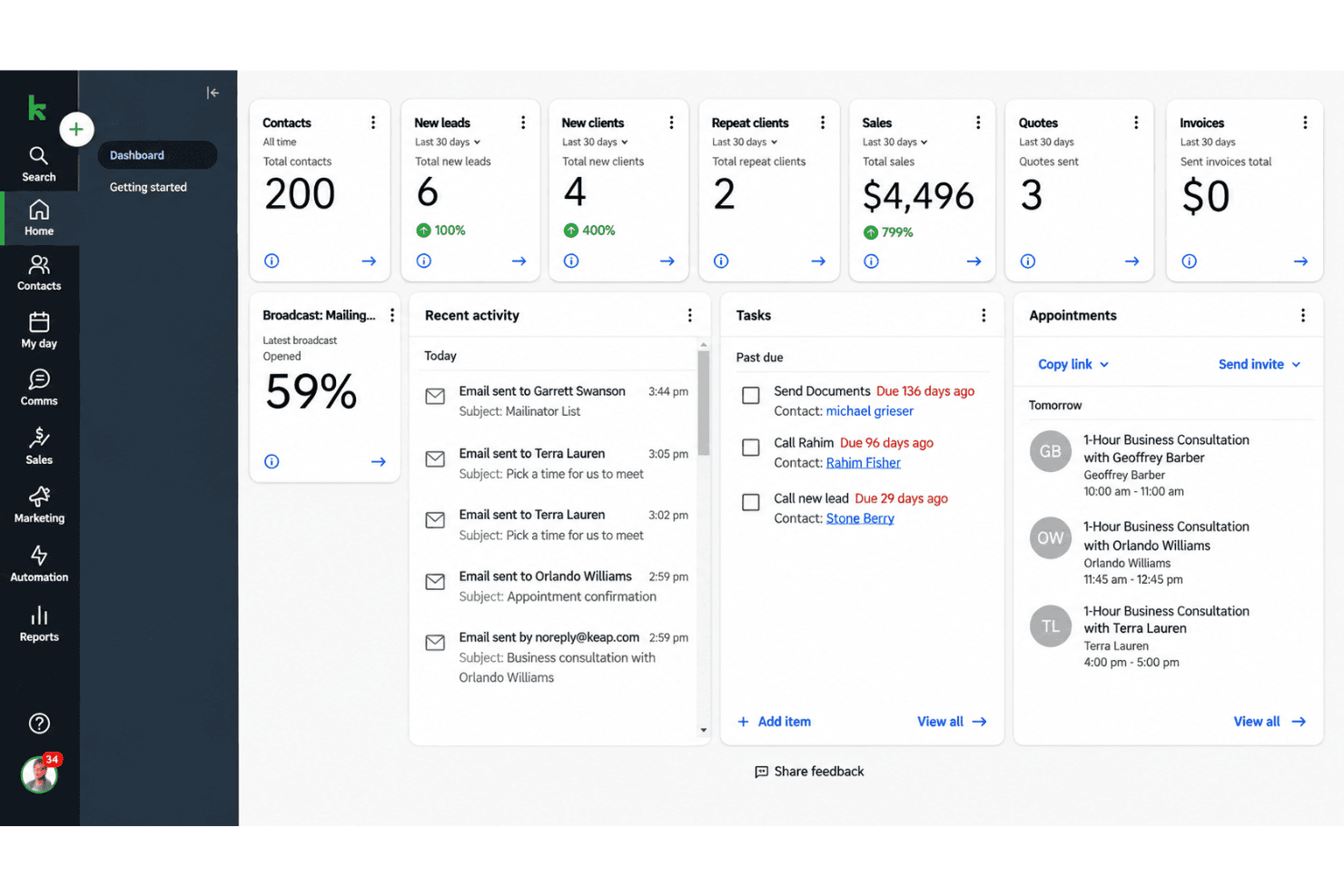
4.2/5
- From $299/month
- 14-day free trial
Miksi luottaa ohjelmistosuosituksiimme
6,700+
Reviews
20
Industry experts
16+
Evaluation factors
14
Years
Tiimimme on testannut ja arvioinut ohjelmistoja vuodesta 2012 lähtien. Markkinointijohtajina tiedämme itse, kuinka vaikeaa — ja tärkeää — oikean ohjelmiston valitseminen on.
Tätä opasta varten arvioimme työkaluja käytännön testauksen ja itsenäisen tutkimuksen avulla, pisteyttäen työkalut valintakriteeriemme perusteella.
Arvostelumme perustuvat inhimilliseen toimitukselliseen harkintaamme, eivät myyntipuheeseen.
Asiantuntija-arvioijat:
 Gui DrusinaCreative Director
- Shriya GhateSenior Marketing Lead
 Amanda JacquesMarketing Ops Leader

Keap Overview
I’d choose Keap when your small business needs CRM, email campaigns, sales pipelines, appointment scheduling, and payments in one system. Its automation and contact management go further than basic email tools, while built-in payments reduce the need for separate systems. However, pricing is relatively high, the interface takes time to learn, and onboarding requires planning. Integrations cover common business tools, but larger teams may find customization and reporting less flexible. Support and guided setup help, making Keap best suited to service businesses that value an integrated workflow over the lowest subscription cost.
Pros
- Visual campaign builder connects forms, tags, emails, texts, and payments.
- CRM data, tags, and lead scoring support targeted automated follow-ups.
- Built-in payments and appointment scheduling extend automation beyond email campaigns.
Cons
- Starting prices and contact-based charges exceed many small-business automation alternatives.
- Campaign setup often requires training before teams build reliable workflows.
- Users report inconsistent support and difficult cancellation or billing experiences.
Is Keap Right For Your Needs?
Who Would be a Good Fit for Keap?
Keap suits small and midsize service businesses that need CRM, email and text automation, payments, scheduling, and follow-up tasks in one system. It also fits sales and marketing teams managing revenue-linked customer journeys rather than basic newsletters. The platform’s forms, tags, campaign builder, integrations, and open API support connected workflows, while guided onboarding helps teams handle migration and setup.
- Service BusinessesKeap fits appointment-based businesses that need scheduling, payments, CRM records, and automated follow-up in one subscription.
- Consulting FirmsConsulting firms can connect forms, tags, email, tasks, appointments, and payments to manage prospect and client journeys.
- Small Sales TeamsSmall sales teams can manage customer records and automated follow-up with a subscription that includes two users.
- Revenue TeamsRevenue teams can connect marketing activity to payments, tasks, appointments, and customer records instead of managing separate systems.
- Marketing OperationsMarketing operations teams can build journeys that combine forms, tags, email, text messages, tasks, and payment steps.
- Growing BusinessesGrowing businesses can use Keap’s data migration help, automation templates, integrations, and open API while their customer processes become more complex.
Who Would be a Bad Fit for Keap?
Keap is a poor match for teams that need inexpensive email campaigns, high-volume texting, a lightweight interface, or a fully self-directed setup. Its subscription starts at $299 per month when billed annually, scales with contacts, and charges extra for additional users. The platform also requires more onboarding than simpler tools, while its messaging allowances and integration options need careful review before purchase.
- Basic Email TeamsTeams that only send newsletters or simple email campaigns will pay for CRM, payments, scheduling, and automation features they may not use.
- Early StartupsEarly-stage companies with small contact lists and limited budgets may find the $299 monthly annual-plan starting price difficult to justify.
- Large DepartmentsLarge departments may outgrow the included two users because each additional user costs $39 per month.
- High-Volume TextingTeams sending large text volumes may need paid messaging upgrades because the base text tier includes 500 messages and 100 voice minutes.
- Self-Serve TeamsTeams that want immediate independent setup may struggle with Keap’s longer learning curve and greater need for onboarding and training.
- Specialized StacksBusinesses dependent on tools outside Keap’s listed integrations may face extra setup work because custom connections require its open API or services such as Zapier.
How We Test & Score Tools
We’ve spent years building, refining, and improving our software testing and scoring system. The rubric is designed to capture the nuances of software selection and what makes a tool effective, focusing on critical aspects of the decision-making process.
Below, you can see exactly how our testing and scoring works across seven criteria. It allows us to provide an unbiased evaluation of the software based on core functionality, standout features, ease of use, onboarding, customer support, integrations, customer reviews, and value for money.
Core Functionality (25% of final scoring)
The starting point of our evaluation is always the core functionality of the tool. Does it have the basic features and functions that a user would expect to see? Are any of those core features locked to higher-tiered pricing plans? At its core, we expect a tool to stand up against the baseline capabilities of its competitors.
Standout Features (25% of final scoring)
Next, we evaluate uncommon standout features that go above and beyond the core functionality typically found in tools of its kind. A high score reflects specialized or unique features that make the product faster, more efficient, or offer additional value to the user.
We also evaluate how easy it is to integrate with other tools typically found in the tech stack to expand the functionality and utility of the software. Tools offering plentiful native integrations, 3rd party connections, and API access to build custom integrations score best.
Ease of Use (10% of final scoring)
We consider how quick and easy it is to execute the tasks defined in the core functionality using the tool. High scoring software is well designed, intuitive to use, offers mobile apps, provides templates, and makes relatively complex tasks seem simple.
Onboarding (10% of final scoring)
We know how important rapid team adoption is for a new platform, so we evaluate how easy it is to learn and use a tool with minimal training. We evaluate how quickly a team member can get set up and start using the tool with no experience. High scoring solutions indicate little or no support is required.
Customer Support (10% of final scoring)
We review how quick and easy it is to get unstuck and find help by phone, live chat, or knowledge base. Tools and companies that provide real-time support score best, while chatbots score worst.
Customer Reviews (10% of final scoring)
Beyond our own testing and evaluation, we consider the net promoter score from current and past customers. We review their likelihood, given the option, to choose the tool again for the core functionality. A high scoring software reflects a high net promoter score from current or past customers.
Value for Money (10% of final scoring)
Lastly, in consideration of all the other criteria, we review the average price of entry level plans against the core features and consider the value of the other evaluation criteria. Software that delivers more, for less, will score higher.
Core Features
Visual Campaign Builder
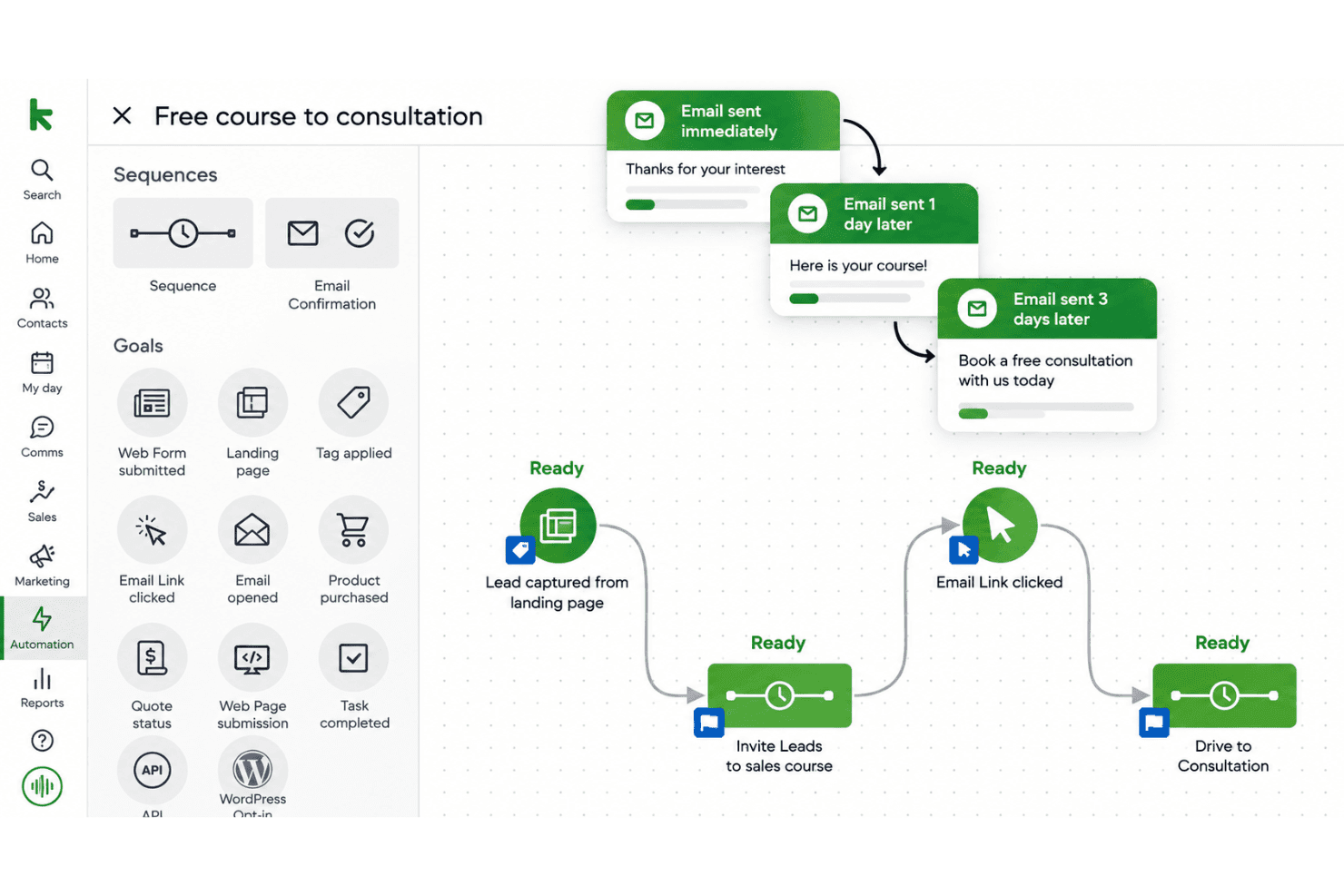
Keap’s visual campaign builder connects forms, tags, emails, text messages, and payments in one workflow. For example, a form submission can trigger a welcome email, apply a tag, and create a follow-up task.
CRM And Contact Management
Keap stores contact records, activity data, tags, and lead details for targeted follow-ups. You can group contacts by source, interest, or lifecycle stage before sending a campaign.
Email Marketing
Keap supports broadcast emails and automated email sequences tied to contact actions or campaign stages. A service business could send educational emails after someone downloads a guide, then follow up with an offer.
Lead Capture Forms
Keap forms collect prospect information and can start automated campaigns when someone submits their details. For example, a consultation request can add a contact to the CRM and trigger an immediate confirmation email.
Lead Scoring And Routing
Keap assigns scores based on engagement or potential value, helping teams prioritize contacts for follow-up. A lead that opens several emails can receive a higher score and move into a sales-focused workflow.
Text Message Automation
Keap adds text messages to automated campaigns alongside email and CRM actions. You can send an appointment reminder or follow-up text after a prospect submits a form.
Ease of Use
Keap is usable once configured, but it isn’t the easiest marketing automation software to learn. Its visual campaign builder connects forms, tags, emails, texts, payments, and tasks, giving you one place to manage customer journeys. However, the many options create a steep learning curve, and user reviews often mention difficult setup, inconsistent support, and frustrating billing or cancellation experiences. I’d recommend it to teams willing to invest in onboarding.
Integrations
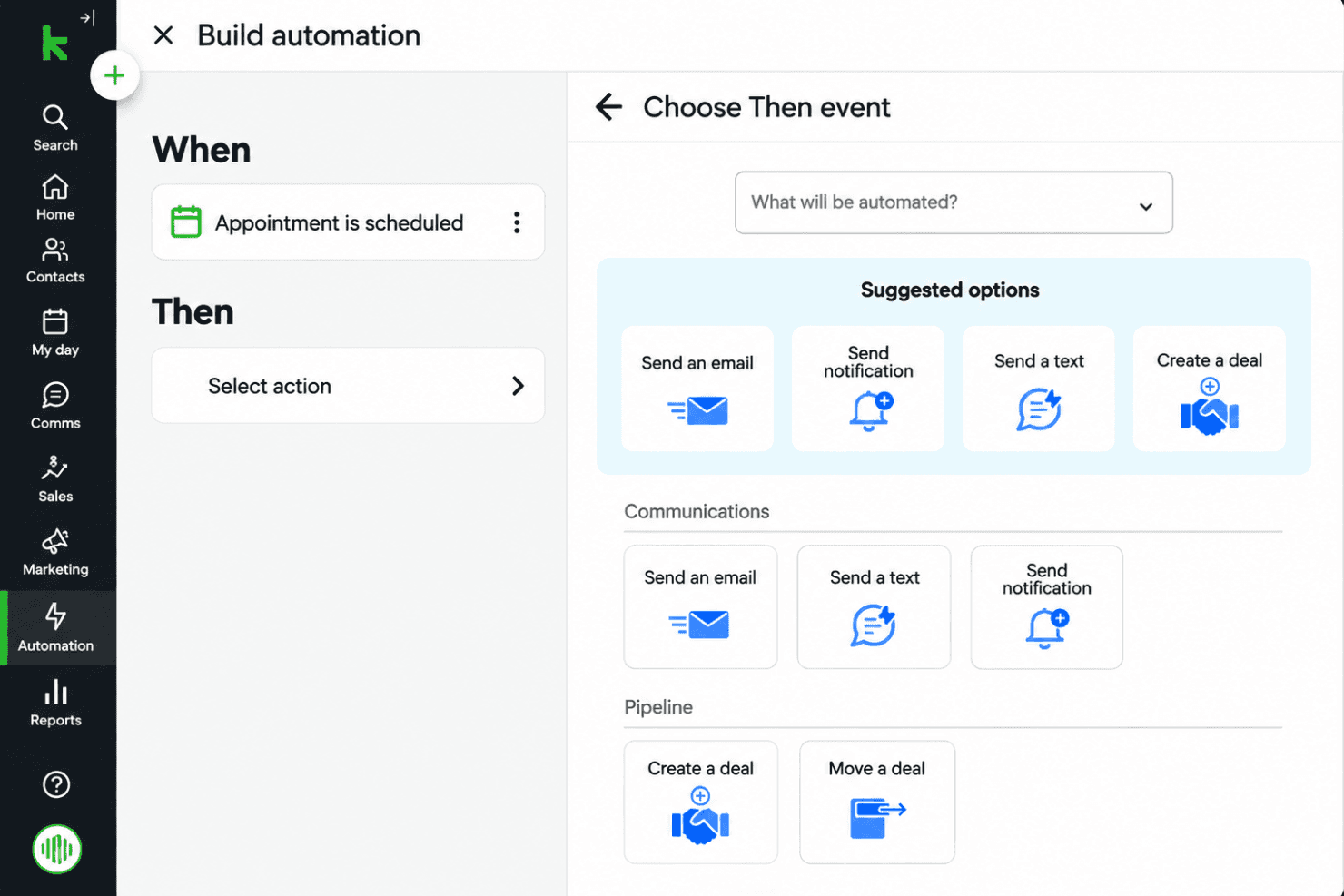
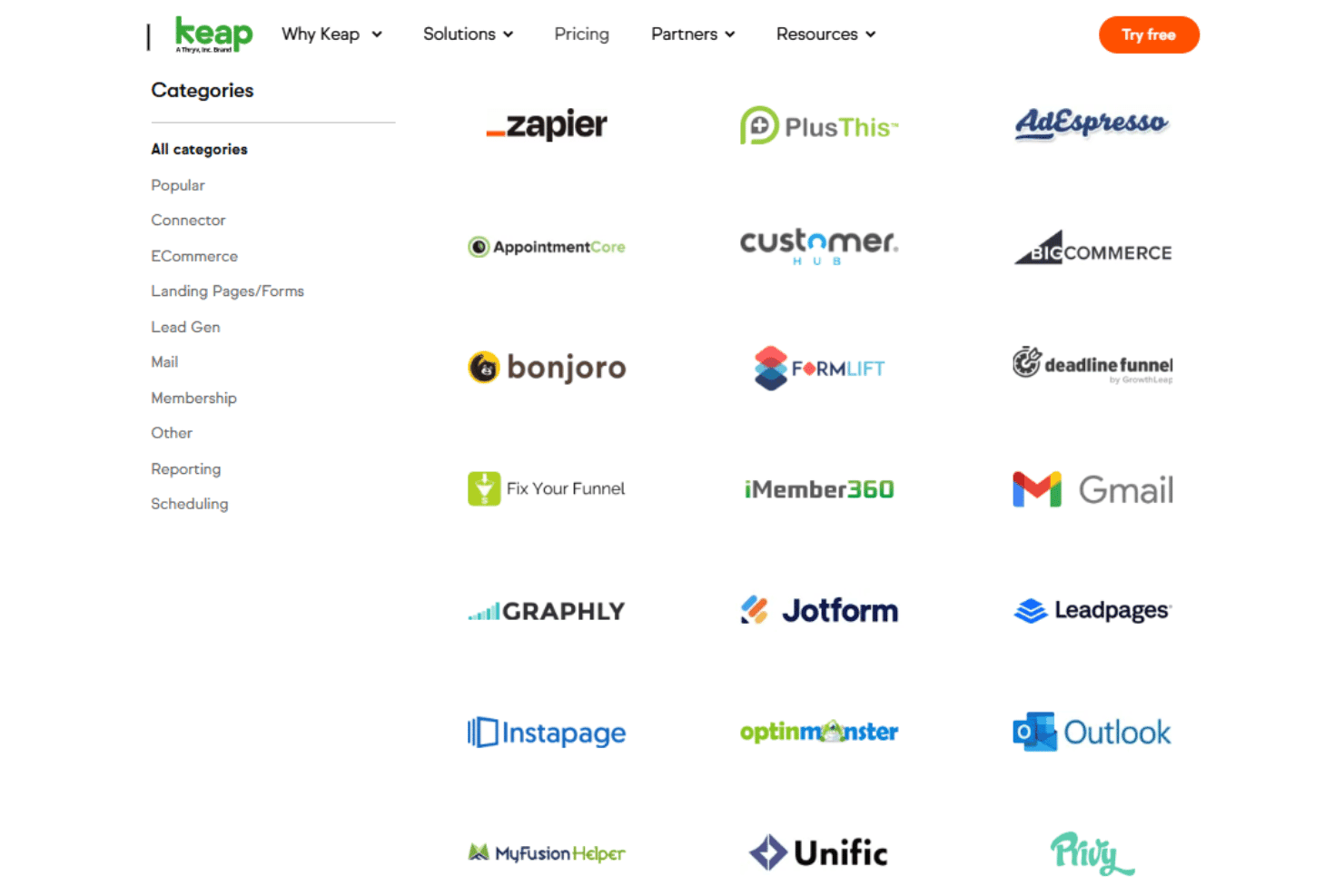
Keap integrates with Gmail, Outlook, WebinarJam, FormLift, Jotform, Typeform, AppointmentCore, and OnceHub (formerly ScheduleOnce).
Keap also offers an open API for custom integrations and connects with third-party tools such as Zapier.
Keap Specs
- A/B Testing: Yes
- Analytics: Yes
- API: Yes
- Audience Targeting: Yes
- Automated Conversion: No
- Batch Permissions & Access: No
- Behavioral Tracking: Yes
- Brand Management: No
- Campaign Management: Yes
- Contact Management: Yes
- Contact Sharing: No
- Conversion Tracking: Yes
- CRM Integration: Yes
- Customer Management: Yes
- Dashboards: Yes
- Data Export: Yes
- Data Import: Yes
- Email Integration: Yes
- External Integrations: Yes
- Keyword Tracking: No
- Landing Pages: Yes
- Lead Management: Yes
- Lead Scoring: Yes
- Link Tracking: Yes
- Marketing Automation: Yes
- Multi-User: Yes
- Notifications: Yes
- Password & Access Management: Yes
- Social-Media Integration: Yes


