
Canvan arvostelu: hyvät ja huonot puolet, ominaisuudet ja hinnoittelu selitettynä

We review tools independently, and commissions help fund our testing. See our transparency policy, our methodology, or suggest a tool.
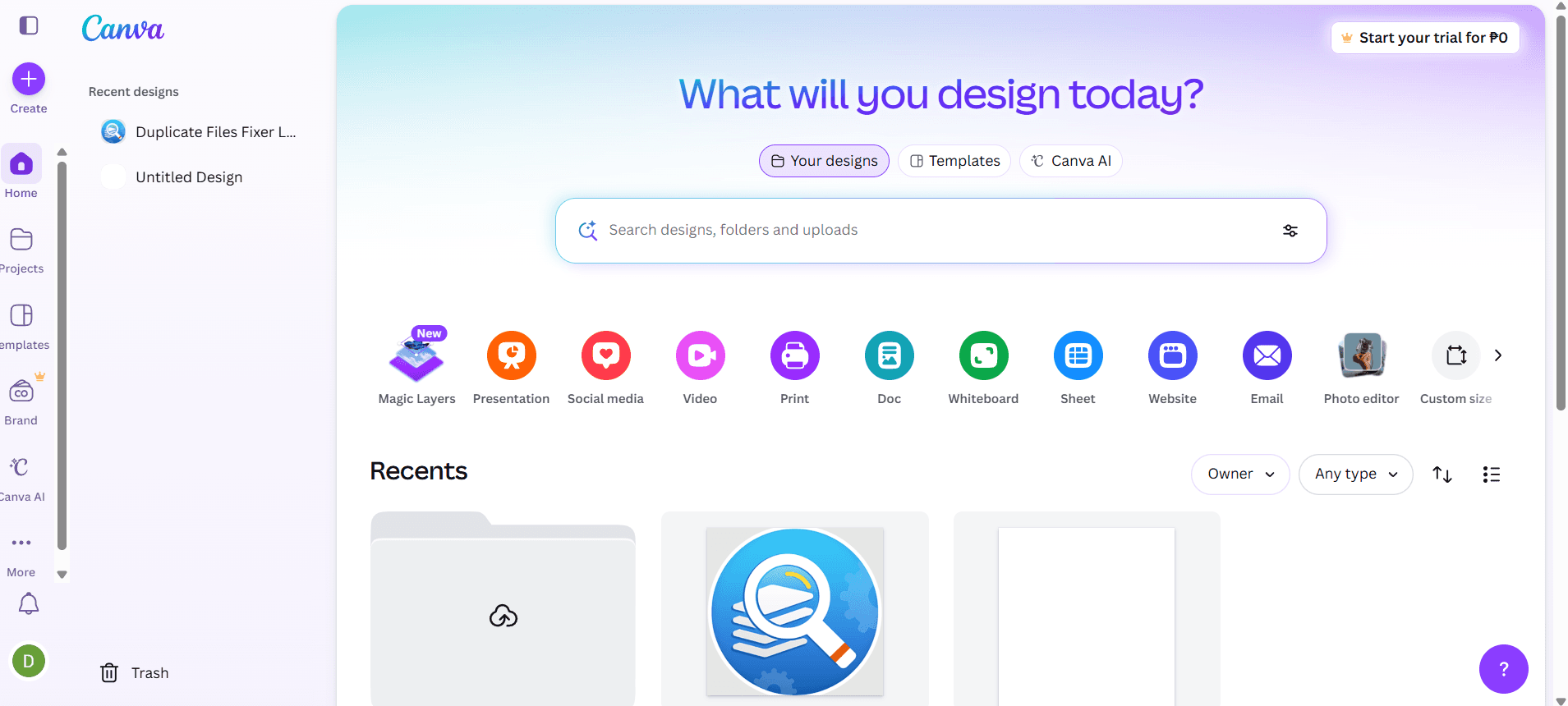
Canva is an AI marketing tool built around visual content creation—social graphics, presentations, ads, and branded assets. It's a natural fit for marketing teams that produce a high volume of visual content without a dedicated design team. If you're weighing Canva against Adobe Express, Canva has a broader template library and stronger AI design features. Tools like Magic Design and Magic Write get you from blank canvas to publish-ready faster.
Canva Evaluation Summary
4.7/5
- From $144/user/year (billed annually)
- Free trial + free plan available
Why Trust Our Software Recommendations
6,700+
Reviews
20
Industry experts
16+
Evaluation factors
14
Years
Our team has been testing and reviewing software since 2012. As marketing leaders ourselves, we know how difficult—and important—it is to choose the right software.
For this guide, we evaluated tools using hands-on testing and independent research, scoring tools using our selection criteria.
Our reviews reflect our human editorial judgment, not a sales pitch.
Expert reviewers:
 Gui DrusinaCreative Director
- Shriya GhateSenior Marketing Lead
 Amanda JacquesMarketing Ops Leader

Canva Overview
Teams typically use Canva for its intuitive interface, fast onboarding, and broad template library, which make it a top pick if you need quick, polished visuals. Pricing is accessible , and integrations with social and productivity platforms add flexibility. While its AI features simplify design, they may feel basic for advanced marketers seeking deep automation or analytics. Canva excels for small to mid-sized teams, agencies, and non-designers who value speed and ease over granular control. If you’re selecting a tool for rapid campaign assets, video editing, collaborative brand management, or need to simply resize an image, Canva is a strong contender.
Pros
- AI-powered Magic Write generates marketing copy and captions fast
- Brand Kit ensures consistent visual identity across campaigns
- Magic Media creates images and videos from text prompts
Cons
- Lacks deep flexibility for advanced graphic designs and animations
- Generated content sometimes lacks originality or nuance
- Advanced automation for multi-channel campaigns is missing
Is Canva Right For Your Needs?
Who Would be a Good Fit for Canva?
Canva is a strong choice for teams and organizations that need to produce high-quality marketing visuals quickly (like infographics, social media graphics, mockups, brand logos, or other creative assets), especially when design resources are limited. Its AI-powered content generation, brand management tools, and collaborative functionality make it ideal for beginners, marketing departments, agencies, and small businesses that value speed and consistency. Canva’s template-driven approach and Magic Write capabilities are especially useful for industries where rapid content creation and brand alignment are priorities.
- Small BusinessesCanva’s templates and AI tools help small teams create professional marketing assets without hiring designers.
- Social Media TeamsMagic Write and Magic Media speed up content creation for frequent posting schedules.
- NonprofitsBrand Kit and easy collaboration support consistent messaging across volunteer-driven campaigns.
- Education MarketingTemplates and AI features simplify event promotion and student engagement materials.
- AgenciesQuick turnaround on client projects is possible with Canva’s bulk creation and brand controls.
- Event PlannersDrag-and-drop design and AI-generated visuals help produce event collateral fast.
Who Would be a Bad Fit for Canva?
Canva may not suit organizations that require advanced automation, deep analytics, or highly customized workflows. Large enterprises, regulated industries, and teams with complex campaign needs may find Canva’s AI features, creative depth, and reporting too basic. If your marketing relies on granular data, multi-channel orchestration, or strict compliance, Canva’s strengths may not align with your requirements.
- Large EnterprisesCanva’s analytics and workflow automation are too limited for enterprise-scale campaigns.
- Regulated IndustriesLack of advanced compliance controls makes it risky for finance or healthcare.
- Performance MarketingMinimal AI-driven optimization and attribution features hinder data-driven campaign management.
- In-House Design TeamsProfessional designers may find Canva’s creative controls and export options restrictive.
- Ecommerce GiantsNo built-in AI for product feed management or dynamic ad personalization.
- B2B Tech FirmsLimited integration with complex CRM and marketing automation stacks.
How We Test & Score Tools
We’ve spent years building, refining, and improving our software testing and scoring system. The rubric is designed to capture the nuances of software selection and what makes a tool effective, focusing on critical aspects of the decision-making process.
Below, you can see exactly how our testing and scoring works across seven criteria. It allows us to provide an unbiased evaluation of the software based on core functionality, standout features, ease of use, onboarding, customer support, integrations, customer reviews, and value for money.
Core Functionality (25% of final scoring)
The starting point of our evaluation is always the core functionality of the tool. Does it have the basic features and functions that a user would expect to see? Are any of those core features locked to higher-tiered pricing plans? At its core, we expect a tool to stand up against the baseline capabilities of its competitors.
Standout Features (25% of final scoring)
Next, we evaluate uncommon standout features that go above and beyond the core functionality typically found in tools of its kind. A high score reflects specialized or unique features that make the product faster, more efficient, or offer additional value to the user.
We also evaluate how easy it is to integrate with other tools typically found in the tech stack to expand the functionality and utility of the software. Tools offering plentiful native integrations, 3rd party connections, and API access to build custom integrations score best.
Ease of Use (10% of final scoring)
We consider how quick and easy it is to execute the tasks defined in the core functionality using the tool. High scoring software is well designed, intuitive to use, offers mobile apps, provides templates, and makes relatively complex tasks seem simple.
Onboarding (10% of final scoring)
We know how important rapid team adoption is for a new platform, so we evaluate how easy it is to learn and use a tool with minimal training. We evaluate how quickly a team member can get set up and start using the tool with no experience. High scoring solutions indicate little or no support is required.
Customer Support (10% of final scoring)
We review how quick and easy it is to get unstuck and find help by phone, live chat, or knowledge base. Tools and companies that provide real-time support score best, while chatbots score worst.
Customer Reviews (10% of final scoring)
Beyond our own testing and evaluation, we consider the net promoter score from current and past customers. We review their likelihood, given the option, to choose the tool again for the core functionality. A high scoring software reflects a high net promoter score from current or past customers.
Value for Money (10% of final scoring)
Lastly, in consideration of all the other criteria, we review the average price of entry level plans against the core features and consider the value of the other evaluation criteria. Software that delivers more, for less, will score higher.
Core Features
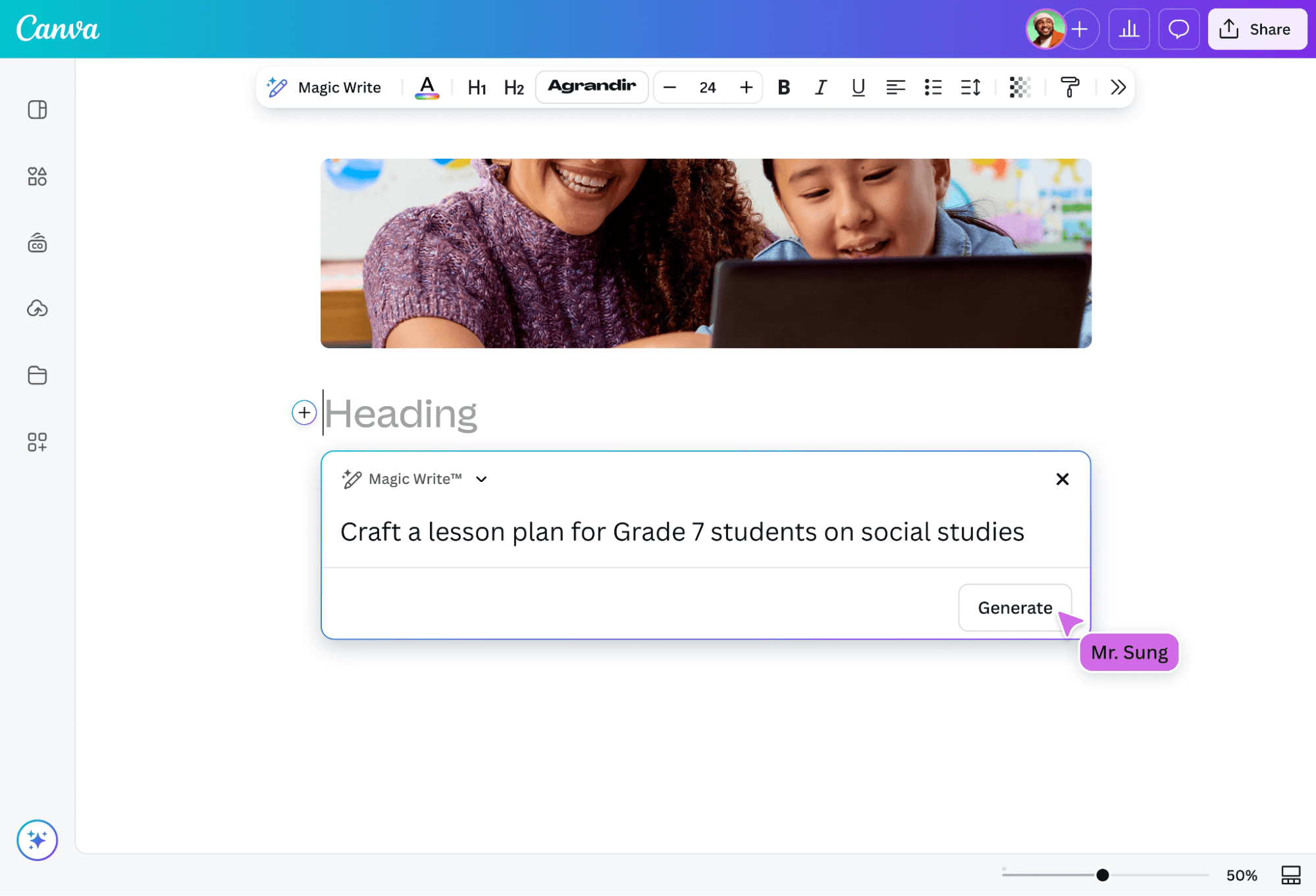
Magic Write
Generate marketing copy, captions, and headlines using AI-powered text prompts. This tool helps teams quickly draft content for social posts, ads, and emails.
Magic Media
Create images and short videos from text descriptions with AI. Users can turn campaign ideas into visuals without needing stock photos or video editors.
Brand Kit
Store marketing materials, like logos, fonts, and color palettes, for consistent branding across all designs. Teams can lock brand elements to ensure every asset matches guidelines.
AI-Powered Design Suggestions
Get instant layout, color, and style recommendations based on your content. This feature helps non-designers produce polished, on-brand visuals.
Bulk Create
Generate multiple versions of marketing assets at once using data from spreadsheets. Ideal for campaigns needing personalized graphics or localized content.
AI Background Remover
Remove backgrounds from images with one click using AI detection. This speeds up creating product shots, profile images, and ad creatives.
Ease of Use
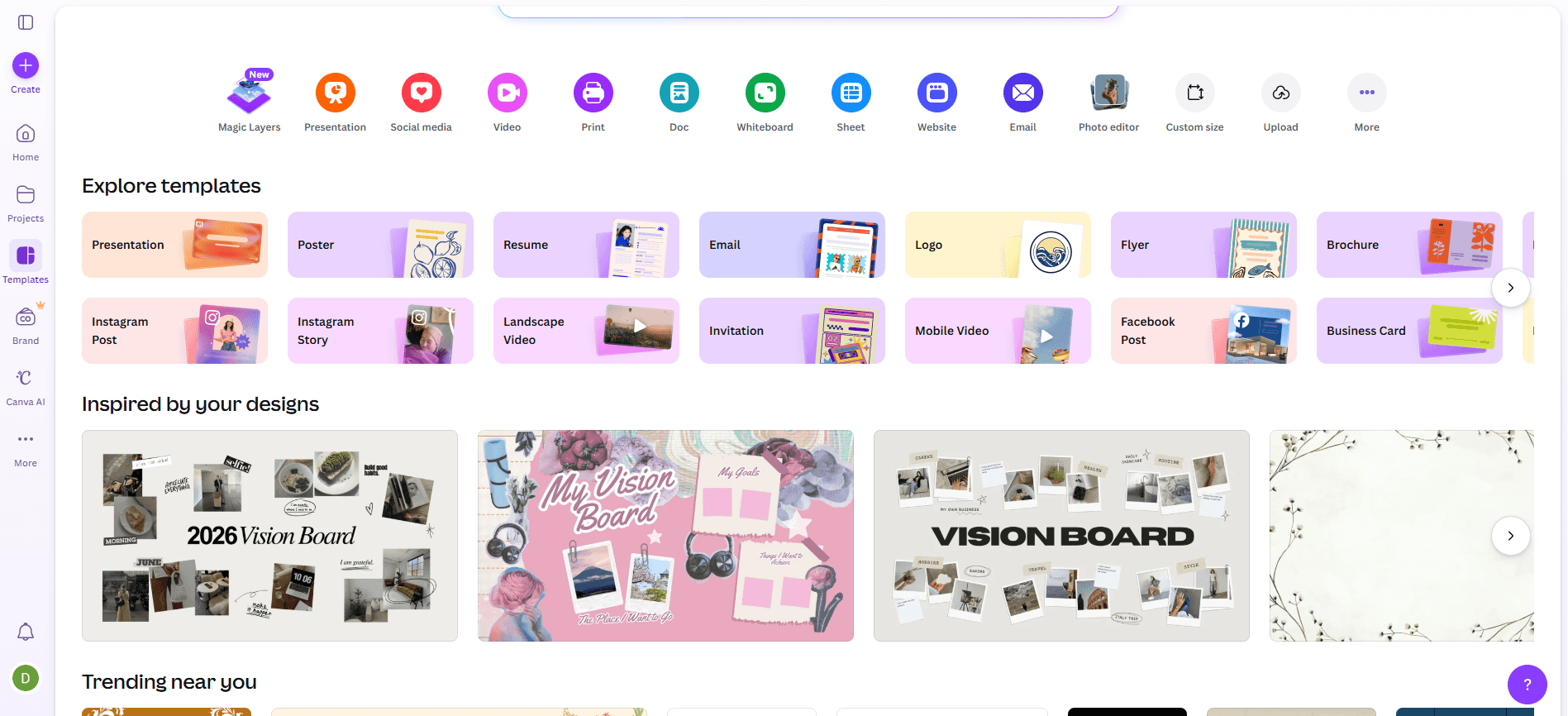
Canva is widely recognized for its intuitive drag-and-drop interface and minimal onboarding requirements, making it accessible to users with no design background or basic design skills. AI features like Magic Write and Magic Media are clearly labeled and easy to activate, so teams can generate content with just a few clicks with little to no learning curve involved. User reviews consistently highlight how quickly new users can start producing polished marketing assets, which sets Canva apart from more complex, feature-heavy AI marketing tools.
Integrations
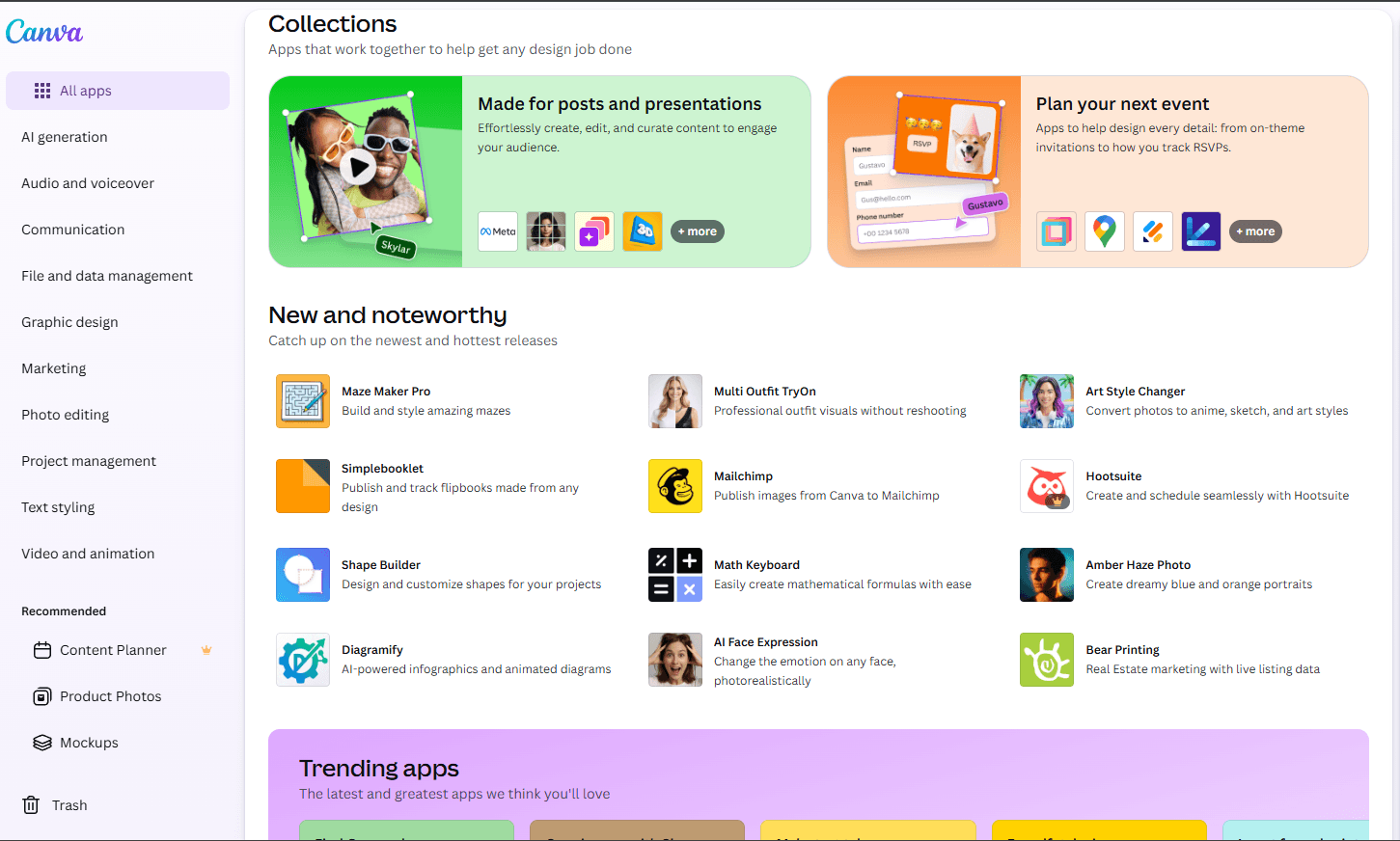
Canva integrates with Google Drive, Dropbox, Meta (Facebook), Instagram, Slack, HubSpot, Mailchimp, LinkedIn, YouTube, and Google Photos, among others.
Canva also offers an API and connects with third-party integration tools like Zapier for expanded automation and workflow options.
Canva Specs
- CAD Tools: Yes
- Data Export: Yes
- Data Import: Yes
- Multi-User: Yes
- Pixel Graphics: Yes
- Third-Party Plugins/Add-Ons: Yes
- Vector File Support: Yes
- Video: Yes


