

Reseña de Sanity.io: ventajas, desventajas, características y detalles de precios
Sanity.io isn’t your average CMS—it’s a customizable toolkit that lets me shape digital experiences exactly how I imagine them. Ready to see if it’s the right fit for you?

Revisamos herramientas de manera independiente, y las comisiones ayudan a financiar nuestras pruebas. Consulta nuestra política de transparencia, nuestra metodología o sugiere una herramienta.
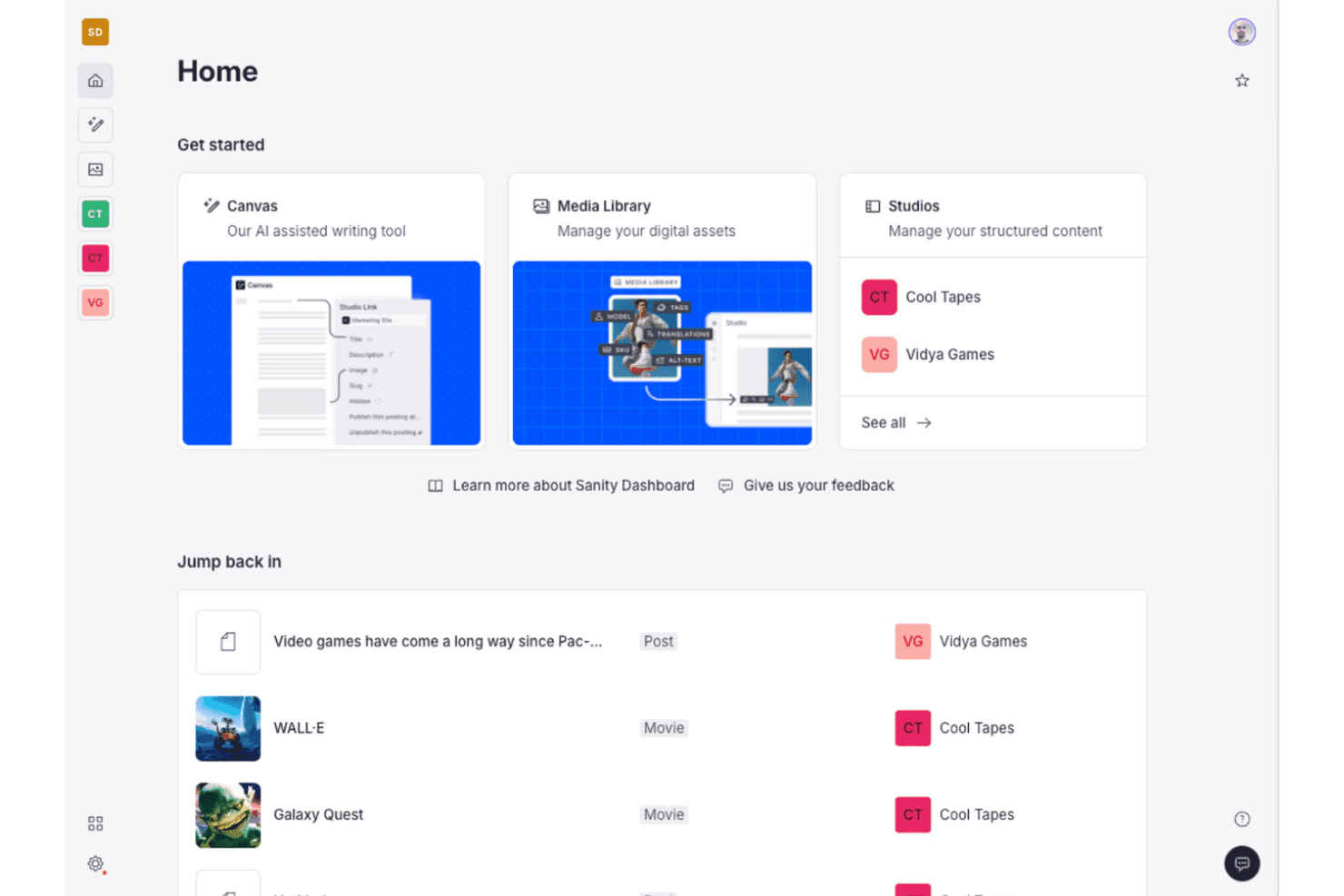
Sanity.io is a headless content management software for teams that need to model, structure, and deliver content across websites, apps, and other digital channels from a single source. I'd reach for it when your team has outgrown page-based tools like WordPress and wants full control over content schemas, real-time collaboration in the Studio editor, and API-first delivery. Compared to Contentful, I think Sanity gives you more flexibility because the Studio is open-source and fully customizable in React, so you can shape the editing experience to match how your marketers and developers actually work. As a headless CMS, the Sanity CMS model puts the schema rather than the page at the centre.
Sanity.io Evaluation Summary
4.7/5
- From $15/seat/month
- Free forever plan available
Por qué confiar en nuestras recomendaciones de software
6,700+
Reviews
20
Industry experts
16+
Evaluation factors
14
Years
Nuestro equipo lleva probando y evaluando software desde 2012. Como líderes de marketing, sabemos lo difícil —y lo importante— que es elegir el software adecuado.
Para esta guía, evaluamos las herramientas mediante pruebas prácticas e investigación independiente, puntuando las herramientas según nuestros criterios de selección.
Nuestras reseñas reflejan nuestro criterio editorial humano, no un discurso de ventas.
Revisores expertos:
 Gui DrusinaDirector creativo
- Shriya GhateSenior Marketing Lead
 Amanda JacquesLíder de Marketing Ops

Sanity.io Overview
Sanity.io stands out for its customizable Studio editor, real-time collaboration, and API-first approach, which make it a top pick for teams who want complete control over content structure and delivery. The open-source Studio lets you shape the interface to fit your workflows, something I rarely see in other platforms. Sanity pitches itself as a content operating system rather than a CMS, and the developer experience genuinely backs that framing. Pricing is flexible, and the starter plan supports generous usage. Integrations are strong, particularly with modern web frameworks, but there’s a learning curve during onboarding. I’d recommend it for teams with developers on board who need a scalable, collaborative, and customizable content platform.
Pros
- Studio editor is fully customizable with React components.
- Real-time collaboration supports multiple editors working simultaneously.
- Flexible content modeling fits complex, multi-channel structures.
Cons
- Requires developer support for initial setup and configuration.
- Limited visual preview tools for non-technical content editors.
- Usage costs can rise quickly with high API and bandwidth demand.
Is Sanity.io Right For Your Needs?
Who Would be a Good Fit for Sanity.io?
Sanity.io is a strong fit for tech-forward teams and organizations that want to customize their content workflows and integrate modern frontend frameworks. You’re going to get the most value if your business has technical support and cares about structured, API-driven content. In my experience, it’s a good pick for companies with complex content needs, headless integrations, or multi-channel publishing, especially when developer resources are available to tailor schemas and workflows. Treat it as content infrastructure rather than a traditional content management system and the trade-offs make sense.
- Enterprise TechEngineering and product teams can define custom schemas and embrace API-first content operations for flexibility and maintainability.
- Ecommerce PlatformsCustom ecommerce setups get structured product data and integrations with storefront frameworks like Next.js.
- Digital AgenciesAgencies building custom sites for multiple clients will appreciate the ability to deliver unique, branded content models and editor experiences.
- NewsroomsEditorial teams that need real-time collaboration and structured workflows can manage content updates with full control and flexible previews.
- Marketing OpsMarketing teams working closely with developers can personalize content structure and leverage integrations with analytics and campaign tools.
- SaaS StartupsStartups focused on rapid product evolution get scalability, API-driven design, and the freedom to iterate on content models without vendor lock-in.
Who Would be a Bad Fit for Sanity.io?
Sanity.io is less suitable for businesses where technical resources are limited, or when teams need a ready-to-use CMS with minimal configuration. If you want easy setup, strong WYSIWYG editing, or lots of visual design options for non-technical editors, it’s going to feel overwhelming or restrictive. Small businesses or content teams who can’t dedicate developer time will likely be frustrated by the code-driven onboarding and custom schema requirements.
- Small RetailersOwner-operators or small shops lacking a developer will struggle with setup and ongoing schema management.
- Freelance WritersWriters or small teams wanting a plug-and-play blog platform will find the developer-first approach excessive and unnecessarily complex.
- Local NonprofitsOrganizations relying on volunteers or non-technical staff for web updates need a more guided, visually-driven CMS experience.
- Restaurant ChainsTeams focused on visual page building and frequent menu updates won’t benefit from the structured, code-dependent content modeling.
- Traditional PublishersMedia businesses with legacy editorial workflows often need instant previews and page-building tools not natively offered in Sanity.io.
- Event PlannersProject-driven teams looking for out-of-the-box event templates and calendar tools will not get the fast start they expect from other CMS platforms.
Cómo Probamos y Puntuamos las Herramientas
Hemos dedicado años a construir, refinar y mejorar nuestro sistema de prueba y puntuación de software. El marco está diseñado para captar los matices de la selección de software y lo que hace a una herramienta eficaz, enfocándose en los aspectos críticos del proceso de decisión. A continuación, puedes ver exactamente cómo funcionan nuestras pruebas y puntuaciones en siete criterios. Esto nos permite brindar una evaluación imparcial de los programas basada en la funcionalidad principal, características destacadas, facilidad de uso, integración, soporte al cliente, reseñas de clientes y relación calidad-precio.
Funcionalidad Principal (25% de la puntuación final)
El punto de partida de nuestra evaluación siempre es la funcionalidad principal de la herramienta. ¿Cuenta con las funciones básicas que un usuario esperaría? ¿Alguna de esas funciones está reservada solo para planes de pago avanzados? Esperamos que, en esencia, una herramienta se mantenga al nivel de las capacidades mínimas de sus competidores.
Características Destacadas (25% de la puntuación final)
Después, evaluamos las características poco comunes y destacadas que van más allá de la funcionalidad típica de herramientas similares. Una puntuación alta refleja funciones especializadas o únicas que hacen el producto más rápido, eficiente o aportan un valor adicional al usuario. También evaluamos qué tan fácil es integrarse con otras herramientas habituales en el entorno tecnológico para expandir la funcionalidad del software. Las herramientas que ofrecen muchas integraciones nativas, conexiones de terceros y acceso a API para crear integraciones personalizadas tienen la mejor puntuación.
Facilidad de Uso (10% de la puntuación final)
Consideramos cuán rápido y fácil es ejecutar las tareas definidas en la funcionalidad central utilizando la herramienta. El software mejor puntuado está bien diseñado, es intuitivo, ofrece aplicaciones móviles, proporciona plantillas y hace que tareas relativamente complejas parezcan sencillas.
Incorporación (10% de la puntuación final)
Sabemos lo importante que es que un equipo adopte rápidamente una nueva plataforma, por eso evaluamos lo fácil que es aprender y usar una herramienta con la menor formación posible. Analizamos lo rápido que un integrante puede comenzar a usar la herramienta sin experiencia previa. Las soluciones mejor puntuadas requieren poco o ningún soporte.
Soporte al Cliente (10% de la puntuación final)
Vemos cuán rápido y sencillo es obtener ayuda por teléfono, chat en vivo o base de conocimientos. Las empresas y herramientas que ofrecen soporte en tiempo real logran la mejor puntuación, mientras que los chatbots obtienen la peor.
Reseñas de Clientes (10% de la puntuación final)
Más allá de nuestras propias pruebas y evaluaciones, consideramos el puntaje de recomendación de clientes actuales y anteriores. Revisamos la probabilidad de que, de poder elegir de nuevo, seleccionarían la herramienta por su funcionalidad principal. Un software con alta puntuación refleja una elevada recomendación de sus usuarios.
Relación Calidad-Precio (10% de la puntuación final)
Finalmente, considerando todos los demás criterios, revisamos el precio promedio de los planes básicos frente a las funciones y el valor de los demás factores de evaluación. El software que ofrece más por menos obtiene mejor puntuación.
Core Features
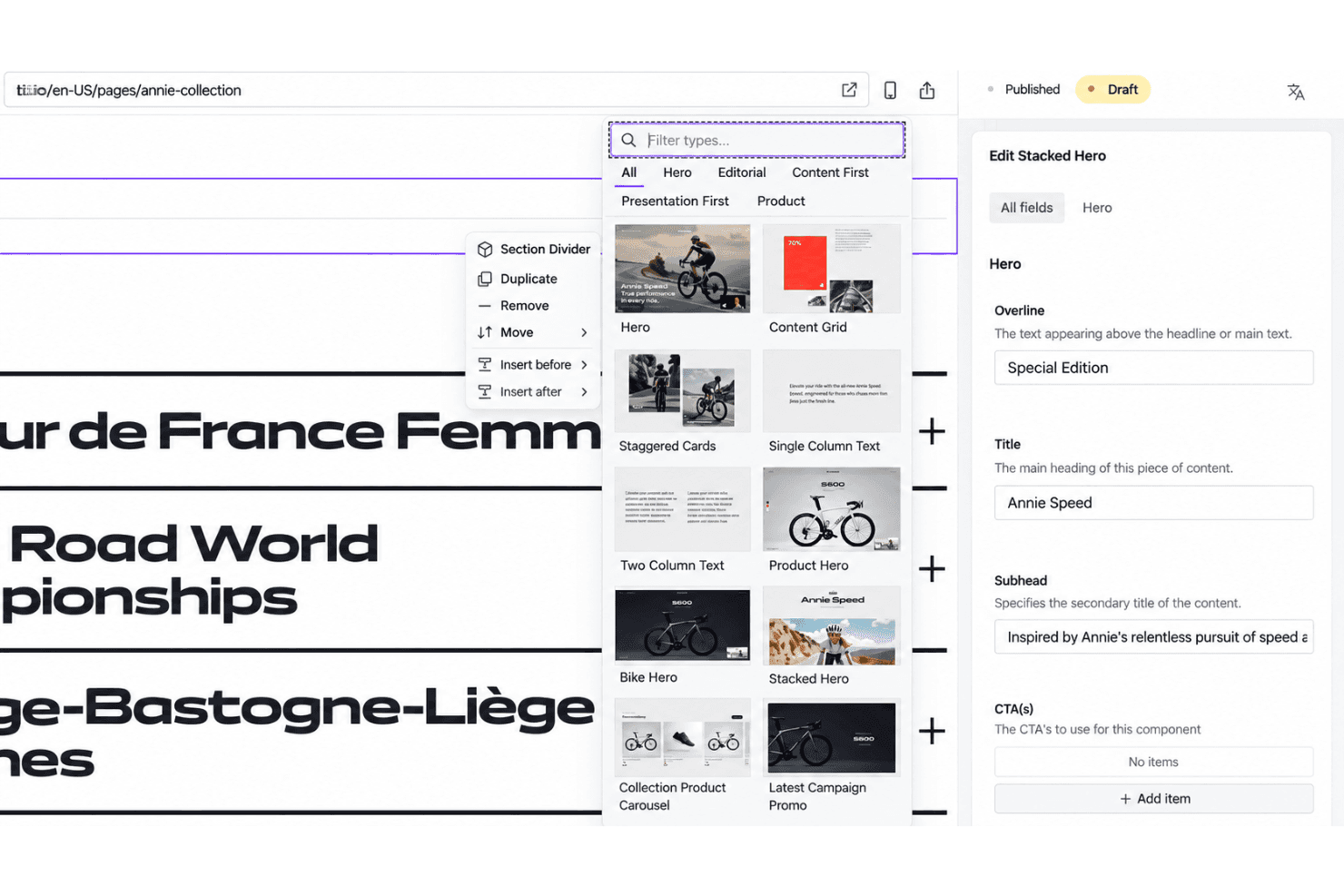
Customizable Studio Editor
Shape the editing experience in React and TypeScript—custom dashboards, workflows, fields. Add plugins, validation, and components right inside the Studio.
Real-Time Collaboration
Edit the same document simultaneously—changes appear instantly and conflicts resolve as they happen. Marketers and developers work side by side, nothing overwritten.
Flexible Content Modeling
Define granular schemas for content types, relationships, and validation in JavaScript. Structured data supports rich references, arrays, and deeply nested objects.
API-First Content Delivery
Push content to sites, apps, and third-party platforms over fast, scalable APIs. Fetch exactly what you need with GROQ queries or the GraphQL API.
Structured Content Versioning
Track every edit, roll back to earlier versions, and review full history per document. Content releases let you stage and ship a set of changes together.
Role-Based Access Control
Grant precise editing, publishing, or admin rights per user, team, or dataset. Sensitive projects stay limited to approved collaborators.
Ease of Use
Sanity.io gives your team full flexibility, but it’s not out-of-the-box simple—you’ll need a developer to set up schemas and tailor the Studio. Once configured, editors love the clean interface, real-time collaboration, and custom fields. Some non-technical users want more visual preview options, but the workflow feels smooth and fast for structured content. The API-driven approach may bring a learning curve, yet usability shines for teams with technical support.
Integrations
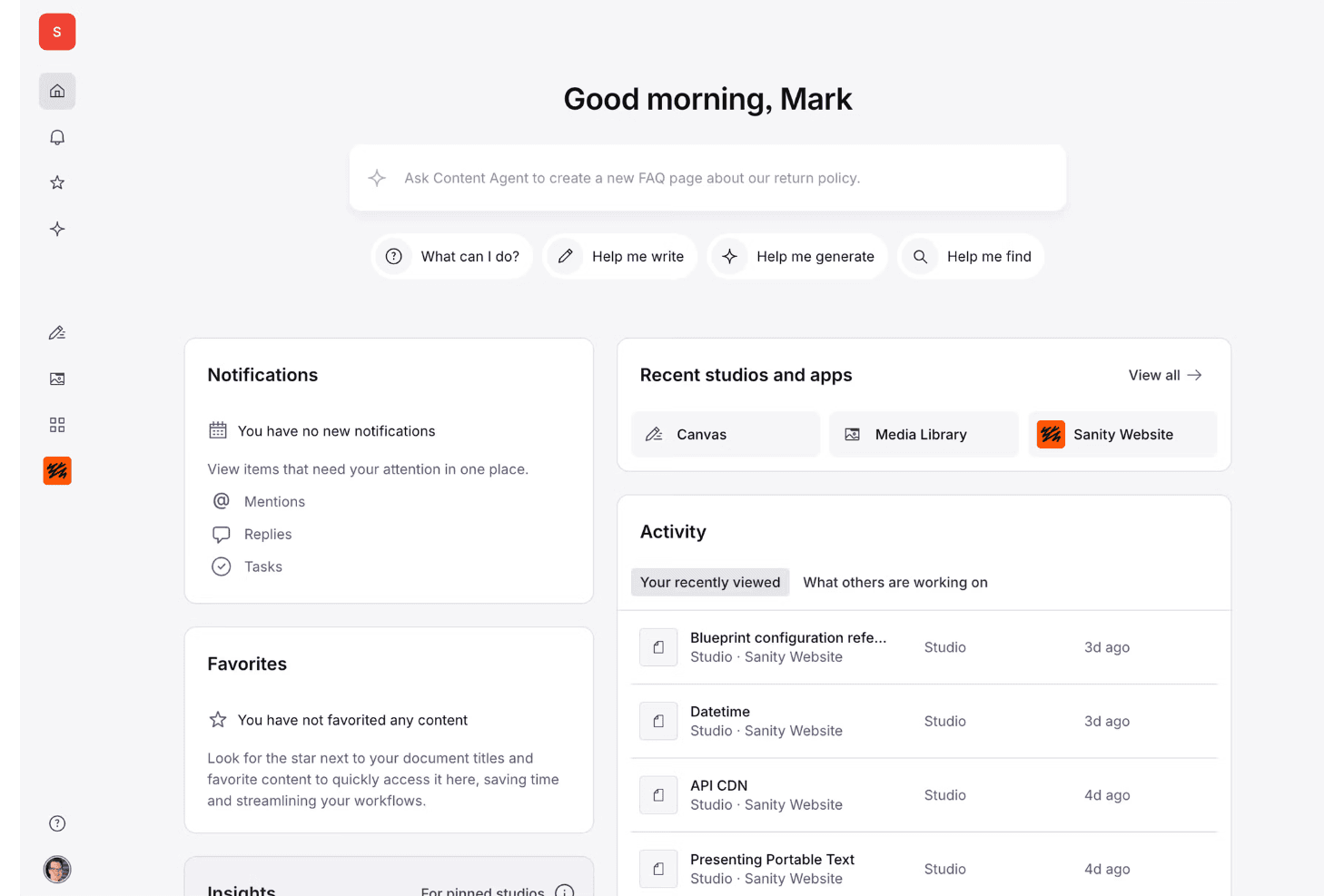
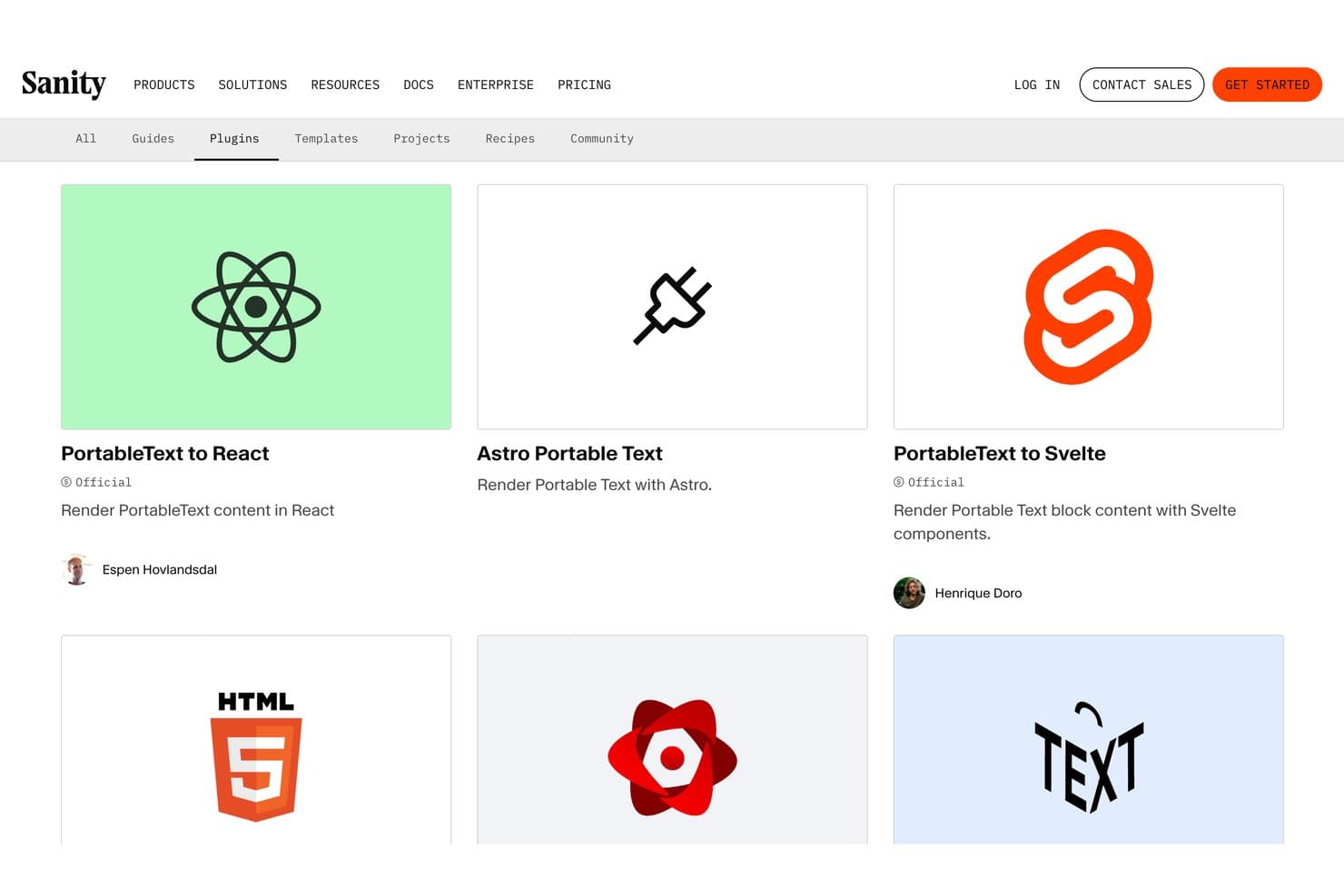
Sanity.io integrates with Next.js, Astro, Gatsby, Netlify, Vercel, Shopify, Slack, Algolia, AWS, Google Cloud, and Azure, among others.
Sanity.io also offers robust APIs, webhook support for build triggers, and connections with third-party integration tools.
Sanity.io Specs
- A/B Testing: Yes
- Energy Production Estimates: Yes
- Geo-filtering: Yes
- Inventory Tracking: Yes
- Materials Library: Yes
- Media Streaming: Yes
- SCORM: Yes
- SEO: Yes
- Shading Analysis: Yes


