

Reseña de Outfunnel: Ventajas, Desventajas, Funciones y Precios
Outfunnel destaca por sus integraciones CRM sin fisuras y su automatización, lo que lo hace ideal para equipos pequeños que buscan flujos de trabajo de marketing eficientes, aunque puede carecer de análisis avanzados para grandes empresas.

Revisamos herramientas de manera independiente, y las comisiones ayudan a financiar nuestras pruebas. Consulta nuestra política de transparencia, nuestra metodología o sugiere una herramienta.
Outfunnel is a marketing management software built for sales-led teams that need to connect their CRM with email marketing tools and understand how marketing engagement actually influences pipeline. I'd consider it over HubSpot if your team is already committed to a CRM like Pipedrive or Copper—Outfunnel layers on lead scoring, contact sync, and web visitor tracking without requiring you to migrate your entire sales process to a new platform.
Outfunnel Evaluation Summary
4.4/5
- From $29/month when billed monthly
- 14-day free trial
Por qué confiar en nuestras recomendaciones de software
6,700+
Reviews
20
Industry experts
16+
Evaluation factors
14
Years
Nuestro equipo lleva probando y evaluando software desde 2012. Como líderes de marketing, sabemos lo difícil —y lo importante— que es elegir el software adecuado.
Para esta guía, evaluamos las herramientas mediante pruebas prácticas e investigación independiente, puntuando las herramientas según nuestros criterios de selección.
Nuestras reseñas reflejan nuestro criterio editorial humano, no un discurso de ventas.
Revisores expertos:
 Gui DrusinaDirector creativo
- Shriya GhateSenior Marketing Lead
 Amanda JacquesLíder de Marketing Ops

Outfunnel Overview
If you’re judging Outfunnel against other marketing management software, I think its CRM integrations and simple automation tools make it a top pick for small to mid-sized teams that want to connect sales and marketing without a steep learning curve. The interface is clean, onboarding is quick, and support is responsive. While it doesn’t offer deep analytics or advanced segmentation, its pricing is fair for the features you get.
If you’re selecting a tool to sync contacts and automate email campaigns with minimal fuss, Outfunnel is a strong contender.
Pros
- Lead scoring helps prioritize sales follow-up
- Tracks email engagement and website visits in your CRM
- Syncs CRM and marketing data automatically and reliably
Cons
- Limited segmentation options for complex campaigns
- No built-in landing page or form builder
- Lacks advanced reporting and analytics features
Is Outfunnel Right For Your Needs?
Who Would be a Good Fit for Outfunnel?
Outfunnel is a strong choice for small to mid-sized businesses, especially those with lean marketing and sales teams that need to keep CRM and marketing data in sync without heavy IT involvement. Its automation, lead scoring, and email tracking features make it ideal for teams focused on nurturing leads and aligning sales and marketing. If your business relies on CRM-driven campaigns and values simplicity over deep customization, Outfunnel is likely to fit your workflow.
- Sales-Driven SMBsAligns sales and marketing with shared engagement and lead data.
- Marketing AgenciesCentralizes client campaign data and syncs with multiple CRMs.
- Nonprofit OrganizationsSimple automation and campaign tracking suit limited marketing resources.
- Consulting FirmsKeeps client engagement data visible in the CRM for better follow-up.
- Real Estate AgenciesAutomated email tracking and contact syncing support relationship-driven sales cycles.
- B2B SaaS StartupsOutfunnel’s CRM sync and lead scoring help prioritize outreach for small sales teams.
Who Would be a Bad Fit for Outfunnel?
Outfunnel isn’t built for large enterprises or teams needing advanced segmentation, deep analytics, or multi-channel campaign management. If your marketing relies on complex workflows, custom reporting, or integrated landing page builders, you’ll likely find Outfunnel’s feature set too limited. It’s best for straightforward CRM-driven marketing, not for organizations with highly specialized or large-scale needs.
- Content-Heavy PublishersDoesn’t offer landing page or form building for content capture.
- Financial Services FirmsNo compliance features or advanced data security controls.
- Enterprise Marketing TeamsLimited segmentation and reporting for sophisticated campaign strategies.
- Higher EducationMissing event management and multi-channel outreach tools.
- Ecommerce RetailersNo built-in support for product catalogs or transactional campaigns.
- Large EnterprisesLacks advanced analytics and customization for complex marketing operations.
Cómo Probamos y Puntuamos las Herramientas
Hemos dedicado años a construir, refinar y mejorar nuestro sistema de prueba y puntuación de software. El marco está diseñado para captar los matices de la selección de software y lo que hace a una herramienta eficaz, enfocándose en los aspectos críticos del proceso de decisión. A continuación, puedes ver exactamente cómo funcionan nuestras pruebas y puntuaciones en siete criterios. Esto nos permite brindar una evaluación imparcial de los programas basada en la funcionalidad principal, características destacadas, facilidad de uso, integración, soporte al cliente, reseñas de clientes y relación calidad-precio.
Funcionalidad Principal (25% de la puntuación final)
El punto de partida de nuestra evaluación siempre es la funcionalidad principal de la herramienta. ¿Cuenta con las funciones básicas que un usuario esperaría? ¿Alguna de esas funciones está reservada solo para planes de pago avanzados? Esperamos que, en esencia, una herramienta se mantenga al nivel de las capacidades mínimas de sus competidores.
Características Destacadas (25% de la puntuación final)
Después, evaluamos las características poco comunes y destacadas que van más allá de la funcionalidad típica de herramientas similares. Una puntuación alta refleja funciones especializadas o únicas que hacen el producto más rápido, eficiente o aportan un valor adicional al usuario. También evaluamos qué tan fácil es integrarse con otras herramientas habituales en el entorno tecnológico para expandir la funcionalidad del software. Las herramientas que ofrecen muchas integraciones nativas, conexiones de terceros y acceso a API para crear integraciones personalizadas tienen la mejor puntuación.
Facilidad de Uso (10% de la puntuación final)
Consideramos cuán rápido y fácil es ejecutar las tareas definidas en la funcionalidad central utilizando la herramienta. El software mejor puntuado está bien diseñado, es intuitivo, ofrece aplicaciones móviles, proporciona plantillas y hace que tareas relativamente complejas parezcan sencillas.
Incorporación (10% de la puntuación final)
Sabemos lo importante que es que un equipo adopte rápidamente una nueva plataforma, por eso evaluamos lo fácil que es aprender y usar una herramienta con la menor formación posible. Analizamos lo rápido que un integrante puede comenzar a usar la herramienta sin experiencia previa. Las soluciones mejor puntuadas requieren poco o ningún soporte.
Soporte al Cliente (10% de la puntuación final)
Vemos cuán rápido y sencillo es obtener ayuda por teléfono, chat en vivo o base de conocimientos. Las empresas y herramientas que ofrecen soporte en tiempo real logran la mejor puntuación, mientras que los chatbots obtienen la peor.
Reseñas de Clientes (10% de la puntuación final)
Más allá de nuestras propias pruebas y evaluaciones, consideramos el puntaje de recomendación de clientes actuales y anteriores. Revisamos la probabilidad de que, de poder elegir de nuevo, seleccionarían la herramienta por su funcionalidad principal. Un software con alta puntuación refleja una elevada recomendación de sus usuarios.
Relación Calidad-Precio (10% de la puntuación final)
Finalmente, considerando todos los demás criterios, revisamos el precio promedio de los planes básicos frente a las funciones y el valor de los demás factores de evaluación. El software que ofrece más por menos obtiene mejor puntuación.
Core Features
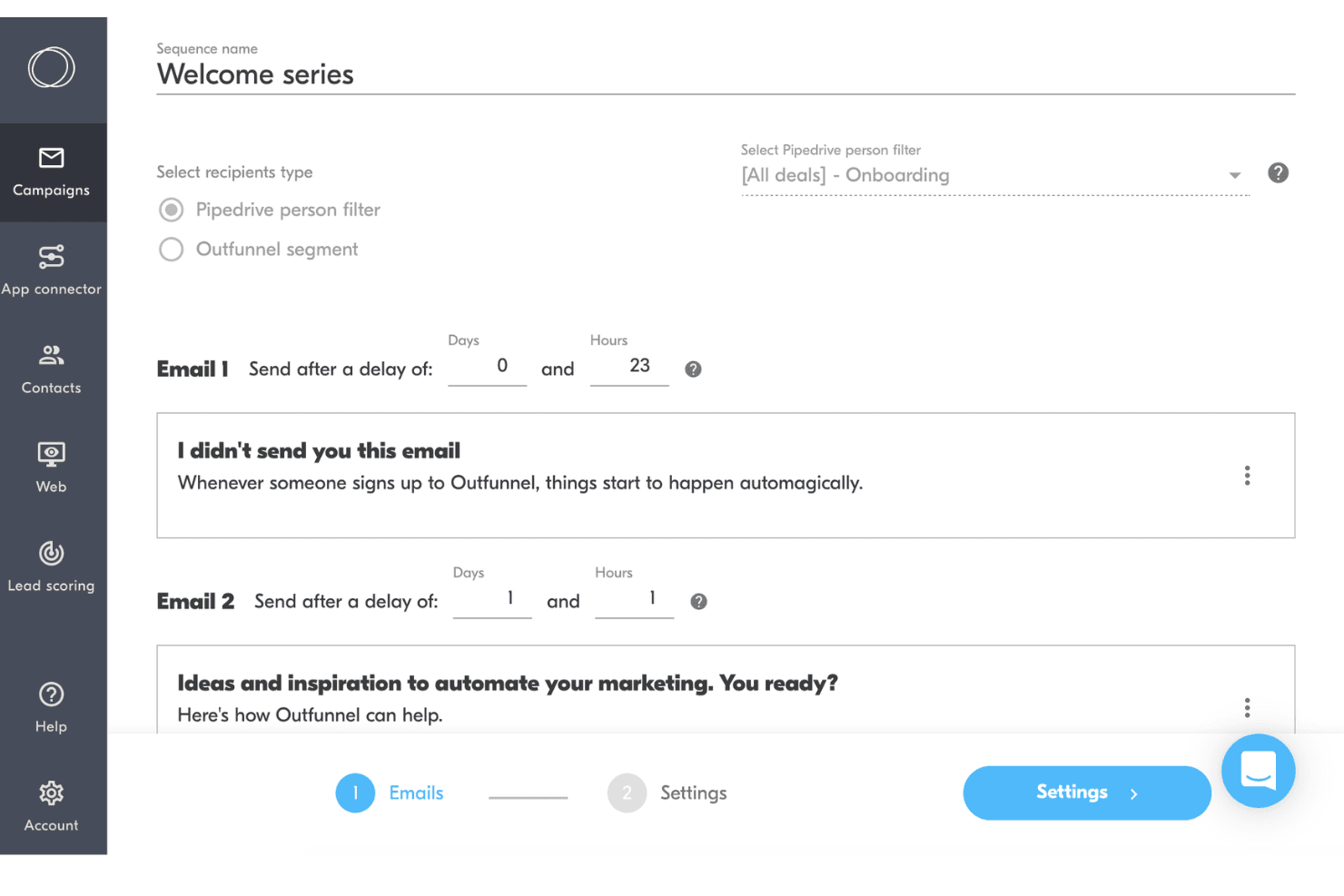
Email Campaign Automation
Automate email sequences triggered by CRM updates or contact actions. Schedule, personalize, and track campaigns directly from your connected CRM.
Lead Scoring
Assign scores to leads based on engagement and activity. Prioritize follow-up by surfacing the most sales-ready contacts.
Website Tracking
Track website visits and page views for CRM contacts. See which leads are engaging with your site and what content interests them.
Contact Activity Sync
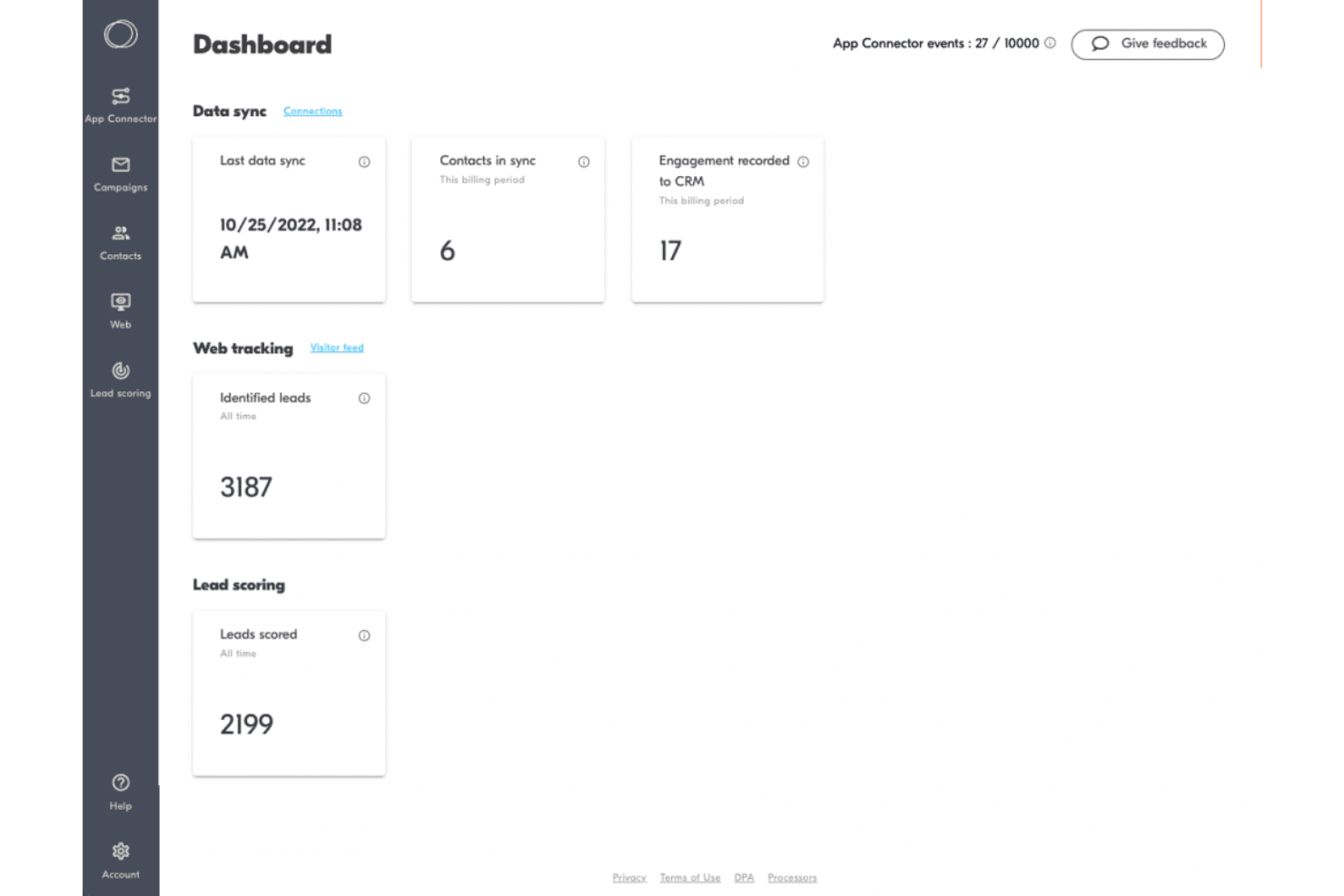
Automatically sync email, web, and campaign activity to your CRM. Keep sales and marketing teams aligned with up-to-date engagement data.
Campaign Reporting
View open rates, click rates, and engagement metrics for each campaign. Quickly assess which messages and campaigns are performing best.
Unsubscribe Management
Handle opt-outs and unsubscribes automatically to stay compliant. Outfunnel updates your CRM and suppresses future emails to unsubscribed contacts.
Ease of Use
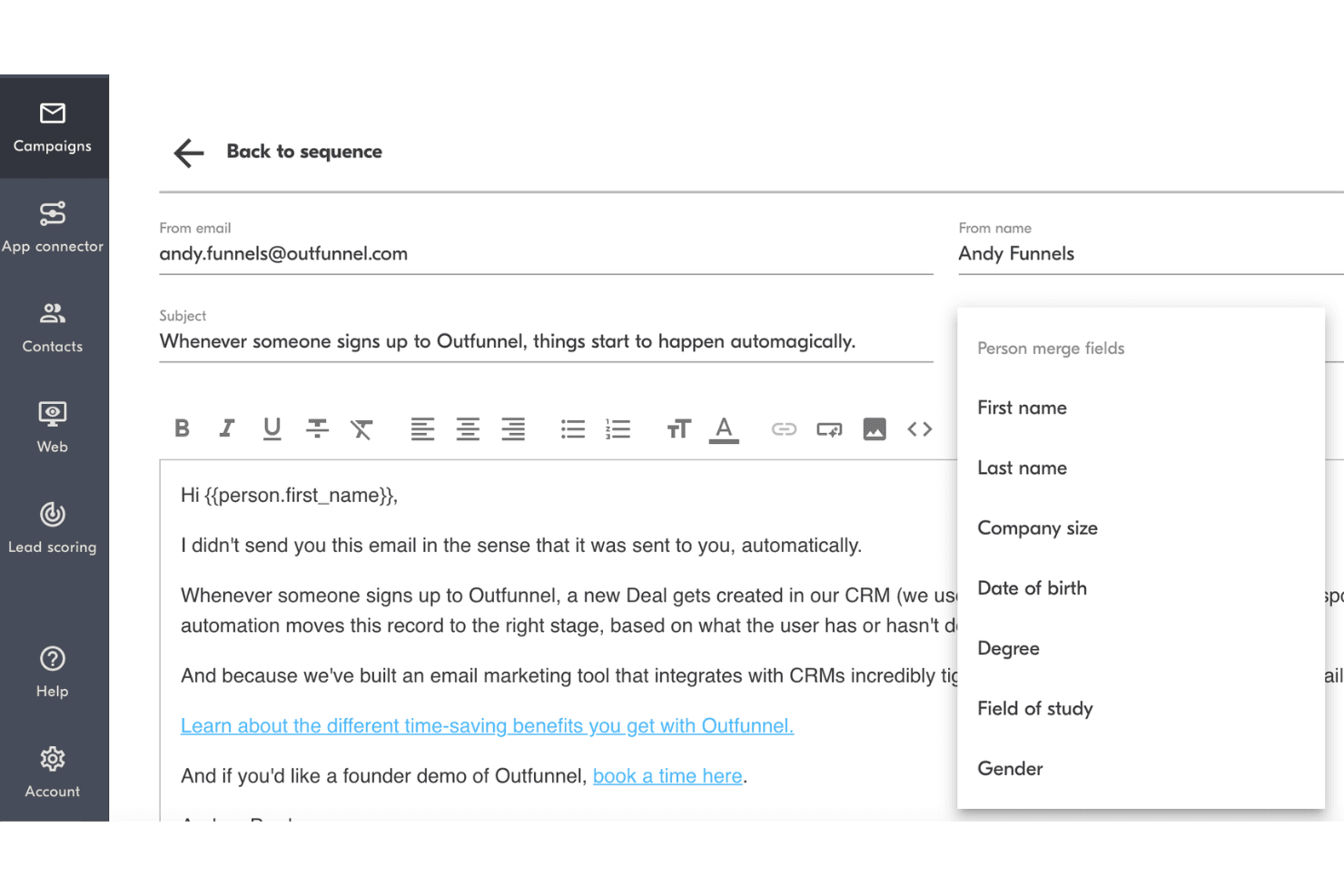
Outfunnel is refreshingly straightforward, with a clean interface and intuitive navigation that makes setup and daily use simple for non-technical users. Most users say connecting their CRM and launching campaigns takes just minutes, not hours.
The platform avoids clutter and focuses on essential features, so you won’t get lost in menus or settings. If you want a marketing management tool that’s easy to adopt and doesn’t require training, Outfunnel is a strong choice.
Integrations
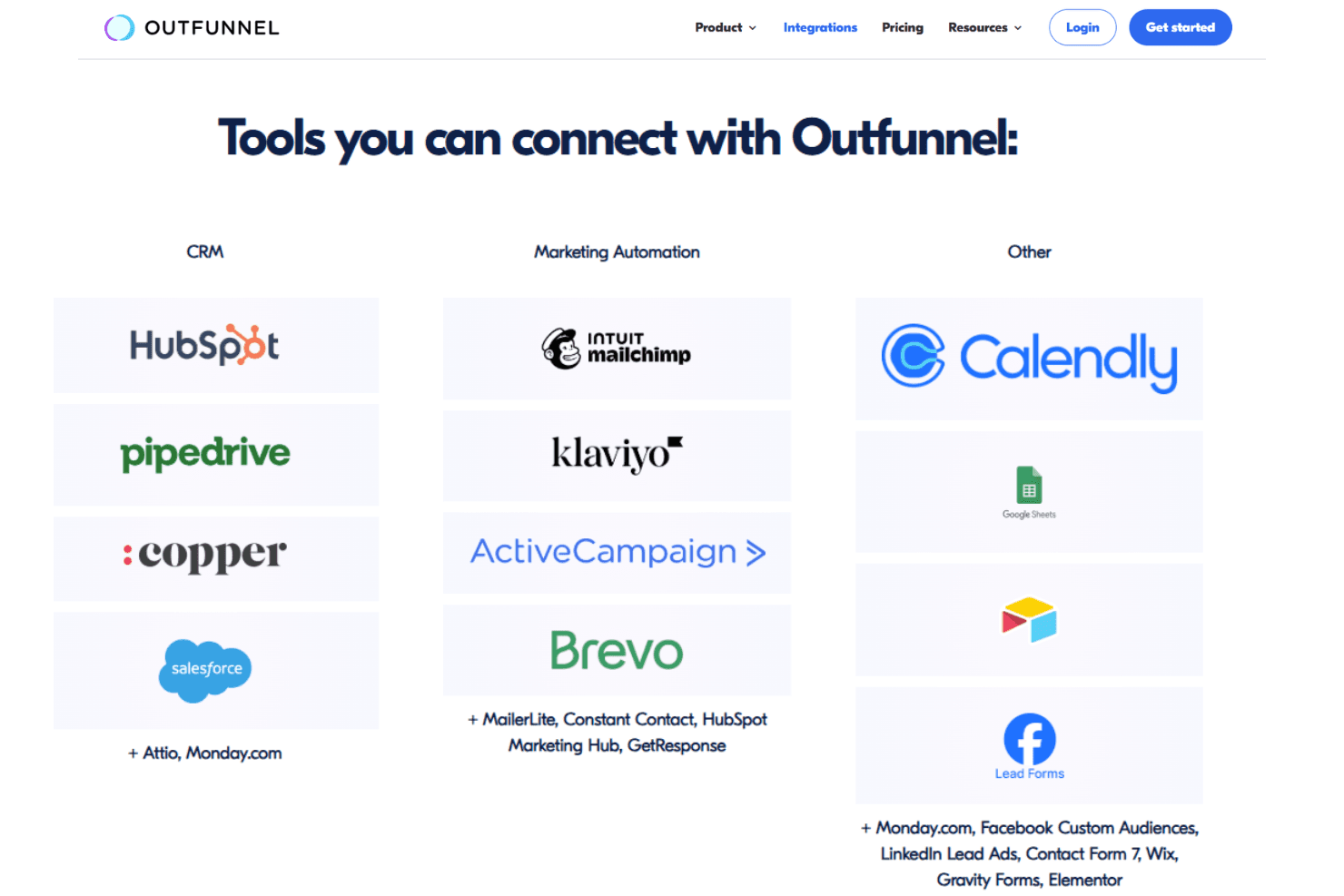
Outfunnel integrates with Pipedrive, HubSpot, Salesforce, Copper, Klaviyo, Mailchimp, MailerLite, monday.com, Airtable, and Google Sheets, among others.
Outfunnel also offers an API and connects with third-party integration tools.
Outfunnel Specs
- A/B Testing: No
- Analytics: Yes
- API: Yes
- Audience Targeting: Yes
- Automated Conversion: No
- Batch Permissions & Access: No
- Behavioral Tracking: Yes
- Brand Management: No
- Campaign Management: Yes
- Contact Management: Yes
- Contact Sharing: Yes
- Conversion Tracking: Yes
- CRM Integration: Yes
- Customer Management: Yes
- Dashboards: Yes
- Data Export: Yes
- Data Import: Yes
- Email Integration: Yes
- External Integrations: Yes
- Keyword Tracking: No
- Landing Pages: No
- Lead Management: Yes
- Lead Scoring: Yes
- Link Tracking: Yes
- Marketing Automation: Yes
- Multi-User: Yes
- Notifications: Yes
- Password & Access Management: Yes
- Social-Media Integration: No


