

Reseña de Looker Studio: Ventajas, Desventajas, Características y Precios Explicados
Looker Studio destaca por su integración perfecta con Google y su flexible visualización de datos, pero puede quedarse corto para análisis avanzados en comparación con plataformas de inteligencia de marketing especializadas.

Revisamos herramientas de manera independiente, y las comisiones ayudan a financiar nuestras pruebas. Consulta nuestra política de transparencia, nuestra metodología o sugiere una herramienta.
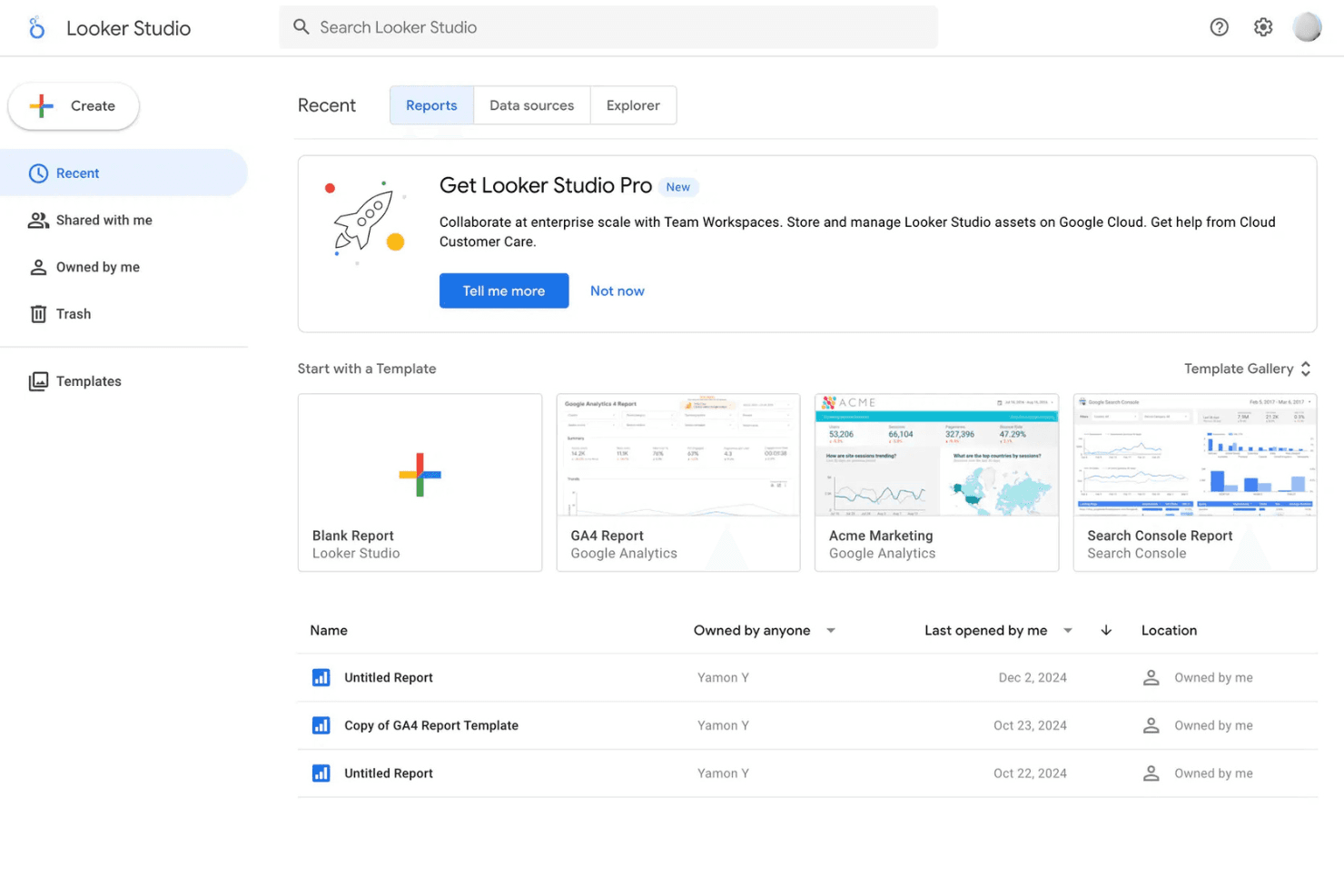
Looker Studio is a marketing intelligence software built around data visualization and dashboard reporting, designed for teams that need to pull marketing data into a single, shareable view. I'd consider it most seriously if your stack is Google-heavy—it connects natively with GA4, Google Ads, and Search Console out of the box. It's also free, which puts it in a different category than Tableau for teams that need flexible, custom reporting without a licensing cost attached to every seat.
Looker Studio Evaluation Summary
4.4/5
- From $9/user/project/month
- Free plan available
Por qué confiar en nuestras recomendaciones de software
6,700+
Reviews
20
Industry experts
16+
Evaluation factors
14
Years
Nuestro equipo lleva probando y evaluando software desde 2012. Como líderes de marketing, sabemos lo difícil —y lo importante— que es elegir el software adecuado.
Para esta guía, evaluamos las herramientas mediante pruebas prácticas e investigación independiente, puntuando las herramientas según nuestros criterios de selección.
Nuestras reseñas reflejan nuestro criterio editorial humano, no un discurso de ventas.
Revisores expertos:
 Gui DrusinaDirector creativo
- Shriya GhateSenior Marketing Lead
 Amanda JacquesLíder de Marketing Ops

Looker Studio Overview
If you’re judging Looker Studio against other marketing intelligence software, I think its Google ecosystem integration, free pricing tier, and easy onboarding make it a top pick for teams already using Google Workspace. The drag-and-drop interface and wide range of connectors help you quickly build dashboards, but advanced users may find its analytics depth limited compared to more specialized tools.
In my experience, it’s best for marketing teams that need fast, collaborative reporting and don’t require heavy-duty data modeling or complex automation. For example, campaign performance dashboards and cross-channel reporting are where Looker Studio shines.
Pros
- Looker Studio offers intuitive data visualization tools that are easy for your team to use.
- It provides real-time data updates, keeping your work current and accurate.
- The platform supports collaboration, making it simple for your team to work together on data projects.
Cons
- Some users find the learning curve a bit steep, which might slow your team's initial adoption.
- The customization options for visualizations are limited, which might not meet all your needs.
- Advanced users may find the depth of features lacking for highly specialized tasks.
Is Looker Studio Right For Your Needs?
Who Would be a Good Fit for Looker Studio?
Looker Studio is ideal for marketing teams, finance departments, and tech startups that need to turn data into actionable insights quickly. Its real-time data updates and collaborative features help your team stay informed and aligned. If you’re in an industry where data-driven decisions are key, like e-commerce or SaaS, Looker Studio’s intuitive visualizations and straightforward interface make it a solid choice for your team.
- Marketing TeamsLooker Studio helps your team visualize campaign performance data, making it easier to track KPIs and adjust strategies in real-time.
- Finance DepartmentsIts real-time data updates let your team monitor financial trends and make informed budgeting decisions.
- Tech StartupsThe platform supports rapid iteration and data-driven decision-making crucial for your fast-paced environment.
- E-commerce BusinessesLooker Studio’s visualizations help you track sales trends and customer behavior, enhancing your strategic planning.
- Product ManagersYou can leverage data insights to guide product development and align with user needs.
- Business AnalystsThe intuitive interface and visualization tools make it easier for you to analyze data and convey insights to stakeholders.
Who Would be a Bad Fit for Looker Studio?
Looker Studio might not suit large corporations with highly specialized data needs or industries requiring deep customization, like aerospace or pharmaceuticals. If your team needs complex, tailored visualizations or advanced analytics beyond the standard offerings, you might find Looker Studio’s customization options too limited. Additionally, if your organization lacks the resources for initial training, the learning curve could be a barrier.
- Aerospace CompaniesThe need for highly specialized and custom data visualizations might not be met by Looker Studio’s standard features.
- Pharmaceutical ResearchAdvanced analytics and customization required for clinical data might be beyond Looker Studio’s capabilities.
- Large EnterprisesComplex data environments and specific needs for customization might not be fully supported.
- Data ScientistsThe platform’s visualizations may not meet the depth of analysis and customization you require.
- Custom Analytics TeamsIf your work requires building highly tailored analytics solutions, Looker Studio’s limitations could be a hindrance.
- Government AgenciesThe need for highly secure, customized, and complex data handling might not align with Looker Studio’s offerings.
Cómo Probamos y Puntuamos las Herramientas
Hemos dedicado años a construir, refinar y mejorar nuestro sistema de prueba y puntuación de software. El marco está diseñado para captar los matices de la selección de software y lo que hace a una herramienta eficaz, enfocándose en los aspectos críticos del proceso de decisión. A continuación, puedes ver exactamente cómo funcionan nuestras pruebas y puntuaciones en siete criterios. Esto nos permite brindar una evaluación imparcial de los programas basada en la funcionalidad principal, características destacadas, facilidad de uso, integración, soporte al cliente, reseñas de clientes y relación calidad-precio.
Funcionalidad Principal (25% de la puntuación final)
El punto de partida de nuestra evaluación siempre es la funcionalidad principal de la herramienta. ¿Cuenta con las funciones básicas que un usuario esperaría? ¿Alguna de esas funciones está reservada solo para planes de pago avanzados? Esperamos que, en esencia, una herramienta se mantenga al nivel de las capacidades mínimas de sus competidores.
Características Destacadas (25% de la puntuación final)
Después, evaluamos las características poco comunes y destacadas que van más allá de la funcionalidad típica de herramientas similares. Una puntuación alta refleja funciones especializadas o únicas que hacen el producto más rápido, eficiente o aportan un valor adicional al usuario. También evaluamos qué tan fácil es integrarse con otras herramientas habituales en el entorno tecnológico para expandir la funcionalidad del software. Las herramientas que ofrecen muchas integraciones nativas, conexiones de terceros y acceso a API para crear integraciones personalizadas tienen la mejor puntuación.
Facilidad de Uso (10% de la puntuación final)
Consideramos cuán rápido y fácil es ejecutar las tareas definidas en la funcionalidad central utilizando la herramienta. El software mejor puntuado está bien diseñado, es intuitivo, ofrece aplicaciones móviles, proporciona plantillas y hace que tareas relativamente complejas parezcan sencillas.
Incorporación (10% de la puntuación final)
Sabemos lo importante que es que un equipo adopte rápidamente una nueva plataforma, por eso evaluamos lo fácil que es aprender y usar una herramienta con la menor formación posible. Analizamos lo rápido que un integrante puede comenzar a usar la herramienta sin experiencia previa. Las soluciones mejor puntuadas requieren poco o ningún soporte.
Soporte al Cliente (10% de la puntuación final)
Vemos cuán rápido y sencillo es obtener ayuda por teléfono, chat en vivo o base de conocimientos. Las empresas y herramientas que ofrecen soporte en tiempo real logran la mejor puntuación, mientras que los chatbots obtienen la peor.
Reseñas de Clientes (10% de la puntuación final)
Más allá de nuestras propias pruebas y evaluaciones, consideramos el puntaje de recomendación de clientes actuales y anteriores. Revisamos la probabilidad de que, de poder elegir de nuevo, seleccionarían la herramienta por su funcionalidad principal. Un software con alta puntuación refleja una elevada recomendación de sus usuarios.
Relación Calidad-Precio (10% de la puntuación final)
Finalmente, considerando todos los demás criterios, revisamos el precio promedio de los planes básicos frente a las funciones y el valor de los demás factores de evaluación. El software que ofrece más por menos obtiene mejor puntuación.
Core Features
Customizable Dashboards
Build interactive dashboards with drag-and-drop widgets and charts. Users can tailor layouts to highlight KPIs and campaign metrics.
Data Blending
Combine data from multiple sources into a single report. This helps you compare performance across channels in one view.
Real-Time Collaboration
Share reports and dashboards with teammates for live editing. Multiple users can comment and update insights simultaneously.
Scheduled Report Delivery
Automate report distribution to stakeholders via email on a set schedule. This keeps teams and clients updated without manual effort.
Calculated Fields
Create custom metrics and formulas directly within reports. This lets you track unique business goals without exporting data.
Visualization Library
Access a wide range of charts, tables, and graphs for data storytelling. Choose from bar charts, geo maps, scorecards, and more to fit your reporting needs.
Ease of Use
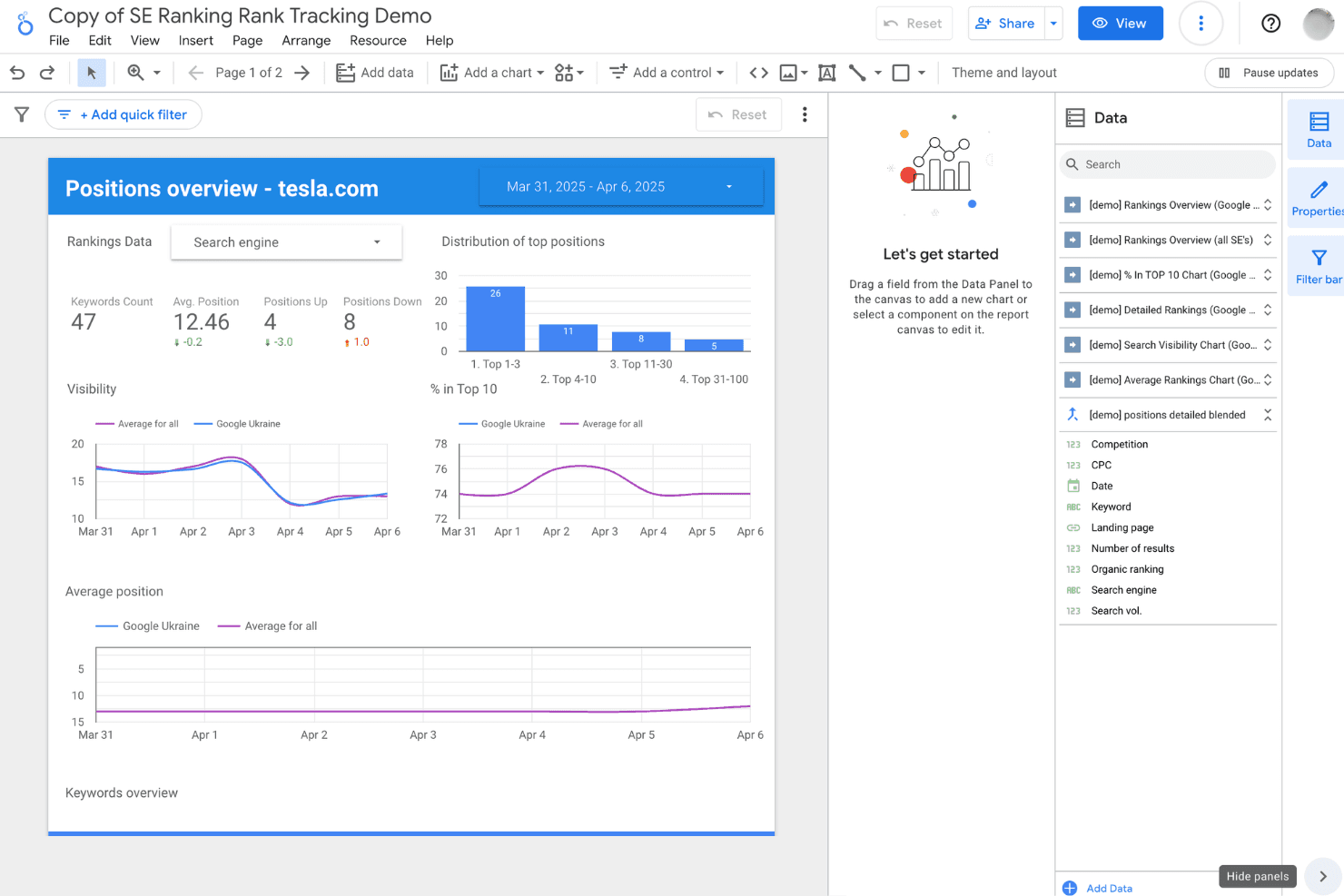
Looker Studio is one of the most approachable marketing intelligence tools for non-technical users, thanks to its drag-and-drop dashboard builder and familiar Google interface. Most users can create and share reports quickly without coding or IT help. The onboarding process is straightforward, and the platform’s real-time collaboration feels intuitive. However, some users mention that managing very large datasets or highly customized reports can get clunky, especially as dashboards grow in complexity.
Integrations
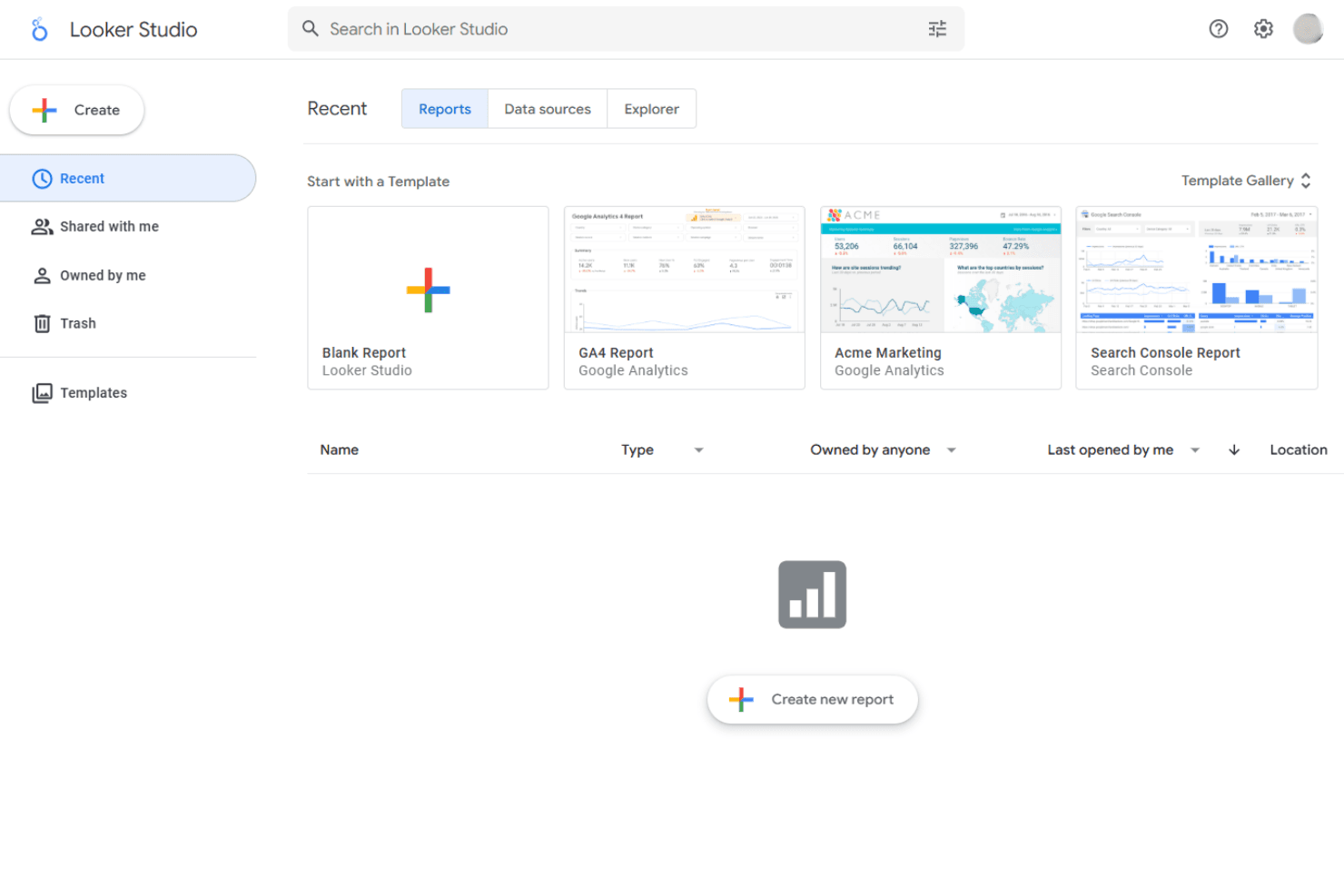
Looker Studio integrates with Google Analytics, Google Ads, Google Sheets, BigQuery, YouTube Analytics, Google Search Console, Campaign Manager, Display & Video 360, Google Ad Manager, and Cloud SQL, among others.
Looker Studio also supports community connectors, offers an API, and can connect with third-party integration tools for even broader data access.
Looker Studio Specs
- A/B Testing: No
- Analytics: Yes
- API: Yes
- Audience Targeting: No
- Automated Conversion: No
- Batch Permissions & Access: No
- Behavioral Tracking: No
- Brand Management: No
- Campaign Management: No
- Contact Management: No
- Contact Sharing: No
- Conversion Tracking: No
- CRM Integration: Yes
- Customer Management: No
- Dashboards: Yes
- Data Export: Yes
- Data Import: Yes
- Email Integration: Yes
- External Integrations: Yes
- Keyword Tracking: No
- Landing Pages: No
- Lead Management: No
- Lead Scoring: No
- Link Tracking: No
- Marketing Automation: No
- Multi-User: Yes
- Notifications: Yes
- Password & Access Management: Yes
- Social-Media Integration: No


