

Reseña de GanttPRO: Ventajas, Desventajas, Características y Precios
GanttPRO destaca por ofrecer una visualización de proyectos con diagramas de Gantt intuitivos, lo que lo convierte en una opción destacada para equipos enfocados en una planificación de proyectos sencilla.

Revisamos herramientas de manera independiente, y las comisiones ayudan a financiar nuestras pruebas. Consulta nuestra política de transparencia, nuestra metodología o sugiere una herramienta.
GanttPRO is a marketing planning software built around Gantt chart-based project timelines. It's a good fit for marketing teams that need to map out campaign schedules, assign tasks, and track dependencies across multiple projects at once. I'd consider it over Asana if your team thinks in timelines rather than task lists—GanttPRO's visual timeline tools are more intuitive for deadline-heavy campaign planning, without the broader feature complexity Asana layers on top.
GanttPRO Evaluation Summary
4.8/5
- From $7/user/month (billed annually)
- 14-day free trial
Por qué confiar en nuestras recomendaciones de software
6,700+
Reviews
20
Industry experts
16+
Evaluation factors
14
Years
Nuestro equipo lleva probando y evaluando software desde 2012. Como líderes de marketing, sabemos lo difícil —y lo importante— que es elegir el software adecuado.
Para esta guía, evaluamos las herramientas mediante pruebas prácticas e investigación independiente, puntuando las herramientas según nuestros criterios de selección.
Nuestras reseñas reflejan nuestro criterio editorial humano, no un discurso de ventas.
Revisores expertos:
 Gui DrusinaDirector creativo
- Shriya GhateSenior Marketing Lead
 Amanda JacquesLíder de Marketing Ops

GanttPRO Overview
In my opinion, GanttPRO is a solid choice for teams looking for straightforward project planning. Its Gantt chart functionality is intuitive and efficient, making it easy for users to manage and assign tasks. Compared to other tools, GanttPRO stands out with its user-friendly interface and affordable pricing. However, it may not have as many advanced integrations as some competitors. If your team values simplicity and effective project visualization, GanttPRO is worth considering. It's particularly suitable for marketing teams and small businesses that need a reliable tool without unnecessary complexity.
Pros
- Your team can easily visualize projects with intuitive Gantt charts.
- It's simple to manage timelines and resources effectively.
- The interface is user-friendly, making it easy for everyone to use.
Cons
- It may lack some advanced features found in other tools.
- Your team might find limited integration options.
- It could be less suitable for very complex project needs.
Is GanttPRO Right For Your Needs?
Who Would be a Good Fit for GanttPRO?
GanttPRO is a great fit for small to medium-sized businesses and marketing teams that need a clear way to manage projects. Its intuitive Gantt charts help you visualize timelines and resources effectively. If your team values simplicity and needs an easy-to-use tool for straightforward project planning, GanttPRO is worth considering. Its user-friendly interface makes it accessible for everyone, even those who aren't tech-savvy.
- Small BusinessesGanttPRO's straightforward features make it easy for small businesses to manage projects without unnecessary complexity.
- Marketing TeamsYour team can effectively plan campaigns with GanttPRO's clear timeline visualization.
- Project ManagersYou'll find GanttPRO useful for tracking project progress and resource allocation efficiently.
- Event PlanningGanttPRO helps your team organize tasks and timelines for events with ease.
- Startup TeamsGanttPRO supports startup teams by offering a simple tool for managing their dynamic projects.
- Educational ProjectsTeachers and students can use GanttPRO to plan and visualize school projects and assignments.
Who Would be a Bad Fit for GanttPRO?
GanttPRO might not suit large enterprises or teams that rely on complex integrations and advanced features. If your work involves intricate project dependencies and requires a high level of customization, GanttPRO's simplicity could be limiting. Additionally, if your team needs extensive collaboration tools or integration with a wide range of other software, you might find GanttPRO lacking in these areas.
- Large EnterprisesGanttPRO's limited advanced features might not meet the needs of your large-scale projects.
- Tech CompaniesYour team may find GanttPRO insufficient for complex tech project management requiring intricate dependencies.
- Software DevelopersDevelopers might miss advanced integration options and customization in GanttPRO.
- Financial ServicesYour industry might need more robust tools for handling complex financial project requirements.
- Manufacturing FirmsGanttPRO may not handle the detailed planning required in manufacturing processes.
- Healthcare OrganizationsYour team might require more specialized tools for managing healthcare-specific project needs.
Cómo Probamos y Puntuamos las Herramientas
Hemos dedicado años a construir, refinar y mejorar nuestro sistema de prueba y puntuación de software. El marco está diseñado para captar los matices de la selección de software y lo que hace a una herramienta eficaz, enfocándose en los aspectos críticos del proceso de decisión. A continuación, puedes ver exactamente cómo funcionan nuestras pruebas y puntuaciones en siete criterios. Esto nos permite brindar una evaluación imparcial de los programas basada en la funcionalidad principal, características destacadas, facilidad de uso, integración, soporte al cliente, reseñas de clientes y relación calidad-precio.
Funcionalidad Principal (25% de la puntuación final)
El punto de partida de nuestra evaluación siempre es la funcionalidad principal de la herramienta. ¿Cuenta con las funciones básicas que un usuario esperaría? ¿Alguna de esas funciones está reservada solo para planes de pago avanzados? Esperamos que, en esencia, una herramienta se mantenga al nivel de las capacidades mínimas de sus competidores.
Características Destacadas (25% de la puntuación final)
Después, evaluamos las características poco comunes y destacadas que van más allá de la funcionalidad típica de herramientas similares. Una puntuación alta refleja funciones especializadas o únicas que hacen el producto más rápido, eficiente o aportan un valor adicional al usuario. También evaluamos qué tan fácil es integrarse con otras herramientas habituales en el entorno tecnológico para expandir la funcionalidad del software. Las herramientas que ofrecen muchas integraciones nativas, conexiones de terceros y acceso a API para crear integraciones personalizadas tienen la mejor puntuación.
Facilidad de Uso (10% de la puntuación final)
Consideramos cuán rápido y fácil es ejecutar las tareas definidas en la funcionalidad central utilizando la herramienta. El software mejor puntuado está bien diseñado, es intuitivo, ofrece aplicaciones móviles, proporciona plantillas y hace que tareas relativamente complejas parezcan sencillas.
Incorporación (10% de la puntuación final)
Sabemos lo importante que es que un equipo adopte rápidamente una nueva plataforma, por eso evaluamos lo fácil que es aprender y usar una herramienta con la menor formación posible. Analizamos lo rápido que un integrante puede comenzar a usar la herramienta sin experiencia previa. Las soluciones mejor puntuadas requieren poco o ningún soporte.
Soporte al Cliente (10% de la puntuación final)
Vemos cuán rápido y sencillo es obtener ayuda por teléfono, chat en vivo o base de conocimientos. Las empresas y herramientas que ofrecen soporte en tiempo real logran la mejor puntuación, mientras que los chatbots obtienen la peor.
Reseñas de Clientes (10% de la puntuación final)
Más allá de nuestras propias pruebas y evaluaciones, consideramos el puntaje de recomendación de clientes actuales y anteriores. Revisamos la probabilidad de que, de poder elegir de nuevo, seleccionarían la herramienta por su funcionalidad principal. Un software con alta puntuación refleja una elevada recomendación de sus usuarios.
Relación Calidad-Precio (10% de la puntuación final)
Finalmente, considerando todos los demás criterios, revisamos el precio promedio de los planes básicos frente a las funciones y el valor de los demás factores de evaluación. El software que ofrece más por menos obtiene mejor puntuación.
Core Features
Gantt Chart Visualization
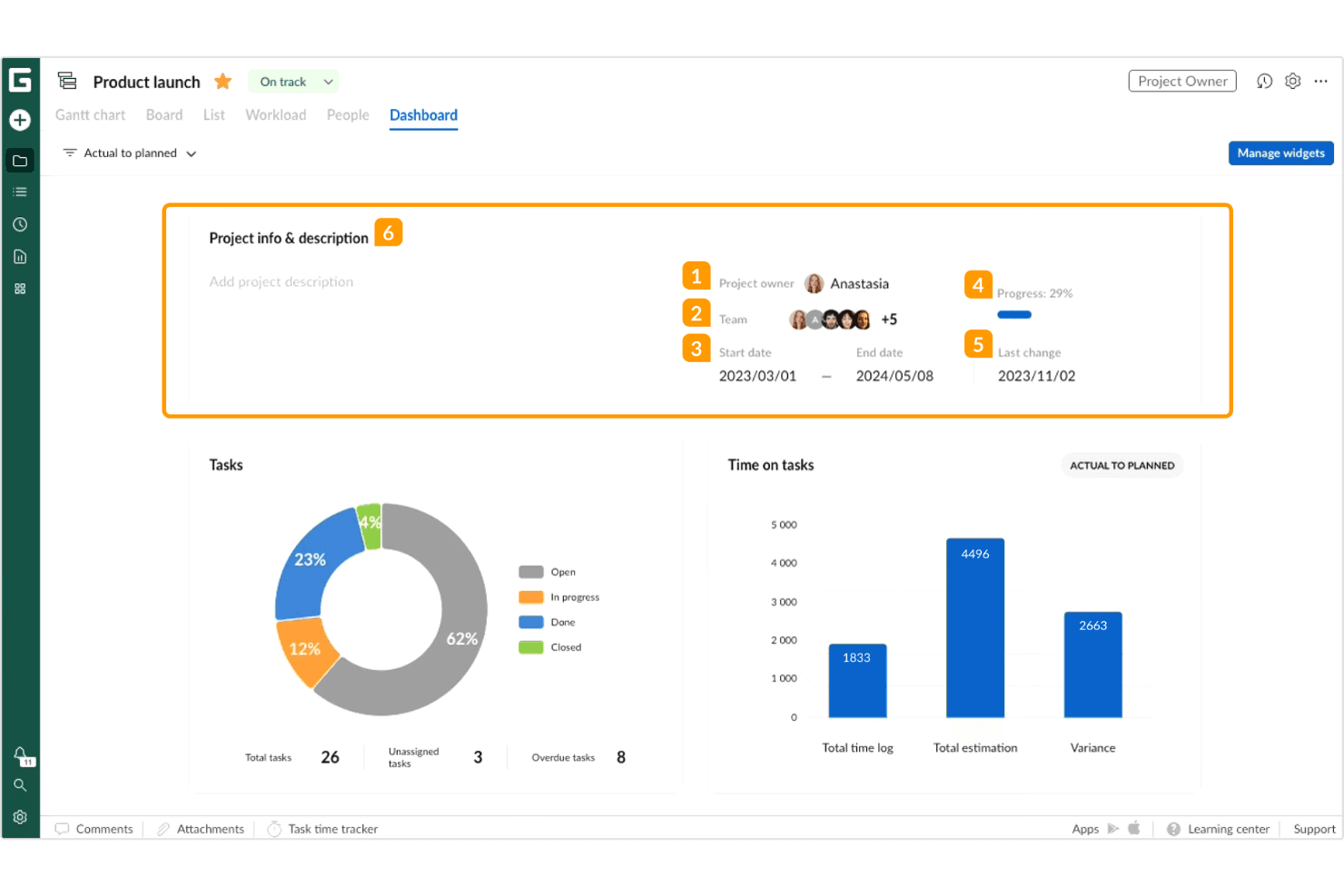
You can easily create and manage project timelines with clear, Gantt chart views on your project dashboards. This feature helps your team see project progress at a glance.
Task Management
Track tasks and assign subtasks in real-time, ensuring everyone knows their responsibilities. It keeps your team organized and on the same page with notifications.
Resource Management
Allocate resources effectively to avoid overloading team members. This ensures your team works efficiently without burnout.
Time Tracking
Monitor time spent on tasks to improve productivity. It helps you identify areas where your team can be more efficient.
Collaboration Tools
Communicate and share updates within the platform to keep everyone informed. Your team can collaborate seamlessly without switching tools.
Project Templates
Use ready-made templates to kickstart your projects quickly. It saves you time and helps maintain consistent formats across projects.
Ease of Use
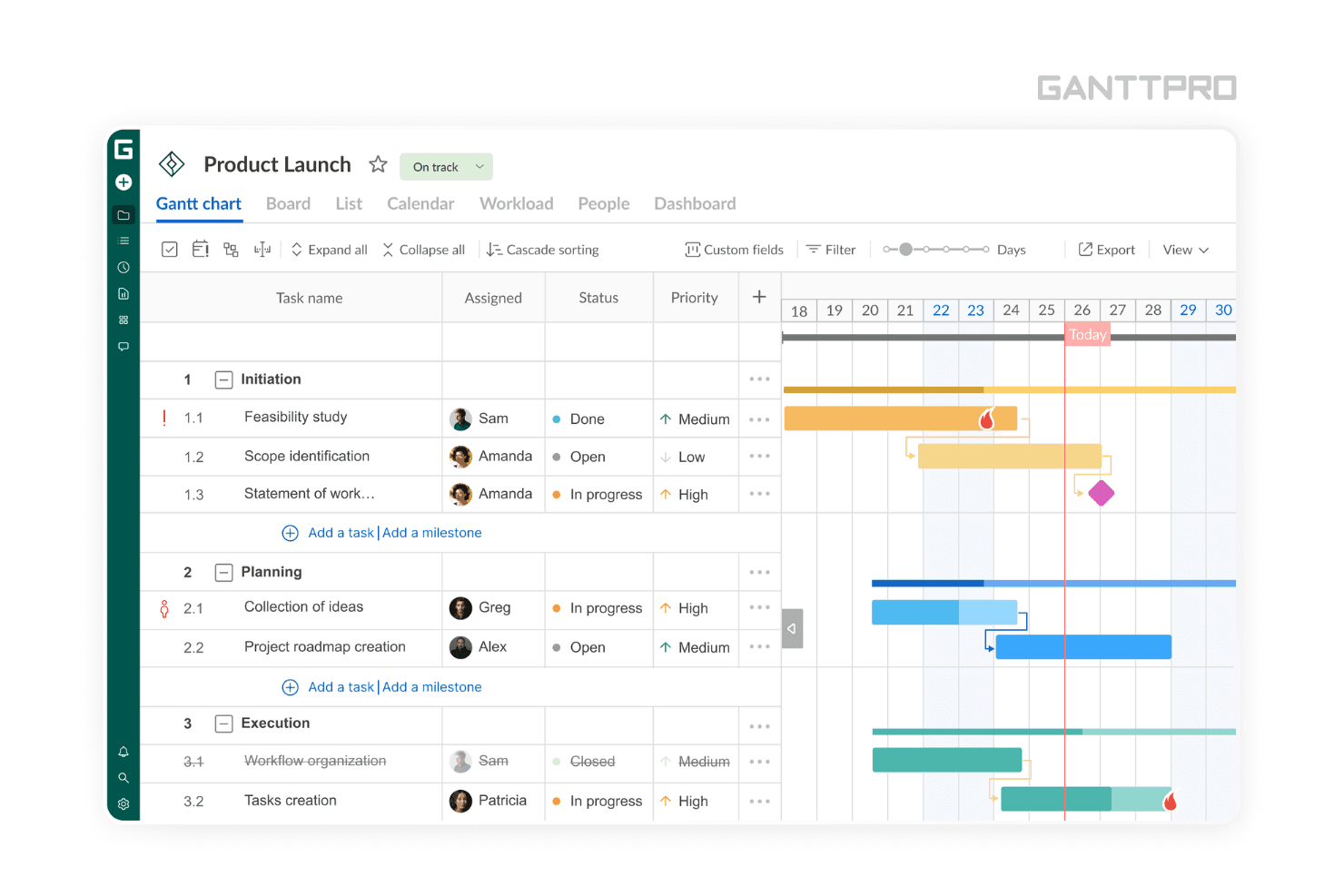
GanttPRO is incredibly user-friendly, making it easy for your team to jump right in without a steep learning curve. Its intuitive drag-and-drop functionality allows you to adjust tasks and timelines effortlessly. The clear layout and straightforward features ensure that even those new to project management can navigate it with ease. Compared to other software, GanttPRO’s simplicity and accessibility make it a favorite for teams that need effective planning without the complexity.
Integrations
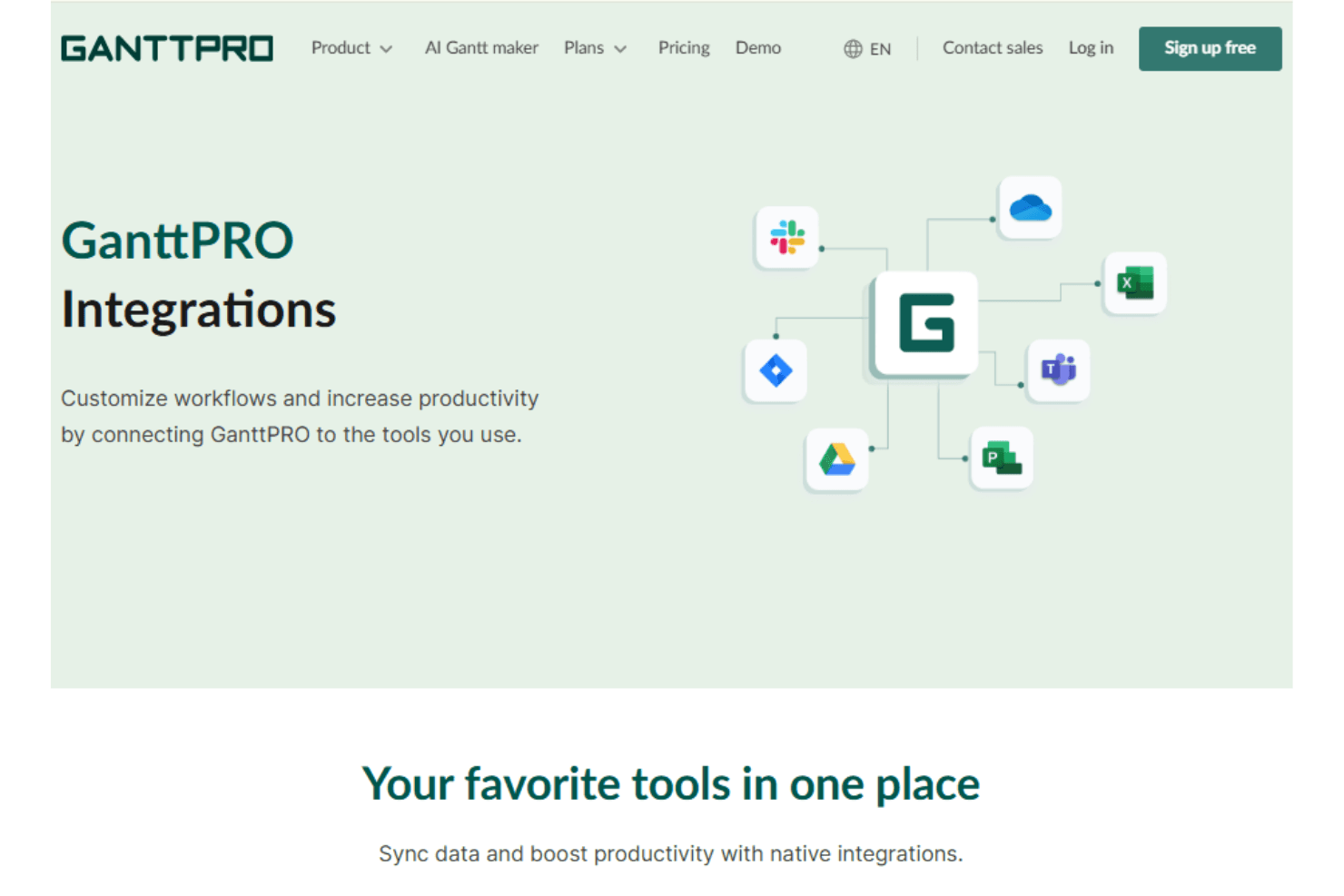
GanttPRO integrates Google Drive, Slack, Jira Cloud, Microsoft Teams, Onedrive, and calendar tools to streamline collaboration and task planning.
GanttPro also provides a developer API to extend and automate your workflow through connections with third-party business applications.
GanttPRO Specs
- API: Yes
- Batch Permissions & Access: Yes
- Budgeting: Yes
- Calendar Management: Yes
- Collaboration Support: Yes
- Contact Management: Yes
- Contact Sharing: Yes
- Customer Management: Yes
- Dashboard: Yes
- Dashboards: Yes
- Data Export: Yes
- Data Import: Yes
- Data Visualization: Yes
- Dependency Tracking: Yes
- Document Sharing: Yes
- Expense Tracking: Yes
- External Integrations: Yes
- File Sharing: Yes
- Gantt Charts: Yes
- Kanban Boards: Yes
- Multi-User: Yes
- Notifications: Yes
- Project Management: Yes
- Resource Management: Yes
- Scheduling: Yes
- Task Scheduling/Tracking: Yes
- Third-Party Plugins/Add-Ons: Yes
- Time Management: Yes
- Travel Management: Yes
- Workflow Management: Yes


