

Reseña de EmailOctopus 2026: ventajas, desventajas, características y precios
I separate EmailOctopus’s practical strengths from its trade-offs so you can decide whether its features and pricing fit the way you market.

Revisamos herramientas de manera independiente, y las comisiones ayudan a financiar nuestras pruebas. Consulta nuestra política de transparencia, nuestra metodología o sugiere una herramienta.
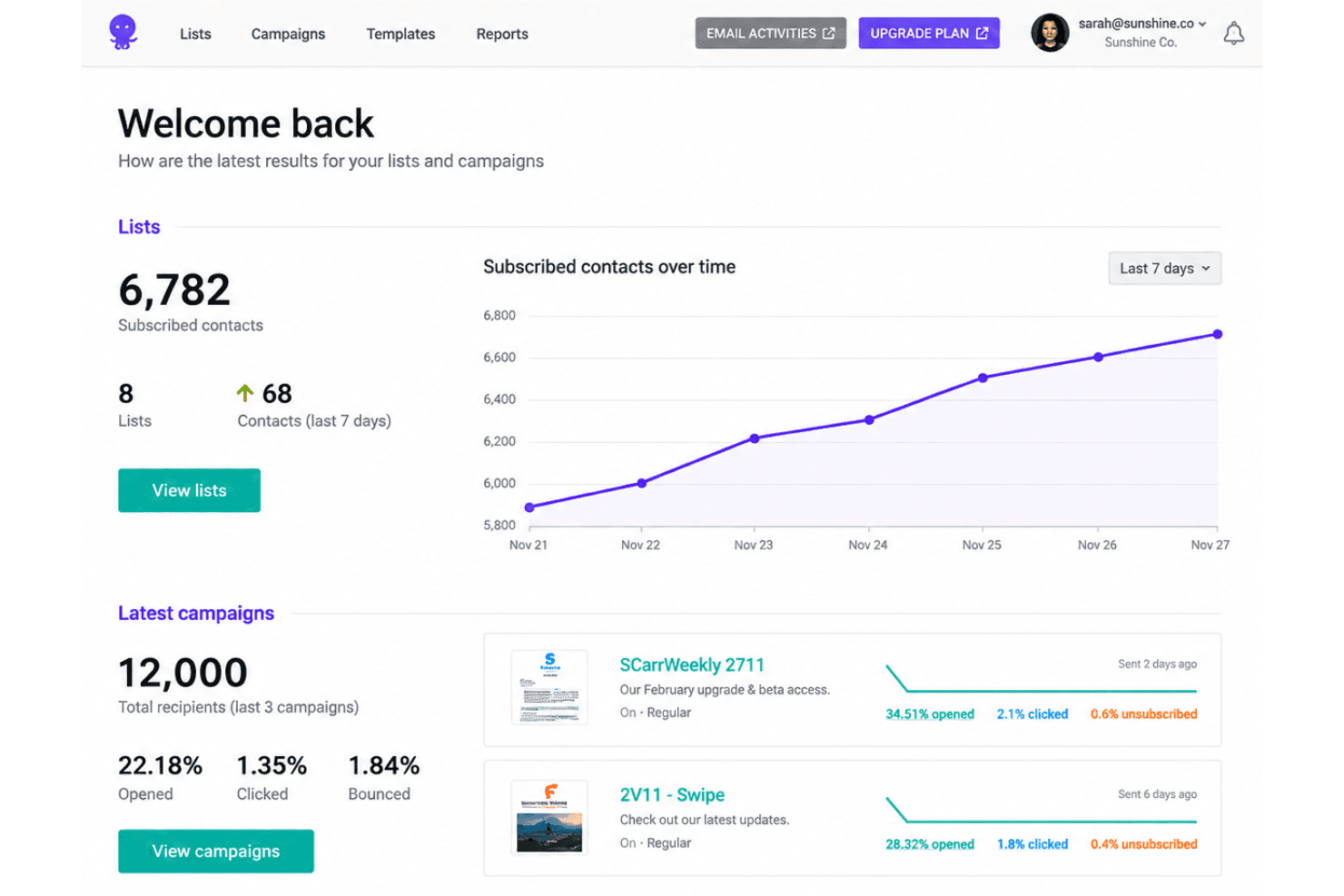
EmailOctopus is email marketing software for teams that need to send newsletters, manage subscriber lists, and set up email automations on a modest budget. I’d choose it over Mailchimp when you want core email campaign tools and straightforward pricing without a broader marketing suite.
EmailOctopus Evaluation Summary
4.8/5
- From $9/month (billed annually)
- Free plan available
Por qué confiar en nuestras recomendaciones de software
6,700+
Reviews
20
Industry experts
16+
Evaluation factors
14
Years
Nuestro equipo lleva probando y evaluando software desde 2012. Como líderes de marketing, sabemos lo difícil —y lo importante— que es elegir el software adecuado.
Para esta guía, evaluamos las herramientas mediante pruebas prácticas e investigación independiente, puntuando las herramientas según nuestros criterios de selección.
Nuestras reseñas reflejan nuestro criterio editorial humano, no un discurso de ventas.
Revisores expertos:
 Gui DrusinaDirector creativo
- Shriya GhateSenior Marketing Lead
 Amanda JacquesLíder de Marketing Ops

EmailOctopus Overview
I’d choose EmailOctopus when you want affordable, straightforward email marketing rather than a broad marketing suite. Its free plan supports up to 2,500 subscribers and 10,000 monthly emails, while the editor, 100-plus templates, forms, landing pages, segments, and automations cover common newsletter and welcome-series needs. Integrations with more than 1,000 apps and a simple self-service setup make onboarding approachable; support is available, with priority support on Pro. Compared with more expansive platforms, it offers less scope for cross-channel marketing, so I’d select it for small teams, creators, and businesses focused on email campaigns.
Pros
- The free tier covers 2,500 subscribers and 10,000 monthly emails.
- Users praise its affordable pricing and responsive human support.
- Templates, segmentation, forms, and automations cover routine newsletter campaigns.
Cons
- Automation lacks behavioral triggers for clicks, opens, and ecommerce events.
- Free-plan campaign reports expire after 30 days.
- Reviewers report limited template variety and restrictive editor formatting.
Is EmailOctopus Right For Your Needs?
Who Would be a Good Fit for EmailOctopus?
EmailOctopus suits smaller teams and email-first use cases that need straightforward campaign tools, forms, segmentation, and welcome automations. Its free and paid plans offer flexibility for growing subscriber lists. It’s a good option for teams that prioritize affordability and ease of setup over extensive customization or advanced features.
- Small NewslettersNewsletter publishers with up to 2,500 subscribers can use the free plan’s 10,000 monthly emails and templates for routine sends.
- Solo CreatorsSolo creators can collect subscribers with a form or landing page and use a welcome automation without taking on a broad marketing suite.
- Small EcommerceSmall ecommerce teams can connect Shopify through Zapier and use EmailOctopus for email campaigns without requiring a direct Shopify integration.
- Local ServicesLocal service businesses can use forms to build an email list and segments to organize subscribers for routine campaigns.
- Lean Marketing TeamsSmall marketing teams can manage segments and welcome automations through a straightforward interface suited to everyday email work.
- Early-Stage StartupsStartups watching software costs can begin with the free plan and move to Pro for unlimited forms, landing pages, and users.
Who Would be a Bad Fit for EmailOctopus?
EmailOctopus is a weaker choice when your team needs deep automation, extensive design control, or capabilities beyond straightforward email campaigns. Reviewers report limited template variety and restrictive editor formatting, and the available integrations include Zapier, an API, and tools such as Make. Consider another option if those constraints conflict with your workflow or if you need a broader marketing suite.
- Enterprise MarketingEnterprise teams that need a broad marketing suite may find EmailOctopus’s focus on straightforward email campaigns too limited for their requirements.
- Lifecycle TeamsTeams building complex lifecycle journeys may outgrow EmailOctopus because its feature set is less suited to deep automation.
- Design-Led BrandsBrands that need precise control over campaign layouts may find the editor’s restrictive formatting and limited template variety frustrating.
- Omnichannel DepartmentsDepartments coordinating email with other marketing channels should consider whether an email-focused tool fits their cross-channel workflow.
- Integration-Heavy TeamsTeams that require many direct integrations may find the listed options limiting, since Shopify connects through Zapier and other options include an API and Make.
- Advanced AutomationMarketers who depend on extensive automation beyond welcome sequences may find EmailOctopus’s simpler automation capabilities insufficient.
Cómo Probamos y Puntuamos las Herramientas
Hemos dedicado años a construir, refinar y mejorar nuestro sistema de prueba y puntuación de software. El marco está diseñado para captar los matices de la selección de software y lo que hace a una herramienta eficaz, enfocándose en los aspectos críticos del proceso de decisión. A continuación, puedes ver exactamente cómo funcionan nuestras pruebas y puntuaciones en siete criterios. Esto nos permite brindar una evaluación imparcial de los programas basada en la funcionalidad principal, características destacadas, facilidad de uso, integración, soporte al cliente, reseñas de clientes y relación calidad-precio.
Funcionalidad Principal (25% de la puntuación final)
El punto de partida de nuestra evaluación siempre es la funcionalidad principal de la herramienta. ¿Cuenta con las funciones básicas que un usuario esperaría? ¿Alguna de esas funciones está reservada solo para planes de pago avanzados? Esperamos que, en esencia, una herramienta se mantenga al nivel de las capacidades mínimas de sus competidores.
Características Destacadas (25% de la puntuación final)
Después, evaluamos las características poco comunes y destacadas que van más allá de la funcionalidad típica de herramientas similares. Una puntuación alta refleja funciones especializadas o únicas que hacen el producto más rápido, eficiente o aportan un valor adicional al usuario. También evaluamos qué tan fácil es integrarse con otras herramientas habituales en el entorno tecnológico para expandir la funcionalidad del software. Las herramientas que ofrecen muchas integraciones nativas, conexiones de terceros y acceso a API para crear integraciones personalizadas tienen la mejor puntuación.
Facilidad de Uso (10% de la puntuación final)
Consideramos cuán rápido y fácil es ejecutar las tareas definidas en la funcionalidad central utilizando la herramienta. El software mejor puntuado está bien diseñado, es intuitivo, ofrece aplicaciones móviles, proporciona plantillas y hace que tareas relativamente complejas parezcan sencillas.
Incorporación (10% de la puntuación final)
Sabemos lo importante que es que un equipo adopte rápidamente una nueva plataforma, por eso evaluamos lo fácil que es aprender y usar una herramienta con la menor formación posible. Analizamos lo rápido que un integrante puede comenzar a usar la herramienta sin experiencia previa. Las soluciones mejor puntuadas requieren poco o ningún soporte.
Soporte al Cliente (10% de la puntuación final)
Vemos cuán rápido y sencillo es obtener ayuda por teléfono, chat en vivo o base de conocimientos. Las empresas y herramientas que ofrecen soporte en tiempo real logran la mejor puntuación, mientras que los chatbots obtienen la peor.
Reseñas de Clientes (10% de la puntuación final)
Más allá de nuestras propias pruebas y evaluaciones, consideramos el puntaje de recomendación de clientes actuales y anteriores. Revisamos la probabilidad de que, de poder elegir de nuevo, seleccionarían la herramienta por su funcionalidad principal. Un software con alta puntuación refleja una elevada recomendación de sus usuarios.
Relación Calidad-Precio (10% de la puntuación final)
Finalmente, considerando todos los demás criterios, revisamos el precio promedio de los planes básicos frente a las funciones y el valor de los demás factores de evaluación. El software que ofrece más por menos obtiene mejor puntuación.
Core Features
Email Campaign Editor
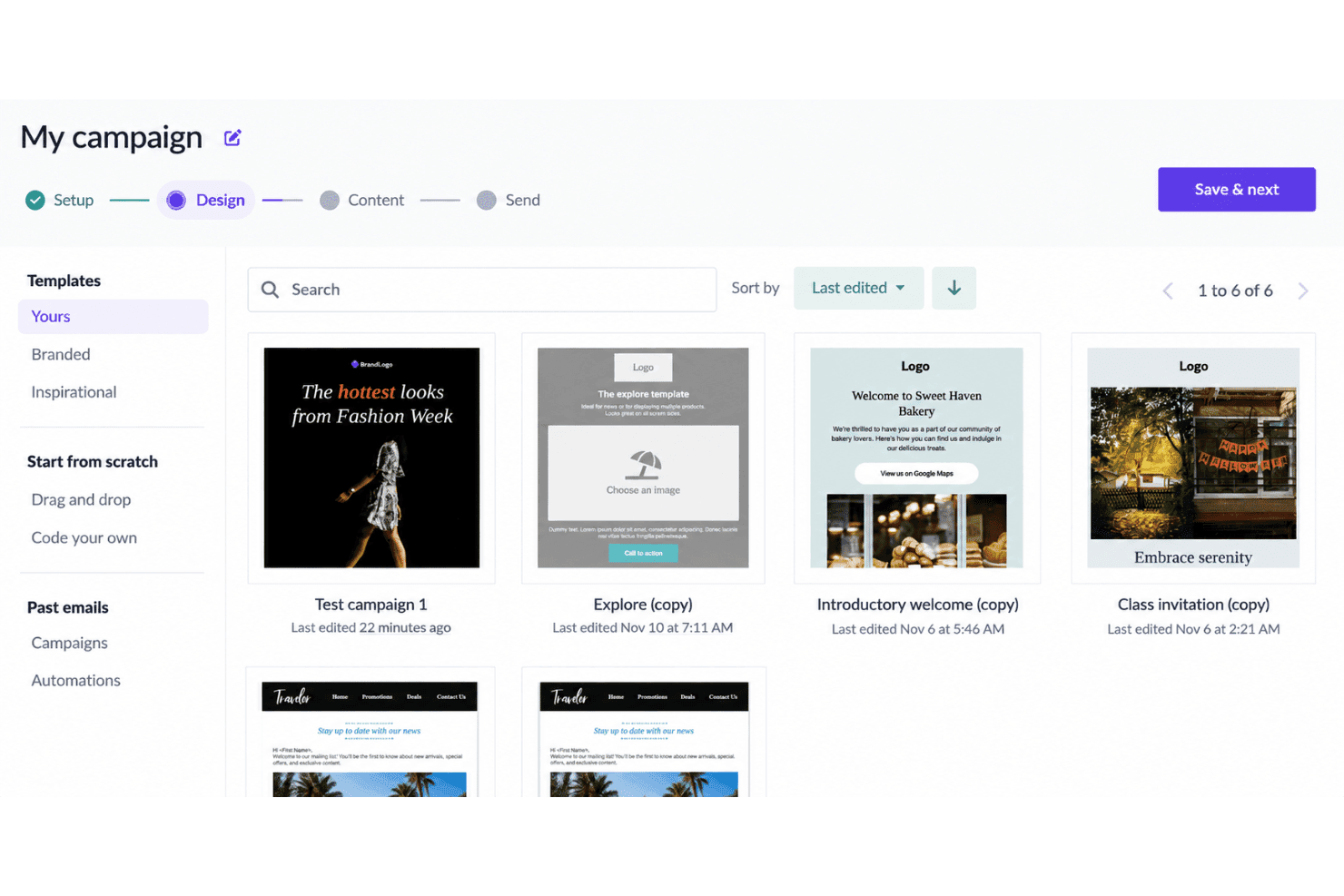
The editor lets you create email campaigns, while templates give you a starting point for newsletter layouts. This suits teams that want to build routine campaigns without designing each email from scratch.
Email Templates
EmailOctopus offers more than 100 templates for common campaign formats. You can choose a layout for a newsletter or announcement, though reviewers report limited variety and restrictive formatting.
Subscriber Lists
You can manage subscriber lists in EmailOctopus and use them to organize your email audience. This gives your team a place to maintain the subscribers you plan to reach with campaigns.
Audience Segmentation
Segmentation lets you group subscribers for targeted campaigns. For example, you can send a newsletter to a selected segment instead of your entire list.
Signup Forms And Landing Pages
EmailOctopus includes forms and landing pages for collecting subscribers. You can use them to give people a way to join your list from a signup page.
Email Automations
Automations can send messages in a sequence, including a welcome series for new subscribers. They cover routine email journeys, but don’t support behavioral triggers for clicks, opens, or ecommerce events.
Ease of Use
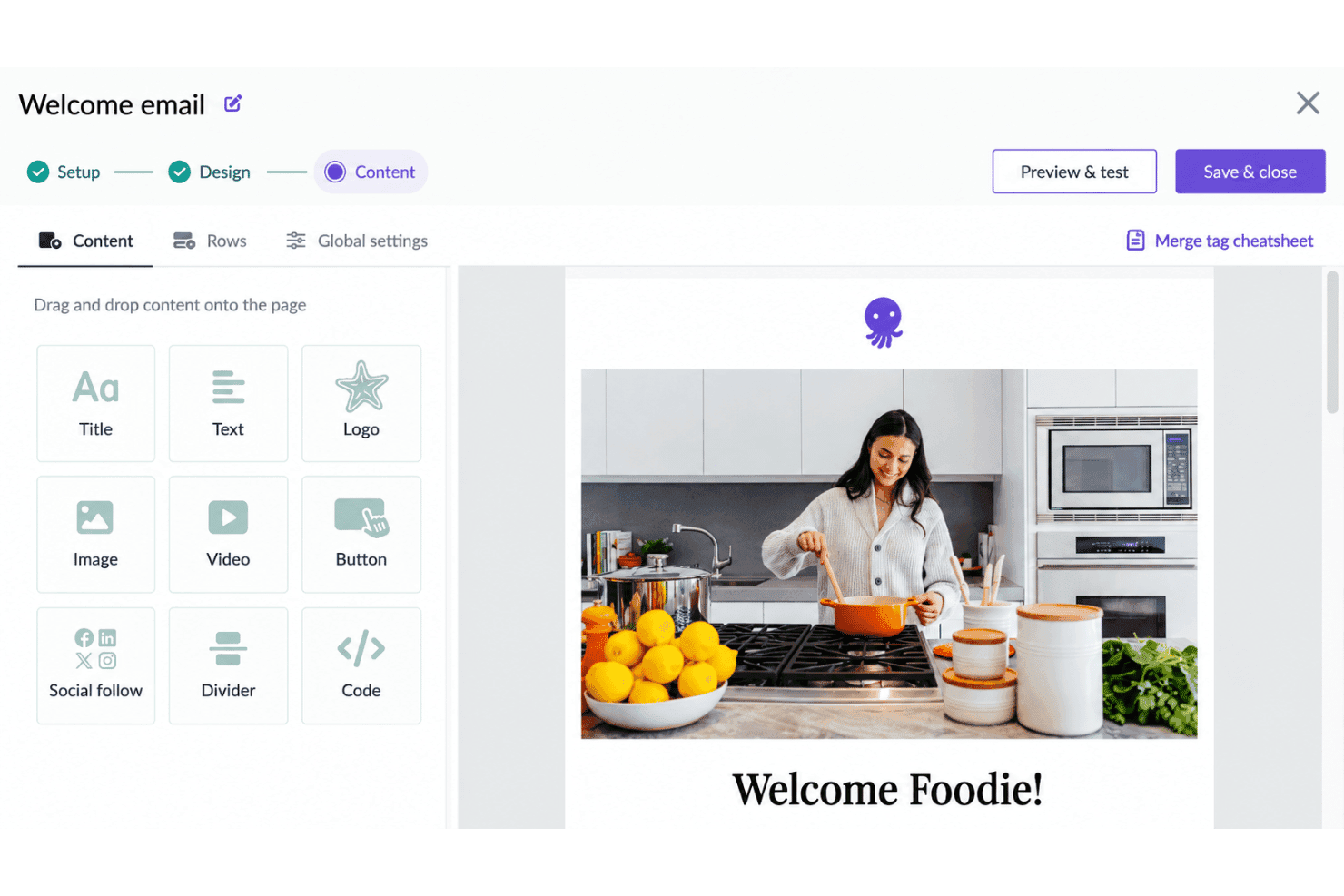
EmailOctopus is easy to get started with: its self-service setup, templates, forms, and straightforward tools for segments and welcome automations suit routine campaigns without a sprawling interface. I’d call its usability good for small teams, but not especially flexible. Reviewers praise the approachable setup, while some report limited template variety and restrictive editor formatting, which can make custom campaign layouts frustrating.
Integrations
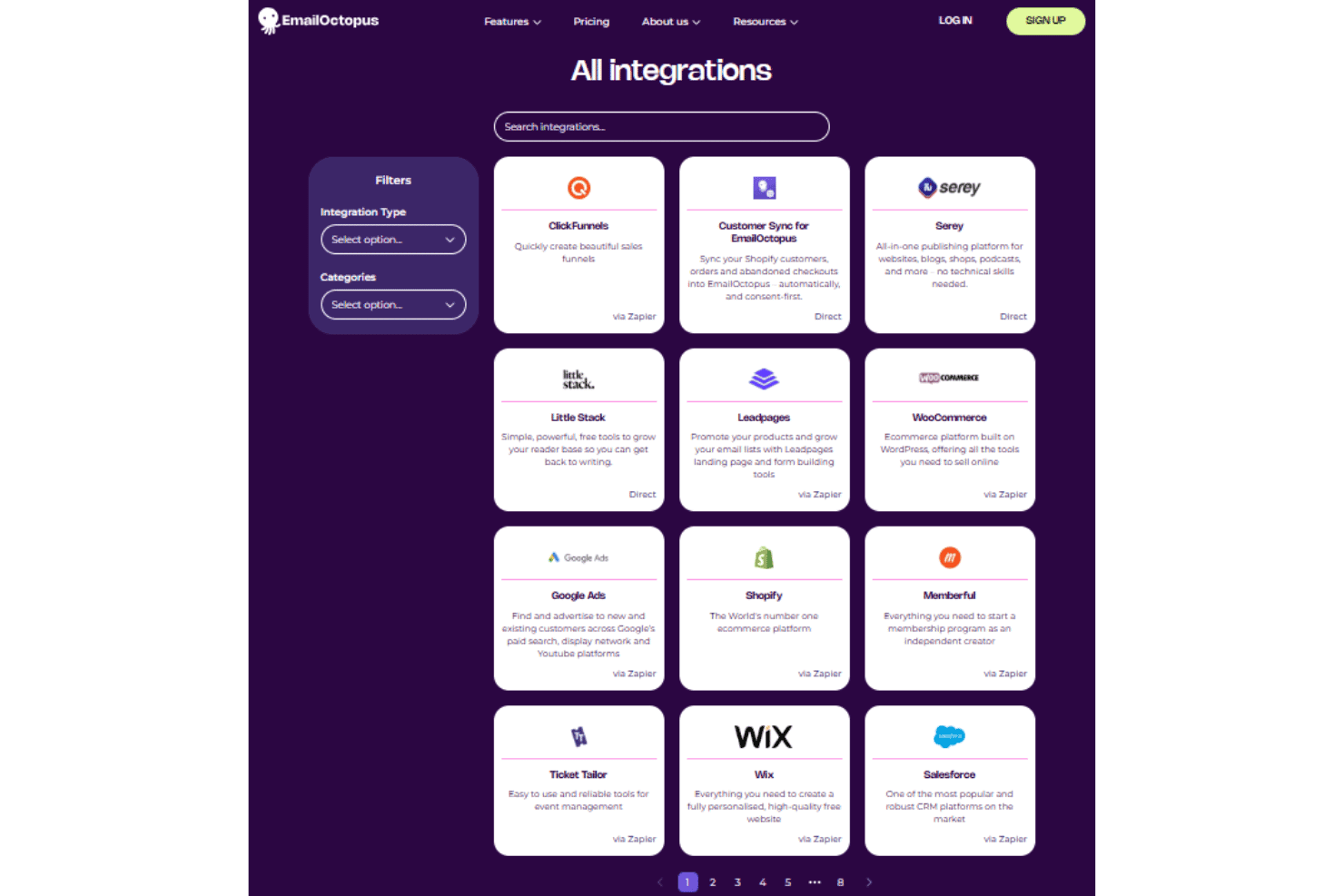
EmailOctopus integrates directly with WordPress, Customer Sync for EmailOctopus, Serey, and Little Stack. It also connects with Shopify, WooCommerce, ClickFunnels, Leadpages, Google Ads, Memberful, Ticket Tailor, Wix, and Salesforce through Zapier.
EmailOctopus also offers an API for custom integrations and connects with third-party integration tools, including Zapier and Make.
EmailOctopus Specs
- A/B Testing: No
- API: Yes
- Audience Targeting: Yes
- Brand Management: No
- Calendar Management: No
- Campaign Management: Yes
- Compliance Tracking: No
- Contact Management: Yes
- Contact Sharing: No
- Conversion Tracking: No
- CRM Integration: Yes
- Customer Management: No
- Dashboard: Yes
- Data Export: Yes
- Data Import: Yes
- Data Visualization: Yes
- Email Integration: Yes
- External Integrations: Yes
- Google Apps Integration: Yes
- Lead Management: No
- Lead Scoring: No
- Link Tracking: Yes
- Marketing Automation: Yes
- Multi-User: Yes
- Notifications: No
- Scheduling: Yes
- Social-Media Integration: No
- Third-Party Plugins/Add-Ons: Yes


