

Reseña de OpusClip: ventajas, desventajas, funciones y precios
I put OpusClip’s AI repurposing to the test, weighing its time-saving strengths, creative tradeoffs, standout features, and pricing to see who it’s really built for.

Revisamos herramientas de manera independiente, y las comisiones ayudan a financiar nuestras pruebas. Consulta nuestra política de transparencia, nuestra metodología o sugiere una herramienta.
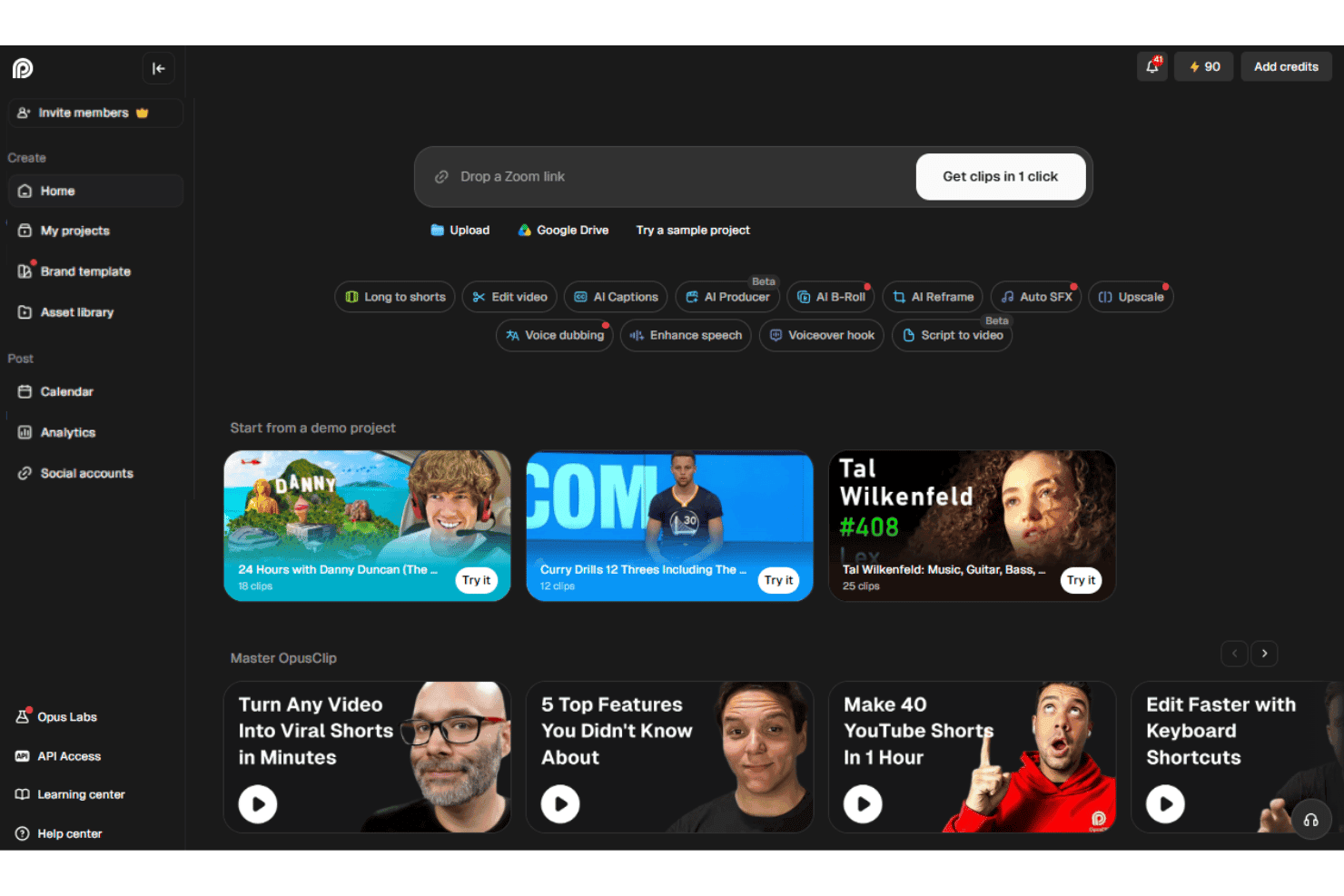
OpusClip is an AI video editor that turns long-form videos, webinars, and podcasts into short, caption-ready clips for TikTok, Instagram Reels, YouTube Shorts, and LinkedIn. I'd reach for it when your team is sitting on hours of recorded content and needs a fast way to spin up social-ready cuts without staffing a dedicated editor.
Compared to a timeline-based tool like Descript, OpusClip is the better pick when your goal is high-volume short-form repurposing with auto-generated hooks, virality scoring, and face-tracking reframing, rather than full multitrack editing from scratch.
OpusClip Evaluation Summary
4.6/5
- From $15/month
- Free plan available
Por qué confiar en nuestras recomendaciones de software
6,700+
Reviews
20
Industry experts
16+
Evaluation factors
14
Years
Nuestro equipo lleva probando y evaluando software desde 2012. Como líderes de marketing, sabemos lo difícil —y lo importante— que es elegir el software adecuado.
Para esta guía, evaluamos las herramientas mediante pruebas prácticas e investigación independiente, puntuando las herramientas según nuestros criterios de selección.
Nuestras reseñas reflejan nuestro criterio editorial humano, no un discurso de ventas.
Revisores expertos:
 Gui DrusinaDirector creativo
- Shriya GhateSenior Marketing Lead
 Amanda JacquesLíder de Marketing Ops

OpusClip Overview
OpusClip is my pick for turning long recordings into social clips, not for full multitrack production. Its browser interface makes onboarding simple: upload a file or paste a supported source, then review AI-selected clips, captions, subtitles, and virality scores. Pricing is tiered, with a free plan for limited processing and paid plans that increase usage limits and unlock more advanced features. Higher tiers add capabilities such as scheduling, team seats, dubbing, B-roll, API access, and exports for professional editing tools. Support is available through chat on select plans.
Pros
- ClipAnything identifies moments using visual, audio, and sentiment cues.
- AI reframe feature keeps speakers centered across vertical social formats.
- Users report finding several usable clips without manual episode review.
Cons
- AI clip selection often produces only a few usable edits.
- Face tracking can distort guests during automatic reframing.
- Free exports carry watermarks and expire after three days.
Is OpusClip Right For Your Needs?
Who Would be a Good Fit for OpusClip?
OpusClip fits marketers and small content teams that turn long recordings into social clips. Its AI clip selection, animated captions, auto reframe, virality scores, and social integrations support repeatable repurposing workflows.
- Social TeamsSocial media teams can turn webinars, interviews, and podcasts into captioned clips with auto reframe, virality scores, and direct social posting.
- Solo CreatorsSolo creators can upload recordings in a browser and review AI-selected clips without managing a complex editing timeline.
- Demand GenerationDemand generation teams can repurpose webinars into short-form assets using captions, reframing, editing, and brand templates.
- Podcast TeamsPodcast teams can identify shareable moments from long recordings, then export clips formatted for channels such as TikTok, Instagram Reels, LinkedIn, and YouTube.
- Small AgenciesSmall agencies can manage recurring client repurposing through Pro features such as two team seats, scheduling, credit rollover, and multiple aspect ratios.
- Event MarketersEvent marketers can convert recorded talks and livestreams into promotional clips and distribute them through integrations with platforms such as LinkedIn, Facebook, X, and Instagram.
Who Would be a Bad Fit for OpusClip?
OpusClip is a weaker choice for teams that need offline production, detailed creative control, or highly consistent output quality. Its AI workflow can produce only a few usable clips, while free exports include watermarks and expire after three days.
- Complex PostproductionFilm and postproduction teams may outgrow OpusClip because AI-selected clips and browser timeline editing do not replace a full postproduction workflow.
- Offline Video TeamsTeams that cannot upload footage to a browser-based service should avoid OpusClip because its core workflow depends on online uploads and web editing.
- Exact Story EditorsEditors requiring precise narrative selection may find OpusClip unsuitable because reviewers report that the AI sometimes produces only a few usable clips.
- Brand StudiosBrand studios with strict visual systems may find the limited caption styles and single Starter brand template too restrictive.
- Free Client WorkAgencies delivering polished client assets cannot rely on the free tier because exports include watermarks and projects expire after three days.
- Hands-On SupportTeams needing detailed editing assistance may find OpusClip limiting because documentation and in-app guidance cover routine tasks, while chat support is available to Pro users.
Cómo Probamos y Puntuamos las Herramientas
Hemos dedicado años a construir, refinar y mejorar nuestro sistema de prueba y puntuación de software. El marco está diseñado para captar los matices de la selección de software y lo que hace a una herramienta eficaz, enfocándose en los aspectos críticos del proceso de decisión. A continuación, puedes ver exactamente cómo funcionan nuestras pruebas y puntuaciones en siete criterios. Esto nos permite brindar una evaluación imparcial de los programas basada en la funcionalidad principal, características destacadas, facilidad de uso, integración, soporte al cliente, reseñas de clientes y relación calidad-precio.
Funcionalidad Principal (25% de la puntuación final)
El punto de partida de nuestra evaluación siempre es la funcionalidad principal de la herramienta. ¿Cuenta con las funciones básicas que un usuario esperaría? ¿Alguna de esas funciones está reservada solo para planes de pago avanzados? Esperamos que, en esencia, una herramienta se mantenga al nivel de las capacidades mínimas de sus competidores.
Características Destacadas (25% de la puntuación final)
Después, evaluamos las características poco comunes y destacadas que van más allá de la funcionalidad típica de herramientas similares. Una puntuación alta refleja funciones especializadas o únicas que hacen el producto más rápido, eficiente o aportan un valor adicional al usuario. También evaluamos qué tan fácil es integrarse con otras herramientas habituales en el entorno tecnológico para expandir la funcionalidad del software. Las herramientas que ofrecen muchas integraciones nativas, conexiones de terceros y acceso a API para crear integraciones personalizadas tienen la mejor puntuación.
Facilidad de Uso (10% de la puntuación final)
Consideramos cuán rápido y fácil es ejecutar las tareas definidas en la funcionalidad central utilizando la herramienta. El software mejor puntuado está bien diseñado, es intuitivo, ofrece aplicaciones móviles, proporciona plantillas y hace que tareas relativamente complejas parezcan sencillas.
Incorporación (10% de la puntuación final)
Sabemos lo importante que es que un equipo adopte rápidamente una nueva plataforma, por eso evaluamos lo fácil que es aprender y usar una herramienta con la menor formación posible. Analizamos lo rápido que un integrante puede comenzar a usar la herramienta sin experiencia previa. Las soluciones mejor puntuadas requieren poco o ningún soporte.
Soporte al Cliente (10% de la puntuación final)
Vemos cuán rápido y sencillo es obtener ayuda por teléfono, chat en vivo o base de conocimientos. Las empresas y herramientas que ofrecen soporte en tiempo real logran la mejor puntuación, mientras que los chatbots obtienen la peor.
Reseñas de Clientes (10% de la puntuación final)
Más allá de nuestras propias pruebas y evaluaciones, consideramos el puntaje de recomendación de clientes actuales y anteriores. Revisamos la probabilidad de que, de poder elegir de nuevo, seleccionarían la herramienta por su funcionalidad principal. Un software con alta puntuación refleja una elevada recomendación de sus usuarios.
Relación Calidad-Precio (10% de la puntuación final)
Finalmente, considerando todos los demás criterios, revisamos el precio promedio de los planes básicos frente a las funciones y el valor de los demás factores de evaluación. El software que ofrece más por menos obtiene mejor puntuación.
Core Features
AI Clip Generation
OpusClip analyzes long videos and selects short segments with hooks, dialogue, and pacing suited to social content. You can turn a webinar or podcast into several draft clips without reviewing the entire recording manually.
ClipAnything
ClipAnything finds moments through visual, audio, and sentiment cues, rather than relying only on transcripts. This helps surface clips such as product demonstrations, reactions, or audience moments that keyword-based selection can miss.
AI Reframing
AI reframing automatically adjusts the crop for vertical, square, and landscape formats while keeping speakers in view. A two-person podcast can become a vertical clip with the active speaker positioned clearly for mobile viewers.
Animated Captions
OpusClip generates AI captions and applies animated styling to match short-form video formats. Captions keep the message readable when viewers watch a product explanation or interview without sound.
Virality Score
Virality scores estimate how likely each generated clip is to attract attention based on factors such as pacing, content structure, and audience interest. Your team can use the score to prioritize which clips to review first, while still applying human judgment.
AI B-Roll
AI B-roll adds relevant visual footage over spoken sections to support the clip’s topic. For example, a marketing interview about analytics can receive supporting visuals instead of showing the same speaker throughout.
Ease of Use
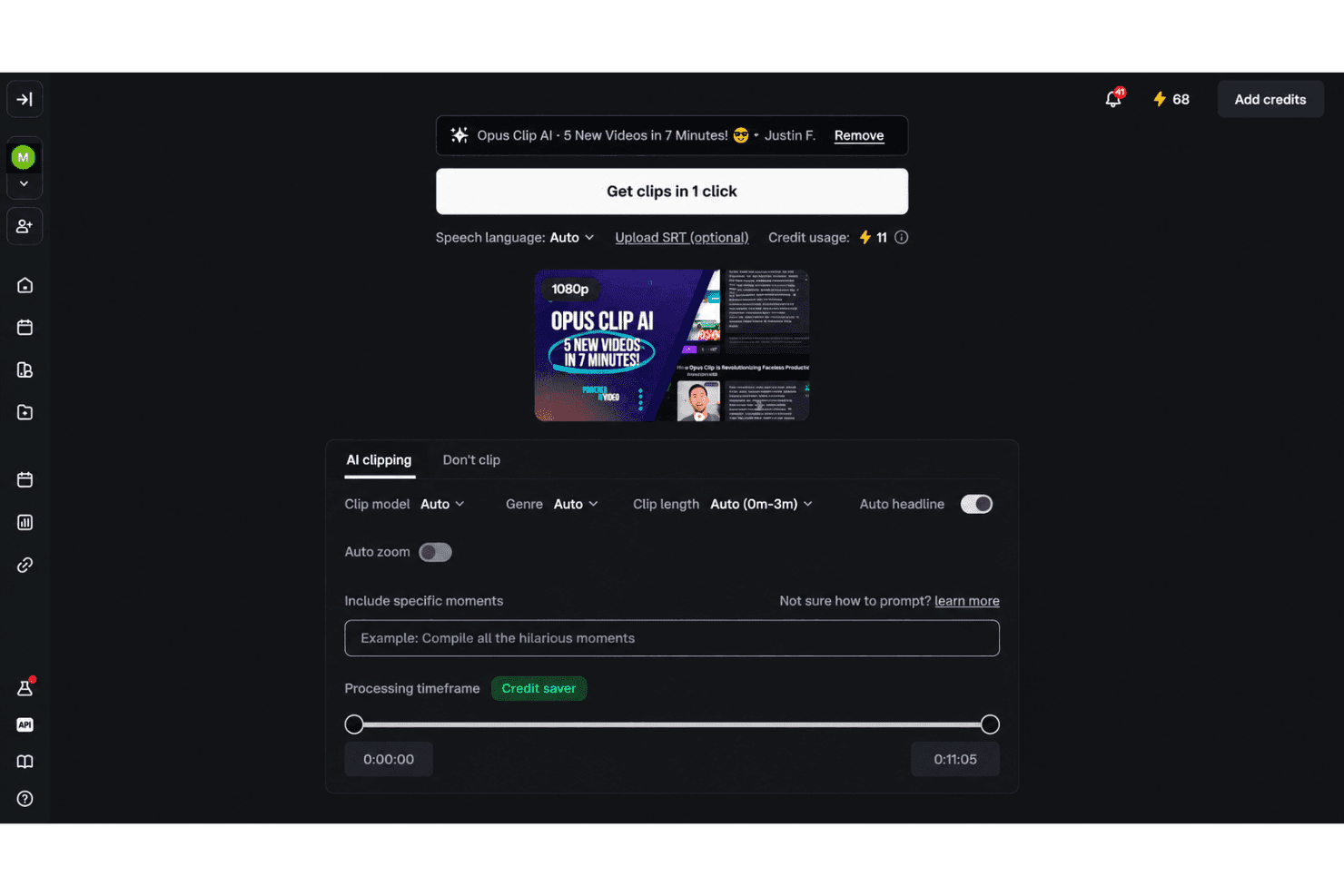
OpusClip is easy to use for fast social repurposing, especially if you prefer guided automation over manual editing. Upload a recording, then review AI-selected clips, animated captions, reframing, and virality scores in the browser. Text and timeline editing provide useful control afterward. User feedback supports the quick workflow, though reviewers often report only a few usable clips, occasional face-tracking distortion, and watermarked free exports that expire after three days.
Integrations
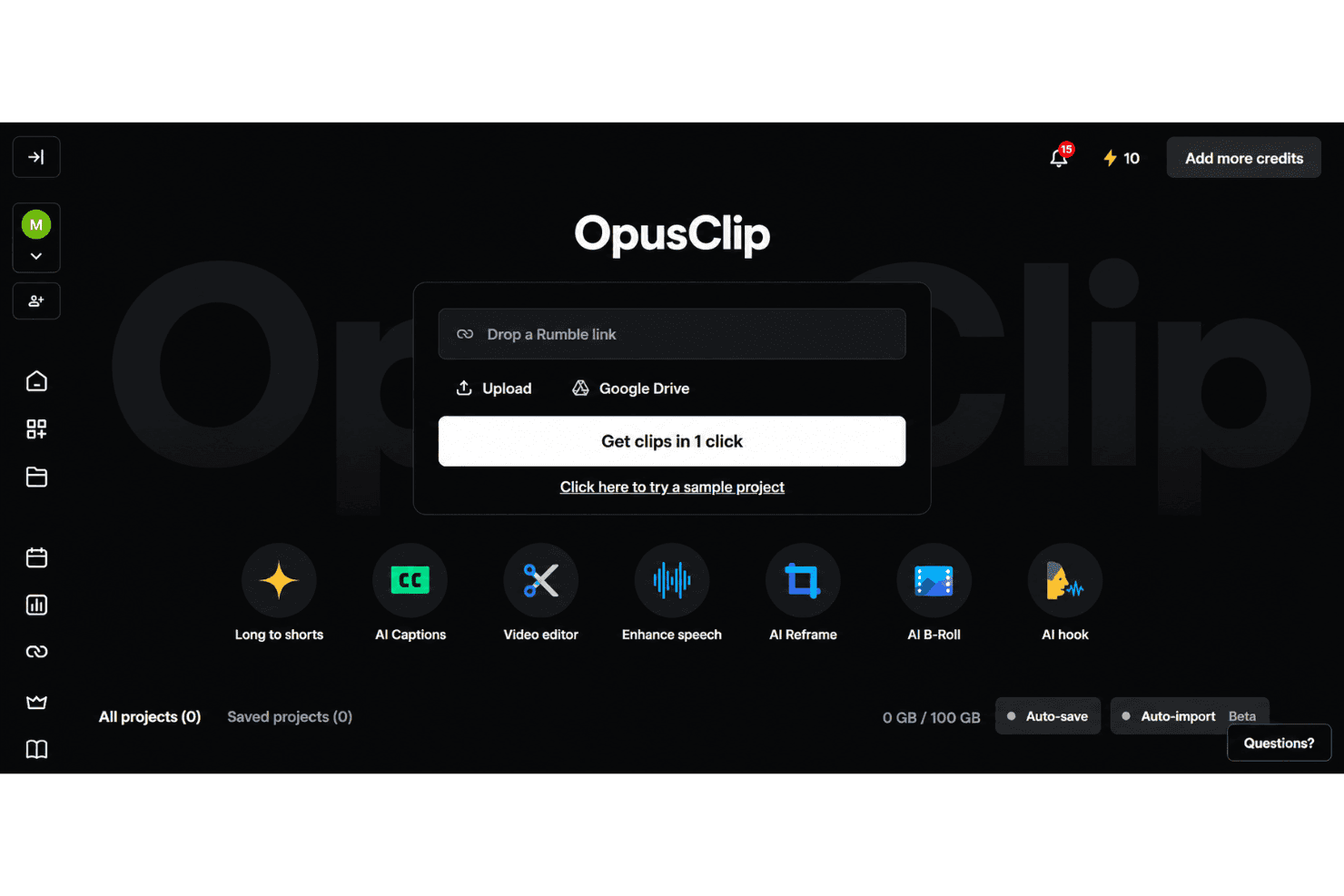
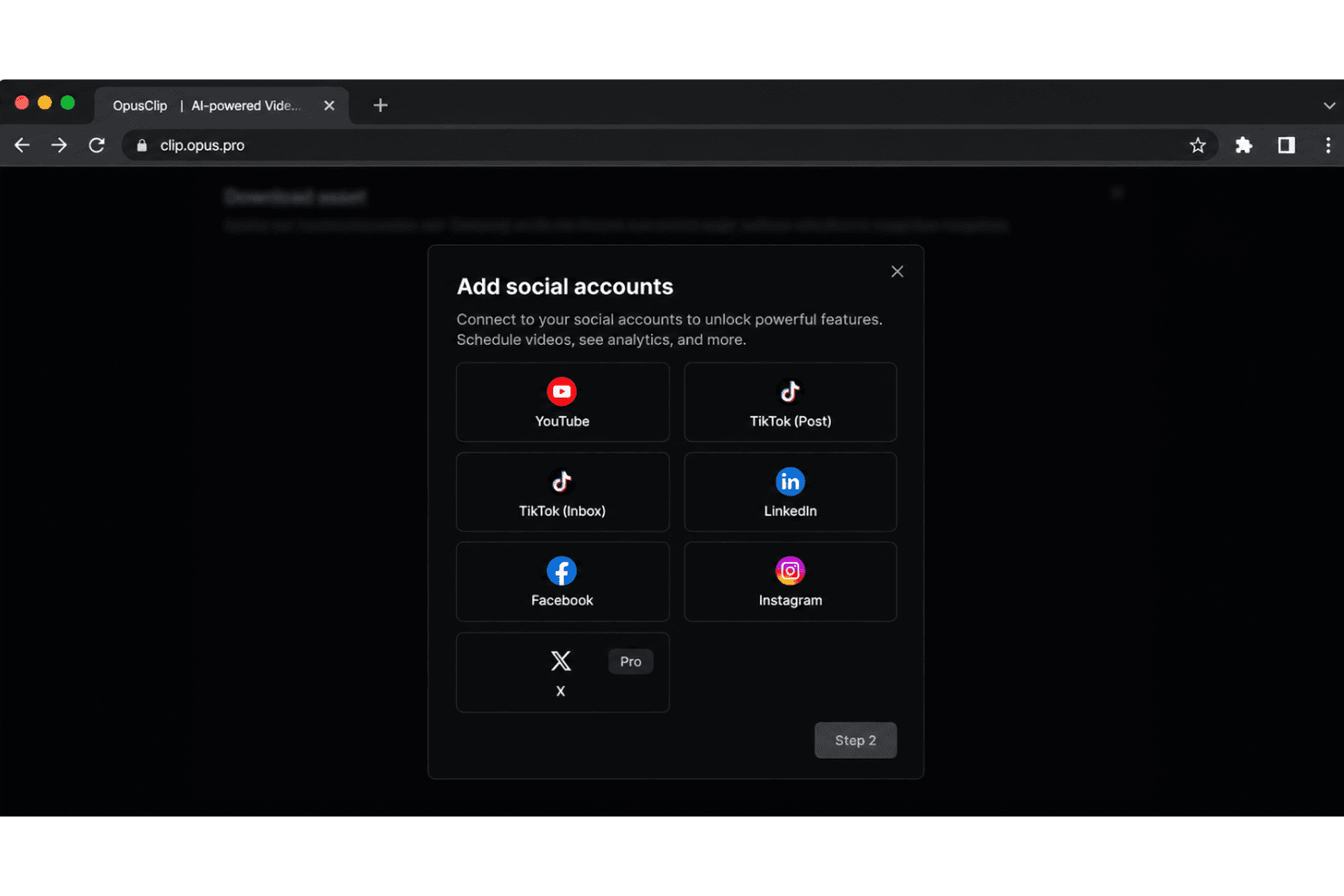
OpusClip integrates with YouTube, TikTok, Instagram Reels, Facebook, X, Google Drive, Vimeo, and Zoom, among others.
It also offers an API and connects with third-party integration tools including Zapier.
OpusClip Specs
- CAD Tools: Yes
- Data Export: Yes
- Data Import: Yes
- Multi-User: Yes
- Pixel Graphics: Yes
- Third-Party Plugins/Add-Ons: Yes
- Vector File Support: Yes
- Video: Yes


