

Reseña de Mailjet 2026: ventajas, desventajas, funciones y precios
I look beyond Mailjet’s feature list to weigh its pricing and trade-offs—and show which email teams it suits best, and who may need more.

Revisamos herramientas de manera independiente, y las comisiones ayudan a financiar nuestras pruebas. Consulta nuestra política de transparencia, nuestra metodología o sugiere una herramienta.
Mailjet is email marketing software for teams that manage marketing campaigns and transactional email in one platform. If your team has a large contact list but sends on a measured cadence, Mailjet can be a better fit than Mailchimp: its paid plans charge by email volume rather than audience size. The editor also lets teammates collaborate on campaigns in real time.
Mailjet Evaluation Summary
4.1/5
- From $9/month
- Free plan available
Por qué confiar en nuestras recomendaciones de software
6,700+
Reviews
20
Industry experts
16+
Evaluation factors
14
Years
Nuestro equipo lleva probando y evaluando software desde 2012. Como líderes de marketing, sabemos lo difícil —y lo importante— que es elegir el software adecuado.
Para esta guía, evaluamos las herramientas mediante pruebas prácticas e investigación independiente, puntuando las herramientas según nuestros criterios de selección.
Nuestras reseñas reflejan nuestro criterio editorial humano, no un discurso de ventas.
Revisores expertos:
 Gui DrusinaDirector creativo
- Shriya GhateSenior Marketing Lead
 Amanda JacquesLíder de Marketing Ops

Mailjet Overview
Mailjet is a good choice when you’re comparing email platforms for both campaigns and transactional messages. Its volume-based paid pricing can suit a large list with a measured send cadence, while the drag-and-drop editor, real-time co-editing, and 100+ integrations cover common team workflows. For example, marketing can review a newsletter together while developers send transactional email through the API or SMTP relay. I’d weigh that flexibility against monthly sending caps and automations reserved for higher tiers; support also improves with plan level, and hands-on onboarding is for custom plans. Choose Mailjet for practical collaboration and mixed email needs, not elaborate lifecycle automation.
Pros
- Volume-based pricing favors large lists with lower send volumes.
- Real-time co-editing, comments, and approvals support shared campaign reviews.
- Users report dependable delivery for marketing and transactional email.
Cons
- Automation is limited to higher tiers and less advanced than lifecycle tools.
- Monthly send caps and expiring credits penalize uneven campaign schedules.
- Users report account suspensions and strict spam controls.
Is Mailjet Right For Your Needs?
Who Would be a Good Fit for Mailjet?
Mailjet suits smaller teams that need campaign and transactional email, straightforward collaboration, and predictable entry-level pricing. Its drag-and-drop editor, real-time comments, API, and integrations support a range of common marketing workflows. It’s a better fit when your team can work within its template options and doesn’t need advanced automation on a lower-tier plan.
- Small BusinessesThe free plan includes up to 1,000 contacts and 6,000 emails monthly, while Starter offers 8,000 emails for $9 per month.
- Ecommerce TeamsEcommerce marketers can connect Mailjet with Shopify and use campaigns to reach their contact lists.
- SaaS CompaniesSaaS teams can use Mailjet’s API for transactional email alongside its campaign tools.
- Collaborative TeamsMarketing teams that review campaigns together can use real-time comments and responsive previews in the editor.
- Segmentation TeamsTeams that need to segment contacts can access segmentation on the Essential plan, which starts at $19 per month.
- Budget-Conscious StartupsStartups can begin with a free plan and move to paid options as email volume or feature needs grow.
Who Would be a Bad Fit for Mailjet?
Mailjet is a weaker choice when your workflow depends on extensive design customization, advanced automation on a lower-cost plan, or readily available hands-on support. Automations and advanced statistics start on Premium at $29 per month, and Custom plans are required for hands-on onboarding. It may also be a poor fit if your team frequently merges contact lists or needs prompt help for urgent issues, since reviewers report list-merging difficulty and slow ticket replies.
- Complex AutomationTeams that need automations on an entry-level plan won’t find them until Premium, which starts at $29 per month.
- Bespoke DesignDesign-led brands that need extensive template customization may be frustrated by reviewer reports of limited customization.
- Frequent List MergingTeams that regularly combine contact lists should note that some G2 reviewers report difficulty merging them in Mailjet.
- Urgent SupportTeams that need dependable, rapid assistance may find Mailjet’s support a poor fit, since reviewers report slow ticket replies and support options vary by tier.
- Hands-On OnboardingOrganizations that require guided implementation won’t get hands-on onboarding unless they choose a Custom plan.
- Advanced AnalyticsAnalytics teams that need advanced statistics on a lower-cost subscription must account for that feature being limited to Premium at $29 per month.
Cómo Probamos y Puntuamos las Herramientas
Hemos dedicado años a construir, refinar y mejorar nuestro sistema de prueba y puntuación de software. El marco está diseñado para captar los matices de la selección de software y lo que hace a una herramienta eficaz, enfocándose en los aspectos críticos del proceso de decisión. A continuación, puedes ver exactamente cómo funcionan nuestras pruebas y puntuaciones en siete criterios. Esto nos permite brindar una evaluación imparcial de los programas basada en la funcionalidad principal, características destacadas, facilidad de uso, integración, soporte al cliente, reseñas de clientes y relación calidad-precio.
Funcionalidad Principal (25% de la puntuación final)
El punto de partida de nuestra evaluación siempre es la funcionalidad principal de la herramienta. ¿Cuenta con las funciones básicas que un usuario esperaría? ¿Alguna de esas funciones está reservada solo para planes de pago avanzados? Esperamos que, en esencia, una herramienta se mantenga al nivel de las capacidades mínimas de sus competidores.
Características Destacadas (25% de la puntuación final)
Después, evaluamos las características poco comunes y destacadas que van más allá de la funcionalidad típica de herramientas similares. Una puntuación alta refleja funciones especializadas o únicas que hacen el producto más rápido, eficiente o aportan un valor adicional al usuario. También evaluamos qué tan fácil es integrarse con otras herramientas habituales en el entorno tecnológico para expandir la funcionalidad del software. Las herramientas que ofrecen muchas integraciones nativas, conexiones de terceros y acceso a API para crear integraciones personalizadas tienen la mejor puntuación.
Facilidad de Uso (10% de la puntuación final)
Consideramos cuán rápido y fácil es ejecutar las tareas definidas en la funcionalidad central utilizando la herramienta. El software mejor puntuado está bien diseñado, es intuitivo, ofrece aplicaciones móviles, proporciona plantillas y hace que tareas relativamente complejas parezcan sencillas.
Incorporación (10% de la puntuación final)
Sabemos lo importante que es que un equipo adopte rápidamente una nueva plataforma, por eso evaluamos lo fácil que es aprender y usar una herramienta con la menor formación posible. Analizamos lo rápido que un integrante puede comenzar a usar la herramienta sin experiencia previa. Las soluciones mejor puntuadas requieren poco o ningún soporte.
Soporte al Cliente (10% de la puntuación final)
Vemos cuán rápido y sencillo es obtener ayuda por teléfono, chat en vivo o base de conocimientos. Las empresas y herramientas que ofrecen soporte en tiempo real logran la mejor puntuación, mientras que los chatbots obtienen la peor.
Reseñas de Clientes (10% de la puntuación final)
Más allá de nuestras propias pruebas y evaluaciones, consideramos el puntaje de recomendación de clientes actuales y anteriores. Revisamos la probabilidad de que, de poder elegir de nuevo, seleccionarían la herramienta por su funcionalidad principal. Un software con alta puntuación refleja una elevada recomendación de sus usuarios.
Relación Calidad-Precio (10% de la puntuación final)
Finalmente, considerando todos los demás criterios, revisamos el precio promedio de los planes básicos frente a las funciones y el valor de los demás factores de evaluación. El software que ofrece más por menos obtiene mejor puntuación.
Core Features
Email Campaign Editor
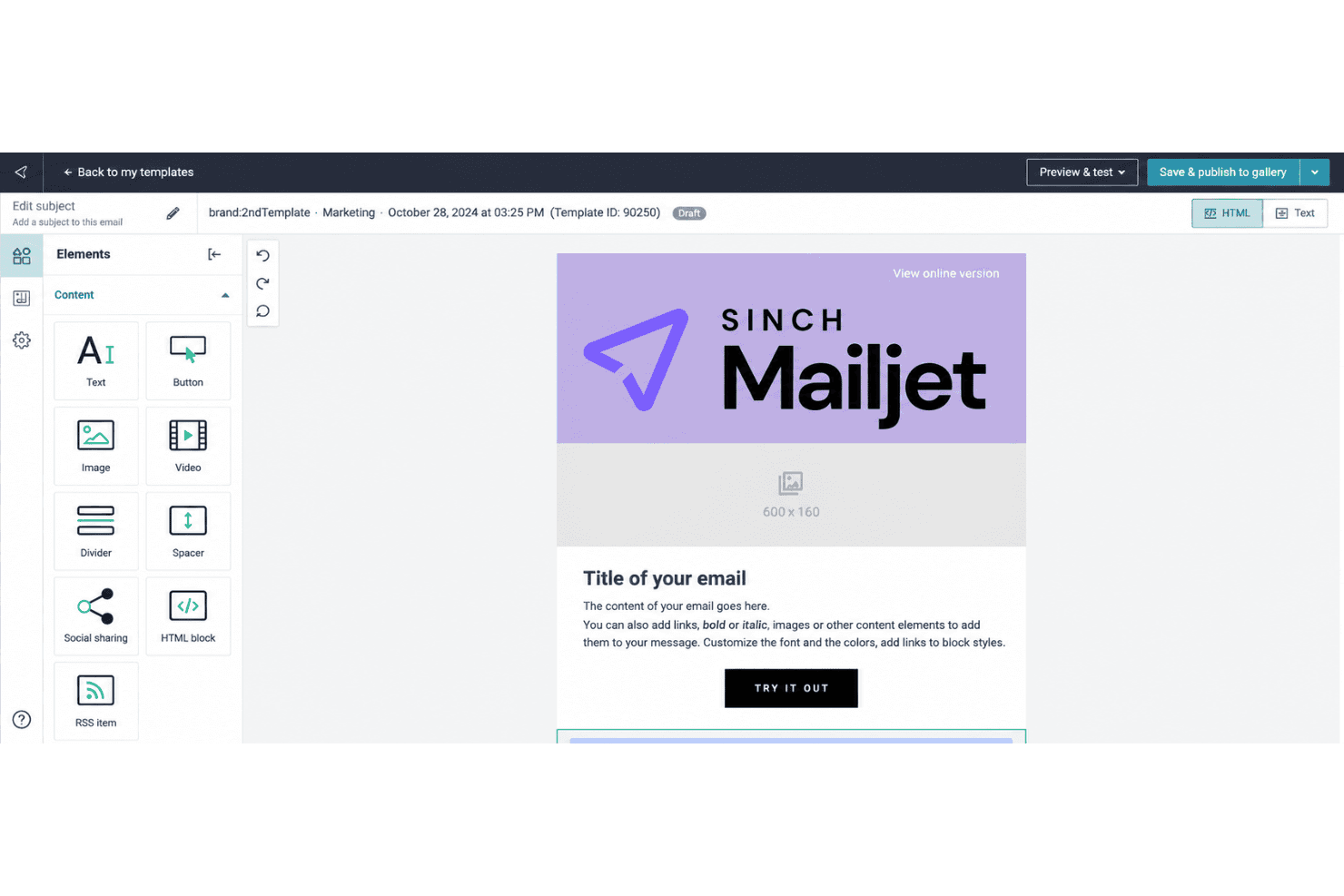
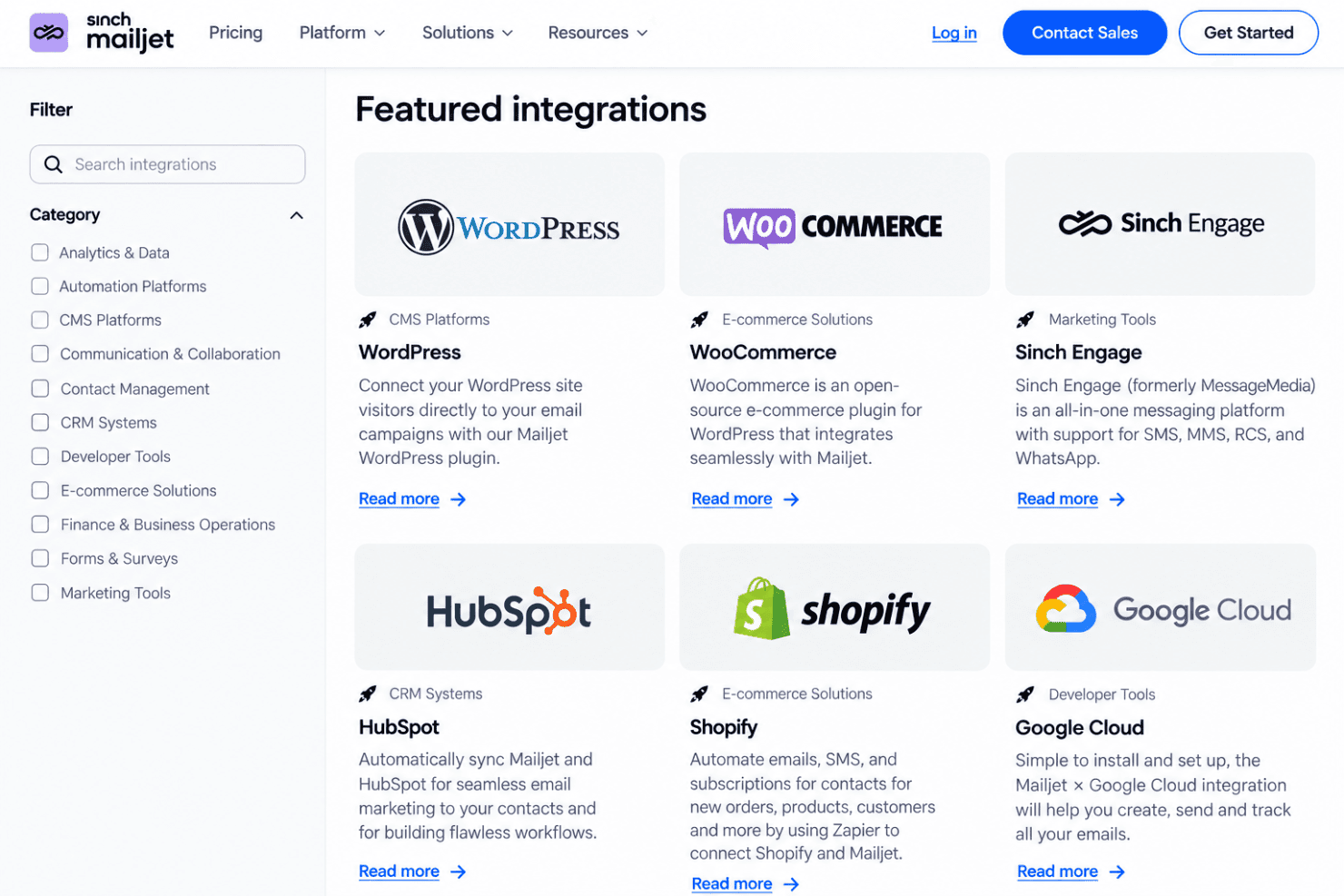
Mailjet’s drag-and-drop editor lets you build campaigns from templates or add text, images, links, and GIFs; responsive previews help you check how they’ll appear across devices and email clients. Teammates can edit and comment together, while saved sections help keep recurring newsletters on brand.
Contact List Management
Collect sign-ups with a website subscription widget or upload contacts using CSV, TXT, or XLS files; Mailjet checks uploads for errors and duplicate addresses. This gives you one place to maintain campaign lists and catch common data issues before sending.
Audience Segmentation
Create segments using contact attributes such as location, or behavior such as opens and clicks during a chosen period. You can send a product update to interested subscribers, for example, or target less active contacts with a re-engagement message.
Marketing Automation
Build no-code email workflows with event, timer, action, and condition blocks, using templates or your own sequence. A welcome journey can send an initial email after sign-up and branch based on a contact’s activity; advanced automation is reserved for higher tiers.
A/B Testing
Test up to 10 campaign versions at once, comparing elements such as subject lines, images, content, or calls to action. Set success criteria and send the winning version to the rest of your list to apply test results within the same campaign.
Campaign Analytics
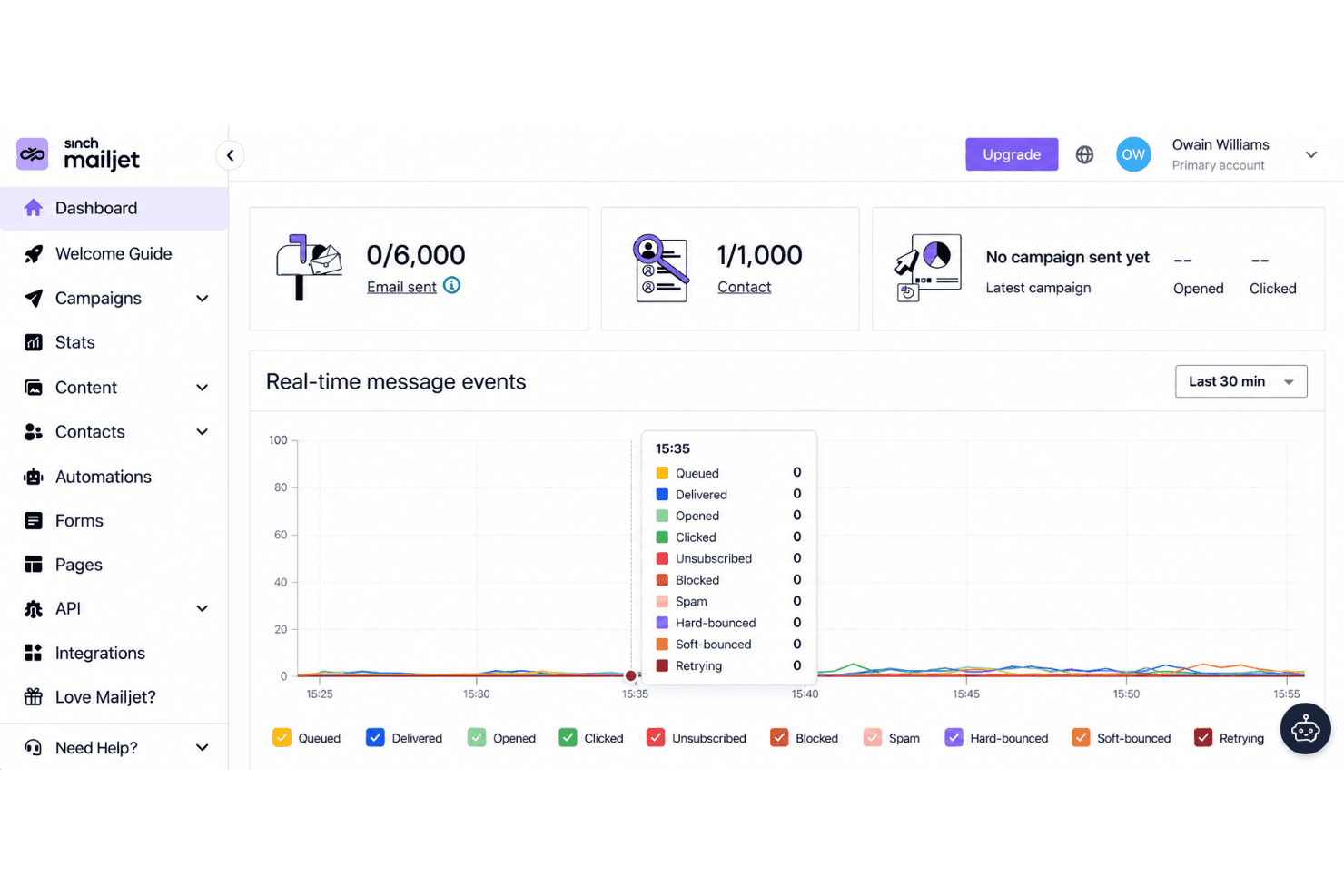
The Statistics Dashboard tracks delivery, opens, clicks, bounces, unsubscribes, and spam rates, with bot activity excluded from engagement analytics. Use the click map to see which links drew attention, or compare campaigns to guide your next send.
Ease of Use
Mailjet is easy to get started with: its drag-and-drop editor, responsive previews, and real-time comments make campaign creation and review straightforward. G2 reviewers praise its setup and ease of use, though some report limited template customization and difficulty merging contact lists. I’d call it approachable for routine campaigns, but less flexible when you need extensive design control or more advanced automation, which sits on higher tiers.
Integrations
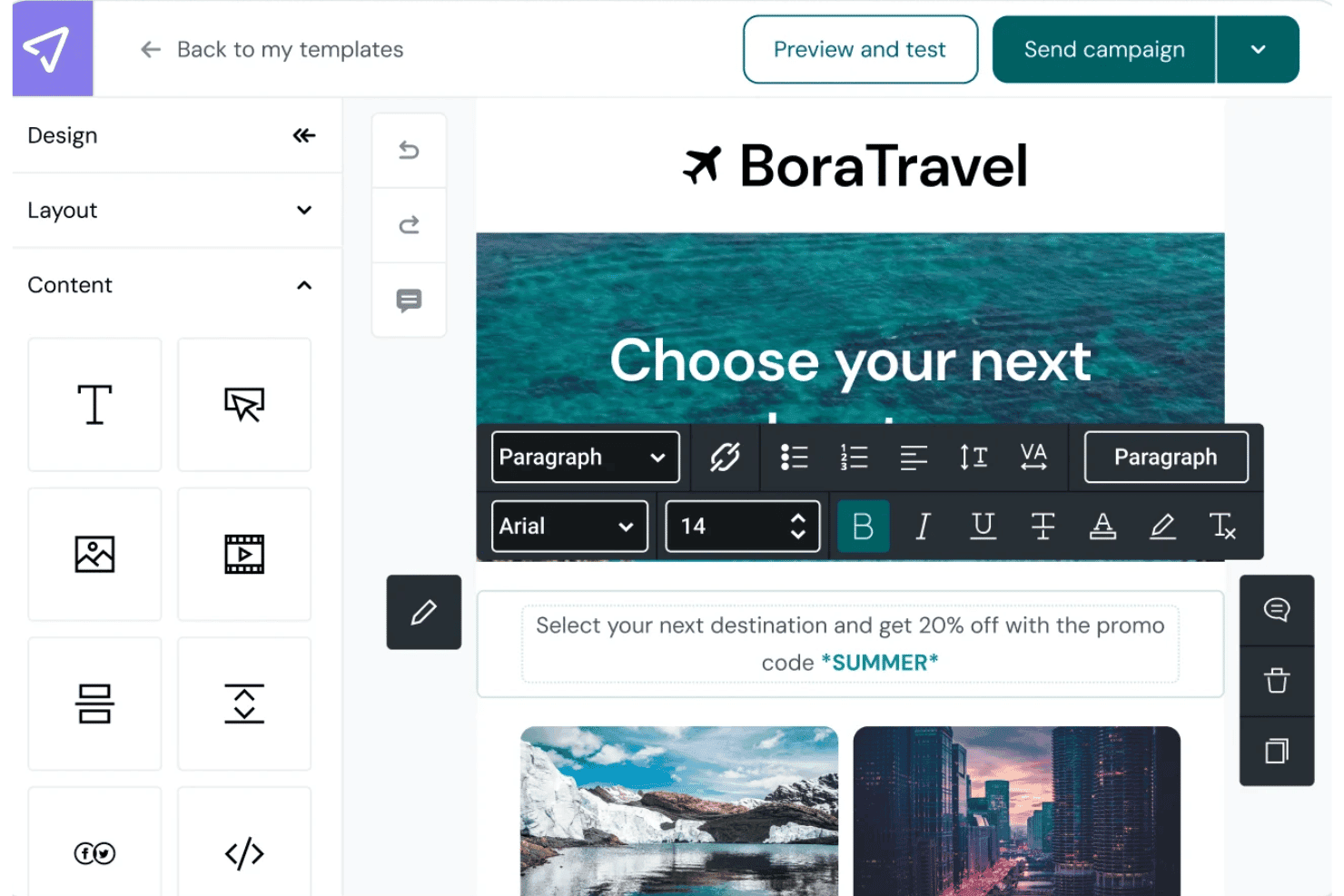
Mailjet integrates with Shopify, WordPress, HubSpot, Salesforce, Segment, WooCommerce, PrestaShop, and Google Cloud, among others.
Mailjet also offers an API for custom integrations and connects with third-party integration tools, including Zapier, Make, n8n, and Pipedream.
Mailjet Specs
- A/B Testing: Yes
- API: Yes
- Audience Targeting: Yes
- Brand Management: Yes
- Calendar Management: No
- Campaign Management: Yes
- Compliance Tracking: No
- Contact Management: Yes
- Contact Sharing: No
- Conversion Tracking: No
- CRM Integration: Yes
- Customer Management: No
- Dashboard: Yes
- Data Export: Yes
- Data Import: Yes
- Data Visualization: Yes
- Email Integration: Yes
- External Integrations: Yes
- Google Apps Integration: Yes
- Lead Management: No
- Lead Scoring: No
- Link Tracking: Yes
- Marketing Automation: Yes
- Multi-User: Yes
- Notifications: Yes
- Scheduling: Yes
- Social-Media Integration: No
- Third-Party Plugins/Add-Ons: Yes


