

Reseña de Contentstack 2026: ventajas, desventajas, funciones y precios
I put Contentstack’s composable architecture to the test—here’s where its flexibility shines, where costs and complexity surface, and who will get the most from it.

Revisamos herramientas de manera independiente, y las comisiones ayudan a financiar nuestras pruebas. Consulta nuestra política de transparencia, nuestra metodología o sugiere una herramienta.
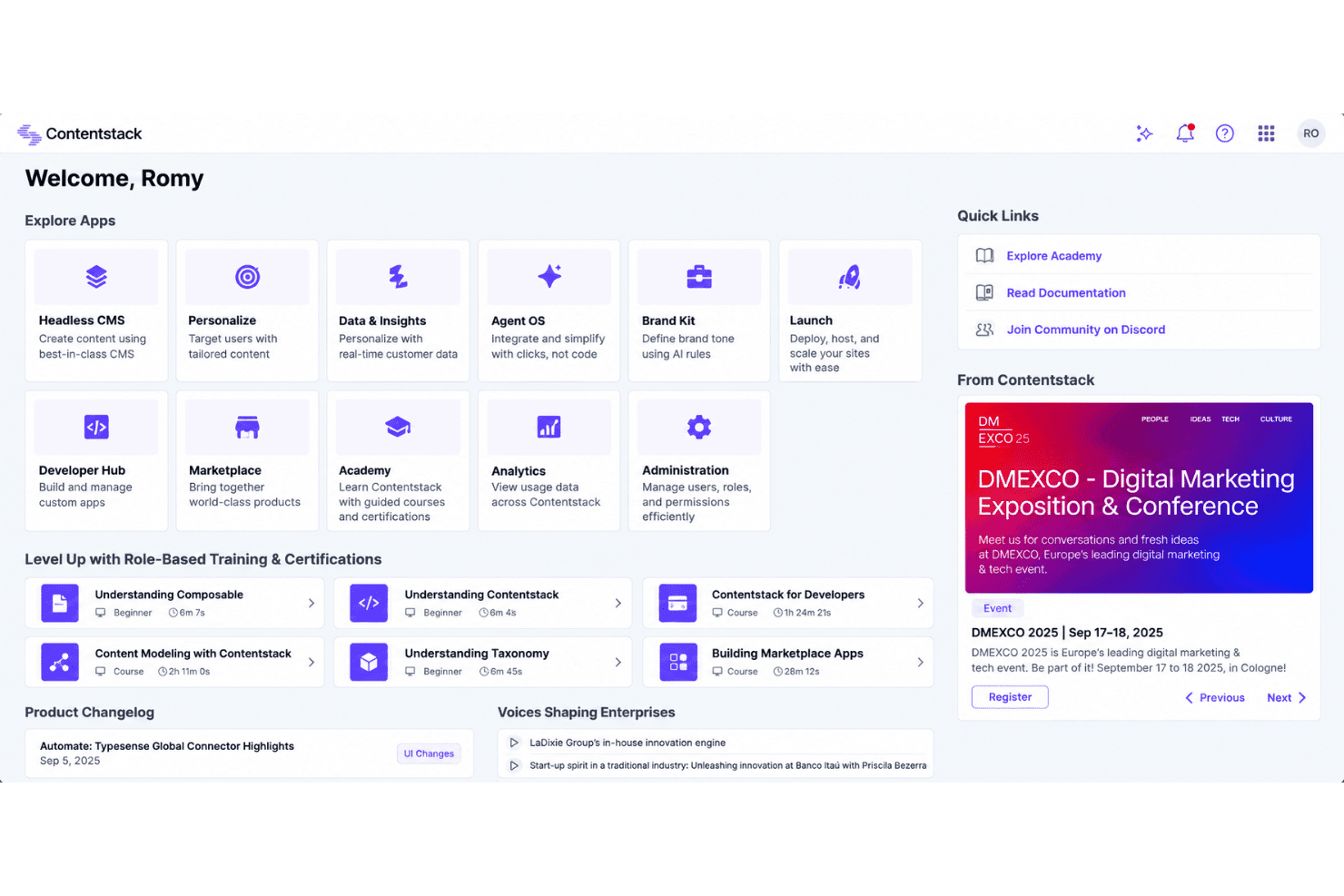
Contentstack is a composable content management software platform for marketing teams that need to manage structured content across websites, apps, and other digital channels. Choose it over WordPress when your team needs an API-first setup, reusable content models, and greater control over omnichannel publishing.
Contentstack Evaluation Summary
4.8/5
- From $29/month
- Free plan available
Por qué confiar en nuestras recomendaciones de software
6,700+
Reviews
20
Industry experts
16+
Evaluation factors
14
Years
Nuestro equipo lleva probando y evaluando software desde 2012. Como líderes de marketing, sabemos lo difícil —y lo importante— que es elegir el software adecuado.
Para esta guía, evaluamos las herramientas mediante pruebas prácticas e investigación independiente, puntuando las herramientas según nuestros criterios de selección.
Nuestras reseñas reflejan nuestro criterio editorial humano, no un discurso de ventas.
Revisores expertos:
 Gui DrusinaDirector creativo
- Shriya GhateSenior Marketing Lead
 Amanda JacquesLíder de Marketing Ops

Contentstack Overview
I’d choose Contentstack for teams that need API-first content modeling, reusable components, and publishing across websites, apps, and other channels. Its visual editing, workflows, localization, integrations, and developer tools support sophisticated content operations, while the interface remains approachable for marketers. However, custom pricing can exceed simpler platforms, and onboarding requires technical planning around schemas, APIs, and integrations. Support is strong for implementation-led projects, though smaller teams may prefer a lower-cost, faster setup. Compared with simpler options, Contentstack offers greater flexibility and governance but demands more investment, making it best for growing, multi-channel organizations.
Pros
- API-first modeling supports reusable content across omnichannel experiences.
- Visual Editor lets marketers update layouts without routine developer involvement.
- Workflows, releases, and branches support governed publishing across teams.
Cons
- Pricing is opaque and often expensive for smaller teams.
- Live preview setup can require substantial developer configuration.
- Localization and bulk publishing still involve manual work.
Is Contentstack Right For Your Needs?
Who Would be a Good Fit for Contentstack?
Contentstack fits organizations that need structured content across channels, sites, and teams. Its APIs, workflows, Releases, Visual Editor, integrations, and enterprise governance support complex publishing programs. Teams with developer support will get more from its headless architecture, Live Preview setup, and content modeling requirements.
- Enterprise BrandsContentstack supports multiple production sites, custom roles, workflows, personalization, and data residency through its Enterprise plan.
- Ecommerce TeamsEcommerce teams can connect Contentstack with commercetools, Algolia, Cloudinary, and other systems while managing structured product content through APIs.
- Global MarketingMarketing departments publishing across websites and channels can use structured content, Releases, workflows, and the Content Management API.
- Regulated OrganizationsOrganizations with strict publishing controls can use custom roles, approval workflows, Releases, audit-oriented governance, and enterprise support.
- Developer Led TeamsEngineering teams can build tailored digital experiences with Contentstack’s headless architecture, APIs, integrations, and developer-configured Live Preview.
- Content OperationsContent operations teams coordinating many contributors can use workflows, Visual Editor, Brand Kit, Agent OS, and centralized content modeling.
Who Would be a Bad Fit for Contentstack?
Contentstack is a poor match for teams seeking a simple, no-code website builder with minimal configuration. Its schemas, APIs, Live Preview setup, and technical documentation create more work than smaller teams may need. The pricing structure also becomes harder to justify when you need only one basic site, limited publishing controls, or a low-cost content platform.
- Solo CreatorsSolo creators may find Contentstack excessive because schemas, APIs, and Live Preview setup add technical work to a small publishing operation.
- Small BusinessesSmall businesses needing one basic website may not justify Growth pricing, workflows, enterprise features, and the configuration required by a headless CMS.
- No Code TeamsTeams without developer support may struggle with content modeling, API configuration, integrations, and the technical setup required for Live Preview.
- Basic Brochure SitesA simple brochure site rarely needs Releases, custom roles, multi-site delivery, or integrations with platforms such as commercetools and Algolia.
- Tight BudgetsBudget-conscious teams may outgrow the free and $29 Build plans quickly, while the $299 Growth plan adds a significant recurring cost.
- All In One CommerceBusinesses seeking built-in commerce may find Contentstack unsuitable because it connects with commercetools rather than providing a complete native commerce system.
Cómo Probamos y Puntuamos las Herramientas
Hemos dedicado años a construir, refinar y mejorar nuestro sistema de prueba y puntuación de software. El marco está diseñado para captar los matices de la selección de software y lo que hace a una herramienta eficaz, enfocándose en los aspectos críticos del proceso de decisión. A continuación, puedes ver exactamente cómo funcionan nuestras pruebas y puntuaciones en siete criterios. Esto nos permite brindar una evaluación imparcial de los programas basada en la funcionalidad principal, características destacadas, facilidad de uso, integración, soporte al cliente, reseñas de clientes y relación calidad-precio.
Funcionalidad Principal (25% de la puntuación final)
El punto de partida de nuestra evaluación siempre es la funcionalidad principal de la herramienta. ¿Cuenta con las funciones básicas que un usuario esperaría? ¿Alguna de esas funciones está reservada solo para planes de pago avanzados? Esperamos que, en esencia, una herramienta se mantenga al nivel de las capacidades mínimas de sus competidores.
Características Destacadas (25% de la puntuación final)
Después, evaluamos las características poco comunes y destacadas que van más allá de la funcionalidad típica de herramientas similares. Una puntuación alta refleja funciones especializadas o únicas que hacen el producto más rápido, eficiente o aportan un valor adicional al usuario. También evaluamos qué tan fácil es integrarse con otras herramientas habituales en el entorno tecnológico para expandir la funcionalidad del software. Las herramientas que ofrecen muchas integraciones nativas, conexiones de terceros y acceso a API para crear integraciones personalizadas tienen la mejor puntuación.
Facilidad de Uso (10% de la puntuación final)
Consideramos cuán rápido y fácil es ejecutar las tareas definidas en la funcionalidad central utilizando la herramienta. El software mejor puntuado está bien diseñado, es intuitivo, ofrece aplicaciones móviles, proporciona plantillas y hace que tareas relativamente complejas parezcan sencillas.
Incorporación (10% de la puntuación final)
Sabemos lo importante que es que un equipo adopte rápidamente una nueva plataforma, por eso evaluamos lo fácil que es aprender y usar una herramienta con la menor formación posible. Analizamos lo rápido que un integrante puede comenzar a usar la herramienta sin experiencia previa. Las soluciones mejor puntuadas requieren poco o ningún soporte.
Soporte al Cliente (10% de la puntuación final)
Vemos cuán rápido y sencillo es obtener ayuda por teléfono, chat en vivo o base de conocimientos. Las empresas y herramientas que ofrecen soporte en tiempo real logran la mejor puntuación, mientras que los chatbots obtienen la peor.
Reseñas de Clientes (10% de la puntuación final)
Más allá de nuestras propias pruebas y evaluaciones, consideramos el puntaje de recomendación de clientes actuales y anteriores. Revisamos la probabilidad de que, de poder elegir de nuevo, seleccionarían la herramienta por su funcionalidad principal. Un software con alta puntuación refleja una elevada recomendación de sus usuarios.
Relación Calidad-Precio (10% de la puntuación final)
Finalmente, considerando todos los demás criterios, revisamos el precio promedio de los planes básicos frente a las funciones y el valor de los demás factores de evaluación. El software que ofrece más por menos obtiene mejor puntuación.
Core Features
Content Modeling
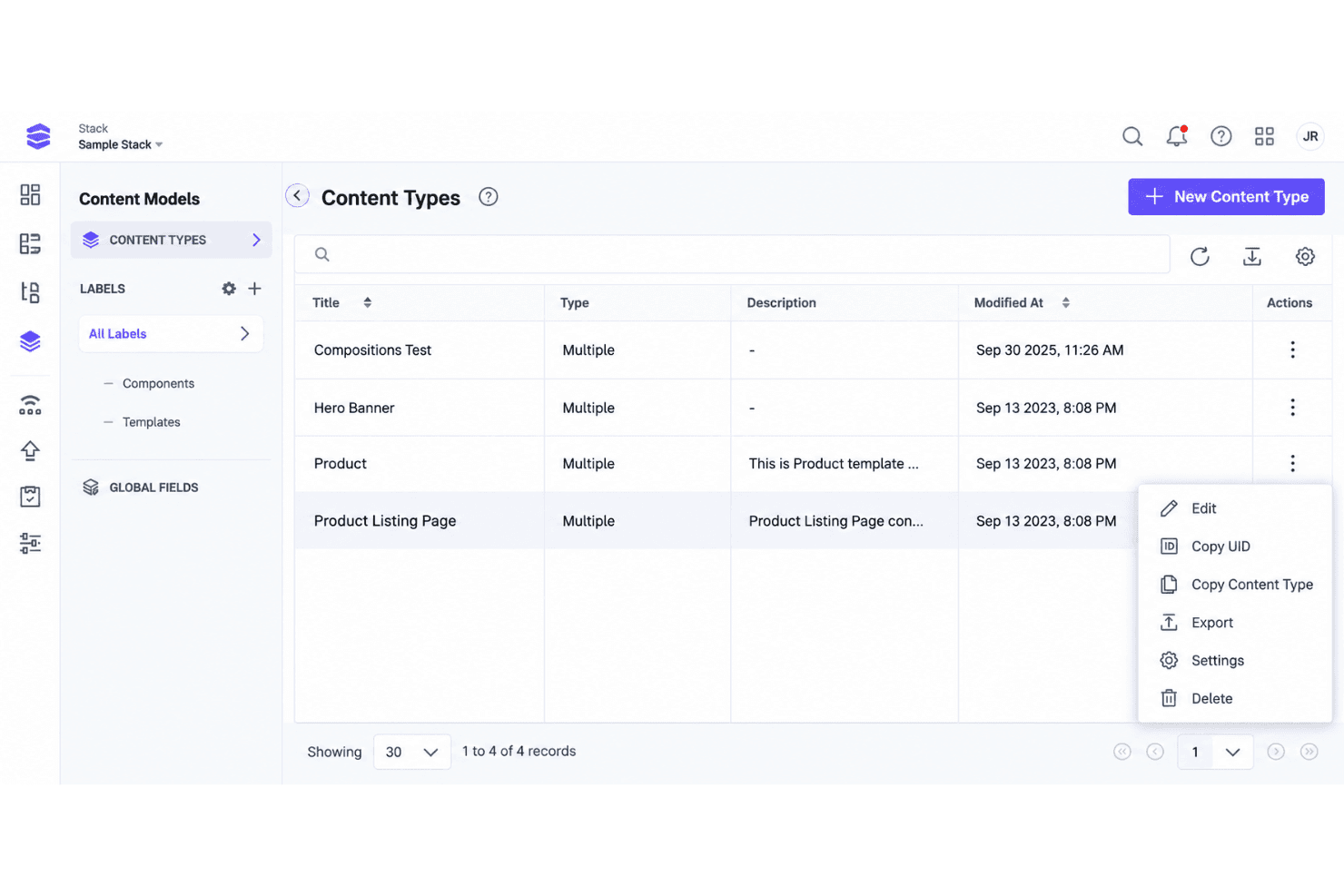
Contentstack lets you define structured content types, fields, and reusable components through an API-first model. This gives teams consistent content for websites, apps, and other channels, such as reusing one product description across multiple campaigns.
Visual Editor
The Visual Editor lets marketers edit content in a page context and preview changes before publishing. Teams can adjust page content without asking developers to handle every update.
Workflows
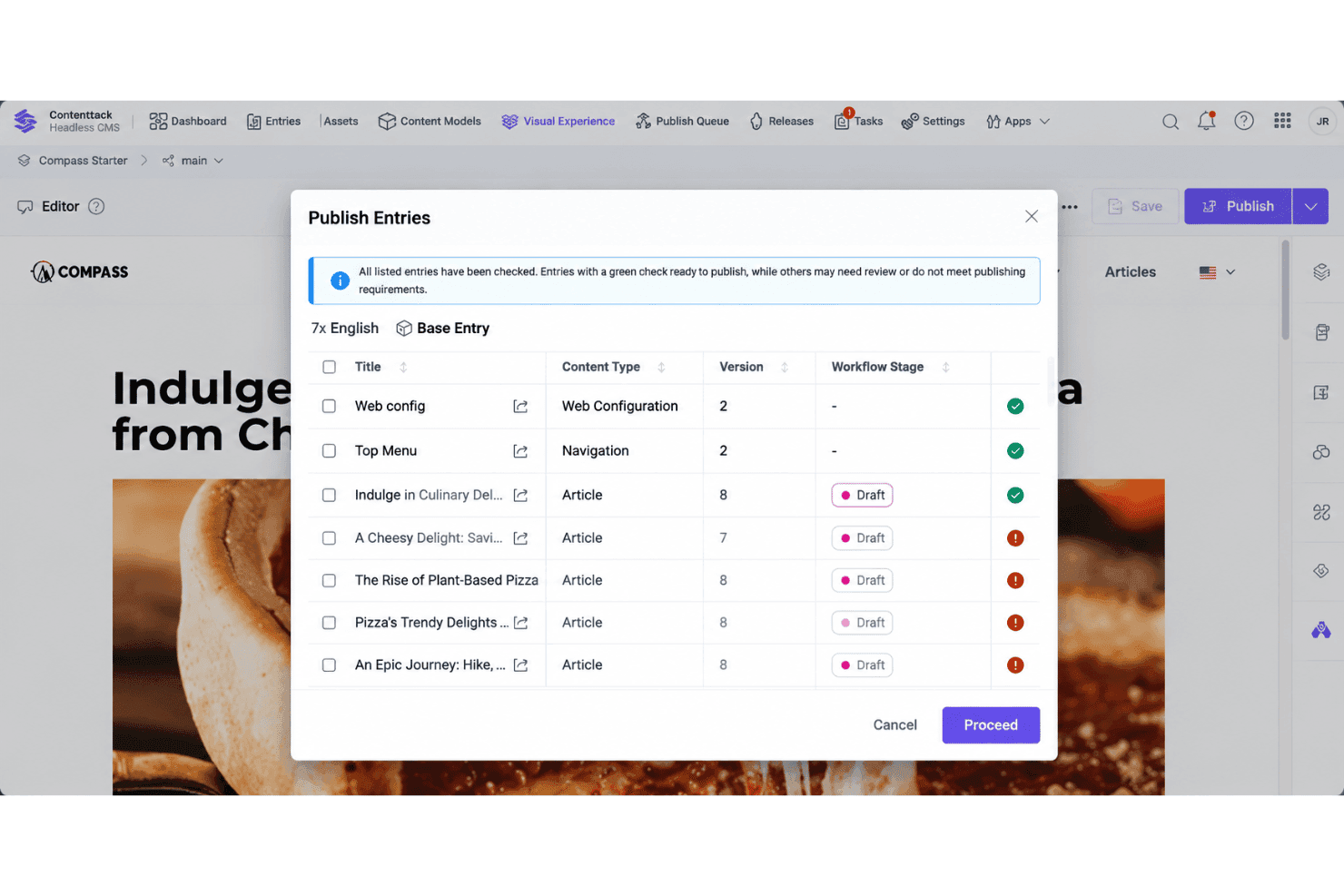
Workflows assign content stages, responsibilities, and approval steps to publishing processes. Marketing teams can route a campaign page from drafting to review and approval before it goes live.
Releases
Releases group related content changes for scheduled or coordinated publishing. A team can prepare landing pages, product updates, and campaign copy together, then publish them at a planned time.
Localization
Contentstack supports localized content for teams managing multiple languages and regional experiences. Editors can create language variants while keeping shared content structures consistent across markets.
Live Preview
Live Preview shows how content will appear on a connected website or application before publication. Developers configure the preview environment, giving marketers a practical way to check page context and presentation.
Ease of Use
Contentstack is approachable for content teams once the underlying content model is configured. Visual Editor provides no-code, in-context editing, while Workflows and Releases help teams manage approvals and coordinated publishing. However, initial setup can require developer involvement, particularly for schemas, APIs, integrations, and Live Preview configuration. It suits teams that need structured content and governance rather than a fully turnkey CMS.
Integrations
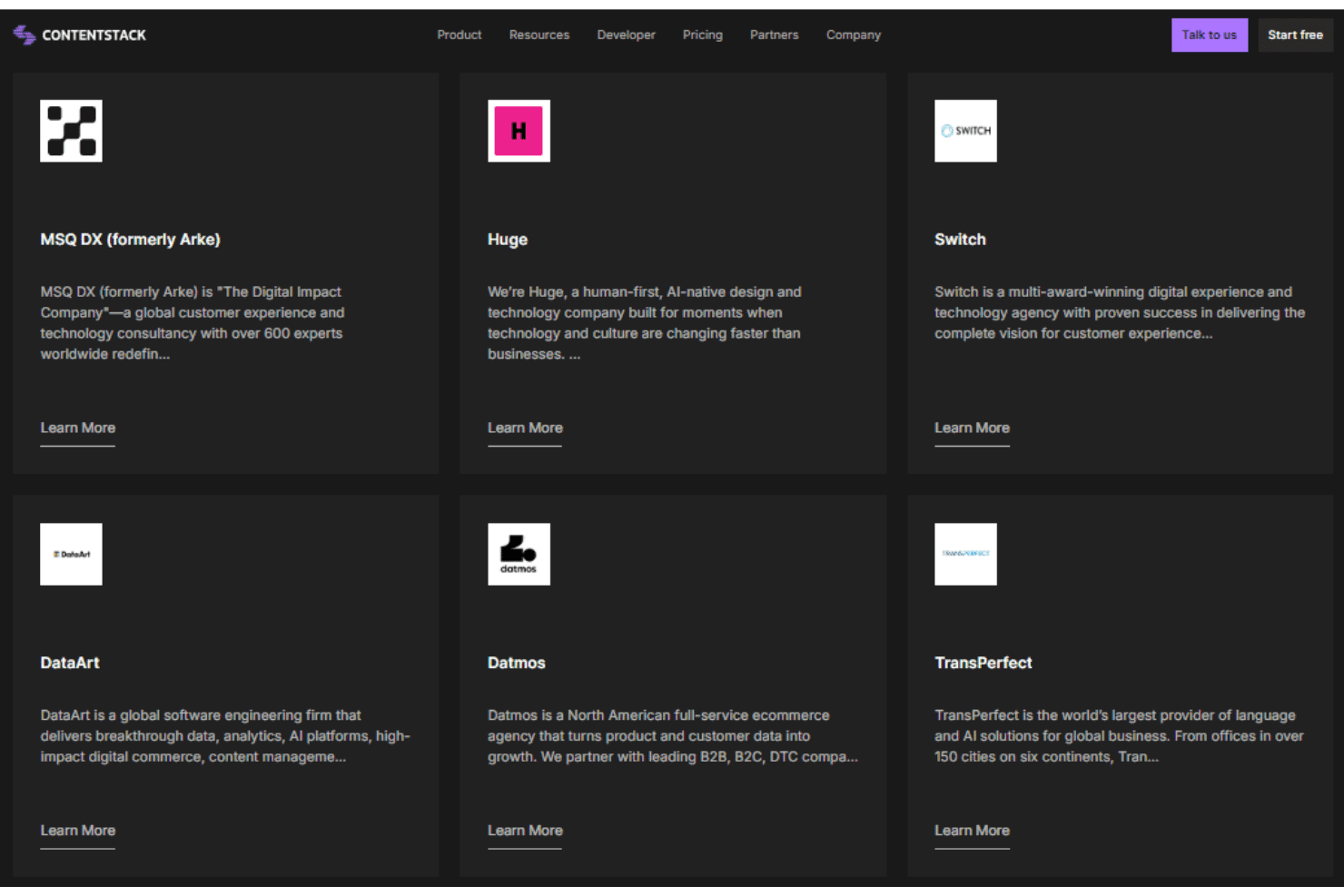
Contentstack integrates with Algolia, commercetools, Bynder, Cloudinary, Salesforce CRM data, and Salesforce Commerce, among other tools and services.
Contentstack also provides a Content Management API for custom integrations and connects with third-party automation tools such as Zapier.
Contentstack Specs
- A/B Testing: Yes
- API: Yes
- Batch Permissions & Access: Yes
- Dashboard: Yes
- Data Export: Yes
- Data Import: Yes
- Data Visualization: Yes
- External Integrations: Yes
- File Sharing: No
- File Transfer: No
- Multi-User: Yes
- Notifications: Yes
- Third-Party Plugins/Add-Ons: Yes


