

DashThis Review: Pros, Cons, Features, and Pricing
DashThis stands out for its user-friendly dashboard creation, making marketing reporting simple for agencies, but may lack advanced analytics found in more complex tools.

We review tools independently, and commissions help fund our testing. See our transparency policy, our methodology, or suggest a tool.
DashThis is a marketing intelligence software built for marketers who need to pull data from multiple channels into clean, shareable dashboards without a lot of manual setup. It's a strong fit if your team is spending too much time compiling reports across platforms like Google Ads, Meta, and HubSpot. I'd consider it over Google Looker Studio if you want pre-built templates and a faster path to polished, client-ready reports—Looker Studio gives you more customization, but DashThis gets you to a working dashboard much quicker.
DashThis Evaluation Summary
4.8/5
- From $44/mo (billed annually)
- Free trial available
Why Trust Our Software Recommendations
6,700+
Reviews
20
Industry experts
16+
Evaluation factors
14
Years
Our team has been testing and reviewing software since 2012. As marketing leaders ourselves, we know how difficult—and important—it is to choose the right software.
For this guide, we evaluated tools using hands-on testing and independent research, scoring tools using our selection criteria.
Our reviews reflect our human editorial judgment, not a sales pitch.
Expert reviewers:
 Gui DrusinaCreative Director
- Shriya GhateSenior Marketing Lead
 Amanda JacquesMarketing Ops Leader

DashThis Overview
If you’re judging DashThis against other marketing intelligence software, I think its clean interface, fast onboarding, and wide range of integrations make it a top pick for agencies and teams who want quick, visual dashboards. Pricing is straightforward, and support is responsive. While it doesn’t offer deep data modeling or advanced analytics, it outperforms with ease of use and automated reporting.
If you’re selecting a tool for client reporting or multi-channel campaign tracking, DashThis is a strong contender - especially if you value simplicity over granular customization.
Pros
- Customer support is fast and highly rated by users
- AI Insights highlight trends and issues in dashboards
- Automates multi-channel marketing reporting with ready-made templates
Cons
- Pricing can be high for agencies with many clients
- Limited options for custom calculated metrics
- Lacks advanced data modeling and transformation features


How We Test & Score Tools
We’ve spent years building, refining, and improving our software testing and scoring system. The rubric is designed to capture the nuances of software selection and what makes a tool effective, focusing on critical aspects of the decision-making process.
Below, you can see exactly how our testing and scoring works across seven criteria. It allows us to provide an unbiased evaluation of the software based on core functionality, standout features, ease of use, onboarding, customer support, integrations, customer reviews, and value for money.
Core Functionality (25% of final scoring)
The starting point of our evaluation is always the core functionality of the tool. Does it have the basic features and functions that a user would expect to see? Are any of those core features locked to higher-tiered pricing plans? At its core, we expect a tool to stand up against the baseline capabilities of its competitors.
Standout Features (25% of final scoring)
Next, we evaluate uncommon standout features that go above and beyond the core functionality typically found in tools of its kind. A high score reflects specialized or unique features that make the product faster, more efficient, or offer additional value to the user.
We also evaluate how easy it is to integrate with other tools typically found in the tech stack to expand the functionality and utility of the software. Tools offering plentiful native integrations, 3rd party connections, and API access to build custom integrations score best.
Ease of Use (10% of final scoring)
We consider how quick and easy it is to execute the tasks defined in the core functionality using the tool. High scoring software is well designed, intuitive to use, offers mobile apps, provides templates, and makes relatively complex tasks seem simple.
Onboarding (10% of final scoring)
We know how important rapid team adoption is for a new platform, so we evaluate how easy it is to learn and use a tool with minimal training. We evaluate how quickly a team member can get set up and start using the tool with no experience. High scoring solutions indicate little or no support is required.
Customer Support (10% of final scoring)
We review how quick and easy it is to get unstuck and find help by phone, live chat, or knowledge base. Tools and companies that provide real-time support score best, while chatbots score worst.
Customer Reviews (10% of final scoring)
Beyond our own testing and evaluation, we consider the net promoter score from current and past customers. We review their likelihood, given the option, to choose the tool again for the core functionality. A high scoring software reflects a high net promoter score from current or past customers.
Value for Money (10% of final scoring)
Lastly, in consideration of all the other criteria, we review the average price of entry level plans against the core features and consider the value of the other evaluation criteria. Software that delivers more, for less, will score higher.
Core Features
Automated Reporting
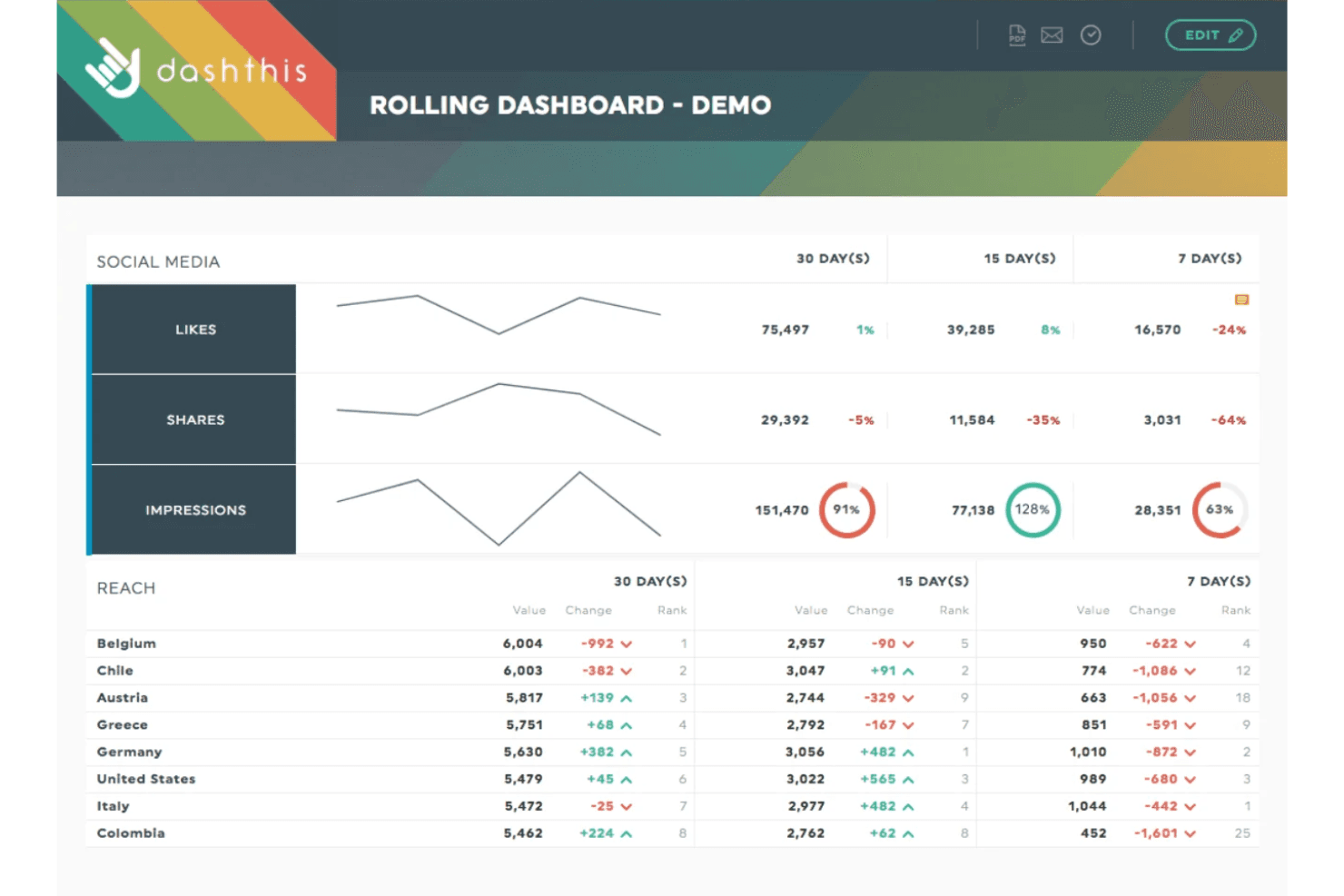
Schedule dashboards to update and send automatically, saving time on manual reporting. Users can set daily, weekly, or monthly delivery to clients or stakeholders.
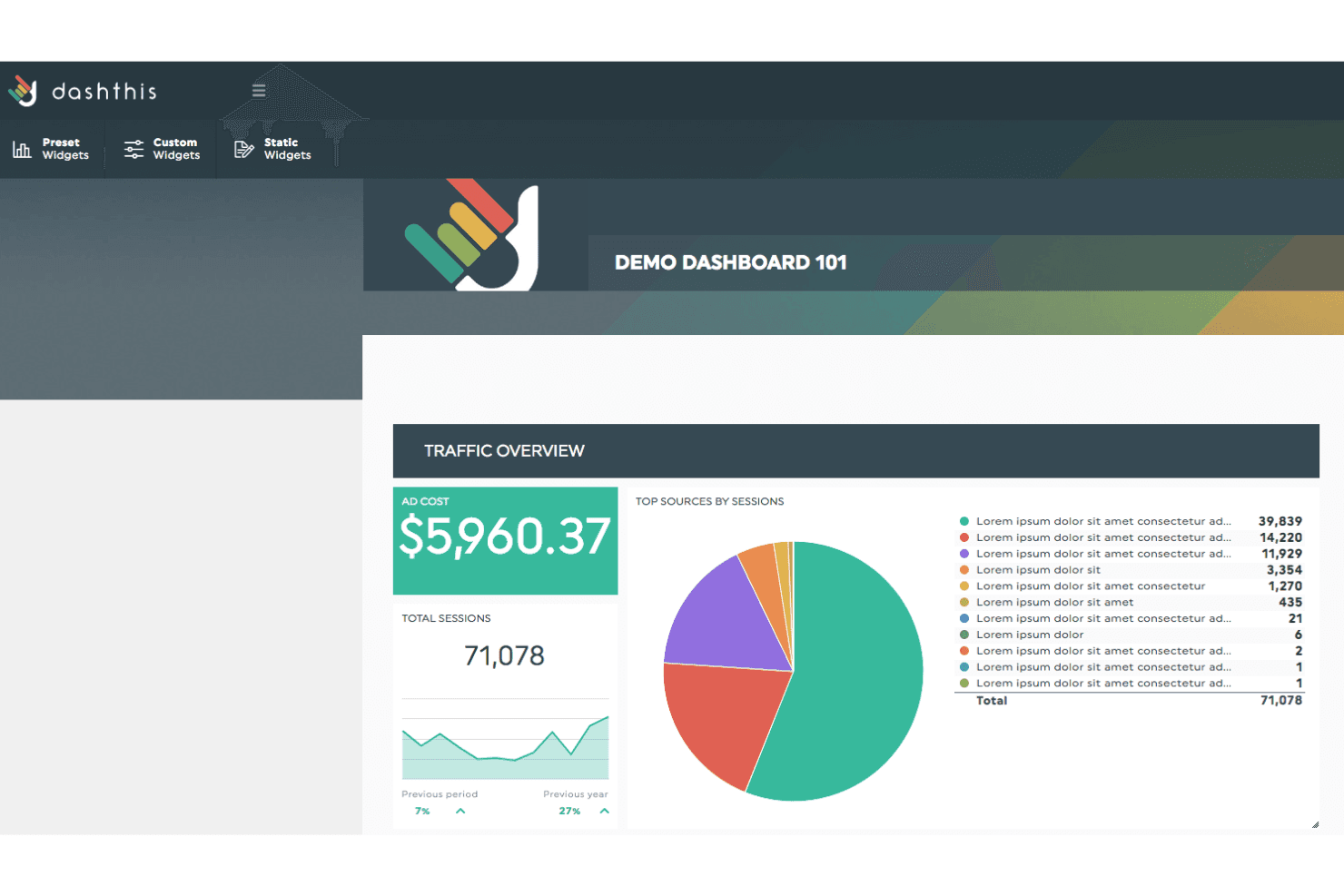
Preset Dashboard Templates
Choose from industry-specific templates for PPC, SEO, social, and more. Templates help users launch new dashboards in minutes with pre-built layouts.
AI Insights
DashThis highlights key trends, anomalies, and performance changes directly in your dashboards. This helps users quickly spot issues or wins without digging through data.
White-Labeling
Customize dashboards with your own branding, logos, and colors. This is especially useful for agencies delivering reports to clients.
Data Widget Library
Drag-and-drop widgets let you visualize data as charts, tables, or KPIs. Users can mix and match widgets to tailor dashboards to their needs.
Scheduled PDF Exports
Export dashboards as PDFs and schedule them for automatic delivery. This feature ensures stakeholders always have the latest reports on hand.
Ease of Use
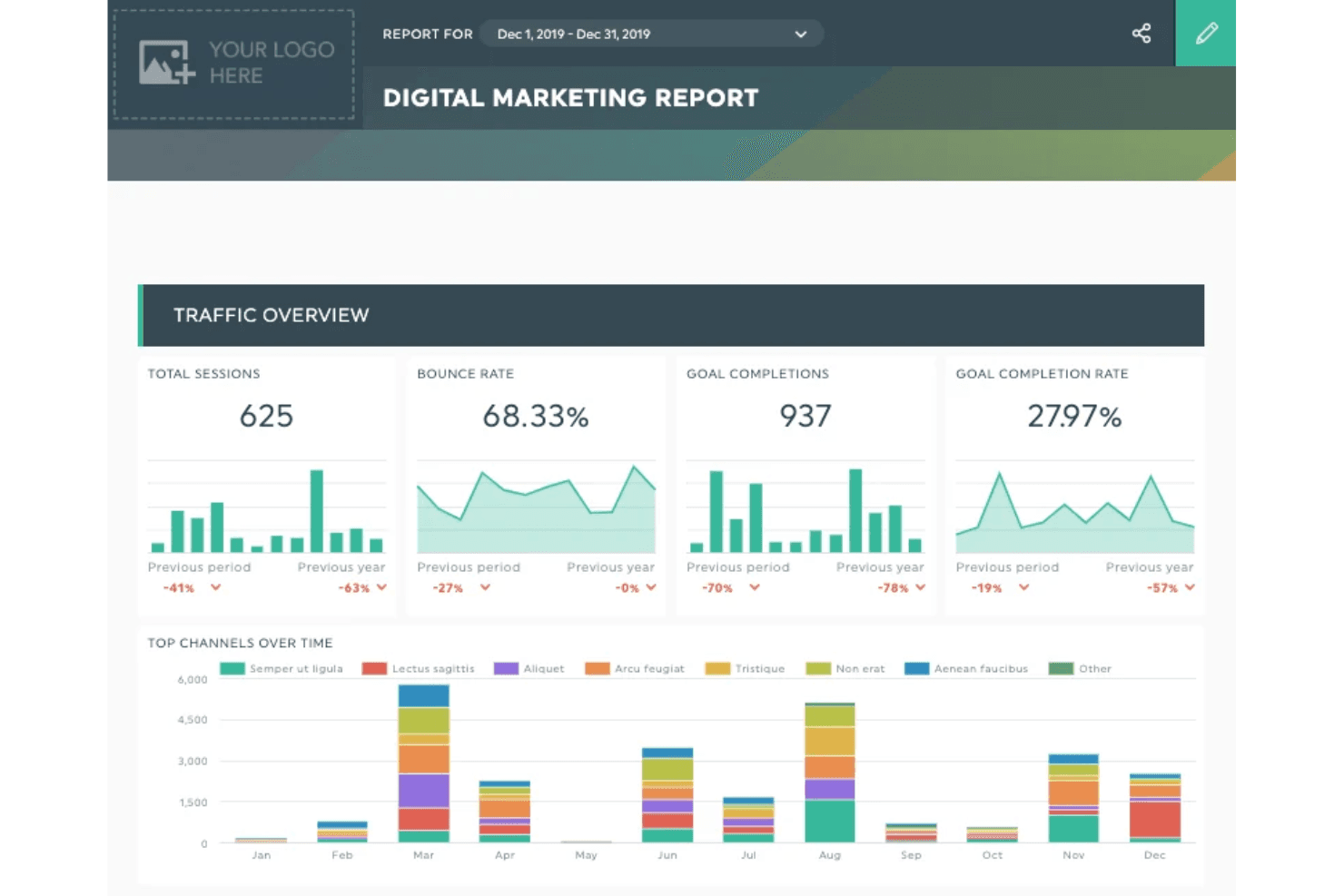
DashThis is one of the most user-friendly marketing intelligence tools I’ve tried. Users consistently mention how quickly they can set up dashboards and automate reports without technical help.
The drag-and-drop interface, clear navigation, and ready-made templates make it easy for non-technical users to get started. Even agencies juggling dozens of clients say DashThis keeps reporting simple and organized, which is a big advantage over more complex, data-heavy platforms.
Integrations
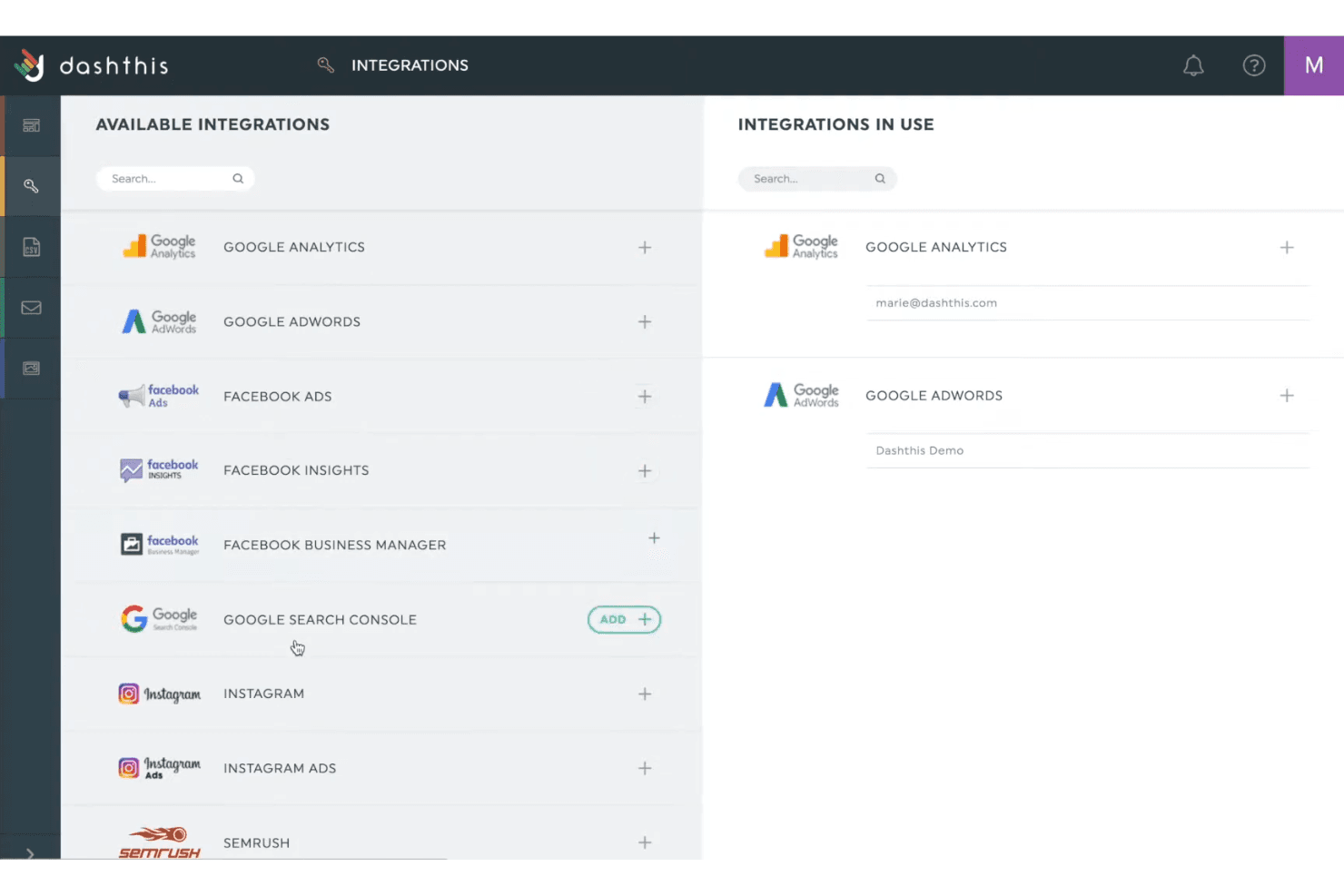
DashThis integrates with Google Analytics, Facebook Ads, Google Ads, LinkedIn Ads, Instagram Insights, Twitter Ads, YouTube, Mailchimp, HubSpot, and Shopify, among others.
DashThis also offers an API for custom data sources but does not connect with third-party integration tools like Zapier.
New Product Updates from DashThis
 Opens new window
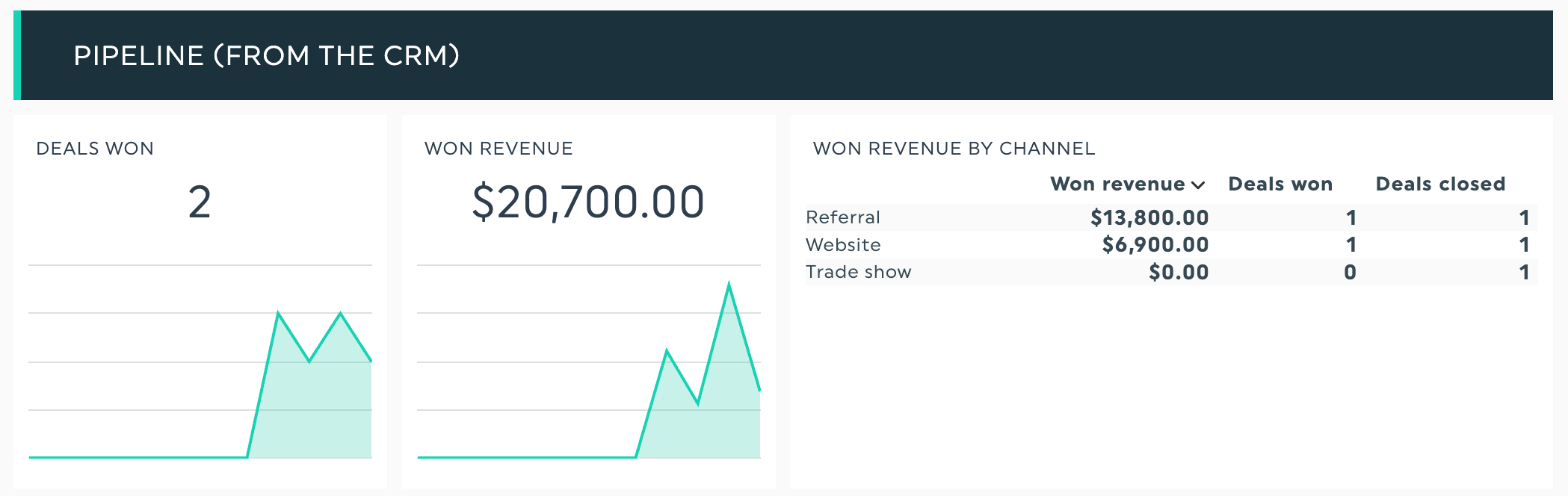
DashThis Adds AI-Powered Custom Data Sources Through MCP
DashThis now lets Claude, ChatGPT, and other MCP-connected AI assistants prepare external data, confirm its format, and add it to dashboards as widgets. Users can also set recurring update routines so the same source refreshes on a daily, weekly, or monthly schedule. Highlights include:
- Custom Data Sources: Add dashboard data from tools without native DashThis integrations.
- AI-Assisted Imports: Use connected AI assistants to collect and prepare source data.
- File and Email Support: Bring in numbers from spreadsheets, attachments, and emailed reports.
- Screenshot Imports: Extract and add data from screenshots when no direct source is available.
- Widget Creation: Turn approved data into dashboard widgets.
- Scheduled Updates: Set recurring routines to keep custom sources current.
Visit DashThis’s official site for more details.
DashThis Adds AI-Written Client Recaps Through MCP
DashThis now lets connected AI assistants write client recaps directly into dashboard comment boxes. Users can refine the recap’s tone, length, or angle before replacing existing text, and they can also automate the workflow through routines. Highlights include:
- AI-Written Recaps: Generate client recaps with ChatGPT, Claude, or other MCP-compatible assistants.
- Direct Dashboard Writing: Place generated recaps directly into dashboard comment boxes.
- Tone and Length Controls: Refine the recap before replacing existing text.
- MCP Connectivity: Use DashThis’ MCP connection to link supported AI assistants.
- Automated Recaps: Set up routines to generate recurring client recap updates.
- User Approval: Review proposed changes before replacing existing dashboard comments.
Visit DashThis’s official site for more details.
DashThis Adds Spotify Ads Integration
DashThis integrates with Spotify Ads Manager to pull campaign performance data directly into automated dashboards. Teams can report by campaign, ad set, or ad and use preset widgets for common Spotify Ads metrics. Highlights include:
- Spotify Ads Metrics: Tracks spend, CPC, CPM, impressions, reach, frequency, clicks, CTR, and video views.
- Campaign Dimensions: Breaks reporting down by campaign, ad set, or individual ad.
- Preset Widgets: Includes ready-made widgets for spend, impressions, reach, CTR, campaigns, and video views.
- Cross-Channel Reporting: Places Spotify Ads data alongside channels such as Google, Meta, and TikTok.
- Automated Dashboards: Pulls Spotify Ads data into DashThis without manual exports.
- Scheduled Reports: Supports automated delivery of Spotify Ads reports.
Visit DashThis’s official site for more details.
DashThis Launches Snapchat Ads Integration
DashThis connects Snapchat Ads data to dashboards with campaign, audience, location, and device breakdowns, plus preset reporting widgets. This reduces manual reporting and makes cross-channel performance easier to compare. Highlights include:
- Snapchat Ads Integration: Pulls Snapchat campaign data directly into DashThis dashboards.
- Performance Metrics: Tracks spend, impressions, reach, swipes, CPM, and cost per swipe.
- Video Reporting: Includes video views and completion rates from 25% to 100%.
- Campaign Breakdowns: Supports reporting by campaign, ad squad, ad, audience, location, and device.
- Preset Widgets: Provides ready-made views for performance and video reporting.
Visit DashThis’s official site for more details.
DashThis Adds MCP Connector for Claude and ChatGPT
DashThis adds an MCP connector that gives Claude and ChatGPT read-only access to live dashboard metrics. This helps users analyze performance, compare reporting periods, and create client-ready summaries from validated dashboard data. Highlights include:
- Live Dashboard Access: Lets Claude and ChatGPT read current dashboard metrics directly.
- Natural-Language Analysis: Allows users to ask questions about performance, trends, and reporting periods.
- Client Recap Drafting: Uses dashboard data to help create client-ready summaries and updates.
- Dashboard Monitoring: Helps identify dashboards with broken data sources across an account.
- Read-Only Access: Keeps dashboard creation, editing, deletion, sending, and scheduling under user control.
Visit DashThis’s official site for more details.
 Opens new window
DashThis Adds ChatGPT Ads Integration (Open Beta)
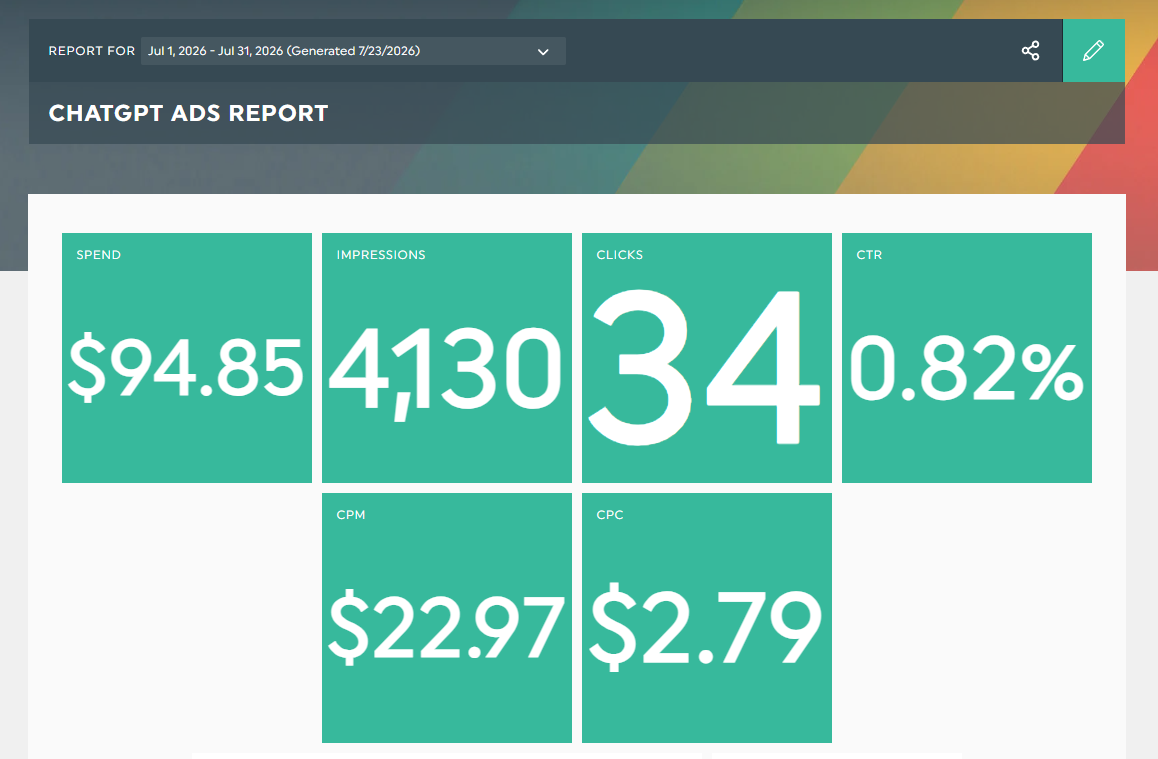
DashThis adds ChatGPT Ads reporting with metrics including clicks, CPC, CPM, CTR, impressions, and spend, plus ad, ad group, and campaign dimensions. The integration reduces manual reporting by bringing ChatGPT Ads data into dashboards alongside other paid media channels. Highlights include:
- Core Ad Metrics: Tracks clicks, CPC, CPM, CTR, impressions, and spend from ChatGPT Ads.
- Campaign Dimensions: Breaks down performance by individual ads, ad groups, and campaigns.
- Preset Widgets: Provides ready-made views for performance, key metrics, campaign breakdowns, and trends.
- Cross-Channel Reporting: Lets teams compare ChatGPT Ads with other advertising channels in the same report.
Visit DashThis’s official site for more details.
 Opens new window
DashThis Launches Shopify Integration in Beta
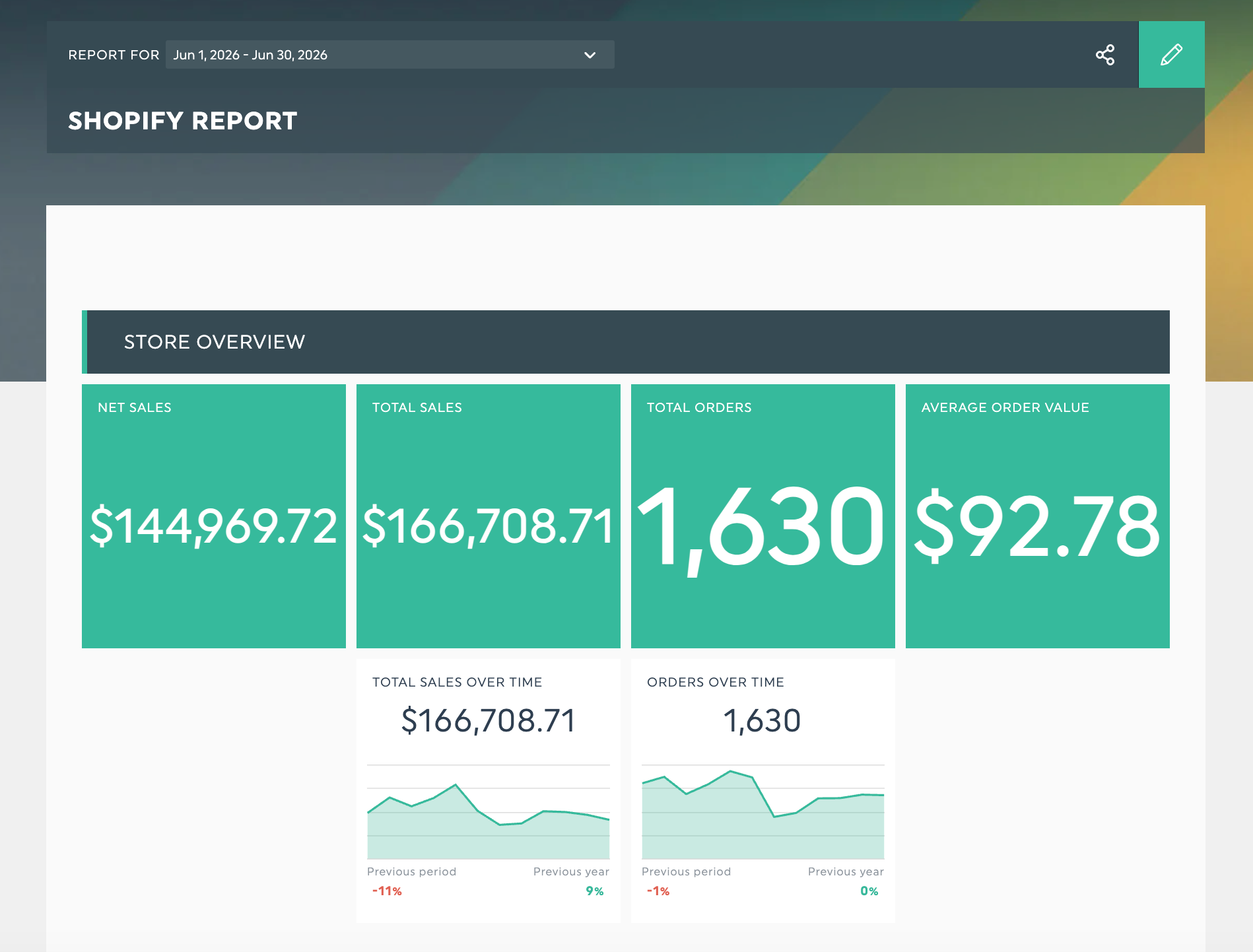
DashThis now supports Shopify in beta, allowing users to connect their stores and automatically report on sales, orders, customers, conversions, and traffic. The integration also includes preset widgets and dimensions to simplify ecommerce reporting and combine Shopify data with existing marketing metrics. Highlights include:
- Shopify Integration: Connect Shopify stores directly to DashThis dashboards.
- Ecommerce Metrics: Report on sales, revenue, orders, customers, traffic, and conversions.
- Preset Widgets: Add ready-made Shopify widgets for sales, customer, product, and traffic reporting.
- Cross-Channel Reporting: Analyze Shopify performance alongside advertising and marketing channels in one dashboard.
Visit DashThis's official site for more details.
 Opens new window
DashThis Adds Calculated Widgets for Cross-Platform Metrics
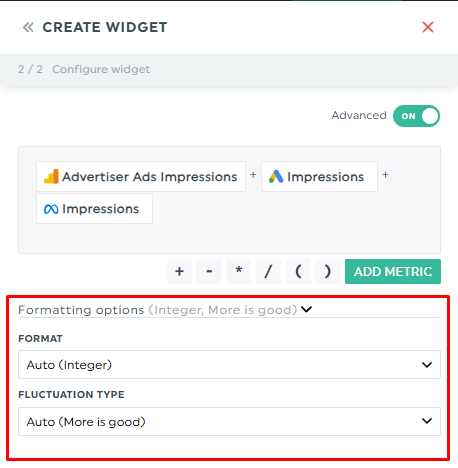
DashThis adds Calculated Widgets to help users create custom metrics by combining data from multiple integrations using basic math operations. The feature simplifies cross-platform reporting while offering flexible formatting and trend visualization. Highlights include:
- Calculated Widgets: Combine metrics from multiple integrations using addition, subtraction, multiplication, and division.
- Custom Metric Formatting: Display calculated values as integers, decimals, percentages, currency, or time.
- Trend Configuration: Set whether increasing or decreasing values represent positive performance for clearer reporting.
Visit DashThis's official site for more details.
 Opens new window
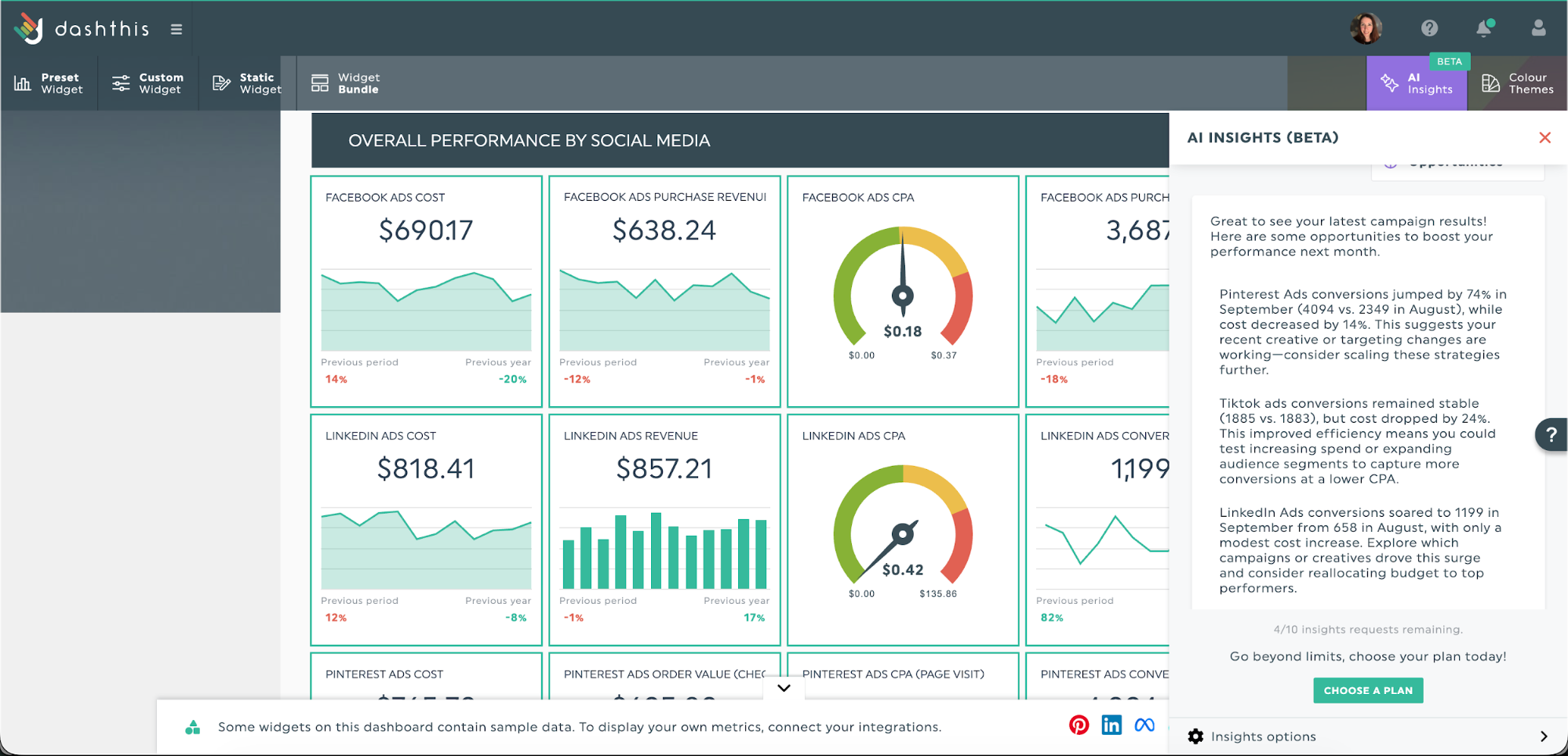
DashThis Introduces AI Insights Pro for Personalized Marketing Analysis
DashThis adds AI Insights Pro to deliver more personalized marketing analysis through conversational AI and customizable dashboard context. These features help marketers explore data more deeply and generate insights tailored to their reporting needs. Highlights include:
- Chat Mode: Ask custom questions about dashboard data and receive personalized AI-powered analysis.
- Dashboard Context: Save business goals, preferred tone, and reporting preferences to personalize AI insights.
- Personalized Marketing Analysis: Generate insights tailored to your data, audience, and business objectives.
Visit DashThis's official site for more details.
DashThis Specs
- AI Integration: Yes
- Analytics: Yes
- API: Yes
- Calendar Management: Yes
- Comparative Reporting: Yes
- Custom Reports: Yes
- Dashboard: Yes
- Data Export: Yes
- Data Import: Yes
- Data Visualization: Yes
- External Integrations: Yes
- Forecasting: Yes
- Multi-User: Yes
- Notifications: Yes
- Process Reporting: Yes
- Scenario Planning: Yes
- Scheduling: Yes
- SEO: Yes
- Workflow Management: Yes


