

Reseña de Brightspot 2026: ventajas, desventajas, características y precios
I put Brightspot through its paces to see whether its flexible, enterprise-focused CMS delivers enough power and polish to justify its investment.

Revisamos herramientas de manera independiente, y las comisiones ayudan a financiar nuestras pruebas. Consulta nuestra política de transparencia, nuestra metodología o sugiere una herramienta.
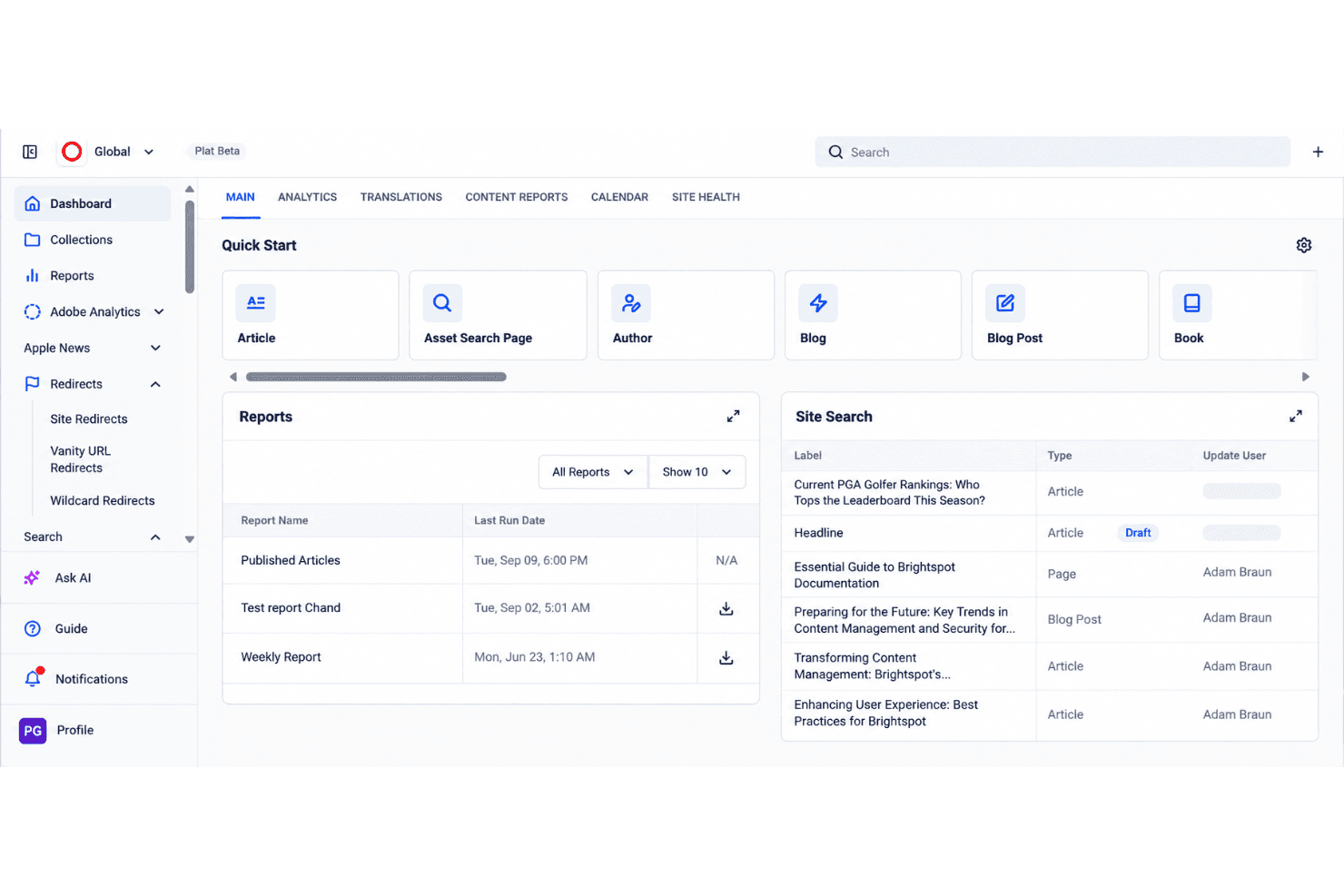
Brightspot is flexible, enterprise-focused content management software for organizations managing high-volume, multi-site, and multi-channel publishing. I’d consider it over WordPress when your marketing team needs more structured content workflows, complex content models, and centralized control across a large digital operation.
Brightspot Evaluation Summary
4.5/5
- Pricing upon request
- Free demo available
Por qué confiar en nuestras recomendaciones de software
6,700+
Reviews
20
Industry experts
16+
Evaluation factors
14
Years
Nuestro equipo lleva probando y evaluando software desde 2012. Como líderes de marketing, sabemos lo difícil —y lo importante— que es elegir el software adecuado.
Para esta guía, evaluamos las herramientas mediante pruebas prácticas e investigación independiente, puntuando las herramientas según nuestros criterios de selección.
Nuestras reseñas reflejan nuestro criterio editorial humano, no un discurso de ventas.
Revisores expertos:
 Gui DrusinaDirector creativo
- Shriya GhateSenior Marketing Lead
 Amanda JacquesLíder de Marketing Ops

Brightspot Overview
I’d choose Brightspot for large organizations managing high-volume, multi-site, and multi-channel publishing. Its structured content models, workflow controls, headless delivery, APIs, and integration options outperform lighter CMS platforms when teams need centralized governance, such as coordinating regional websites and mobile content. However, custom enterprise pricing, a complex interface, and implementation-led onboarding make it harder to evaluate and deploy than simpler alternatives. Support is suited to guided enterprise rollouts, but smaller teams may find the specifications and administration excessive. Overall, I judge Brightspot a strong fit when flexibility matters more than low cost or quick setup.
Pros
- Reusable content modeling supports complex workflows across channels.
- Role-based permissions govern content across multiple websites.
- Hybrid and headless delivery serve web, mobile, and other channels.
Cons
- Custom pricing obscures costs before enterprise requirements are scoped.
- Initial setup requires substantial configuration before teams can publish.
- Media library organization can hinder asset retrieval at scale.
Is Brightspot Right For Your Needs?
Who Would be a Good Fit for Brightspot?
Brightspot suits organizations with many contributors, structured publishing, and multiple digital properties. Its content types, role-based dashboards, approval workflows, REST Management API, integrations, and managed hosting support coordinated marketing operations.
- Enterprise Media TeamsBrightspot supports editorial organizations that manage structured content, multiple contributors, and frequent publishing workflows.
- Multi-Site PublishersBrightspot’s Premium, Enterprise, and Custom plans support multiple sites with shared governance and tailored user access.
- Higher Education TeamsUniversity marketing teams can use role-based dashboards and approval workflows to coordinate content across departments and websites.
- Distributed MarketingBrightspot gives regional marketing teams structured authoring and publishing controls without giving every contributor unrestricted access.
- Content OperationsContent operations teams can connect Brightspot with analytics, marketing automation, email, video, and social publishing tools.
- Enterprise DevelopersDevelopment teams can use Brightspot’s REST Management API and iPaaS connections, including Zapier, to connect publishing workflows.
Who Would be a Bad Fit for Brightspot?
Brightspot is a poor match for teams that need immediate setup, low pricing, or a simple publishing interface. Configuration, training, workflow design, and media-library management require more planning than lightweight CMS products.
- Small Startup TeamsBrightspot’s quote-based plans, configuration requirements, and guided onboarding can exceed the needs of a small team with one website.
- Solo CreatorsSolo publishers may find role-based workflows, structured content types, and enterprise administration unnecessary for personal publishing.
- Simple Brochure SitesA basic website may not justify Brightspot’s multi-site capabilities, integrations, managed hosting, and workflow configuration.
- Self-Service BuyersBrightspot is a weak choice for teams that expect extensive documentation and independent setup, since developers report documentation gaps.
- Fast Launch TeamsTeams needing a quick launch may face delays from implementation planning, training, workflow design, and initial configuration.
- Ecommerce MerchantsBrightspot connects with Shopify, but merchants needing a dedicated ecommerce platform should not treat Brightspot as their primary commerce system.
Cómo Probamos y Puntuamos las Herramientas
Hemos dedicado años a construir, refinar y mejorar nuestro sistema de prueba y puntuación de software. El marco está diseñado para captar los matices de la selección de software y lo que hace a una herramienta eficaz, enfocándose en los aspectos críticos del proceso de decisión. A continuación, puedes ver exactamente cómo funcionan nuestras pruebas y puntuaciones en siete criterios. Esto nos permite brindar una evaluación imparcial de los programas basada en la funcionalidad principal, características destacadas, facilidad de uso, integración, soporte al cliente, reseñas de clientes y relación calidad-precio.
Funcionalidad Principal (25% de la puntuación final)
El punto de partida de nuestra evaluación siempre es la funcionalidad principal de la herramienta. ¿Cuenta con las funciones básicas que un usuario esperaría? ¿Alguna de esas funciones está reservada solo para planes de pago avanzados? Esperamos que, en esencia, una herramienta se mantenga al nivel de las capacidades mínimas de sus competidores.
Características Destacadas (25% de la puntuación final)
Después, evaluamos las características poco comunes y destacadas que van más allá de la funcionalidad típica de herramientas similares. Una puntuación alta refleja funciones especializadas o únicas que hacen el producto más rápido, eficiente o aportan un valor adicional al usuario. También evaluamos qué tan fácil es integrarse con otras herramientas habituales en el entorno tecnológico para expandir la funcionalidad del software. Las herramientas que ofrecen muchas integraciones nativas, conexiones de terceros y acceso a API para crear integraciones personalizadas tienen la mejor puntuación.
Facilidad de Uso (10% de la puntuación final)
Consideramos cuán rápido y fácil es ejecutar las tareas definidas en la funcionalidad central utilizando la herramienta. El software mejor puntuado está bien diseñado, es intuitivo, ofrece aplicaciones móviles, proporciona plantillas y hace que tareas relativamente complejas parezcan sencillas.
Incorporación (10% de la puntuación final)
Sabemos lo importante que es que un equipo adopte rápidamente una nueva plataforma, por eso evaluamos lo fácil que es aprender y usar una herramienta con la menor formación posible. Analizamos lo rápido que un integrante puede comenzar a usar la herramienta sin experiencia previa. Las soluciones mejor puntuadas requieren poco o ningún soporte.
Soporte al Cliente (10% de la puntuación final)
Vemos cuán rápido y sencillo es obtener ayuda por teléfono, chat en vivo o base de conocimientos. Las empresas y herramientas que ofrecen soporte en tiempo real logran la mejor puntuación, mientras que los chatbots obtienen la peor.
Reseñas de Clientes (10% de la puntuación final)
Más allá de nuestras propias pruebas y evaluaciones, consideramos el puntaje de recomendación de clientes actuales y anteriores. Revisamos la probabilidad de que, de poder elegir de nuevo, seleccionarían la herramienta por su funcionalidad principal. Un software con alta puntuación refleja una elevada recomendación de sus usuarios.
Relación Calidad-Precio (10% de la puntuación final)
Finalmente, considerando todos los demás criterios, revisamos el precio promedio de los planes básicos frente a las funciones y el valor de los demás factores de evaluación. El software que ofrece más por menos obtiene mejor puntuación.
Core Features
Structured Content Modeling
Brightspot lets teams create reusable content types, templates, and modules for articles, landing pages, forms, and other assets. This gives marketers consistent fields and content structures across channels without rebuilding each item.
Approval Workflows
The drag-and-drop workflow builder supports multiple stages, roles, and approvers for editorial, legal, and executive reviews. Teams can route content through defined approvals before publication and track ownership at every stage.
Multisite Management
Brightspot manages multiple brands, regions, or microsites from one CMS instance while allowing teams to share assets and modules. This gives marketing teams centralized governance without duplicating content across separate systems.
Role-Based Access Control
Role-based permissions let administrators tailor dashboards, tools, and content access for writers, editors, marketers, and developers. Teams can limit publishing rights and keep each user focused on the fields and actions relevant to their work.
Hybrid And Headless Publishing
Brightspot combines an editorial interface with API-based delivery to support websites, mobile experiences, OTT video, podcasts, and other channels. Teams can manage content once and deliver it through the presentation layer each channel requires.
Media Asset Management And Search
Brightspot organizes media assets within the CMS and provides search capabilities for locating content and files. Editors can reuse images, video, and other assets across sites while reducing time spent searching large content libraries.
Ease of Use
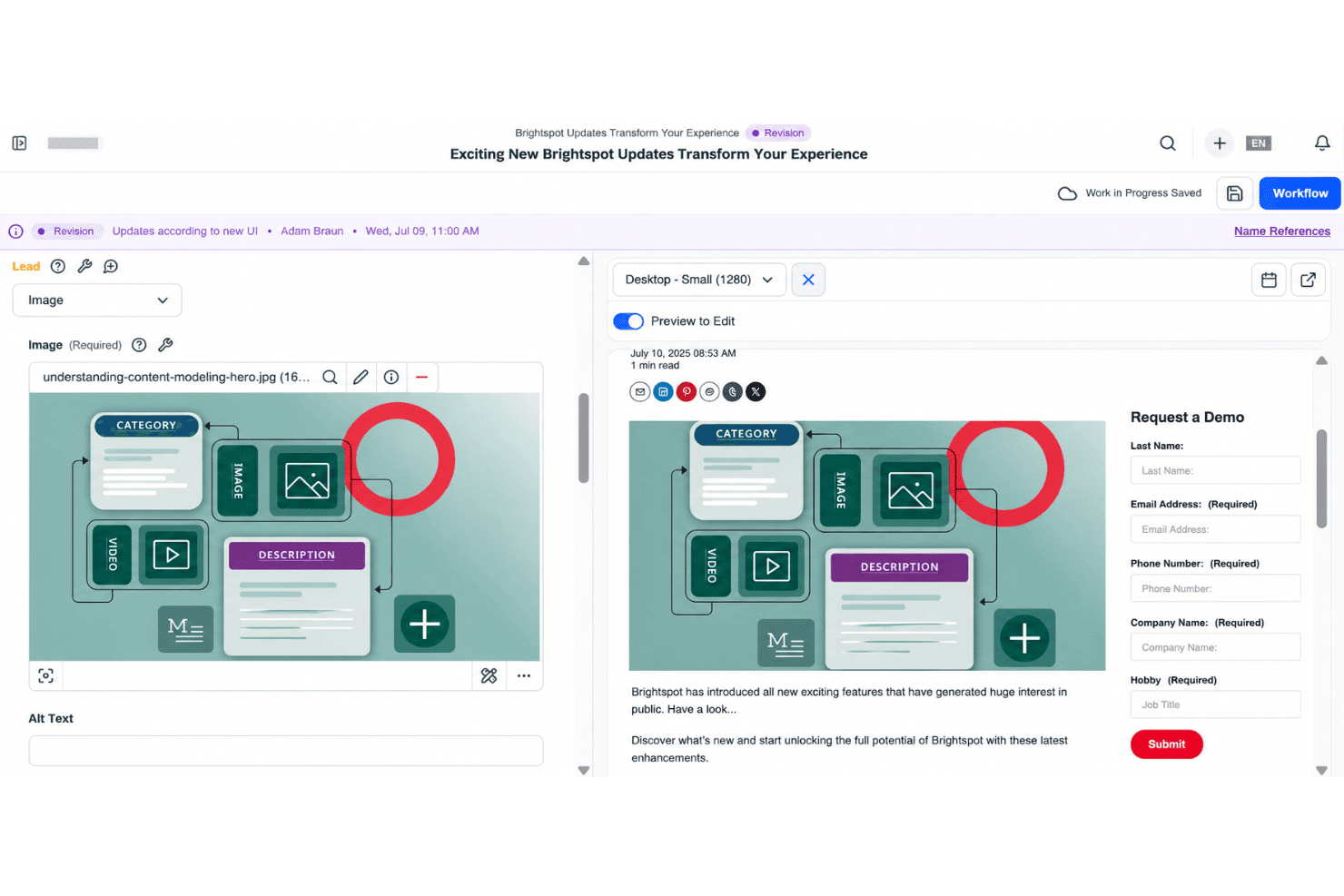
Brightspot is reasonably user-friendly for trained enterprise teams, but it isn’t a quick-start CMS. User reviews praise its intuitive interface, flexible authoring, and manageable publishing workflows. I agree for day-to-day editing: structured content types, role-based dashboards, and drag-and-drop approvals give teams clear controls. However, initial configuration takes substantial planning, and finding assets in large media libraries can feel cumbersome. Overall, it favors governance and flexibility over simplicity.
Integrations
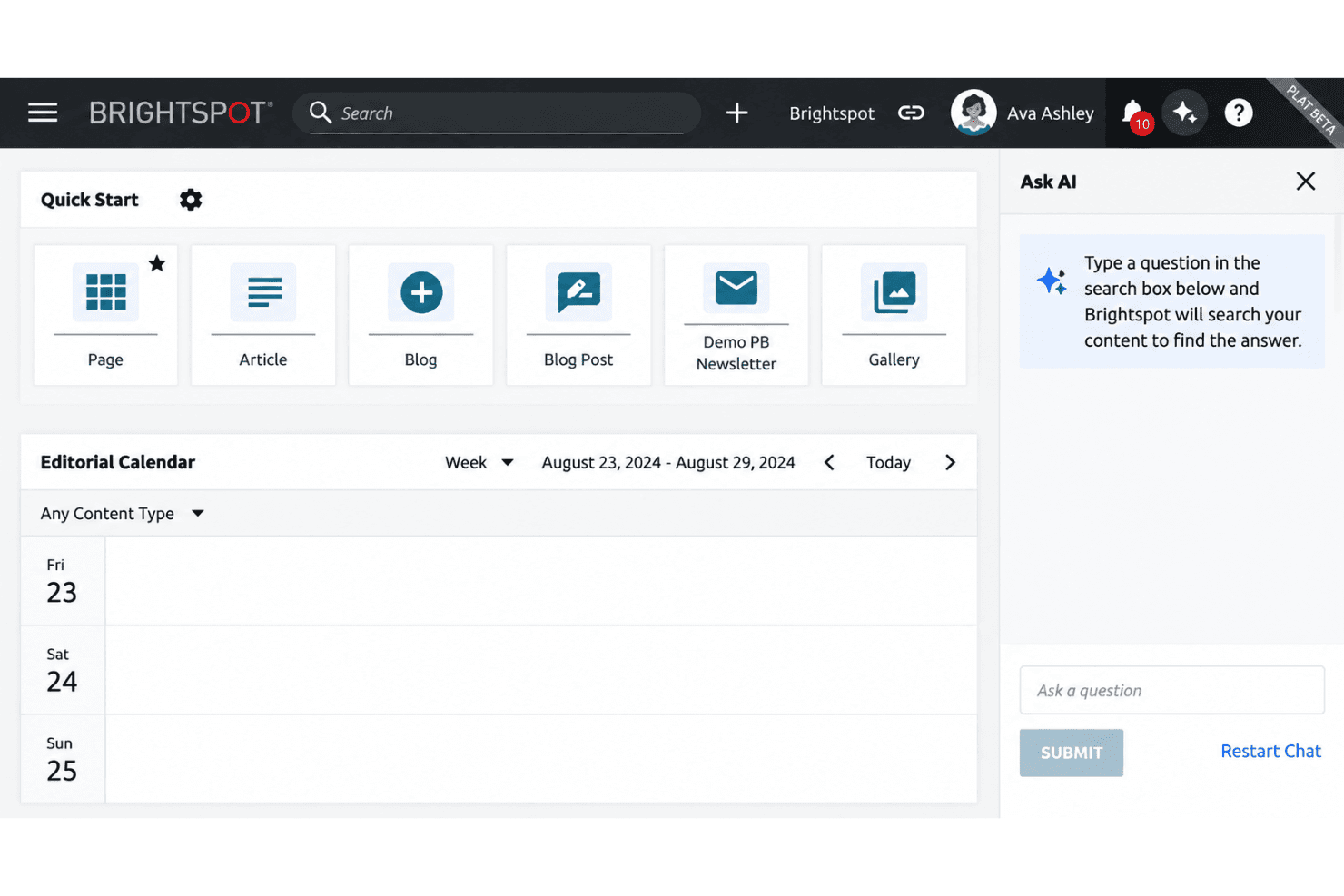
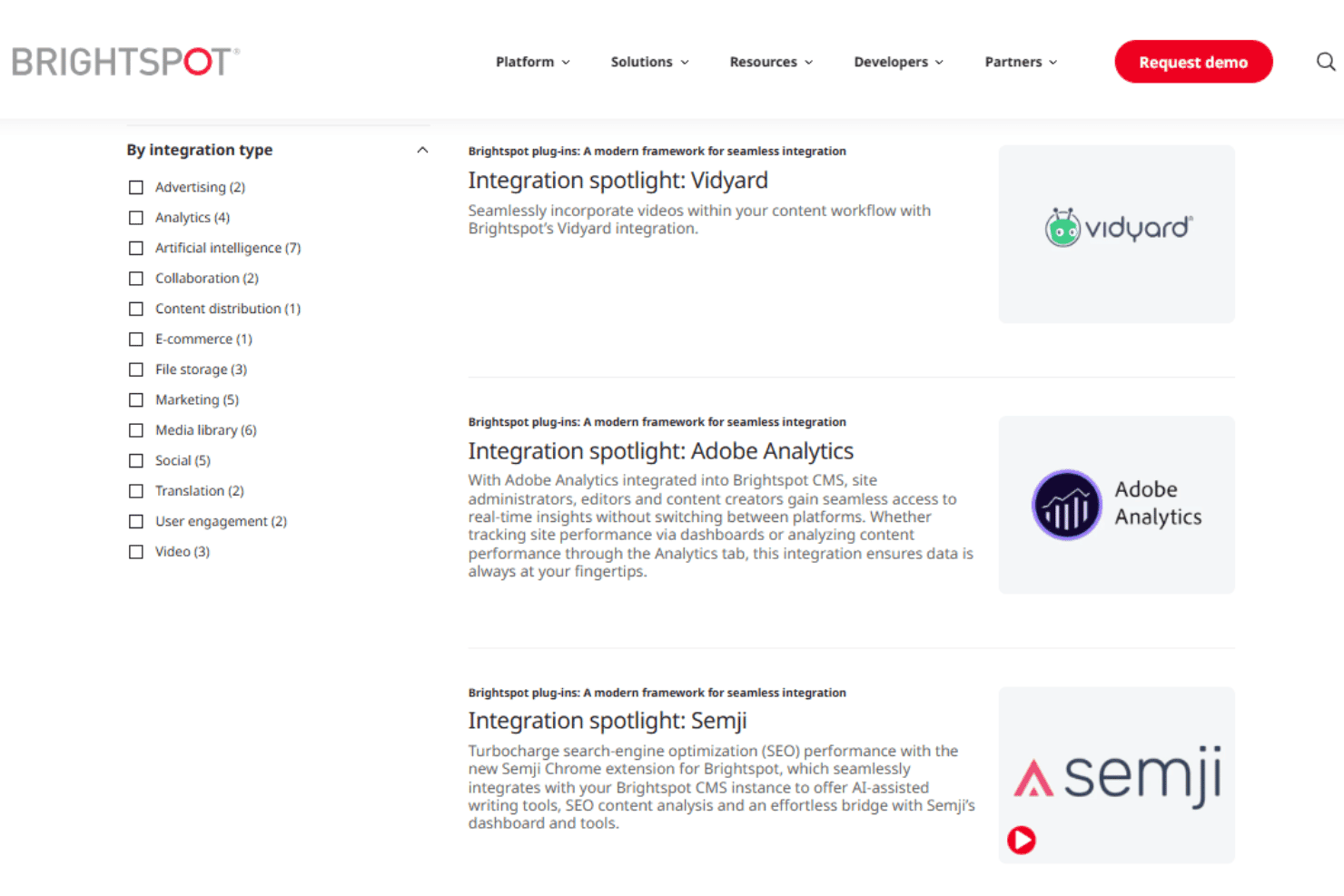
Brightspot integrates with Adobe Analytics, Google Analytics 4, Google Tag Manager, Marketo, Salesforce Marketing Cloud Account Engagement (Pardot), HubSpot, Mailchimp, Shopify, YouTube, and Vidyard, among others.
Brightspot also provides a REST Management API for custom integrations and supports connections with third-party applications through iPaaS configurations, including Zapier.
Brightspot Specs
- A/B Testing: Yes
- API: Yes
- Batch Permissions & Access: Yes
- Dashboard: Yes
- Data Export: Yes
- Data Import: Yes
- Data Visualization: Yes
- External Integrations: Yes
- File Sharing: Yes
- File Transfer: Yes
- Multi-User: Yes
- Notifications: Yes
- Third-Party Plugins/Add-Ons: Yes


