
The right content management software shapes how your team creates, governs, and distributes content at scale. Features like role-based access control and approval workflows aren't nice-to-haves—they're what keep content accurate and teams accountable as operations grow.
I've tested enough platforms to know that a long feature list means little if it doesn't match how your team works. When I evaluate a content management system (CMS), I start with editing, user roles, versioning, and approval workflows.
For growing teams, templates, integrations, analytics, and scalability matter more. A headless CMS and audience personalization become priorities when you're publishing across channels or targeting different audiences.
This article breaks down the 13 features I check before choosing a platform.
13 Content Management Software Features to Evaluate
For each feature, I’ll explain how it fits into your publishing workflow and what to check before choosing a platform:
1. Content Creation Interface
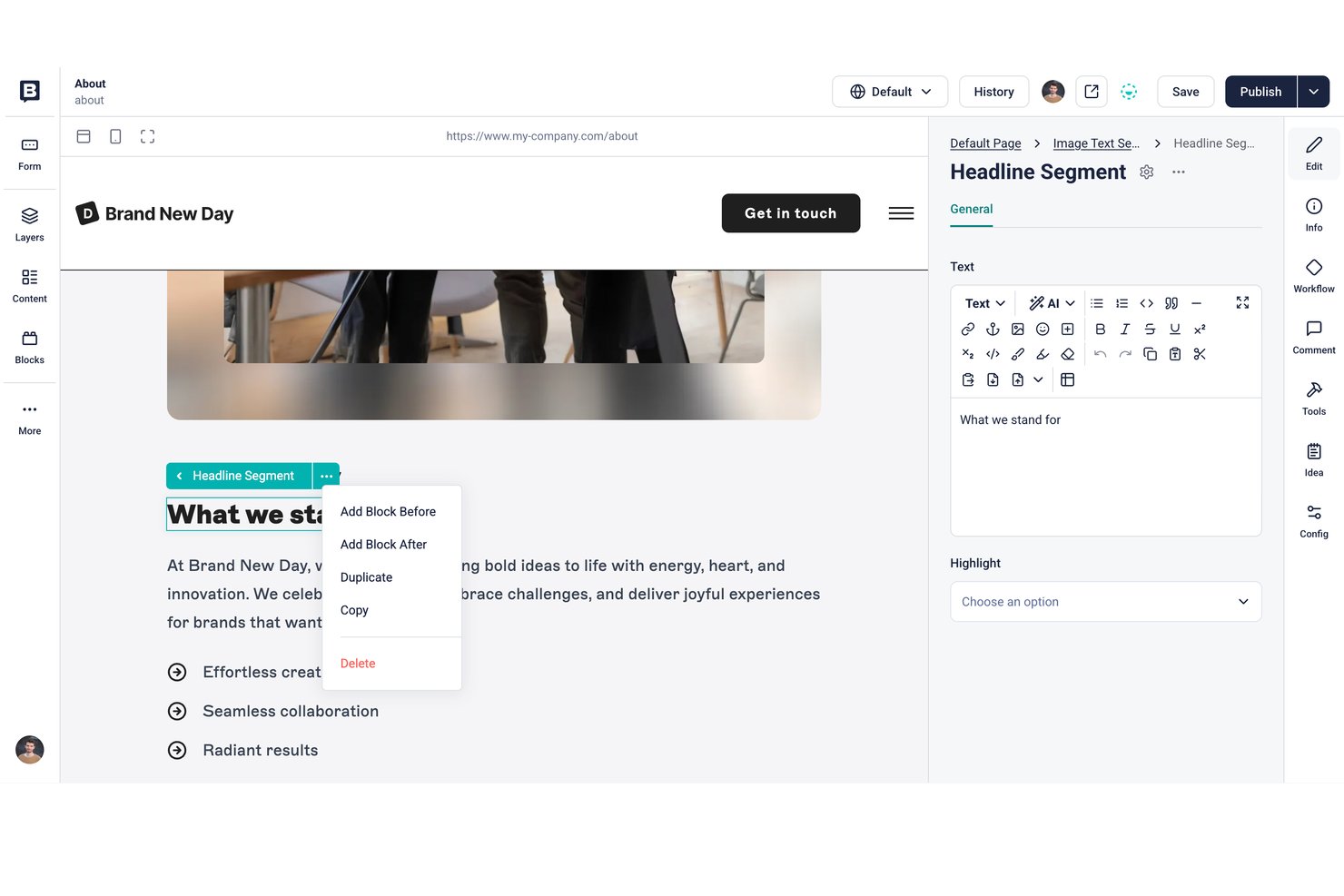
The content creation interface is where content editors write, format, and assemble pages. Many content management systems offer a block-based editor, a rich text editor, or both, so everyday updates don't require working directly in HTML or CSS.
In my experience, this feature determines how fast your team can actually move. A clunky editor creates friction on every piece of content, and that adds up. I look for clean formatting controls, inline media embedding, and a preview mode that reflects the live output.
If editors need developer help to format a page, the interface isn't working hard enough.
When evaluating a content creation interface, check for these capabilities before committing to a platform:
- Block-based editing: Editors like WordPress's Gutenberg or Contentful's rich text editor let writers build pages without touching code.
- Inline media embedding: Adding images, videos, or embeds should happen without leaving the editor.
- Live preview mode: You should see exactly how content renders before publishing—not an approximation.
- Formatting controls: Headers, tables, callouts, and links should all be accessible without a developer.
- Autosave and version history: Losing a draft mid-edit is a real workflow disruption.
2. Role-Based Access Control
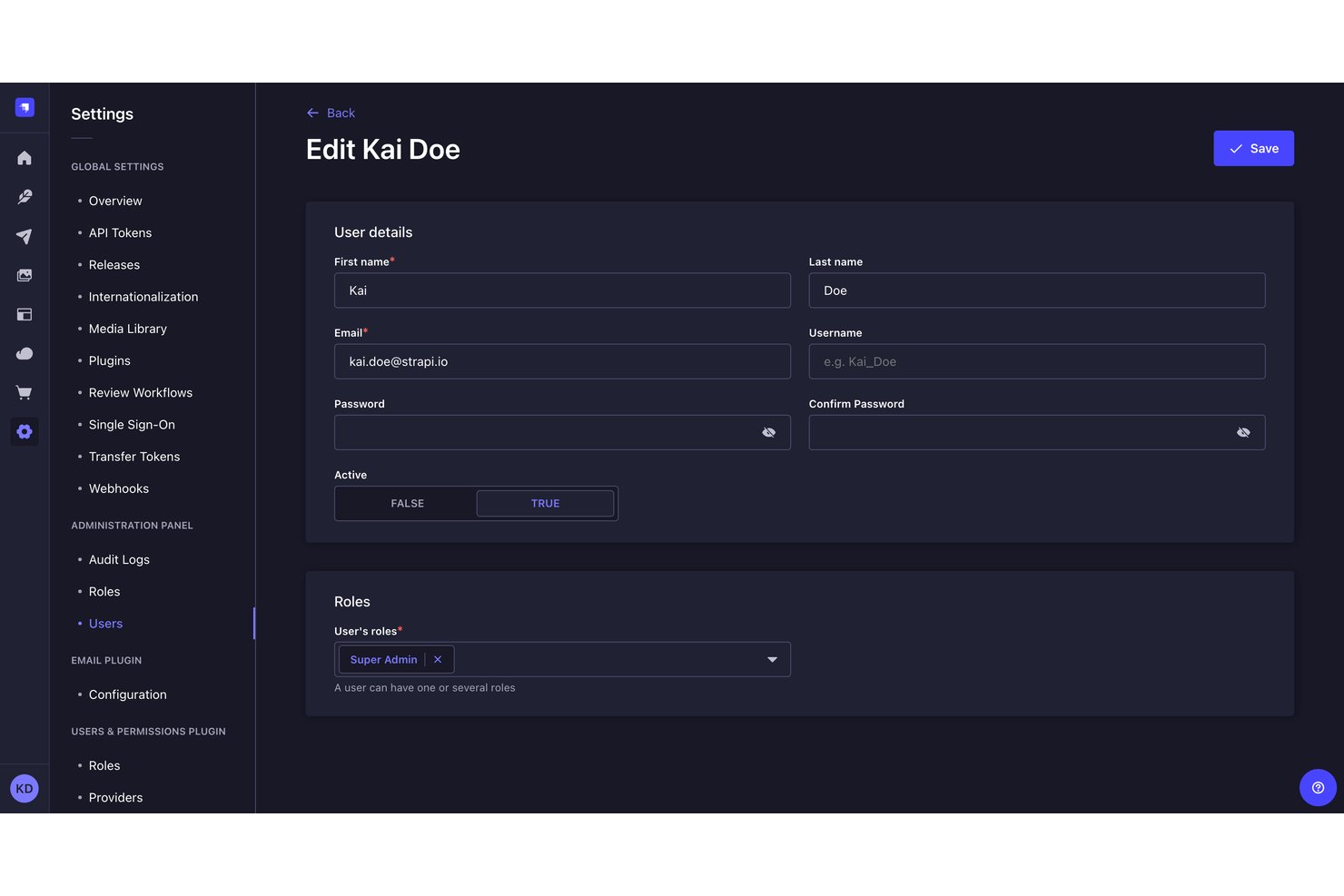
Role-based access control (RBAC) determines which user roles can create, edit, publish, or delete content in a CMS. In WordPress, contributors can draft posts, authors can publish their own work, and editors can manage posts across the team.
In my experience, this is where teams underinvest early and regret it later. Without clear permissions, someone could accidentally change or remove live content. The right access controls keep publishing workflows organized as your team grows.
Here's what role-based access control should give your team inside a CMS:
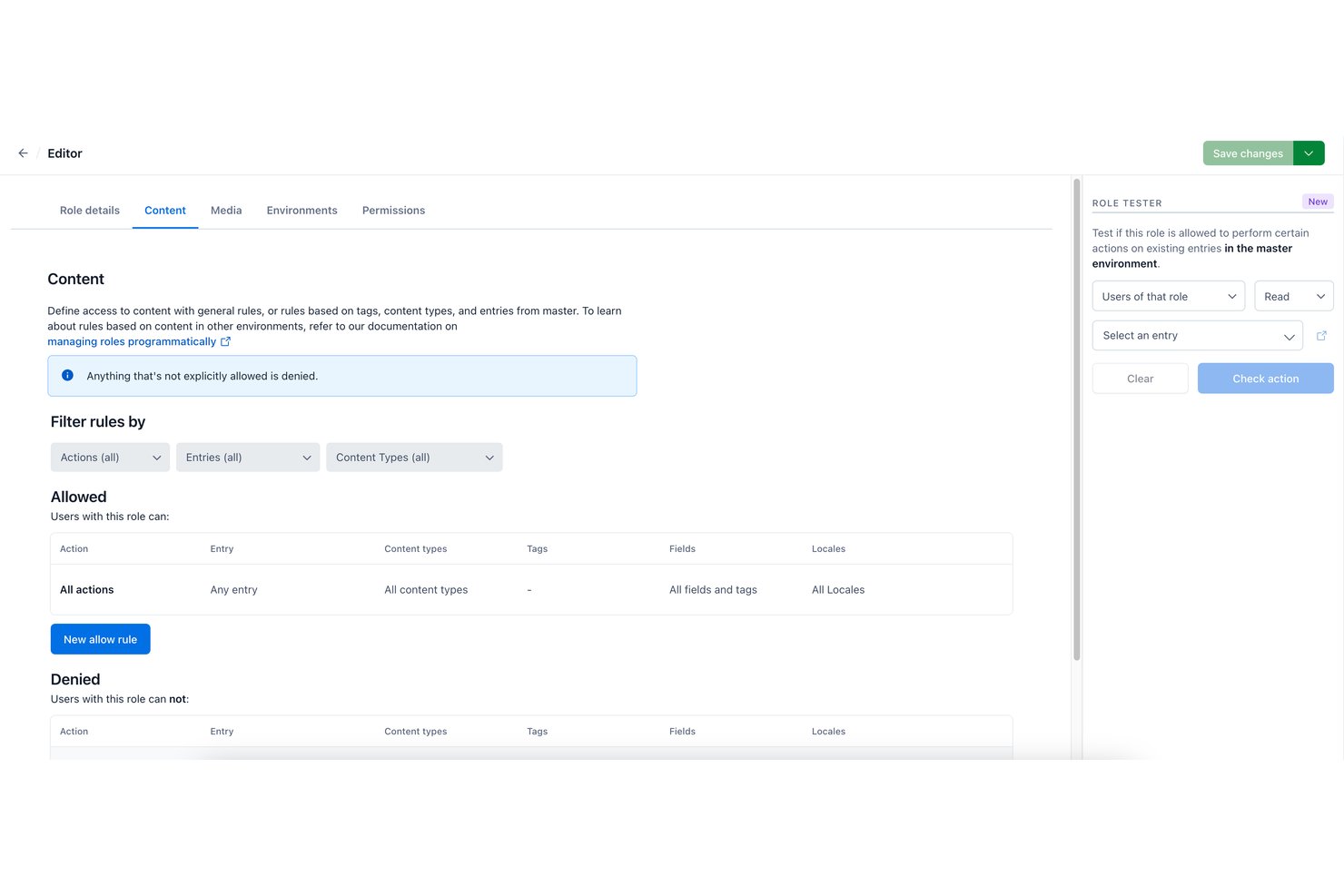
- Predefined permission tiers: Assign roles like editor, contributor, or admin so team members only access what's relevant to their function—Contentful and WordPress both offer this out of the box.
- Content-level restrictions: Lock specific pages, sections, or content types to designated roles so regional teams can't accidentally overwrite global campaigns.
- Approval workflows tied to roles: Require sign-off from a managing editor before a contributor's content goes live.
- Audit logs: Track who changed what and when so you have a clear record if something publishes incorrectly.
Other platforms, including Contentful, use different roles and access models, and WordPress permissions can be customized. I always check who can publish, delete, and manage user access before recommending a CMS.
Have an account? Log In
3. Versioning and History
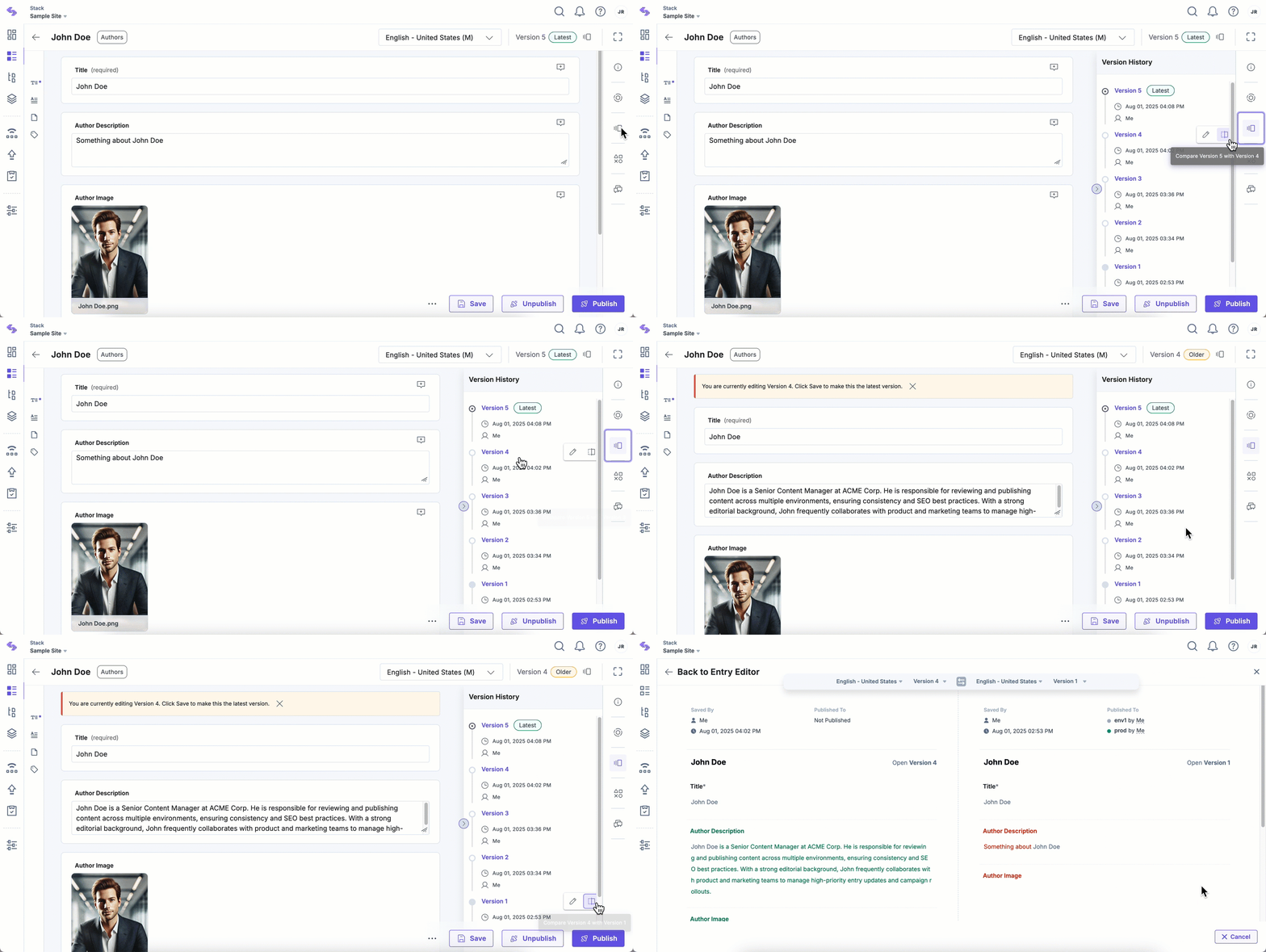
Versioning and history lets your team track every change made to a piece of content, see who made it, and restore a previous version when needed. Most platforms log edits automatically and store them in a timestamped history panel.
In my experience, this feature pays off most when something breaks post-publish. Being able to roll back to a clean version in seconds beats reconstructing content from memory. I'd call it non-negotiable for any team with multiple editors touching the same content.
Here's what I look for when evaluating versioning and recovery capabilities in a CMS:
- Full change log: Every edit is timestamped and attributed to a specific user, so you know exactly who changed what and when.
- One-click rollback: Restoring a previous version should take seconds—WordPress and Contentful both handle this without involving a developer.
- Side-by-side comparison: Seeing the diff between two versions helps you catch unintended edits before they compound.
- Backups and recovery: Content revisions aren't a substitute for full-site backups. Check whether your CMS or hosting provider supports automated backups of site files and databases, along with a reliable restoration process when something goes wrong.
4. Digital Asset Management
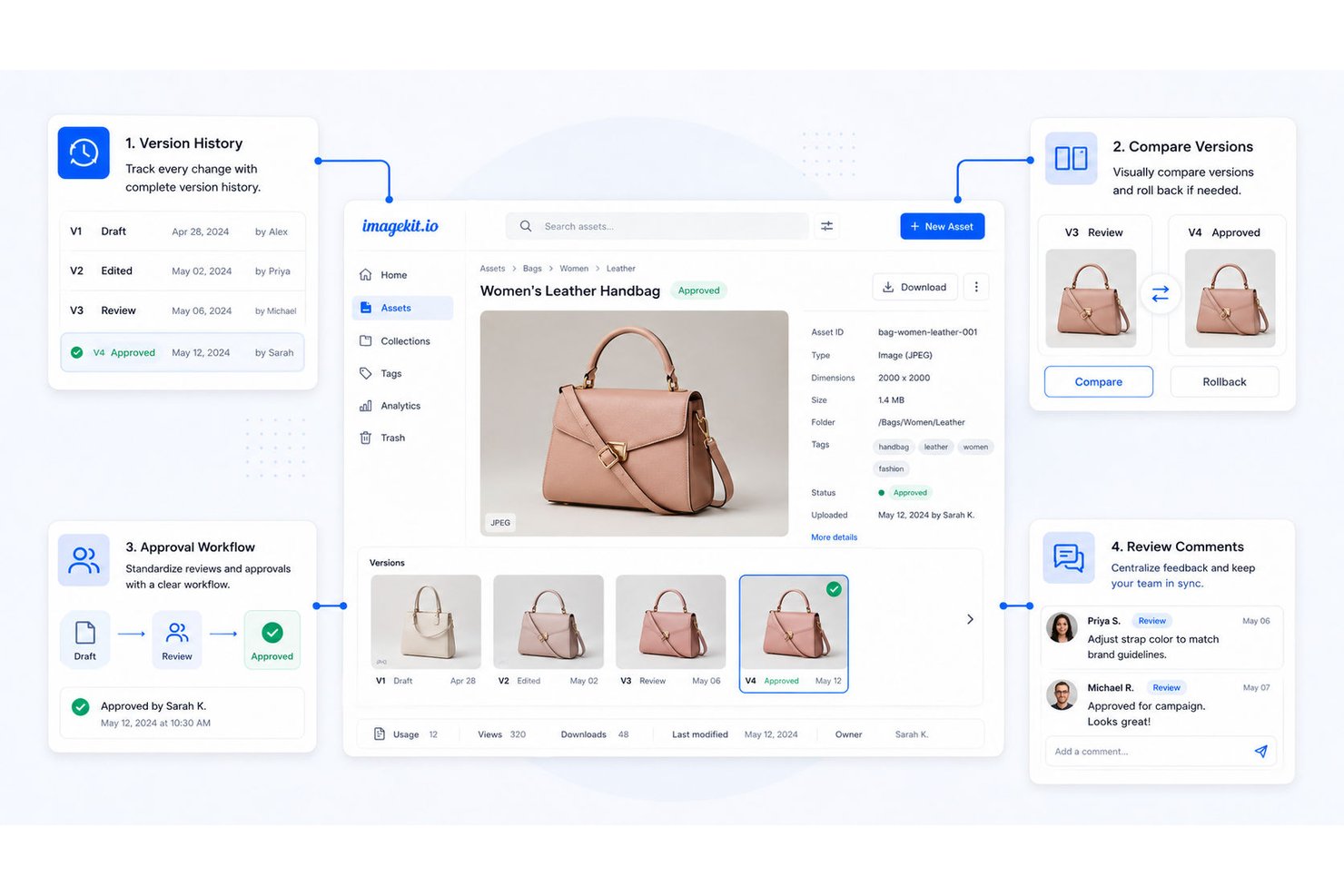
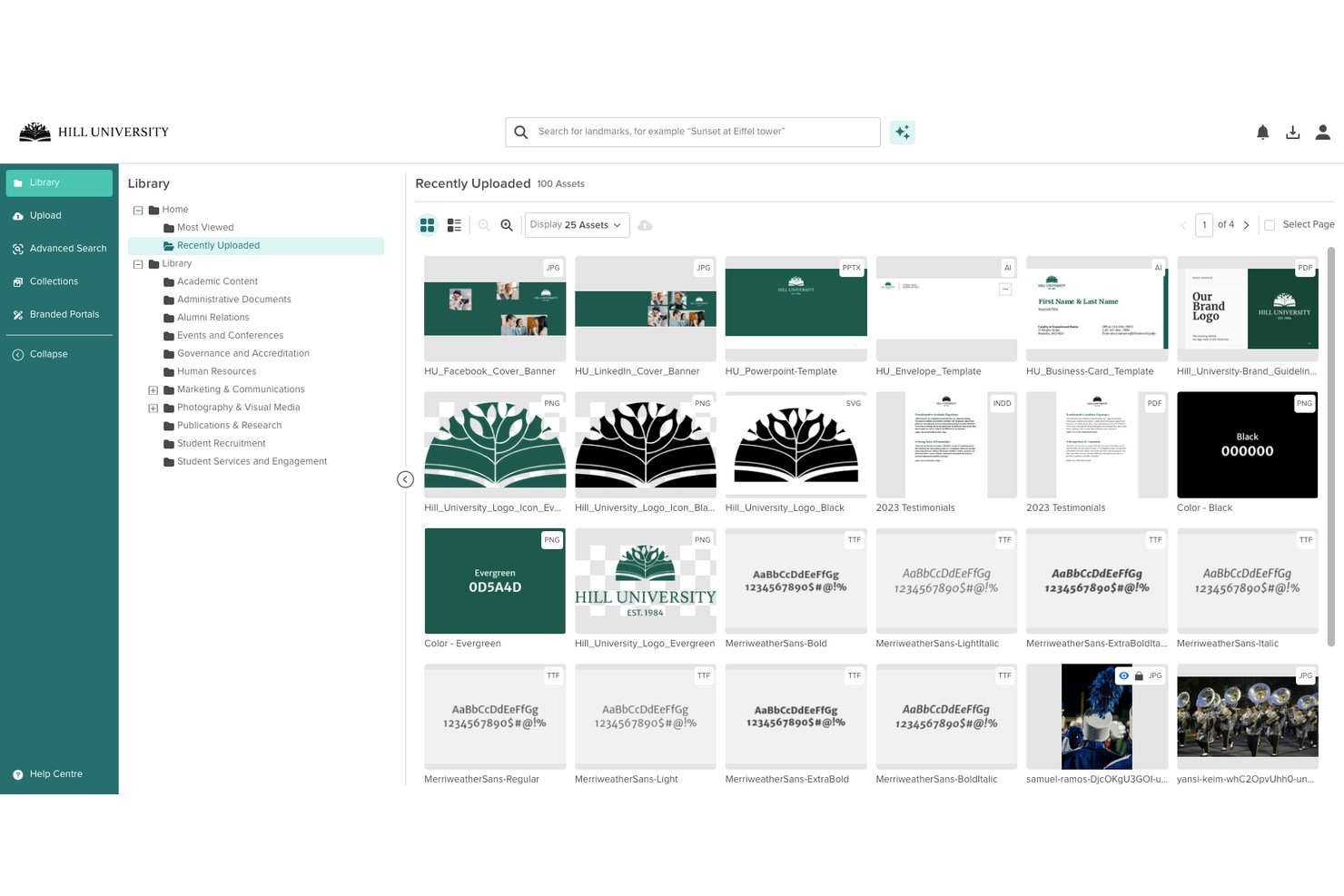
Digital asset management (DAM) is where your CMS stores and organizes images, videos, documents, and other media files. Instead of hunting through folders or re-uploading the same logo for the fifth time, your team pulls assets from a central library directly inside the editor.
In my experience, a weak DAM slows down every content workflow. I look for search and filtering by tag or file type, clear version control on assets, and permission controls that prevent unauthorized use of brand files.
Here's what a DAM inside your CMS should actually give you:
- Centralized media library: All images, videos, and documents live in one searchable location—no more re-uploading a product shot because someone saved it locally.
- Tag-based filtering: Find files by type, campaign, or keyword without scrolling through hundreds of uploads. Contentful and WordPress both support this natively.
- Asset version control: Replace outdated files without breaking existing links across published pages.
- Permission controls: Restrict access to brand assets so only approved users can publish them.
5. Approval Workflows
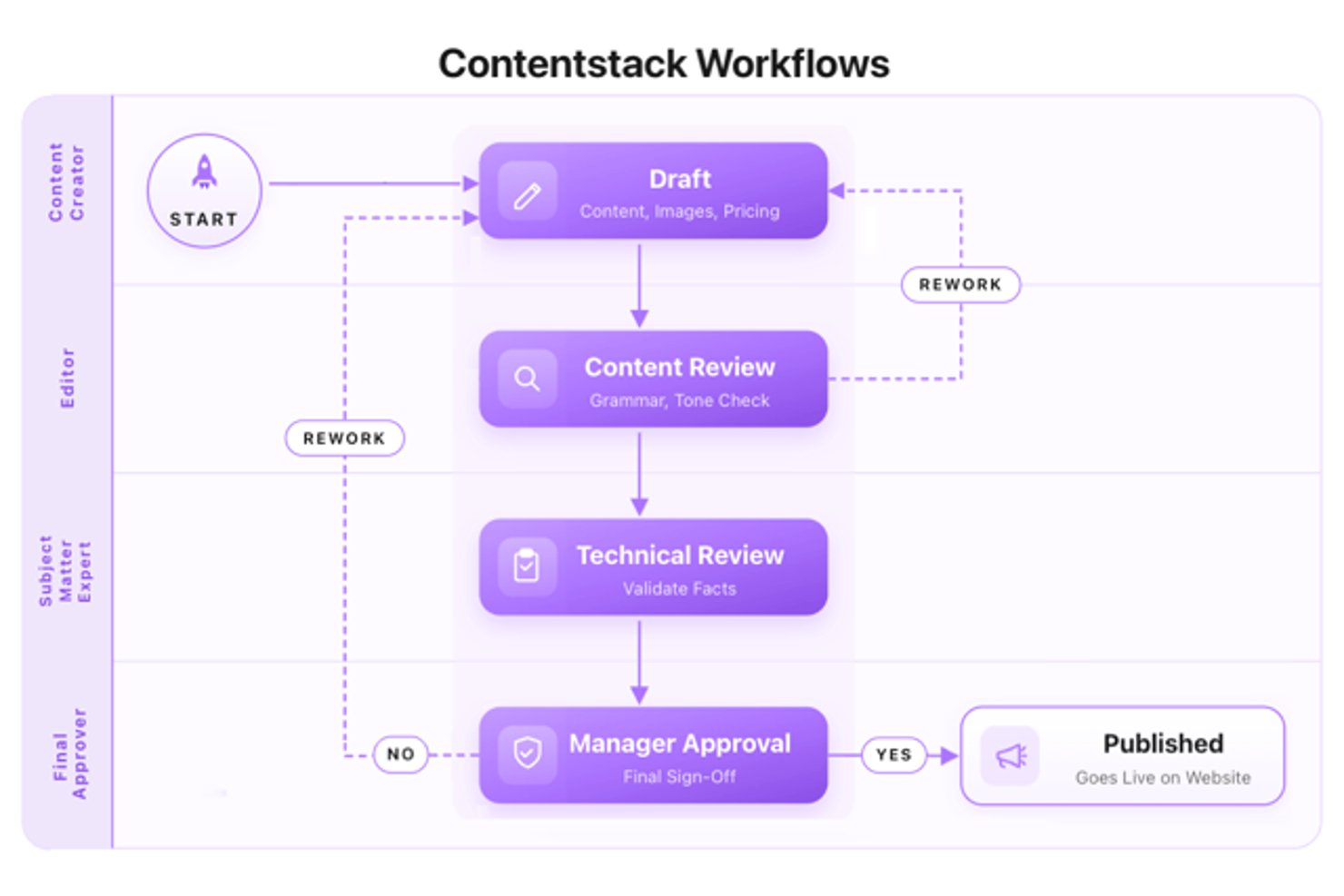
Approval workflows route content through a defined review sequence before it goes live. A draft moves from writer to editor to manager, with each reviewer either approving or flagging it for revision. In my experience, this is what separates teams that publish confidently from those that publish nervously. Without a structured approval path, things slip through—wrong dates, off-brand messaging, unreviewed claims. I've seen one missing sign-off cause real problems. A solid approval workflow in your CMS makes accountability automatic rather than something you have to enforce manually.
Here's what a solid approval workflow in your CMS should include:
- Configurable review stages: Define as many review steps as your process needs—one editor, one manager, or a full legal review chain.
- In-line commenting: Reviewers should be able to flag issues directly on the content, not in a separate email thread. Contentful handles this well.
- Automated notifications: Each approver gets alerted when it's their turn, so nothing stalls waiting for someone to check a dashboard.
- Audit trail: Every approval or rejection is logged with a timestamp and a name.
6. SEO Management
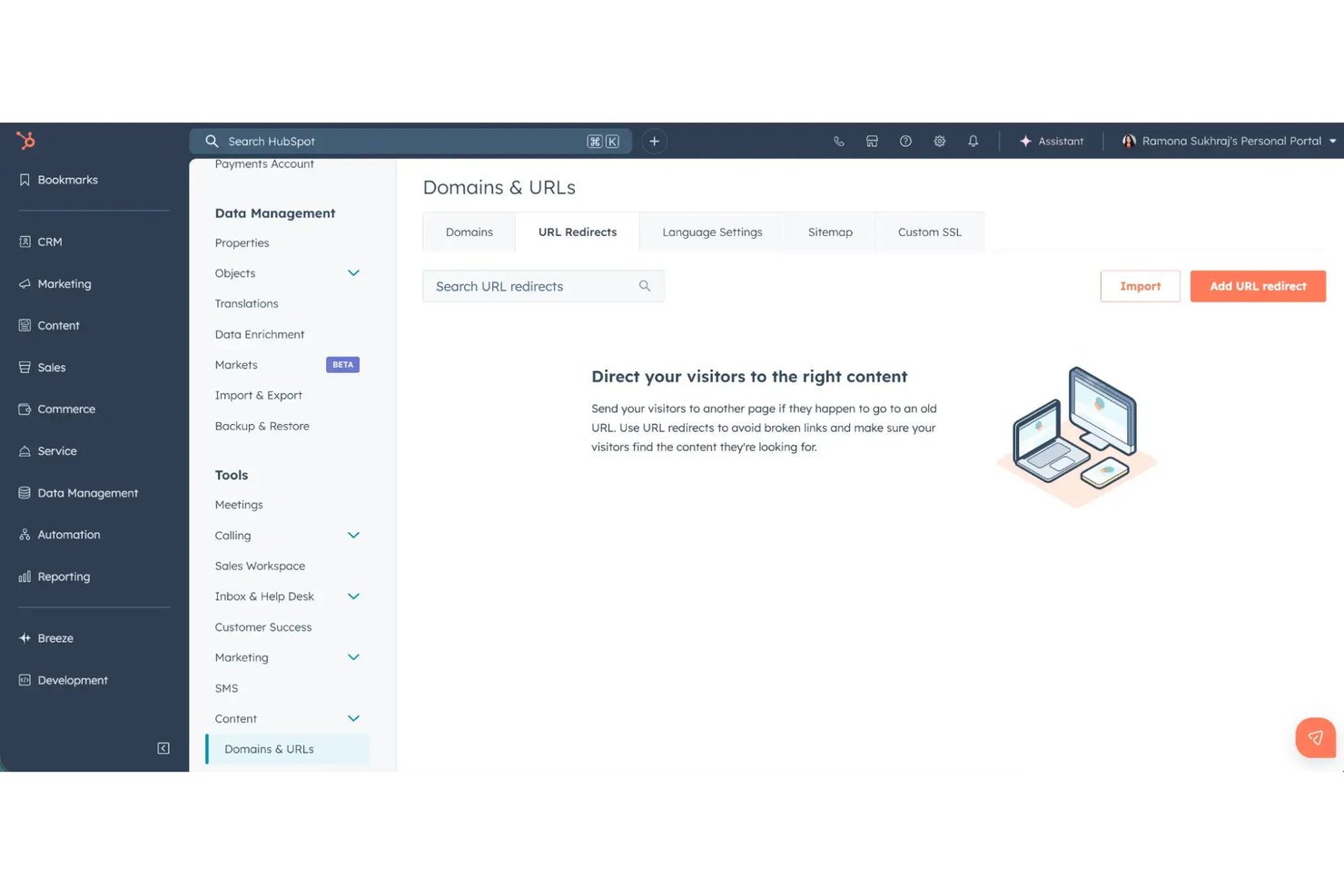
SEO management in a CMS gives you the tools to optimize content for search directly inside the platform—meta titles, descriptions, canonical tags, slug customization, and structured data markup. You're not bouncing between your editor and a separate tool.
In my experience, built-in SEO controls cut a lot of back-and-forth with developers. Being able to edit a meta description or fix a canonical issue on the spot matters. Platforms like WordPress handle this well through native settings and plugins, while Contentful gives you structured fields for SEO metadata at the content model level.
Here's what built-in SEO management should give you inside your CMS:
- Meta field controls: Edit SEO titles, meta descriptions, and canonical URLs directly in your content workflow. WordPress supports these controls through plugins like Yoast SEO, while Contentful lets you model SEO fields at the content type level.
- Slug customization: Set clean, keyword-aligned URLs without touching a developer or a URL redirect tool.
- Structured data markup: Add schema to content records so search engines can surface rich results for articles, FAQs, or products.
- Real-time SEO feedback: Some platforms flag missing meta fields or duplicate titles before you publish.
7. Template Management
Template management lets your team build, store, and reuse standardized content structures across pages, posts, and campaigns. Instead of rebuilding layouts from scratch each time, editors start from a pre-approved template that already reflects your brand and structure.
In my experience, this is where content teams reclaim real time. It also cuts down on formatting inconsistencies that pile up when everyone improvises their own layouts. The more content types your team manages, the more a solid template library pays off.
Here's what template management should give your team inside a CMS:
- Reusable content structures: Save a page layout once and reuse it across campaigns—WordPress's block patterns and Contentful's content types both handle this well.
- Brand-locked formatting: Lock fonts, spacing, and component order so editors can't drift off-brand when building new pages.
- Role-based access: Restrict who can create or modify templates so your master layouts stay intact.
- Content type coverage: Templates should cover every format your team publishes—blog posts, landing pages, product pages, and emails.
8. Multilingual Support
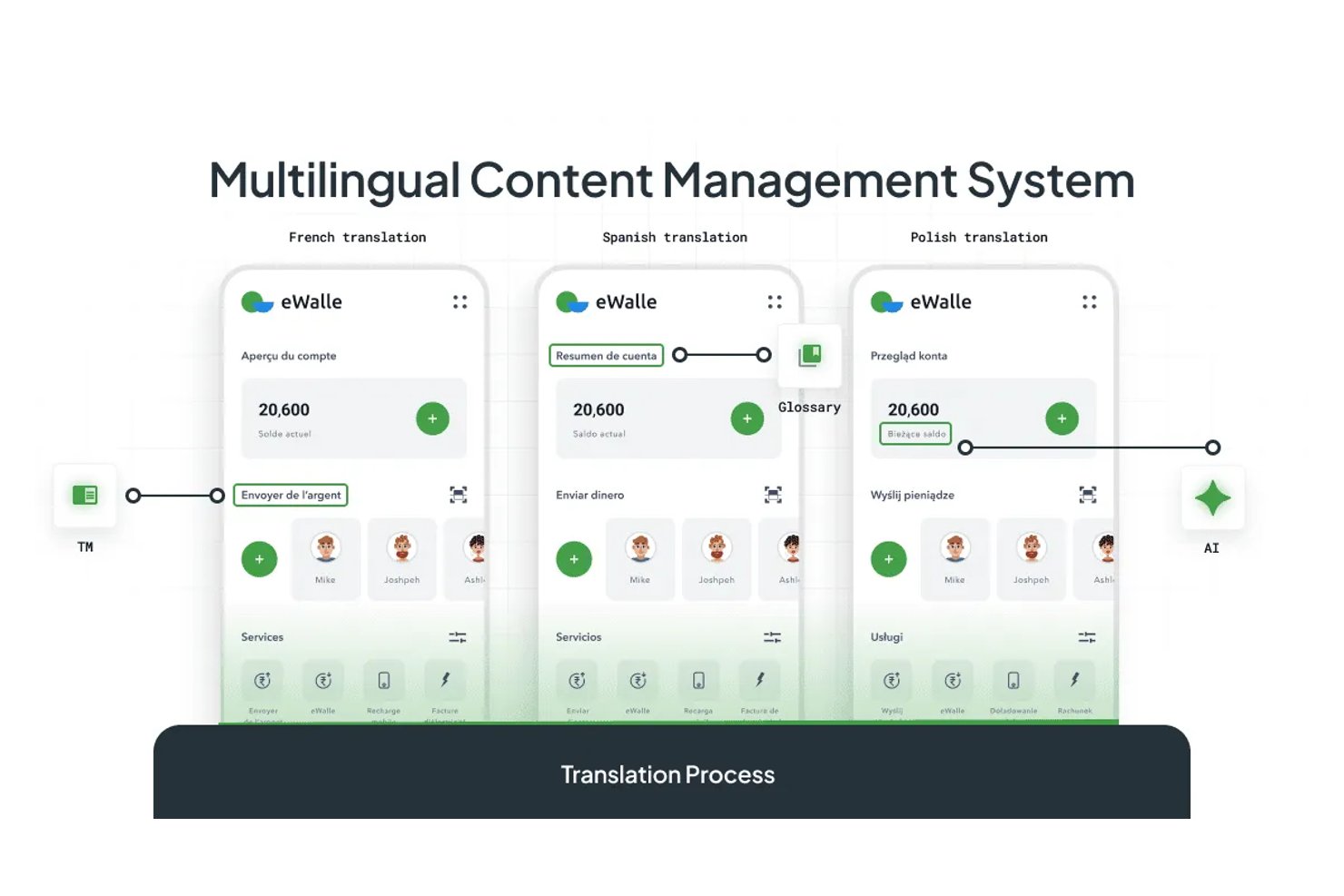
Multilingual support lets your CMS store, manage, and publish content in multiple languages from a single platform. Instead of maintaining separate sites per locale, you manage translations alongside the original content within the same interface.
In my experience, this is where global content teams save the most time. Good implementations—like Contentful's localization fields—let you translate at the field level, so one content record holds every language variant. That keeps your content model clean and your publishing workflow consistent across regions.
Here's what multilingual support should give your team inside a CMS:
- Field-level translation: Store every language variant within a single content record—Contentful's localization fields do this well, so your content model stays clean across regions.
- Locale-specific publishing: Publish translated content independently per region without affecting other language versions.
- Translation status tracking: See at a glance which fields are translated, outdated, or missing so nothing goes live half-localized.
- Fallback language controls: Set a default language to display when a translation isn't ready yet.
9. Headless Delivery Capabilities
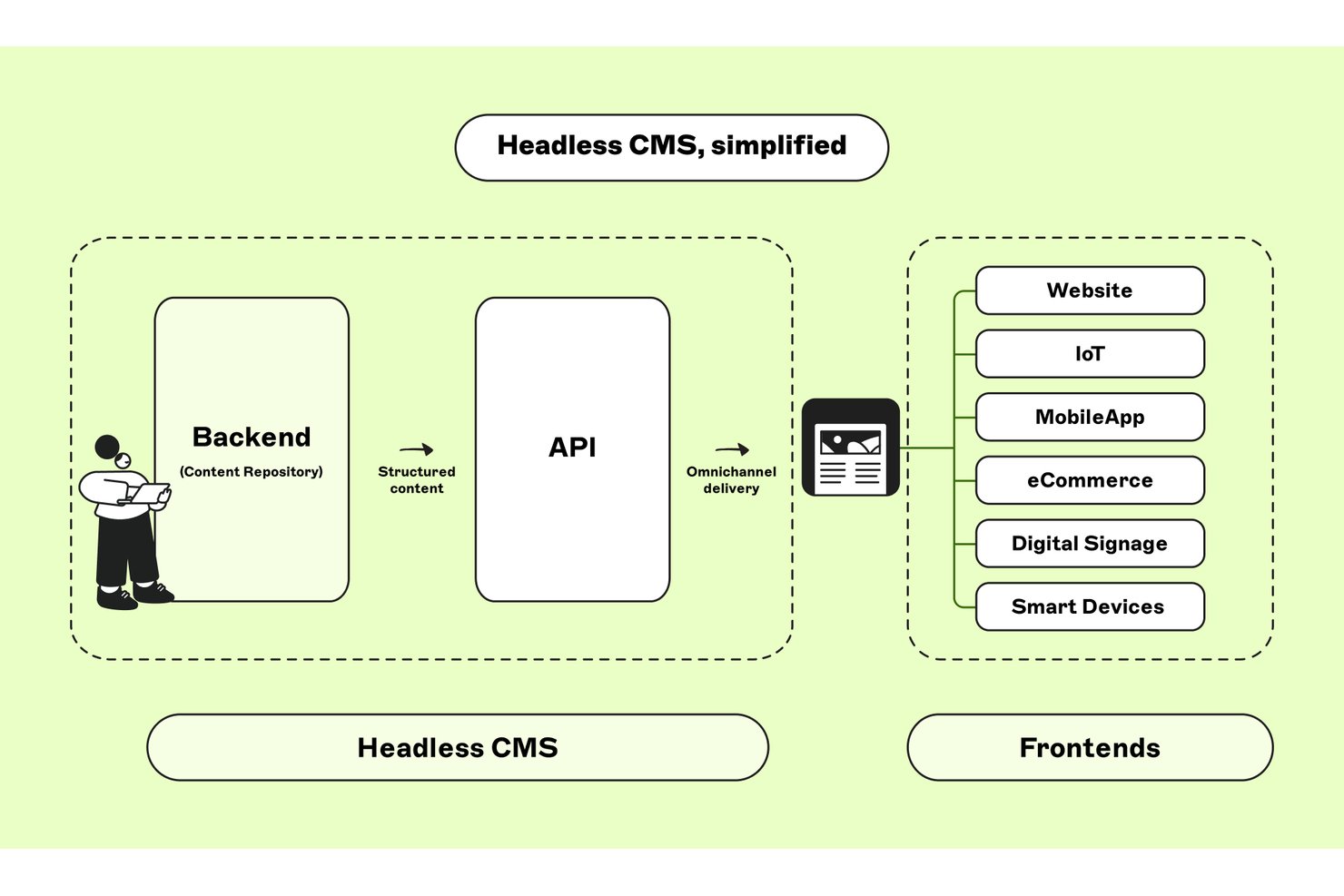
Unlike a traditional CMS, which typically manages content and the website's presentation layer together, a headless CMS separates the backend from the frontend. Content is delivered through APIs to websites, mobile apps, and other channels.
In my experience, headless delivery works best when multiple channels need the same content but different presentations. It can support scalability and give frontend developers more flexibility, but it also adds integration and maintenance work. I look closely at how previews, publishing, and API limits affect the day-to-day workflow.
Here's what headless delivery capabilities should give your team inside a CMS:
- API-first content delivery: Your content is accessible via REST or GraphQL APIs—Contentful is built around this model, so your developers can pull content into any frontend framework they choose.
- Multi-channel publishing: Deliver the same content record to a website, mobile app, and digital signage without duplicating it. For large audiences, check whether delivery uses a content delivery network (CDN) to reduce latency.
- Frontend decoupling: Your editors work in the CMS while developers build independently—no deployment dependencies between the two.
- WordPress REST API support: WordPress supports headless delivery natively, though it requires more configuration than purpose-built headless platforms.
10. Plugin and API Integration
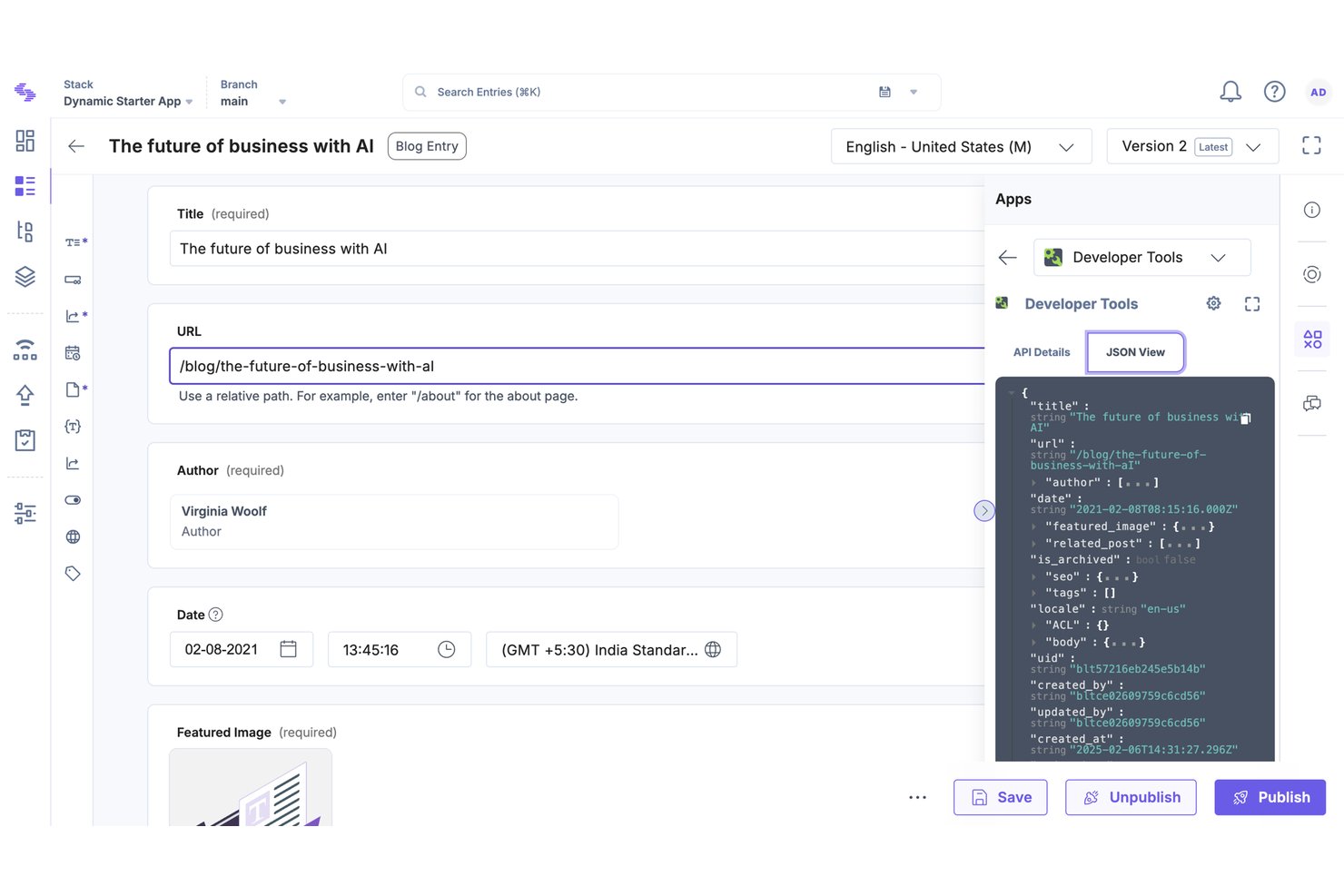
Plugin and API integration lets your CMS connect to third-party tools—analytics platforms, CRM systems, marketing automation, ecommerce engines—either through installable plugins or direct API connections.
WordPress has one of the largest plugin ecosystems available, covering almost any use case. Contentful takes an API-first approach, so your developers can wire it into virtually any external service.
In my experience, this is what makes a CMS actually fit your stack rather than forcing you to work around it. The more integration options a platform offers, the less you're manually moving data between tools.
Here's what plugin and API integration should give your team inside a CMS:
- Plugin ecosystems: WordPress plugins, Drupal modules, and Joomla extensions can add SEO, ecommerce, forms, and CRM functionality. Check update history, security, and compatibility before assuming an extension will be easy to maintain.
- API-first connectivity: Contentful's API layer lets developers wire content directly into tools like HubSpot, Salesforce, or a custom data pipeline without workarounds.
- Ecommerce integration: Connect your CMS to a platform like Shopify so product content stays consistent between your store and your editorial pages.
- Analytics hookups: Pull performance data from Google Analytics into your publishing workflow so editors see what's working without leaving the CMS.
11. Audience Personalization
Audience personalization lets your CMS serve different content to different visitors based on attributes like location, behavior, device, or segment. Instead of one static page for every visitor, the platform surfaces variations based on rules you set.
In my experience, this is where CMS platforms start pulling real weight for demand generation teams. You're not just publishing content—you're targeting it. Platforms that support personalization at the content block level give editors direct control without routing every change through a developer.
Here's what audience personalization should give your team inside a CMS:
- Segment-based content rules: Serve different hero copy or CTAs to visitors based on industry, location, or funnel stage—without building separate pages.
- Behavioral targeting: Trigger content variations based on pages visited, content consumed, or actions taken in a previous session.
- Device-level variations: Surface a trimmed content experience on mobile without maintaining a separate mobile site.
- A/B testing at the block level: Test headline or CTA variations against specific segments so you're optimizing for audience fit, not just click volume.
12. Site Search Functionality
Site search functionality lets visitors find content across your site by typing queries directly into a search bar. The CMS indexes your pages, posts, and assets, then surfaces relevant results in real time.
In my experience, this feature matters more than most teams expect. When your content library grows, navigation alone doesn't cut it—visitors need a faster path to what they're looking for. A well-configured site search reduces dead ends and keeps users engaged longer, especially on content-heavy sites with multiple content types.
Here's what site search functionality should give your team inside a CMS:
- Full-content indexing: Index pages, blog posts, PDFs, and media assets so visitors aren't hitting dead ends when they search—WordPress handles this natively, and plugins like SearchWP extend it significantly.
- Faceted filtering: Let visitors narrow results by content type, category, or date so they find what they need faster.
- Search analytics: Track which queries return no results so you know exactly where your content library has gaps.
- Custom result ranking: Prioritize which content types surface first based on relevance rules you define.
More Articles
13. Usage Analytics
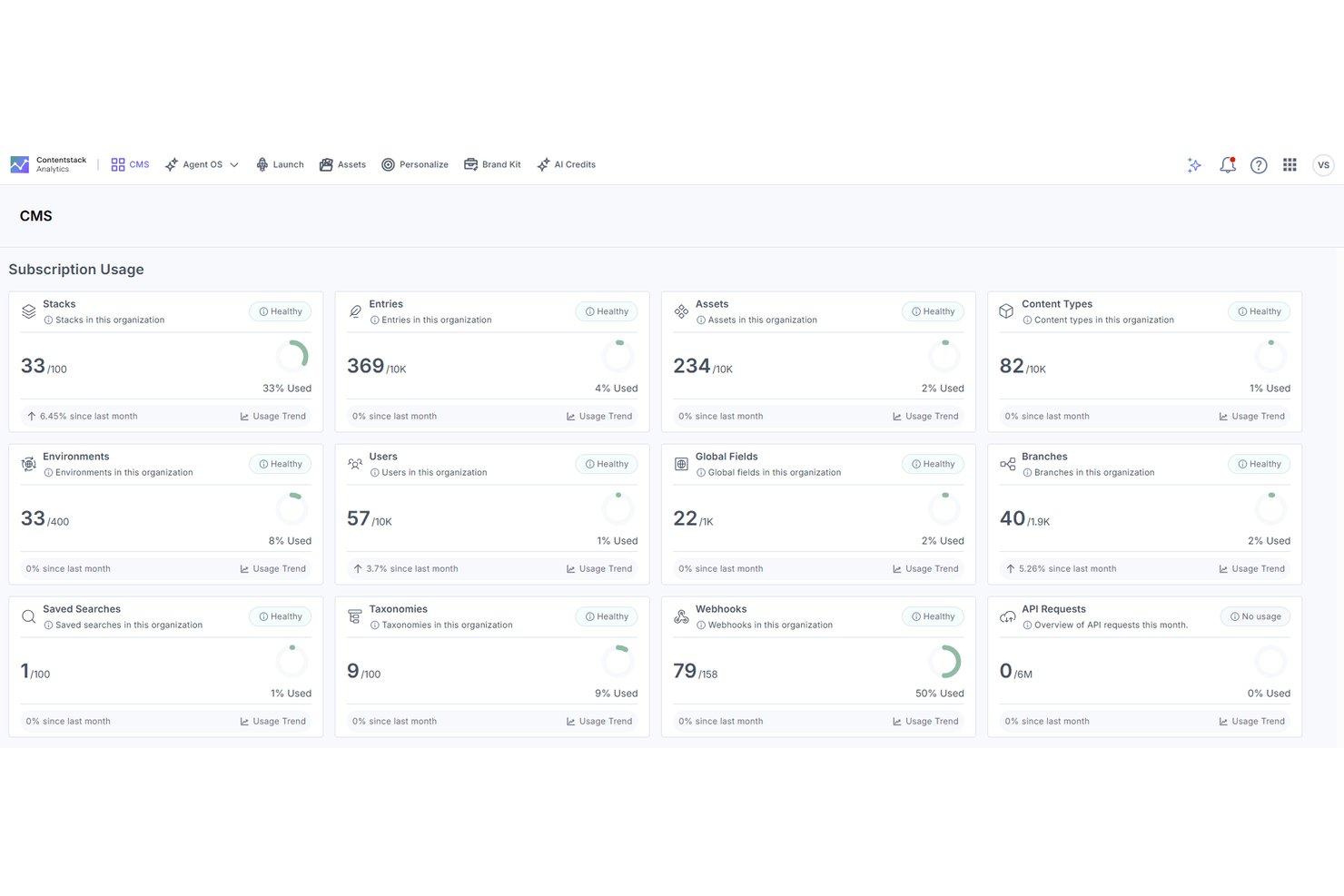
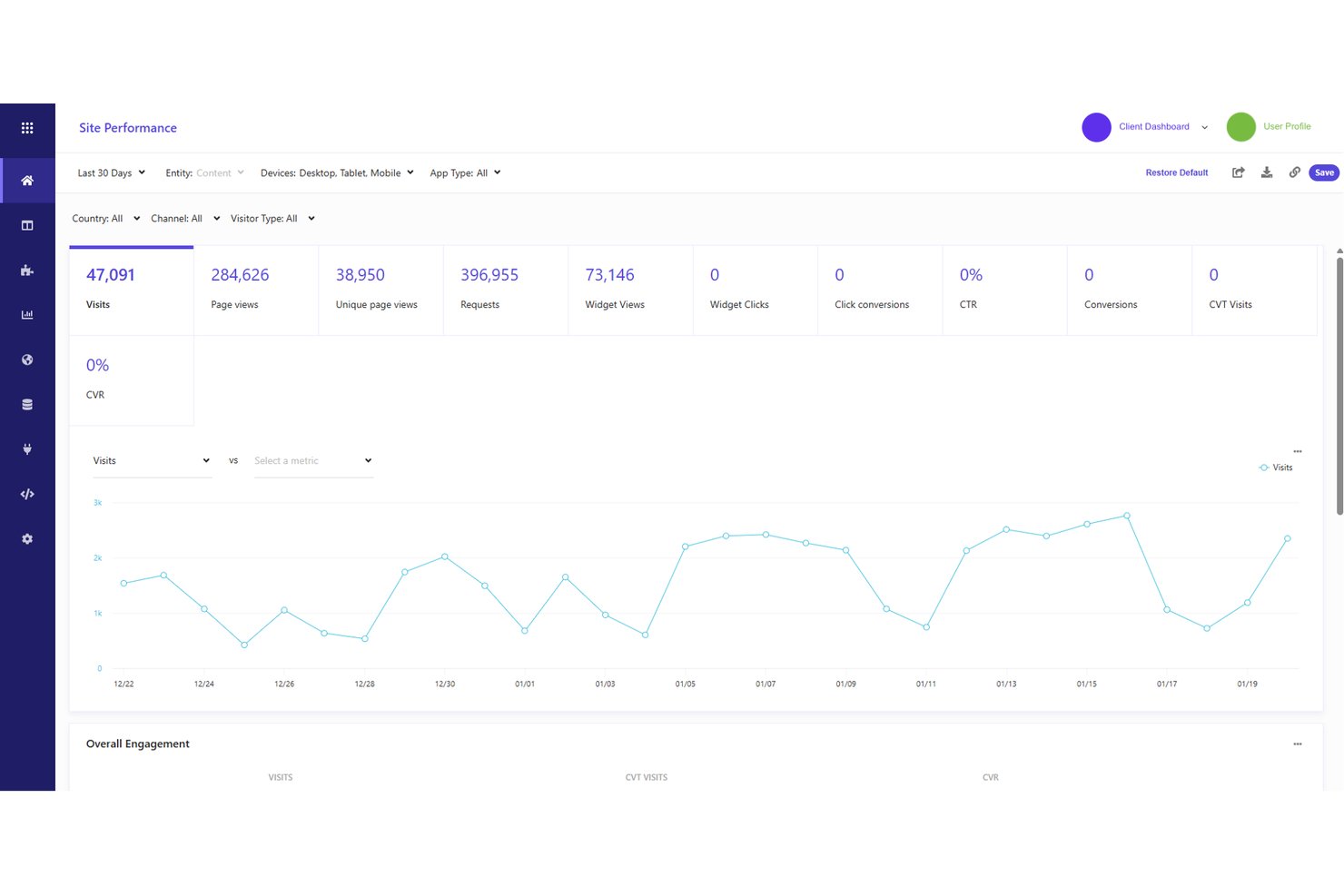
Usage analytics tracks how visitors interact with your content—which pages they land on, where they drop off, and what they engage with most. Some CMS platforms include reporting dashboards, while others connect to analytics tools to surface that data for your content team without requiring a separate BI tool.
In my experience, this is what separates editorial teams that guess from those that iterate. When you can see which content drives return visits versus one-and-done clicks, you make better decisions about what to publish next. That feedback loop alone justifies having analytics built into the platform.
Here's what usage analytics should surface inside your CMS:
- Page-level performance: See which posts drive the most sessions, return visits, and time on page—so you're publishing more of what actually works.
- Drop-off tracking: Identify where visitors leave so you can flag underperforming content before it drags down broader campaign metrics.
- Content attribution: Connect specific content pieces to pipeline or conversion events, not just pageviews.
- Google Analytics integration: In WordPress, a plugin like Google's Site Kit can bring Google Analytics data into the dashboard, so team members with the right access can review performance without switching tools.
Top 10 Content Management Software
Here are our top picks for content management software to help you with your search:
Clicks on the links below may earn a commission, which supports our independent testing and review of software and services. Learn more about how we stay transparent.
Choose a CMS With the Right Features for Your Stack
If you're evaluating platforms that can handle API-first delivery across every channel your team manages, our breakdown of the best headless CMS options covers the top picks with pricing, key features, and what each platform does best.