

OpusClip-Test: Vorteile, Nachteile, Funktionen und Preise
I put OpusClip’s AI repurposing to the test, weighing its time-saving strengths, creative tradeoffs, standout features, and pricing to see who it’s really built for.

Wir bewerten Tools unabhängig, und Provisionen helfen, unsere Tests zu finanzieren. Siehe unsere Transparenz-Richtlinie, unsere Methodik oder schlagen Sie ein Tool vor.
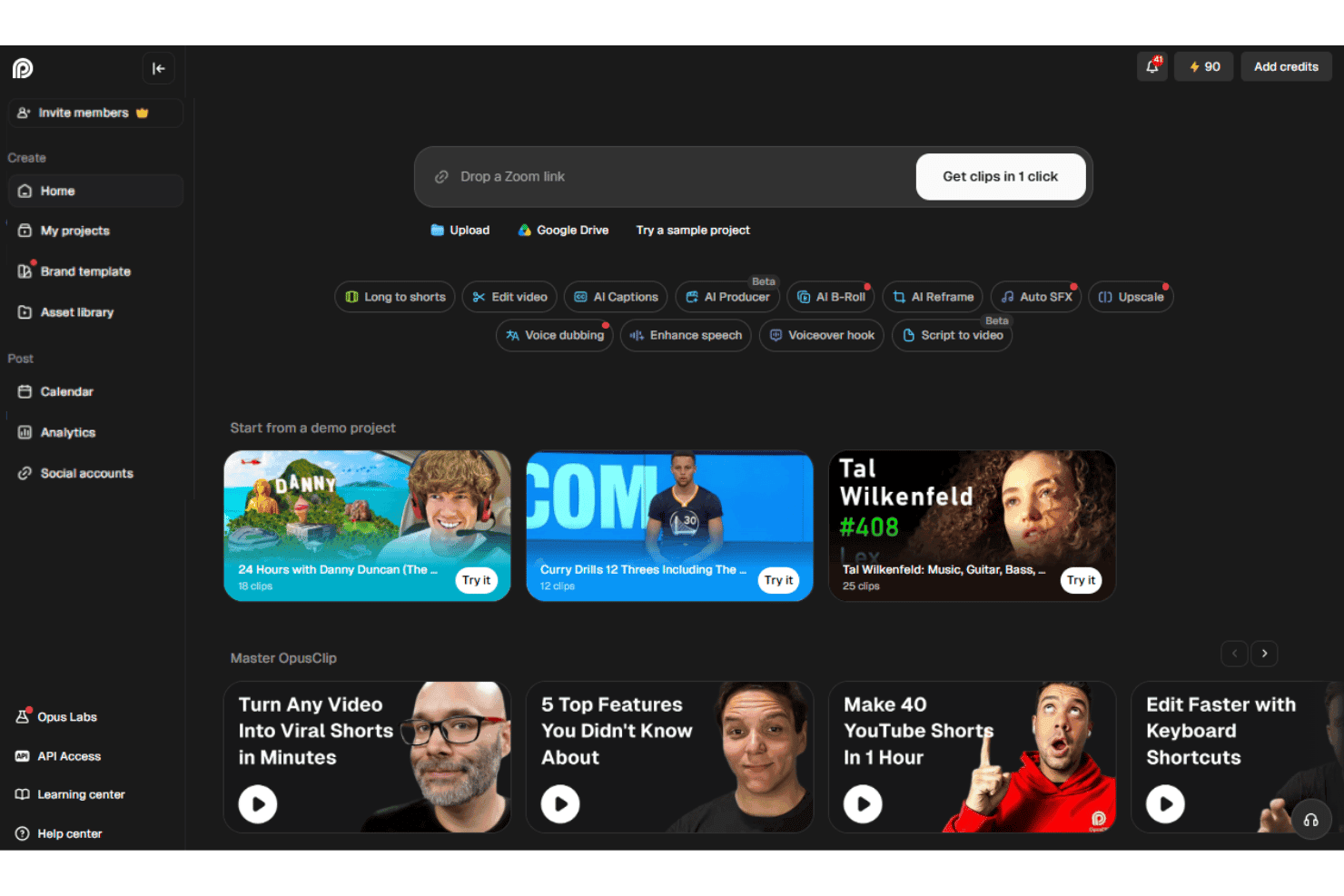
OpusClip is an AI video editor that turns long-form videos, webinars, and podcasts into short, caption-ready clips for TikTok, Instagram Reels, YouTube Shorts, and LinkedIn. I'd reach for it when your team is sitting on hours of recorded content and needs a fast way to spin up social-ready cuts without staffing a dedicated editor.
Compared to a timeline-based tool like Descript, OpusClip is the better pick when your goal is high-volume short-form repurposing with auto-generated hooks, virality scoring, and face-tracking reframing, rather than full multitrack editing from scratch.
OpusClip Evaluation Summary
4.6/5
- From $15/month
- Free plan available
Warum Sie unseren Software-Empfehlungen vertrauen können
6,700+
Reviews
20
Industry experts
16+
Evaluation factors
14
Years
Unser Team testet und bewertet Software seit 2012. Als Marketingführungskräfte wissen wir selbst, wie schwierig – und wichtig – es ist, die richtige Software auszuwählen.
Für diesen Leitfaden haben wir Tools mithilfe von praktischen Tests und unabhängiger Recherche bewertet und dabei unsere Bewertungskriterien angewendet.
Unsere Bewertungen spiegeln unser menschliches redaktionelles Urteilsvermögen wider, keine Verkaufsstrategie.
Expertenprüfer:
 Gui DrusinaKreativdirektor
- Shriya GhateSenior Marketing Lead
 Amanda JacquesMarketing Ops Leiterin

OpusClip Overview
OpusClip is my pick for turning long recordings into social clips, not for full multitrack production. Its browser interface makes onboarding simple: upload a file or paste a supported source, then review AI-selected clips, captions, subtitles, and virality scores. Pricing is tiered, with a free plan for limited processing and paid plans that increase usage limits and unlock more advanced features. Higher tiers add capabilities such as scheduling, team seats, dubbing, B-roll, API access, and exports for professional editing tools. Support is available through chat on select plans.
Pros
- ClipAnything identifies moments using visual, audio, and sentiment cues.
- AI reframe feature keeps speakers centered across vertical social formats.
- Users report finding several usable clips without manual episode review.
Cons
- AI clip selection often produces only a few usable edits.
- Face tracking can distort guests during automatic reframing.
- Free exports carry watermarks and expire after three days.
Is OpusClip Right For Your Needs?
Who Would be a Good Fit for OpusClip?
OpusClip fits marketers and small content teams that turn long recordings into social clips. Its AI clip selection, animated captions, auto reframe, virality scores, and social integrations support repeatable repurposing workflows.
- Social TeamsSocial media teams can turn webinars, interviews, and podcasts into captioned clips with auto reframe, virality scores, and direct social posting.
- Solo CreatorsSolo creators can upload recordings in a browser and review AI-selected clips without managing a complex editing timeline.
- Demand GenerationDemand generation teams can repurpose webinars into short-form assets using captions, reframing, editing, and brand templates.
- Podcast TeamsPodcast teams can identify shareable moments from long recordings, then export clips formatted for channels such as TikTok, Instagram Reels, LinkedIn, and YouTube.
- Small AgenciesSmall agencies can manage recurring client repurposing through Pro features such as two team seats, scheduling, credit rollover, and multiple aspect ratios.
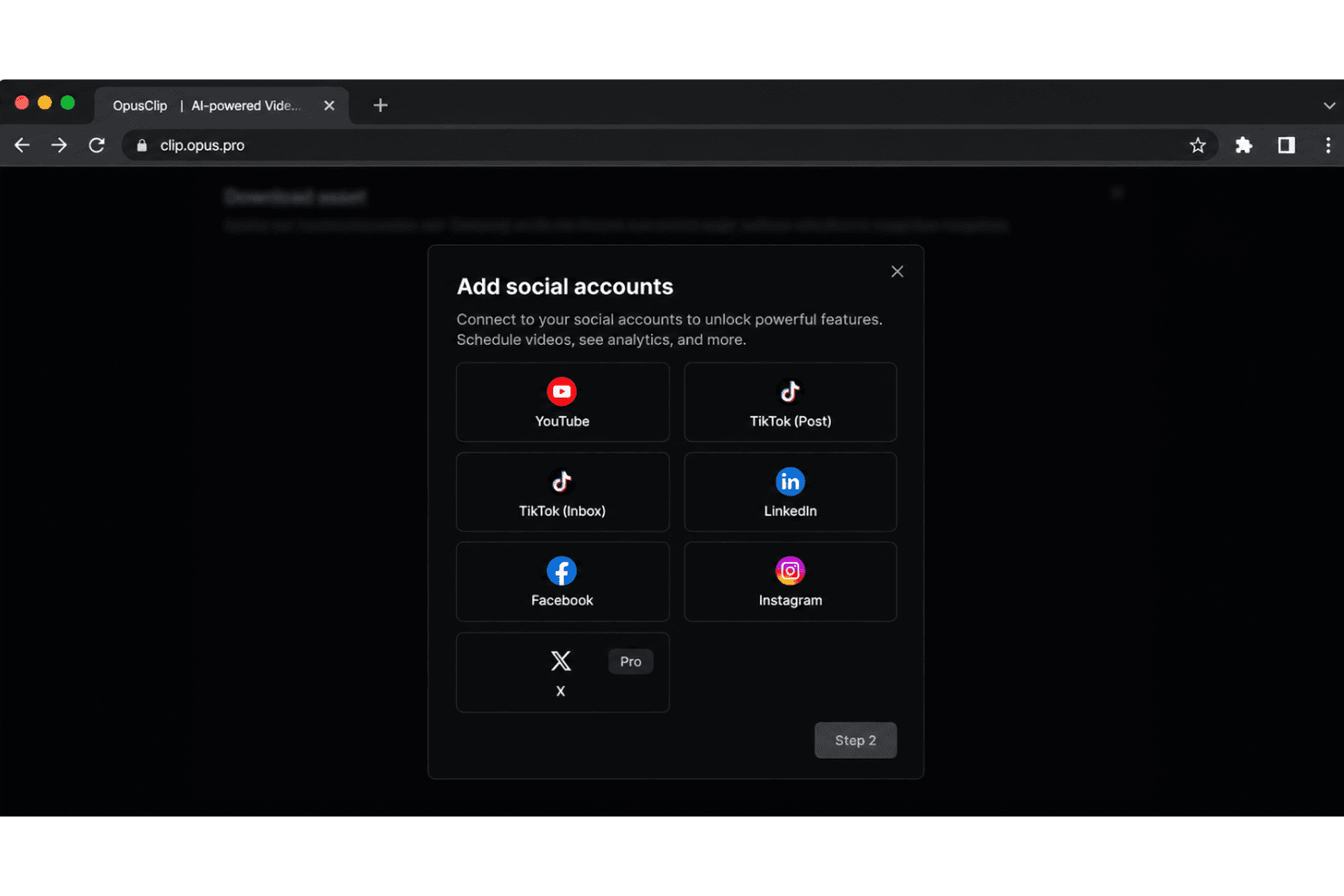
- Event MarketersEvent marketers can convert recorded talks and livestreams into promotional clips and distribute them through integrations with platforms such as LinkedIn, Facebook, X, and Instagram.
Who Would be a Bad Fit for OpusClip?
OpusClip is a weaker choice for teams that need offline production, detailed creative control, or highly consistent output quality. Its AI workflow can produce only a few usable clips, while free exports include watermarks and expire after three days.
- Complex PostproductionFilm and postproduction teams may outgrow OpusClip because AI-selected clips and browser timeline editing do not replace a full postproduction workflow.
- Offline Video TeamsTeams that cannot upload footage to a browser-based service should avoid OpusClip because its core workflow depends on online uploads and web editing.
- Exact Story EditorsEditors requiring precise narrative selection may find OpusClip unsuitable because reviewers report that the AI sometimes produces only a few usable clips.
- Brand StudiosBrand studios with strict visual systems may find the limited caption styles and single Starter brand template too restrictive.
- Free Client WorkAgencies delivering polished client assets cannot rely on the free tier because exports include watermarks and projects expire after three days.
- Hands-On SupportTeams needing detailed editing assistance may find OpusClip limiting because documentation and in-app guidance cover routine tasks, while chat support is available to Pro users.
Wie wir Tools testen und bewerten
Wir haben jahrelang unser Software-Test- und Bewertungssystem aufgebaut, verfeinert und verbessert. Das Bewertungsraster wurde entwickelt, um die Feinheiten der Softwareauswahl zu erfassen und aufzuzeigen, was ein Tool effektiv macht. Dabei konzentrieren wir uns auf kritische Aspekte des Entscheidungsprozesses. Im Folgenden können Sie genau nachvollziehen, wie unsere Tests und Bewertungen über sieben Kriterien hinweg funktionieren. Dies ermöglicht eine unparteiische Bewertung der Software basierend auf Kernfunktionen, besonderen Merkmalen, Benutzerfreundlichkeit, Onboarding, Kundenservice, Integrationen, Kundenrezensionen und Preis-Leistung.
Kernfunktionen (25% der Gesamtbewertung)
Der Ausgangspunkt unserer Bewertung ist stets die Kernfunktionalität des Tools. Verfügt es über die grundlegenden Merkmale und Funktionen, die ein Nutzer erwarten würde? Sind einige dieser Kernfunktionen nur in hochpreisigen Tarifen verfügbar? Im Kern erwarten wir, dass ein Tool den Basisfunktionen der Konkurrenz standhält.
Besondere Merkmale (25% der Gesamtbewertung)
Als nächstes bewerten wir außergewöhnliche, herausragende Funktionen, die über die übliche Kernfunktionalität hinausgehen. Eine hohe Punktzahl spiegelt spezialisierte oder einzigartige Merkmale wider, die das Produkt schneller, effizienter oder wertvoller für den Nutzer machen. Wir bewerten außerdem, wie einfach es ist, das Tool in andere häufig verwendete Anwendungen im Tech-Stack zu integrieren, um die Funktionalität und den Nutzen der Software zu erweitern. Tools, die viele native Integrationen, Drittanbieter-Anbindungen sowie API-Zugriff für eigene Integrationen bieten, schneiden am besten ab.
Benutzerfreundlichkeit (10% der Gesamtbewertung)
Wir berücksichtigen, wie schnell und einfach sich Aufgaben, die zu den Kernfunktionen gehören, mit dem Tool ausführen lassen. Hoch bewertete Software ist gut gestaltet, intuitiv bedienbar, bietet mobile Apps, Vorlagen und lässt auch komplexe Aufgaben einfach erscheinen.
Onboarding (10% der Gesamtbewertung)
Uns ist bewusst, wie wichtig eine schnelle Akzeptanz im Team für eine neue Plattform ist. Daher bewerten wir, wie leicht sich das Tool mit minimaler Einweisung erlernen und anwenden lässt und wie schnell Teammitglieder auch ohne Vorerfahrung loslegen können. Eine hohe Punktzahl deutet darauf hin, dass kaum oder gar keine Unterstützung notwendig ist.
Kundenservice (10% der Gesamtbewertung)
Wir prüfen, wie schnell und einfach es ist, bei Problemen Hilfe per Telefon, Live-Chat oder Wissensdatenbank zu erhalten. Tools und Unternehmen, die Support in Echtzeit anbieten, erhalten die besten Bewertungen; Chatbots schneiden am schlechtesten ab.
Kundenrezensionen (10% der Gesamtbewertung)
Neben unseren eigenen Tests und Bewertungen berücksichtigen wir den Net Promoter Score aktueller und ehemaliger Kunden. Wir prüfen, wie wahrscheinlich sie sich erneut für das Tool bezüglich der Kernfunktionen entscheiden würden. Hoch bewertete Software spiegelt einen hohen Net Promoter Score der Nutzer wider.
Preis-Leistung (10% der Gesamtbewertung)
Abschließend bewerten wir unter Berücksichtigung aller anderen Kriterien den Durchschnittspreis der Einsteiger-Tarife im Verhältnis zu den Kernfunktionen sowie den Wert der anderen bewerteten Aspekte. Software, die mehr für weniger bietet, wird besser bewertet.
Core Features
AI Clip Generation
OpusClip analyzes long videos and selects short segments with hooks, dialogue, and pacing suited to social content. You can turn a webinar or podcast into several draft clips without reviewing the entire recording manually.
ClipAnything
ClipAnything finds moments through visual, audio, and sentiment cues, rather than relying only on transcripts. This helps surface clips such as product demonstrations, reactions, or audience moments that keyword-based selection can miss.
AI Reframing
AI reframing automatically adjusts the crop for vertical, square, and landscape formats while keeping speakers in view. A two-person podcast can become a vertical clip with the active speaker positioned clearly for mobile viewers.
Animated Captions
OpusClip generates AI captions and applies animated styling to match short-form video formats. Captions keep the message readable when viewers watch a product explanation or interview without sound.
Virality Score
Virality scores estimate how likely each generated clip is to attract attention based on factors such as pacing, content structure, and audience interest. Your team can use the score to prioritize which clips to review first, while still applying human judgment.
AI B-Roll
AI B-roll adds relevant visual footage over spoken sections to support the clip’s topic. For example, a marketing interview about analytics can receive supporting visuals instead of showing the same speaker throughout.
Ease of Use
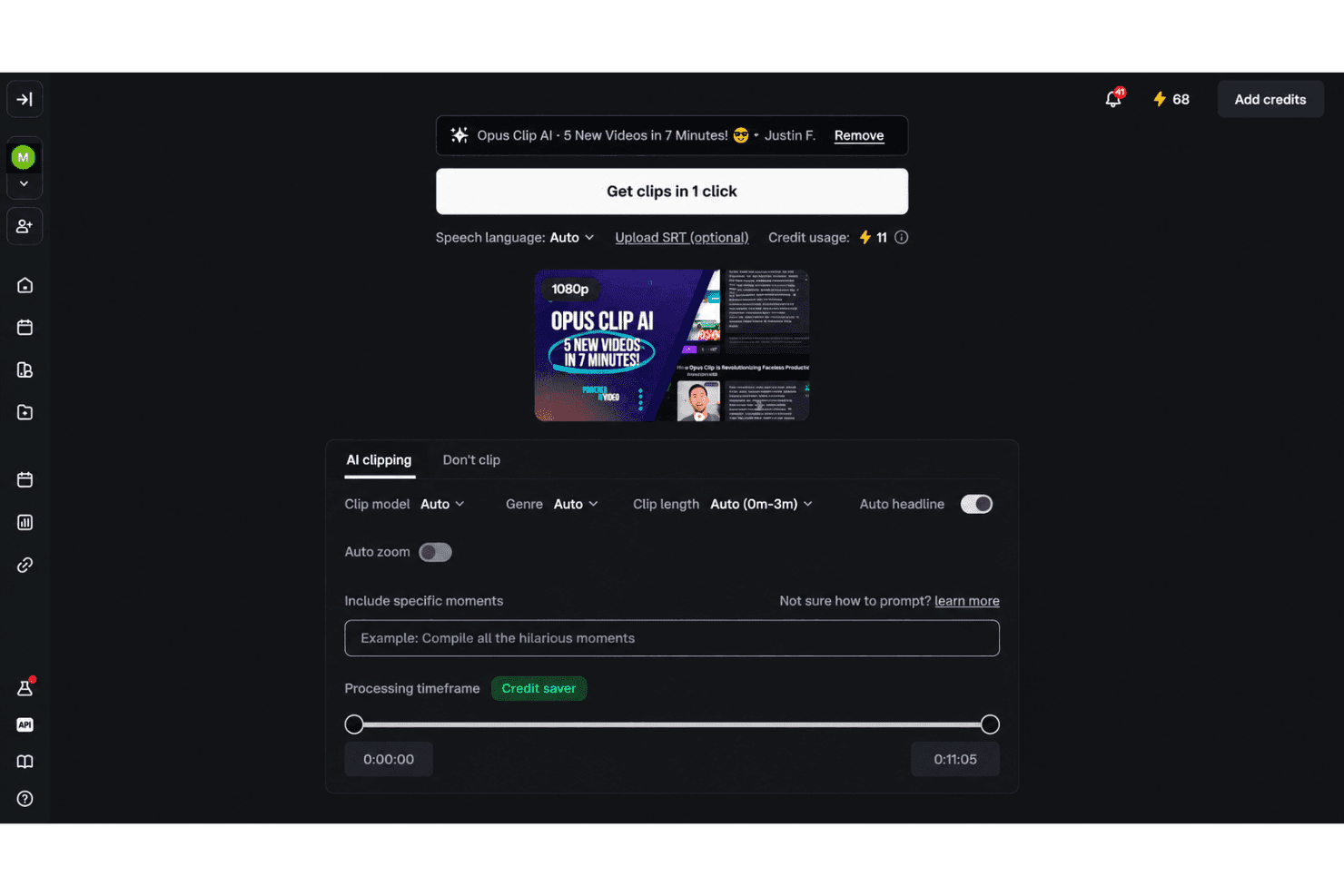
OpusClip is easy to use for fast social repurposing, especially if you prefer guided automation over manual editing. Upload a recording, then review AI-selected clips, animated captions, reframing, and virality scores in the browser. Text and timeline editing provide useful control afterward. User feedback supports the quick workflow, though reviewers often report only a few usable clips, occasional face-tracking distortion, and watermarked free exports that expire after three days.
Integrations
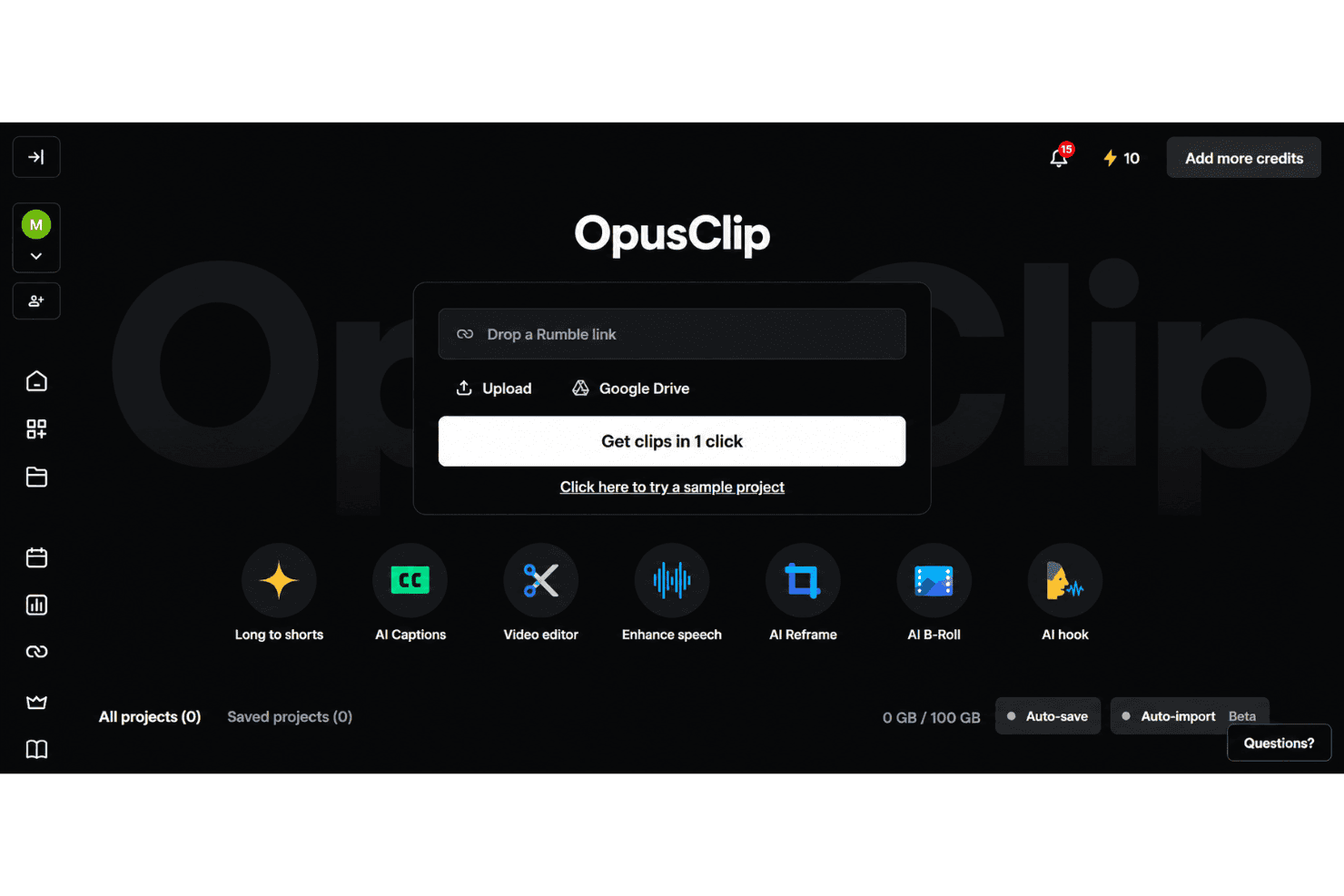
OpusClip integrates with YouTube, TikTok, Instagram Reels, Facebook, X, Google Drive, Vimeo, and Zoom, among others.
It also offers an API and connects with third-party integration tools including Zapier.
OpusClip Specs
- CAD Tools: Yes
- Data Export: Yes
- Data Import: Yes
- Multi-User: Yes
- Pixel Graphics: Yes
- Third-Party Plugins/Add-Ons: Yes
- Vector File Support: Yes
- Video: Yes


