

Ontraport-Bewertung 2026: Vor- und Nachteile, Funktionen und Preise
I put Ontraport’s automation, CRM, and pricing under the microscope to see whether its all-in-one approach truly simplifies marketing—or adds unnecessary complexity.

Wir bewerten Tools unabhängig, und Provisionen helfen, unsere Tests zu finanzieren. Siehe unsere Transparenz-Richtlinie, unsere Methodik oder schlagen Sie ein Tool vor.
Ontraport is a marketing automation software platform with CRM, email campaigns, sales automation, and ecommerce tools for businesses managing customer journeys across multiple channels. I’d consider it when you need one system for complex nurture sequences, sales follow-up, and online offers, especially if you want more built-in campaign and transaction controls than HubSpot provides.
Ontraport Evaluation Summary
4.3/5
- From $83/month (billed annually)
- 14-day free trial
Warum Sie unseren Software-Empfehlungen vertrauen können
6,700+
Reviews
20
Industry experts
16+
Evaluation factors
14
Years
Unser Team testet und bewertet Software seit 2012. Als Marketingführungskräfte wissen wir selbst, wie schwierig – und wichtig – es ist, die richtige Software auszuwählen.
Für diesen Leitfaden haben wir Tools mithilfe von praktischen Tests und unabhängiger Recherche bewertet und dabei unsere Bewertungskriterien angewendet.
Unsere Bewertungen spiegeln unser menschliches redaktionelles Urteilsvermögen wider, keine Verkaufsstrategie.
Expertenprüfer:
 Gui DrusinaKreativdirektor
- Shriya GhateSenior Marketing Lead
 Amanda JacquesMarketing Ops Leiterin

Ontraport Overview
I’d choose Ontraport when you need CRM, email and SMS automation, sales workflows, payments, ecommerce, and customer portals in one system. Its visual campaign builder, lead scoring, attribution, open API, and Zapier support cover more operational ground than simpler tools, while pricing remains reasonable for growing businesses. However, the customizable interface takes time to learn, and broad functionality can complicate onboarding. Support, migration assistance, setup services, and Ontraport University soften that learning curve. I think it best suits teams managing complex customer journeys, subscriptions, courses, or online offers that value control over simplicity.
Pros
- Visual campaign maps connect triggers, conditions, split tests, and goals.
- Built-in CRM, payments, SMS, and attribution cover full customer journeys.
- Contact-level funnel reporting supports lead scoring and ROI analysis.
Cons
- Complex automations require substantial training before teams can manage them.
- Subscription costs exceed lighter alternatives as contact volume grows.
- Some users report deliverability problems affecting open rates.
Is Ontraport Right For Your Needs?
Who Would be a Good Fit for Ontraport?
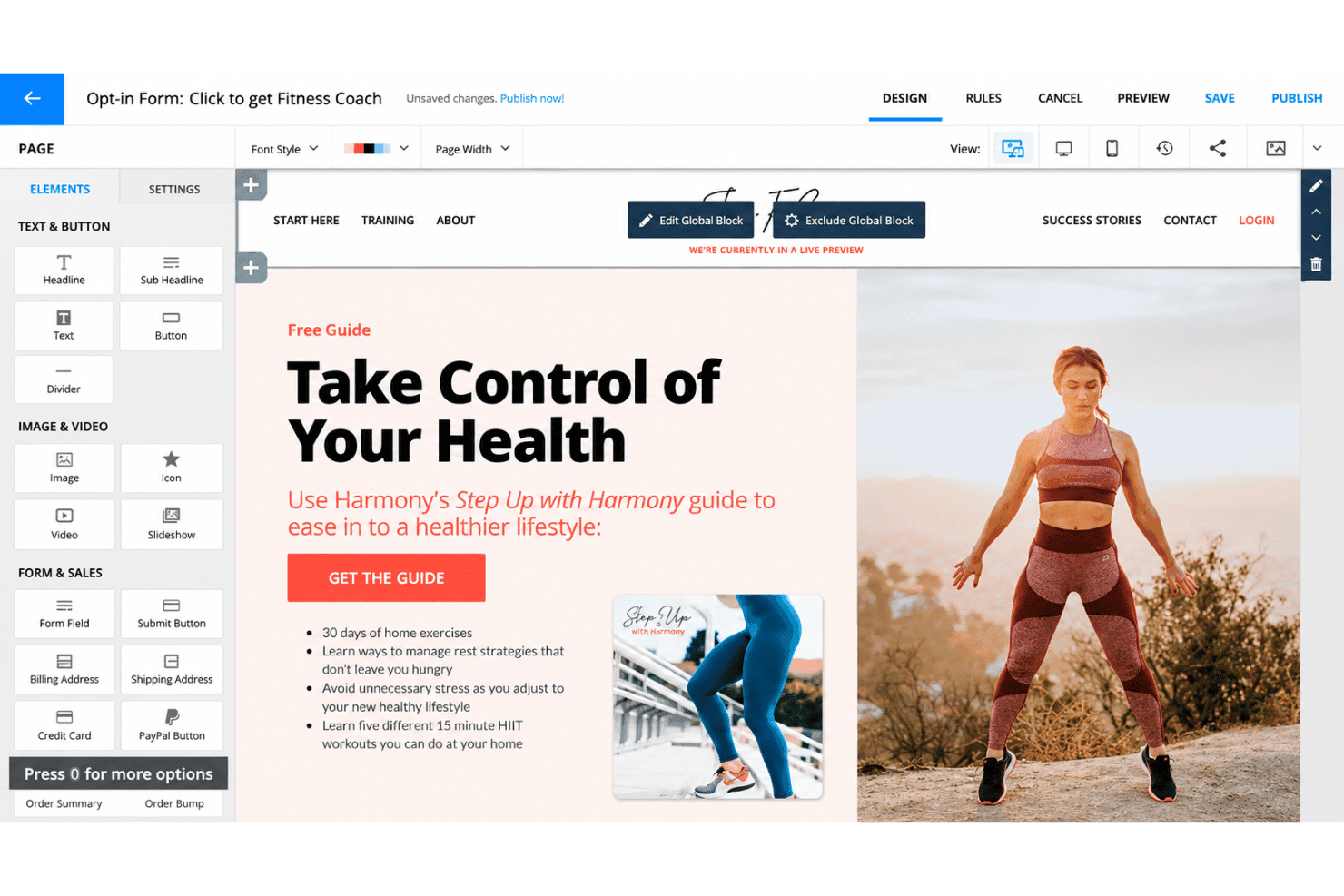
Ontraport fits businesses that need marketing automation alongside CRM, payments, websites, SMS, or membership features. Its visual campaign builder supports triggers, conditions, split tests, goals, tasks, and notifications. Teams with complex customer journeys can justify the learning curve, especially when they can use onboarding services, migration help, or Ontraport University.
- Membership BusinessesOntraport combines CRM, marketing automation, payments, websites, and membership features, giving membership businesses one system for managing customer journeys.
- Course CreatorsCourse creators can use automated campaigns, payments, websites, and membership features to manage enrollment-related communications and ongoing customer engagement.
- Ecommerce BrandsEcommerce brands that need marketing automation alongside payments and customer records can use Ontraport’s CRM, campaign builder, email, SMS, and payment features.
- Marketing TeamsMarketing teams managing complex campaigns can use triggers, conditions, split tests, goals, tasks, and notifications within Ontraport’s visual campaign builder.
- Automation SpecialistsAutomation specialists can build custom workflows through Ontraport’s campaign tools and connect external systems through its API, Zapier, Make, and other integration options.
- Growing BusinessesGrowing businesses that want CRM, automation, email, SMS, websites, and payments in one platform can choose plans starting at $83 monthly when billed annually for 500 contacts.
Who Would be a Bad Fit for Ontraport?
Ontraport is a poor match for teams that need a simple interface, quick setup, or a low monthly cost. Advanced campaigns require training and careful configuration, while added users, contacts, SMS, and CMS features can increase the total price. Smaller teams with limited automation needs may find its broader feature set difficult to justify.
- Small TeamsSmall teams with basic marketing needs may struggle with Ontraport’s learning curve and may not need its campaign, CRM, payment, and membership features.
- Newsletter TeamsTeams sending occasional newsletters may find Ontraport excessive because its visual campaigns support advanced triggers, conditions, tests, goals, tasks, and notifications.
- Lean StartupsLean startups with limited budgets may reject Ontraport because plans start at $83 monthly annually, with additional costs for users, contacts, SMS, and CMS features.
- Quick LaunchesTeams needing immediate setup may find Ontraport unsuitable because custom workflows often require training, careful configuration, and onboarding support.
- Low-Code UsersUsers who prefer a simple interface may find Ontraport difficult because its flexible campaign builder requires more setup than simpler marketing automation tools.
- Isolated ToolsTeams needing only a standalone email tool may not benefit from Ontraport’s broader CRM, payments, websites, membership, API, and automation capabilities.
Wie wir Tools testen und bewerten
Wir haben jahrelang unser Software-Test- und Bewertungssystem aufgebaut, verfeinert und verbessert. Das Bewertungsraster wurde entwickelt, um die Feinheiten der Softwareauswahl zu erfassen und aufzuzeigen, was ein Tool effektiv macht. Dabei konzentrieren wir uns auf kritische Aspekte des Entscheidungsprozesses. Im Folgenden können Sie genau nachvollziehen, wie unsere Tests und Bewertungen über sieben Kriterien hinweg funktionieren. Dies ermöglicht eine unparteiische Bewertung der Software basierend auf Kernfunktionen, besonderen Merkmalen, Benutzerfreundlichkeit, Onboarding, Kundenservice, Integrationen, Kundenrezensionen und Preis-Leistung.
Kernfunktionen (25% der Gesamtbewertung)
Der Ausgangspunkt unserer Bewertung ist stets die Kernfunktionalität des Tools. Verfügt es über die grundlegenden Merkmale und Funktionen, die ein Nutzer erwarten würde? Sind einige dieser Kernfunktionen nur in hochpreisigen Tarifen verfügbar? Im Kern erwarten wir, dass ein Tool den Basisfunktionen der Konkurrenz standhält.
Besondere Merkmale (25% der Gesamtbewertung)
Als nächstes bewerten wir außergewöhnliche, herausragende Funktionen, die über die übliche Kernfunktionalität hinausgehen. Eine hohe Punktzahl spiegelt spezialisierte oder einzigartige Merkmale wider, die das Produkt schneller, effizienter oder wertvoller für den Nutzer machen. Wir bewerten außerdem, wie einfach es ist, das Tool in andere häufig verwendete Anwendungen im Tech-Stack zu integrieren, um die Funktionalität und den Nutzen der Software zu erweitern. Tools, die viele native Integrationen, Drittanbieter-Anbindungen sowie API-Zugriff für eigene Integrationen bieten, schneiden am besten ab.
Benutzerfreundlichkeit (10% der Gesamtbewertung)
Wir berücksichtigen, wie schnell und einfach sich Aufgaben, die zu den Kernfunktionen gehören, mit dem Tool ausführen lassen. Hoch bewertete Software ist gut gestaltet, intuitiv bedienbar, bietet mobile Apps, Vorlagen und lässt auch komplexe Aufgaben einfach erscheinen.
Onboarding (10% der Gesamtbewertung)
Uns ist bewusst, wie wichtig eine schnelle Akzeptanz im Team für eine neue Plattform ist. Daher bewerten wir, wie leicht sich das Tool mit minimaler Einweisung erlernen und anwenden lässt und wie schnell Teammitglieder auch ohne Vorerfahrung loslegen können. Eine hohe Punktzahl deutet darauf hin, dass kaum oder gar keine Unterstützung notwendig ist.
Kundenservice (10% der Gesamtbewertung)
Wir prüfen, wie schnell und einfach es ist, bei Problemen Hilfe per Telefon, Live-Chat oder Wissensdatenbank zu erhalten. Tools und Unternehmen, die Support in Echtzeit anbieten, erhalten die besten Bewertungen; Chatbots schneiden am schlechtesten ab.
Kundenrezensionen (10% der Gesamtbewertung)
Neben unseren eigenen Tests und Bewertungen berücksichtigen wir den Net Promoter Score aktueller und ehemaliger Kunden. Wir prüfen, wie wahrscheinlich sie sich erneut für das Tool bezüglich der Kernfunktionen entscheiden würden. Hoch bewertete Software spiegelt einen hohen Net Promoter Score der Nutzer wider.
Preis-Leistung (10% der Gesamtbewertung)
Abschließend bewerten wir unter Berücksichtigung aller anderen Kriterien den Durchschnittspreis der Einsteiger-Tarife im Verhältnis zu den Kernfunktionen sowie den Wert der anderen bewerteten Aspekte. Software, die mehr für weniger bietet, wird besser bewertet.
Core Features
Campaign Automation
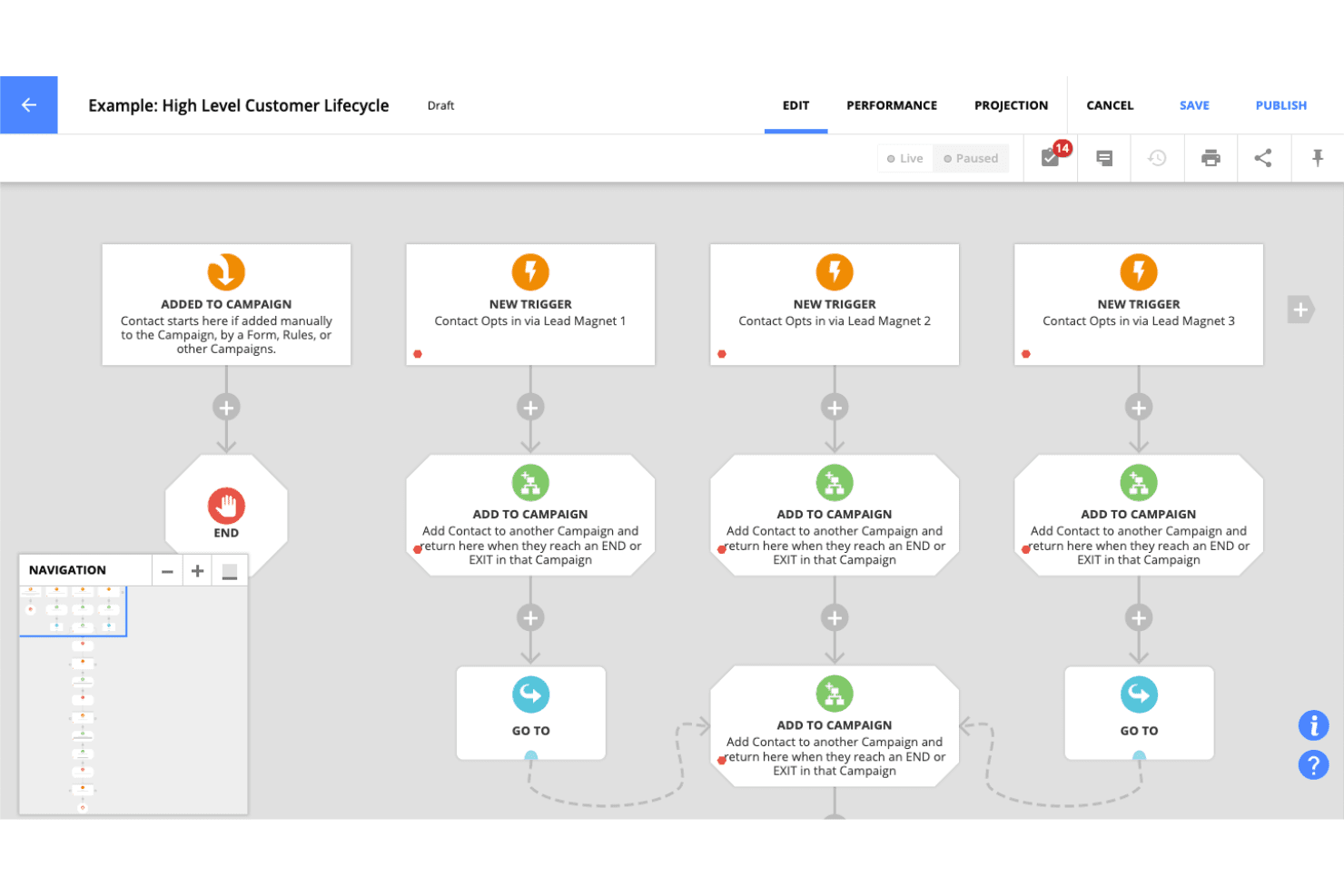
Ontraport’s drag-and-drop builder uses triggers, conditions, forks, goals, tasks, and notifications to map customer journeys. You can build paths for webinar follow-up, abandoned carts, onboarding, or upsells, then monitor conversions directly on the campaign map.
Email And SMS Messaging
Ontraport sends automated email and two-way SMS messages using drag-and-drop, plain-text, or HTML editors. Marketers can personalize follow-ups, use keywords for segmentation, and schedule messages according to each contact’s local time.
Contact Segmentation
Ontraport uses contact data, page visits, form submissions, purchases, and engagement activity to create targeted audience groups. This lets you send different messages to new leads, active customers, or contacts who abandoned a purchase.
Lead Scoring
Ontraport assigns scores based on marketing engagement, purchases, onboarding milestones, or other contact activity. Score changes can trigger sales alerts, automated follow-ups, and lead routing through round-robin, weighted, or custom rules.
Funnel Tracking And Attribution
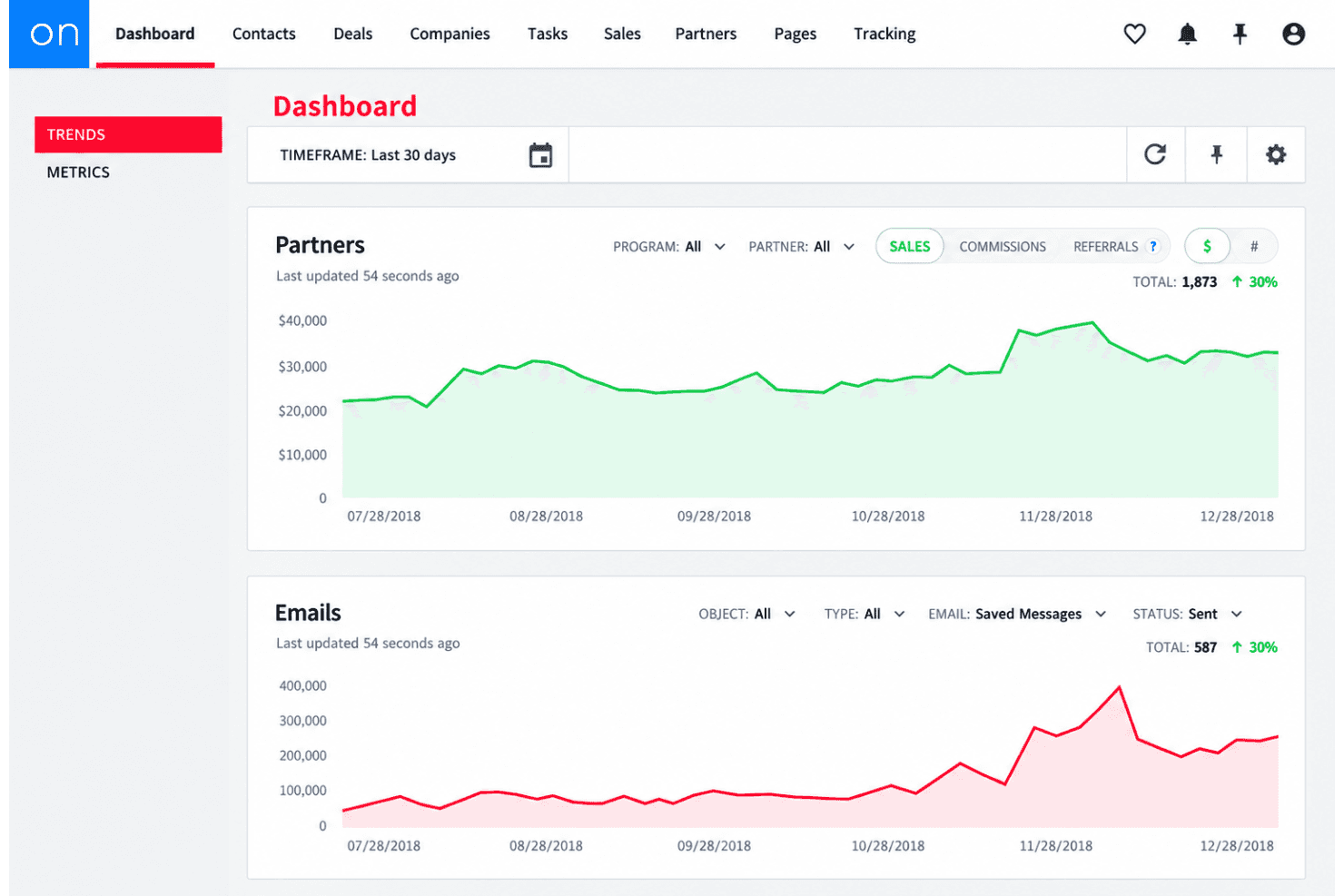
Ontraport tracks first- and last-click lead sources alongside email, page, and sales conversions. Campaign Performance Mode connects contact-level activity with conversion rates, time to convert, and lifetime value for channel and funnel analysis.
Split Testing
Ontraport lets you test different automation paths, rather than limiting experiments to email subject lines or page variations. You can compare messages, timing, and funnel sequences to identify which journey produces more conversions.
Ease of Use
Ontraport is capable but takes time to learn. Its visual campaign builder gives you triggers, conditions, split tests, goals, tasks, and notifications in one workspace, yet that flexibility can make campaign setup feel complex. User feedback commonly points to a steep learning curve, especially for advanced automations and custom workflows. Support, migration help, setup services, and Ontraport University make adoption easier, but smaller teams may prefer a simpler interface.
Integrations
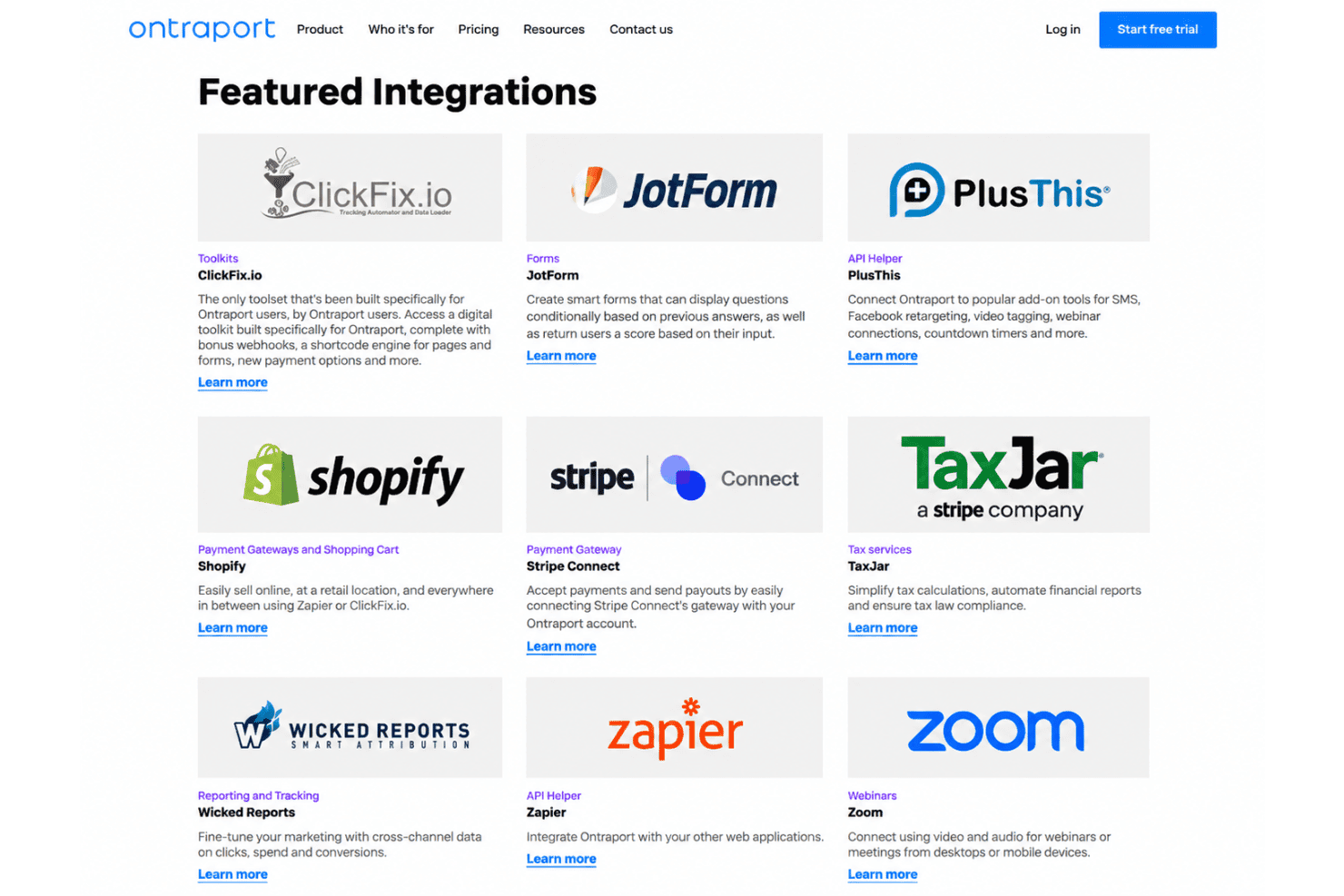
Ontraport offers built-in integrations with Facebook Connect Button, Facebook Custom Audiences, and UltraCart.
It also provides an API and supports third-party integration tools, including Zapier, Make, Apiant, ClickFix.io, Fuzed, PlusThis, Formstack Documents (formerly WebMerge), and WP Fusion.
Ontraport Specs
- A/B Testing: Yes
- Analytics: No
- API: Yes
- Audience Targeting: No
- Automated Conversion: No
- Batch Permissions & Access: No
- Behavioral Tracking: No
- Brand Management: Yes
- Campaign Management: No
- Contact Management: Yes
- Contact Sharing: Yes
- Conversion Tracking: Yes
- CRM Integration: No
- Customer Management: Yes
- Dashboards: No
- Data Export: Yes
- Data Import: Yes
- Email Integration: Yes
- External Integrations: Yes
- Keyword Tracking: No
- Landing Pages: No
- Lead Management: Yes
- Lead Scoring: Yes
- Link Tracking: No
- Marketing Automation: Yes
- Multi-User: Yes
- Notifications: Yes
- Password & Access Management: Yes
- Social-Media Integration: Yes


