

Mailjet-Bewertung 2026: Vorteile, Nachteile, Funktionen und Preise
I look beyond Mailjet’s feature list to weigh its pricing and trade-offs—and show which email teams it suits best, and who may need more.

Wir bewerten Tools unabhängig, und Provisionen helfen, unsere Tests zu finanzieren. Siehe unsere Transparenz-Richtlinie, unsere Methodik oder schlagen Sie ein Tool vor.
Mailjet is email marketing software for teams that manage marketing campaigns and transactional email in one platform. If your team has a large contact list but sends on a measured cadence, Mailjet can be a better fit than Mailchimp: its paid plans charge by email volume rather than audience size. The editor also lets teammates collaborate on campaigns in real time.
Mailjet Evaluation Summary
4.1/5
- From $9/month
- Free plan available
Warum Sie unseren Software-Empfehlungen vertrauen können
6,700+
Reviews
20
Industry experts
16+
Evaluation factors
14
Years
Unser Team testet und bewertet Software seit 2012. Als Marketingführungskräfte wissen wir selbst, wie schwierig – und wichtig – es ist, die richtige Software auszuwählen.
Für diesen Leitfaden haben wir Tools mithilfe von praktischen Tests und unabhängiger Recherche bewertet und dabei unsere Bewertungskriterien angewendet.
Unsere Bewertungen spiegeln unser menschliches redaktionelles Urteilsvermögen wider, keine Verkaufsstrategie.
Expertenprüfer:
 Gui DrusinaKreativdirektor
- Shriya GhateSenior Marketing Lead
 Amanda JacquesMarketing Ops Leiterin

Mailjet Overview
Mailjet is a good choice when you’re comparing email platforms for both campaigns and transactional messages. Its volume-based paid pricing can suit a large list with a measured send cadence, while the drag-and-drop editor, real-time co-editing, and 100+ integrations cover common team workflows. For example, marketing can review a newsletter together while developers send transactional email through the API or SMTP relay. I’d weigh that flexibility against monthly sending caps and automations reserved for higher tiers; support also improves with plan level, and hands-on onboarding is for custom plans. Choose Mailjet for practical collaboration and mixed email needs, not elaborate lifecycle automation.
Pros
- Volume-based pricing favors large lists with lower send volumes.
- Real-time co-editing, comments, and approvals support shared campaign reviews.
- Users report dependable delivery for marketing and transactional email.
Cons
- Automation is limited to higher tiers and less advanced than lifecycle tools.
- Monthly send caps and expiring credits penalize uneven campaign schedules.
- Users report account suspensions and strict spam controls.
Is Mailjet Right For Your Needs?
Who Would be a Good Fit for Mailjet?
Mailjet suits smaller teams that need campaign and transactional email, straightforward collaboration, and predictable entry-level pricing. Its drag-and-drop editor, real-time comments, API, and integrations support a range of common marketing workflows. It’s a better fit when your team can work within its template options and doesn’t need advanced automation on a lower-tier plan.
- Small BusinessesThe free plan includes up to 1,000 contacts and 6,000 emails monthly, while Starter offers 8,000 emails for $9 per month.
- Ecommerce TeamsEcommerce marketers can connect Mailjet with Shopify and use campaigns to reach their contact lists.
- SaaS CompaniesSaaS teams can use Mailjet’s API for transactional email alongside its campaign tools.
- Collaborative TeamsMarketing teams that review campaigns together can use real-time comments and responsive previews in the editor.
- Segmentation TeamsTeams that need to segment contacts can access segmentation on the Essential plan, which starts at $19 per month.
- Budget-Conscious StartupsStartups can begin with a free plan and move to paid options as email volume or feature needs grow.
Who Would be a Bad Fit for Mailjet?
Mailjet is a weaker choice when your workflow depends on extensive design customization, advanced automation on a lower-cost plan, or readily available hands-on support. Automations and advanced statistics start on Premium at $29 per month, and Custom plans are required for hands-on onboarding. It may also be a poor fit if your team frequently merges contact lists or needs prompt help for urgent issues, since reviewers report list-merging difficulty and slow ticket replies.
- Complex AutomationTeams that need automations on an entry-level plan won’t find them until Premium, which starts at $29 per month.
- Bespoke DesignDesign-led brands that need extensive template customization may be frustrated by reviewer reports of limited customization.
- Frequent List MergingTeams that regularly combine contact lists should note that some G2 reviewers report difficulty merging them in Mailjet.
- Urgent SupportTeams that need dependable, rapid assistance may find Mailjet’s support a poor fit, since reviewers report slow ticket replies and support options vary by tier.
- Hands-On OnboardingOrganizations that require guided implementation won’t get hands-on onboarding unless they choose a Custom plan.
- Advanced AnalyticsAnalytics teams that need advanced statistics on a lower-cost subscription must account for that feature being limited to Premium at $29 per month.
Wie wir Tools testen und bewerten
Wir haben jahrelang unser Software-Test- und Bewertungssystem aufgebaut, verfeinert und verbessert. Das Bewertungsraster wurde entwickelt, um die Feinheiten der Softwareauswahl zu erfassen und aufzuzeigen, was ein Tool effektiv macht. Dabei konzentrieren wir uns auf kritische Aspekte des Entscheidungsprozesses. Im Folgenden können Sie genau nachvollziehen, wie unsere Tests und Bewertungen über sieben Kriterien hinweg funktionieren. Dies ermöglicht eine unparteiische Bewertung der Software basierend auf Kernfunktionen, besonderen Merkmalen, Benutzerfreundlichkeit, Onboarding, Kundenservice, Integrationen, Kundenrezensionen und Preis-Leistung.
Kernfunktionen (25% der Gesamtbewertung)
Der Ausgangspunkt unserer Bewertung ist stets die Kernfunktionalität des Tools. Verfügt es über die grundlegenden Merkmale und Funktionen, die ein Nutzer erwarten würde? Sind einige dieser Kernfunktionen nur in hochpreisigen Tarifen verfügbar? Im Kern erwarten wir, dass ein Tool den Basisfunktionen der Konkurrenz standhält.
Besondere Merkmale (25% der Gesamtbewertung)
Als nächstes bewerten wir außergewöhnliche, herausragende Funktionen, die über die übliche Kernfunktionalität hinausgehen. Eine hohe Punktzahl spiegelt spezialisierte oder einzigartige Merkmale wider, die das Produkt schneller, effizienter oder wertvoller für den Nutzer machen. Wir bewerten außerdem, wie einfach es ist, das Tool in andere häufig verwendete Anwendungen im Tech-Stack zu integrieren, um die Funktionalität und den Nutzen der Software zu erweitern. Tools, die viele native Integrationen, Drittanbieter-Anbindungen sowie API-Zugriff für eigene Integrationen bieten, schneiden am besten ab.
Benutzerfreundlichkeit (10% der Gesamtbewertung)
Wir berücksichtigen, wie schnell und einfach sich Aufgaben, die zu den Kernfunktionen gehören, mit dem Tool ausführen lassen. Hoch bewertete Software ist gut gestaltet, intuitiv bedienbar, bietet mobile Apps, Vorlagen und lässt auch komplexe Aufgaben einfach erscheinen.
Onboarding (10% der Gesamtbewertung)
Uns ist bewusst, wie wichtig eine schnelle Akzeptanz im Team für eine neue Plattform ist. Daher bewerten wir, wie leicht sich das Tool mit minimaler Einweisung erlernen und anwenden lässt und wie schnell Teammitglieder auch ohne Vorerfahrung loslegen können. Eine hohe Punktzahl deutet darauf hin, dass kaum oder gar keine Unterstützung notwendig ist.
Kundenservice (10% der Gesamtbewertung)
Wir prüfen, wie schnell und einfach es ist, bei Problemen Hilfe per Telefon, Live-Chat oder Wissensdatenbank zu erhalten. Tools und Unternehmen, die Support in Echtzeit anbieten, erhalten die besten Bewertungen; Chatbots schneiden am schlechtesten ab.
Kundenrezensionen (10% der Gesamtbewertung)
Neben unseren eigenen Tests und Bewertungen berücksichtigen wir den Net Promoter Score aktueller und ehemaliger Kunden. Wir prüfen, wie wahrscheinlich sie sich erneut für das Tool bezüglich der Kernfunktionen entscheiden würden. Hoch bewertete Software spiegelt einen hohen Net Promoter Score der Nutzer wider.
Preis-Leistung (10% der Gesamtbewertung)
Abschließend bewerten wir unter Berücksichtigung aller anderen Kriterien den Durchschnittspreis der Einsteiger-Tarife im Verhältnis zu den Kernfunktionen sowie den Wert der anderen bewerteten Aspekte. Software, die mehr für weniger bietet, wird besser bewertet.
Core Features
Email Campaign Editor
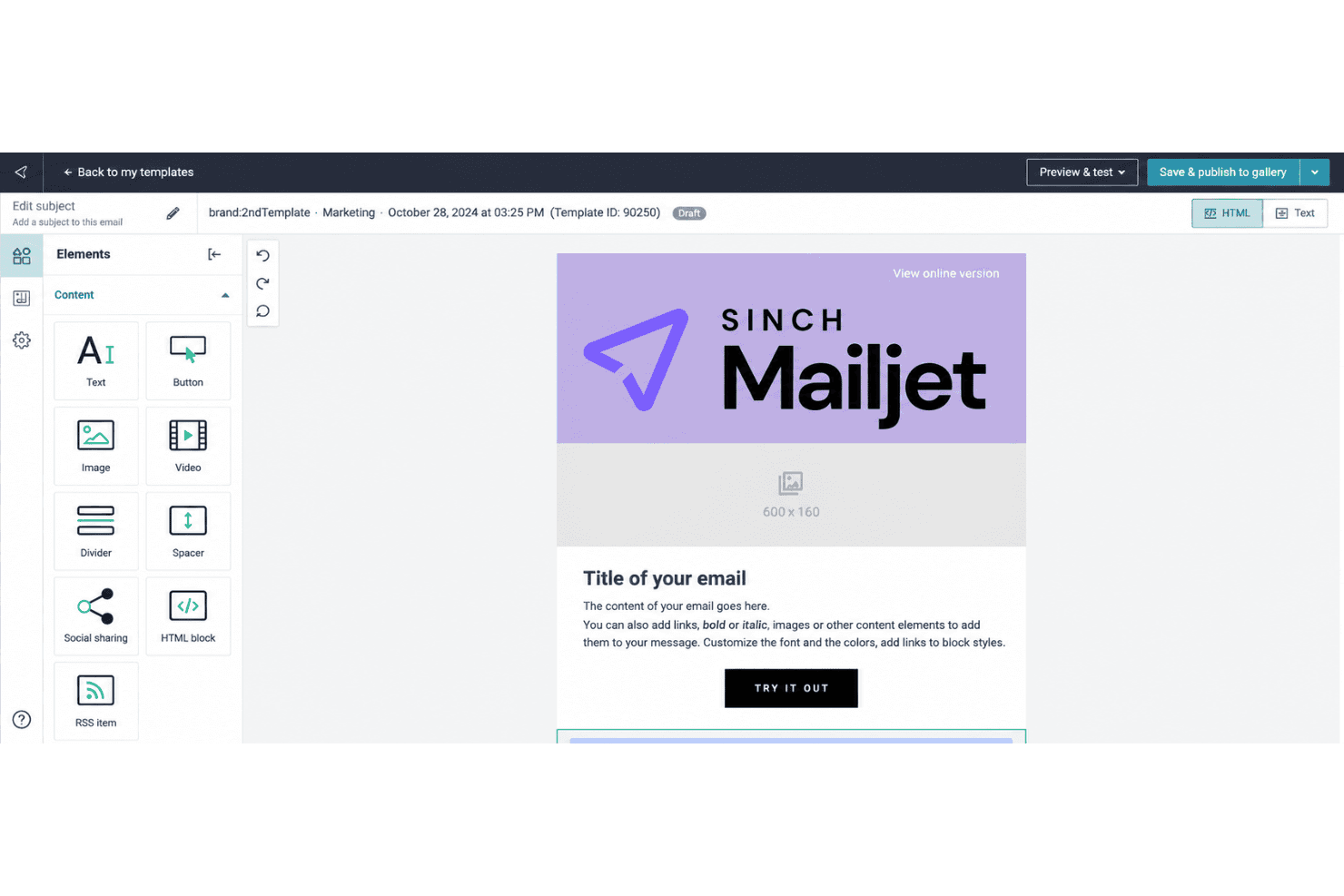
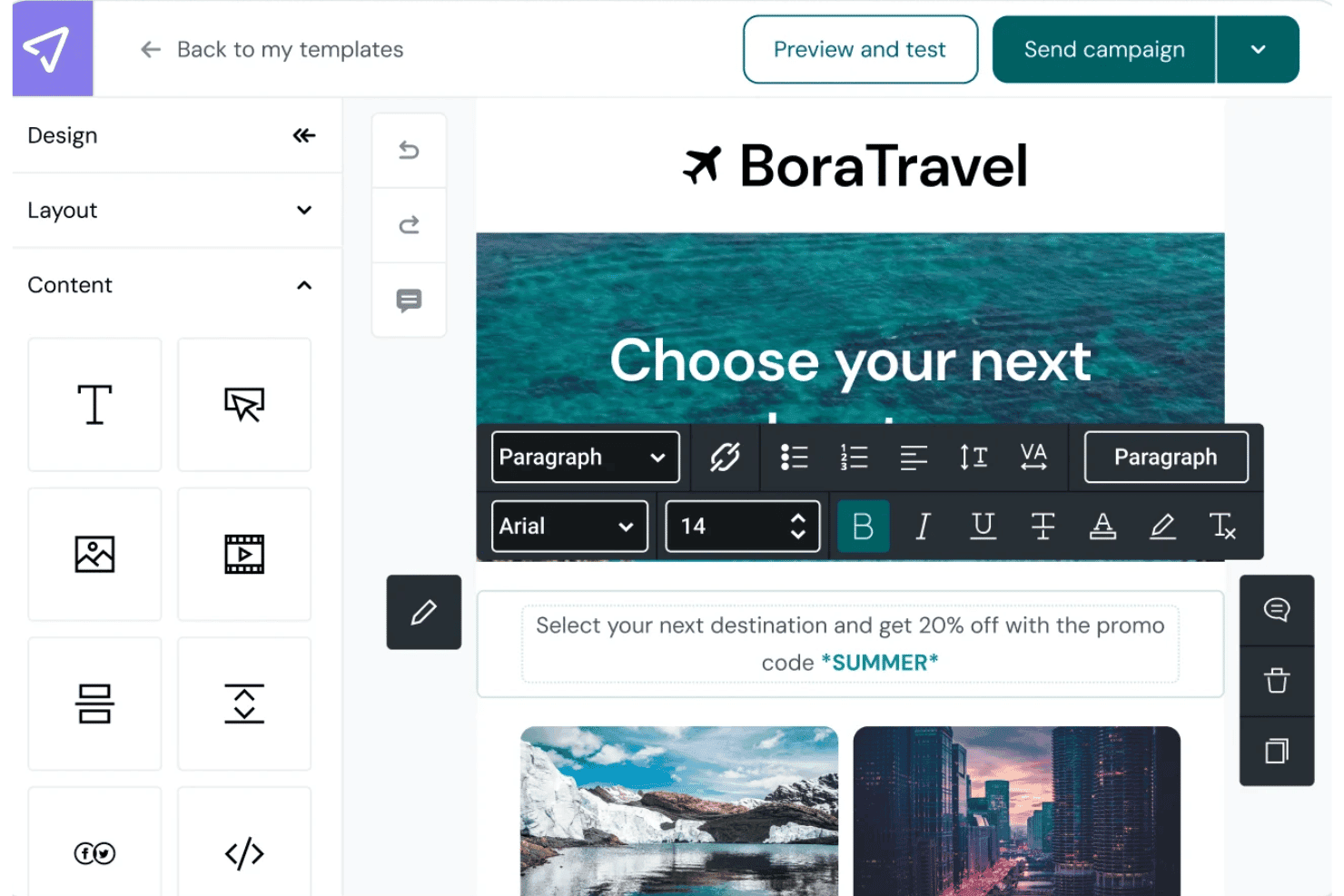
Mailjet’s drag-and-drop editor lets you build campaigns from templates or add text, images, links, and GIFs; responsive previews help you check how they’ll appear across devices and email clients. Teammates can edit and comment together, while saved sections help keep recurring newsletters on brand.
Contact List Management
Collect sign-ups with a website subscription widget or upload contacts using CSV, TXT, or XLS files; Mailjet checks uploads for errors and duplicate addresses. This gives you one place to maintain campaign lists and catch common data issues before sending.
Audience Segmentation
Create segments using contact attributes such as location, or behavior such as opens and clicks during a chosen period. You can send a product update to interested subscribers, for example, or target less active contacts with a re-engagement message.
Marketing Automation
Build no-code email workflows with event, timer, action, and condition blocks, using templates or your own sequence. A welcome journey can send an initial email after sign-up and branch based on a contact’s activity; advanced automation is reserved for higher tiers.
A/B Testing
Test up to 10 campaign versions at once, comparing elements such as subject lines, images, content, or calls to action. Set success criteria and send the winning version to the rest of your list to apply test results within the same campaign.
Campaign Analytics
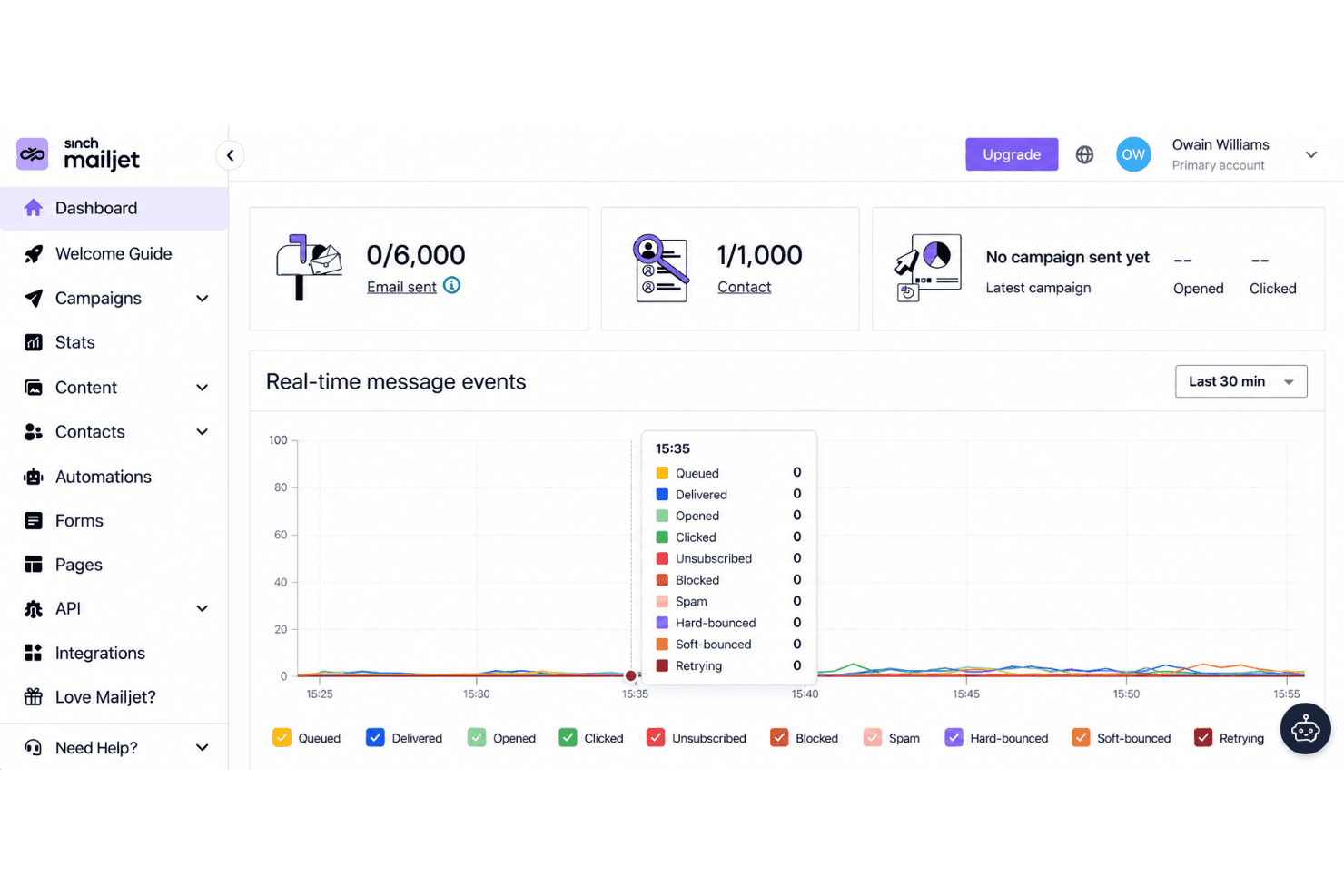
The Statistics Dashboard tracks delivery, opens, clicks, bounces, unsubscribes, and spam rates, with bot activity excluded from engagement analytics. Use the click map to see which links drew attention, or compare campaigns to guide your next send.
Ease of Use
Mailjet is easy to get started with: its drag-and-drop editor, responsive previews, and real-time comments make campaign creation and review straightforward. G2 reviewers praise its setup and ease of use, though some report limited template customization and difficulty merging contact lists. I’d call it approachable for routine campaigns, but less flexible when you need extensive design control or more advanced automation, which sits on higher tiers.
Integrations
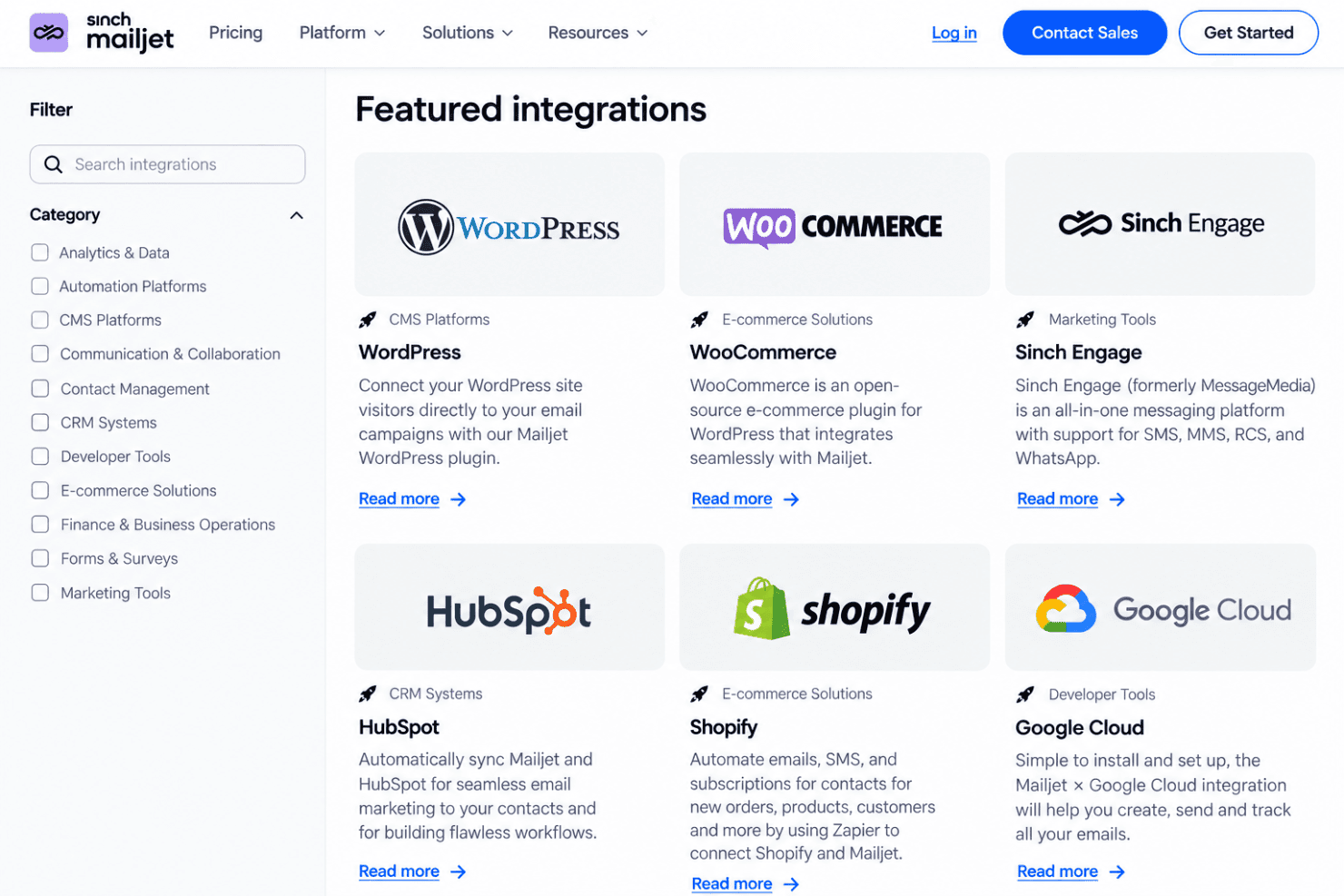
Mailjet integrates with Shopify, WordPress, HubSpot, Salesforce, Segment, WooCommerce, PrestaShop, and Google Cloud, among others.
Mailjet also offers an API for custom integrations and connects with third-party integration tools, including Zapier, Make, n8n, and Pipedream.
Mailjet Specs
- A/B Testing: Yes
- API: Yes
- Audience Targeting: Yes
- Brand Management: Yes
- Calendar Management: No
- Campaign Management: Yes
- Compliance Tracking: No
- Contact Management: Yes
- Contact Sharing: No
- Conversion Tracking: No
- CRM Integration: Yes
- Customer Management: No
- Dashboard: Yes
- Data Export: Yes
- Data Import: Yes
- Data Visualization: Yes
- Email Integration: Yes
- External Integrations: Yes
- Google Apps Integration: Yes
- Lead Management: No
- Lead Scoring: No
- Link Tracking: Yes
- Marketing Automation: Yes
- Multi-User: Yes
- Notifications: Yes
- Scheduling: Yes
- Social-Media Integration: No
- Third-Party Plugins/Add-Ons: Yes


