

Contentstack-Testbericht 2026: Vorteile, Nachteile, Funktionen und Preise
I put Contentstack’s composable architecture to the test—here’s where its flexibility shines, where costs and complexity surface, and who will get the most from it.

Wir bewerten Tools unabhängig, und Provisionen helfen, unsere Tests zu finanzieren. Siehe unsere Transparenz-Richtlinie, unsere Methodik oder schlagen Sie ein Tool vor.
Contentstack is a composable content management software platform for marketing teams that need to manage structured content across websites, apps, and other digital channels. Choose it over WordPress when your team needs an API-first setup, reusable content models, and greater control over omnichannel publishing.
Contentstack Evaluation Summary
4.8/5
- From $29/month
- Free plan available
Warum Sie unseren Software-Empfehlungen vertrauen können
6,700+
Reviews
20
Industry experts
16+
Evaluation factors
14
Years
Unser Team testet und bewertet Software seit 2012. Als Marketingführungskräfte wissen wir selbst, wie schwierig – und wichtig – es ist, die richtige Software auszuwählen.
Für diesen Leitfaden haben wir Tools mithilfe von praktischen Tests und unabhängiger Recherche bewertet und dabei unsere Bewertungskriterien angewendet.
Unsere Bewertungen spiegeln unser menschliches redaktionelles Urteilsvermögen wider, keine Verkaufsstrategie.
Expertenprüfer:
 Gui DrusinaKreativdirektor
- Shriya GhateSenior Marketing Lead
 Amanda JacquesMarketing Ops Leiterin

Contentstack Overview
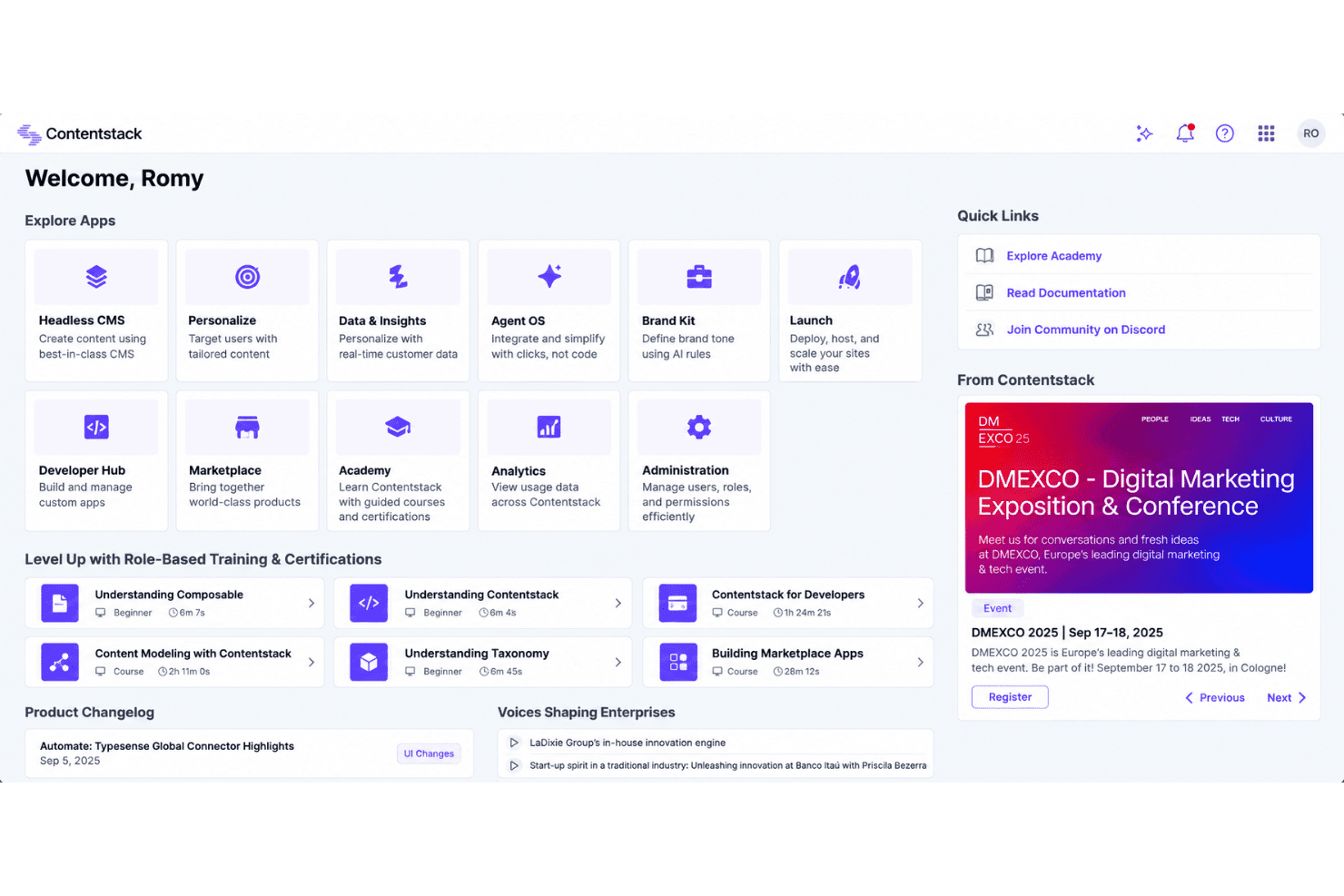
I’d choose Contentstack for teams that need API-first content modeling, reusable components, and publishing across websites, apps, and other channels. Its visual editing, workflows, localization, integrations, and developer tools support sophisticated content operations, while the interface remains approachable for marketers. However, custom pricing can exceed simpler platforms, and onboarding requires technical planning around schemas, APIs, and integrations. Support is strong for implementation-led projects, though smaller teams may prefer a lower-cost, faster setup. Compared with simpler options, Contentstack offers greater flexibility and governance but demands more investment, making it best for growing, multi-channel organizations.
Pros
- API-first modeling supports reusable content across omnichannel experiences.
- Visual Editor lets marketers update layouts without routine developer involvement.
- Workflows, releases, and branches support governed publishing across teams.
Cons
- Pricing is opaque and often expensive for smaller teams.
- Live preview setup can require substantial developer configuration.
- Localization and bulk publishing still involve manual work.
Is Contentstack Right For Your Needs?
Who Would be a Good Fit for Contentstack?
Contentstack fits organizations that need structured content across channels, sites, and teams. Its APIs, workflows, Releases, Visual Editor, integrations, and enterprise governance support complex publishing programs. Teams with developer support will get more from its headless architecture, Live Preview setup, and content modeling requirements.
- Enterprise BrandsContentstack supports multiple production sites, custom roles, workflows, personalization, and data residency through its Enterprise plan.
- Ecommerce TeamsEcommerce teams can connect Contentstack with commercetools, Algolia, Cloudinary, and other systems while managing structured product content through APIs.
- Global MarketingMarketing departments publishing across websites and channels can use structured content, Releases, workflows, and the Content Management API.
- Regulated OrganizationsOrganizations with strict publishing controls can use custom roles, approval workflows, Releases, audit-oriented governance, and enterprise support.
- Developer Led TeamsEngineering teams can build tailored digital experiences with Contentstack’s headless architecture, APIs, integrations, and developer-configured Live Preview.
- Content OperationsContent operations teams coordinating many contributors can use workflows, Visual Editor, Brand Kit, Agent OS, and centralized content modeling.
Who Would be a Bad Fit for Contentstack?
Contentstack is a poor match for teams seeking a simple, no-code website builder with minimal configuration. Its schemas, APIs, Live Preview setup, and technical documentation create more work than smaller teams may need. The pricing structure also becomes harder to justify when you need only one basic site, limited publishing controls, or a low-cost content platform.
- Solo CreatorsSolo creators may find Contentstack excessive because schemas, APIs, and Live Preview setup add technical work to a small publishing operation.
- Small BusinessesSmall businesses needing one basic website may not justify Growth pricing, workflows, enterprise features, and the configuration required by a headless CMS.
- No Code TeamsTeams without developer support may struggle with content modeling, API configuration, integrations, and the technical setup required for Live Preview.
- Basic Brochure SitesA simple brochure site rarely needs Releases, custom roles, multi-site delivery, or integrations with platforms such as commercetools and Algolia.
- Tight BudgetsBudget-conscious teams may outgrow the free and $29 Build plans quickly, while the $299 Growth plan adds a significant recurring cost.
- All In One CommerceBusinesses seeking built-in commerce may find Contentstack unsuitable because it connects with commercetools rather than providing a complete native commerce system.
Wie wir Tools testen und bewerten
Wir haben jahrelang unser Software-Test- und Bewertungssystem aufgebaut, verfeinert und verbessert. Das Bewertungsraster wurde entwickelt, um die Feinheiten der Softwareauswahl zu erfassen und aufzuzeigen, was ein Tool effektiv macht. Dabei konzentrieren wir uns auf kritische Aspekte des Entscheidungsprozesses. Im Folgenden können Sie genau nachvollziehen, wie unsere Tests und Bewertungen über sieben Kriterien hinweg funktionieren. Dies ermöglicht eine unparteiische Bewertung der Software basierend auf Kernfunktionen, besonderen Merkmalen, Benutzerfreundlichkeit, Onboarding, Kundenservice, Integrationen, Kundenrezensionen und Preis-Leistung.
Kernfunktionen (25% der Gesamtbewertung)
Der Ausgangspunkt unserer Bewertung ist stets die Kernfunktionalität des Tools. Verfügt es über die grundlegenden Merkmale und Funktionen, die ein Nutzer erwarten würde? Sind einige dieser Kernfunktionen nur in hochpreisigen Tarifen verfügbar? Im Kern erwarten wir, dass ein Tool den Basisfunktionen der Konkurrenz standhält.
Besondere Merkmale (25% der Gesamtbewertung)
Als nächstes bewerten wir außergewöhnliche, herausragende Funktionen, die über die übliche Kernfunktionalität hinausgehen. Eine hohe Punktzahl spiegelt spezialisierte oder einzigartige Merkmale wider, die das Produkt schneller, effizienter oder wertvoller für den Nutzer machen. Wir bewerten außerdem, wie einfach es ist, das Tool in andere häufig verwendete Anwendungen im Tech-Stack zu integrieren, um die Funktionalität und den Nutzen der Software zu erweitern. Tools, die viele native Integrationen, Drittanbieter-Anbindungen sowie API-Zugriff für eigene Integrationen bieten, schneiden am besten ab.
Benutzerfreundlichkeit (10% der Gesamtbewertung)
Wir berücksichtigen, wie schnell und einfach sich Aufgaben, die zu den Kernfunktionen gehören, mit dem Tool ausführen lassen. Hoch bewertete Software ist gut gestaltet, intuitiv bedienbar, bietet mobile Apps, Vorlagen und lässt auch komplexe Aufgaben einfach erscheinen.
Onboarding (10% der Gesamtbewertung)
Uns ist bewusst, wie wichtig eine schnelle Akzeptanz im Team für eine neue Plattform ist. Daher bewerten wir, wie leicht sich das Tool mit minimaler Einweisung erlernen und anwenden lässt und wie schnell Teammitglieder auch ohne Vorerfahrung loslegen können. Eine hohe Punktzahl deutet darauf hin, dass kaum oder gar keine Unterstützung notwendig ist.
Kundenservice (10% der Gesamtbewertung)
Wir prüfen, wie schnell und einfach es ist, bei Problemen Hilfe per Telefon, Live-Chat oder Wissensdatenbank zu erhalten. Tools und Unternehmen, die Support in Echtzeit anbieten, erhalten die besten Bewertungen; Chatbots schneiden am schlechtesten ab.
Kundenrezensionen (10% der Gesamtbewertung)
Neben unseren eigenen Tests und Bewertungen berücksichtigen wir den Net Promoter Score aktueller und ehemaliger Kunden. Wir prüfen, wie wahrscheinlich sie sich erneut für das Tool bezüglich der Kernfunktionen entscheiden würden. Hoch bewertete Software spiegelt einen hohen Net Promoter Score der Nutzer wider.
Preis-Leistung (10% der Gesamtbewertung)
Abschließend bewerten wir unter Berücksichtigung aller anderen Kriterien den Durchschnittspreis der Einsteiger-Tarife im Verhältnis zu den Kernfunktionen sowie den Wert der anderen bewerteten Aspekte. Software, die mehr für weniger bietet, wird besser bewertet.
Core Features
Content Modeling
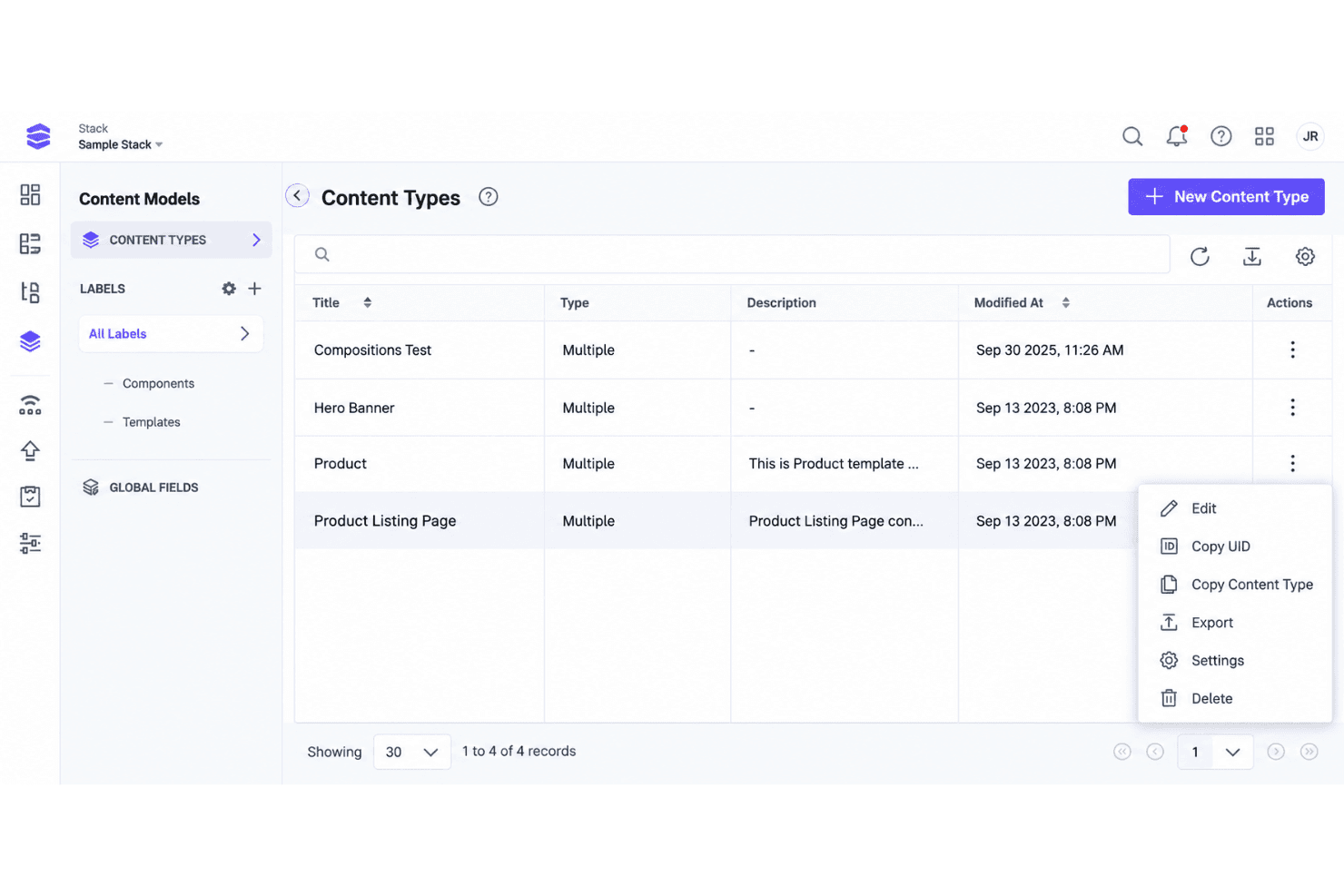
Contentstack lets you define structured content types, fields, and reusable components through an API-first model. This gives teams consistent content for websites, apps, and other channels, such as reusing one product description across multiple campaigns.
Visual Editor
The Visual Editor lets marketers edit content in a page context and preview changes before publishing. Teams can adjust page content without asking developers to handle every update.
Workflows
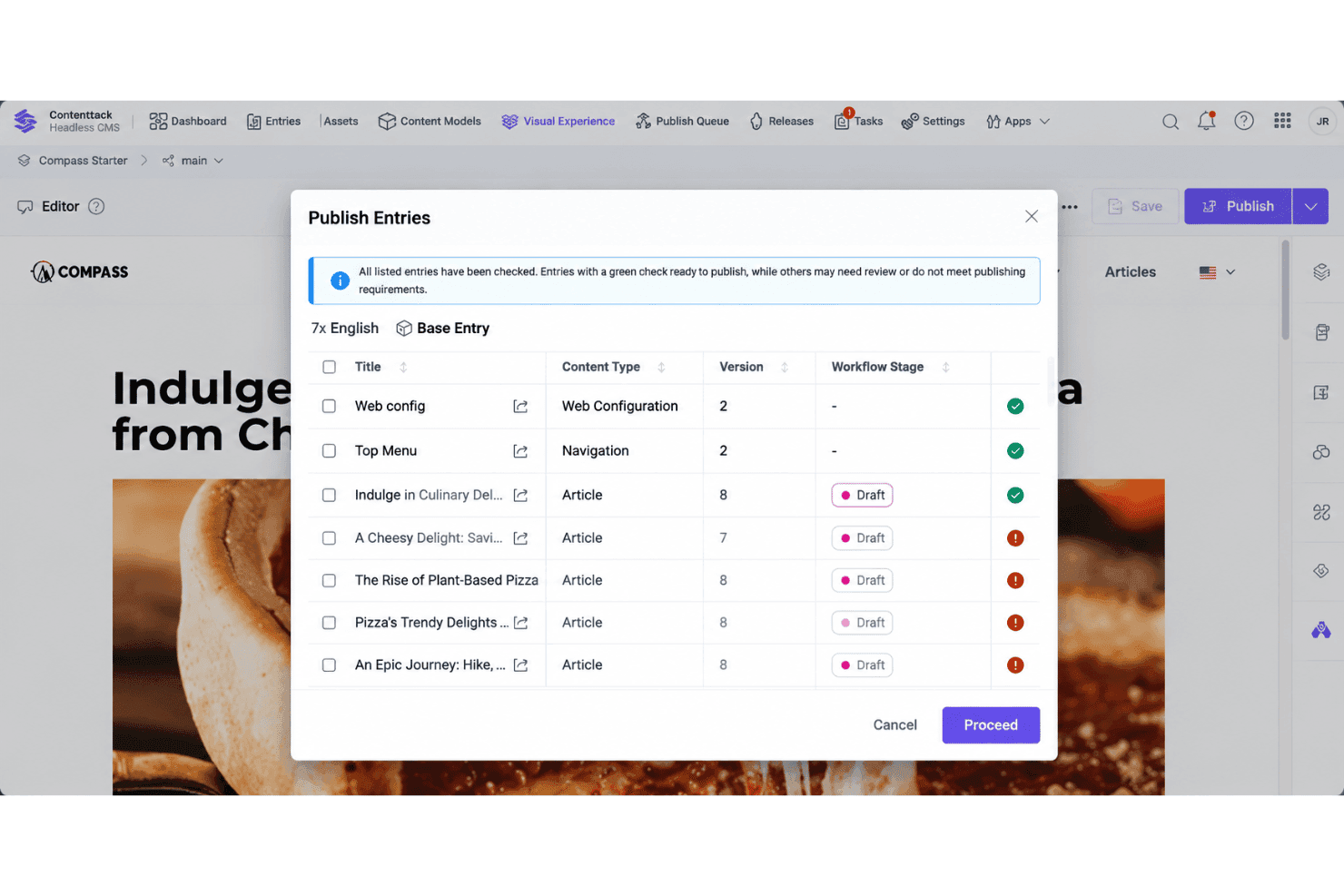
Workflows assign content stages, responsibilities, and approval steps to publishing processes. Marketing teams can route a campaign page from drafting to review and approval before it goes live.
Releases
Releases group related content changes for scheduled or coordinated publishing. A team can prepare landing pages, product updates, and campaign copy together, then publish them at a planned time.
Localization
Contentstack supports localized content for teams managing multiple languages and regional experiences. Editors can create language variants while keeping shared content structures consistent across markets.
Live Preview
Live Preview shows how content will appear on a connected website or application before publication. Developers configure the preview environment, giving marketers a practical way to check page context and presentation.
Ease of Use
Contentstack is approachable for content teams once the underlying content model is configured. Visual Editor provides no-code, in-context editing, while Workflows and Releases help teams manage approvals and coordinated publishing. However, initial setup can require developer involvement, particularly for schemas, APIs, integrations, and Live Preview configuration. It suits teams that need structured content and governance rather than a fully turnkey CMS.
Integrations
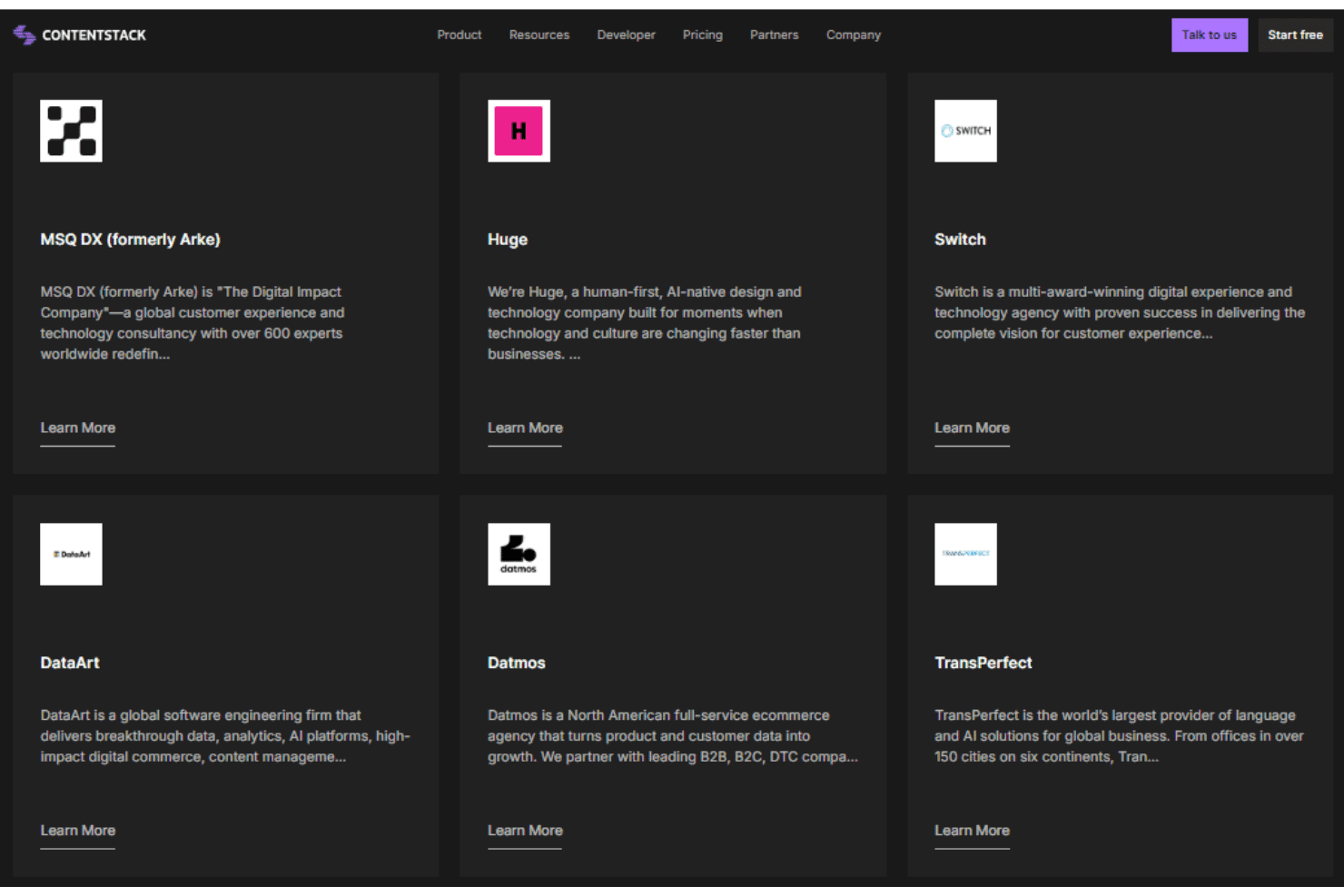
Contentstack integrates with Algolia, commercetools, Bynder, Cloudinary, Salesforce CRM data, and Salesforce Commerce, among other tools and services.
Contentstack also provides a Content Management API for custom integrations and connects with third-party automation tools such as Zapier.
Contentstack Specs
- A/B Testing: Yes
- API: Yes
- Batch Permissions & Access: Yes
- Dashboard: Yes
- Data Export: Yes
- Data Import: Yes
- Data Visualization: Yes
- External Integrations: Yes
- File Sharing: No
- File Transfer: No
- Multi-User: Yes
- Notifications: Yes
- Third-Party Plugins/Add-Ons: Yes


