

AWeber Testbericht: Vorteile, Nachteile, Funktionen und Preise
AWeber überzeugt durch benutzerfreundliche Funktionen und erschwingliche Preise und ist damit eine gute Wahl für kleine Unternehmen, die ihr E-Mail-Marketing verbessern möchten.

Wir bewerten Tools unabhängig, und Provisionen helfen, unsere Tests zu finanzieren. Siehe unsere Transparenz-Richtlinie, unsere Methodik oder schlagen Sie ein Tool vor.
AWeber is an email marketing software built for small businesses, creators, and solopreneurs who need to grow an email list, send newsletters, and automate follow-up sequences without a complicated setup. I'd consider it over something like Mailchimp if you want more predictable pricing as your list scales and don't want to lose access to core features the moment you outgrow a free plan.
AWeber Evaluation Summary
4.3/5
- From $12.50/month (billed annually)
- Free trial available
Warum Sie unseren Software-Empfehlungen vertrauen können
6,700+
Reviews
20
Industry experts
16+
Evaluation factors
14
Years
Unser Team testet und bewertet Software seit 2012. Als Marketingführungskräfte wissen wir selbst, wie schwierig – und wichtig – es ist, die richtige Software auszuwählen.
Für diesen Leitfaden haben wir Tools mithilfe von praktischen Tests und unabhängiger Recherche bewertet und dabei unsere Bewertungskriterien angewendet.
Unsere Bewertungen spiegeln unser menschliches redaktionelles Urteilsvermögen wider, keine Verkaufsstrategie.
Expertenprüfer:
 Gui DrusinaKreativdirektor
- Shriya GhateSenior Marketing Lead
 Amanda JacquesMarketing Ops Leiterin

AWeber Overview
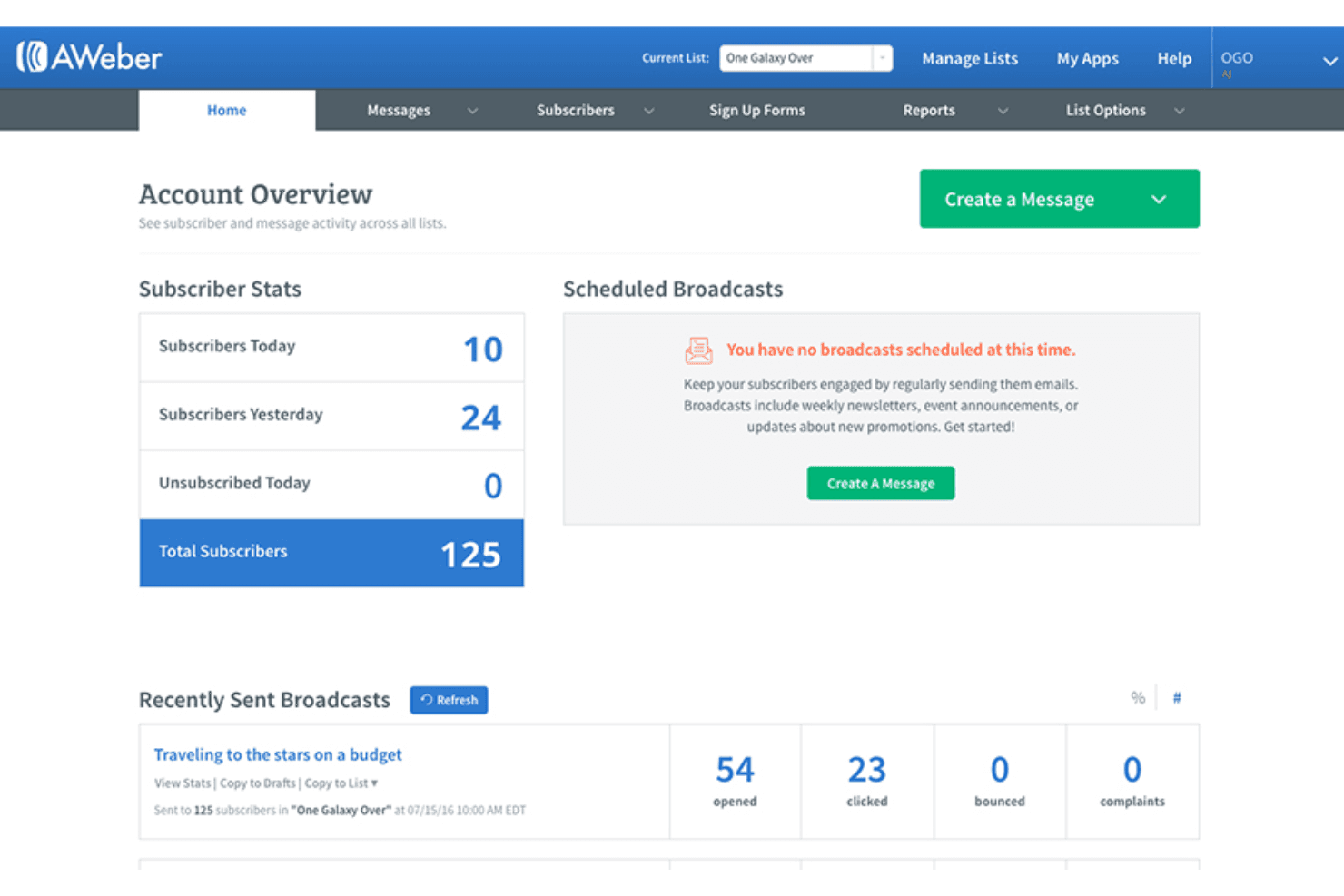
In my opinion, AWeber is a solid option for those seeking reliable email marketing software, especially small businesses and entrepreneurs. Its user-friendly interface, extensive knowledge base, and strong customer support make it appealing, though it might lack some advanced features found in competitors, such as Mailchimp or ActiveCampaign. It shines in ease of use and value for money, offering good functionality without breaking the bank. If you're looking for advanced automation or integration options, you might find it lacking, though it does include web push notification and webinar funnel features. AWeber is best for users who prioritize straightforward email marketing tasks over complex workflows.
Pros
- It's great for beginners working with basic HTML customizations.
- Customer support is responsive and helpful.
- It offers solid basic email automation features, including subject line testing and simple split testing.
Cons
- More advanced automation options are limited compared to competitors.
- Some users feel the design templates are outdated.
- Reporting features, such as transaction fee tracking, could be more detailed.
Is AWeber Right For Your Needs?
Who Would be a Good Fit for AWeber?
AWeber is a good fit for small businesses, freelancers, and entrepreneurs who need simple email marketing tools with effective opt-in management. Its ease of use and reliable customer support make it ideal for teams without dedicated marketing experts. If your work involves straightforward email campaigns, pop-up forms, page templates, Really Simple Syndication feeds, and basic automation, AWeber's features—such as responsive email templates and simple automation—will meet your needs.
- Small BusinessesAWeber is great for small businesses because it offers simple automation, a drag-and-drop email editor, and user-friendly design tools.
- FreelancersFreelancers can benefit from its ease of use, allowing them to manage their own marketing with AWeber's landing page builder.
- EntrepreneursEntrepreneurs find AWeber useful for its basic features that help kickstart email marketing without complexity.
- Local ShopsLocal shops appreciate AWeber's straightforward email templates and easy list management for community outreach.
- Online StoresOnline stores can use AWeber's automation to send timely promotions, transaction-style updates via Stripe integrations, and customer notifications.
- NonprofitsNonprofits can benefit from AWeber's simple email tools to engage donors and supporters effectively.
Who Would be a Bad Fit for AWeber?
AWeber isn't ideal for large enterprises or teams needing advanced automation and detailed reporting. If your work requires complex workflows, intricate segmentation, or sophisticated integrations, AWeber's core feature set might fall short. Marketing departments in tech companies or large-scale e-commerce platforms might find AWeber's limitations in automation and reporting a hindrance.
- Large EnterprisesLarge enterprises might find AWeber lacking in advanced features needed for complex marketing campaigns.
- Tech CompaniesTech companies often require intricate automation and integrations that AWeber doesn't fully support.
- E-Commerce GiantsE-commerce giants typically need more sophisticated reporting, transaction fee insights, and segmentation than AWeber offers.
- Marketing AgenciesMarketing agencies might find AWeber's feature set too basic for handling multiple, diverse client needs.
- Data-Driven TeamsData-driven teams often require detailed analytics and reporting that AWeber's current capabilities don't fulfill.
Wie wir Tools testen und bewerten
Wir haben jahrelang unser Software-Test- und Bewertungssystem aufgebaut, verfeinert und verbessert. Das Bewertungsraster wurde entwickelt, um die Feinheiten der Softwareauswahl zu erfassen und aufzuzeigen, was ein Tool effektiv macht. Dabei konzentrieren wir uns auf kritische Aspekte des Entscheidungsprozesses. Im Folgenden können Sie genau nachvollziehen, wie unsere Tests und Bewertungen über sieben Kriterien hinweg funktionieren. Dies ermöglicht eine unparteiische Bewertung der Software basierend auf Kernfunktionen, besonderen Merkmalen, Benutzerfreundlichkeit, Onboarding, Kundenservice, Integrationen, Kundenrezensionen und Preis-Leistung.
Kernfunktionen (25% der Gesamtbewertung)
Der Ausgangspunkt unserer Bewertung ist stets die Kernfunktionalität des Tools. Verfügt es über die grundlegenden Merkmale und Funktionen, die ein Nutzer erwarten würde? Sind einige dieser Kernfunktionen nur in hochpreisigen Tarifen verfügbar? Im Kern erwarten wir, dass ein Tool den Basisfunktionen der Konkurrenz standhält.
Besondere Merkmale (25% der Gesamtbewertung)
Als nächstes bewerten wir außergewöhnliche, herausragende Funktionen, die über die übliche Kernfunktionalität hinausgehen. Eine hohe Punktzahl spiegelt spezialisierte oder einzigartige Merkmale wider, die das Produkt schneller, effizienter oder wertvoller für den Nutzer machen. Wir bewerten außerdem, wie einfach es ist, das Tool in andere häufig verwendete Anwendungen im Tech-Stack zu integrieren, um die Funktionalität und den Nutzen der Software zu erweitern. Tools, die viele native Integrationen, Drittanbieter-Anbindungen sowie API-Zugriff für eigene Integrationen bieten, schneiden am besten ab.
Benutzerfreundlichkeit (10% der Gesamtbewertung)
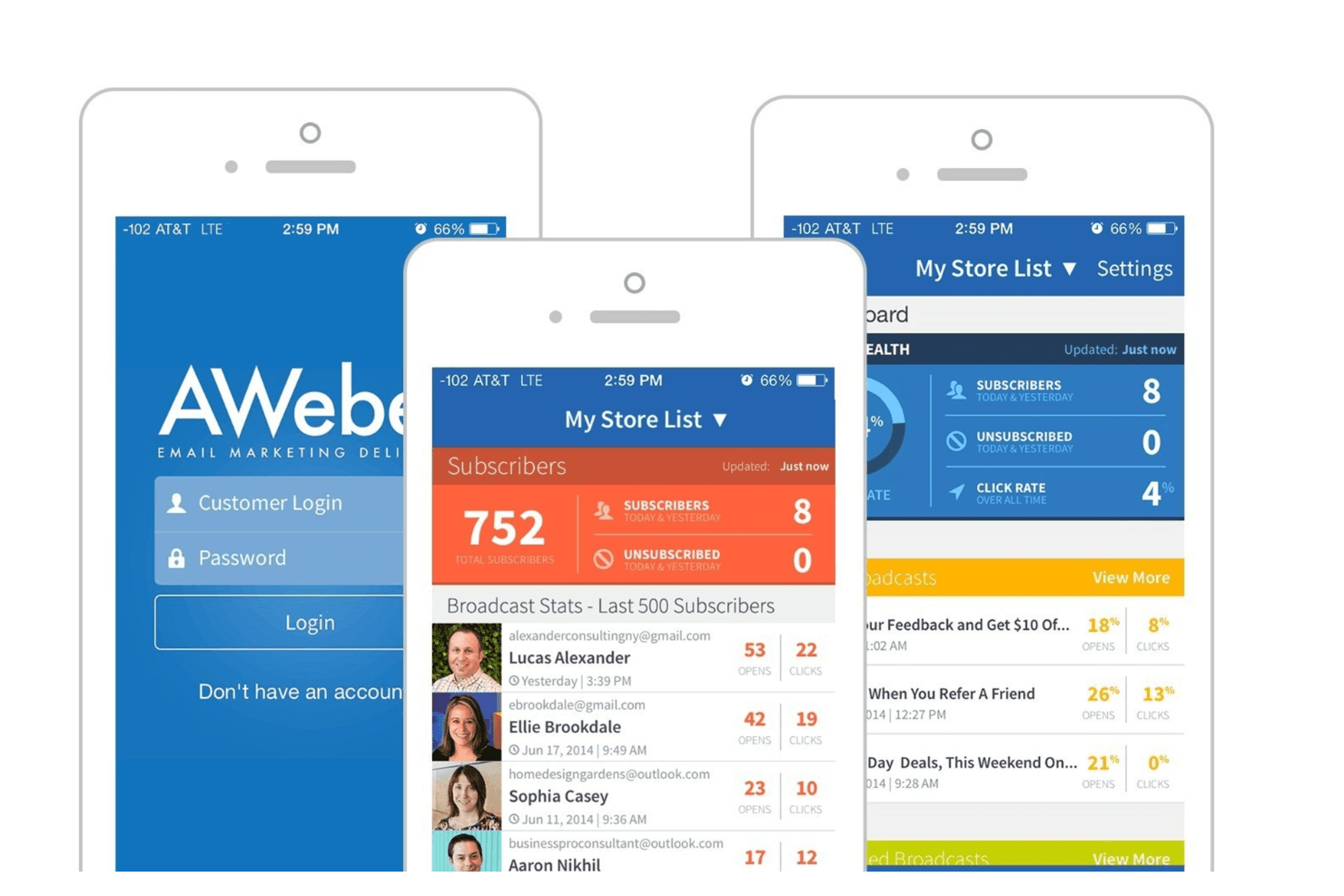
Wir berücksichtigen, wie schnell und einfach sich Aufgaben, die zu den Kernfunktionen gehören, mit dem Tool ausführen lassen. Hoch bewertete Software ist gut gestaltet, intuitiv bedienbar, bietet mobile Apps, Vorlagen und lässt auch komplexe Aufgaben einfach erscheinen.
Onboarding (10% der Gesamtbewertung)
Uns ist bewusst, wie wichtig eine schnelle Akzeptanz im Team für eine neue Plattform ist. Daher bewerten wir, wie leicht sich das Tool mit minimaler Einweisung erlernen und anwenden lässt und wie schnell Teammitglieder auch ohne Vorerfahrung loslegen können. Eine hohe Punktzahl deutet darauf hin, dass kaum oder gar keine Unterstützung notwendig ist.
Kundenservice (10% der Gesamtbewertung)
Wir prüfen, wie schnell und einfach es ist, bei Problemen Hilfe per Telefon, Live-Chat oder Wissensdatenbank zu erhalten. Tools und Unternehmen, die Support in Echtzeit anbieten, erhalten die besten Bewertungen; Chatbots schneiden am schlechtesten ab.
Kundenrezensionen (10% der Gesamtbewertung)
Neben unseren eigenen Tests und Bewertungen berücksichtigen wir den Net Promoter Score aktueller und ehemaliger Kunden. Wir prüfen, wie wahrscheinlich sie sich erneut für das Tool bezüglich der Kernfunktionen entscheiden würden. Hoch bewertete Software spiegelt einen hohen Net Promoter Score der Nutzer wider.
Preis-Leistung (10% der Gesamtbewertung)
Abschließend bewerten wir unter Berücksichtigung aller anderen Kriterien den Durchschnittspreis der Einsteiger-Tarife im Verhältnis zu den Kernfunktionen sowie den Wert der anderen bewerteten Aspekte. Software, die mehr für weniger bietet, wird besser bewertet.
Core Features
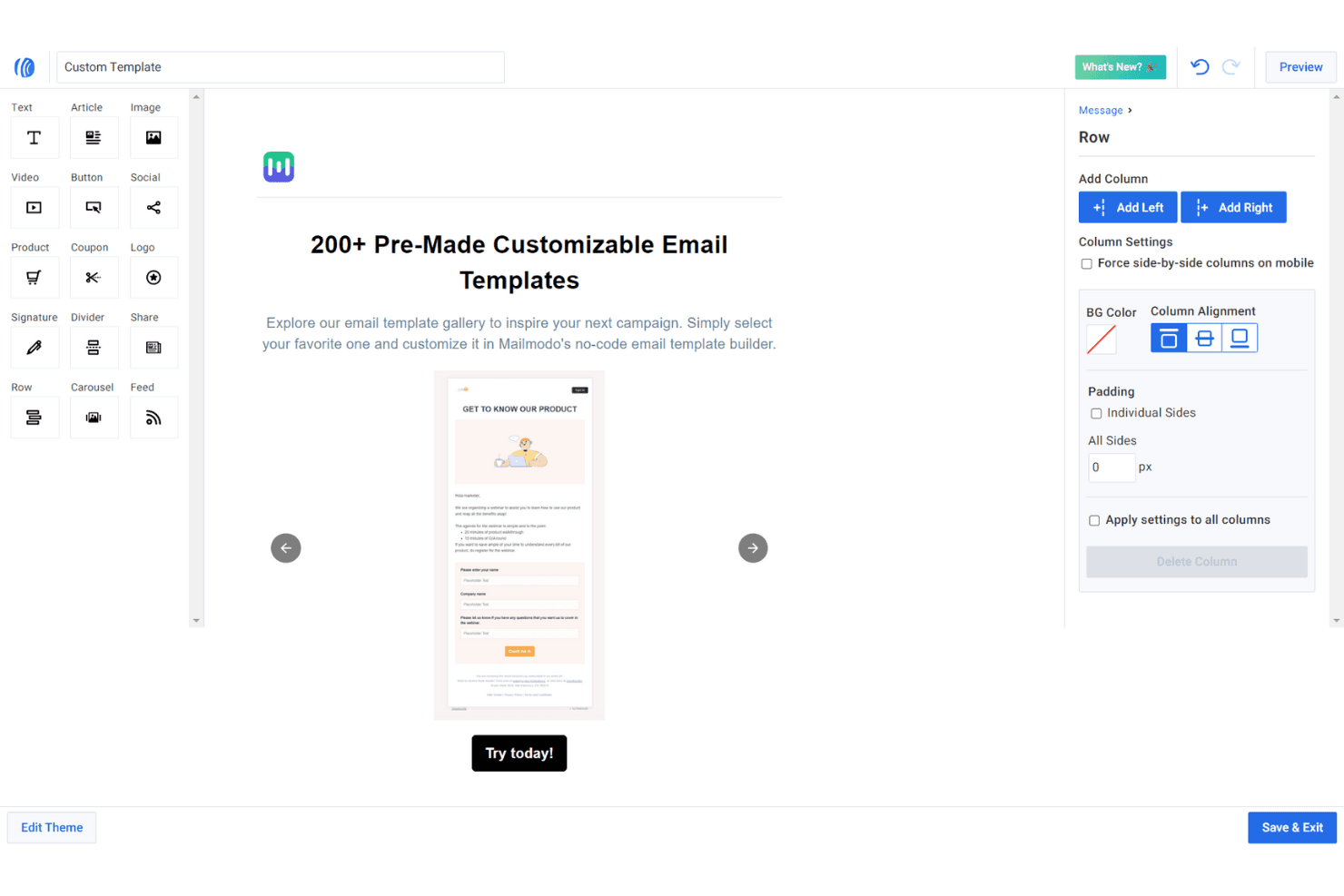
Email Templates: AWeber provides a variety of pre-designed email templates and landing page templates that allow you to create professional-looking emails quickly. You can customize them to fit your brand's style using basic HTML and stock photos, saving you time on design work.
Automation: AWeber allows you to set up basic email automation, such as welcome sequences and autoresponder follow-ups. This helps your team engage with subscribers without manual intervention.
Subscriber Management: You can organize your contacts with tags and segments to target specific audiences. This feature ensures your messages reach the right people.
Analytics: AWeber offers basic analytics to track open rates, click-throughs, and more. These insights help you understand your audience's behavior and improve your campaigns.
A/B Testing: You can test different email elements to see what resonates best with your audience. This feature helps optimize your email strategy for better results.
Drag-and-Drop Editor: AWeber's editor makes it simple to design emails without coding knowledge. You can quickly add images, text, and buttons to craft engaging messages.
Ease of Use
AWeber is user-friendly, making it a great option for beginners or small teams without technical expertise. The landing page builder and drag-and-drop editor simplify email design, while the automation setup is intuitive and straightforward. AWeber reviews appreciate the clean user interface, which allows for easy navigation and efficient campaign management. AWeber's responsive customer support further strengthens usability by providing quick assistance when needed, ensuring your small business can focus on creating effective email campaigns without technical hurdles.
Integrations
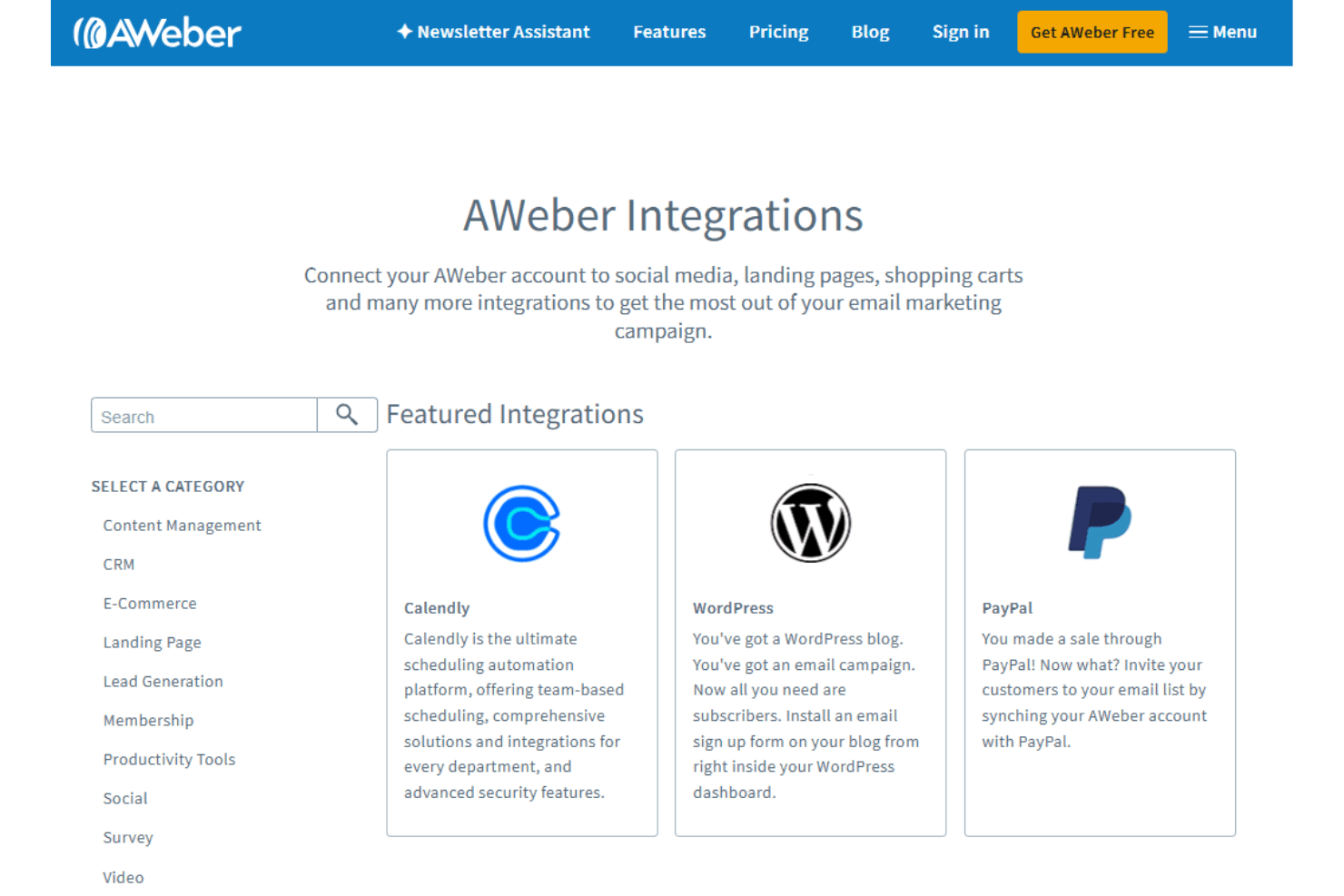
AWeber integrates with Salesforce, HubSpot CRM, Zoho CRM, Shopify, WooCommerce, PayPal, ClickFunnels, LeadPages, OptinMonster, Stripe, Canva, and Google Calendar.
AWeber also has an API and connects with third-party integration tools such as Zapier, WordPress, and Microsoft Power Platform.
AWeber Specs
- A/B Testing: Yes
- API: Yes
- Audience Targeting: Yes
- Brand Management: Yes
- Calendar Management: Yes
- Campaign Management: Yes
- Compliance Tracking: Yes
- Contact Management: Yes
- Contact Sharing: Yes
- Conversion Tracking: Yes
- CRM Integration: Yes
- Customer Management: Yes
- Dashboard: Yes
- Data Export: Yes
- Data Import: Yes
- Data Visualization: Yes
- Email Integration: Yes
- External Integrations: Yes
- Google Apps Integration: Yes
- Lead Management: Yes
- Lead Scoring: Yes
- Link Tracking: Yes
- Marketing Automation: Yes
- Multi-User: Yes
- Notifications: Yes
- Scheduling: Yes
- Social-Media Integration: Yes
- Third-Party Plugins/Add-Ons: Yes


