
Air Review: Pros, Cons, Features and Pricing
Air excels in fostering team collaboration with real-time updates and unique prioritization features, setting it apart in marketing asset management.

We review tools independently, and commissions help fund our testing. See our transparency policy, our methodology, or suggest a tool.
Air is a marketing asset management software built for creative and marketing teams that need one central place to store, review, and share brand assets. If you're deciding between Air and something like Bynder, I'd lean toward Air when your team wants a more visually intuitive workspace without the setup complexity of a traditional enterprise DAM. It's worth a close look if your team moves fast on creative production and needs a tool that keeps pace.
Air Evaluation Summary
4.6/5
- From $900/month (billed annually)
- Free plan + demo available
Why Trust Our Software Recommendations
6,700+
Reviews
20
Industry experts
16+
Evaluation factors
14
Years
Our team has been testing and reviewing software since 2012. As marketing leaders ourselves, we know how difficult—and important—it is to choose the right software.
For this guide, we evaluated tools using hands-on testing and independent research, scoring tools using our selection criteria.
Our reviews reflect our human editorial judgment, not a sales pitch.
Expert reviewers:
 Gui DrusinaCreative Director
- Shriya GhateSenior Marketing Lead
 Amanda JacquesMarketing Ops Leader

Air Overview
In my opinion, Air is a solid option for marketing asset management, especially for teams needing effective collaboration and asset organization. It excels with standout features like integrations and real-time updates, making it a great choice for tech-savvy teams. However, its value for money could be better compared to more budget-friendly options. I think Air suits creative agencies and tech startups well, offering a user-friendly interface and strong support. If you're deciding between collaboration platforms, consider Air for its unique prioritization and collaboration tools, but weigh your budgetary constraints. For those evaluating alternatives, understanding these trade-offs is essential.
Pros
- It offers real-time collaboration features that boost team productivity.
- The interface is intuitive and easy for your team to navigate.
- It provides strong asset organization tools for better workflow management.
Cons
- Customizing features can be limited for complex needs.
- It might have a steeper learning curve for non-tech users.
- Advanced reporting features are not as comprehensive as some competitors.
Is Air Right For Your Needs?
Who Would be a Good Fit for Air?
Air is great for creative agencies and tech startups that rely on dynamic content and agile workflows. Your team will benefit from its real-time collaboration tools and intuitive interface, which enhance productivity and asset management. If you work in fast-paced environments where efficient asset organization is key, Air's functionalities will support your needs effectively. The platform's digital asset management (DAM) capabilities make it particularly valuable for teams managing extensive asset libraries across various formats.
- Creative AgenciesAir helps your team manage creative projects with its intuitive interface and strong asset organization tools.
- Tech StartupsYour startup can thrive with Air's real-time collaboration and agile workflow capabilities, boosting team productivity.
- Marketing TeamsAir's features help you streamline asset management and boost collaboration in your marketing projects.
- Design DepartmentsYour design team will appreciate Air's easy navigation and robust asset organization for efficient project management.
- Digital Content CreatorsAir supports your work with tools for organizing and managing digital assets seamlessly.
- Remote TeamsAir's collaboration features help your remote team stay connected and productive, no matter where you are.
Who Would be a Bad Fit for Air?
Air might not be ideal for large enterprises with complex asset management needs due to its limited customization options. If your team requires advanced reporting features or highly specialized functionalities, Air's offerings might fall short. Those in industries with stringent compliance requirements or non-tech users might find the learning curve challenging, making it less suitable for your needs.
- Large EnterprisesYour large-scale operations might struggle with Air's limited customization and advanced reporting capabilities.
- Finance DepartmentsComplex compliance requirements in finance make Air's functionalities less suitable for your department's needs.
- Manufacturing CompaniesManufacturing processes requiring specialized asset management might find Air's features inadequate for your needs.
- Legal TeamsYour legal team might need more advanced reporting and customization than Air can offer.
- Government AgenciesGovernment agencies with strict compliance and reporting needs might find Air lacking in necessary features.
How We Test & Score Tools
We’ve spent years building, refining, and improving our software testing and scoring system. The rubric is designed to capture the nuances of software selection and what makes a tool effective, focusing on critical aspects of the decision-making process.
Below, you can see exactly how our testing and scoring works across seven criteria. It allows us to provide an unbiased evaluation of the software based on core functionality, standout features, ease of use, onboarding, customer support, integrations, customer reviews, and value for money.
Core Functionality (25% of final scoring)
The starting point of our evaluation is always the core functionality of the tool. Does it have the basic features and functions that a user would expect to see? Are any of those core features locked to higher-tiered pricing plans? At its core, we expect a tool to stand up against the baseline capabilities of its competitors.
Standout Features (25% of final scoring)
Next, we evaluate uncommon standout features that go above and beyond the core functionality typically found in tools of its kind. A high score reflects specialized or unique features that make the product faster, more efficient, or offer additional value to the user.
We also evaluate how easy it is to integrate with other tools typically found in the tech stack to expand the functionality and utility of the software. Tools offering plentiful native integrations, 3rd party connections, and API access to build custom integrations score best.
Ease of Use (10% of final scoring)
We consider how quick and easy it is to execute the tasks defined in the core functionality using the tool. High scoring software is well designed, intuitive to use, offers mobile apps, provides templates, and makes relatively complex tasks seem simple.
Onboarding (10% of final scoring)
We know how important rapid team adoption is for a new platform, so we evaluate how easy it is to learn and use a tool with minimal training. We evaluate how quickly a team member can get set up and start using the tool with no experience. High scoring solutions indicate little or no support is required.
Customer Support (10% of final scoring)
We review how quick and easy it is to get unstuck and find help by phone, live chat, or knowledge base. Tools and companies that provide real-time support score best, while chatbots score worst.
Customer Reviews (10% of final scoring)
Beyond our own testing and evaluation, we consider the net promoter score from current and past customers. We review their likelihood, given the option, to choose the tool again for the core functionality. A high scoring software reflects a high net promoter score from current or past customers.
Value for Money (10% of final scoring)
Lastly, in consideration of all the other criteria, we review the average price of entry level plans against the core features and consider the value of the other evaluation criteria. Software that delivers more, for less, will score higher.
Core Features
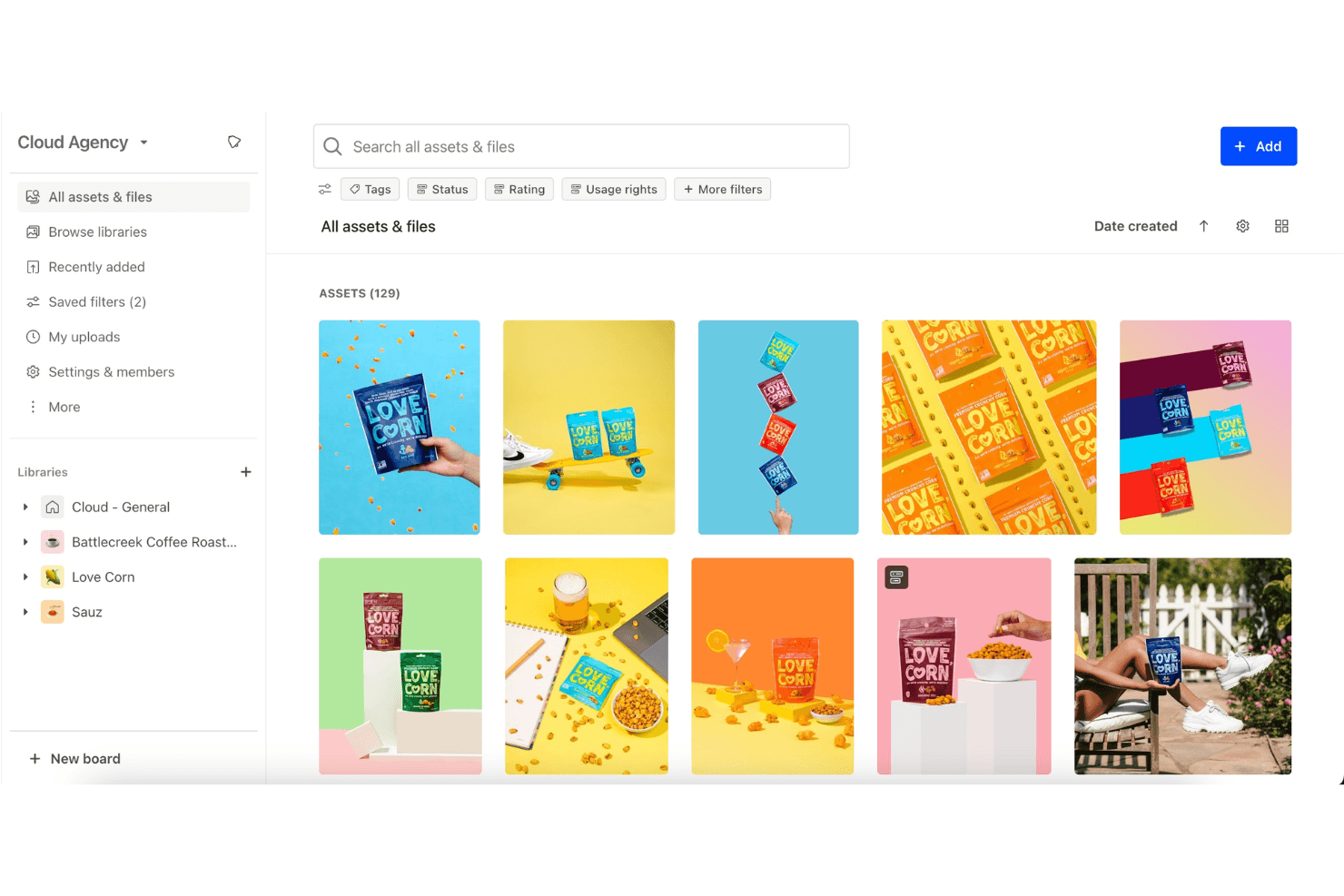
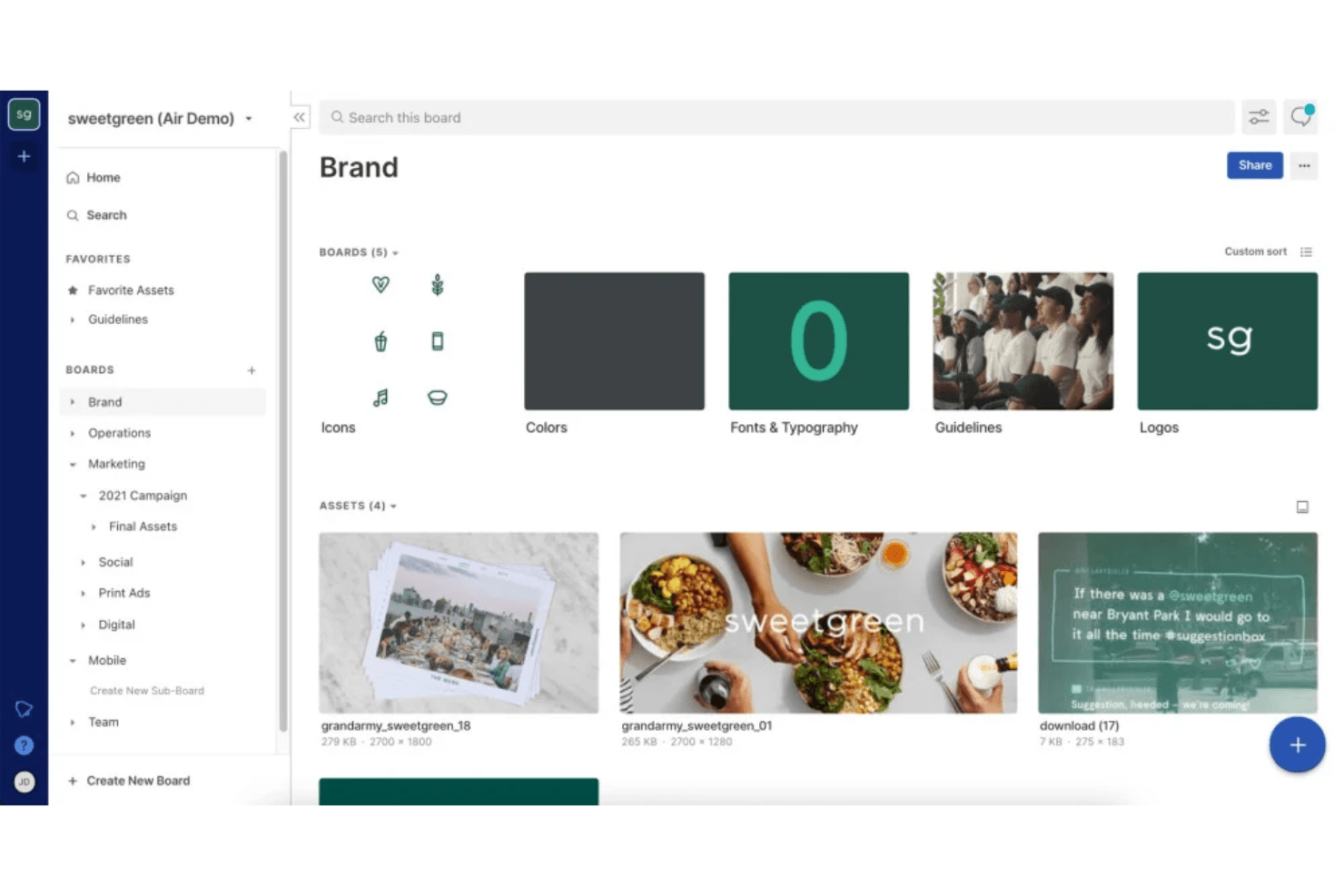
Asset Organization
Air lets you categorize and tag your digital assets, making it easy for your team to find what you need. This feature enhances workflow efficiency.
Version Control
You can track changes and updates to your files, ensuring your team always works with the latest versions. This prevents confusion over outdated assets.
Real-Time Collaboration
Air allows your team to work together on projects simultaneously, boosting productivity. It's perfect for dynamic environments.
User Permissions
You can control who accesses what within your team, maintaining security. This feature protects sensitive information.
Search Functionality
Air offers powerful search capabilities, helping you locate assets quickly with keywords or tags. This saves your team time and effort.
Customizable Workspaces
You can tailor your workspace to fit your team's needs, providing a personalized experience. This feature adapts to your unique processes.
Standout Features
Prioritization Tools
Air provides unique prioritization features that help your team focus on what matters most, enhancing productivity and task management.
Real-Time Updates
Your team receives instant notifications about changes, keeping everyone informed and aligned. This feature ensures seamless communication.

Ease of Use
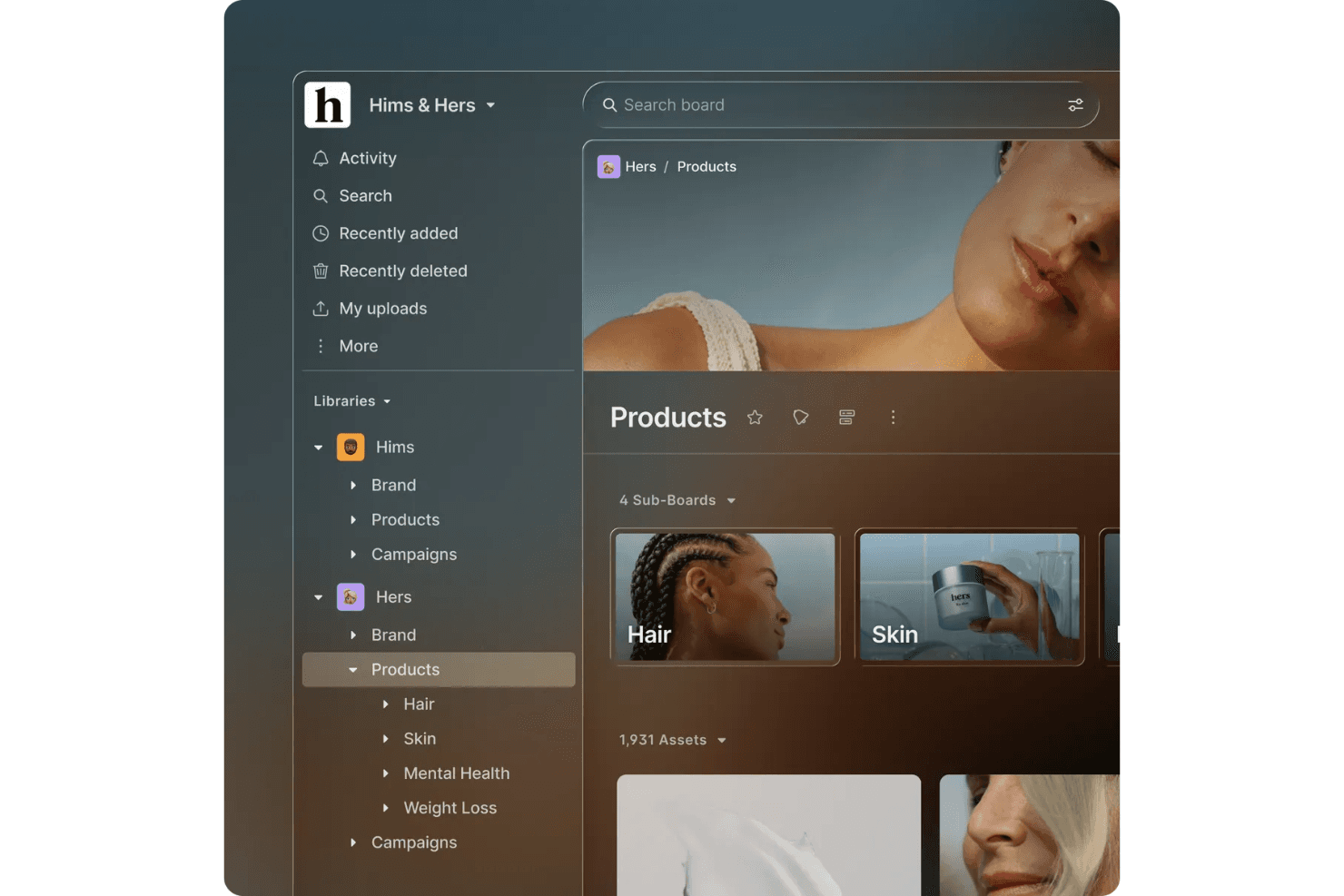
Air is quite user-friendly, offering an intuitive interface that makes navigation easy for your team. You'll find that its features are straightforward, helping you manage and organize assets without hassle. The mobile app extends this ease of use to iOS and iPhone users, while Android support ensures cross-platform accessibility. While some user reviews mention a learning curve, especially for non-tech folks, the real-time collaboration and customizable workspaces enhance usability significantly. Compared to other software, Air's simplicity and efficiency stand out, making it a suitable choice for teams looking for quick adoption.
Onboarding
Air's onboarding process is smooth, providing your team with clear guidance and support to get started quickly. You'll appreciate the detailed tutorials and responsive customer support that help you understand its features. The knowledge base offers comprehensive resources for self-service learning, while templates help teams accelerate their setup. While some users wish for more personalized onboarding, the available resources generally make the transition easy. Compared to other options, Air's onboarding ensures a quicker time to value, allowing your team to focus on productivity without being bogged down by complex setup processes.
Customer Support
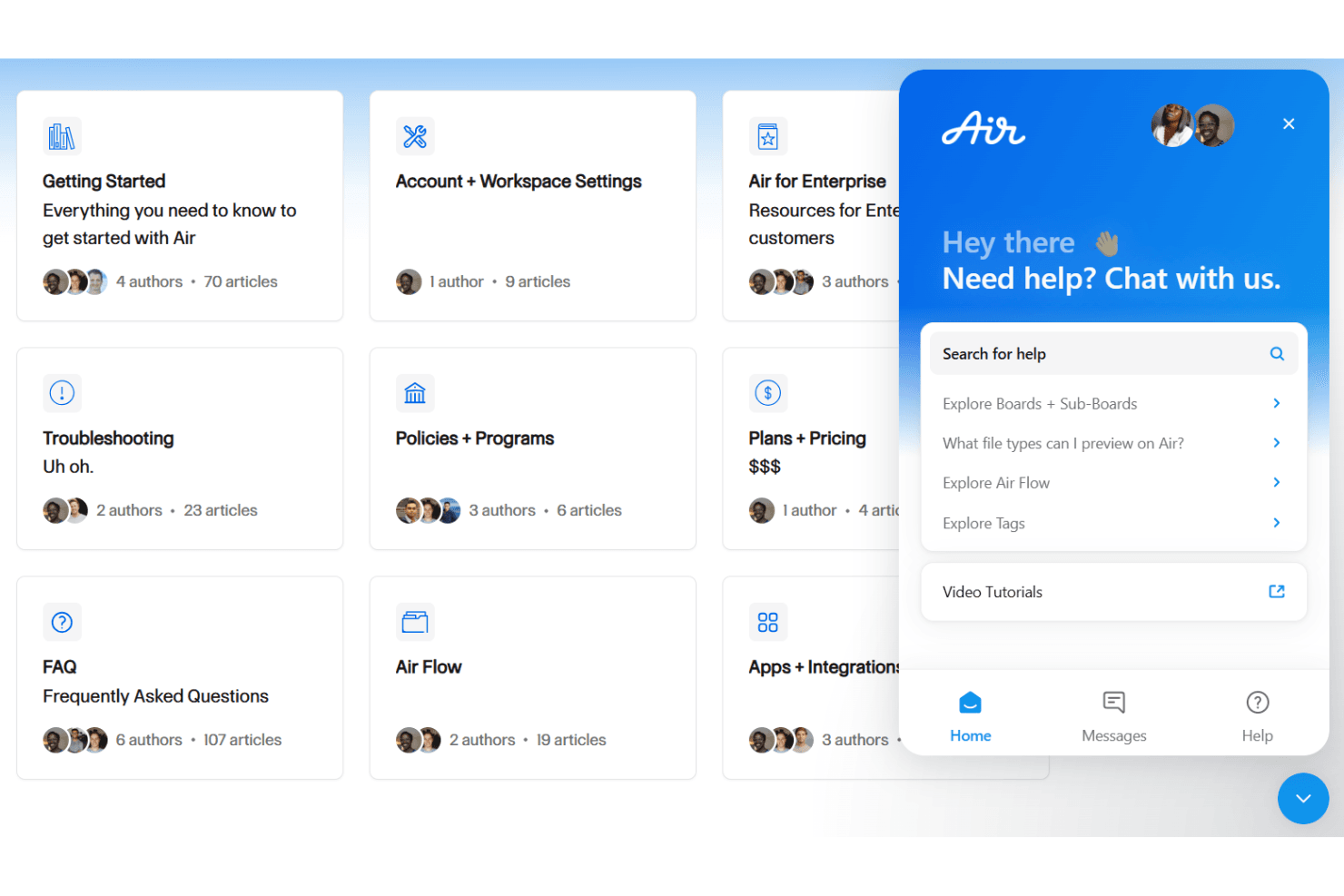
Air provides reliable customer support, ensuring your team gets the help you need when challenges arise. Users appreciate the responsive service and helpful resources that guide them through issues effectively. The support team is accessible through multiple channels, offering quick resolutions and valuable insights. While some users hope for extended support hours, Air's assistance generally meets expectations, making it easier for your team to stay productive and focused on their work without unnecessary delays.
Integrations
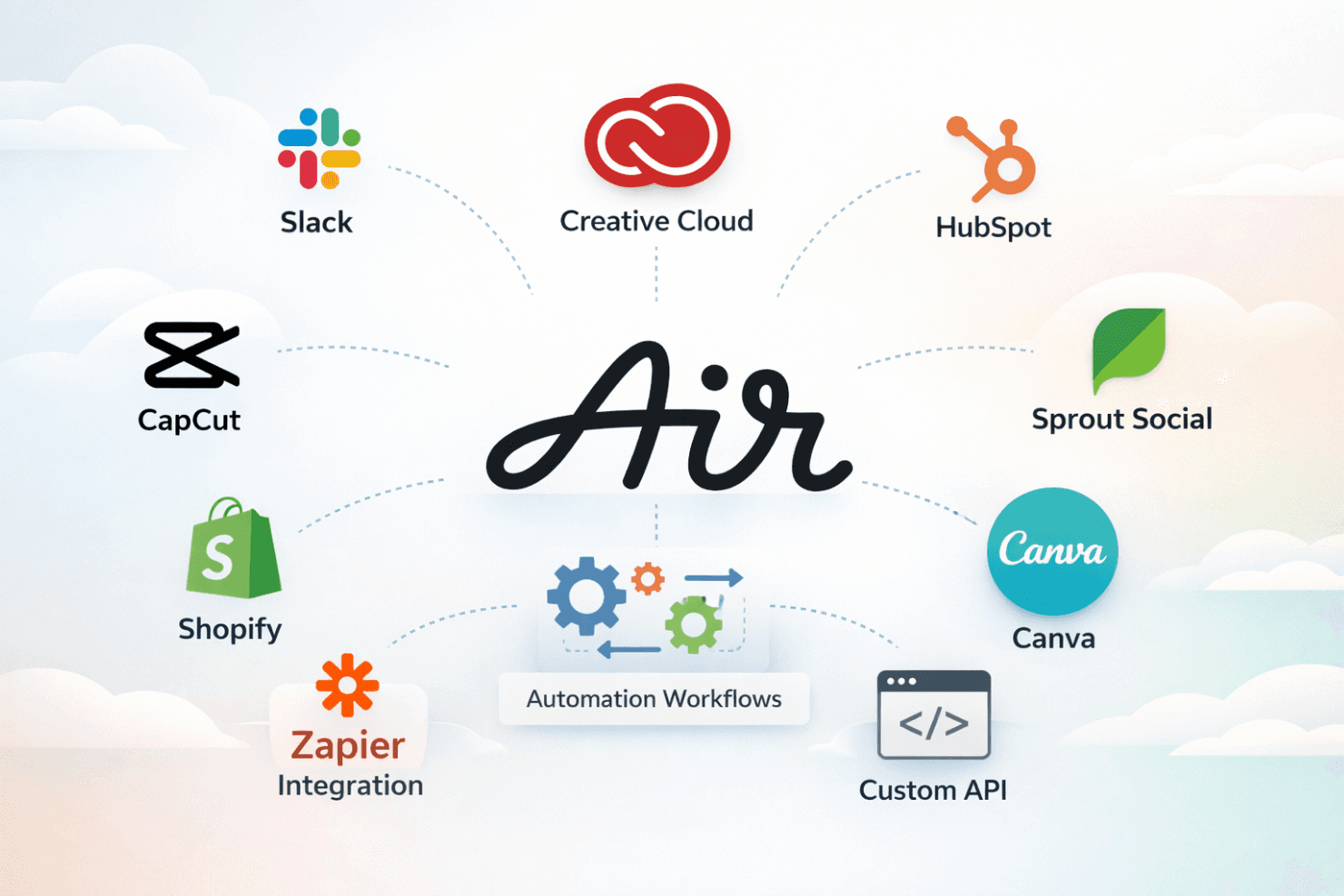
Air natively integrates with platforms such as Slack, Adobe Creative Cloud, HubSpot, CapCut, Shopify, Canva, and Sprout Social, among others.
Air also provides an API for custom connections and integrates with third-party tools like Zapier for expanded capabilities, enabling automation workflows that optimize your tech stack.
Value for Money
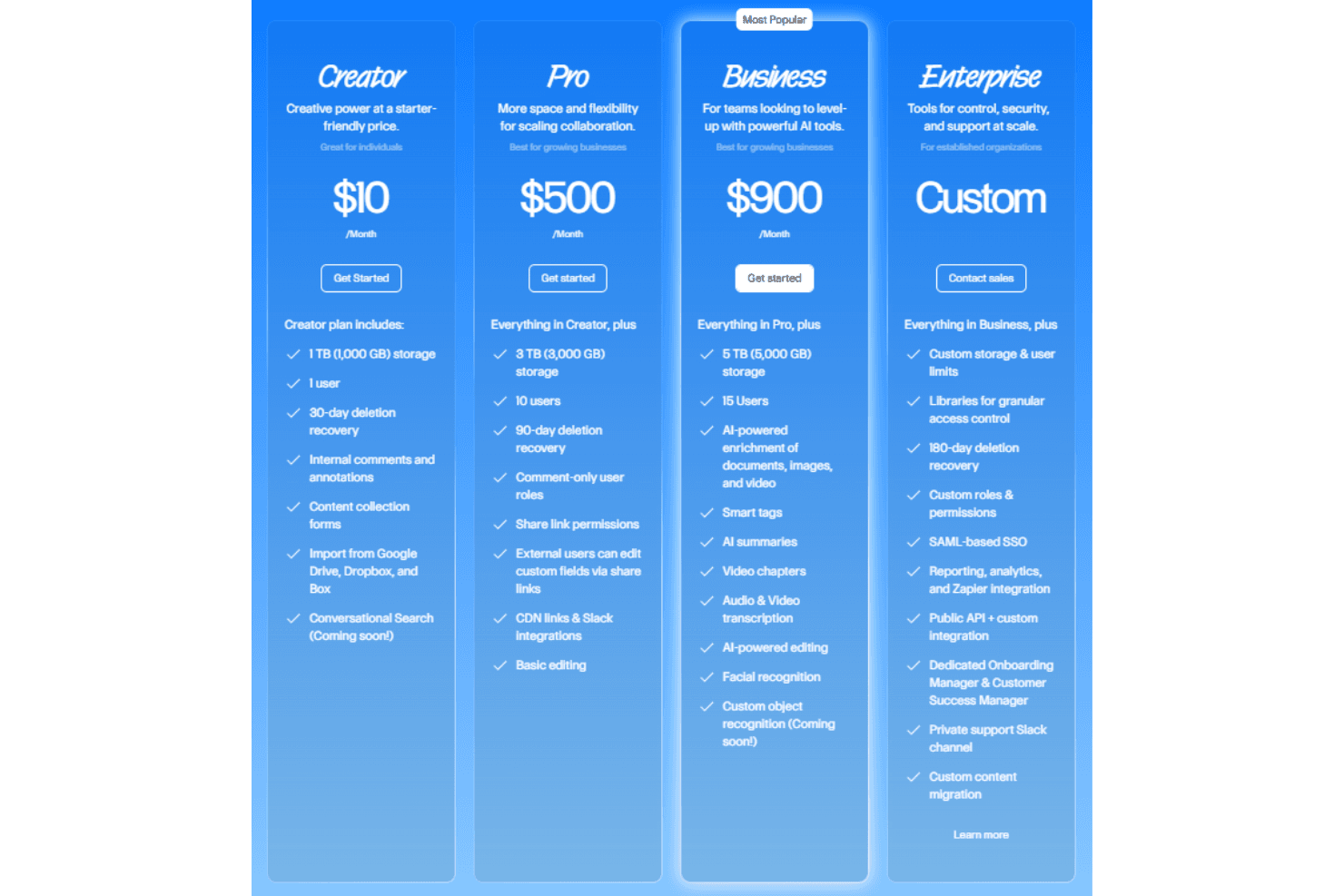
Air’s pricing model offers flexible plans for various needs, making it a viable option for managing digital assets. Users find the pricing reasonable, given features such as AI-powered search and collaboration tools. The free version is a great starting point, while paid options provide more storage and advanced features. A free trial is available, allowing you to evaluate the software before making a purchase decision.
- Free Plan: Provides 10 GB of storage and organization tools for individuals.
- Creator Plan: Includes 1 TB of storage for one user, with annotations and imports from Google Drive and Dropbox
- Pro Plan: Offers 3 TB of storage for 10 users, basic editing tools, and share link permissions.
- Business Plan: Adds 5 TB of storage for 15 users, AI-powered editing, and audio/video transcription.
- Enterprise Plan: Custom pricing with tailored features for established businesses, access to the API, and a dedicated onboarding manager.
New Product Updates from Air
 Opens new window
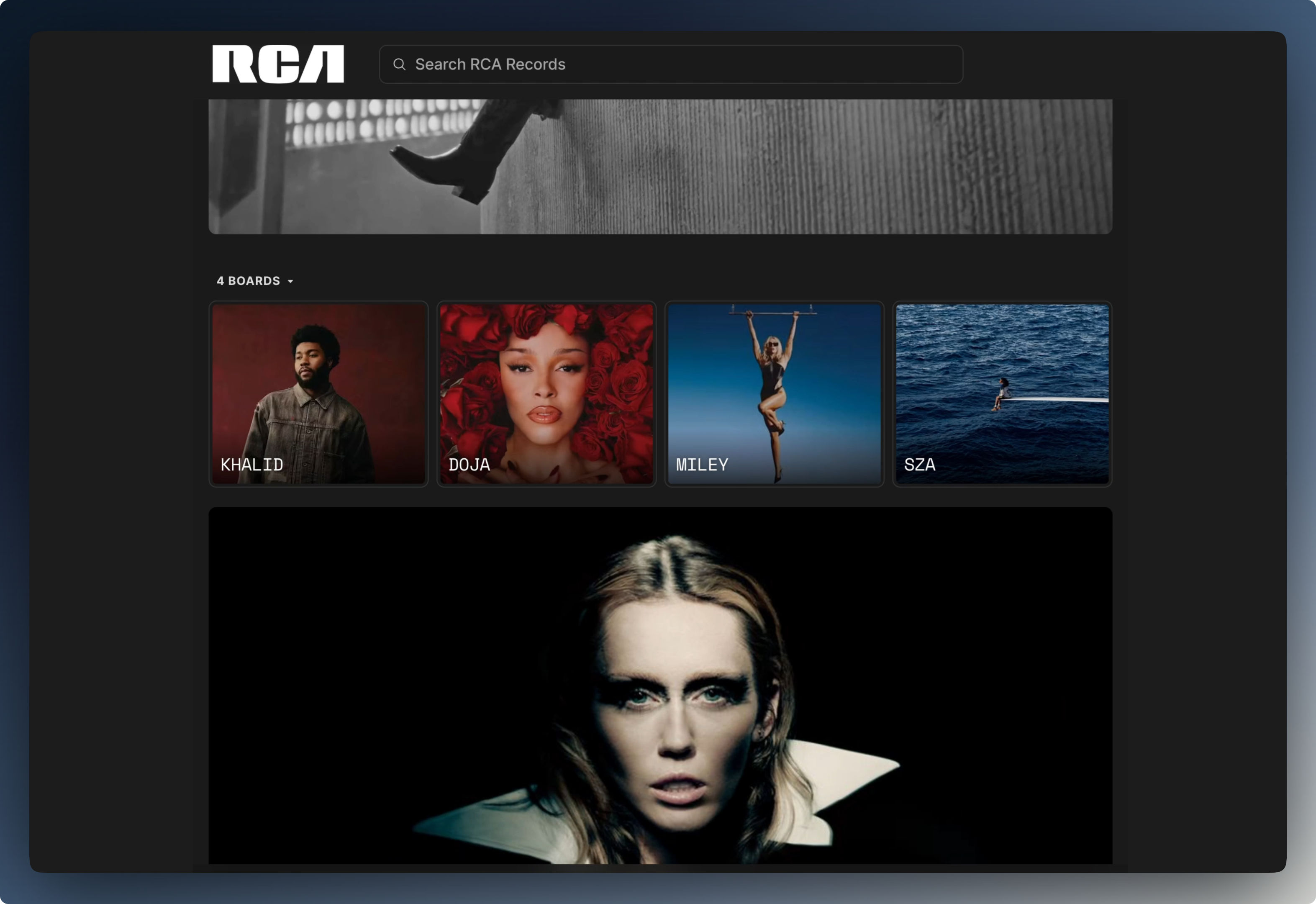
Air Showcases Introduces Custom Branding, Content Blocks, and Sub-Pages
Air Showcases introduces custom branding, content blocks, sub-pages, saved default settings, and additional sharing controls. These updates make it easier to create branded portals, organize shared content, and control how viewers access and interact with assets. Highlights include:
- Custom Branding: Lets users apply logos, banners, brand colors, and fonts to create a more consistent sharing experience.
- Content Blocks: Supports text, images, videos, and links directly within Showcase pages for richer content presentation.
- Sub-Pages: Adds top-level navigation and separate pages for organizing content into structured sections.
- Saved Defaults: Lets users save preferred Showcase and board share-link settings for reuse.
- Sharing Controls: Provides options to hide search, lock sorting, disable nested content expansion, and remove the download-all button.
- White-Labeling: Lets Enterprise users remove Air branding from Showcases.
Visit Air’s official site for more details.
Air Adds New Video Models and Smart Resize in Canvas
Air adds new video models, expanded generation controls, reference-to-video, and Video Smart Resize in Canvas. These updates give users more flexibility when creating, editing, and resizing videos for social and custom formats. Highlights include:
- Wan 3.0: Generates videos in 1080p with native audio, instruction-based editing, and support for clips up to 30 seconds.
- Veo 3.1: Extends existing videos and supports generation using defined first and last frames.
- MiniMax H3 Max: Provides faster video generation and reference-to-video for more consistent characters and motion.
- Gemini Omni Flash 1.1: Improves generation speed while reducing the cost of creating videos.
- Seedance 2.5: Adds more realistic video and audio generation for clips up to 30 seconds and replaces Seedance 1.5 Pro as the default model.
- First- and Last-Frame Generation: Lets users define starting and ending frames across supported models for greater control over video outputs.
- Video Smart Resize: Resizes videos for Instagram, Facebook, TikTok, Snapchat, YouTube, LinkedIn, X, and custom dimensions without cropping the original frame.
Visit Air’s official site for more details.
Air Expands MCP Write Actions and Connects FigJam, Premiere Pro, Workato
Air adds MCP write capabilities, easier Claude setup, FigJam support, Premiere Pro .mogrt installation, and a new Workato connection. These updates make it easier to automate workflows, move creative assets between tools, and let connected AI clients take actions in Air. Highlights include:
- MCP Write Scopes: Lets Claude and other MCP clients create boards, tag assets, and upload files directly in Air.
- Claude Connector: Adds Air’s Remote MCP server to Claude’s connector directory for easier setup without manually entering a connector URL.
- FigJam Support: Extends Air’s Figma plugin to FigJam so users can export stickers, shapes, and other elements directly into Air.
- Premiere Pro .mogrt Support: Lets users install Motion Graphics templates directly into Premiere Pro’s Graphics panel.
- Workato Integration: Connects Air with Workato for building enterprise automations across other systems without working directly with Air’s API.
Visit Air’s official site for more details.
 Opens new window
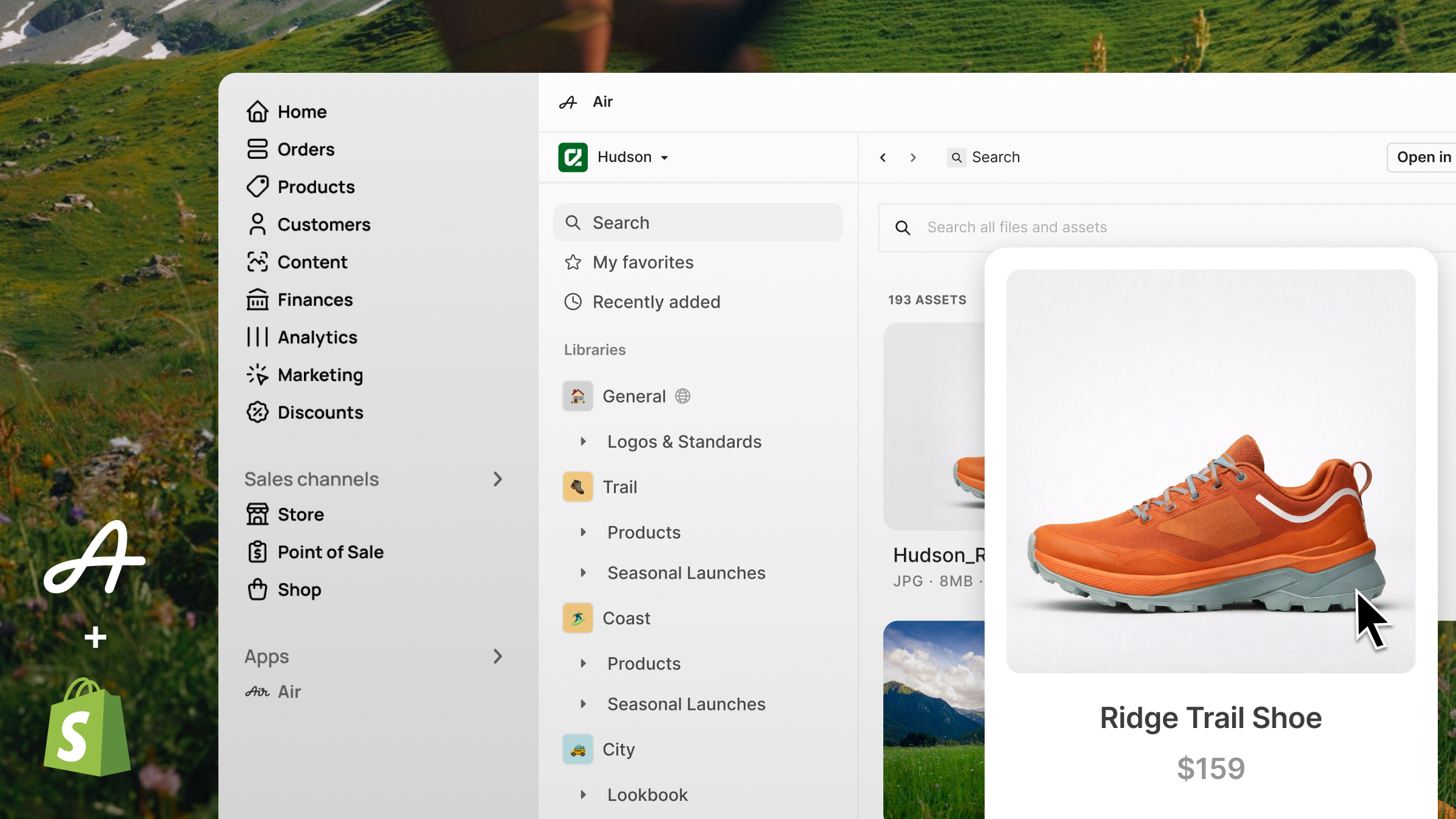
Air Integrates With WordPress and Shopify
Air adds WordPress and Shopify integrations, letting users access their Air workspace directly from the WordPress block editor and Shopify admin. These updates make it easier for teams to use approved images and videos across content and product pages. Highlights include:
- WordPress Integration: Users can browse, search, and insert Air images and videos directly from the WordPress block editor.
- Shopify Integration: Users can search, browse, and upload Air assets to Shopify product listings without leaving the Shopify admin.
Visit Air’s official site for more details.
 Opens new window
Air Launches Chrome Extension for Image Saving
Air launches a Chrome extension that lets users save images from the web directly into Air while browsing. The update makes it easier for teams to capture and organize assets without downloading and reuploading files manually. Highlights include:
- One-Click Image Saving: Users can right-click images and save them directly into an Air Canvas or Board.
- Cross-Browser Support: The extension works across Chrome, Edge, Brave, Opera, and other Chromium-based browsers.
Visit Air's official site for more details.
 Opens new window
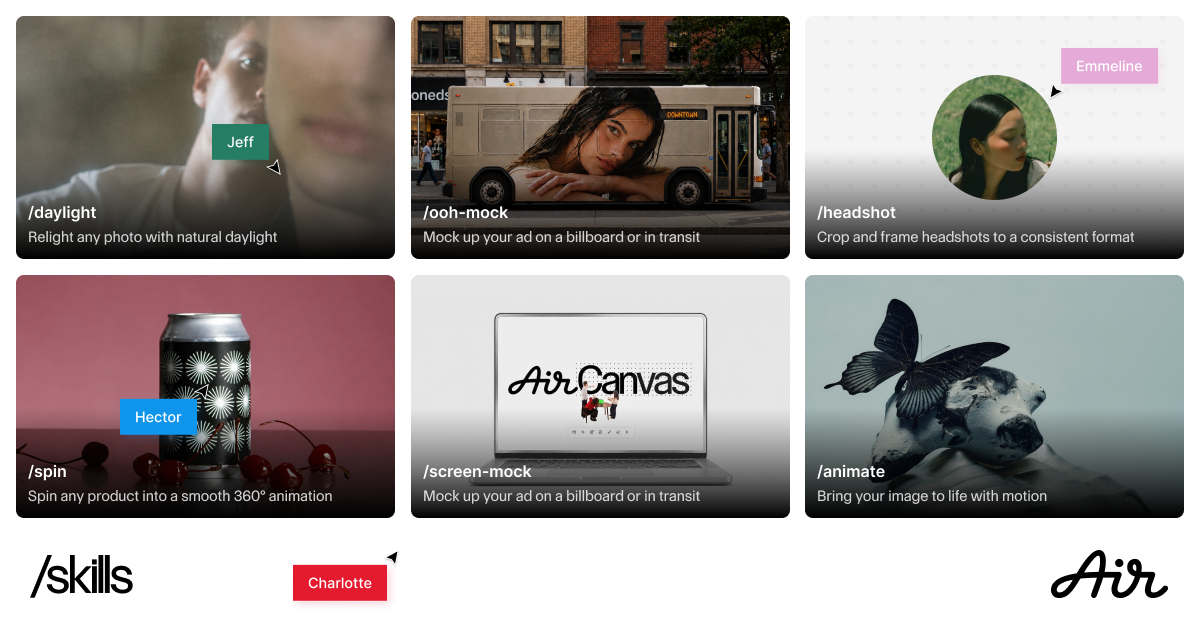
Air Adds Reusable AI Skills for Canvas Workflows
Air introduced reusable AI Skills in Canvas, enabling users to save edits as named workflows and run them across multiple assets. These updates simplify repetitive editing processes and help teams standardize workflows across shared projects. Highlights include:
- Reusable AI Skills: Lets users save AI edits as reusable workflows for future use.
- Canvas Skill Access: Allows teams to instantly run Skills directly from Canvas using slash commands.
- Batch Workflow Execution: Supports multi-select actions to run the same Skill across multiple assets at once.
- Shared Team Access: Enables editors across the workspace to create and use shared Skills.
Visit Air's official site for more details.
 Opens new window
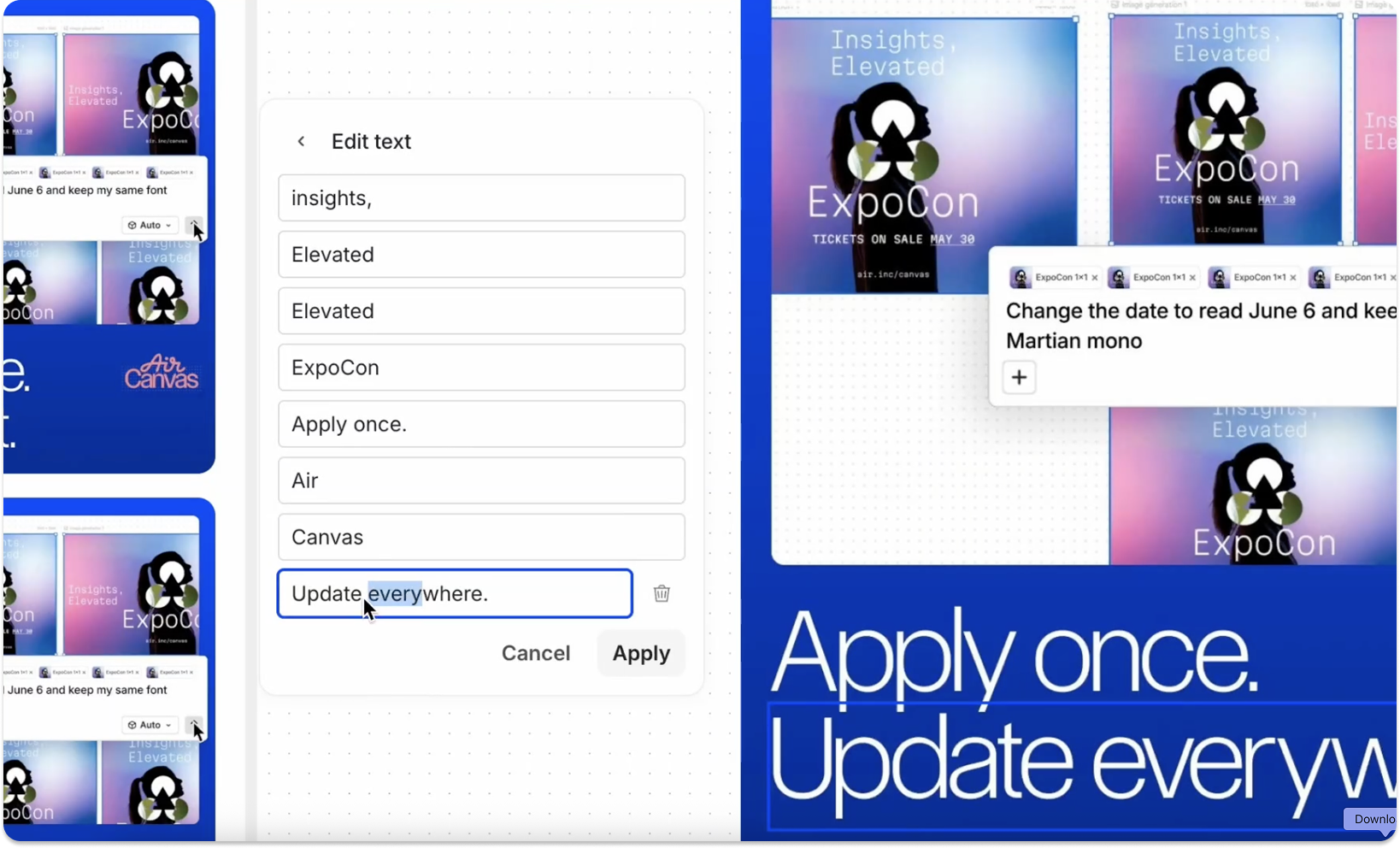
Air Adds Lighting Effects and Text Editing in Canvas
Air introduces lighting effects to adjust image lighting and adds text editing to modify text directly within images in Canvas. These updates improve image editing by making it faster and more flexible without needing source files. Highlights include:
- Lighting Effects: Adjust lighting sources, direction, and brightness to enhance images directly in Canvas.
- Text Editing on Images: Detect and edit text within images without requiring original design files.
Visit Air’s official site for more details.
Air Specs
- Access Management: Yes
- API: Yes
- Asset Tagging: Yes
- Automatic Transcription: Yes
- Batch Permissions & Access: Yes
- Brand Asset Creation: Yes
- Brand Management: Yes
- Dashboards: Yes
- Database Search: Yes
- Document Comparison: Yes
- Document Sharing: Yes
- Downloading: Yes
- External Integrations: Yes
- File Format Conversion: Yes
- File Sharing: Yes
- File Transfer: Yes
- History/Version Control: Yes
- Keyword Tracking: No
- Materials Library: Yes
- Metadata Management: Yes
- Multi-User: Yes
- Product Catalog: No
- Reports: Yes
- Review Monitoring: Yes
- Template Designer: Yes
Air FAQs
Air Company Overview & History
Air is headquartered in Brooklyn, New York, and currently employs over 50 people. Founded in 2017 by Shane Hegde, the company empowers creative departments with tools for digital asset management, editing, and storage, currently used by over 1,000 teams. With recent Series B funding of over $35 million, Air continues to grow and expand its reach globally.
Air Major Milestones
- 2017: Founded by Shane Hegde.
- 2024: Raised $35 million in Series B funding.