

SharpSpring-anmeldelse 2026: Fordele, ulemper, funktioner & priser
I put SharpSpring’s automation, CRM, and agency-friendly pricing under the microscope to see whether its flexibility outweighs the learning curve—and who should actually choose it.

We review tools independently, and commissions help fund our testing. See our transparency policy, our methodology, or suggest a tool.
SharpSpring is marketing automation software with CRM, email campaigns, lead scoring, workflow automation, and reporting for teams managing complex lead journeys. I’d consider it for agencies and growing businesses that need flexible automation across multiple clients or campaigns, especially when compared with HubSpot, because SharpSpring offers agency-focused tools and pricing that can better suit multi-client marketing programs.
SharpSpring Evaluation Summary
4.5/5
- Pricing upon request
- Free demo available
Why Trust Our Software Recommendations
6,700+
Reviews
20
Industry experts
16+
Evaluation factors
14
Years
Our team has been testing and reviewing software since 2012. As marketing leaders ourselves, we know how difficult—and important—it is to choose the right software.
For this guide, we evaluated tools using hands-on testing and independent research, scoring tools using our selection criteria.
Our reviews reflect our human editorial judgment, not a sales pitch.
Expert reviewers:
 Gui DrusinaCreative Director
- Shriya GhateSenior Marketing Lead
 Amanda JacquesMarketing Ops Leader

SharpSpring Overview
I’d choose SharpSpring for agencies and growing teams that need CRM, email campaigns, lead scoring, workflow automation, landing pages, and reporting in one platform. Its flexible automation and multi-client account structure outperform many tools built for a single brand, while agency-focused pricing can make larger contact volumes easier to judge. The trade-off is a busier interface, quote-based pricing, and onboarding that requires planning. Integrations cover common CRM, advertising, webinar, and analytics needs, while support and onboarding help teams configure campaigns. I think it suits marketers who value flexibility over simplicity.
Pros
- Visual workflows connect behavioral triggers with email and sales actions.
- Built-in CRM tracks activity across each lead’s timeline.
- Agency accounts support white-labeling, client consoles, and unlimited users.
Cons
- Quote-based pricing and onboarding fees complicate direct budget comparisons.
- Landing-page and email editors feel dated beside newer builders.
- Reporting offers less depth than dedicated analytics platforms.
Is SharpSpring Right For Your Needs?
Who Would be a Good Fit for SharpSpring?
SharpSpring fits agencies and larger marketing teams that need contact-based pricing, flexible automation, and shared access for multiple users. It also suits sales and marketing departments that need CRM timelines, lead scoring, forms, reporting, and notifications connected to campaign workflows.
- Marketing AgenciesAgency pricing includes unlimited users, client management tools, month-to-month billing, and a rebrandable interface.
- Larger TeamsPlans with 10,000 or more contacts include unlimited users, allowing larger teams to work within the same marketing platform.
- Sales Marketing TeamsCRM timelines, lead scoring, sales notifications, and workflow automation support coordination between marketing and sales departments.
- Lead Generation TeamsDynamic forms, landing pages, chatbots, email marketing, and analytics support teams managing lead capture and follow-up campaigns.
- Salesforce UsersSharpSpring connects with Salesforce, giving teams a documented integration for linking marketing activity with their CRM processes.
- Complex WorkflowsThe visual workflow builder supports branching triggers and persona-based messaging for teams managing detailed automation paths.
Who Would be a Bad Fit for SharpSpring?
SharpSpring is a poor match for small databases, beginner users, and teams that need quick campaign launches without configuration work. Its contact-based pricing, dated editors, learning curve, and narrower named integration set can create unnecessary cost or setup effort for simpler marketing programs.
- Small DatabasesThe $449 monthly starting price for 1,000 contacts can be expensive for small businesses with limited marketing budgets.
- Beginner MarketersThe workflow builder supports many automation options, but its breadth creates a learning curve for users without onboarding time.
- Quick CampaignsTeams seeking fast, self-serve launches may struggle with configuration across personas, scoring, forms, and integrations.
- Modern EditorsSharpSpring’s dated email and landing page editors make it a weaker choice for teams prioritizing a newer content creation experience.
- Broad IntegrationsTeams needing many native integrations should review SharpSpring’s available connections because the documented options include Salesforce, GoToWebinar, and Facebook Lead Ads.
- Limited Support HoursTeams needing phone assistance outside Monday through Friday, 8 a.m. to 6 p.m. Eastern Time, may find the support schedule restrictive.
How We Test & Score Tools
We’ve spent years building, refining, and improving our software testing and scoring system. The rubric is designed to capture the nuances of software selection and what makes a tool effective, focusing on critical aspects of the decision-making process.
Below, you can see exactly how our testing and scoring works across seven criteria. It allows us to provide an unbiased evaluation of the software based on core functionality, standout features, ease of use, onboarding, customer support, integrations, customer reviews, and value for money.
Core Functionality (25% of final scoring)
The starting point of our evaluation is always the core functionality of the tool. Does it have the basic features and functions that a user would expect to see? Are any of those core features locked to higher-tiered pricing plans? At its core, we expect a tool to stand up against the baseline capabilities of its competitors.
Standout Features (25% of final scoring)
Next, we evaluate uncommon standout features that go above and beyond the core functionality typically found in tools of its kind. A high score reflects specialized or unique features that make the product faster, more efficient, or offer additional value to the user.
We also evaluate how easy it is to integrate with other tools typically found in the tech stack to expand the functionality and utility of the software. Tools offering plentiful native integrations, 3rd party connections, and API access to build custom integrations score best.
Ease of Use (10% of final scoring)
We consider how quick and easy it is to execute the tasks defined in the core functionality using the tool. High scoring software is well designed, intuitive to use, offers mobile apps, provides templates, and makes relatively complex tasks seem simple.
Onboarding (10% of final scoring)
We know how important rapid team adoption is for a new platform, so we evaluate how easy it is to learn and use a tool with minimal training. We evaluate how quickly a team member can get set up and start using the tool with no experience. High scoring solutions indicate little or no support is required.
Customer Support (10% of final scoring)
We review how quick and easy it is to get unstuck and find help by phone, live chat, or knowledge base. Tools and companies that provide real-time support score best, while chatbots score worst.
Customer Reviews (10% of final scoring)
Beyond our own testing and evaluation, we consider the net promoter score from current and past customers. We review their likelihood, given the option, to choose the tool again for the core functionality. A high scoring software reflects a high net promoter score from current or past customers.
Value for Money (10% of final scoring)
Lastly, in consideration of all the other criteria, we review the average price of entry level plans against the core features and consider the value of the other evaluation criteria. Software that delivers more, for less, will score higher.
Core Features
Workflow Automation
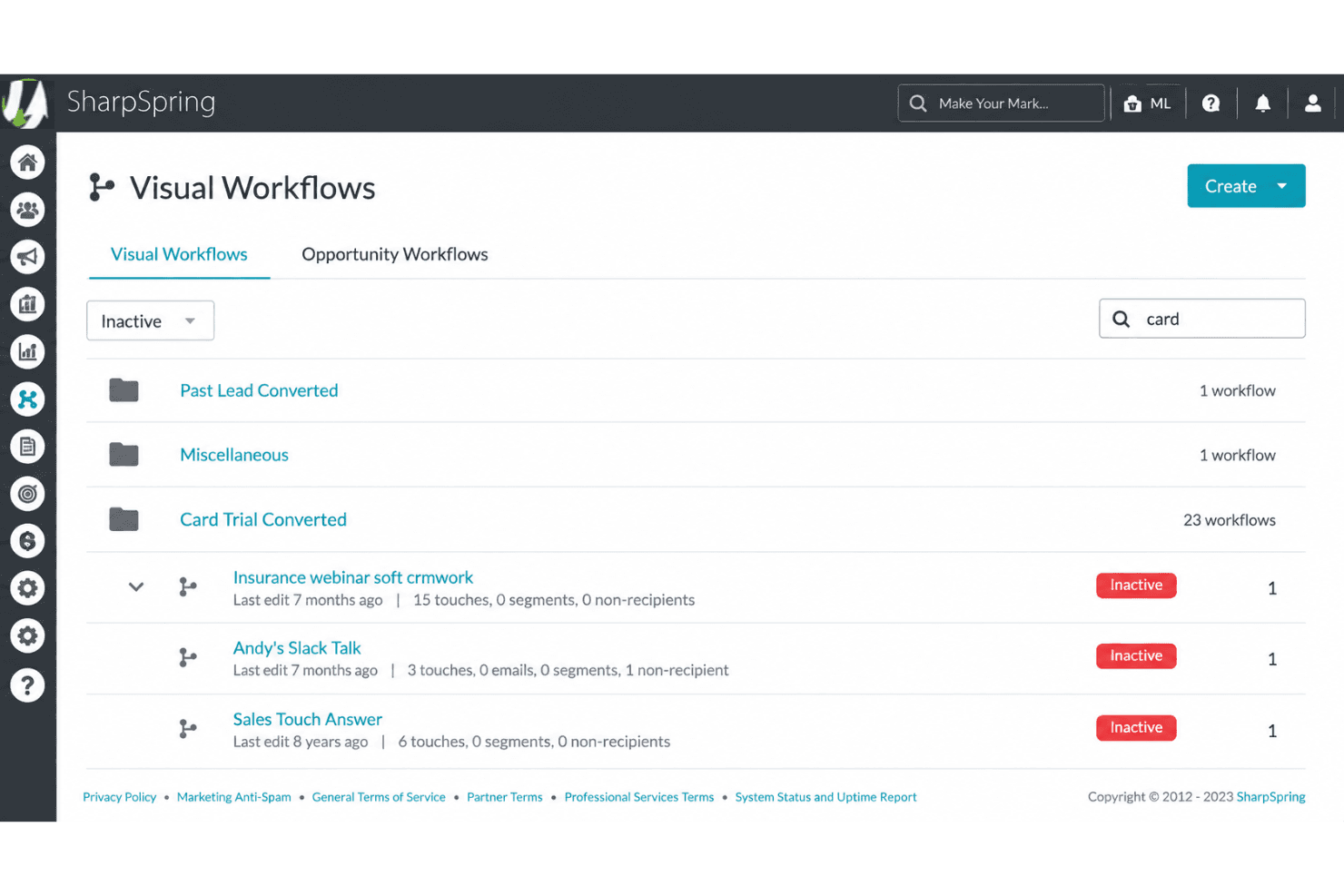
SharpSpring’s visual workflow builder uses branching logic, buyer personas, and behavioral triggers to move leads through personalized campaigns. You can route a form submission into an email sequence, notify sales after a page visit, or change messaging by persona.
Email Marketing
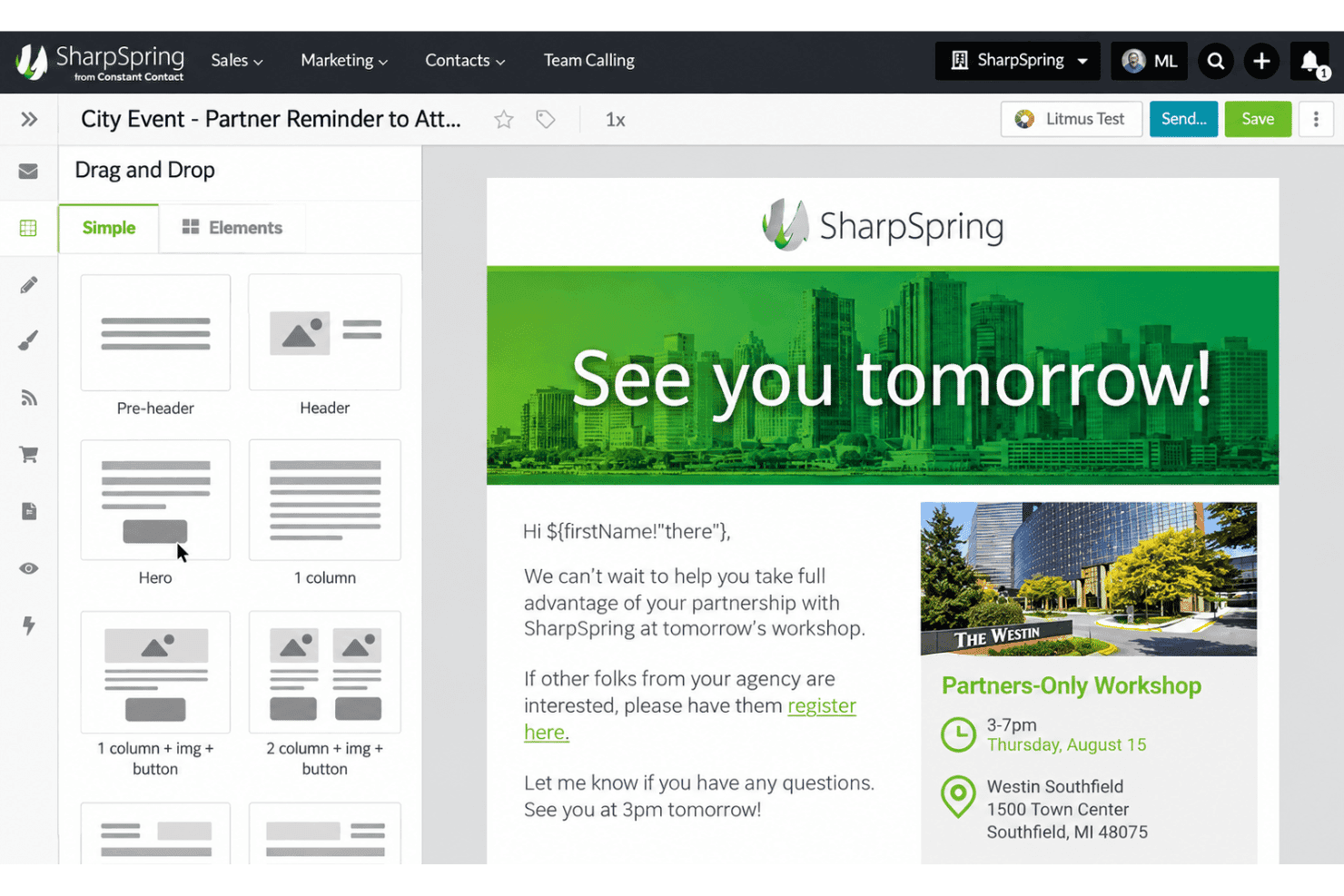
SharpSpring sends targeted email messages and tracks post-click activity within each lead’s CRM record. You can use engagement data to time follow-up emails and continue lead nurturing from one campaign.
Lead Scoring
SharpSpring scores leads using engagement, page visits, fit, and natural lead decay over time. This helps sales focus on contacts showing meaningful intent, such as repeated visits to a pricing page.
Dynamic Forms
The drag-and-drop form builder creates forms with autocomplete fields, custom CSS, and field mapping. Known visitors can complete forms with less typing, while marketers capture submissions in consistent CRM fields.
Landing Pages
SharpSpring provides a point-and-click landing-page editor, templates, funnel support, and dynamic content based on visitor attributes. You can create campaign-specific pages and show different content to visitors based on their profiles.
Analytics And Reporting
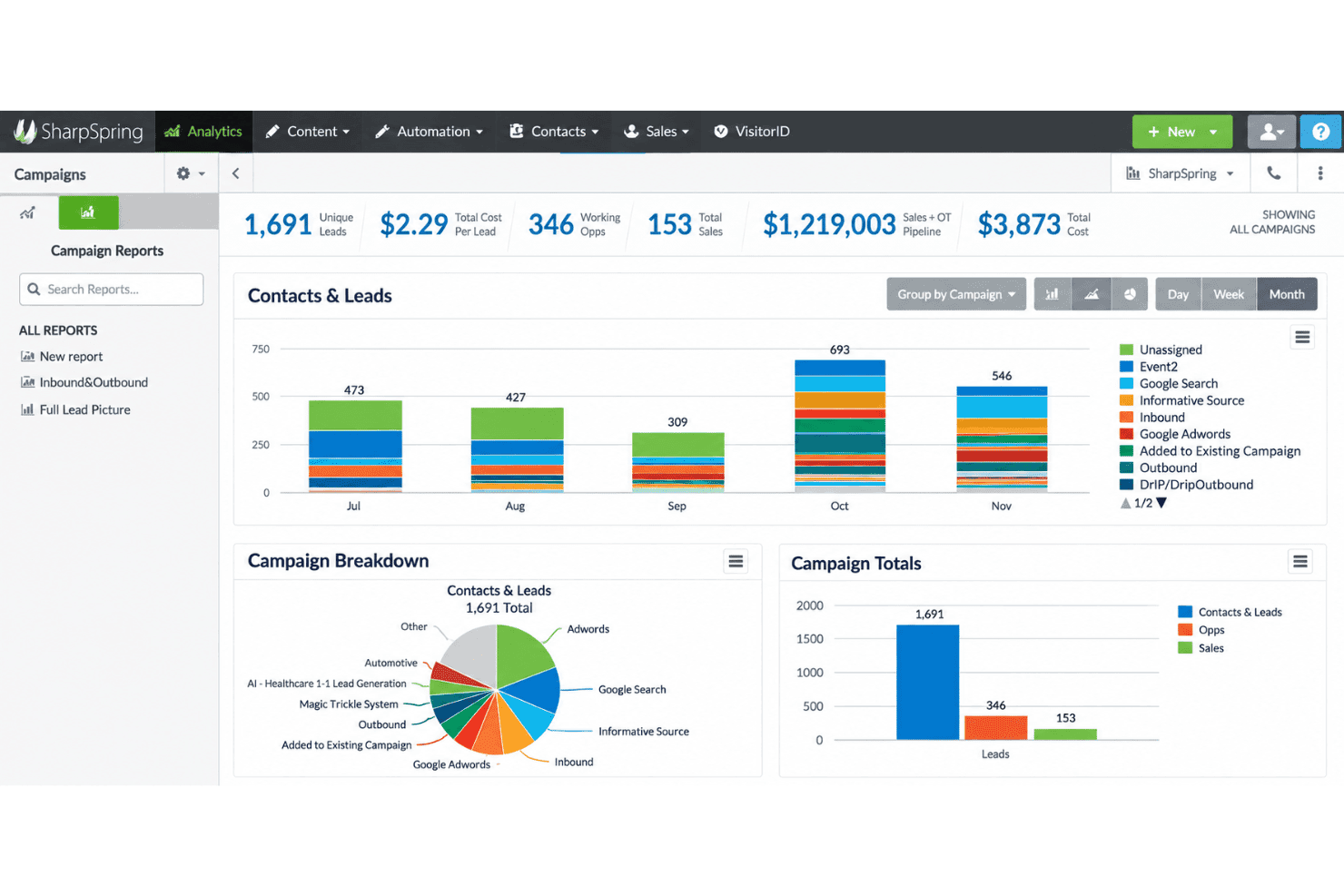
SharpSpring creates custom reports using behavior, engagement, campaign ROI, and online or offline lead-source data. Shareable reports help marketing teams connect campaign activity with lead sources and client performance.
Ease of Use
SharpSpring is usable once configured, but I wouldn’t call it beginner-friendly. User reviews often praise its flexible automation and CRM timeline while criticizing the dated editors and learning curve. The visual workflow builder handles branching triggers, persona-based messaging, and sales notifications, but its breadth creates setup work. I’d recommend it to teams willing to invest in onboarding; smaller teams wanting quick campaign creation may find the interface busier than expected.
Integrations
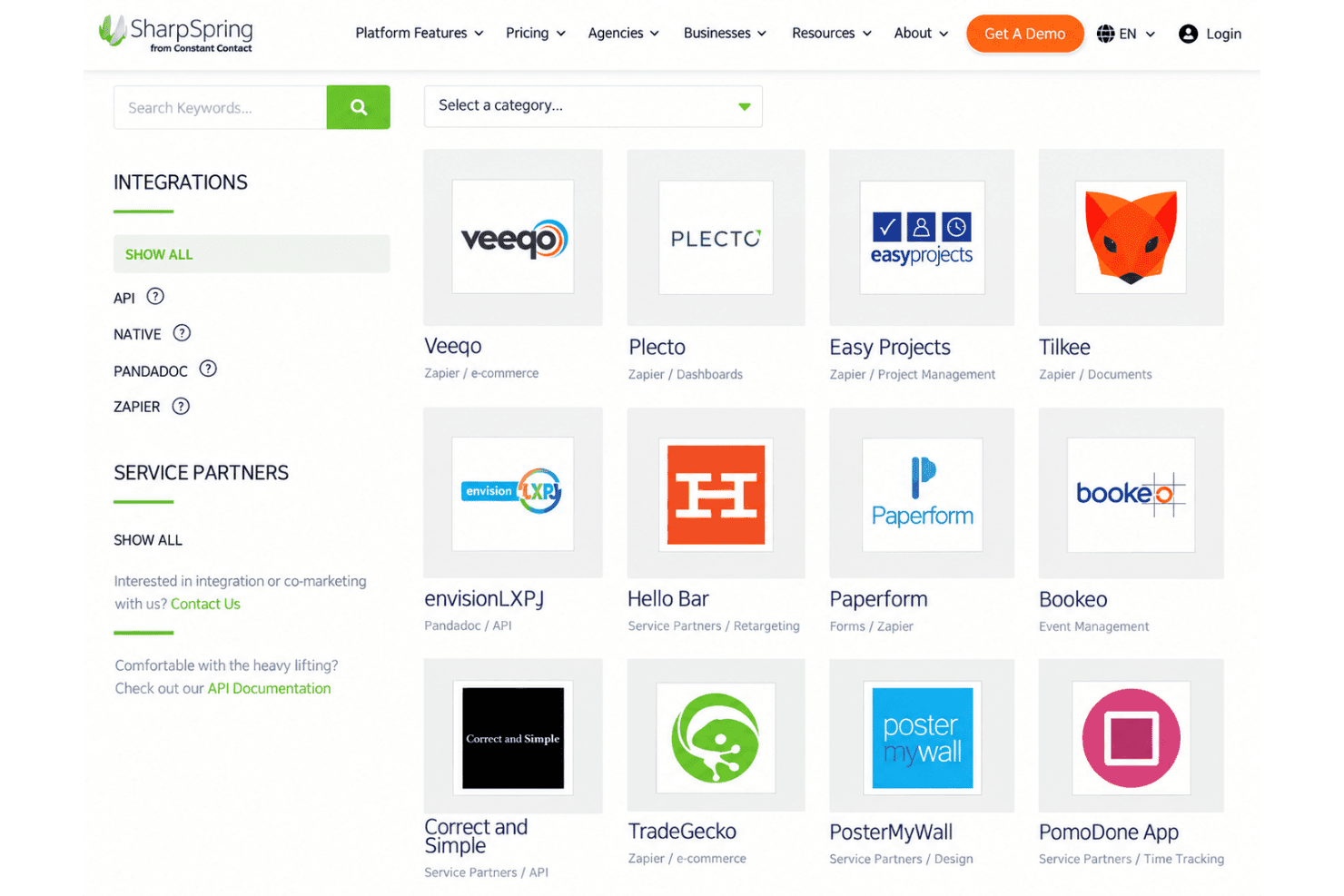
SharpSpring integrates with Salesforce and Facebook Lead Ads and connects with GoToWebinar through Zapier.
SharpSpring also provides an open API and supports third-party integrations through tools such as Zapier.
SharpSpring Specs
- A/B Testing: Yes
- Analytics: Yes
- API: Yes
- Audience Targeting: Yes
- Automated Conversion: No
- Batch Permissions & Access: No
- Behavioral Tracking: Yes
- Brand Management: No
- Campaign Management: Yes
- Contact Management: Yes
- Contact Sharing: No
- Conversion Tracking: Yes
- CRM Integration: Yes
- Customer Management: Yes
- Dashboards: Yes
- Data Export: Yes
- Data Import: Yes
- Email Integration: Yes
- External Integrations: Yes
- Keyword Tracking: No
- Landing Pages: Yes
- Lead Management: Yes
- Lead Scoring: Yes
- Link Tracking: Yes
- Marketing Automation: Yes
- Multi-User: Yes
- Notifications: Yes
- Password & Access Management: Yes
- Social-Media Integration: Yes


