

En iyi kurumsal içerik yönetimi (ECM) yazılımı, şirketinizin belgelerini ve dijital varlıklarını ekiplerin ihtiyaç duydukları şeylere ihtiyaç duydukları anda, sürüm sorunları veya uyumluluk riskleri yaşamadan erişebilmesi için tek bir merkezi sistemde düzenlemenize, depolamanıza, güvence altına almanıza ve geri almanıza yardımcı olur.
E-posta yazışmaları arasında dosyaların peşinden koşmakla, kullanışsız klasör sistemlerini yönetmekle veya departmanlar arasındaki erişimi kontrol etmekte zorlanmakla uğraşıyorsanız, muhtemelen daha akıllı bir çözümün zamanı gelmiştir.
Pazarlama alanında 10 yılı aşkın deneyimim ve hukuk, finans ve pazarlama işlevleri genelindeki ECM platformlarını değerlendirmeye ayırdığım 300'den fazla saat sayesinde, sürtüşmeyi gerçekten azaltan, iş akışlarınızla birlikte ölçeklenen ve kurumsal düzeyde güvenlik standartlarını karşılayan araçları daralttım.
Why Trust Our Software Recommendations
6,700+
Reviews
20
Industry experts
16+
Evaluation factors
14
Years
Our team has been testing and reviewing software since 2012. As marketing leaders ourselves, we know how difficult—and important—it is to choose the right software.
For this guide, we evaluated tools using hands-on testing and independent research, scoring tools using our selection criteria.
Our reviews reflect our human editorial judgment, not a sales pitch.
Expert reviewers:
 Gui DrusinaCreative Director
- Shriya GhateSenior Marketing Lead
 Amanda JacquesMarketing Ops Leader

Kurumsal İçerik Yönetimi Yazılımı Karşılaştırma Tablosu
Bu karşılaştırma tablosu, en iyi kurumsal içerik yönetimi yazılımı seçimlerim için fiyatlandırma ayrıntılarını özetlemektedir:
Sorted by: Default
| Tool | Starting Price | Website | |
|---|---|---|---|
Best for SAP-connected compliance archiving | 4.8 out of 5 | Pricing upon request Free demo available | Website |
Best for workflow automation | 4.6 out of 5 | $73/user/month Free demo available | Website |
Best for cloud storage needs | 4.3 out of 5 | CAD$21/user/month 14-day free trial | Website |
Best for integrated workflow access | 4.4 out of 5 | $65/user/month Free demo available | Website |
Best for large-scale enterprises | 4.2 out of 5 | Pricing upon request Free demo available | Website |
Best for Microsoft integration | 4.4 out of 5 | $7/user/month 1-month free trial available | Website |
Best for secure, real-time file sharing with external partners | 4.1 out of 5 | $22/user/month Free demo + 15-day free trial available | Website |
Best for personalized asset delivery across platforms | Not rated | Pricing upon request Not available | Website |
Best for scalable content management | Not rated | Pricing upon request Free demo available | Website |
Best for enterprise collaboration | Not rated | Pricing upon request Free demo available | Website |


En İyi Kurumsal İçerik Yönetimi Yazılımı İncelemeleri
Aşağıda, kısa listeme giren en iyi kurumsal içerik yönetimi yazılımlarının ayrıntılı özetlerini bulabilirsiniz. İncelemelerim, sizin için en uygun olanı bulmanıza yardımcı olmak amacıyla her aracın temel özelliklerine, avantajlarına & dezavantajlarına, entegrasyonlarına ve ideal kullanım alanlarına ayrıntılı bir bakış sunuyor.
 Best for SAP-connected compliance archiving
- Free demo available
- Pricing upon request
Visit WebsiteCustomer Rating:4.8/5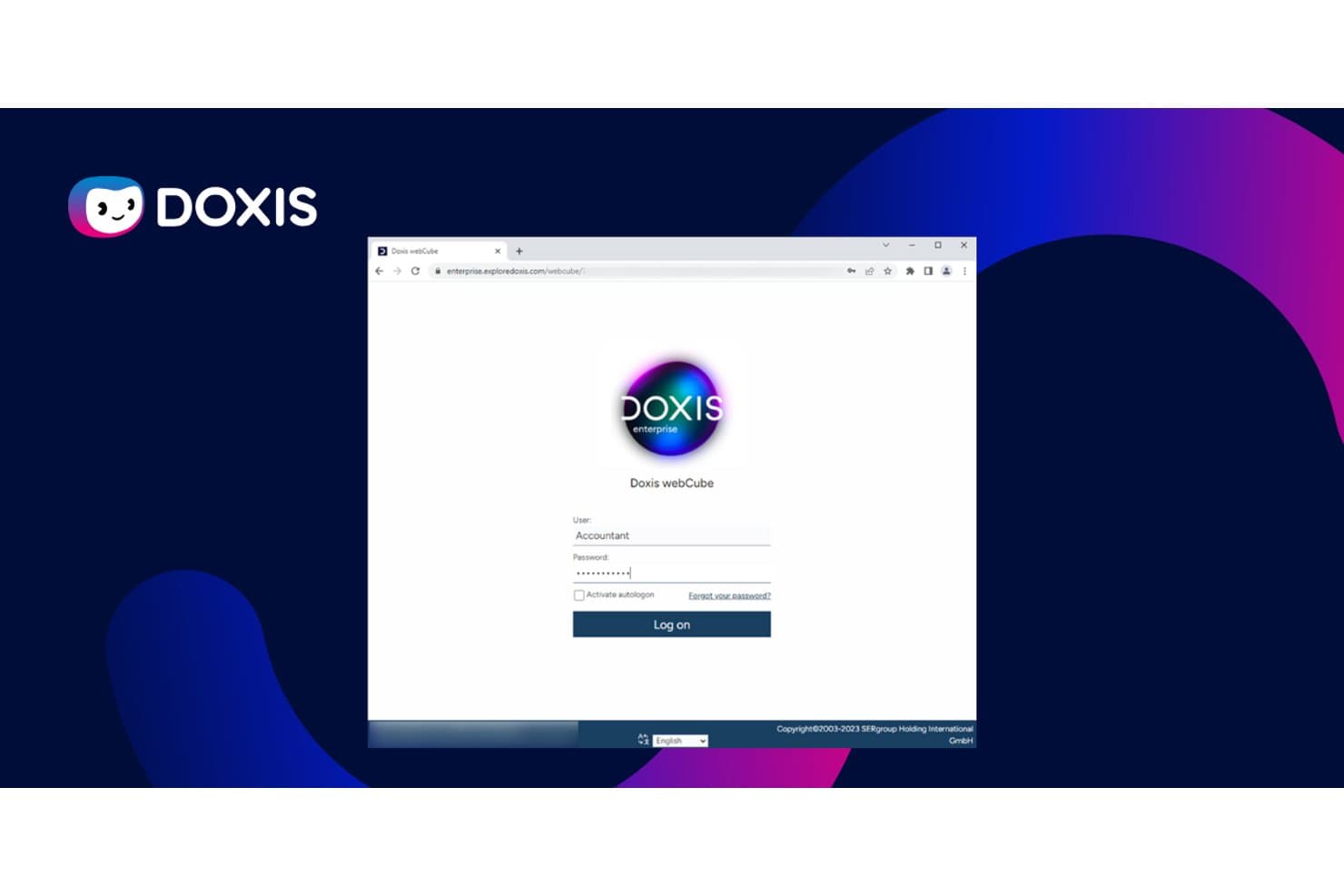
Doxis provides secure role-based login access to its ECM platform. Doxis is an enterprise content management platform that combines document management, intelligent document processing, compliant archiving, workflow automation, and document generation in a single system.
Who Is Doxis Best For?
Doxis is a strong fit for enterprise compliance and records teams running SAP environments who need audit-proof archiving across large document volumes.
Why I Picked Doxis
I've included Doxis in my top picks because its SAP-certified archiving goes well beyond basic storage, automatically reducing ERP data volumes and supporting S/4HANA migrations. I particularly like how it enforces WORM locking and PDF/A conversion at the point of archiving, giving compliance teams revision-safe records that satisfy ISO 14641-1 and IDW PS 880. Pre-built Purchase-to-Pay and Order-to-Cash packages mean SAP-connected teams aren't starting from scratch.
Doxis Key Features
- Ask Doxi natural-language search: Query documents in plain language and get answers linked directly to the source document.
- Doxis iRoom: Share contracts, quotes, and other documents securely with external parties through a controlled sharing portal.
- Event-condition-action automation: Trigger cross-system actions automatically, such as creating an eFile when a new ERP or CRM record appears.
- Doxis Consolidation Service: Migrate documents from platforms like OpenText, IBM, and Hyland with zero downtime by moving metadata first and content in the background.
Doxis Integrations
Doxis offers documented integrations with SAP ERP and S/4HANA, SAP Ariba, SAP SuccessFactors, Salesforce, Microsoft 365, SharePoint, Dynamics 365, Workday, ServiceNow, Sage, Infor, and Oracle. Its API-first architecture supports custom integrations and content federation.
Pros and Cons
Pros:
- Reviewers praise flexible department-level configuration
- Repository scales across billions of documents
- Revision-safe archiving supports audit requirements
Cons:
- Advanced administration can require specialist expertise
- Support follow-through varies across reviewers
Learn more about Doxis: Best for workflow automation
- Free demo available
- From $73/user/month (billed annually)
Visit WebsiteCustomer Rating:4.6/5
Laserfiche automates workflows and organizes documents to improve efficiency and output. Laserfiche is a content management and business process automation software aimed at organizations seeking to enhance efficiency and productivity. It is popular among industries like government, education, and financial services for automating workflows and managing documents.
Why I picked Laserfiche: Laserfiche offers powerful workflow automation tools that help your team reduce manual processes and improve efficiency. It provides document capture and management features to ensure all your files are easily accessible and organized. The platform focuses on compliance and security, making it ideal for industries with stringent regulatory requirements. Its ability to transform paper-based tasks into digital processes sets it apart.
Standout features & integrations:
Features include document capture that encourages digital transformation from physical documents that allows your team to digitize paper documents quickly and efficiently. The software offers analytics tools and machine learning that provide insights into your processes, helping you make informed decisions. Customizable templates let you tailor the system to fit specific workflow needs.
Integrations include Salesforce, Google Workspace, ServiceNow, Docusign, SAP, Oracle, Dropbox, Box, and Microsoft Dynamics 365.
Pros and Cons
Pros:
- Compliance-focused features
- Document capture capabilities
- Strong workflow automation
Cons:
- Limited out-of-box solutions
- Requires training for users
Learn more about Laserfiche: 3Best for cloud storage needs
Box
- 14-day free trial
- From CAD$21/user/month (billed annually)
Visit WebsiteCustomer Rating:4.3/5
Box provides secure cloud storage and sharing, enhancing collaboration and document access Box is a cloud-based content management and collaboration tool designed for businesses seeking secure file storage and sharing capabilities. It caters to a wide range of industries, offering solutions that enhance collaboration and accessibility of documents.
Why I picked Box: Box provides a comprehensive cloud storage service that meets the needs of teams looking to store, share, and collaborate on files securely. It offers advanced security features like encryption and compliance support to protect your data. The platform allows for flexible access control, so you can manage who sees what. Box’s easy-to-use interface makes it simple for your team to adopt and use effectively.
Standout features & integrations:
Features include version history, which lets your team track changes and revert to previous versions if needed. The platform offers automated workflows that streamline repetitive tasks and enhance productivity. Box also provides detailed analytics, giving you insights into how files are accessed and used within your team.
Integrations include Microsoft Dynamics 365, Google Workspace, Salesforce, Slack, Adobe, Docusign, Zoom, IBM, Okta, and ServiceNow.
Pros and Cons
Pros:
- Flexible access control
- Strong data encryption
- Extensive cloud storage options
Cons:
- Occasional sync issues
- Limited offline access
Learn more about Box: Best for integrated workflow access
- Free demo available
- From $65/user/month
Visit WebsiteCustomer Rating:4.4/5
M-Files improves document creation, workflow automation, and collaboration. M-Files is a document management platform tailored for industries such as management consulting, financial services, and manufacturing. It focuses on document creation, workflow automation, and external collaboration to enhance productivity.
Why I picked M-Files: M-Files uses a metadata-driven approach to document management, providing easy access and visibility to your documents. It features automated workflows that help your team organize and manage files efficiently. With integration capabilities with popular applications, M-Files ensures uninterrupted workflow access to information. Its emphasis on security and compliance reduces business risks, making it a reliable choice.
Standout features & integrations:
Standout features include metadata-driven document management and workflow automation. The best thing about this platform is that users can search files by document text or metatags, making categorization and identification a breeze. I feel this simplicity makes M-Files stand out as the best document management system for ease of use.
Integrations include Salesforce, Sharepoint, Google Workspace, Electronic signatures, Network Folders, Microsoft Dynamics 365, SAP, Amazon S3, MFSQL, OpenText, Documentum, and eDOCs.
Pros and Cons
Pros:
- Industry-specific solutions
- Automated workflows
- Metadata-driven access
Cons:
- Limited customization options
- Complexity for new users
Learn more about M-Files: Best for large-scale enterprises
- Free demo available
- Pricing upon request
Visit WebsiteCustomer Rating:4.2/5
OpenText manages and optimizes information to enhance decision-making and efficiency. OpenText is an enterprise content management solution catering to large organizations across various sectors, including finance and healthcare. It focuses on managing and optimizing enterprise information to improve decision-making and operational efficiency.
Why I picked OpenText: OpenText provides extensive content management capabilities suitable for large-scale enterprises. It offers document archiving, compliance management, and workflow automation as key features. The platform’s ability to handle vast amounts of data while ensuring security and compliance makes it unique. Its scalability and flexibility allow you to tailor it according to complex business needs.
Standout features & integrations:
Features include advanced document archiving that helps your team store and retrieve information efficiently. Compliance management tools ensure that your organization adheres to industry regulations. Workflow automation streamlines processes, allowing your team to focus on more strategic tasks.
Integrations include Microsoft, SAP, Salesforce, Oracle, IBM, Google Workspace, ServiceNow, Box, Dropbox, and Amazon Web Services.
Pros and Cons
Pros:
- Strong compliance management
- Scalable for large enterprises
- Extensive content management
Cons:
- May require extensive training
- Slight learning curve for new users
Learn more about OpenText: Best for Microsoft integration
- 1-month free trial available
- From $7/user/month (billed annually)
Visit WebsiteCustomer Rating:4.4/5
SharePoint enables teams to store, share, and manage documents while supporting collaboration. SharePoint is a versatile enterprise content management and collaboration platform widely used by businesses of all sizes. It allows teams to store, share, and manage documents efficiently while facilitating collaboration.
Why I picked SharePoint: Integration with Microsoft products is a key strength, providing a cohesive experience for users already on Microsoft 365. SharePoint offers document libraries that organize your files and make collaboration easy. Its intranet capabilities help your team communicate and share resources effectively. The platform’s customizable workflows enhance productivity by automating repetitive tasks.
Standout features & integrations:
Features include document versioning that ensures your team always works with the latest files. The platform also provides site templates to help you quickly set up collaborative spaces. Additionally, SharePoint includes search functionalities that enable your team to find documents and information swiftly.
Integrations include Microsoft Teams, Outlook, Word, Excel, PowerPoint, OneDrive, Yammer, Power BI, Microsoft Dynamics 365, and Azure.
Pros and Cons
Pros:
- Detailed search functionalities
- Document libraries for organization
- Customizable workflows
Cons:
- Limited non-Microsoft integration
- Configuration complexity
Learn more about SharePoint: Best for secure, real-time file sharing with external partners
- Free demo + 15-day free trial available
- From $22/user/month (billed annually)
Visit WebsiteCustomer Rating:4.1/5
Egnyte provides secure file management and sharing for on-premises and cloud access. Egnyte is a ECM software and file-sharing platform aimed at businesses that need a central repository to manage and access files both on-premises and in the cloud. It serves industries like construction, finance, and healthcare by offering secure file-sharing and collaboration solutions.
Why I picked Egnyte: Egnyte excels in hybrid cloud storage, allowing your team to store and manage files across different environments efficiently. It provides strong security features to protect your data, whether stored locally or in the cloud. The platform's flexibility allows you to choose the best storage option for your needs. With Egnyte, you can easily collaborate with your team and external stakeholders, regardless of where your files are stored.
Standout features & integrations:
Features include granular permission controls, which let you manage access to files at a detailed level. The platform offers data governance tools to help you maintain compliance and protect sensitive information. Egnyte also provides real-time collaboration features, allowing your team to work together in tandem on shared documents.
Integrations include Microsoft Dynamics 365, Google Workspace, Salesforce, Slack, Docusign, Adobe, Zoom, Autodesk, Trello, and Microsoft Teams.
Pros and Cons
Pros:
- Data governance tools
- Granular permission controls
- Strong hybrid storage options
Cons:
- Advanced features cost an extra
- Requires technical knowledge
Learn more about Egnyte: Best for personalized asset delivery across platforms
- Not available
- Pricing upon request

Adobe Experience Manager enables teams to manage content and deliver personalized experiences. Adobe Experience Manager is an enterprise content management platform designed for marketing and IT teams looking to manage digital assets and content efficiently. It helps businesses create and deliver personalized experiences across various channels.
Why I picked Adobe Experience Manager: Adobe Experience Manager excels in digital asset management, allowing your team to organize and distribute content effectively. It offers tools for content creation and editing, making collaboration simple and efficient. With its focus on delivering personalized experiences, it helps your team engage with customers more effectively. The platform's integration capabilities with other Adobe products enhance its functionality for creative teams.
Standout features & integrations:
Features include content personalization, which allows your team to tailor experiences for different audience segments. The platform offers an intuitive interface that simplifies content creation and management. Additionally, it provides analytics tools to help you measure and optimize content performance.
Integrations include Adobe Creative Cloud, Adobe Analytics, Adobe Target, Adobe Campaign, Salesforce, Microsoft Dynamics 365, SAP, Marketo, Adobe Commerce, and Oracle.
Pros and Cons
Pros:
- Native Adobe product integration
- Intuitive user interface
- Content personalization features
Cons:
- Limited customization options
- Steep learning curve
Learn more about Adobe Experience Manager: Best for scalable content management
- Free demo available
- Pricing upon request

IBM FileNet supports large firms with document management and process automation. IBM FileNet is an enterprise content management solution tailored for large organizations focusing on document management and process automation. It serves sectors like banking, insurance, and government, helping them manage large volumes of data efficiently.
Why I picked IBM FileNet: IBM FileNet offers a scalable platform that supports extensive content management needs throughout the content lifecycle, making it suitable for enterprises dealing with vast amounts of information. It also features advanced document capture and automated workflows that enhance operational efficiency. Its industry-grade security features ensure that your data is protected at all times. The platform's ability to integrate with other IBM products adds to its lifecycle scalability and functionality.
Standout features & integrations:
Features include document capture capabilities that simplify the digitization of physical documents. The software also provides advanced analytics tools that offer insights into your content and processes, enabling better decision-making. Additionally, IBM FileNet supports extensive metadata tagging, which helps your team organize and retrieve information quickly.
Integrations include IBM Cloud, Watson, SAP, Microsoft Office 365, Salesforce, Oracle, Box, IBM Content Navigator, IBM Datacap, and Microsoft SharePoint.
Pros and Cons
Pros:
- Advanced metadata tagging
- Integration with IBM products
- Advanced document capture
Cons:
- Limited customization options
- May need extensive training
Learn more about IBM FileNet: Best for enterprise collaboration
- Free demo available
- Pricing upon request

Oracle WebCenter Content aids organizations in managing and sharing content across teams. Oracle WebCenter Content is an ECM solution designed for large organizations seeking to manage and share content across departments. It helps businesses streamline content collaboration and approvals while improving information accessibility.
Why I picked Oracle WebCenter Content: Oracle WebCenter Content excels in enterprise collaboration, providing tools that facilitate content sharing and management. It offers top security features to ensure data protection across your organization. The platform's scalability supports growing businesses and their evolving content needs. With a focus on enhancing collaboration, it helps facilitate team access and better information management.
Standout features & integrations:
Features include a centralized content repository that simplifies the storage and retrieval of documents. The platform offers workflow automation to boost process efficiency and reduce manual tasks. It also provides detailed audit trails, enabling you to track document changes and access history.
Integrations include Oracle Cloud, Oracle E-Business Suite, SAP, Microsoft Office, Salesforce, IBM, Adobe, Box, Google Workspace, and Microsoft SharePoint.
Pros and Cons
Pros:
- Strong workflow automation
- Detailed audit trails
- Centralized content repository
Cons:
- Performance can vary
- Limited customization options
Learn more about Oracle WebCenter Content:
Diğer Kurumsal İçerik Yönetimi Yazılımları
Kısa listeme giremeyen ancak yine de göz atmaya değer bazı ek kurumsal içerik yönetimi yazılımı seçenekleri şunlardır:
- 11Alfresco platform Best for open-source flexibility
- 12DoxisBest for document-centric processes
- 13GRMBest for compliance-focused solutions
- 14Creatio AI CRMBest no-code campaign designer
- 15ContentstackBest for agile content delivery
- 16LogicalDOCBest for multilingual support
- 17Zoho WorkDriveBest for team collaboration
- 18BrightspotBest for media companies
- 19ContentverseBest for small to medium businesses
- 20TemplafyBest for brand compliance
- 21Storyblok Best for headless CMS architecture
- 22DocStar ECMBest for AP automation
- 23XeroxBest for document scanning solutions
- 24EverteamBest for records management
- 25AODocsBest for Google Workspace users
- 26ELO ECM SuiteBest for modular software design
How I Evaluate Enterprise Content Management Software
Managing brand assets across global campaigns requires more than file storage, so I look at two layers: the baseline functionality a platform must have, and the differentiators that set vendors apart.
Core Functionality (Table Stakes For This List)
When I'm selecting tools for my list, I rank each one on a scale from 0 (does not offer the functionality) to 5 (excels in this area) for each core functionality listed below. Then, I calculate the tool's total score into a percentage. Each tool needs to achieve a minimum total score of 65% to be considered for inclusion.
- Centralized Content Repository: I evaluate whether marketing teams can store, organize, and retrieve documents, images, videos, and creative files at enterprise scale from a single library.
- Metadata & Taxonomy Management: Custom metadata schemas and tagging structures matter here, especially when a multi-brand org needs to surface the right asset from thousands in seconds.
- Version Control & Audit Trails: I check that content revisions are tracked automatically, so teams can roll back a campaign brief or creative file and see exactly who changed what.
- Workflow & Approval Automation: Multi-step review chains are common in marketing, so I look for configurable approval workflows with conditional routing and stakeholder notifications.
- Access Control & Permissions: Granular, role-based permissions are key when agencies, regional teams, and internal stakeholders all need different levels of access to the same content.
- Omnichannel Content Delivery: I look at how each platform publishes or distributes content across websites, apps, and marketing channels via APIs, native connectors, or headless delivery.
Once I have a list of tools that meet this criteria, I consider what sets each platform apart.
Differentiating Factors (What Sets Vendors Apart)
Here's how I compare and contrast different vendors:
Standout Features
AI-powered content intelligence is a real differentiator—platforms that auto-tag assets and surface smart search results save marketing teams hours of manual cataloging. Brand governance controls matter just as much. I look for features like usage guidelines, asset expiration dates, and rights management for teams sharing libraries with external agencies. In-app collaboration and annotation tools are also worth evaluating, since they let creative reviewers mark up files directly instead of juggling feedback across email threads.
Beyond Features
Martech stack integrations are one of the first things I evaluate. A platform needs native connectors to CRM, marketing automation, and creative tools your team already uses daily. Implementation and onboarding support also weigh heavily—migrating years of content into a new system with clean taxonomies is a major lift, and vendors that offer migration assistance and taxonomy consulting reduce time-to-value. I also consider licensing transparency, checking whether pricing scales predictably as teams add users, storage, or API calls.
Kurumsal İçerik Yönetimi Yazılımı Nasıl Seçilir?
Uzun özellik listeleri ve karmaşık fiyatlandırma yapıları içinde kaybolmak kolaydır. Kendinize özgü yazılım seçim sürecinizde ilerlerken odağınızı korumanıza yardımcı olmak için aklınızda bulundurmanız gereken faktörleri içeren bir kontrol listesi hazırladım:
| Faktör | Dikkate Alınması Gerekenler |
| Ölçeklenebilirlik | Yazılım ekibinizin ihtiyaçlarıyla birlikte büyüyecek mi? |
| Entegrasyonlar | Mevcut araçlarınız ve sistemlerinizle bağlantı kuruyor mu? |
| Özelleştirilebilirlik | Yazılımı belirli iş akışlarınıza göre uyarlayabilir misiniz? |
| Kullanım Kolaylığı | Arayüz ekibiniz için kullanıcı dostu mu? |
| Bütçe | Maliyet, mali kısıtlamalarınız dahilinde mi? |
| Güvenlik Önlemleri | Verilerinizi korumak için yeterli önlemler var mı? |
| Destek | Sağlayıcı ne tür bir müşteri desteği sunuyor? |
| Uyumluluk | Sektörünüzün düzenleyici gerekliliklerini karşılıyor mu? |
Yazılım seçim sürecinizi düzenli ve odaklanmış tutmak için bu kontrol listesini kullanın.
Kurumsal İçerik Yönetimi Yazılımındaki Eğilimler
Araştırmam sırasında farklı kurumsal içerik yönetimi yazılımı sağlayıcılarından sayısız ürün güncellemesi, basın bülteni ve sürüm günlüğü inceledim. Takip ettiğim yeni ortaya çıkan eğilimler şunlar:
- Yapay zekâ destekli içerik analizi: Yapay zekâ, içeriği analiz etmek ve etiketlemek için giderek daha fazla kullanılıyor; bu da kullanıcıların bilgileri bulmasını ve düzenlemesini kolaylaştırıyor. Bu eğilim, büyük hacimli belgelerin kategorilere ayrılmasını otomatikleştirerek işletmelerin zamandan tasarruf etmesine yardımcı oluyor. IBM FileNet gibi sağlayıcılar, içerik yönetimi özelliklerini geliştirmek için yapay zekâyı kullanıyor.
- Gelişmiş güvenlik protokolleri: Veri ihlalleri daha yaygın hâle geldikçe, kurumsal içerik yönetimi çözümleri gelişmiş güvenlik önlemlerine odaklanıyor. Buna şifreleme ve çok faktörlü kimlik doğrulama gibi özellikler dâhil; bu özellikler kullanıcılara güven veriyor. GRM gibi şirketler, uyumluluk gereksinimlerini karşılamak için güvenliğe önem veriyor.
- İş birliğine dayalı içerik oluşturma: Daha fazla kurumsal içerik yönetimi aracı, ekiplerin belgeler üzerinde gerçek zamanlı olarak birlikte çalışmasını sağlayan özellikler sunuyor. Bu eğilim, kullanıcıların içeriği aynı anda düzenlemesine ve incelemesine olanak tanıyarak uzaktan çalışmayı destekliyor. Adobe Experience Manager, iş birliğine dayalı düzenleme seçenekleri sunarak bu yaklaşımı benimsedi.
- Bulut tabanlı mimari: Bulut tabanlı çözümler, geleneksel şirket içi yazılımlara veya kendi sunucunuzda barındırılan Wordpress gibi eski kurulumlara kıyasla daha fazla ölçeklenebilirlik ve esneklik sunduğundan yükselişte. Dağıtık ekipleri, uyumluluğu ve modern iş akışlarını daha iyi destekleyen alternatifler arayan kuruluşlar için bu değişim kritik önem taşıyor. Box ve Egnyte gibi sağlayıcılar, bulut merkezli teklifleriyle bu alanda öncülük ediyor.
- Kullanıcı odaklı tasarım geliştirmeleri: Kurumsal içerik yönetimi platformları, kullanıcı deneyimini iyileştirmek için sezgisel ve kullanıcı dostu arayüzlere öncelik veriyor. Bu eğilim, öğrenme eğrisini azaltmaya ve kullanıcıların yazılımda gezinmesini kolaylaştırmaya odaklanıyor. SharePoint ve Zoho WorkDrive, daha iyi kullanılabilirlik için arayüzlerini geliştirme konusunda önemli ilerlemeler kaydetti.
Kurumsal İçerik Yönetimi Yazılımı Nedir?
Kurumsal içerik yönetimi (ECM) yazılımı, kuruluşların sözleşmelerden ve e-postalardan multimedya dosyalarına kadar artan iş içeriği hacimlerini, içerik yaşam döngüsünün her aşamasında dijitalleştirmesine ve kontrol etmesine olanak tanır. Varlıkları güvenli ve izin tabanlı bir sistemde tutan ECM platformları, uyumluluk risklerini en aza indirir, iş birliğini kolaylaştırır ve operasyonel verimliliği artırır.
BT yöneticileri, uyumluluk sorumluları ve proje yöneticileri, bilgiye erişilebilirliği ve iş birliğini geliştirmek için bu araçları kullanır. Belge depolama, erişim izinleri ve iş akışı otomasyonu gibi temel özellikler verilerin düzenlenmesine, güvence altına alınmasına ve ekip üretkenliğinin artırılmasına yardımcı olur.
Kurumsal İçerik Yönetimi Yazılımının Özellikleri
Kurumsal içerik yönetimi yazılımı seçerken aşağıdaki temel özelliklere dikkat edin:
- Belge depolama: Dosyaları kolay erişim için güvenli bir şekilde düzenlemenize ve depolamanıza olanak tanır.
- İş akışı otomasyonu: Tekrarlanan görevleri otomatikleştirerek süreçleri kolaylaştırır, zamandan ve emekten tasarruf sağlar.
- Erişim izinleri: Belgeleri kimlerin görüntüleyebileceğini veya düzenleyebileceğini kontrol etmenizi sağlayarak güvenliği artırır.
- Sürüm denetimi: Belge değişikliklerini izleyerek ekibinizin her zaman en güncel sürümle çalışmasını sağlar.
- Veri şifreleme: Hassas bilgileri yetkisiz erişime karşı koruyarak düzenlemelere uyumluluğu sağlar.
- Gerçek zamanlı iş birliği: Birden fazla kullanıcının belgeler üzerinde aynı anda çalışmasına olanak tanıyarak ekip üretkenliğini artırır.
- İçerik kişiselleştirme: Farklı kitlelere ilgili içerikler sunarak kullanıcı deneyimlerini kişiselleştirir.
- Mobil uygulama özellikleri: Belgelere hareket hâlindeyken erişim sağlayarak uzaktan çalışmayı ve esnekliği destekler.
- Analiz araçları: Karar alma süreçlerine yön vermek için içerik kullanımı ve performansı hakkında içgörüler sunar.
- Denetim izleri: Belge erişimini ve değişikliklerini izleyerek uyumluluğun ve hesap verebilirliğin korunmasına yardımcı olur.
Kurumsal İçerik Yönetimi Yazılımının Faydaları
Kurumsal içerik yönetimi yazılımını uygulamak, ekibiniz ve işletmeniz için çeşitli faydalar sağlar. İşte yararlanabileceğiniz birkaç fayda:
- Geliştirilmiş iş birliği: Gerçek zamanlı iş birliği özellikleri, ekibinizin farklı konumlardan bile daha etkili bir şekilde birlikte çalışmasını sağlar.
- Gelişmiş güvenlik: Veri şifreleme ve erişim izinleri, hassas bilgileri yetkisiz erişime karşı korur.
- Artan verimlilik: İş akışı otomasyonu, manuel görevleri azaltarak ekibinizin daha önemli işlere odaklanmasını sağlar.
- Daha iyi uyumluluk: Denetim izleri ve uyumluluk takibi, işletmenizin sektör düzenlemelerine uymasını sağlamaya yardımcı olur.
- Belgelerin kolayca bulunması: Belge depolama ve sürüm denetimi, gerektiğinde doğru dosyaları bulmayı ve kullanmayı kolaylaştırır.
- Daha iyi organizasyon: Farklı içerik türlerini yönetmeyi daha kolay ve erişilebilir hâle getiren düzenli araçlarla çeşitli içerik türlerini ve yapılandırılmamış bilgileri düzenleyin.
- Maliyet tasarrufu: Fiziksel depolama ihtiyacını azaltarak ve hataları en aza indirerek ECM çözümleri işletmenizin tasarruf etmesini sağlayabilir.
Kurumsal İçerik Yönetimi Yazılımının Maliyetleri ve Fiyatlandırması
Kurumsal içerik yönetimi yazılımı seçmek, mevcut çeşitli fiyatlandırma modellerinin ve planların anlaşılmasını gerektirir. Maliyetler; özelliklere, ekip büyüklüğüne, eklentilere ve daha fazlasına göre değişir. Aşağıdaki tablo, kurumsal içerik yönetimi yazılımı çözümlerinde yaygın olarak sunulan planları, ortalama fiyatlarını ve tipik özelliklerini özetlemektedir:
Kurumsal İçerik Yönetimi Yazılımı İçin Plan Karşılaştırma Tablosu
| Plan Türü | Ortalama Fiyat | Yaygın Özellikler |
| Ücretsiz Plan | $0 | Temel belge depolama, sınırlı erişim izinleri ve topluluk desteği. |
| Kişisel Plan | $5 - $15/kullanıcı/ay | Belge depolama, temel iş akışı otomasyonu ve sürüm denetimi. |
| İşletme Planı | $20-$50/kullanıcı/ay | Gelişmiş güvenlik özellikleri, gelişmiş iş akışı otomasyonu ve gerçek zamanlı iş birliği. |
| Kurumsal Plan | $60-$100/kullanıcı/ay | Kapsamlı veri şifreleme, özel entegrasyonlar ve tam uyumluluk desteği. |
Kurumsal İçerik Yönetimi Yazılımı SSS
Kurumsal içerik yönetimi yazılımı hakkında sık sorulan soruların bazı yanıtlarını burada bulabilirsiniz:
Kurumsal içerik yönetimi sistemi nasıl çalışır?
Kurumsal içerik yönetimi (ECM) sistemi, işletmeniz genelindeki dijital belgeleri depolar, düzenler ve yönetir. Ekiplerinizin merkezi bir depodan dosyaları güvenli bir şekilde yakalamasına, paylaşmasına ve almasına olanak tanır. ECM yazılımıyla erişimi kontrol edebilir, belge iş akışlarını otomatikleştirebilir ve değişiklikleri izleyebilirsiniz; böylece herkesin ihtiyaç duyduğu içeriği bulması ve kullanması kolaylaşır.
Kurumsal içerik yönetiminin bileşenleri nelerdir?
Temel ECM bileşenleri arasında belge yönetimi, iş akışı otomasyonu, kayıt yönetimi, dijital varlık yönetimi ve güvenlik araçları bulunur. Bu özellikler işletmenizin dosyaları yakalamasına, düzenlemesine, depolamasına, almasına ve korumasına yardımcı olur. Bir araya geldiklerinde departmanlar genelinde uyumluluğu, iş birliğini ve verimli bilgi yönetimini desteklerler.
İçerik hizmetleri ile ECM arasındaki fark nedir?
İçerik hizmetleri, içerik yönetimini modüler, bulut tabanlı araçlara ayırırken ECM, birçok içerik ihtiyacını kapsayan kapsamlı platformları ifade eder. Her ikisi de belgeleri ve iş akışlarını yönetmeye yardımcı olur, ancak içerik hizmetleri genellikle diğer yazılımlarla entegrasyon için daha fazla esneklik sunar. Kuruluşunuz özelleştirilebilir veya modüler çözümlere ihtiyaç duyuyorsa içerik hizmetleri daha uygun olabilir.
ECM uyumluluğu nasıl geliştirebilir?
ECM sistemleri, veri saklama, erişim denetimleri ve denetim izlerini otomatikleştirerek uyumluluğun korunmasına yardımcı olur. Bu, veri ihlalleri ve eksik kayıt riskini azaltır. Pazarlama ve BT direktörleri için otomatik uyumluluk, denetimler sırasında daha az manuel çalışma ve daha fazla güven anlamına gelir.
Birden çok departmanda sorunsuz bir ECM uygulamasını nasıl sağlayabilirim?
Temel paydaşları sürece erken dahil ederek, mevcut iş akışlarının haritasını çıkararak ve her departmanın kullandığı araçlarla entegre olan bir yazılım seçerek sorunsuz bir ECM uygulaması sağlayabilirsiniz. Herkesin kendini rahat hissetmesi için anlaşılır eğitim ve sürekli destek sunun. Geri bildirim toplarken sistemi önce bir ekiple pilot olarak kullanmayı, ardından daha geniş ölçekte kullanıma sunmayı değerlendirin.
ECM yazılımını değerlendirirken hangi entegrasyonlara öncelik vermeliyim?
CRM, ERP, bulut depolama, iş birliği araçları ve e-posta gibi temel işletme sistemlerinizle entegrasyonlara öncelik verin. Pazarlama ve BT direktörleri için mevcut platformlarla sorunsuz bağlantılar, verimliliği artırmaya ve benimseme sürecindeki öğrenme eğrisini azaltmaya yardımcı olur.
Kurumsal içerik yönetimi platformlarında hangi güvenlik özelliklerini aramalıyım?
Güçlü şifreleme, erişim denetimleri, kullanıcı izinleri yönetimi ve etkinlik günlüğü özelliklerine sahip ECM yazılımlarını arayın. Güçlü güvenlik özellikleri yetkisiz veri erişimini önlemeye, hassas içeriği korumaya ve kuruluşunuzun mevzuata uyumluluğunu desteklemeye yardımcı olur.