

Outfunnel Review: Pros, Cons, Features, and Pricing
Outfunnel stands out for its seamless CRM integrations and automation, making it ideal for small teams seeking efficient marketing workflows, though it may lack advanced analytics for larger enterprises.

We review tools independently, and commissions help fund our testing. See our transparency policy, our methodology, or suggest a tool.
Outfunnel is a marketing management software built for sales-led teams that need to connect their CRM with email marketing tools and understand how marketing engagement actually influences pipeline. I'd consider it over HubSpot if your team is already committed to a CRM like Pipedrive or Copper—Outfunnel layers on lead scoring, contact sync, and web visitor tracking without requiring you to migrate your entire sales process to a new platform.
Outfunnel Evaluation Summary
4.4/5
- From $29/month when billed monthly
- 14-day free trial
Why Trust Our Software Recommendations
6,700+
Reviews
20
Industry experts
16+
Evaluation factors
14
Years
Our team has been testing and reviewing software since 2012. As marketing leaders ourselves, we know how difficult—and important—it is to choose the right software.
For this guide, we evaluated tools using hands-on testing and independent research, scoring tools using our selection criteria.
Our reviews reflect our human editorial judgment, not a sales pitch.
Expert reviewers:
 Gui DrusinaCreative Director
- Shriya GhateSenior Marketing Lead
 Amanda JacquesMarketing Ops Leader

Outfunnel Overview
If you’re judging Outfunnel against other marketing management software, I think its CRM integrations and simple automation tools make it a top pick for small to mid-sized teams that want to connect sales and marketing without a steep learning curve. The interface is clean, onboarding is quick, and support is responsive. While it doesn’t offer deep analytics or advanced segmentation, its pricing is fair for the features you get.
If you’re selecting a tool to sync contacts and automate email campaigns with minimal fuss, Outfunnel is a strong contender.
Pros
- Lead scoring helps prioritize sales follow-up
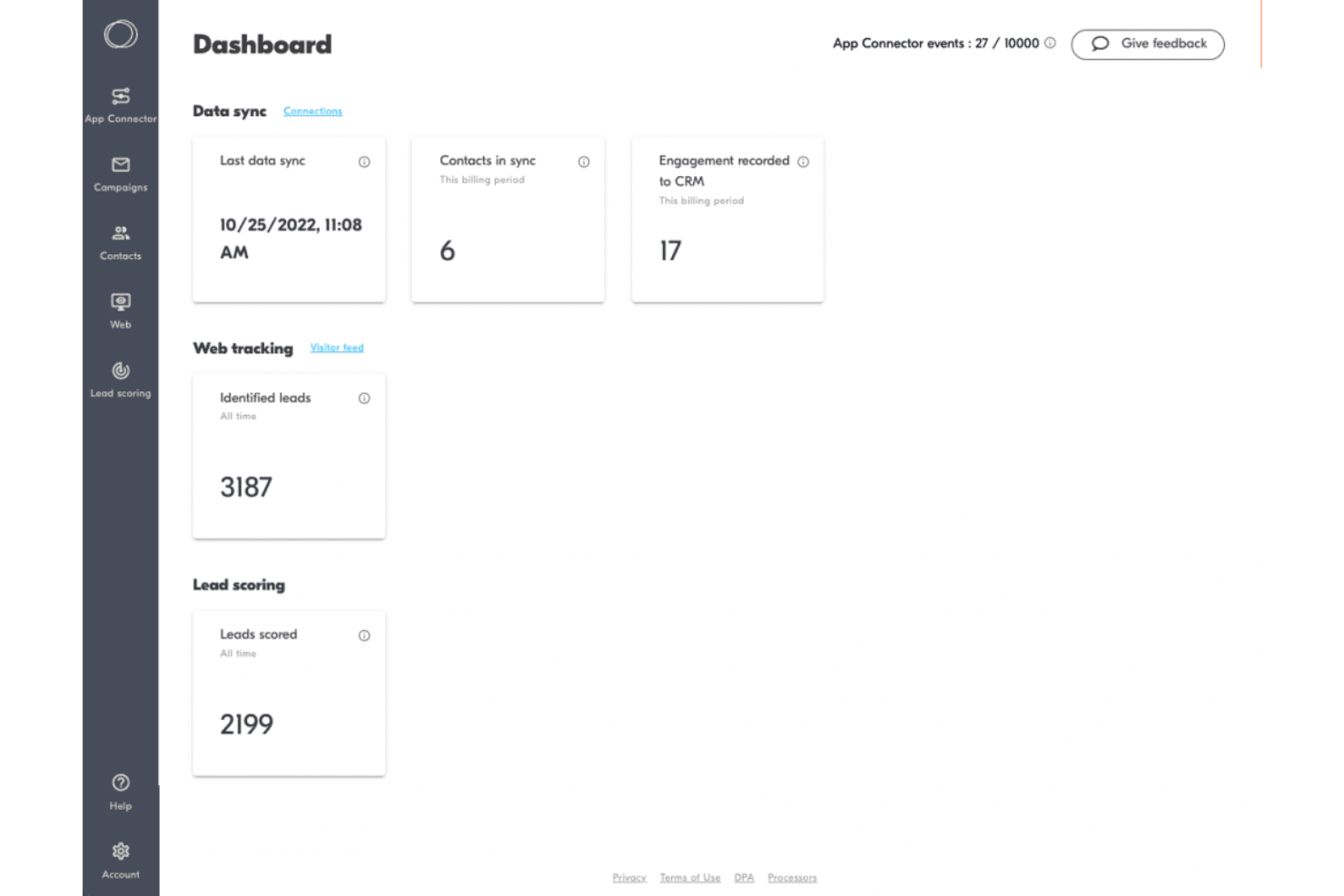
- Tracks email engagement and website visits in your CRM
- Syncs CRM and marketing data automatically and reliably
Cons
- Limited segmentation options for complex campaigns
- No built-in landing page or form builder
- Lacks advanced reporting and analytics features
Is Outfunnel Right For Your Needs?
Who Would be a Good Fit for Outfunnel?
Outfunnel is a strong choice for small to mid-sized businesses, especially those with lean marketing and sales teams that need to keep CRM and marketing data in sync without heavy IT involvement. Its automation, lead scoring, and email tracking features make it ideal for teams focused on nurturing leads and aligning sales and marketing. If your business relies on CRM-driven campaigns and values simplicity over deep customization, Outfunnel is likely to fit your workflow.
- Sales-Driven SMBsAligns sales and marketing with shared engagement and lead data.
- Marketing AgenciesCentralizes client campaign data and syncs with multiple CRMs.
- Nonprofit OrganizationsSimple automation and campaign tracking suit limited marketing resources.
- Consulting FirmsKeeps client engagement data visible in the CRM for better follow-up.
- Real Estate AgenciesAutomated email tracking and contact syncing support relationship-driven sales cycles.
- B2B SaaS StartupsOutfunnel’s CRM sync and lead scoring help prioritize outreach for small sales teams.
Who Would be a Bad Fit for Outfunnel?
Outfunnel isn’t built for large enterprises or teams needing advanced segmentation, deep analytics, or multi-channel campaign management. If your marketing relies on complex workflows, custom reporting, or integrated landing page builders, you’ll likely find Outfunnel’s feature set too limited. It’s best for straightforward CRM-driven marketing, not for organizations with highly specialized or large-scale needs.
- Content-Heavy PublishersDoesn’t offer landing page or form building for content capture.
- Financial Services FirmsNo compliance features or advanced data security controls.
- Enterprise Marketing TeamsLimited segmentation and reporting for sophisticated campaign strategies.
- Higher EducationMissing event management and multi-channel outreach tools.
- Ecommerce RetailersNo built-in support for product catalogs or transactional campaigns.
- Large EnterprisesLacks advanced analytics and customization for complex marketing operations.
How We Test & Score Tools
We’ve spent years building, refining, and improving our software testing and scoring system. The rubric is designed to capture the nuances of software selection and what makes a tool effective, focusing on critical aspects of the decision-making process.
Below, you can see exactly how our testing and scoring works across seven criteria. It allows us to provide an unbiased evaluation of the software based on core functionality, standout features, ease of use, onboarding, customer support, integrations, customer reviews, and value for money.
Core Functionality (25% of final scoring)
The starting point of our evaluation is always the core functionality of the tool. Does it have the basic features and functions that a user would expect to see? Are any of those core features locked to higher-tiered pricing plans? At its core, we expect a tool to stand up against the baseline capabilities of its competitors.
Standout Features (25% of final scoring)
Next, we evaluate uncommon standout features that go above and beyond the core functionality typically found in tools of its kind. A high score reflects specialized or unique features that make the product faster, more efficient, or offer additional value to the user.
We also evaluate how easy it is to integrate with other tools typically found in the tech stack to expand the functionality and utility of the software. Tools offering plentiful native integrations, 3rd party connections, and API access to build custom integrations score best.
Ease of Use (10% of final scoring)
We consider how quick and easy it is to execute the tasks defined in the core functionality using the tool. High scoring software is well designed, intuitive to use, offers mobile apps, provides templates, and makes relatively complex tasks seem simple.
Onboarding (10% of final scoring)
We know how important rapid team adoption is for a new platform, so we evaluate how easy it is to learn and use a tool with minimal training. We evaluate how quickly a team member can get set up and start using the tool with no experience. High scoring solutions indicate little or no support is required.
Customer Support (10% of final scoring)
We review how quick and easy it is to get unstuck and find help by phone, live chat, or knowledge base. Tools and companies that provide real-time support score best, while chatbots score worst.
Customer Reviews (10% of final scoring)
Beyond our own testing and evaluation, we consider the net promoter score from current and past customers. We review their likelihood, given the option, to choose the tool again for the core functionality. A high scoring software reflects a high net promoter score from current or past customers.
Value for Money (10% of final scoring)
Lastly, in consideration of all the other criteria, we review the average price of entry level plans against the core features and consider the value of the other evaluation criteria. Software that delivers more, for less, will score higher.
Core Features
Email Campaign Automation
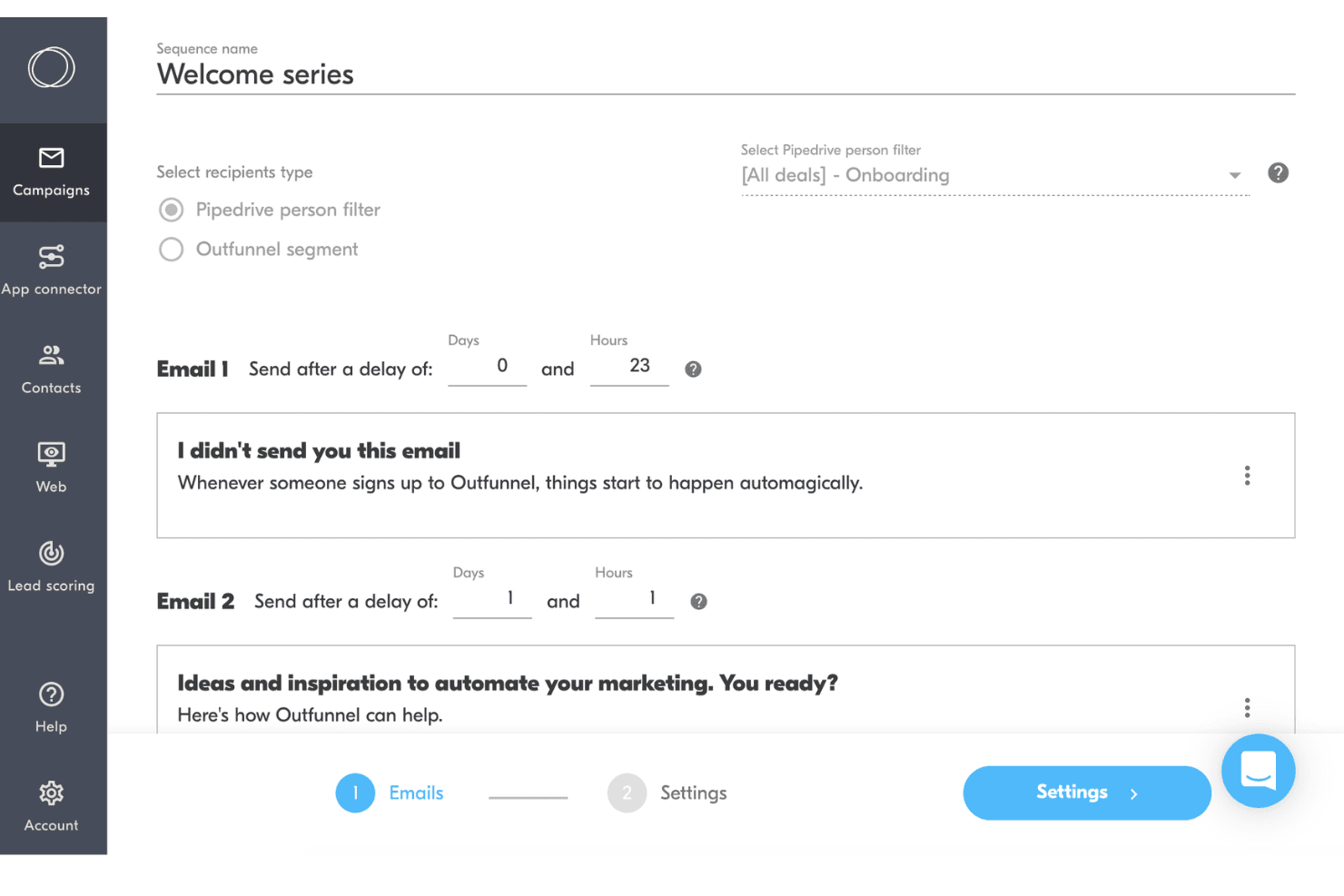
Automate email sequences triggered by CRM updates or contact actions. Schedule, personalize, and track campaigns directly from your connected CRM.
Lead Scoring
Assign scores to leads based on engagement and activity. Prioritize follow-up by surfacing the most sales-ready contacts.
Website Tracking
Track website visits and page views for CRM contacts. See which leads are engaging with your site and what content interests them.
Contact Activity Sync
Automatically sync email, web, and campaign activity to your CRM. Keep sales and marketing teams aligned with up-to-date engagement data.
Campaign Reporting
View open rates, click rates, and engagement metrics for each campaign. Quickly assess which messages and campaigns are performing best.
Unsubscribe Management
Handle opt-outs and unsubscribes automatically to stay compliant. Outfunnel updates your CRM and suppresses future emails to unsubscribed contacts.
Standout Features
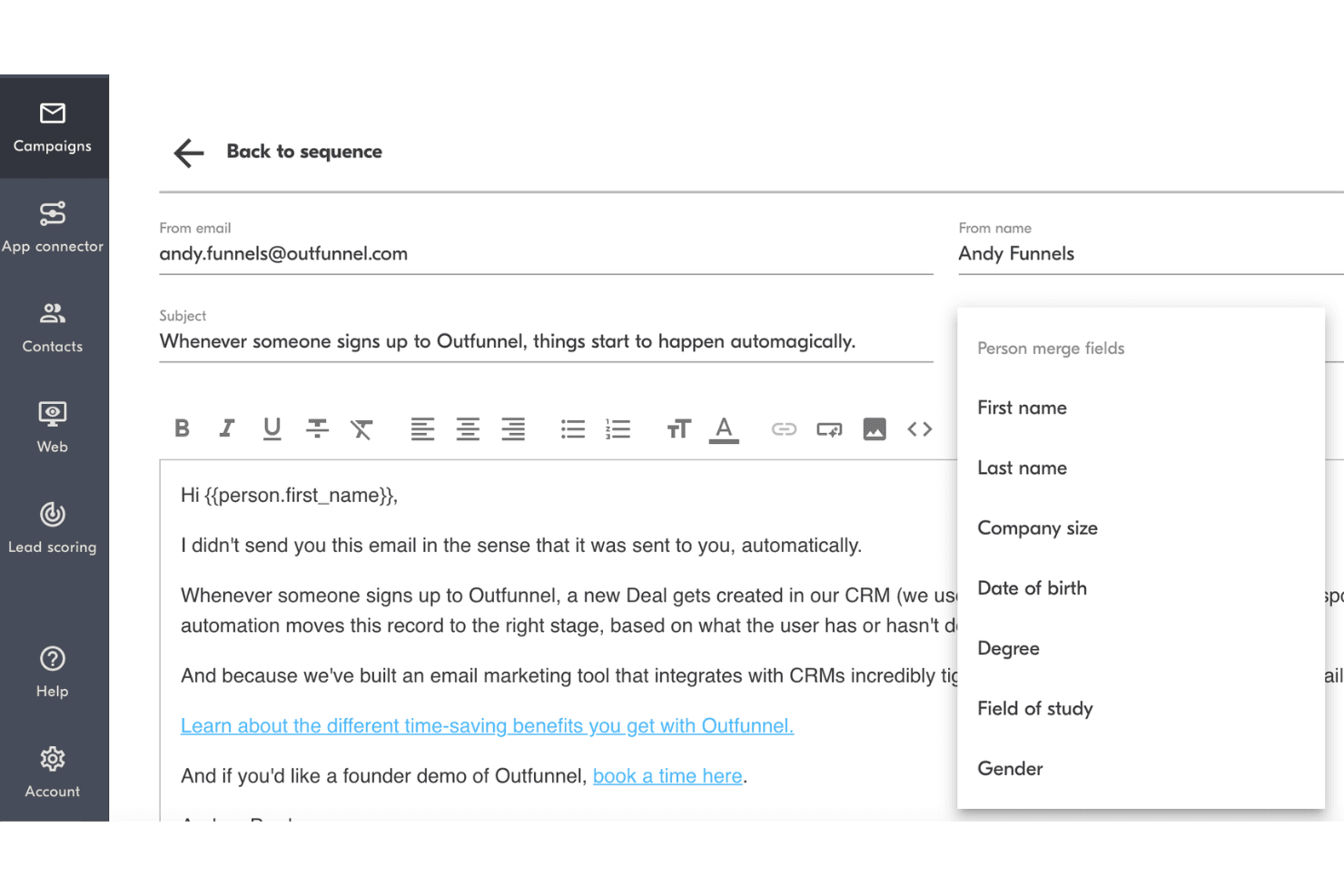
Auto-Create CRM Contacts
Outfunnel automatically creates new CRM contacts from form submissions or campaign signups. This saves time and ensures no new leads slip through the cracks.
Activity-Based Segmentation
Segment contacts based on real-time engagement, like email opens or website visits. This lets you target follow-ups and campaigns to the most active leads instantly.
Ease of Use
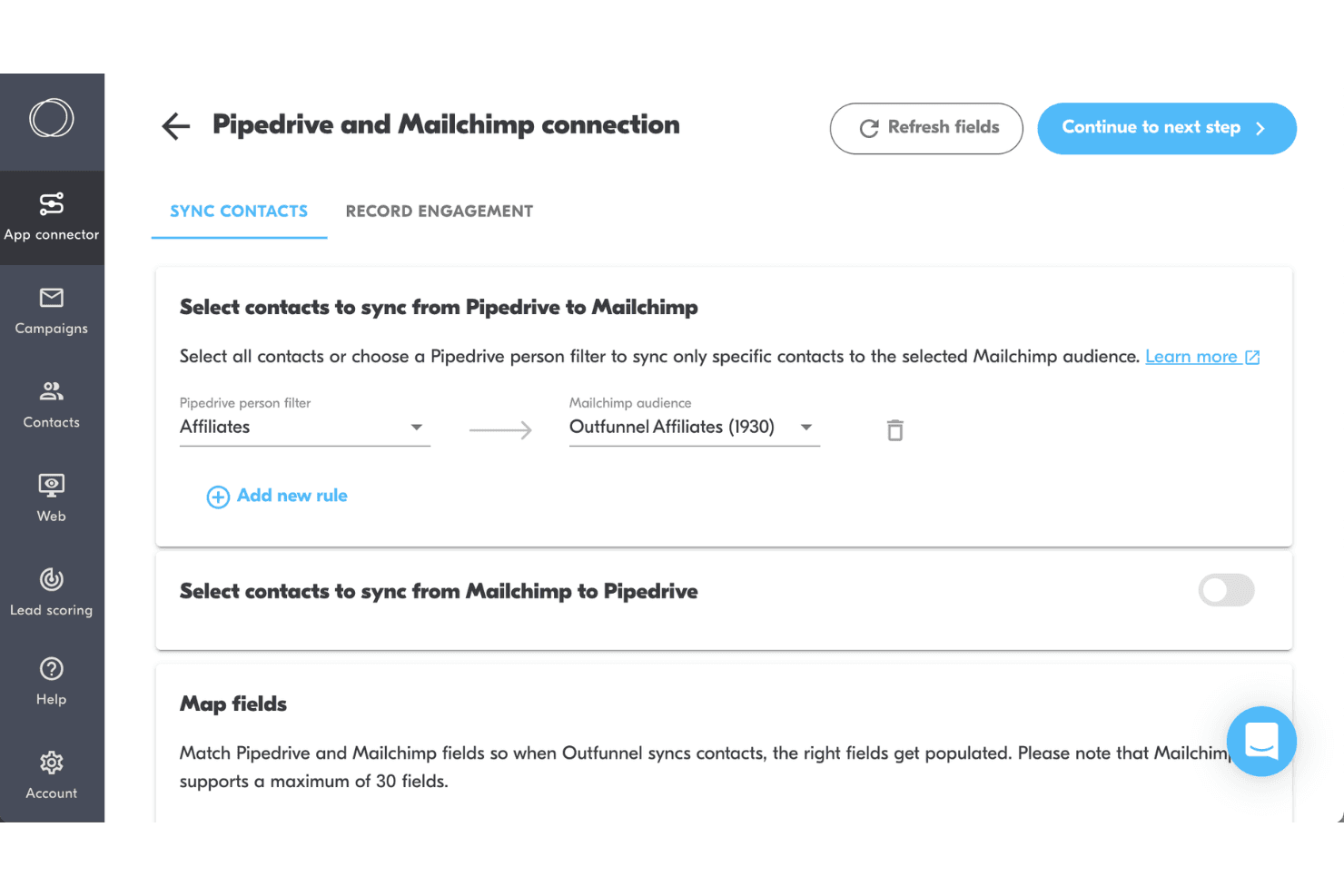
Outfunnel is refreshingly straightforward, with a clean interface and intuitive navigation that makes setup and daily use simple for non-technical users. Most users say connecting their CRM and launching campaigns takes just minutes, not hours.
The platform avoids clutter and focuses on essential features, so you won’t get lost in menus or settings. If you want a marketing management tool that’s easy to adopt and doesn’t require training, Outfunnel is a strong choice.
Onboarding
Outfunnel’s onboarding is quick and approachable, with most users able to connect their CRM and launch their first campaign in under an hour. The platform offers clear step-by-step guides, helpful tooltips, and responsive chat support if you get stuck.
Many users mention that the documentation is concise and easy to follow, making it easy to see value right away. Outfunnel’s onboarding flow is designed to minimize friction and help you get started fast.
Customer Support
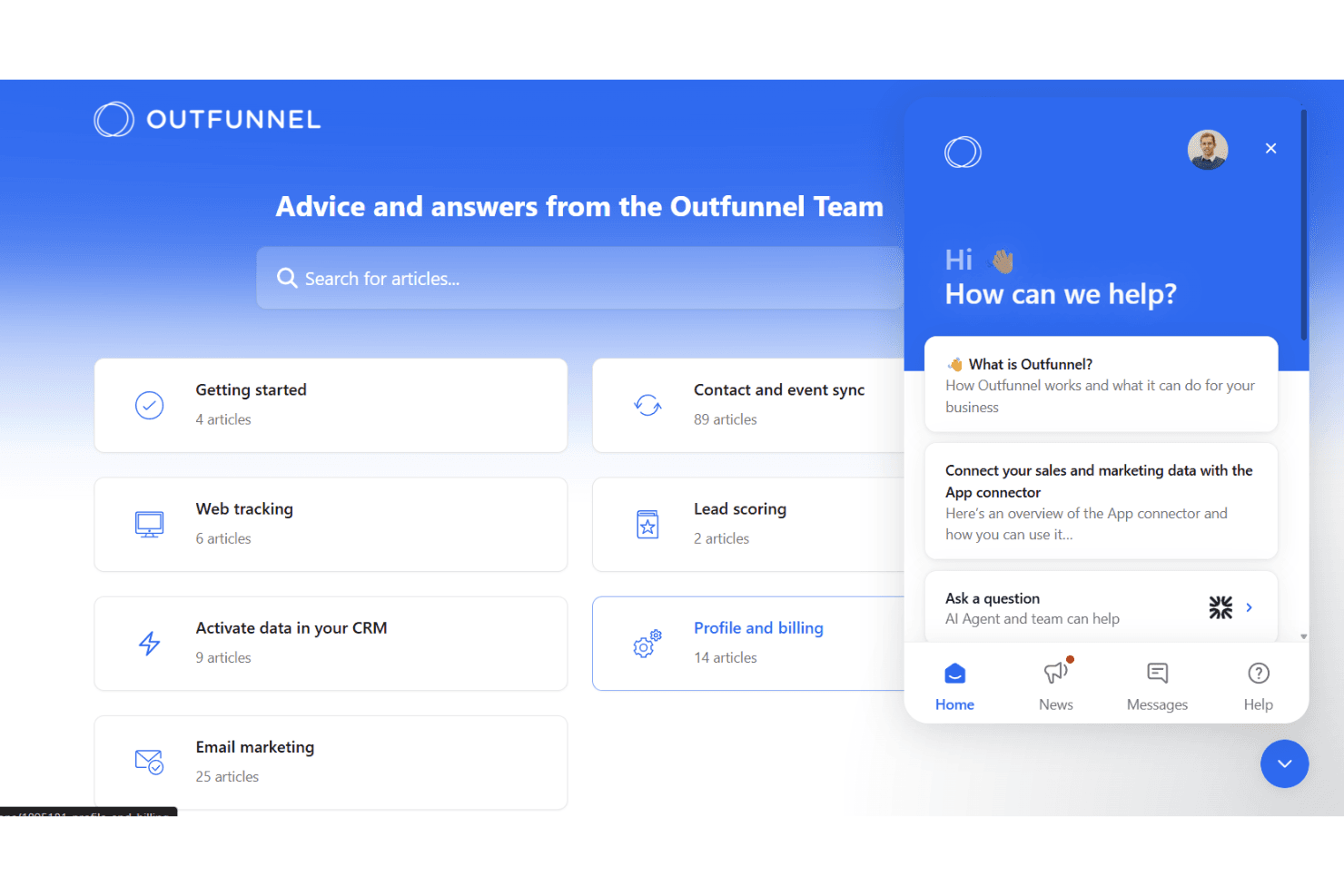
Outfunnel’s customer support gets high marks for responsiveness and helpfulness, especially through live chat and email. Users often mention quick replies and clear, actionable solutions to their questions.
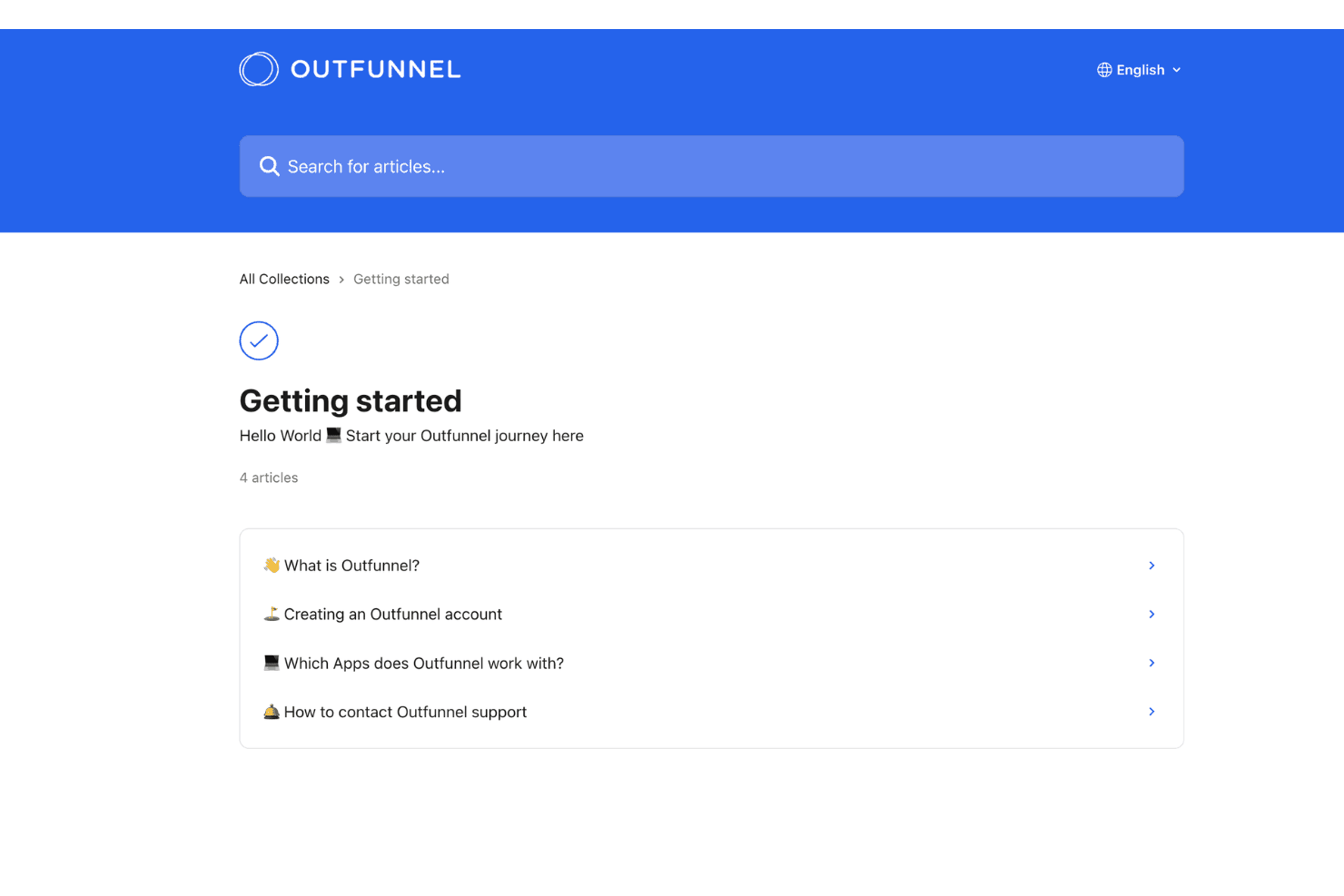
The support team is knowledgeable about both technical issues and marketing best practices, which helps users resolve problems fast. Outfunnel also provides a well-organized help center with guides and FAQs, making it easy to find answers without waiting for a response.
Integrations
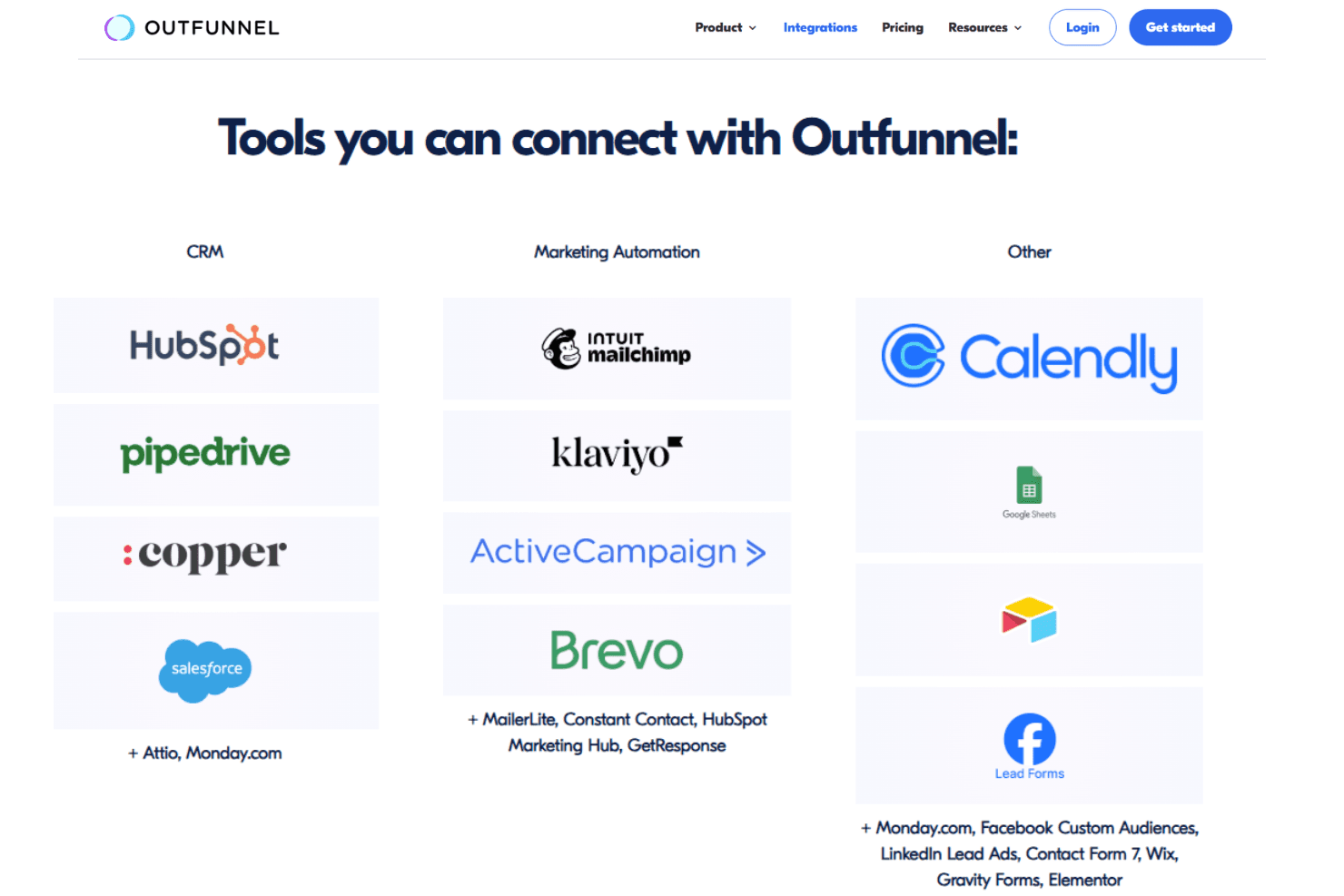
Outfunnel integrates with Pipedrive, HubSpot, Salesforce, Copper, Klaviyo, Mailchimp, MailerLite, monday.com, Airtable, and Google Sheets, among others.
Outfunnel also offers an API and connects with third-party integration tools.
Value for Money
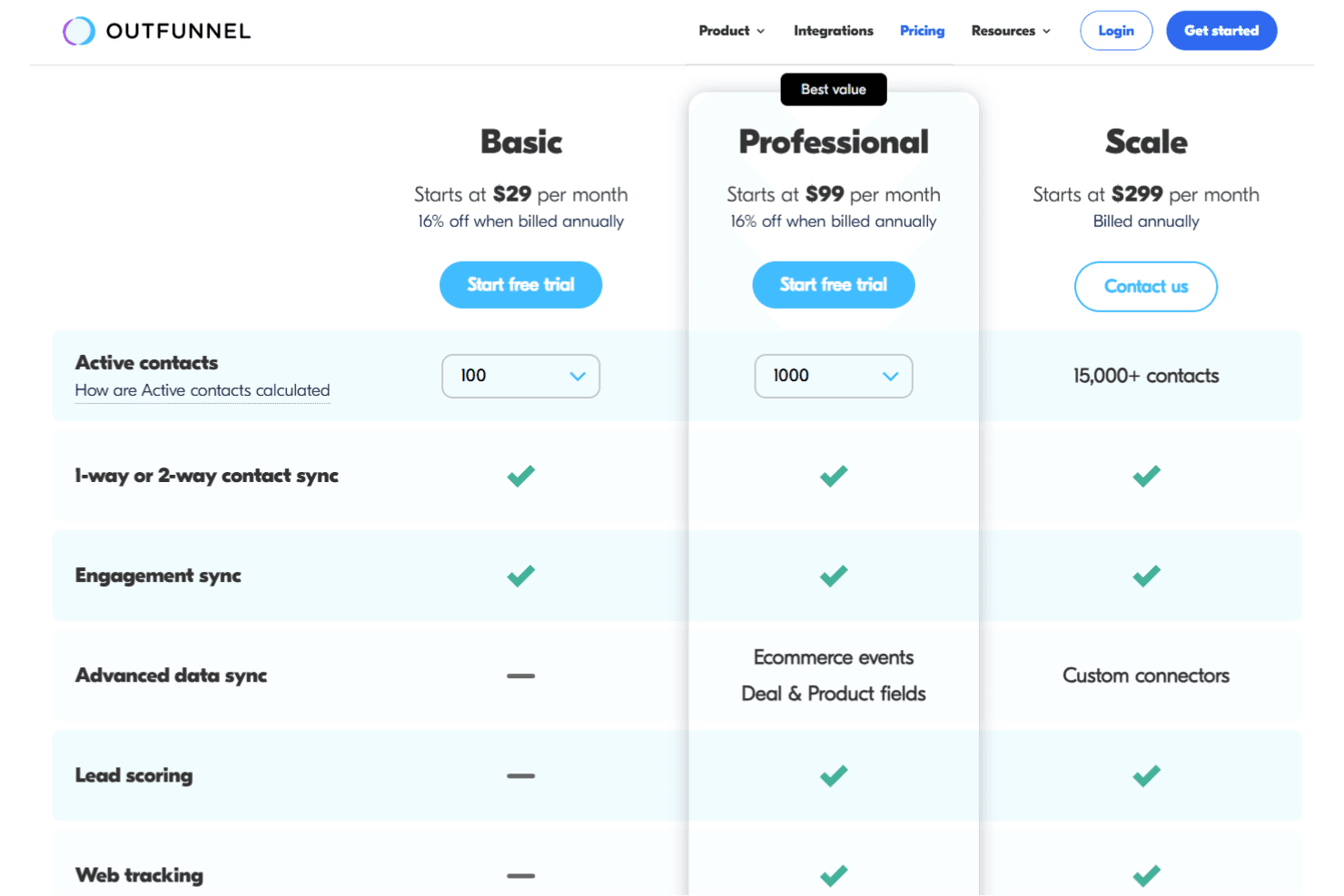
Outfunnel is widely seen as affordable, especially for small and mid-sized teams that want reliable CRM and marketing automation without unnecessary complexity. Its pricing is transparent, with plans based on active contacts and access to core features like contact syncing, engagement tracking, and lead scoring. As you scale, higher tiers unlock deeper data sync, ecommerce tracking, and custom integrations, making it a strong value for teams focused on CRM-driven marketing.
- Basic: Core contact sync, engagement tracking, and essential integrations for small teams.
- Professional: Adds ecommerce events, deal and product field syncing, and expanded reporting.
- Scale: Higher contact limits, custom connectors, and onboarding support for growing teams.
Outfunnel Specs
- A/B Testing: No
- Analytics: Yes
- API: Yes
- Audience Targeting: Yes
- Automated Conversion: No
- Batch Permissions & Access: No
- Behavioral Tracking: Yes
- Brand Management: No
- Campaign Management: Yes
- Contact Management: Yes
- Contact Sharing: Yes
- Conversion Tracking: Yes
- CRM Integration: Yes
- Customer Management: Yes
- Dashboards: Yes
- Data Export: Yes
- Data Import: Yes
- Email Integration: Yes
- External Integrations: Yes
- Keyword Tracking: No
- Landing Pages: No
- Lead Management: Yes
- Lead Scoring: Yes
- Link Tracking: Yes
- Marketing Automation: Yes
- Multi-User: Yes
- Notifications: Yes
- Password & Access Management: Yes
- Social-Media Integration: No
Outfunnel FAQs
Outfunnel Company Overview & History
Outfunnel is a sales and marketing data integration platform headquartered in Tallinn, Estonia. The company serves over 1,000 businesses, focusing on syncing CRM and marketing tools for better workflow automation. Outfunnel is independently operated and does not list any other owned products or affiliations. Notable clients include LearningStone, Efficient App, and Automated Sales, and the platform is recognized as the #1 top-rated app on the Pipedrive Marketplace.
Outfunnel Major Milestones
- 2020: Outfunnel founded in Tallinn, Estonia.
- 2021: Reached 1,000+ business customers.
- 2023: Became the #1 top-rated app on the Pipedrive Marketplace.