

Mailchimp Review: Pros, Cons, Features, and Pricing Explained
If you want a simple way to run email, automation, and basic multi-channel campaigns without juggling multiple tools, Mailchimp makes it easy to get started and scale.

We review tools independently, and commissions help fund our testing. See our transparency policy, our methodology, or suggest a tool.
Managing email campaigns, lead capture, and automation across multiple tools can get messy fast. Mailchimp is a marketing software that aims to simplify that by bringing your marketing into one place—from emails and automations to audience management and reporting. But does it actually make your job easier (and stay affordable as you grow)? In this review, you’ll get a clear breakdown of Mailchimp’s features, pricing, strengths, and limitations so you can decide if it’s the right fit for your team.
Mailchimp Evaluation Summary
4.5/5
- From $13/month
- Free plan available
Why Trust Our Software Recommendations
6,700+
Reviews
20
Industry experts
16+
Evaluation factors
14
Years
Our team has been testing and reviewing software since 2012. As marketing leaders ourselves, we know how difficult—and important—it is to choose the right software.
For this guide, we evaluated tools using hands-on testing and independent research, scoring tools using our selection criteria.
Our reviews reflect our human editorial judgment, not a sales pitch.
Expert reviewers:
 Gui DrusinaCreative Director
- Shriya GhateSenior Marketing Lead
 Amanda JacquesMarketing Ops Leader

Mailchimp Overview
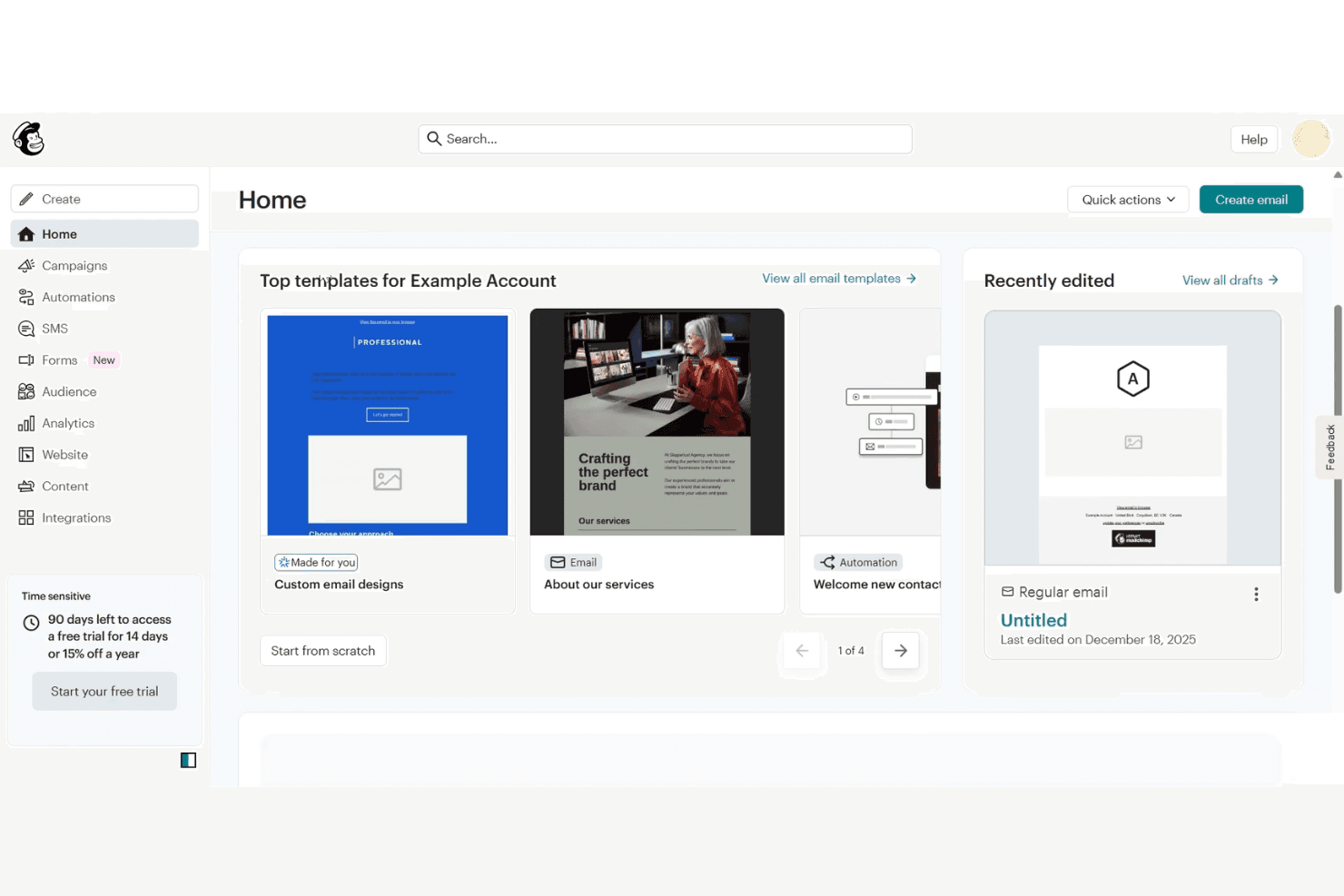
If your goal is to launch campaigns quickly without piecing together multiple tools, Mailchimp gives you a strong starting point. With its core email marketing software plus multichannel capabilities, you can build emails in minutes using its intuitive editor and templates, then expand into automations, landing pages, ads, and social—all from one place. Its extensive integration ecosystem also makes it easy to sync data and automate workflows across your tech stack. As you scale, though, it’s worth watching how costs increase with a growing audience.
Pros
- Easy-to-use email builder and templates make campaign creation fast.
- All-in-one platform (email, automation, landing pages, ads, social) reduces tool sprawl.
- 300+ integrations support e-commerce, analytics, and workflow automation.
Cons
- Pricing scales quickly as your contact list grows.
- Deeper segmentation and advanced automation require higher-tier plans.
- Unsubscribed and inactive contacts still count toward billing.
Is Mailchimp Right For Your Needs?
Who Would be a Good Fit for Mailchimp?
Mailchimp is a strong choice for small businesses, nonprofits, and marketing teams that need accessible automation, campaign management, and audience tools without heavy IT support. Its drag-and-drop builder, AI content tools, and built-in templates make it easy for teams with limited resources or technical skills to launch campaigns quickly. If you’re in an industry where fast execution and simple reporting matter more than deep customization, Mailchimp’s feature set and pricing structure are well aligned.
- Ecommerce BusinessesMailchimp’s integrations with platforms like Shopify and WooCommerce let you sync customer and order data, making it easier to run automations like abandoned cart emails and post-purchase follow-ups.
- Small to Midsize Businesses (SMBs)If you’re looking for an all-in-one marketing platform without a steep learning curve, Mailchimp gives you the core tools—email, automation, and audience management—in a single, easy-to-use system.
- Startups and Lean TeamsWith prebuilt templates, simple signup forms, and guided setup, Mailchimp helps you get campaigns live quickly without needing dedicated marketing ops or technical support.
- Professional Services FirmsMailchimp helps you stay top of mind with clients through newsletters, updates, and automated follow-ups without requiring a complex marketing setup. Its email templates, audience segmentation, and simple automation flows make it easy to nurture relationships.
- Nonprofit OrganizationsEngage supporters with email campaigns, newsletters, and updates using prebuilt templates and simple audience management tools. You can segment donors and subscribers, automate outreach, and run campaigns without needing extensive technical resources.
- Marketing DepartmentsMailchimp allows you to manage email, landing pages, social posts, and ads from one place, making it easier to coordinate campaigns without switching between platforms.
Who Would be a Bad Fit for Mailchimp?
Mailchimp may not be the best choice if your marketing needs go beyond straightforward campaigns and automation. While it excels at ease of use and all-in-one functionality, it can fall short for teams that require advanced segmentation, deep CRM capabilities, or highly customized workflows. Costs can also increase quickly as your contact list grows, especially given how contacts are counted. If your organization depends on complex lifecycle marketing, large-scale sending, or more specialized data and compliance requirements, you may find Mailchimp limiting compared to more advanced platforms.
- Large EnterprisesMailchimp may lack the depth needed for enterprise-scale marketing, particularly in areas like advanced segmentation, complex automation, and CRM integration.
- Advanced Segmentation NeedsMailchimp supports basic segmentation, but more granular targeting and predictive capabilities are typically reserved for higher-tier plans or better handled by specialized platforms.
- B2B SaaS CompaniesIf your strategy relies on lead scoring, sales pipeline management, and tightly integrated marketing and sales data, Mailchimp’s capabilities may feel limited compared to dedicated CRM and lifecycle marketing tools.
- Organizations Managing Large Contact ListsBecause Mailchimp charges based on total contacts—including unsubscribed and non-subscribed records—costs can scale quickly as your database grows.
- Strict Compliance RequirementsAlthough Mailchimp offers strong baseline security and compliance certifications, teams in highly regulated industries may need more specialized controls or assurances depending on their requirements.
- Global Retail ChainsManaging large customer databases across regions and brands can become costly and complex due to Mailchimp’s contact-based pricing and audience structure.
How We Test & Score Tools
We’ve spent years building, refining, and improving our software testing and scoring system. The rubric is designed to capture the nuances of software selection and what makes a tool effective, focusing on critical aspects of the decision-making process.
Below, you can see exactly how our testing and scoring works across seven criteria. It allows us to provide an unbiased evaluation of the software based on core functionality, standout features, ease of use, onboarding, customer support, integrations, customer reviews, and value for money.
Core Functionality (25% of final scoring)
The starting point of our evaluation is always the core functionality of the tool. Does it have the basic features and functions that a user would expect to see? Are any of those core features locked to higher-tiered pricing plans? At its core, we expect a tool to stand up against the baseline capabilities of its competitors.
Standout Features (25% of final scoring)
Next, we evaluate uncommon standout features that go above and beyond the core functionality typically found in tools of its kind. A high score reflects specialized or unique features that make the product faster, more efficient, or offer additional value to the user.
We also evaluate how easy it is to integrate with other tools typically found in the tech stack to expand the functionality and utility of the software. Tools offering plentiful native integrations, 3rd party connections, and API access to build custom integrations score best.
Ease of Use (10% of final scoring)
We consider how quick and easy it is to execute the tasks defined in the core functionality using the tool. High scoring software is well designed, intuitive to use, offers mobile apps, provides templates, and makes relatively complex tasks seem simple.
Onboarding (10% of final scoring)
We know how important rapid team adoption is for a new platform, so we evaluate how easy it is to learn and use a tool with minimal training. We evaluate how quickly a team member can get set up and start using the tool with no experience. High scoring solutions indicate little or no support is required.
Customer Support (10% of final scoring)
We review how quick and easy it is to get unstuck and find help by phone, live chat, or knowledge base. Tools and companies that provide real-time support score best, while chatbots score worst.
Customer Reviews (10% of final scoring)
Beyond our own testing and evaluation, we consider the net promoter score from current and past customers. We review their likelihood, given the option, to choose the tool again for the core functionality. A high scoring software reflects a high net promoter score from current or past customers.
Value for Money (10% of final scoring)
Lastly, in consideration of all the other criteria, we review the average price of entry level plans against the core features and consider the value of the other evaluation criteria. Software that delivers more, for less, will score higher.
Core Features
Email Campaign Builder
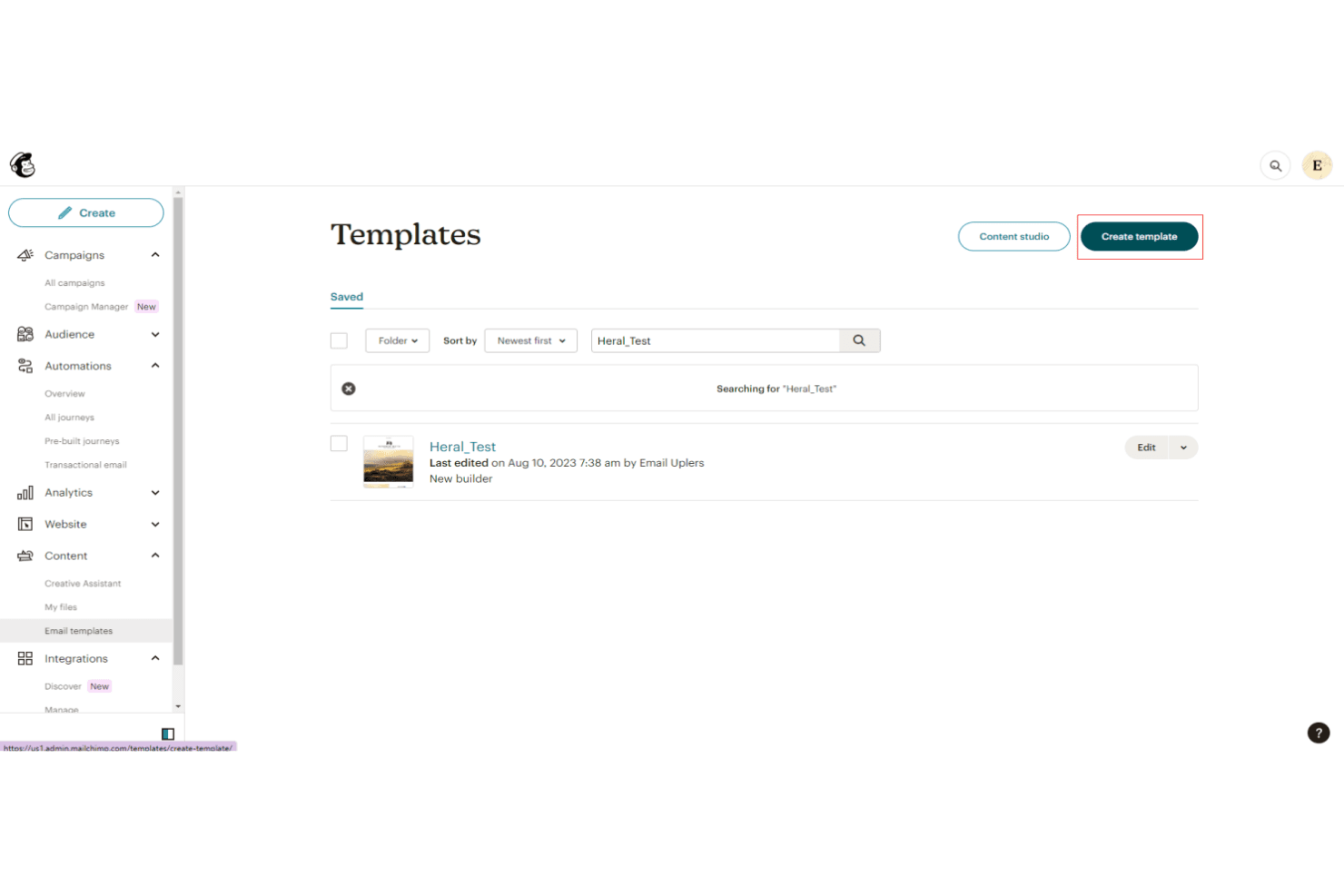
Create and send branded email marketing campaigns using a drag-and-drop editor with 300+ templates. The builder supports dynamic content and AI-powered suggestions for subject lines and messaging.
Marketing Automation
Set up automated customer journeys for welcomes, abandoned carts, and follow-ups with visual workflow tools. Always-on automations help nurture leads and drive repeat engagement.
Multi-Channel Campaign Management
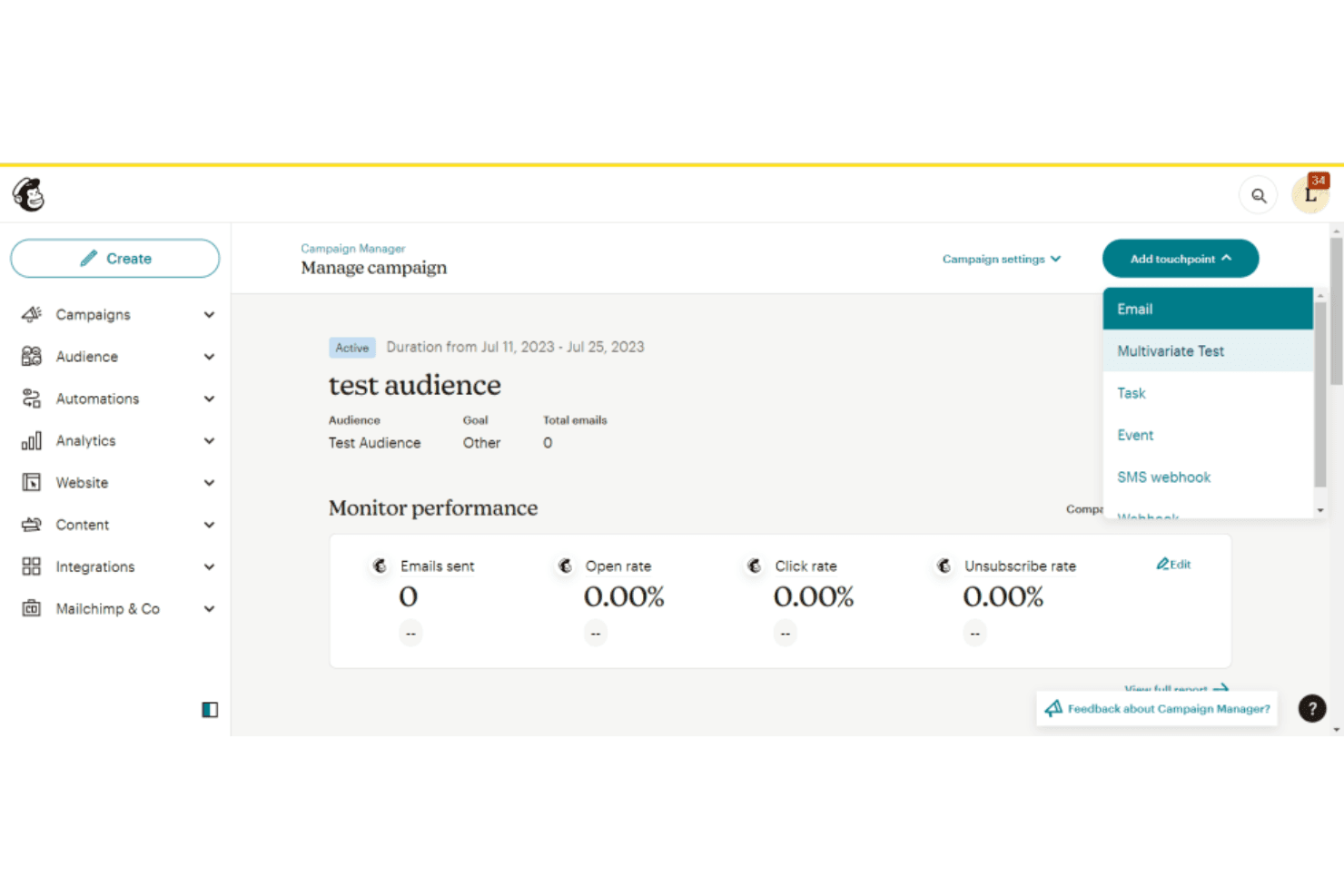
Manage email, SMS, landing pages, ads, and social media posts from a single platform. This all-in-one approach helps you coordinate campaigns without switching between tools.
Audience Management
Segment contacts by behavior, demographics, or engagement to personalize outreach. Use tags, groups, and predictive insights to refine targeting and improve results.
Reporting and Analytics
Track open rates, clicks, conversions, and revenue with real-time dashboards. Visual reports make it easy to judge campaign performance and optimize future sends.
Lead Capture (Forms & Landing Pages)
Grow your audience with customizable signup forms, pop-ups, and landing pages. Capture leads and feed them directly into your campaigns and automations.
Transactional Emails (Mailchimp Transactional)
Send order confirmations, receipts, and other transactional messages using Mailchimp’s transactional API or SMTP.
Standout Features
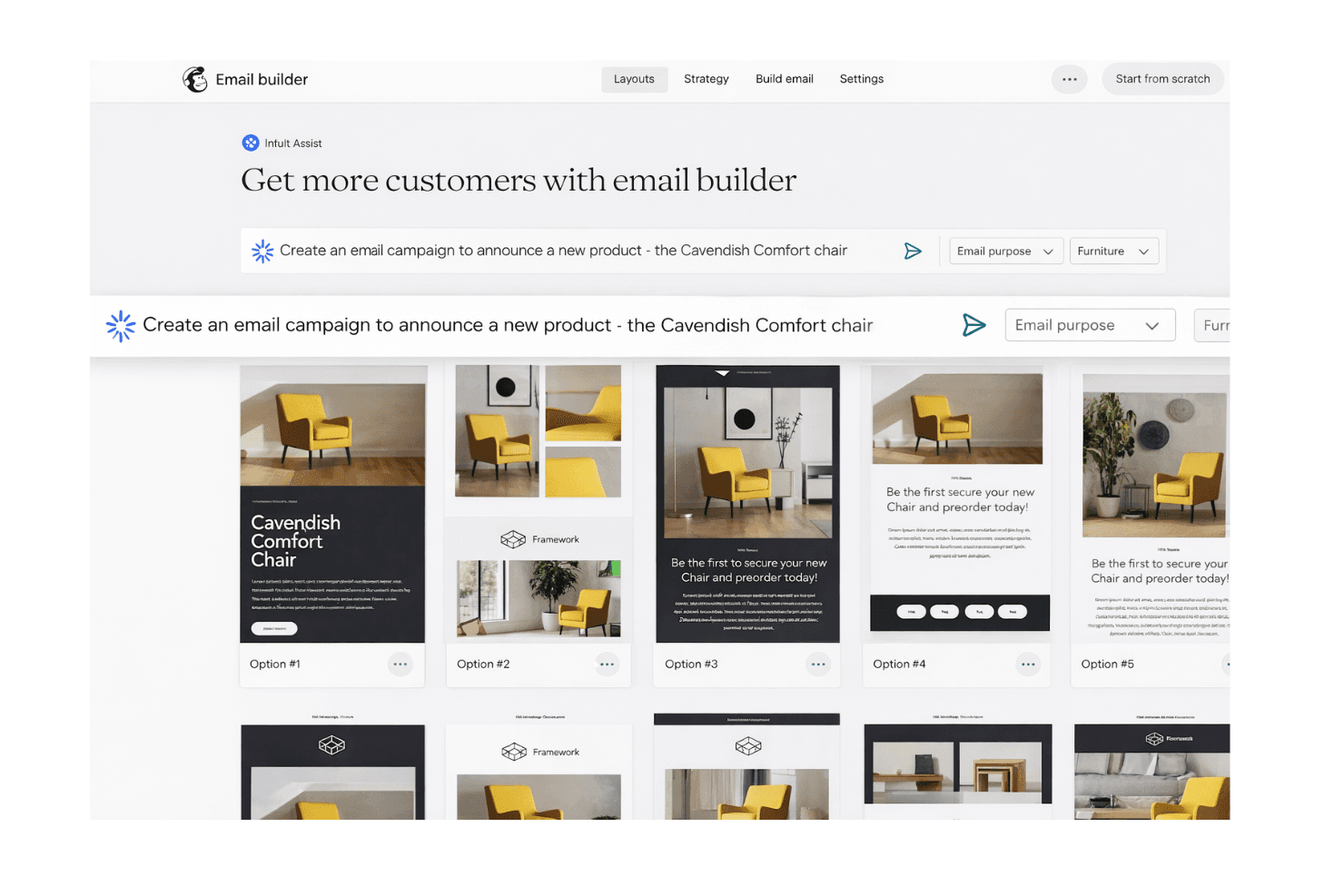
Intuit Assist
Mailchimp’s AI-powered assistant helps you turn data into insights and generate personalized marketing content more efficiently. It can also automate campaign creation and suggest ways to improve performance, helping you execute faster with less manual effort.
Send Time Optimization
Send Time Optimization uses AI to predict when each contact is most likely to engage. Mailchimp schedules emails for delivery at those optimal times, increasing open and click rates.
Ease of Use
Mailchimp is widely recognized for its user-friendly, intuitive interface and straightforward navigation, making it accessible even for users with limited technical experience. The drag-and-drop builder, guided setup, and clear menu structure help users launch campaigns quickly. Many reviewers highlight the easy user experience when it comes to managing lists, automating emails, and accessing reports.
As Mailchimp has grown, they have kept its core philosophy intact: ease of use is incredibly important for small to medium-sized businesses. Even as they have added more advanced features to the platform, they remain easy to learn and get into.
Onboarding
Mailchimp’s onboarding process is designed to be fast and approachable, with guided setup steps, recommended next actions, and prebuilt templates that help you launch campaigns quickly. In-app prompts walk you through key tasks like setting up your audience, creating forms, and sending your first campaign. For additional support, the platform offers a comprehensive knowledge base with tutorials and videos, along with live chat and email support on paid plans.
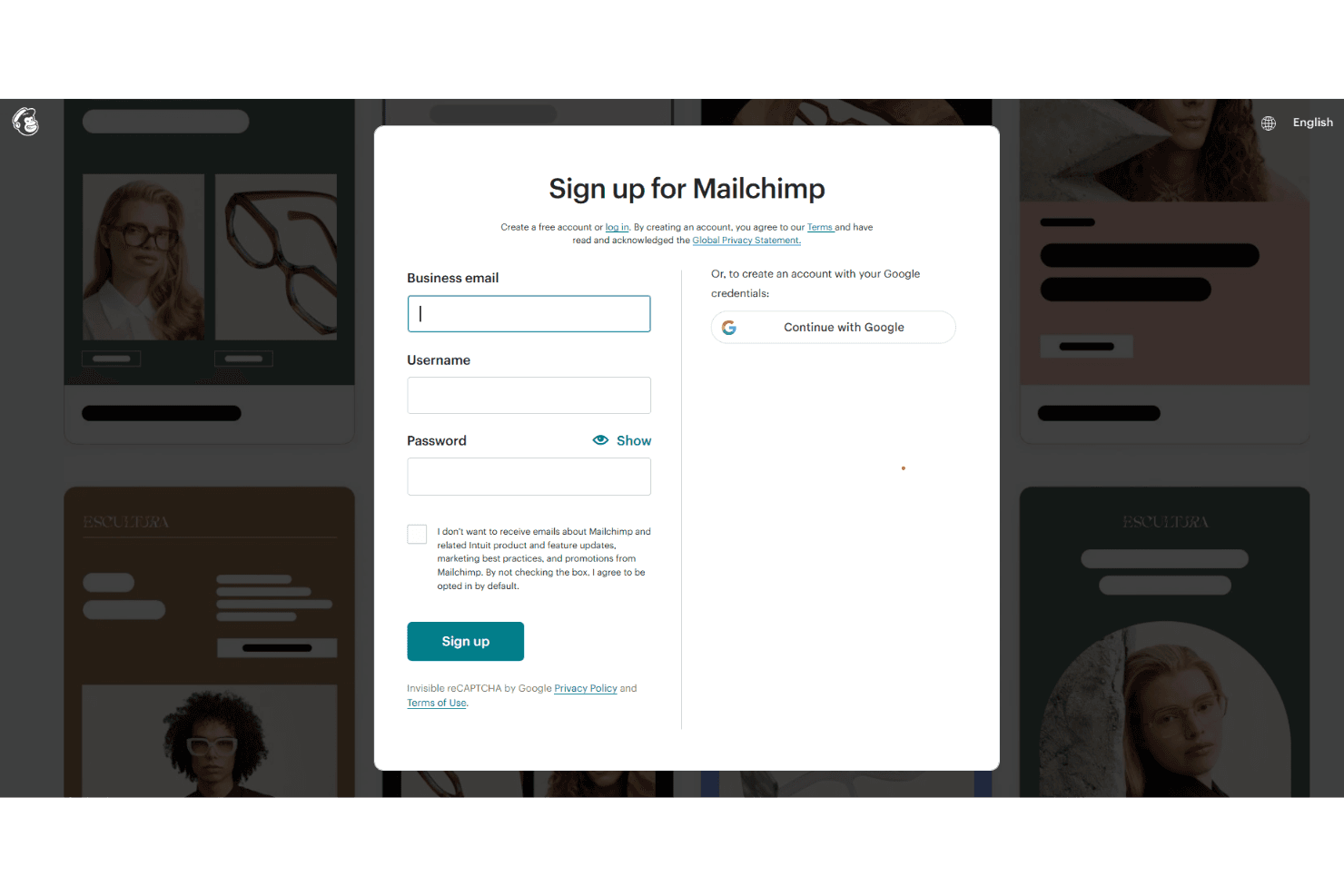
One of the big highlights is on their Standard plan: They offer a dedicated live onboarding session with a specialist who can help you with your goals and get the most out of the platform. Higher-tier plans also include personalized onboarding with dedicated consultations, helping teams get up and running with their marketing strategy more efficiently.
Customer Support
Mailchimp’s support model is tiered based on your plan. Paid plans include 24/7 email and chat support, while Premium users also get access to phone support and a dedicated support team. Free plans receive 30 days of email support, after which users rely on the Mailchimp Assistant chatbot and self-serve resources. The platform also offers a robust Help Center with detailed articles and video tutorials, making it easy to find answers independently.
Integrations
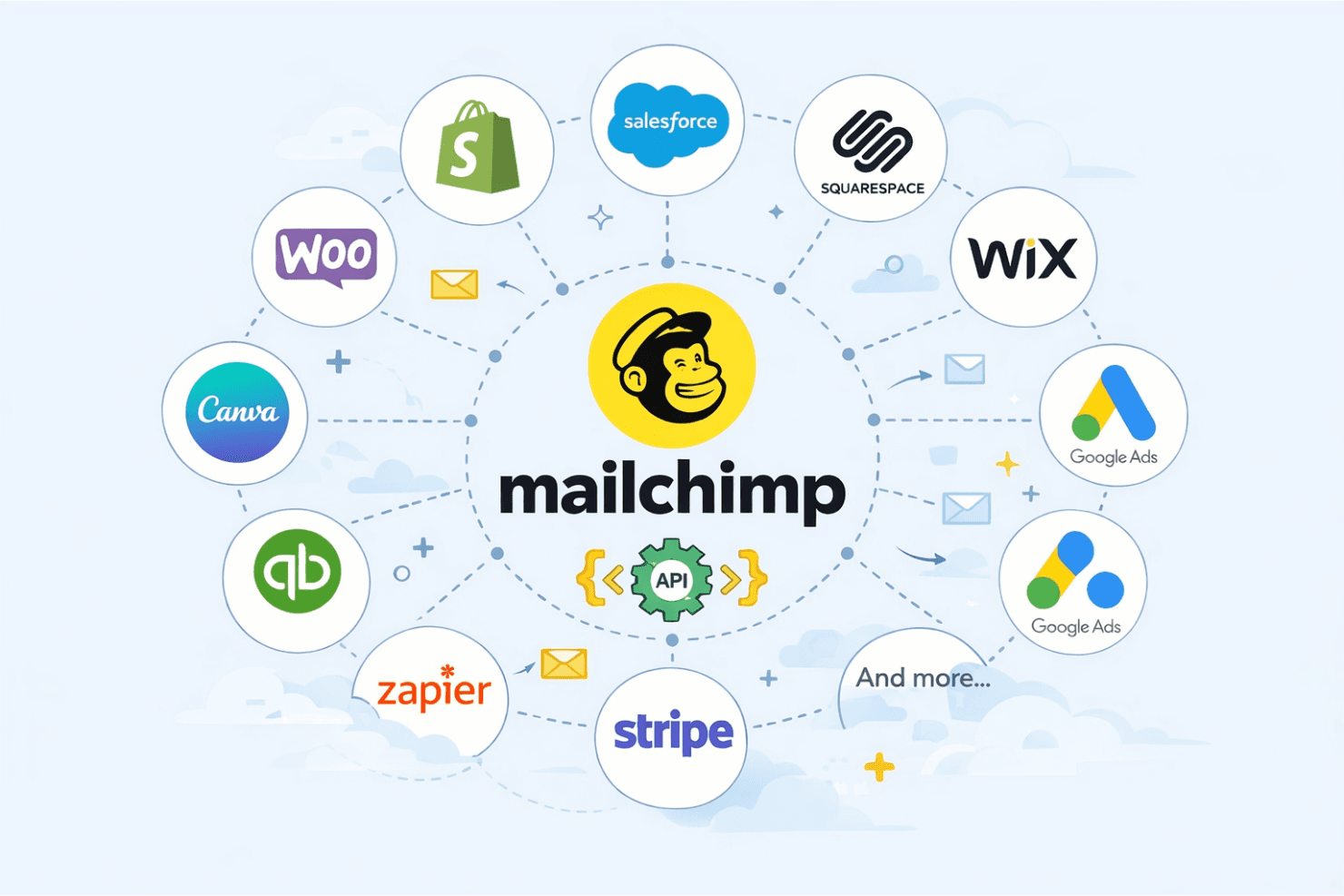
Mailchimp integrates with Shopify, WooCommerce, Salesforce, Squarespace, Wix, QuickBooks Online, Canva, Stripe, and Google Lead Ads, among others.
Mailchimp also offers a robust API and connects with third-party integration tools, like Zapier, for custom workflows and extended functionality.
Value for Money
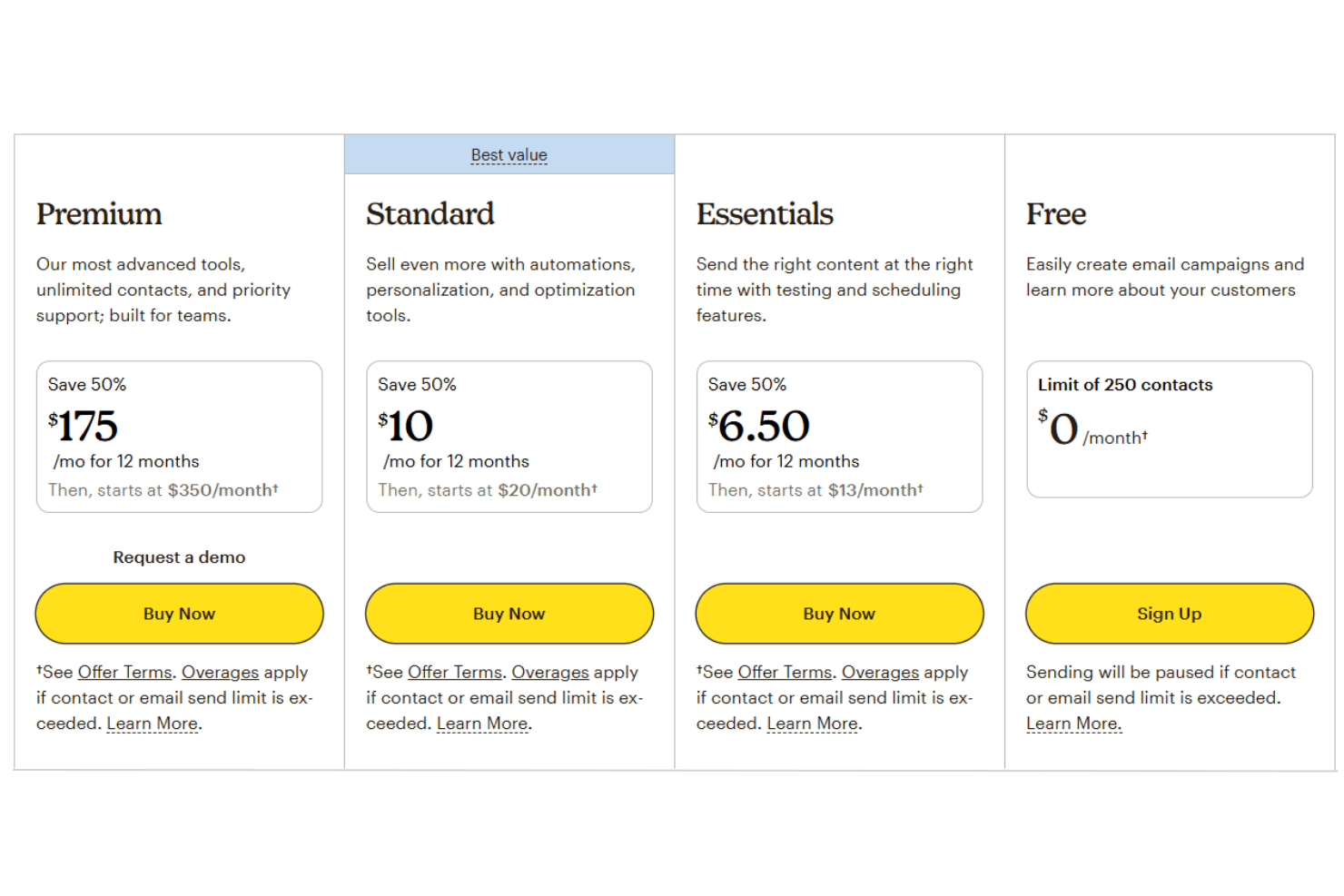
Mailchimp offers great value for small businesses and startups, particularly if you’re looking for an all-in-one digital marketing platform with a low barrier to entry. However, costs can increase quickly as your email list grows—especially since subscribed, unsubscribed, and non-subscribed contacts all count toward billing. The platform delivers the most value for teams with basic to moderate marketing needs, while more advanced features are reserved for higher-tier pricing plans.
- Free Plan: Basic email tools, up to 250 contacts, 500 monthly email sends, and limited automation.
- Essentials Plan: Removes Mailchimp branding, adds A/B testing, increased sending limits, and basic automation capabilities.
- Standard Plan: Includes advanced automation tools and flows, predictive insights, and enhanced segmentation features.
- Premium Plan: Offers priority support, phone access, advanced segmentation, and onboarding services for large-scale marketing teams.
Mailchimp Specs
- A/B Testing: Yes
- API: Yes
- Audience Targeting: Yes
- Brand Management: No
- Calendar Management: Yes
- Campaign Management: Yes
- Compliance Tracking: No
- Contact Management: Yes
- Contact Sharing: No
- Conversion Tracking: Yes
- CRM Integration: Yes
- Customer Management: Yes
- Dashboard: Yes
- Data Export: Yes
- Data Import: Yes
- Data Visualization: Yes
- Email Integration: Yes
- External Integrations: Yes
- Google Apps Integration: Yes
- Lead Management: Yes
- Lead Scoring: Yes
- Link Tracking: Yes
- Marketing Automation: Yes
- Multi-User: Yes
- Notifications: Yes
- Scheduling: Yes
- Social-Media Integration: No
- Third-Party Plugins/Add-Ons: Yes
Mailchimp FAQs
Mailchimp Company Overview & History
Mailchimp, founded in 2001 in Atlanta, Georgia, is a leading marketing automation and email marketing platform. The company was acquired by Intuit in 2021 and now operates as a subsidiary, serving millions of customers worldwide. Mailchimp is known for its creative, inclusive work culture and its commitment to empowering small businesses and nonprofits. As of its acquisition, Mailchimp had over 1,200 employees and was valued at approximately $12 billion.
Mailchimp Major Milestones
- 2001: Mailchimp founded in Atlanta, Georgia.
- 2001: Launch of the Mailchimp email marketing platform.
- 2018: Reported $600 million in annual revenue.
- 2020: Revenue reached $800 million, with half from outside the U.S.
- 2021: Acquired by Intuit for approximately $12 billion in cash and stock.
- 2021: Workforce grew to over 1,200 employees.
- 2021: Recognized for investing over $15 million in small and medium-sized nonprofits.