

Campaigner Review: Pros, Cons, Features, and Pricing
Campaigner stands out for its advanced automation and customization, making it ideal for experienced marketers, but its complexity may challenge beginners seeking simpler email solutions.

We review tools independently, and commissions help fund our testing. See our transparency policy, our methodology, or suggest a tool.
Campaigner is an email marketing software built for marketers who need advanced segmentation, automation workflows, and A/B testing in a single platform. It's a strong fit if your list has grown beyond what basic tools can handle and you need more control over how you target and nurture contacts. I'd consider it over Mailchimp if your campaigns rely heavily on behavioral segmentation and multi-step automations—Campaigner gives you more granular control over those workflows without requiring an enterprise-level budget.
Campaigner Evaluation Summary
3.9/5
- From $14/month
- 30-day free trial
Why Trust Our Software Recommendations
6,700+
Reviews
20
Industry experts
16+
Evaluation factors
14
Years
Our team has been testing and reviewing software since 2012. As marketing leaders ourselves, we know how difficult—and important—it is to choose the right software.
For this guide, we evaluated tools using hands-on testing and independent research, scoring tools using our selection criteria.
Our reviews reflect our human editorial judgment, not a sales pitch.
Expert reviewers:
 Gui DrusinaCreative Director
- Shriya GhateSenior Marketing Lead
 Amanda JacquesMarketing Ops Leader

Campaigner Overview
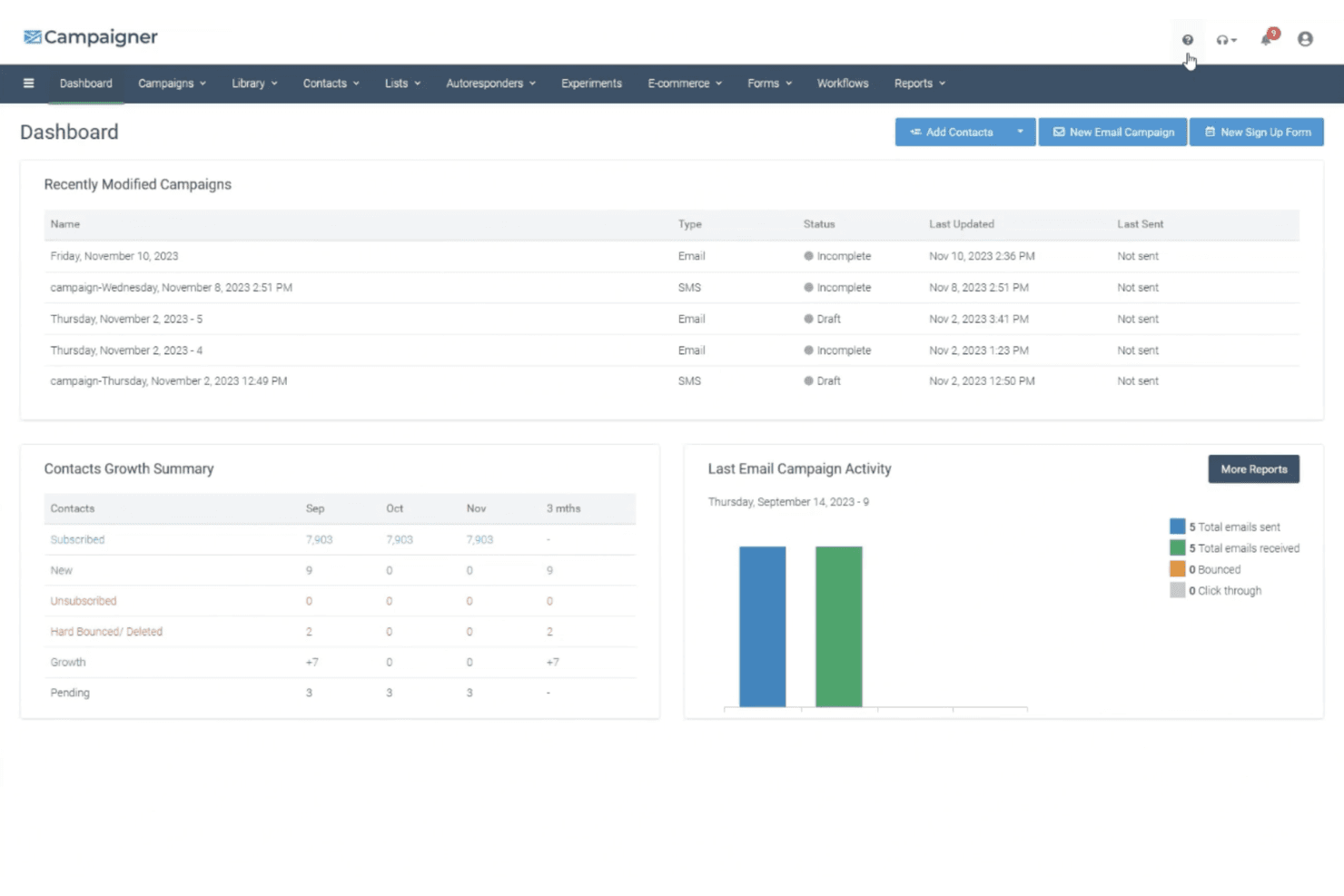
When judging Campaigner against other email marketing software, I think its automation, segmentation, and deliverability tools are a clear strength, especially for teams running complex campaigns. The interface feels dated and onboarding can be tricky, but the depth of features and responsive support make up for it. Pricing is competitive for advanced users, though small teams may find it less appealing.
If you’re selecting a platform for high-volume sends, detailed reporting, and custom workflows, Campaigner is a strong contender. I’d suggest it’s best for marketers who value control and flexibility over simplicity.
Pros
- Detailed segmentation and personalization options available
- Responsive customer support via phone, chat, and email
- Advanced automation workflows for complex campaign needs
Cons
- Onboarding can be challenging for less technical users
- No permanent free tier, only a 30-day trial
- Interface feels outdated compared to newer platforms
Is Campaigner Right For Your Needs?
Who Would be a Good Fit for Campaigner?
Campaigner is a strong choice for teams that need advanced automation, granular segmentation, and high-volume sending. I think it’s best for organizations with experienced marketers who want to run complex, personalized campaigns and need detailed reporting. Its feature set is especially useful for industries where targeted messaging and compliance are priorities, and for departments that rely on frequent, large-scale email outreach.
- Regulated IndustriesBuilt-in compliance features help meet legal and privacy requirements.
- SaaS CompaniesDetailed reporting and triggered onboarding emails support user engagement.
- NonprofitsPersonalized donor outreach and event campaigns benefit from Campaigner’s automation.
- Large EnterprisesHigh-volume sending and compliance tools support enterprise-scale communication needs.
- Marketing AgenciesAgencies can manage multiple client accounts and campaigns with advanced reporting.
- Ecommerce BrandsCampaigner’s automation and segmentation help drive targeted product recommendations and abandoned cart emails.
Who Would be a Bad Fit for Campaigner?
Campaigner isn’t ideal for teams that want a simple, modern interface or need a permanent free plan. Smaller businesses or those with limited technical resources may find the platform overwhelming, and industries with infrequent email needs won’t get full value from its advanced features.
- HR DepartmentsInternal communications don’t require Campaigner’s advanced marketing features.
- Creative AgenciesA dated interface and limited design tools may frustrate design-focused teams.
- Local Retail StoresBasic email needs are better met by simpler, cheaper tools.
- Event PlannersOccasional campaigns don’t justify the cost or feature depth.
- Solo EntrepreneursAdvanced features may be unnecessary for basic newsletter needs.
- Small StartupsThe lack of a free tier and complex setup can be a barrier.
How We Test & Score Tools
We’ve spent years building, refining, and improving our software testing and scoring system. The rubric is designed to capture the nuances of software selection and what makes a tool effective, focusing on critical aspects of the decision-making process.
Below, you can see exactly how our testing and scoring works across seven criteria. It allows us to provide an unbiased evaluation of the software based on core functionality, standout features, ease of use, onboarding, customer support, integrations, customer reviews, and value for money.
Core Functionality (25% of final scoring)
The starting point of our evaluation is always the core functionality of the tool. Does it have the basic features and functions that a user would expect to see? Are any of those core features locked to higher-tiered pricing plans? At its core, we expect a tool to stand up against the baseline capabilities of its competitors.
Standout Features (25% of final scoring)
Next, we evaluate uncommon standout features that go above and beyond the core functionality typically found in tools of its kind. A high score reflects specialized or unique features that make the product faster, more efficient, or offer additional value to the user.
We also evaluate how easy it is to integrate with other tools typically found in the tech stack to expand the functionality and utility of the software. Tools offering plentiful native integrations, 3rd party connections, and API access to build custom integrations score best.
Ease of Use (10% of final scoring)
We consider how quick and easy it is to execute the tasks defined in the core functionality using the tool. High scoring software is well designed, intuitive to use, offers mobile apps, provides templates, and makes relatively complex tasks seem simple.
Onboarding (10% of final scoring)
We know how important rapid team adoption is for a new platform, so we evaluate how easy it is to learn and use a tool with minimal training. We evaluate how quickly a team member can get set up and start using the tool with no experience. High scoring solutions indicate little or no support is required.
Customer Support (10% of final scoring)
We review how quick and easy it is to get unstuck and find help by phone, live chat, or knowledge base. Tools and companies that provide real-time support score best, while chatbots score worst.
Customer Reviews (10% of final scoring)
Beyond our own testing and evaluation, we consider the net promoter score from current and past customers. We review their likelihood, given the option, to choose the tool again for the core functionality. A high scoring software reflects a high net promoter score from current or past customers.
Value for Money (10% of final scoring)
Lastly, in consideration of all the other criteria, we review the average price of entry level plans against the core features and consider the value of the other evaluation criteria. Software that delivers more, for less, will score higher.
Core Features
Drag-and-Drop Editor
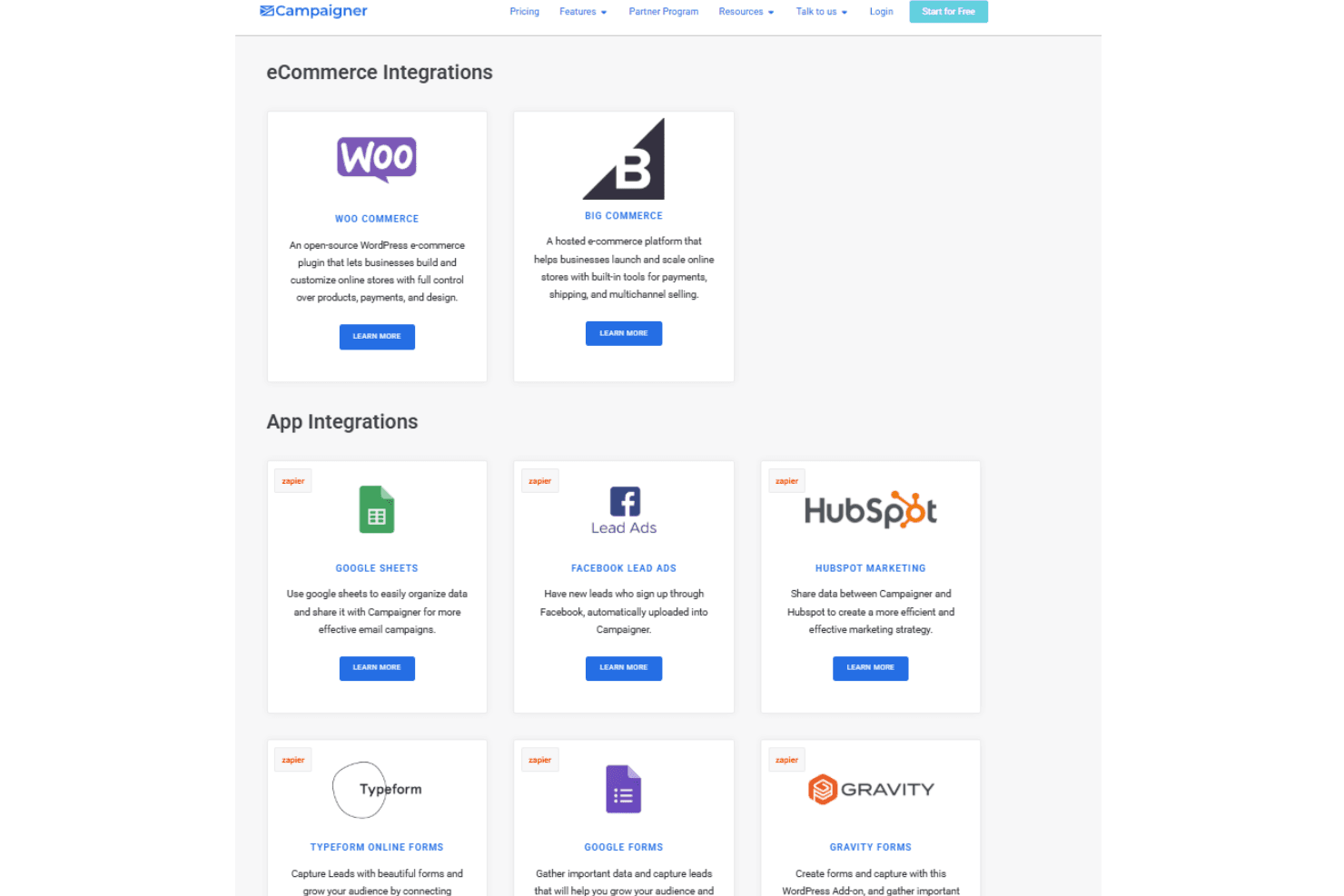
Design emails visually with a flexible editor that supports custom layouts and reusable blocks. This helps teams quickly build branded campaigns without coding.
Advanced Automation Workflows
Set up triggered emails based on user actions, dates, or behaviors. You can automate welcome series, re-engagement, and transactional messages.
Segmentation and Personalization
Target audiences using detailed filters like demographics, purchase history, or engagement. Personalize content for each recipient to boost relevance and response rates.
A/B Split Testing
Test subject lines, content, or send times to optimize campaign performance. Campaigner provides clear reporting on which version performs best.
Comprehensive Reporting
Track opens, clicks, conversions, and revenue attribution in real time. Visual dashboards make it easy to monitor campaign success and adjust strategy.
Deliverability and Compliance Tools
Built-in tools help maintain sender reputation and meet privacy regulations. Features like list hygiene and consent management reduce bounce rates and legal risks.
Ease of Use
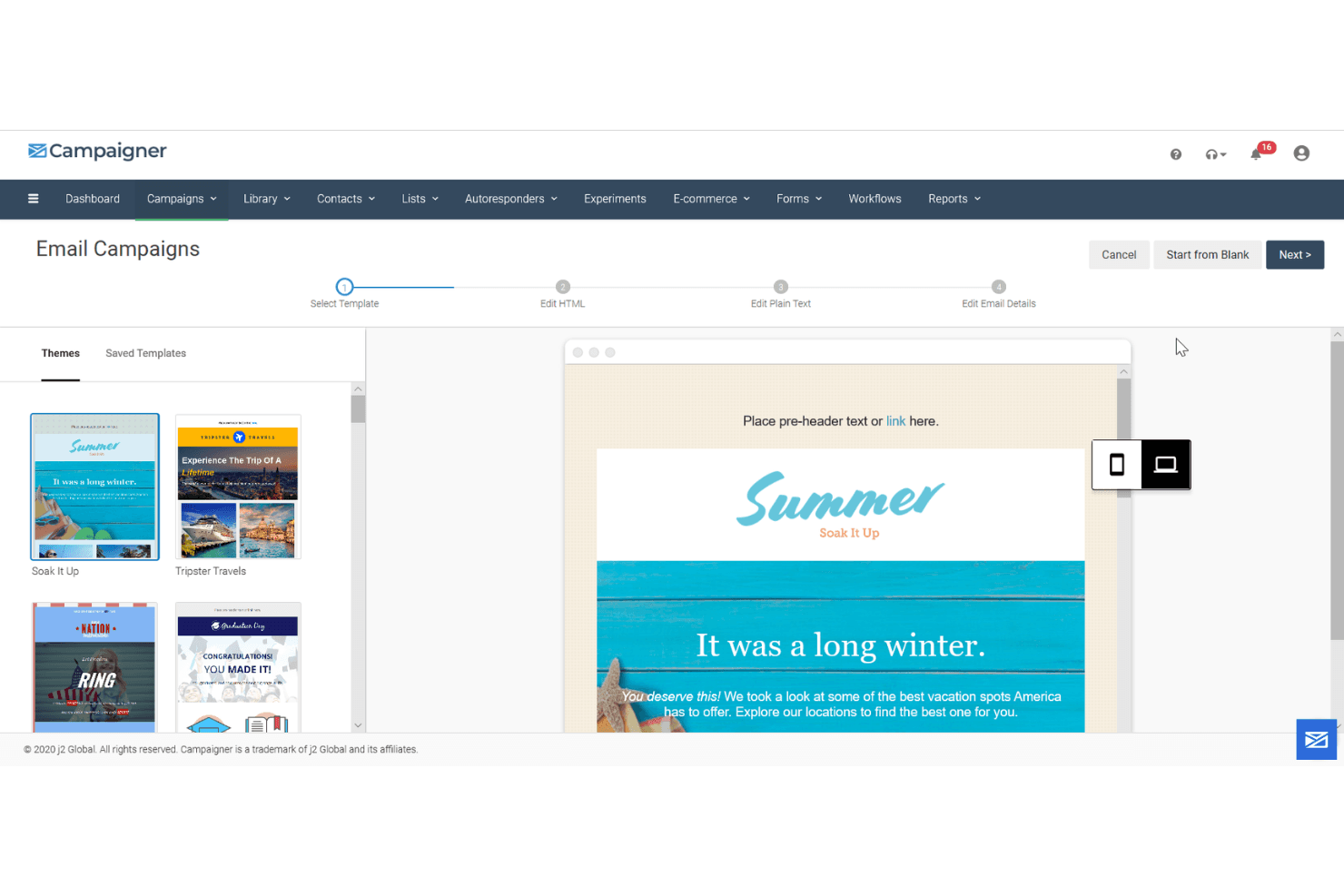
Campaigner’s interface feels dated and can be overwhelming for new users, especially compared to more modern platforms. While the drag-and-drop editor and automation builder are functional, they aren’t as intuitive as some might expect.
Many users mention that setup and navigation require extra time to master, but once you’re familiar with the system, the depth of features and customization options become a real asset for experienced marketers.
Integrations
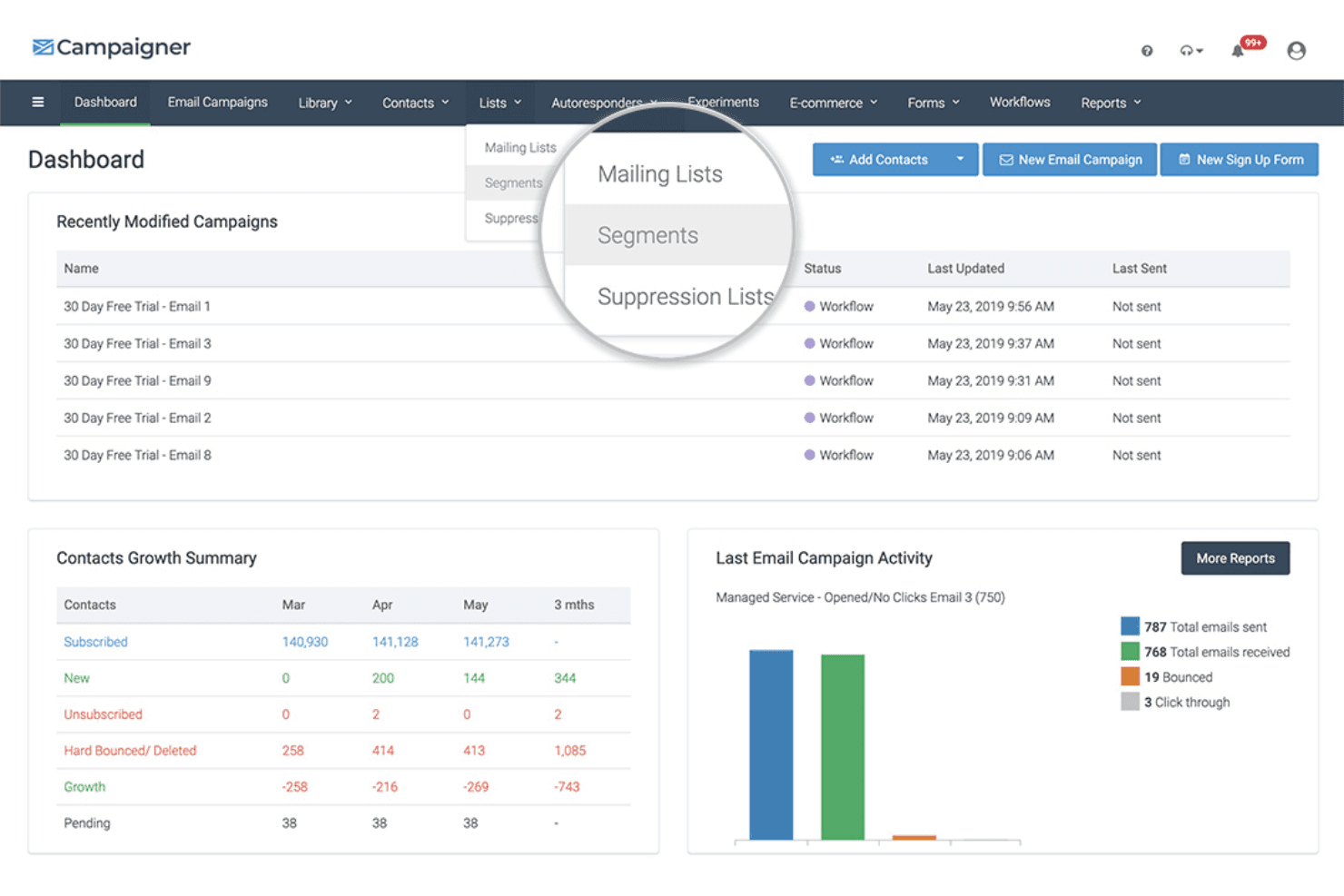
Campaigner integrates with WooCommerce, BigCommerce, Google Sheets, Facebook Lead Ads, HubSpot, Typeform, Gravity Forms, Salesforce, JotForm, and Eventbrite, among others.
Campaigner also offers an API and connects with third-party integration tools like Zapier.
Campaigner Specs
- A/B Testing: Yes
- API: Yes
- Audience Targeting: Yes
- Brand Management: No
- Calendar Management: No
- Campaign Management: No
- Compliance Tracking: No
- Contact Management: Yes
- Contact Sharing: No
- Conversion Tracking: Yes
- CRM Integration: No
- Customer Management: No
- Dashboard: Yes
- Data Export: Yes
- Data Import: Yes
- Data Visualization: No
- Email Integration: Yes
- External Integrations: Yes
- Google Apps Integration: No
- Lead Management: Yes
- Lead Scoring: No
- Link Tracking: No
- Marketing Automation: Yes
- Multi-User: Yes
- Notifications: Yes
- Scheduling: Yes
- Social-Media Integration: Yes
- Third-Party Plugins/Add-Ons: No


