

Um CMS de sinalização digital é uma plataforma de gestão de conteúdos que permite controlar e atualizar os conteúdos apresentados nos seus ecrãs digitais a partir de um único painel. Se gere ecrãs digitais e pretende uma forma fiável e simples de publicar conteúdos apelativos, provavelmente está à procura do melhor CMS de sinalização digital para responder às suas necessidades. Escolher o CMS certo pode evitar-lhe inúmeras dores de cabeça — quer esteja a instalar ecrãs num único local, quer em centenas.
Neste guia, poderá comparar lado a lado as principais ferramentas, para decidir com confiança qual a plataforma mais adequada à sua equipa, ao seu fluxo de trabalho e aos objetivos dos seus ecrãs.
Why Trust Our Software Recommendations
6,700+
Reviews
20
Industry experts
16+
Evaluation factors
14
Years
Our team has been testing and reviewing software since 2012. As marketing leaders ourselves, we know how difficult—and important—it is to choose the right software.
For this guide, we evaluated tools using hands-on testing and independent research, scoring tools using our selection criteria.
Our reviews reflect our human editorial judgment, not a sales pitch.
Expert reviewers:
 Gui DrusinaCreative Director
- Shriya GhateSenior Marketing Lead
 Amanda JacquesMarketing Ops Leader

Tabela comparativa de CMS de sinalização digital
Esta tabela comparativa resume os detalhes de preços das minhas principais escolhas de CMS de sinalização digital.
| Tool | Best For | Trial Info | Price | ||
|---|---|---|---|---|---|
| 1 | Best for cross-platform setup and scheduling | 14-day free trial + free demo available | From $5/screen/month | Website | |
| 2 | Best for intuitive drag-and-drop editing | Free demo + 30-day free trial available | From $14/screen/month (billed annually) | Website | |
| 3 | Best for education-focused display solutions | Free demo + 14-day free trial available | From $11/screen/month (USD, billed monthly) | Website | |
| 4 | Best for robust app integrations and automation | 14-day free trial | From $20/screen/month (billed annually) | Website | |
| 5 | Best for data-driven screen content management | Free trial + free demo available | From $8/device/month (billed annually) | Website | |
| 6 | Best for AI-driven content personalization | Free demo available | Pricing upon request | Website | |
| 7 | Best for advanced rule-based content triggers | Free demo + 30-day free trial available | From $14/player/month (USD, Cloud Essential) | Website | |
| 8 | Best for workplace and employee communications | Free demo available | Pricing upon request | Website | |
| 9 | Best for enterprise-grade dynamic campaigns | Not available | Pricing upon request | Website | |
| 10 | Best for in-store experience enhancement | Not available | Pricing upon request | Website |


Análises dos melhores CMS de sinalização digital
Apresentamos abaixo os meus resumos detalhados dos melhores CMS de sinalização digital que foram incluídos na minha seleção. As minhas análises oferecem uma visão detalhada das funcionalidades, integrações e melhores casos de utilização de cada plataforma, para o ajudar a encontrar a mais adequada para si.
 Best for cross-platform setup and scheduling
- 14-day free trial + free demo available
- From $5/screen/month
Visit WebsiteCustomer Rating:5/5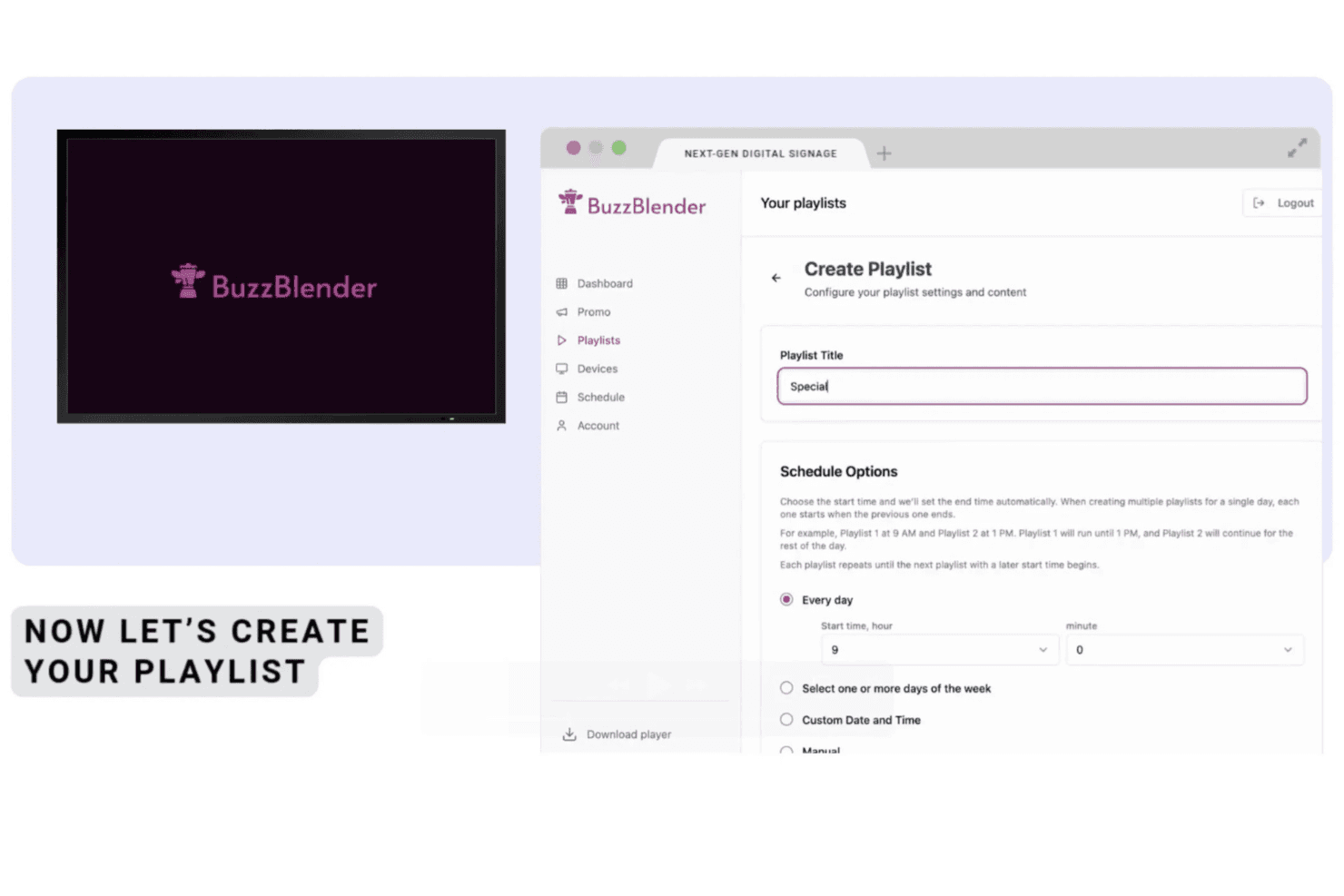
BuzzBlender allows users to create and schedule playlists with customizable titles and time-based scheduling options for digital signage displays. Buzzblender is a cloud-based digital signage CMS that lets you upload, schedule, and remotely manage content across LG webOS, Samsung Tizen, Android, Windows, and Linux screens from a single dashboard.
Who Is Buzzblender Best For?
Buzzblender suits small to mid-size businesses in retail, hospitality, and wellness that need to manage screens across multiple locations without a large IT team.
Why I Picked Buzzblender
Buzzblender earns its spot as one of the best on my shortlist because its native app support across LG webOS, Samsung Tizen, and Android TV means I can get screens live without browser workarounds or sideloading. I particularly like the calendar-based playlist scheduler, which lets me set dayparted content across multiple locations in a single session. Its certified LG webOS partner status also matters: it's not just compatible, it's purpose-built for the platform in a way most CMS tools simply aren't.
Buzzblender Key Features
- Dynamic QR code overlay: Add QR codes to any screen and track scan analytics for in-store campaigns.
- Multi-user team roles: Assign admin, editor, or viewer permissions to team members for controlled access.
- Video wall support: Display synchronized content across multiple screens, including Android and LG/Samsung commercial units.
- Free template library: Access ready-made layouts for menus and office content to speed up design work.
Buzzblender Integrations
Native integrations include Canva. An API is available for custom integrations.
Pros and Cons
Pros:
- Calendar scheduler handles dayparting across locations
- Quick screen setup without browser workarounds
- Supports LG, Samsung, and Android natively
Cons:
- Smaller app content library
- Limited reporting compared to enterprise CMS tools
Learn more about Buzzblender: Best for intuitive drag-and-drop editing
- Free demo + 30-day free trial available
- From $14/screen/month (billed annually)
Visit WebsiteCustomer Rating:4.9/5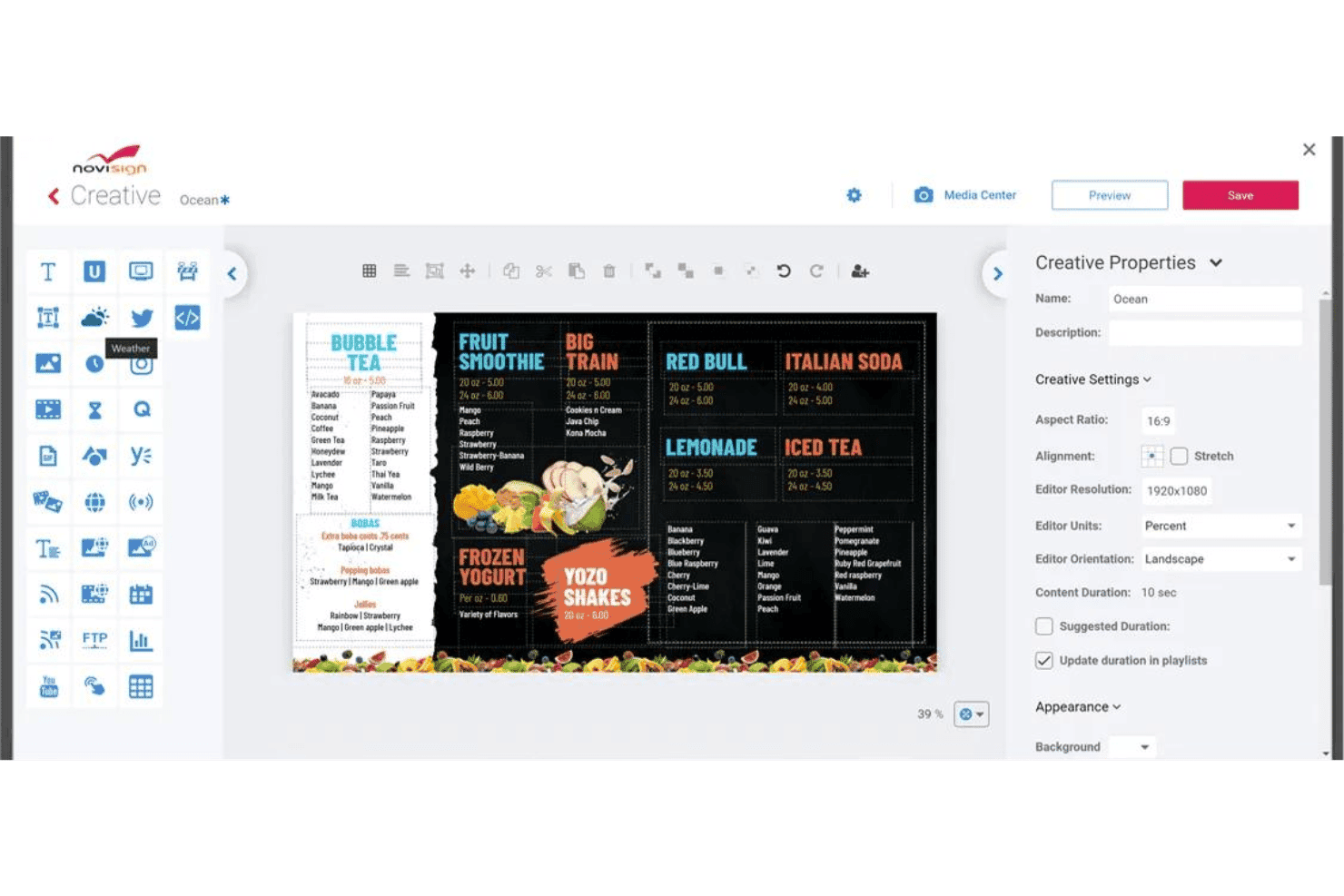
NoviSign offers a drag-and-drop digital signage creative editor with customizable menu board templates and content properties. NoviSign is a cloud-based digital signage CMS that lets you design, schedule, and remotely manage content with enhanced interactivity across distributed screen networks using a drag-and-drop editor, 50+ widgets, and multi-platform device support.
Who Is NoviSign Best For?
NoviSign is a strong fit for retail and hospitality marketing teams managing content across multiple locations who need a low-technical-barrier platform.
Why I Picked NoviSign
NoviSign earns its spot on my shortlist because the drag-and-drop design studio makes it genuinely fast to build polished signage content. I like that the 400+ customizable templates give my team a real starting point, and the 50+ widgets (weather, live social feeds, countdown timers) slot directly into layouts without any code. The videowall editor and IoT/RFID event triggers are features I've used to push real-time, context-aware content to grouped displays across locations.
NoviSign Key Features
- Offline playback resilience: Content automatically continues playing on screens during network outages with local storage.
- Proof-of-play reporting: Detailed logs and reports verify which content played on each screen and when.
- Multi-zone layouts: Create custom display zones to show video, tickers, weather, and other widgets simultaneously on a single screen.
- POS and business system integrations: Connect digital signage to POS, PowerBI, Google Drive, and other platforms for automated, real-time content updates.
NoviSign Integrations
NoviSign offers native integrations with Power BI, DataBox, Chartio, Tableau, Clover, Lightspeed, Salesforce, Canva, Ominalert, and more. An API is available for custom integrations.
Pros and Cons
Pros:
- Supports live content and real-time triggers
- Over 400 ready-made, customizable templates
- Fast editing with drag-and-drop studio
Cons:
- No built-in stock media or asset search
- Advanced permissions require higher-tier plan
Learn more about NoviSign: Best for education-focused display solutions
- Free demo + 14-day free trial available
- From $11/screen/month (USD, billed monthly)
Visit WebsiteCustomer Rating:4.8/5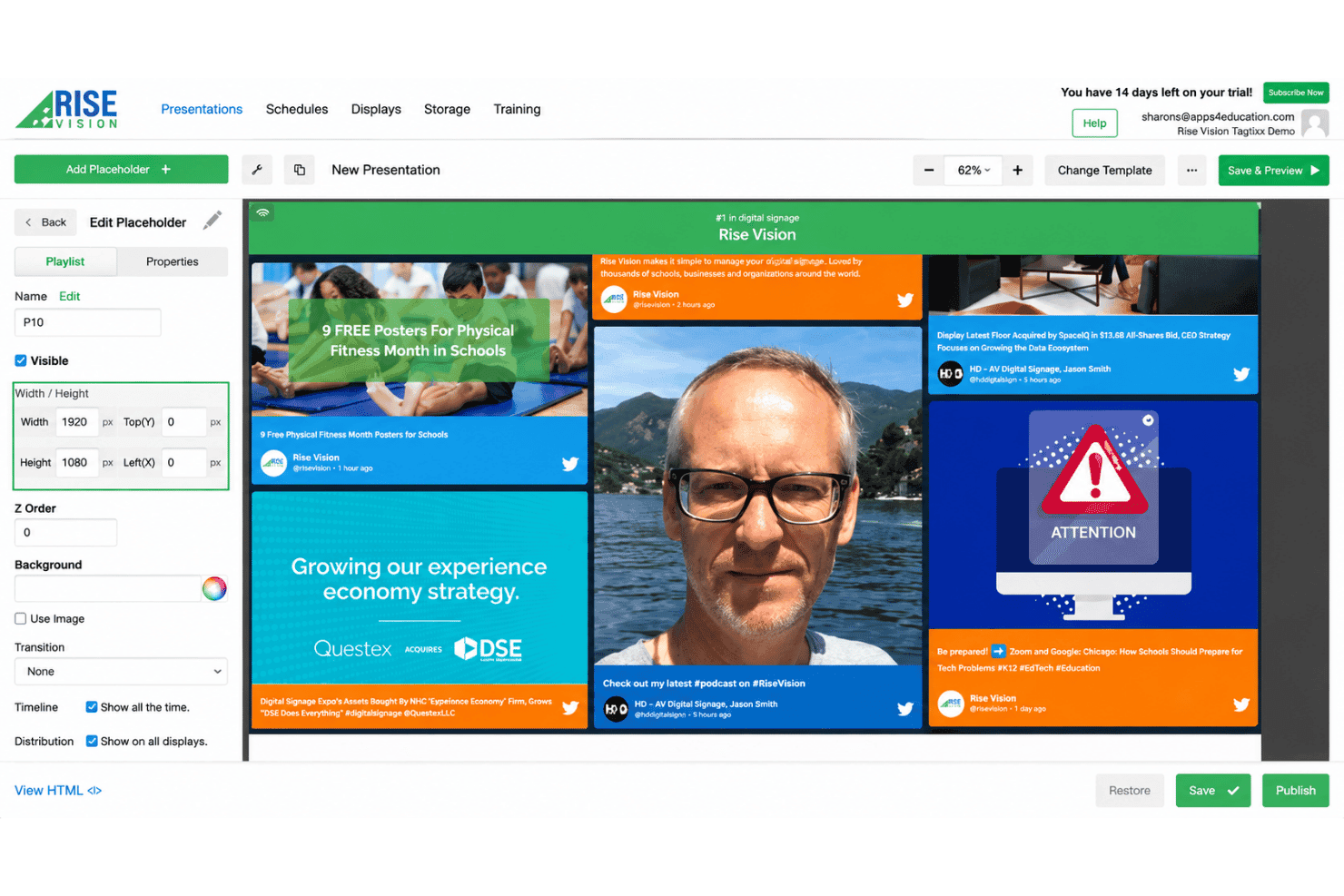
Rise Vision offers a drag-and-drop presentation editor with playlist management, placeholder properties, and live social media feed previews for digital signage displays. Rise Vision is a cloud-based digital signage CMS that combines content management, screen sharing, and emergency alerts across hardware-agnostic displays.
Who Is Rise Vision Best For?
Rise Vision is a strong fit for K-12 schools and school districts that need to manage signage, classroom screen sharing, and emergency alerts from one platform.
Why I Picked Rise Vision
Rise Vision earns its spot on my shortlist because no other digital signage CMS is built this specifically for how schools operate. The Enterprise plan covers unlimited displays per school for a flat $1,399/year, which makes district rollouts realistic on school budgets. I also like the teacher-specific user role, which lets classroom staff manage their own screens without affecting district content, plus native CAP alert integrations with E2Campus and CrisisGo.
Rise Vision Key Features
- Multi-zone layouts: Split displays into sections to show different content, like video, weather, or announcements simultaneously.
- Offline playback: Content keeps running on screens even during internet outages, syncing updates once back online.
- CAP emergency alert integration: Directly connect with services like Singlewire, Rave, or CrisisGo to trigger alerts across all displays.
- Device screenshot monitoring: View current snapshots of any display from the dashboard to quickly confirm what is playing.
Rise Vision Integrations
Rise Vision offers native integrations with Canva, Google Slides, Power BI, Domo, Google Sheets, Microsoft PowerPoint, Microsoft Calendar, Google Calendar, Meta (Facebook and Instagram), YouTube, and more.
Pros and Cons
Pros:
- Unlimited cloud storage for media files
- Custom roles for teachers and administrators
- Extensive template library for schools and events
Cons:
- Few retail or POS data integrations
- Limited analytics for measuring content performance
Learn more about Rise Vision: Best for robust app integrations and automation
- 14-day free trial
- From $20/screen/month (billed annually)
Visit WebsiteCustomer Rating:4.8/5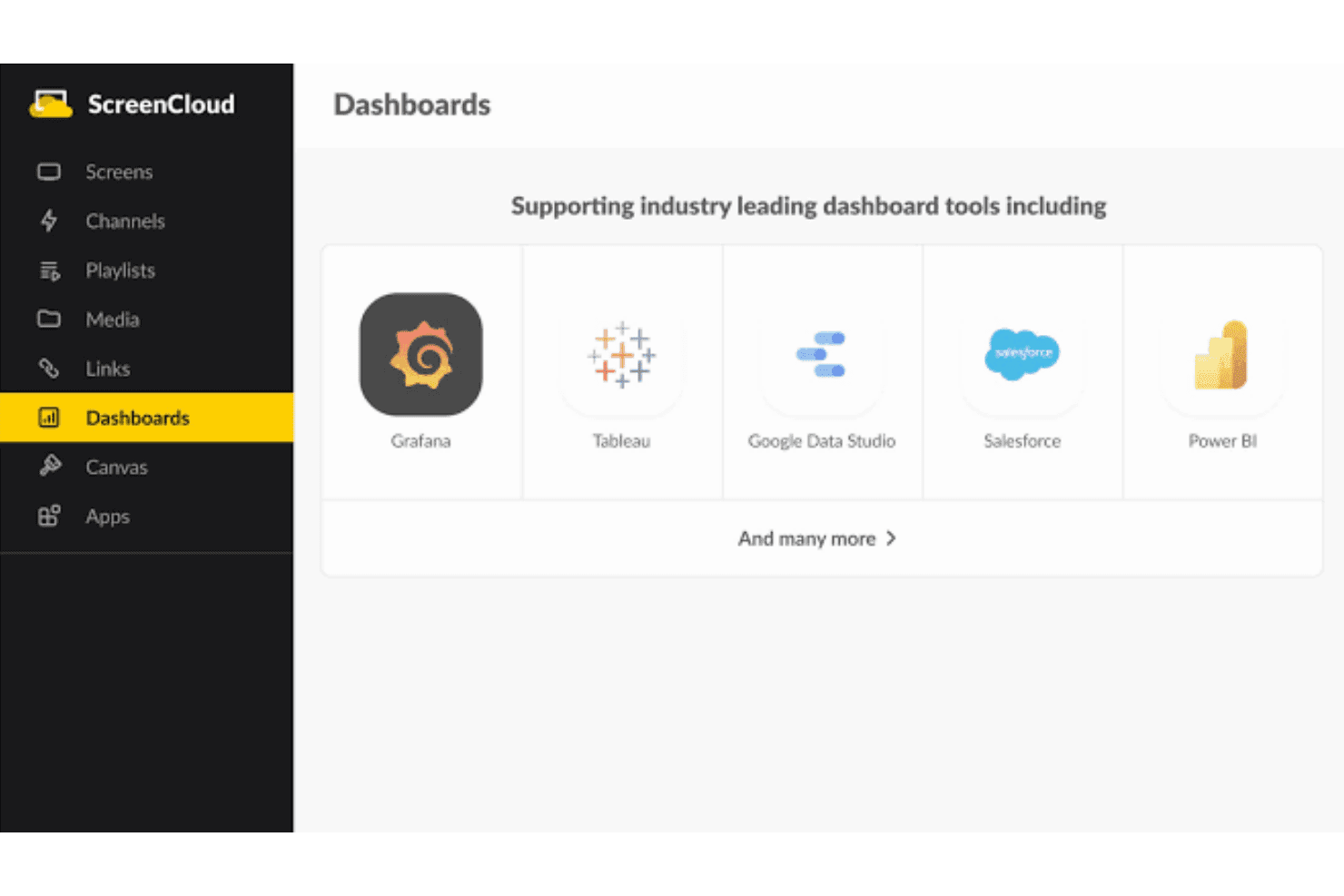
ScreenCloud supports industry-leading dashboard tools including Grafana, Tableau, Google Data Studio, Salesforce, and Power BI. ScreenCloud is a cloud-based digital signage CMS that lets you manage, schedule, and display content across screen networks, with built-in app integrations, a custom app builder, and remote device management across distributed locations.
Who Is ScreenCloud Best For?
ScreenCloud suits mid-market and enterprise teams optimizing content creation and managing screens across multiple locations, particularly in retail, manufacturing, and healthcare.
Why I Picked ScreenCloud
ScreenCloud earns its spot on my shortlist because of how far its integration layer actually goes. I love that the Dashboards feature lets me pull in gated tools like Salesforce or Datadog directly onto screens, without needing workarounds. The Playgrounds custom app builder and GraphQL API also mean my team can build and automate content logic that goes well beyond what most digital signage CMS platforms support out of the box.
ScreenCloud Key Features
- Multi-zone layouts: Create displays with separate content zones for video, tickers, weather, and social feeds on one screen.
- Proof-of-play reporting: Access detailed logs that show exactly which content played on each screen and when.
- ScreenCloud OS compatibility: Deploy signage using ScreenCloud’s proprietary operating system or integrate with supported third-party hardware.
- Bulk device management: Monitor, group, and update multiple screens remotely from a single cloud dashboard.
ScreenCloud Integrations
ScreenCloud offers over 80 native integrations, including Bonusly, Firstup, Unily, Canva, YouTube, Power BI, Vimeo, Simpplr, and Slack. An API and webhooks are available for custom integrations.
Pros and Cons
Pros:
- Reliable offline playback for uninterrupted display
- Multi-zone layouts with custom content widgets
- Supports live dashboards from Salesforce and Tableau
Cons:
- Advanced device remediation options not included
- Approval workflows and asset governance limited
Learn more about ScreenCloud: Best for data-driven screen content management
- Free trial + free demo available
- From $8/device/month (billed annually)
Visit WebsiteCustomer Rating:4.9/5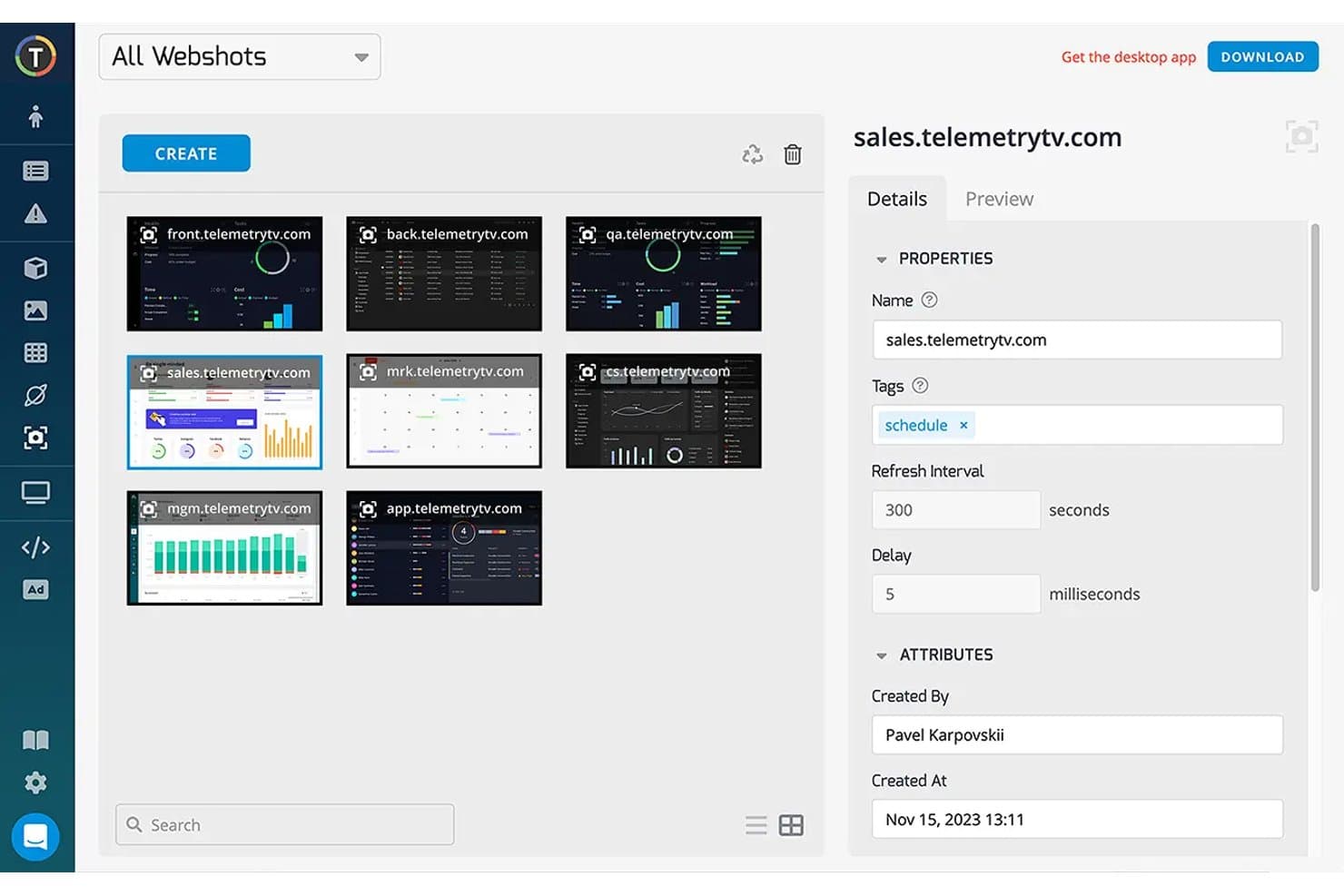
TelemetryTV offers a Webshots management interface where users can create, organize, and configure screenshot captures of web dashboards for digital signage displays. TelemetryTV is a cloud-based digital signage CMS built around live data broadcasting, letting you push BI dashboards, dynamic feeds, and custom web apps to distributed screen networks from a single interface.
Who Is TelemetryTV Best For?
It's a strong fit for mid-market and enterprise teams in retail, QSR, and logistics who manage large screen fleets and need to display live operational data alongside branded content.
Why I Picked TelemetryTV
TelemetryTV earns its spot on my shortlist because of how it handles live data broadcasting directly on screens. I use it to push live Grafana and Power BI dashboards to floor displays, so teams see real-time operational metrics without any manual content updates. The proof-of-play reporting on the Elite plan is something I rely on to confirm that time-sensitive content actually ran when and where it was scheduled.
TelemetryTV Key Features
- Multi-zone layout editor: Split screens into customizable zones to show video, tickers, weather, or social feeds at the same time.
- Remote device fleet management: Monitor device health, trigger remote reboots, and deploy over-the-air updates across all connected displays.
- Native app ecosystem: Use pre-built apps for calendar boards, wayfinding, menu boards, and internal communications directly from the platform.
- Role-based access controls: Assign user roles and permissions to manage who can create, schedule, or approve content for different locations.
TelemetryTV Integrations
TelemetryTV offers native integrations with Canva, Vimeo, Grafana, Slack, YouTube, WindyTV, and more. An API and JavaScript SDK are available for custom integrations.
Pros and Cons
Pros:
- Flexible content zoning for multitasking screens
- Live dashboards display with no manual refresh
- Reliable offline playback for all screen content
Cons:
- Limited built-in franchise hierarchy management
- Approval workflows lack formal multi-step controls
Learn more about TelemetryTV: Best for AI-driven content personalization
- Free demo available
- Pricing upon request
Visit WebsiteCustomer Rating:4.7/5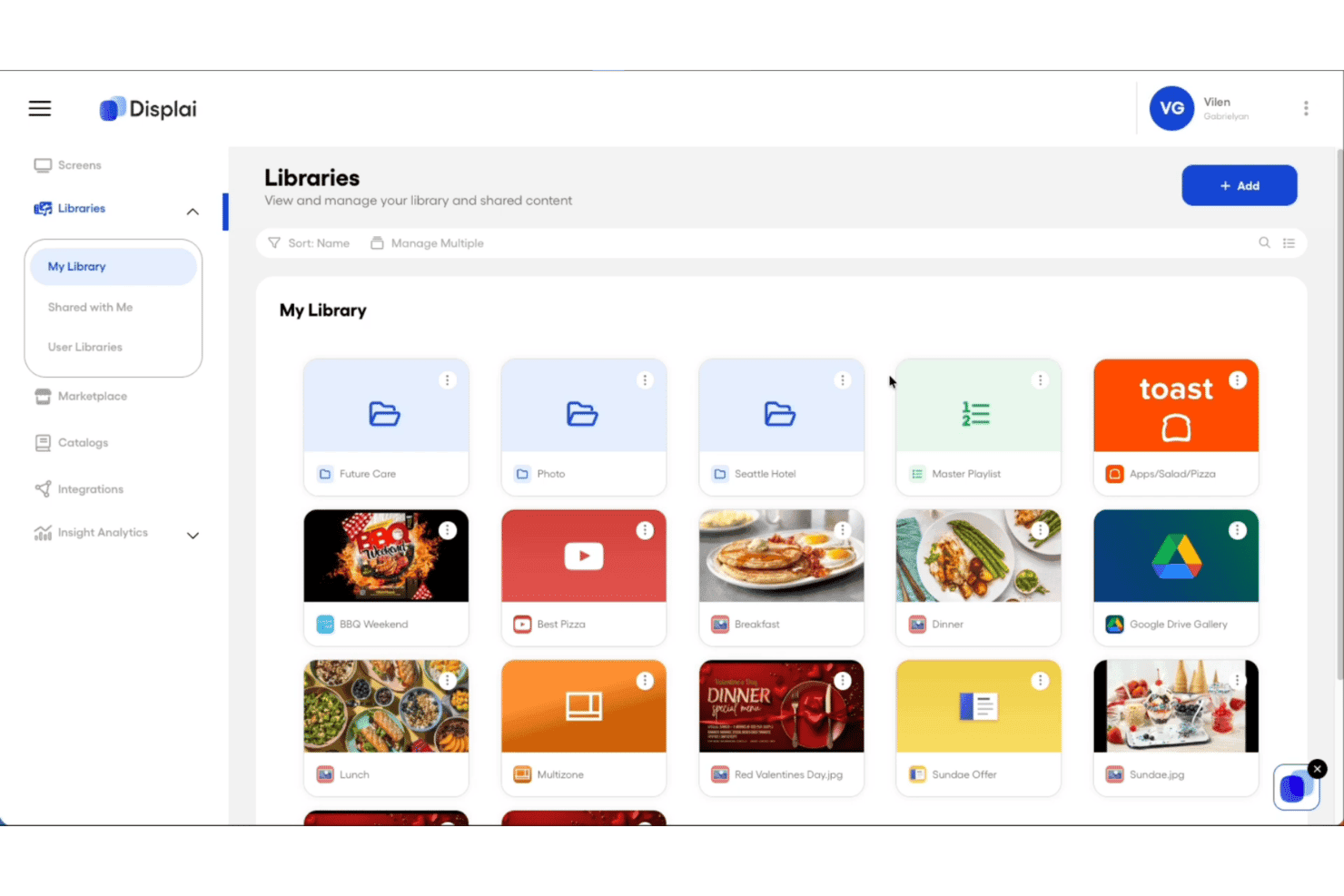
Displai offers a Libraries section where users can manage and organize media content such as images, videos, playlists, and app integrations in a grid view. Displai is a cloud-based digital signage CMS that combines multi-location content management, POS-integrated dynamic menu boards, AI-powered visitor analytics, and support for interactive kiosks for brick-and-mortar businesses.
Who Is Displai Best For?
Displai is a strong fit for multi-location restaurant groups and retail chains managing POS-connected signage and branded in-location experiences across dozens or hundreds of sites.
Why I Picked Displai
I've included Displai in my top picks because of Displai InSight, its built-in AI analytics layer that tracks visitor demographics, sentiment, and content performance in real time. That data feeds directly into content decisions, so a restaurant group can identify which menu board creative drives the most engagement by daypart and adjust accordingly. Paired with the On-Brand Menu API, screens update automatically when POS data changes, making personalization genuinely dynamic rather than manual.
Displai Key Features
- Remote device management: Monitor display status, push content updates, and control playback remotely for screens in any location.
- App marketplace: Access a large catalog of pre-built apps for menu boards, social media feeds, news tickers, and more.
- POS-powered dynamic menus: Connect menu boards directly to Toast, Square, or Lightspeed POS for real-time menu and pricing updates.
- Multi-location content scheduling: Assign campaigns, dayparted playlists, and content updates by location, region, or as network-wide broadcasts.
Displai Integrations
Displai offers native integrations with Toast, Square, Lightspeed, 7Shifts, Instagram, YouTube, PosterMyWall, DS Menu, RetailNext, and BrightSign, and provides an API for custom integrations.
Pros and Cons
Pros:
- Multi-location controls for centralized campaign scheduling
- POS-driven menu boards update content automatically
- Built-in AI analyzes in-store audience engagement
Cons:
- Enterprise pricing not published or self-service
- Device network connectivity issues occasionally reported
Learn more about Displai: Best for advanced rule-based content triggers
- Free demo + 30-day free trial available
- From $14/player/month (USD, Cloud Essential)
Visit WebsiteCustomer Rating:4.3/5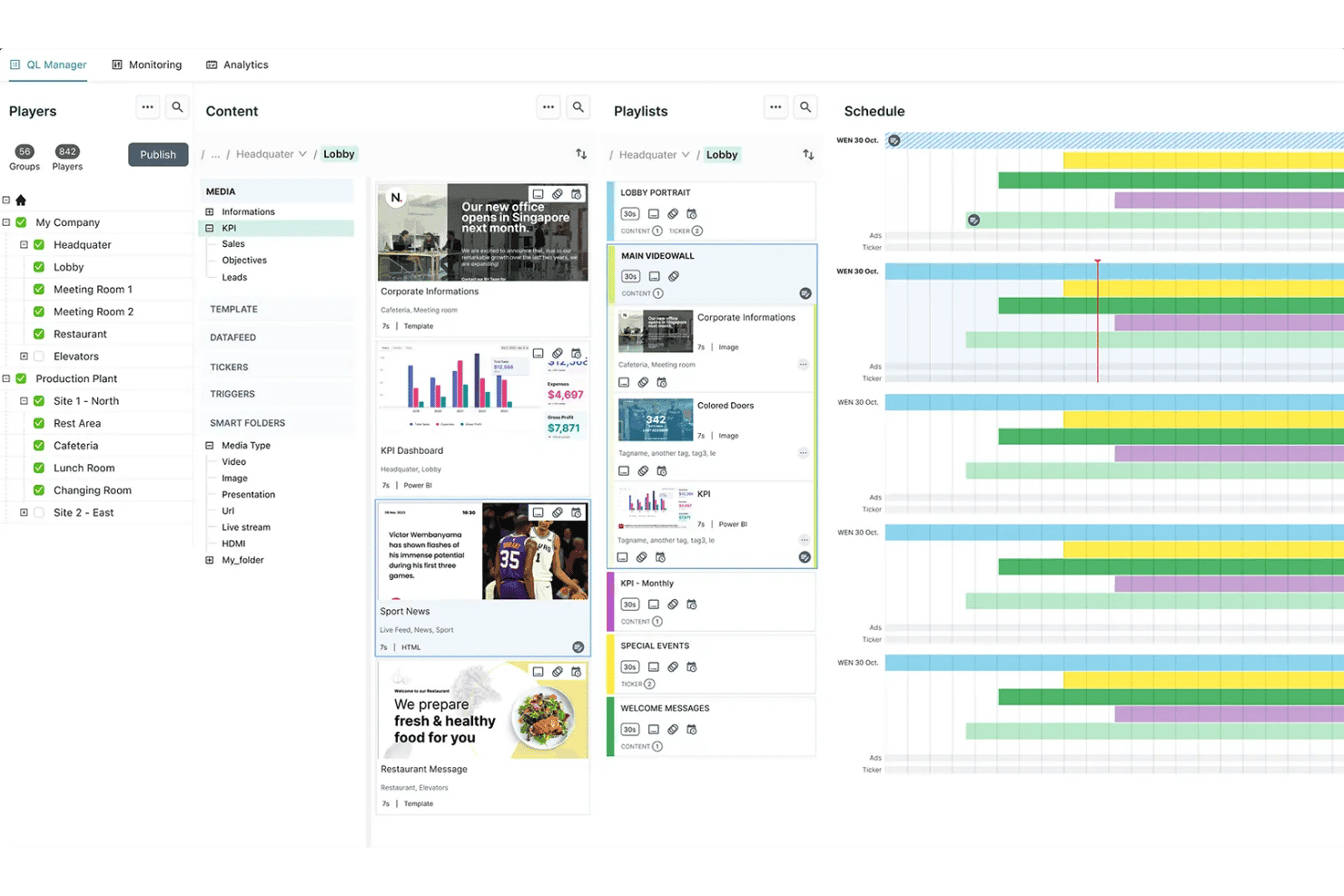
Navori offers a digital signage management interface with player organization, content library, playlist management, and scheduling tools in one dashboard. Navori is a digital signage CMS that combines a cloud-based content management dashboard, hardware-agnostic player support, live data integration, rule-based content automation, and AI-powered audience analytics across distributed screen networks.
Who Is Navori Best For?
Navori is a strong fit for enterprise marketing and operations teams managing large, distributed screen networks across retail, hospitality, or multi-location environments.
Why I Picked Navori
Navori earns its spot on my shortlist because of how its Live Data Manager handles rule-based content automation. I can connect JSON, XML, CRM, or POS data feeds and let the system automatically select and serve the right content based on live data lookups, with no manual intervention. On top of that, the AQUAJI layer uses AI-driven audience detection to add demographic triggers, so content decisions compound across both data rules and real-time viewer context.
Navori Key Features
- Multi-zone layouts: Divide screens into multiple zones to display video, tickers, weather, or social feeds at the same time.
- Proof-of-play reporting: Track and verify when and where each piece of content was displayed across your network.
- Offline playback resilience: Content keeps playing during network outages, with syncing updates once the connection returns.
- Native app ecosystem: Access pre-built apps and templates for deployments like menu boards, wayfinding, and corporate communications.
Navori Integrations
Navori offers native integrations with ServiceNow, Grafana, Workplace, Tableau, Firstup, ScreenFeed, Power BI, xMatters, and more. An open API is available for custom integrations.
Pros and Cons
Pros:
- AI-powered audience and engagement analytics
- Multi-zone and 4K video wall support
- Advanced conditional content scheduling engine
Cons:
- Complex setup for smaller screen networks
- Limited pre-built content templates
Learn more about Navori: Best for workplace and employee communications
- Free demo available
- Pricing upon request
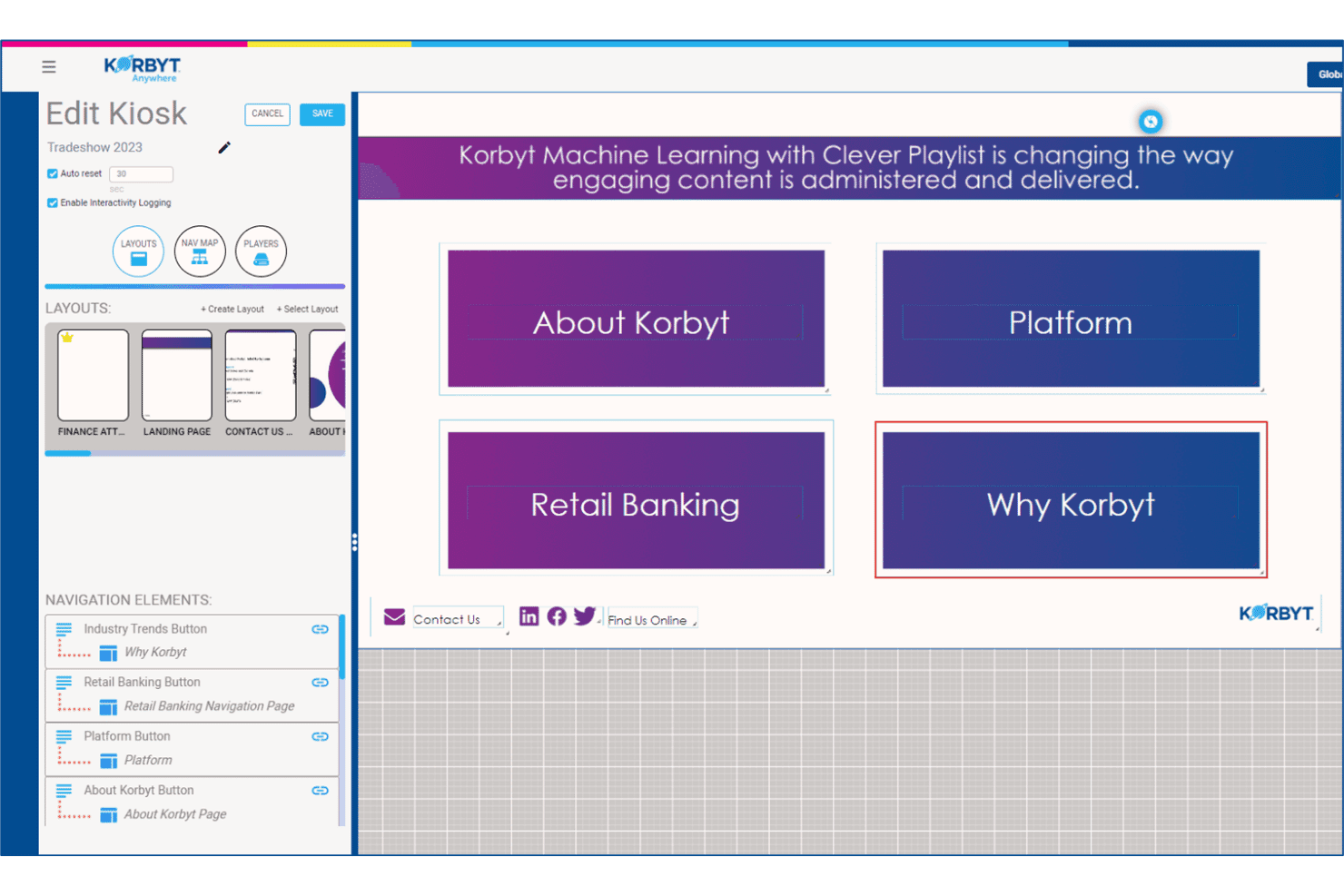
Korbyt offers an interactive kiosk editor with navigation elements, layout management, and a live preview of touchscreen content. Korbyt Anywhere is an enterprise digital signage CMS that distributes content across screens, desktops, and mobile with data-driven scheduling, 200+ integrations, and support for cloud, on-premises, or hybrid deployment.
Who Is Korbyt Best For?
Korbyt is a strong fit for enterprise and mid-market organizations managing large, distributed screen networks across corporate campuses, retail locations, or multi-site operations.
Why I Picked Korbyt
Korbyt earns its spot on my shortlist because of how it handles employee-targeted content at scale. I particularly like the Clever Playlists feature, which uses machine learning to determine which messages resonate with which employee segments and adjusts delivery automatically over time. My team can segment content by role, department, or location and push it simultaneously across screens, desktops, and mobile from a single publish action.
Korbyt Key Features
- Multi-zone layouts: Split screens into multiple zones to display different content types simultaneously.
- Remote device management: Monitor screen health, push updates, and troubleshoot devices from a centralized dashboard.
- Dynamic data triggers: Change content automatically based on real-time inputs like weather, inventory, or sensor data.
- Proof-of-play reporting: View detailed logs showing exactly what content played, when, and on which screens.
Korbyt Integrations
Korbyt offers native integrations with Salesforce, Tableau, Microsoft 365, Cisco, ServiceNow, Five9, Paylocity, Box, Power BI, and more. An API is available for custom integrations.
Pros and Cons
Pros:
- AI-powered audience segmentation and targeting
- Multi-zone layouts for advanced screen setups
- Resilient offline playback across endpoints
Cons:
- Interface can be slow with large asset libraries
- Focuses more on workplace communications use cases
Learn more about Korbyt:
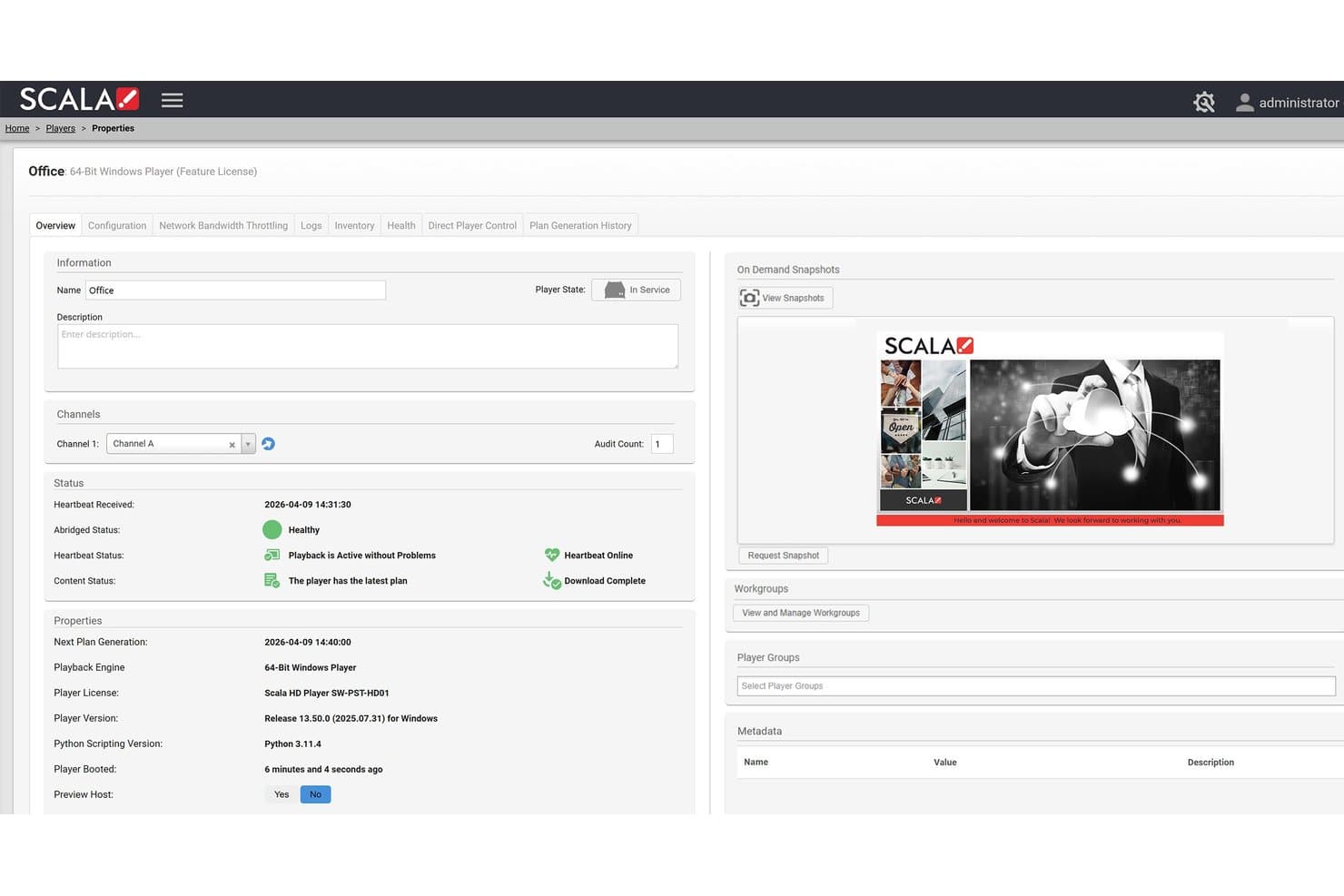
Scala offers a detailed player properties dashboard showing real-time playback status, channel assignment, snapshots, and device health for digital signage management. Scala is an enterprise digital signage CMS built around a centralized Content Manager, a purpose-built Designer tool, and a dedicated media player stack for managing dynamic, data-driven content across large distributed screen networks.
Who Is Scala Best For?
Scala is a strong fit for mid-market and enterprise organizations running large, multi-location screen networks across retail, QSR, hospitality, or corporate environments.
Why I Picked Scala
Scala earns its spot on my shortlist because of how it handles dynamic, data-driven content at scale. I love that ScalaScript lets my team connect live data sources like POS systems, inventory feeds, and weather triggers directly into templates, so content updates automatically without manual rebuilds. The Scala Player also uses delta updates, pushing only changed files to screens, which keeps large-network deployments stable and responsive during active campaigns.
Scala Key Features
- Multi-screen scheduling: Push playlists and campaigns to specific screens, groups, or entire networks from a central dashboard.
- Proof-of-play reporting: Generate logs to verify exactly which content played on each screen for compliance or ad billing.
- Multi-zone screen layouts: Segment displays into dedicated areas showing varied content types like videos, tickers, or social feeds.
- Role-based content approvals: Manage user permissions and approval workflows to govern brand standards across multiple locations.
Scala Integrations
Native integrations are not publicly listed.
Pros and Cons
Pros:
- Detailed proof-of-play analytics and logging
- Reliable playback during network outages
- Advanced multi-zone and video wall support
Cons:
- Setup can require specialized player hardware
- No published pricing or online signup
Learn more about Scala:
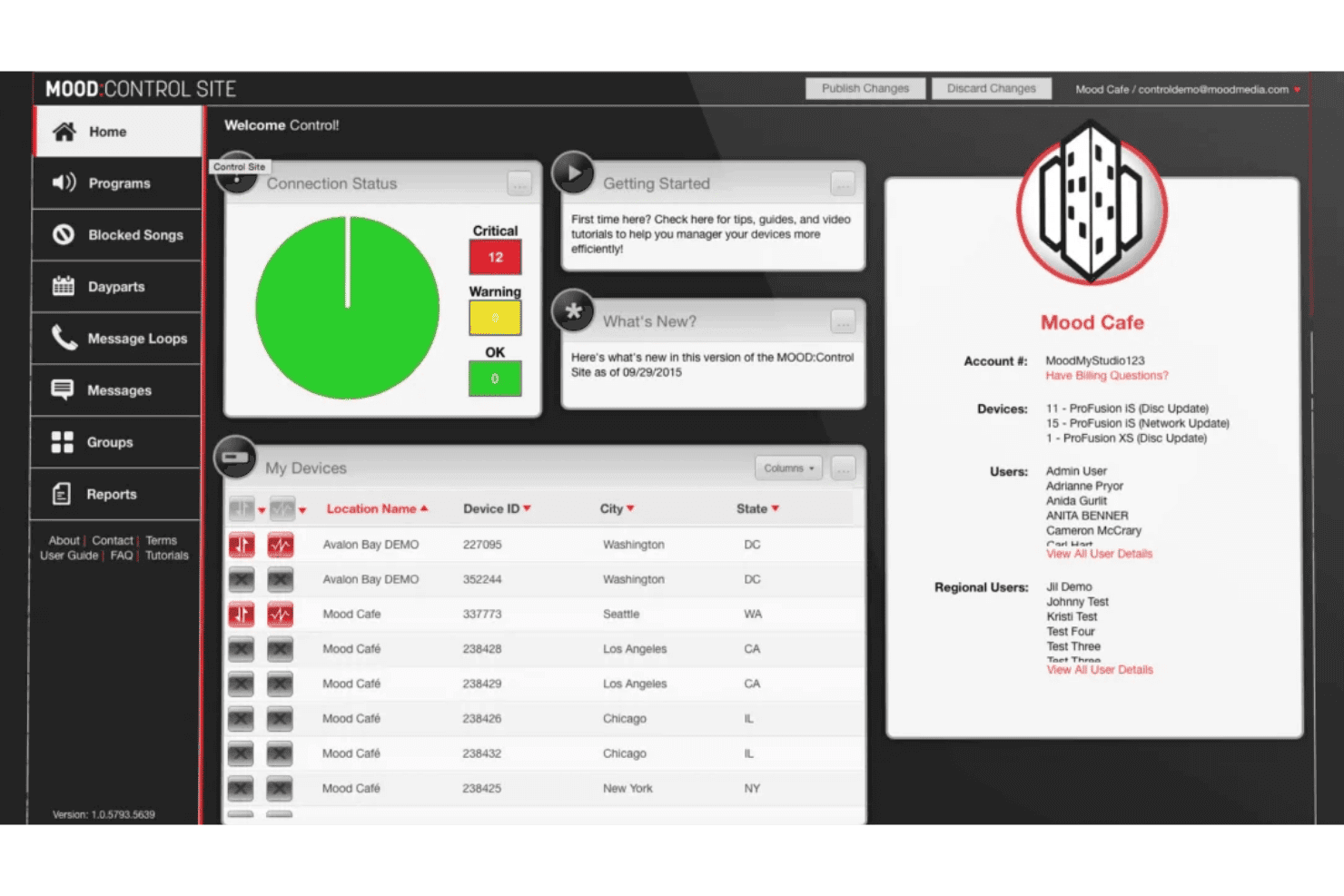
Mood Media's Control Site dashboard offers device connection status, location management, and account details for multi-site audio program control. Mood Media is a digital signage CMS and multi-sensory brand experience platform that unifies screen content, music, on-hold messaging, and scent marketing under a single cloud-based dashboard called Harmony.
Who Is Mood Media Best For?
Mood Media suits enterprise retail, QSR, and hospitality brands managing digital signage alongside music and messaging across large, distributed location networks.
Why I Picked Mood Media
I picked Mood Media because no other digital signage CMS on my shortlist lets you control screens, music, scent, and on-hold messaging from a single login inside one platform. In practice, that means my team can schedule a digital menu board update and a matching audio promotion for the same daypart without switching tools. Mood TV adds another layer, letting us replace competitive advertising on in-store screens with branded content alongside short-form programming.
Mood Media Key Features
- Centralized monitoring dashboard: Monitor the health and status of all connected screens and Harmony devices from one interface.
- Multi-zone layout editor: Customize screens with multiple content zones, including video, widgets, and message tickers.
- Digital menu board preview: Preview and adjust menu board content with instant updates for price or item changes.
- System-on-chip display support: Deploy digital signage directly to smart displays from Samsung and Philips without external media players.
Mood Media Integrations
Native integrations are not publicly listed.
Pros and Cons
Pros:
- Supports offline playback and content resilience
- Centralized dashboard for multi-location management
- Multi-sensory platform includes music and scent
Cons:
- No free trial or transparent self-serve pricing
- Lacks robust POS or CRM data integrations
Learn more about Mood Media:
Outros CMS de sinalização digital
Eis algumas soluções adicionais de CMS de sinalização digital que não foram incluídas na minha seleção, mas que vale a pena conhecer:
- 11AppspaceBest for unified corporate communications
- 12BrightSignBest for dedicated hardware integration
- 13OptiSignsBest for rapid deployment across locations
- 14YodeckBest for simple cloud-first remote management
- 15PoppuloBest for large-scale corporate deployments
- 16ScreenlyBest for Raspberry Pi-based display networks
- 17SpectrioBest for retail customer engagement features
- 18XiboBest for open-source customization and control
How I Evaluate Digital Signage CMS
I split my evaluation into two layers: the baseline a platform must meet to make the list, and the differentiators that separate strong performers from the rest.
Core Functionality (Table Stakes For This List)
When I'm selecting tools for my list, I rank each one on a scale from 0 (does not offer the functionality) to 5 (excels in this area) for each core functionality listed below. Then, I calculate the tool's total score into a percentage. Each tool needs to achieve a minimum total score of 65% to be considered for inclusion.
- Centralized content management: I look for a cloud-based dashboard where you can upload, tag, and push assets to any screen from one place—like updating menu boards across 50 locations in minutes.
- Multi-screen scheduling: The platform should let you schedule playlists and dayparted campaigns across screen groups, so a lunch promo only runs from 11 a.m. to 2 p.m. at selected sites.
- Media format support: I check whether the CMS handles images, video, HTML5, live streams, and web apps—the full range of formats modern marketing teams actually use on their displays.
- Remote device management: Managing screens spread across dozens of locations means I evaluate remote reboot, health monitoring, and over-the-air update capabilities from the central dashboard.
- Dynamic content and data integration: Real-time triggers matter. I look for API, RSS, social feed, and data-driven template support so content can shift based on inputs like weather or inventory.
- User roles and multi-location permissions: For multi-location teams, I evaluate whether HQ can lock brand assets while still letting local managers contribute region-specific content through role-based controls.
Once I have a list of tools that meet the criteria, I consider what sets each platform apart.
Differentiating Factors (What Sets Vendors Apart)
Here's how I compare and contrast different vendors:
Standout Features
Offline playback resilience is a big differentiator—screens in a retail store or airport need to keep running even when Wi-Fi drops. I also look at proof-of-play reporting, which gives you verified logs of what content played, where, and when. That's essential if you're running ad networks or need compliance documentation. Multi-zone layouts matter too, since splitting a screen into zones for video, social feeds, and tickers gives you more flexibility without adding hardware.
Beyond Features
Hardware compatibility is one of the first things I check—whether a platform supports SoC displays, Android, BrightSign, and other player types determines how much you'll spend on hardware alongside your subscription. Pricing transparency matters just as much, since hidden costs for premium apps or storage tiers can inflate your total cost of ownership fast. I also evaluate integrations with tools like Google Slides, Canva, Power BI, and POS systems, which reveal how well the CMS fits into your existing marketing stack.
Como escolher um CMS de sinalização digital
É fácil ficar preso a longas listas de funcionalidades e estruturas de preços complexas. Para o ajudar a manter o foco enquanto analisa o seu processo específico de seleção de software, eis uma lista de fatores a ter em conta:
| Fator | O que deve considerar |
|---|---|
| FatorEscalabilidade | O que deve considerarQuantos ecrãs precisa de gerir agora e no futuro? O CMS consegue suportar implementações em grande escala ou em vários locais sem perda de controlo ou visibilidade? |
| FatorIntegrações | O que deve considerarPermite ligar-se aos sistemas de marketing, ponto de venda, análise ou conteúdos que já utiliza? Verifique a existência de conectores nativos e acesso a uma API aberta. |
| FatorPersonalização | O que deve considerarPode adaptar as permissões dos utilizadores, a identidade visual, os esquemas e os fluxos de trabalho para corresponder à estrutura e às normas de estilo da sua organização? |
| FatorFacilidade de utilização | O que deve considerarA plataforma é intuitiva tanto para os profissionais de marketing da sede como para os colaboradores locais? Considere a facilidade de formar novos utilizadores e atualizar conteúdos no momento. |
| FatorImplementação e integração inicial | O que deve considerarO que exige o processo de configuração às suas equipas de TI e marketing? Precisará de ajuda externa para a implementação ou de modelos para começar rapidamente? |
| FatorCusto | O que deve considerarAté que ponto os preços são claros e como variam por ecrã, utilizador ou funcionalidade? Esteja atento a despesas ocultas relacionadas com armazenamento, integrações ou hardware necessário. |
| FatorMedidas de segurança | O que deve considerarA plataforma disponibiliza controlos de utilizadores, encriptação e autenticação adequados? Tenha em conta os requisitos de conformidade em setores regulamentados, como o financeiro ou o da saúde. |
| FatorDisponibilidade do suporte | O que deve considerarOs recursos de ajuda estão acessíveis quando precisa deles? O fornecedor disponibiliza suporte 24 horas por dia, 7 dias por semana, em direto ou baseado em pedidos, e quais são os tempos de resposta habituais? |
O que são CMS de sinalização digital?
Um CMS de sinalética digital é uma plataforma que permite gerir, programar e atualizar o conteúdo apresentado em ecrãs digitais em vários locais. Estes sistemas permitem às equipas de marketing controlar tudo, desde vídeos promocionais a atualizações em tempo real, a partir de um único painel de controlo. Concebidas para o controlo de vários locais e para conteúdos dinâmicos, as ferramentas CMS de sinalética digital ajudam a manter os padrões da marca e a apresentar mensagens direcionadas com base na hora, no público ou em acionadores de dados.
Funcionalidades de um CMS de sinalética digital
Ao selecionar um CMS de sinalética digital, procure as seguintes funcionalidades principais:
- Gestão centralizada de conteúdos: Carregue, organize e atualize todos os seus recursos digitais a partir de um único painel de controlo, facilitando a gestão de conteúdos em qualquer rede de ecrãs.
- Programação para vários ecrãs: Programe campanhas ou listas de reprodução específicas para ecrãs individuais ou grupos, por hora, data ou período do dia, garantindo que os conteúdos são apresentados quando e onde são mais relevantes.
- Gestão remota de dispositivos: Monitorize o estado dos dispositivos, envie atualizações e controle a reprodução nos ecrãs remotamente, reduzindo a necessidade de intervenções no local e assegurando um funcionamento fiável.
- Suporte para formatos multimédia: Apresente imagens, vídeos, HTML5, transmissões em direto e conteúdos interativos; esta flexibilidade ajuda a manter o seu marketing visualmente atualizado e apelativo.
- Integração de conteúdos dinâmicos: Ligue-se a APIs, feeds de redes sociais ou fontes de dados para que os ecrãs possam apresentar automaticamente atualizações em tempo real, inventário, meteorologia ou outras informações contextuais.
- Funções e permissões de utilizador: Defina permissões detalhadas para utilizadores da sede, regionais e ao nível da loja; isto permite o controlo local dos conteúdos, mantendo simultaneamente a governação da marca.
- Relatórios de comprovação da reprodução: Registe e verifique exatamente que conteúdos foram apresentados, onde e quando — algo útil para a conformidade e a medição do desempenho em publicidade ou em ambientes regulamentados.
- Disposições com várias zonas: Divida os ecrãs em várias áreas de conteúdos (zonas) que apresentem simultaneamente diferentes tipos de multimédia, maximizando o espaço disponível no ecrã e o impacto.
- Resiliência da reprodução offline: Garanta que os conteúdos programados continuam a ser reproduzidos durante interrupções da rede, sincronizando as novas atualizações quando a ligação for restabelecida.
- Biblioteca de modelos e aplicações: Aceda a modelos ou widgets prontos a utilizar para casos de uso comuns, como painéis de menus, anúncios ou orientação, para acelerar a implementação e o design.
Vantagens de um CMS de sinalética digital
A implementação de um CMS de sinalética digital proporciona várias vantagens à sua equipa e à sua empresa. Eis algumas das que pode esperar:
- Controlo centralizado: Gira e atualize os conteúdos de todos os ecrãs da sua rede a partir de um único painel de controlo, para manter as mensagens consistentes e atempadas.
- Programação flexível de conteúdos: Automatize quando e onde os seus conteúdos são apresentados, permitindo-lhe planear facilmente promoções e campanhas em torno do horário de funcionamento ou de eventos especiais.
- Atualizações em tempo real: Apresente dinamicamente inventário, feeds de redes sociais ou conteúdos acionados pelas condições meteorológicas, para que os seus ecrãs mostrem sempre as informações mais relevantes.
- Maior consistência da marca: Restrinja os recursos e modelos aprovados, garantindo que todos os locais seguem os padrões da sua marca, ao mesmo tempo que permite uma contribuição local controlada.
- Eficiência operacional: Monitorize o estado dos dispositivos, envie atualizações e resolva problemas remotamente, minimizando as intervenções no local por parte das equipas de TI ou de marketing.
- Dados de desempenho acionáveis: Obtenha informações através dos relatórios de comprovação da reprodução, ajudando-o a analisar o alcance das campanhas e a validar a distribuição dos conteúdos para efeitos de conformidade.
- Poupança de custos: Tire partido do suporte para vários tipos de hardware e da reprodução offline para otimizar o seu investimento em sinalética digital e reduzir os custos recorrentes.
Custos e preços de um CMS de sinalética digital
A seleção de um CMS de sinalética digital requer uma compreensão dos vários modelos de preços e planos disponíveis. Os custos variam consoante as funcionalidades, a dimensão da equipa, os complementos e outros fatores. A tabela abaixo resume os planos comuns, os respetivos preços médios e as funcionalidades normalmente incluídas nas soluções CMS de sinalética digital:
Tabela de comparação de planos para CMS de sinalética digital
| Tipo de plano | Preço médio | Funcionalidades comuns |
|---|---|---|
| Tipo de planoPlano gratuito | Preço médio$0 | Funcionalidades comunsCarregamento básico de conteúdos, agendamento limitado, suporte para um único utilizador e compatibilidade com formatos multimédia padrão. |
| Tipo de planoPlano pessoal | Preço médio$10-$25/ecrã/mês | Funcionalidades comunsSuporte para vários ecrãs, atualizações remotas, acesso a modelos, relatórios simples e permissões básicas de utilizador. |
| Tipo de planoPlano empresarial | Preço médio$25-$60/ecrã/mês | Funcionalidades comunsAgendamento avançado, integrações alargadas, controlo de várias localizações, relatórios de comprovação de reprodução e monitorização de dispositivos. |
| Tipo de planoPlano empresarial de grande escala | Preço médio$60-$150/ecrã/mês | Funcionalidades comunsPersonalização da marca, acesso à API, SSO, segurança avançada, suporte dedicado, reprodução offline e SLA para disponibilidade. |
Perguntas frequentes sobre CMS de sinalização digital
Eis algumas respostas a perguntas frequentes sobre CMS de sinalização digital:
Em que difere um CMS de sinalização digital dos leitores multimédia tradicionais?
Um CMS de sinalização digital permite gerir, agendar e atualizar conteúdos remotamente em vários ecrãs, enquanto os leitores multimédia tradicionais exigem normalmente atualizações manuais e oferecem um controlo limitado.
Posso utilizar o hardware existente com a maioria das plataformas de CMS de sinalização digital?
Sim, muitas plataformas suportam uma vasta gama de ecrãs comerciais e hardware de leitores multimédia, embora deva confirmar sempre a compatibilidade com a sua configuração atual antes de investir.
É possível atribuir permissões diferentes a utilizadores em várias localizações?
Sim, a maioria das ferramentas de CMS de sinalização digital disponibiliza funções de utilizador personalizáveis, permitindo conceder às equipas locais um controlo limitado, mantendo centralizadas as principais decisões relativas à marca e ao agendamento.
Como ajudam os relatórios de comprovação de reprodução as equipas de marketing?
Os relatórios de comprovação de reprodução verificam exatamente que conteúdos foram reproduzidos e quando, facilitando a demonstração da execução de campanhas, a gestão da conformidade e o fornecimento de dados aos anunciantes.
O que devo considerar para garantir que os conteúdos continuam a ser apresentados durante uma falha de rede?
Procure soluções de CMS com resiliência para reprodução offline, para que os conteúdos agendados continuem a ser apresentados nos seus ecrãs mesmo que a ligação seja interrompida e sejam sincronizados quando a rede voltar.