

Recensione di Zoom Webinars: Pro, Contro, Caratteristiche e Prezzi Spiegati
Zoom Webinars si distingue per la sua affidabilità e scalabilità, rendendolo ideale per eventi grandi e professionali, ma può mancare di strumenti di marketing avanzati presenti in alcune piattaforme webinar concorrenti.

Recensiamo gli strumenti in modo indipendente, e le commissioni aiutano a finanziare i nostri test. Consulta la nostra politica sulla trasparenza, la nostra metodologia o suggerisci uno strumento.
Zoom is a webinar software for teams that need to host live events, virtual conferences, or product demos at scale. I'd consider it if your audience is already in the Zoom ecosystem—where joining a session requires zero friction—and you want more attendee capacity and broader name recognition than a tool like GoTo Webinar typically delivers.
Zoom Evaluation Summary
4.5/5
- From $14.16/user/month (billed annually)
- Free plan available
Perché fidarsi dei nostri consigli sui software
6,700+
Reviews
20
Industry experts
16+
Evaluation factors
14
Years
Il nostro team testa e recensisce software dal 2012. In quanto leader del marketing noi stessi, sappiamo quanto sia difficile — e importante — scegliere il software giusto.
Per questa guida, abbiamo valutato gli strumenti attraverso test pratici e ricerche indipendenti, assegnando un punteggio agli strumenti in base ai nostri criteri di selezione.
Le nostre recensioni riflettono il nostro giudizio editoriale umano, non un discorso di vendita.
Revisori esperti:
 Gui DrusinaDirettore creativo
- Shriya GhateSenior Marketing Lead
 Amanda JacquesResponsabile Marketing Ops

Zoom Overview
When judging webinar software, Zoom Webinars stands out for its intuitive interface, reliable streaming, and straightforward onboarding. Its pricing is competitive for large audiences, and integrations with CRM and marketing tools make it easy to fit into existing workflows. While it lacks some advanced marketing automation features, its robust support and familiar Zoom environment make it a top choice for organizations prioritizing scale and ease of use. If you’re selecting a platform for corporate town halls, product launches, or educational sessions, Zoom Webinars is especially strong for teams that value reliability and quick setup over deep customization.
Pros
- Supports up to 100,000 live attendees per event.
- Offers polished production tools and branded event pages.
- Provides reliable HD video quality and audio streaming.
Cons
- Limited attendee interaction compared to some competitors.
- Lacks built-in marketing automation and evergreen webinar tools.
- Pricing can be high for small or infrequent events.
Is Zoom Right For Your Needs?
Who Would be a Good Fit for Zoom?
Zoom Webinars is a strong choice for organizations that need an all-in-one platform to host large, professional online events with minimal technical hassle. Its high attendee capacity, reliable streaming, and polished production tools make it especially valuable for industries and teams focused on scale, brand reputation, and audience reach. If your events prioritize smooth delivery and require robust webinar features that support presenters, Zoom Webinars is well-suited to your needs.
- Higher EducationUniversities can host large-scale lectures and virtual graduations with ease.
- Enterprise MarketingMarketing teams can run high-attendance product launches and thought leadership events.
- Corporate Virtual Meeting RequirementsHR and internal comms can deliver company-wide town halls and updates.
- Healthcare TrainingMedical organizations can provide continuing education to large groups securely.
- Government AgenciesPublic sector teams can broadcast policy updates and community forums reliably.
- Event Production TeamsProfessional event planners can manage branded, high-quality virtual conferences.
Who Would be a Bad Fit for Zoom?
Zoom Webinars is built for structured, large-scale presentations where hosts control the audience experience. While it offers engagement tools like chat, polls, Q&A, and even breakout rooms, the overall format prioritizes broadcast-style delivery over flexible, deeply interactive features or marketing-driven experiences. Teams that need more dynamic audience participation, advanced automation, or continuous event workflows may find it limiting.
- Always-On Webinar FunnelsTeams running automated or evergreen webinars may find limited support for continuous, always-on experiences and advanced replay customization.
- Product-Led Growth TeamsCompanies using webinars as part of a self-serve funnel may find limited native capabilities for behavioral targeting, in-app triggers, and conversion optimization.
- Highly Interactive WorkshopsFacilitators running hands-on sessions may find the structured, host-controlled format less suited for collaborative, participant-led experiences.
- Hybrid Event-First OrganizationsWhile hybrid capabilities exist in Zoom Events, teams prioritizing fully integrated hybrid experiences may find Zoom Webinars alone too limited.
- Community-Driven ExperiencesOrganizations focused on peer-to-peer interaction, networking, and ongoing community engagement may find the experience too one-directional.
- Ongoing Training ProgramsTeams delivering structured learning programs may prefer platforms with stronger learning management features like progress tracking and certifications.
Come Testiamo e Valutiamo gli Strumenti
Abbiamo passato anni a costruire, perfezionare e migliorare il nostro sistema di test e valutazione del software. Il nostro metodo è progettato per cogliere le sfumature nella selezione del software e ciò che rende uno strumento efficace, concentrandoci sugli aspetti critici del processo decisionale. Qui sotto puoi vedere esattamente come funziona il nostro sistema di test e valutazione su sette criteri. Questo ci permette di offrire una valutazione imparziale del software basata su funzionalità principali, funzioni distintive, facilità d’uso, onboarding, supporto clienti, integrazioni, recensioni dei clienti e rapporto qualità-prezzo.
Funzionalità principali (25% del punteggio finale)
Il punto di partenza della nostra valutazione è sempre la funzionalità principale dello strumento. Include le caratteristiche e le funzioni basilari che un utente si aspetterebbe di trovare? Alcune di queste funzionalità sono bloccate nei piani premium? Ci aspettiamo che ogni strumento soddisfi almeno le capacità di base dei suoi concorrenti.
Funzionalità distintive (25% del punteggio finale)
Successivamente, valutiamo le funzionalità uniche che vanno oltre la normale funzionalità principale, quelle poco comuni negli strumenti simili. Un punteggio alto riflette caratteristiche specializzate o uniche che rendono il prodotto più veloce, efficiente o offrono un valore aggiunto all’utente. Valutiamo anche quanto sia semplice integrare il software con altri strumenti abitualmente usati in una tech stack, per espandere le funzionalità e l’utilità del prodotto. Sono valutate positivamente soluzioni con molte integrazioni native, connessioni di terze parti e API per creare integrazioni personalizzate.
Facilità d’uso (10% del punteggio finale)
Consideriamo la rapidità e semplicità con cui si possono eseguire le attività principali tramite lo strumento. I software con punteggio più alto sono ben progettati, intuitivi, dispongono di app mobili, offrono template e semplificano compiti complessi.
Onboarding (10% del punteggio finale)
Sappiamo quanto sia importante l’adozione rapida in azienda, quindi valutiamo la facilità di apprendimento e utilizzo di uno strumento con formazione minima. Analizziamo quanto velocemente un utente senza esperienza può iniziare a usare il software. Le soluzioni migliori richiedono poco o nessun supporto.
Supporto clienti (10% del punteggio finale)
Analizziamo la rapidità e facilità nel trovare aiuto tramite telefono, chat dal vivo o knowledge base. Gli strumenti che offrono supporto in tempo reale ottengono il punteggio migliore: i chatbot invece i peggiori.
Recensioni dei clienti (10% del punteggio finale)
Oltre ai nostri test, consideriamo il net promoter score di attuali ed ex clienti. Valutiamo la probabilità che, potendo scegliere, l’utente decida di utilizzare ancora quello strumento per le funzionalità principali. Un software con un punteggio alto corrisponde ad un alto net promoter score tra clienti attuali o passati.
Rapporto qualità-prezzo (10% del punteggio finale)
Infine, tenendo conto di tutti gli altri criteri, confrontiamo il prezzo medio dei piani base rispetto alle funzionalità principali e agli altri fattori di valutazione. I software che offrono di più, a meno, ottengono i punteggi più alti.
Core Features
High Attendee Capacity
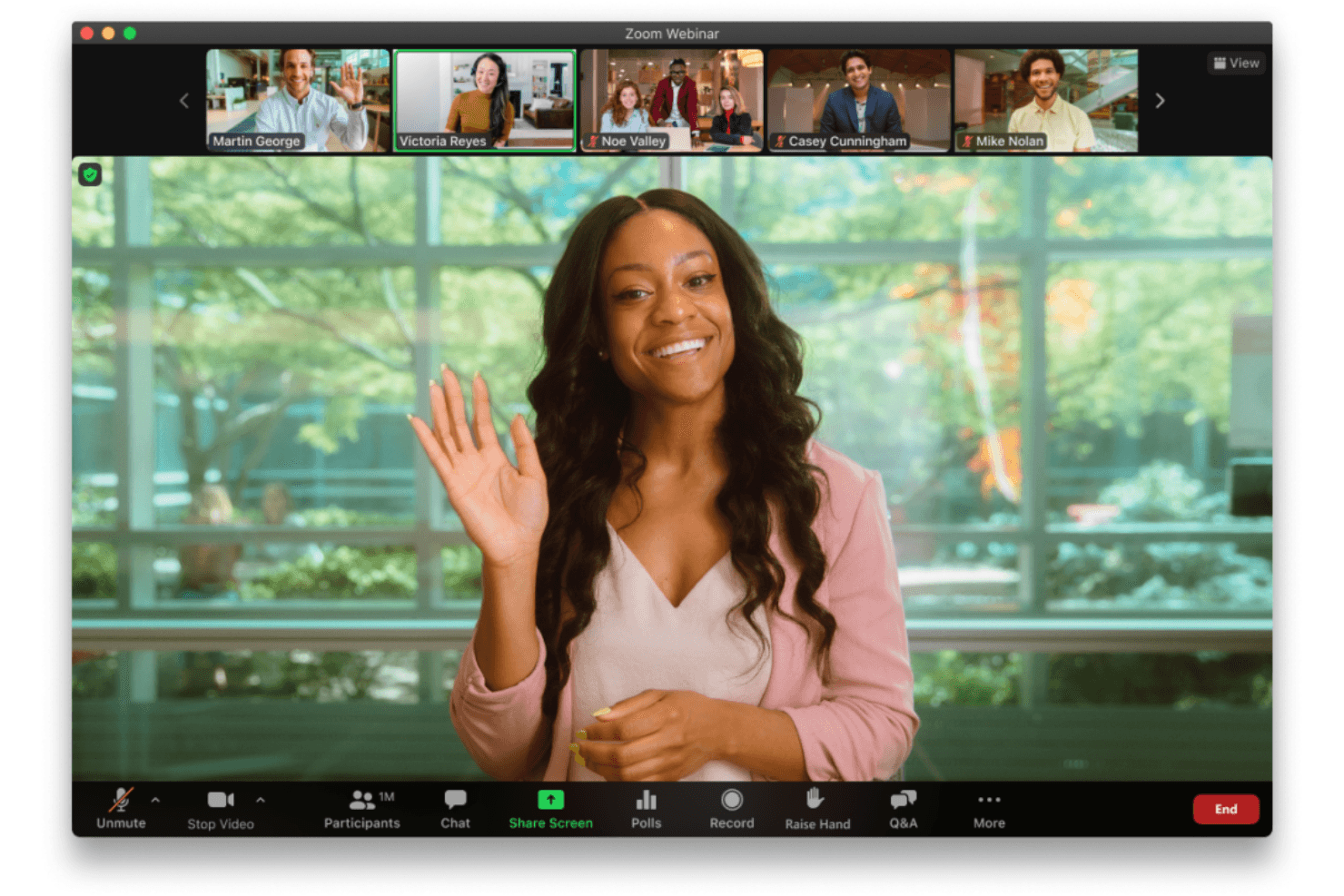
The meeting platform lets you host webinars for up to 100,000 live attendees with consistent quality.
Simulive Presentations
Pre-record your webinar and broadcast it as a live event, then join for live Q&A.
Production Studio
Create custom layouts, preload videos, and switch scenes for polished, branded events.
Interactive Engagement Tools
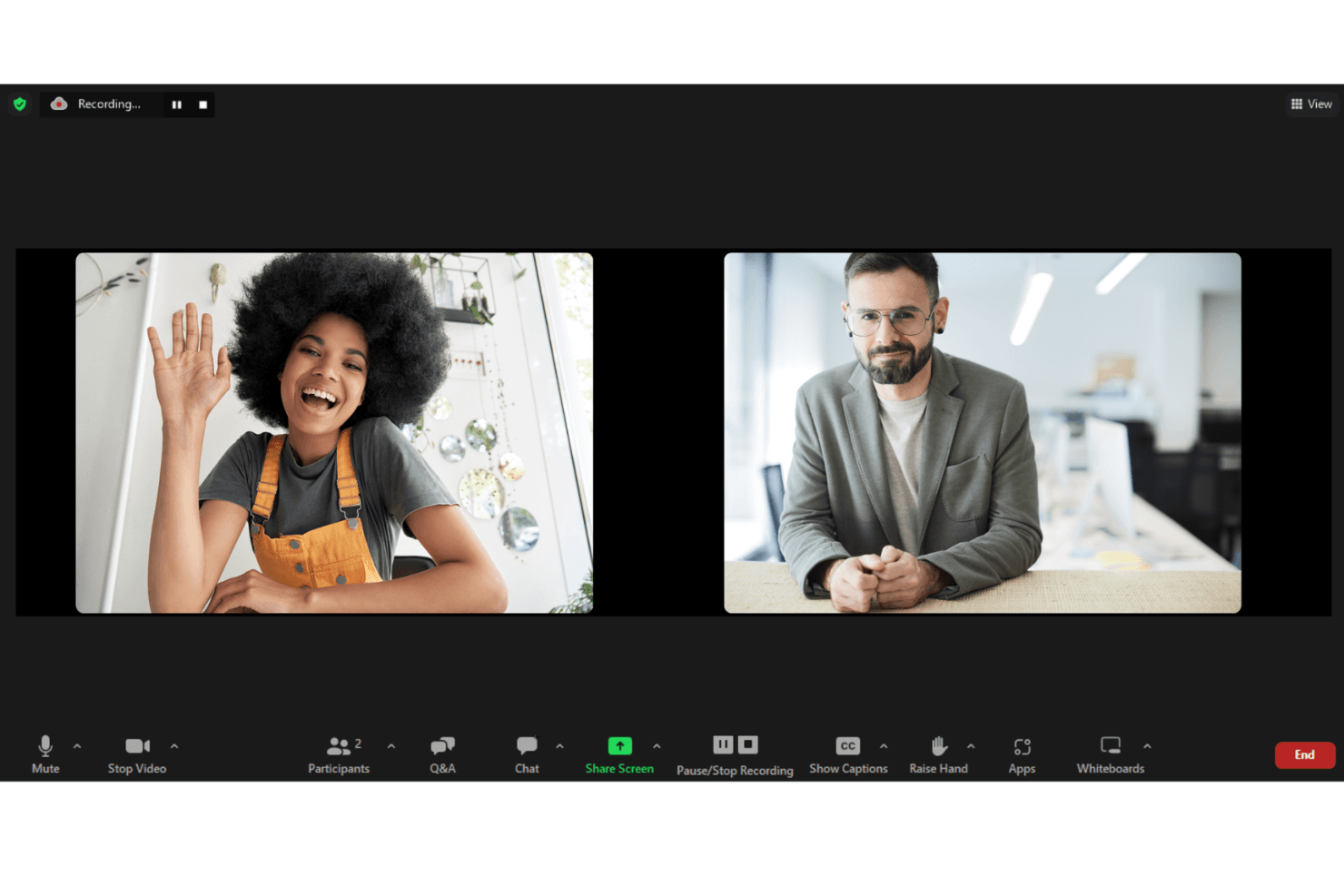
Use real-time polls, Q&A, chat, and reactions to boost audience participation.
Branded Registration and Event Pages
Design professional, branded registration pages and immersive event lobbies.
Detailed Analytics and Reporting
Track attendee engagement, viewership, and content performance with built-in dashboards.

Ease of Use
Zoom Webinars is widely recognized for its user-friendly interface and minimal onboarding requirements, making it accessible even for first-time hosts. Users appreciate the familiar Zoom environment, straightforward event setup, and clear presenter controls. The platform’s guided workflows and in-session support tools reduce the learning curve, allowing teams to focus on content delivery. While advanced customization is limited, most users find the experience smooth and reliable for both organizers and attendees.
Integrations
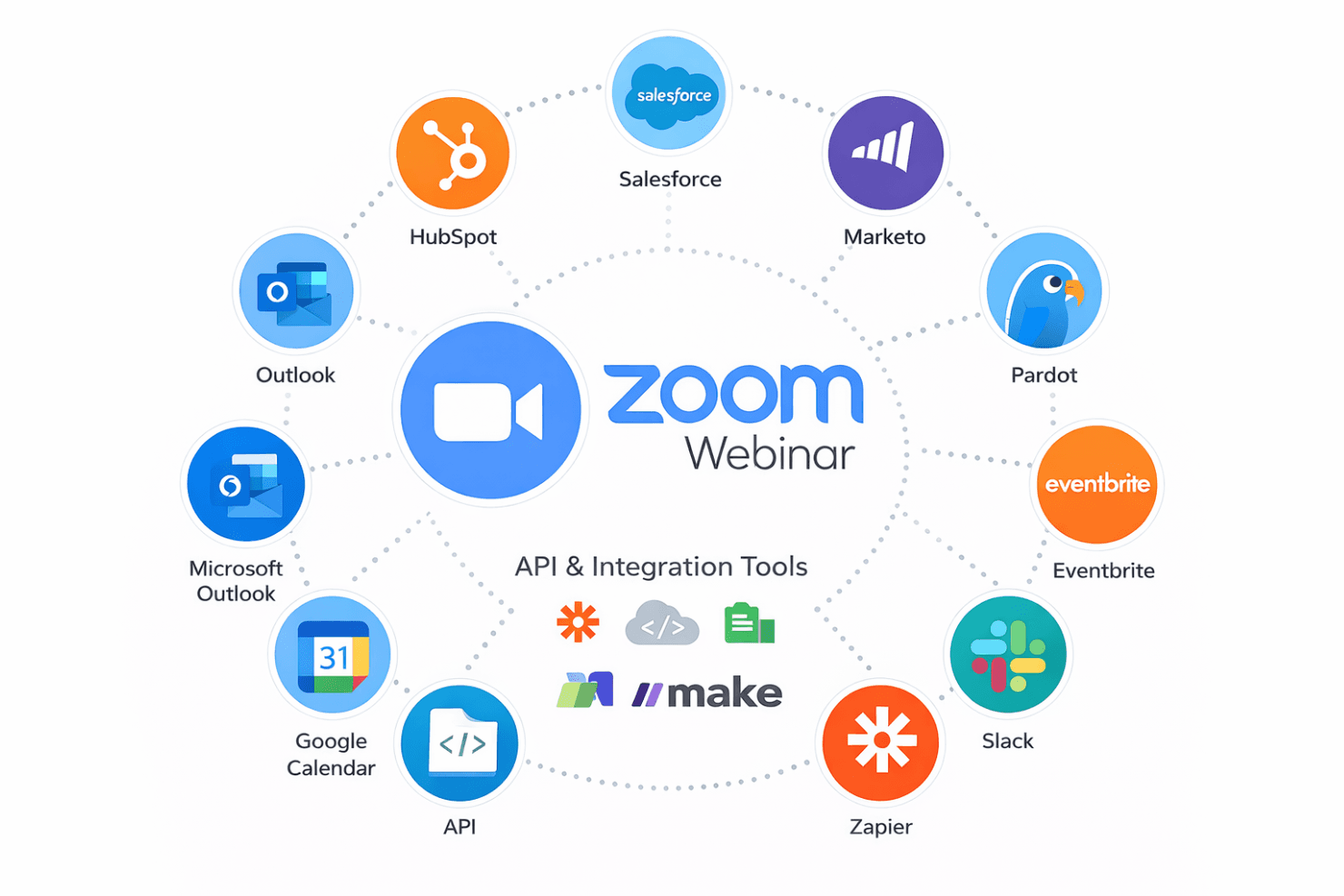
Zoom Webinars integrates with Salesforce, HubSpot, Marketo, Pardot, Eventbrite, PayPal, Slack, Google Calendar, Microsoft Outlook, and Zapier, among others.
Zoom Webinars also offers an API and connects with third-party integration tools for expanded functionality.
Zoom Specs
- API: Yes
- Calendar Management: Yes
- Chat: Yes
- Contact Management: Yes
- Contact Sharing: Yes
- External Integrations: Yes
- History/Version Control: No
- Multi-User: Yes
- Notifications: Yes
- Scheduling: Yes


