

Squarespace Review: Pros, Cons, Features, and Pricing Explained
Squarespace stands out for its stunning design templates and ease of use, making it ideal for creatives, but may lack flexibility for advanced customizations compared to other builders.

We review tools independently, and commissions help fund our testing. See our transparency policy, our methodology, or suggest a tool.
Squarespace is a website builder software for individuals and small businesses that want to publish a polished, design-forward site without writing code. I'd consider it over Wix if visual consistency is a priority—Squarespace's templates are more opinionated and produce cleaner, more cohesive results out of the box, even if that comes with less layout flexibility overall.
Squarespace Evaluation Summary

4.6/5
- From $19/month (billed annually)
- 14-day free trial
Why Trust Our Software Recommendations
6,700+
Reviews
20
Industry experts
16+
Evaluation factors
14
Years
Our team has been testing and reviewing software since 2012. As marketing leaders ourselves, we know how difficult—and important—it is to choose the right software.
For this guide, we evaluated tools using hands-on testing and independent research, scoring tools using our selection criteria.
Our reviews reflect our human editorial judgment, not a sales pitch.
Expert reviewers:
 Gui DrusinaCreative Director
- Shriya GhateSenior Marketing Lead
 Amanda JacquesMarketing Ops Leader

Squarespace Overview
When judging Squarespace against other website builder software, its design-forward templates, intuitive drag-and-drop editor, and all-in-one pricing make it a top pick for users prioritizing aesthetics and simplicity. While its customization options and third-party integrations are less extensive than some competitors, onboarding is fast and support is responsive. If you're selecting a platform for a portfolio, small business, or marketing site where visual impnact and ease of use matter most, Squarespace is a strong contender. For example, creative agencies and boutique retailers often find its interface and built-in e-commerce features meet their needs without extra complexity. Squarespace competes with platforms like Wix and Shopify, offering unique functionality for beginners and experienced users alike.
Pros
- Modern templates with strong visual appeal for branding
- Built-in e-commerce supports physical and digital product sales
- Blogging tools are more advanced than most competitors
Cons
- Limited control over mobile site layout and styling
- Customer support can be slow to resolve technical issues
- No native multilingual site management for global brands


How We Test & Score Tools
We’ve spent years building, refining, and improving our software testing and scoring system. The rubric is designed to capture the nuances of software selection and what makes a tool effective, focusing on critical aspects of the decision-making process.
Below, you can see exactly how our testing and scoring works across seven criteria. It allows us to provide an unbiased evaluation of the software based on core functionality, standout features, ease of use, onboarding, customer support, integrations, customer reviews, and value for money.
Core Functionality (25% of final scoring)
The starting point of our evaluation is always the core functionality of the tool. Does it have the basic features and functions that a user would expect to see? Are any of those core features locked to higher-tiered pricing plans? At its core, we expect a tool to stand up against the baseline capabilities of its competitors.
Standout Features (25% of final scoring)
Next, we evaluate uncommon standout features that go above and beyond the core functionality typically found in tools of its kind. A high score reflects specialized or unique features that make the product faster, more efficient, or offer additional value to the user.
We also evaluate how easy it is to integrate with other tools typically found in the tech stack to expand the functionality and utility of the software. Tools offering plentiful native integrations, 3rd party connections, and API access to build custom integrations score best.
Ease of Use (10% of final scoring)
We consider how quick and easy it is to execute the tasks defined in the core functionality using the tool. High scoring software is well designed, intuitive to use, offers mobile apps, provides templates, and makes relatively complex tasks seem simple.
Onboarding (10% of final scoring)
We know how important rapid team adoption is for a new platform, so we evaluate how easy it is to learn and use a tool with minimal training. We evaluate how quickly a team member can get set up and start using the tool with no experience. High scoring solutions indicate little or no support is required.
Customer Support (10% of final scoring)
We review how quick and easy it is to get unstuck and find help by phone, live chat, or knowledge base. Tools and companies that provide real-time support score best, while chatbots score worst.
Customer Reviews (10% of final scoring)
Beyond our own testing and evaluation, we consider the net promoter score from current and past customers. We review their likelihood, given the option, to choose the tool again for the core functionality. A high scoring software reflects a high net promoter score from current or past customers.
Value for Money (10% of final scoring)
Lastly, in consideration of all the other criteria, we review the average price of entry level plans against the core features and consider the value of the other evaluation criteria. Software that delivers more, for less, will score higher.
Core Features
Template Library
Squarespace offers a wide range of modern, mobile-responsive templates for different industries. You can switch templates at any time without losing content.
Drag-and-Drop Editor
The visual editor lets you arrange text, images, and sections with simple drag-and-drop actions. This makes building and updating pages fast and intuitive.
Built-In E-commerce
You can sell physical and digital products, manage inventory, and accept payments directly on your Squarespace site. This helps your team run and grow an online store from one platform.
Blogging Platform
Squarespace includes robust blogging tools with scheduling, tagging, and comment moderation. You can also feature posts and add contributors for team publishing.
SEO Tools
Built-in SEO features include customizable page titles, meta descriptions, and automatic sitemaps. Squarespace also provides clean URLs and SSL security for better search visibility.
Analytics Dashboard
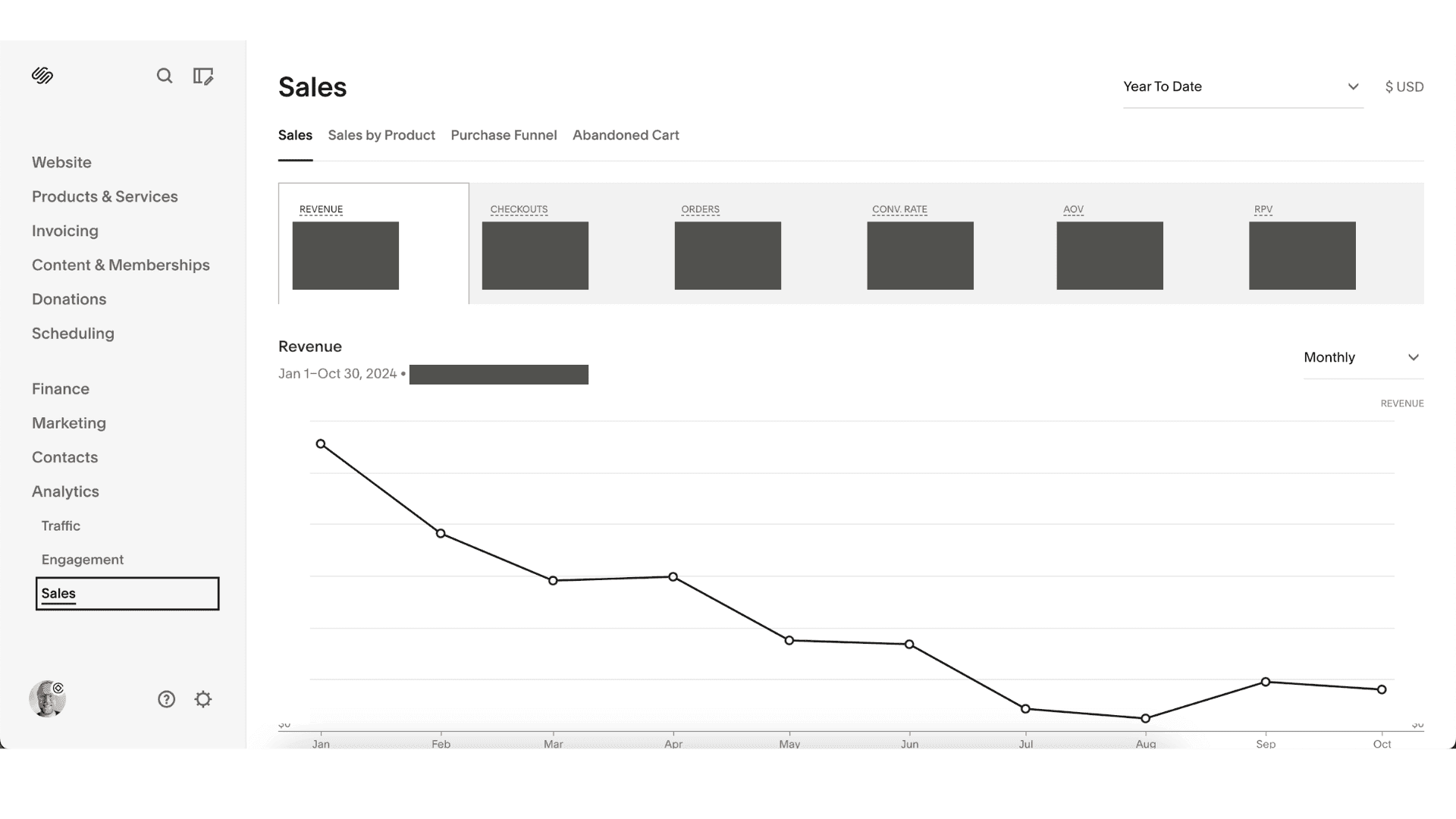
The analytics dashboard tracks site traffic, sales, and visitor behavior in real time. You get visual reports to help you understand what's working and where to improve.
Ease of Use
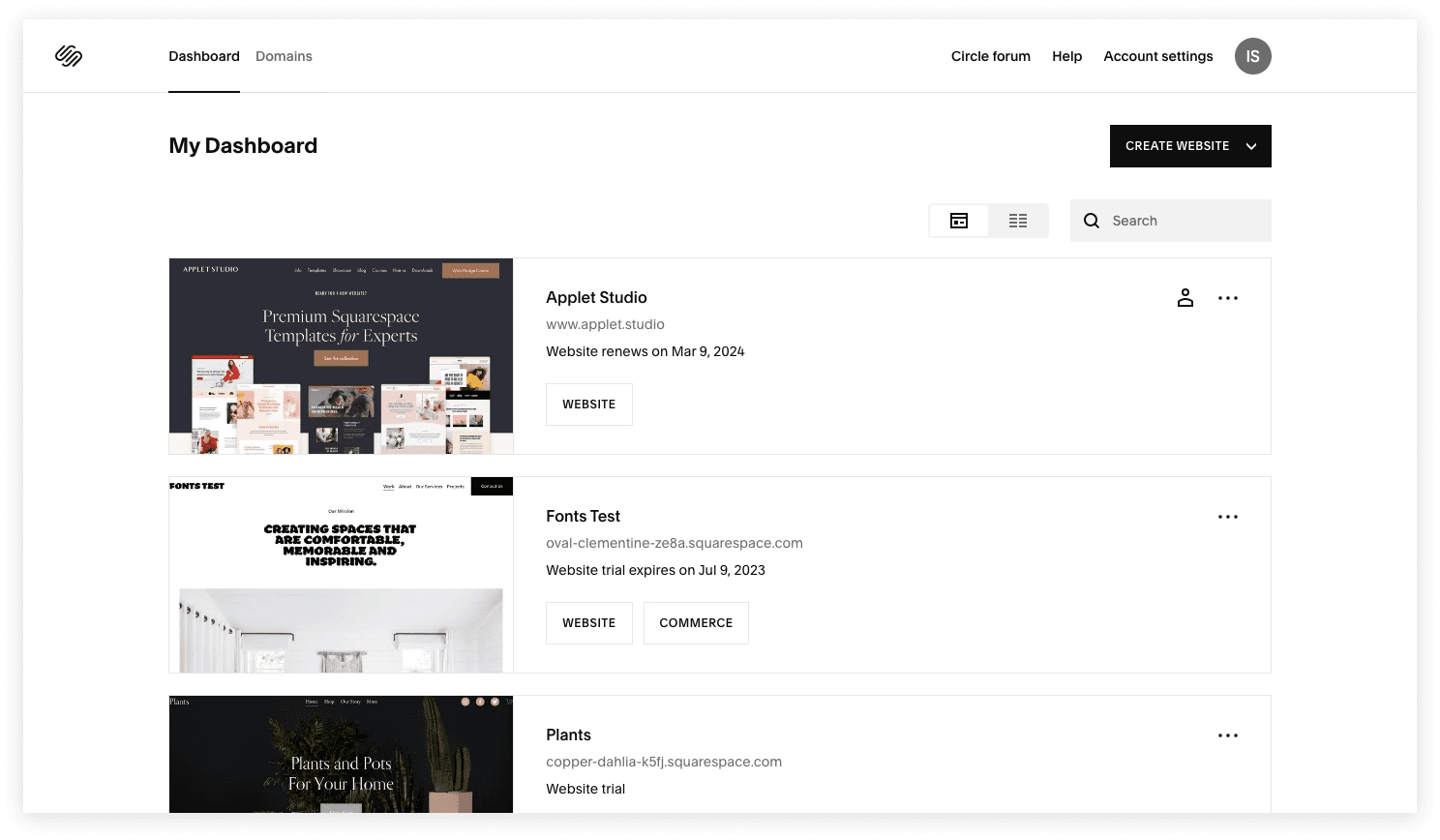
Squarespace is widely recognized for its clean, intuitive interface and straightforward editing tools, making it accessible even for users with no web design experience. The drag-and-drop builder, real-time previews, and guided setup streamline the website creation process. Many users appreciate how quickly they can launch a polished site, though some mention that advanced design tweaks require extra steps. Overall, Squarespace balances simplicity with enough flexibility for most small business and creative needs. The platform delivers a smooth user experience whether you're building a portfolio or an online store.
Integrations
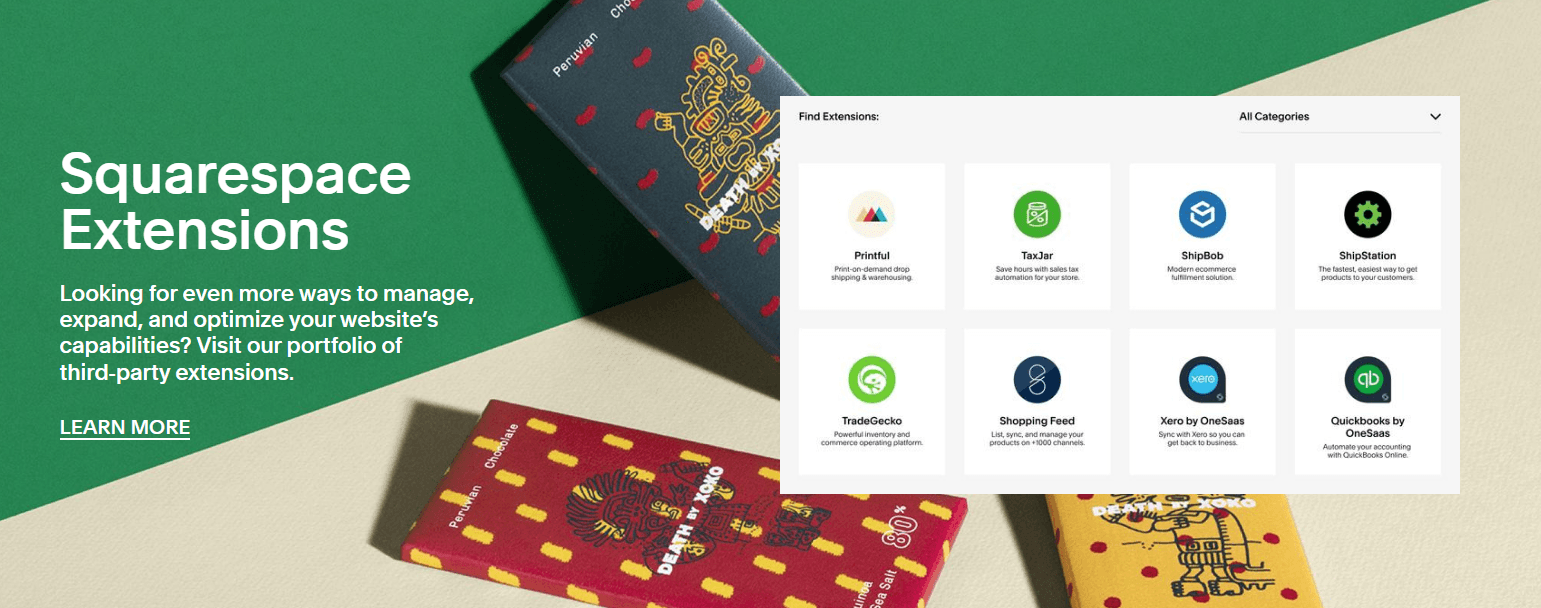
Squarespace integrates with Google Analytics, PayPal, Stripe, Apple Pay, Mailchimp, OpenTable, Instagram, Facebook, and X (formerly Twitter), among others.
Squarespace offers an API and connects with some third-party integration tools like Zapier through built-in extensions and partner apps.
Squarespace Specs
- A/B Testing: No
- API: Yes
- Data Export: Yes
- Data Import: Yes
- External Integrations: Yes
- Landing Pages: Yes
- Multi-User: Yes
- Third-Party Plugins/Add-Ons: Yes


