
Recensione di Marketing Creatio: Vantaggi, Svantaggi, Caratteristiche e Prezzi Spiegati
Marketing Creatio si distingue per la sua automazione flessibile e la personalizzazione low-code, rendendolo ideale per le aziende che cercano soluzioni di marketing su misura oltre agli strumenti standard pronti all’uso.

Recensiamo gli strumenti in modo indipendente, e le commissioni aiutano a finanziare i nostri test. Consulta la nostra politica sulla trasparenza, la nostra metodologia o suggerisci uno strumento.
Creatio Marketing is a marketing automation software built for teams that need to run multichannel campaigns while keeping CRM, sales, and marketing workflows connected in one place. I'd consider it the right call if your team needs deep process customization without leaning on developers—something that's significantly harder to pull off in Marketo, where complex workflow builds typically require dedicated technical resources. This review covers what Creatio Marketing does well, where it falls short, and who's most likely to get real value from it.
Creatio Marketing Evaluation Summary
4.7/5
- From $25/user/month
- 14-day free trial
Perché fidarsi dei nostri consigli sui software
6,700+
Reviews
20
Industry experts
16+
Evaluation factors
14
Years
Il nostro team testa e recensisce software dal 2012. In quanto leader del marketing noi stessi, sappiamo quanto sia difficile — e importante — scegliere il software giusto.
Per questa guida, abbiamo valutato gli strumenti attraverso test pratici e ricerche indipendenti, assegnando un punteggio agli strumenti in base ai nostri criteri di selezione.
Le nostre recensioni riflettono il nostro giudizio editoriale umano, non un discorso di vendita.
Revisori esperti:
 Gui DrusinaDirettore creativo
- Shriya GhateSenior Marketing Lead
 Amanda JacquesResponsabile Marketing Ops

Creatio Marketing Overview
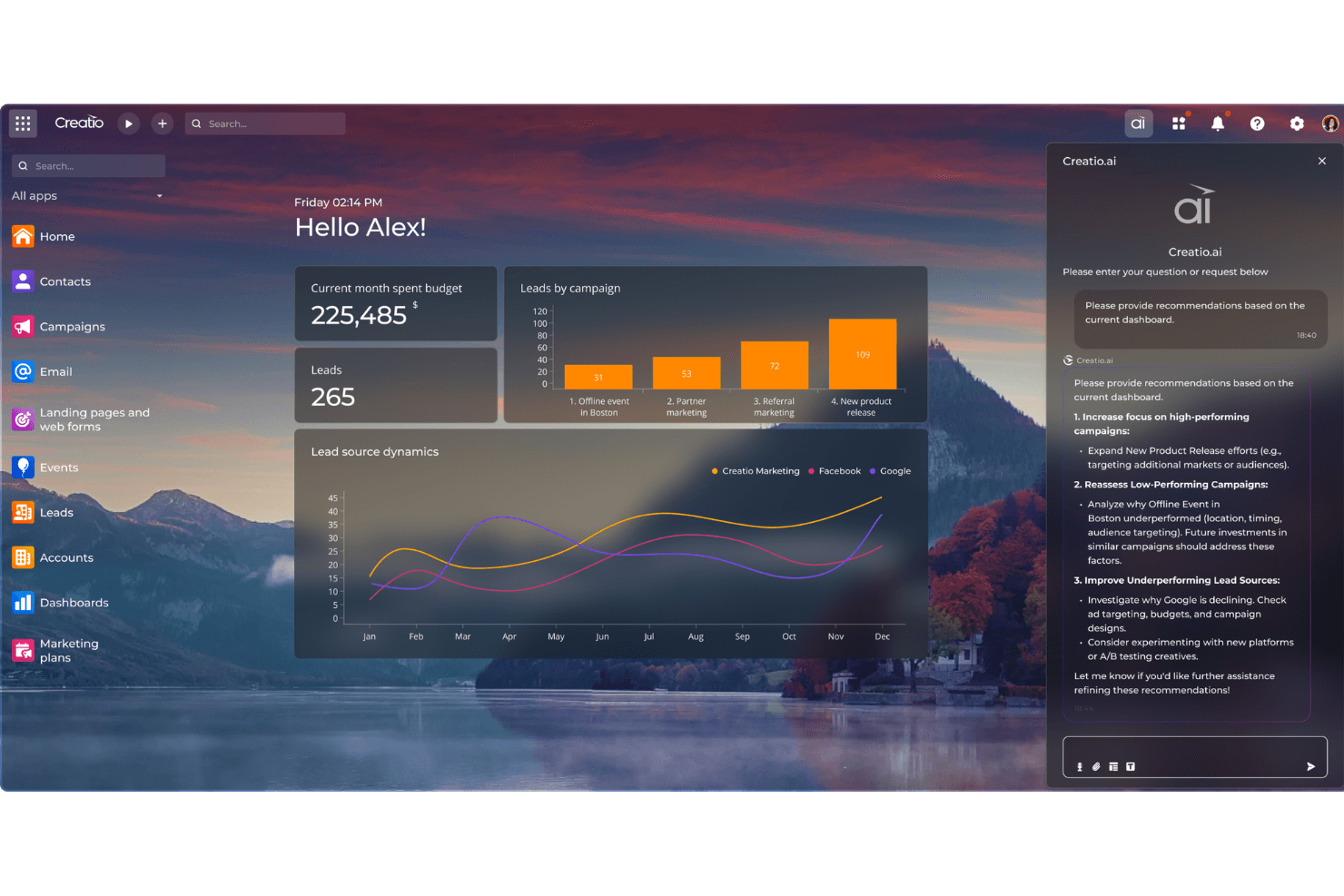
I think Marketing Creatio is a strong choice if you want deep customization and a low-code approach to marketing automation. Its interface is modern, and the workflow builder is more flexible than most, letting you tailor campaigns to your exact needs. Pricing is competitive for mid-sized and larger teams, and support is responsive. While onboarding can take time due to its depth, the integration options and automation capabilities make it worth the investment.
I’d suggest it’s best for teams that want to move beyond basic automation and need a platform they can shape to fit complex processes.
Pros
- Offers advanced features that equip your team with sophisticated tools for campaign management.
- Provides an intuitive design, making it easier for your team to navigate and manage tasks.
- Delivers exceptional customer support, ensuring your team can quickly resolve any issues.
Cons
- Has a steep learning curve, which can initially overwhelm your team.
- Limited out-of-the-box templates compared to some competitors.
- Primarily supports English, which may be a barrier for your non-English speaking team members.
Is Creatio Marketing Right For Your Needs?
Who Would be a Good Fit for Creatio Marketing?
Mid-sized to large enterprises in sectors like financial services, healthcare, and retail would thrive with Marketing Creatio. If your team needs a robust platform that combines CRM and marketing automation, this tool is ideal. Its advanced campaign management features and excellent customer support make it perfect for industries that require detailed customer engagement strategies. For example, if you’re in retail, you can leverage its capabilities to personalize customer interactions and enhance loyalty programs.
- Financial ServicesMarketing Creatio helps your team manage complex customer journeys with its advanced segmentation and automation capabilities.
- Healthcare ProvidersIt enables your team to streamline patient communications and manage outreach campaigns effectively.
- Retail ChainsUse its sophisticated tools to personalize marketing efforts and enhance customer loyalty programs.
- Marketing TeamsYour team can benefit from its comprehensive suite for managing and analyzing multi-channel campaigns.
- Sales DepartmentsIntegrate CRM with marketing functions to improve lead nurturing and conversion rates.
- Customer ServiceLeverage its customer insights and support tools to enhance your team’s ability to resolve issues quickly.
Who Would be a Bad Fit for Creatio Marketing?
Small businesses or startups with limited resources might struggle with Marketing Creatio due to its complex features and steep learning curve. If your team lacks the time or technical expertise to fully utilize its sophisticated tools, this software might not be the best fit. Additionally, if your operations require multilingual support beyond English, you may face limitations, making it less ideal for international teams.
- Small StartupsThe advanced features could overwhelm your team and demand more resources than you can spare.
- Non-English Speaking TeamsIts primary support for English might hinder your team’s communication and efficiency.
- FreelancersThe comprehensive suite may be too robust and costly for your solo projects.
- Basic Marketing NeedsIf your team only requires simple email marketing, this software’s capabilities might be excessive.
- Budget-Conscious FirmsThe cost and complexity could outweigh the benefits for your team if you’re watching your expenses.
- Tech-Averse TeamsIf your team isn’t comfortable with technology, the learning curve could be a significant barrier.
Come Testiamo e Valutiamo gli Strumenti
Abbiamo passato anni a costruire, perfezionare e migliorare il nostro sistema di test e valutazione del software. Il nostro metodo è progettato per cogliere le sfumature nella selezione del software e ciò che rende uno strumento efficace, concentrandoci sugli aspetti critici del processo decisionale. Qui sotto puoi vedere esattamente come funziona il nostro sistema di test e valutazione su sette criteri. Questo ci permette di offrire una valutazione imparziale del software basata su funzionalità principali, funzioni distintive, facilità d’uso, onboarding, supporto clienti, integrazioni, recensioni dei clienti e rapporto qualità-prezzo.
Funzionalità principali (25% del punteggio finale)
Il punto di partenza della nostra valutazione è sempre la funzionalità principale dello strumento. Include le caratteristiche e le funzioni basilari che un utente si aspetterebbe di trovare? Alcune di queste funzionalità sono bloccate nei piani premium? Ci aspettiamo che ogni strumento soddisfi almeno le capacità di base dei suoi concorrenti.
Funzionalità distintive (25% del punteggio finale)
Successivamente, valutiamo le funzionalità uniche che vanno oltre la normale funzionalità principale, quelle poco comuni negli strumenti simili. Un punteggio alto riflette caratteristiche specializzate o uniche che rendono il prodotto più veloce, efficiente o offrono un valore aggiunto all’utente. Valutiamo anche quanto sia semplice integrare il software con altri strumenti abitualmente usati in una tech stack, per espandere le funzionalità e l’utilità del prodotto. Sono valutate positivamente soluzioni con molte integrazioni native, connessioni di terze parti e API per creare integrazioni personalizzate.
Facilità d’uso (10% del punteggio finale)
Consideriamo la rapidità e semplicità con cui si possono eseguire le attività principali tramite lo strumento. I software con punteggio più alto sono ben progettati, intuitivi, dispongono di app mobili, offrono template e semplificano compiti complessi.
Onboarding (10% del punteggio finale)
Sappiamo quanto sia importante l’adozione rapida in azienda, quindi valutiamo la facilità di apprendimento e utilizzo di uno strumento con formazione minima. Analizziamo quanto velocemente un utente senza esperienza può iniziare a usare il software. Le soluzioni migliori richiedono poco o nessun supporto.
Supporto clienti (10% del punteggio finale)
Analizziamo la rapidità e facilità nel trovare aiuto tramite telefono, chat dal vivo o knowledge base. Gli strumenti che offrono supporto in tempo reale ottengono il punteggio migliore: i chatbot invece i peggiori.
Recensioni dei clienti (10% del punteggio finale)
Oltre ai nostri test, consideriamo il net promoter score di attuali ed ex clienti. Valutiamo la probabilità che, potendo scegliere, l’utente decida di utilizzare ancora quello strumento per le funzionalità principali. Un software con un punteggio alto corrisponde ad un alto net promoter score tra clienti attuali o passati.
Rapporto qualità-prezzo (10% del punteggio finale)
Infine, tenendo conto di tutti gli altri criteri, confrontiamo il prezzo medio dei piani base rispetto alle funzionalità principali e agli altri fattori di valutazione. I software che offrono di più, a meno, ottengono i punteggi più alti.
Core Features
Visual Campaign Designer
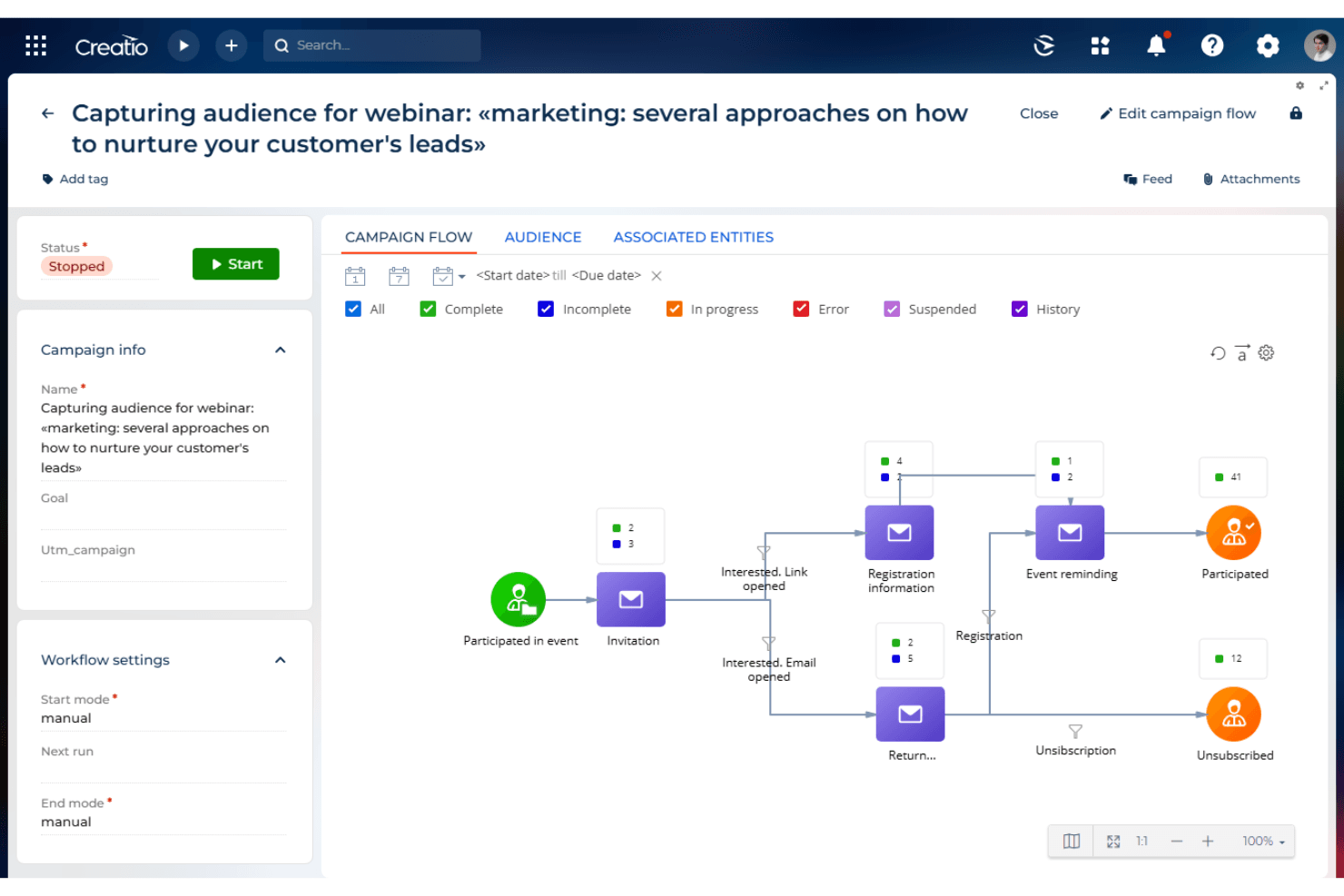
Build multi-step, multi-channel campaigns using a drag-and-drop interface. Easily map out customer journeys and automate triggers based on user behavior.
Lead Management and Scoring
Capture, qualify, and score leads with customizable criteria. Prioritize follow-up actions using AI-driven insights and segmentation.
Email Marketing
Design and automate your email campaigns with ease, using pre-built templates and personalization options to engage your audience effectively.
Segmentation and Audience Management
Create granular audience segments using demographic, behavioral, or custom data fields. Target specific groups with tailored messaging and offers.
AI-Powered Recommendations
Use built-in AI to suggest next-best actions and content for each contact. Improve campaign performance with predictive analytics and automated optimization.
Landing Page Builder
Design and publish responsive landing pages without coding. Use templates and A/B testing to optimize conversion rates for different audiences.
Ease of Use
Marketing Creatio offers a modern, intuitive interface, but its depth means there’s a learning curve for new users. The visual campaign and process designers are user-friendly once you get familiar, and the low-code tools help non-technical marketers build custom workflows.
However, setup and onboarding can feel overwhelming if you’re used to simpler platforms. Most users say the flexibility and customization options are worth the initial investment in time and training.
Integrations
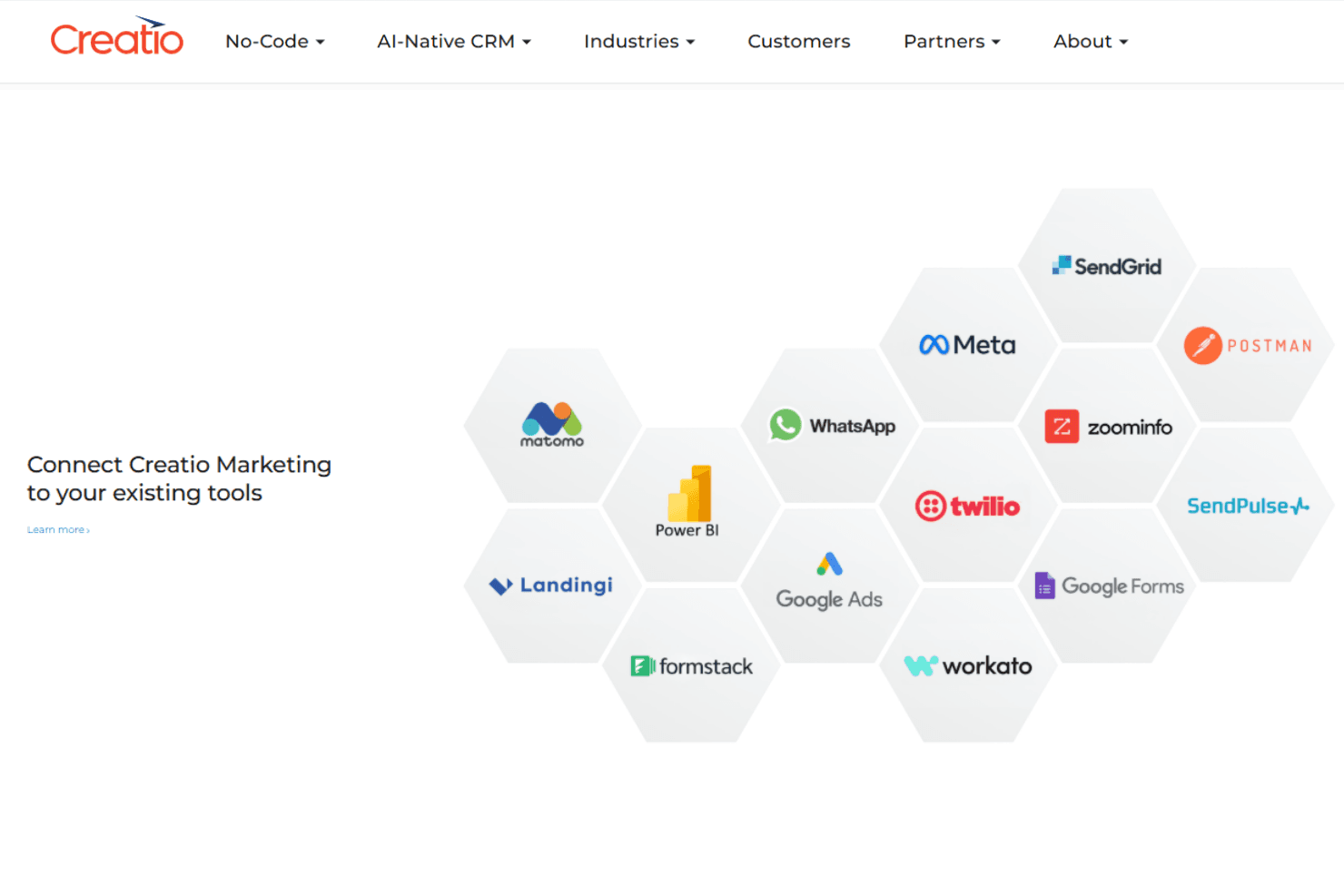
Marketing Creatio integrates with Microsoft Outlook, Microsoft Teams, SharePoint, OneDrive, DocuSign, JotForm, Workato, StarfishETL, Mapsly, and Hotjar, among others.
Marketing Creatio also offers an open API and connects with third-party integration tools for custom workflows and extended connectivity.
Creatio Marketing Specs
- A/B Testing: Yes
- API: Yes
- Audience Targeting: Yes
- Brand Management: Yes
- Budgeting: No
- Calendar Management: Yes
- Conversion Tracking: Yes
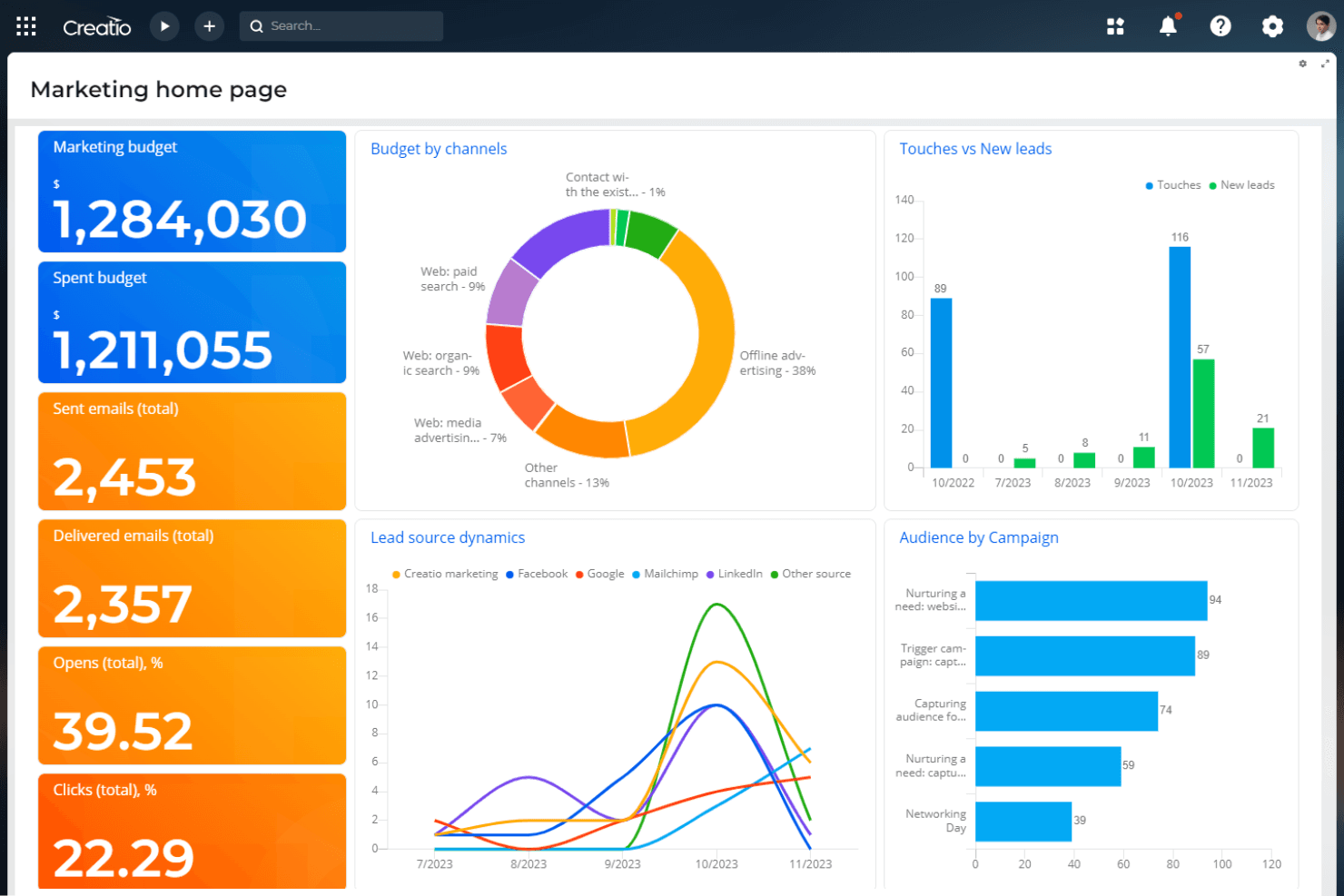
- Dashboard: Yes
- Data Export: Yes
- Data Import: Yes
- Data Visualization: Yes
- External Integrations: Yes
- Forecasting: Yes
- Lead Management: Yes
- Lead Scoring: Yes
- Marketing Automation: Yes
- Multi-User: Yes
- Notifications: Yes
- Scheduling: Yes
- Social-Media Integration: Yes


