

Recensione Mailchimp: Pro, Contro, Funzionalità e Prezzi Spiegati
Se desideri un modo semplice per gestire email, automazioni e campagne multi-canale di base senza destreggiarti tra più strumenti, Mailchimp ti permette di iniziare e crescere facilmente.

Recensiamo gli strumenti in modo indipendente, e le commissioni aiutano a finanziare i nostri test. Consulta la nostra politica sulla trasparenza, la nostra metodologia o suggerisci uno strumento.
Managing email campaigns, lead capture, and automation across multiple tools can get messy fast. Mailchimp is a marketing software that aims to simplify that by bringing your marketing into one place—from emails and automations to audience management and reporting. But does it actually make your job easier (and stay affordable as you grow)? In this review, you’ll get a clear breakdown of Mailchimp’s features, pricing, strengths, and limitations so you can decide if it’s the right fit for your team.
Mailchimp Evaluation Summary
4.5/5
- From $13/month
- Free plan available
Perché fidarsi dei nostri consigli sui software
6,700+
Reviews
20
Industry experts
16+
Evaluation factors
14
Years
Il nostro team testa e recensisce software dal 2012. In quanto leader del marketing noi stessi, sappiamo quanto sia difficile — e importante — scegliere il software giusto.
Per questa guida, abbiamo valutato gli strumenti attraverso test pratici e ricerche indipendenti, assegnando un punteggio agli strumenti in base ai nostri criteri di selezione.
Le nostre recensioni riflettono il nostro giudizio editoriale umano, non un discorso di vendita.
Revisori esperti:
 Gui DrusinaDirettore creativo
- Shriya GhateSenior Marketing Lead
 Amanda JacquesResponsabile Marketing Ops

Mailchimp Overview
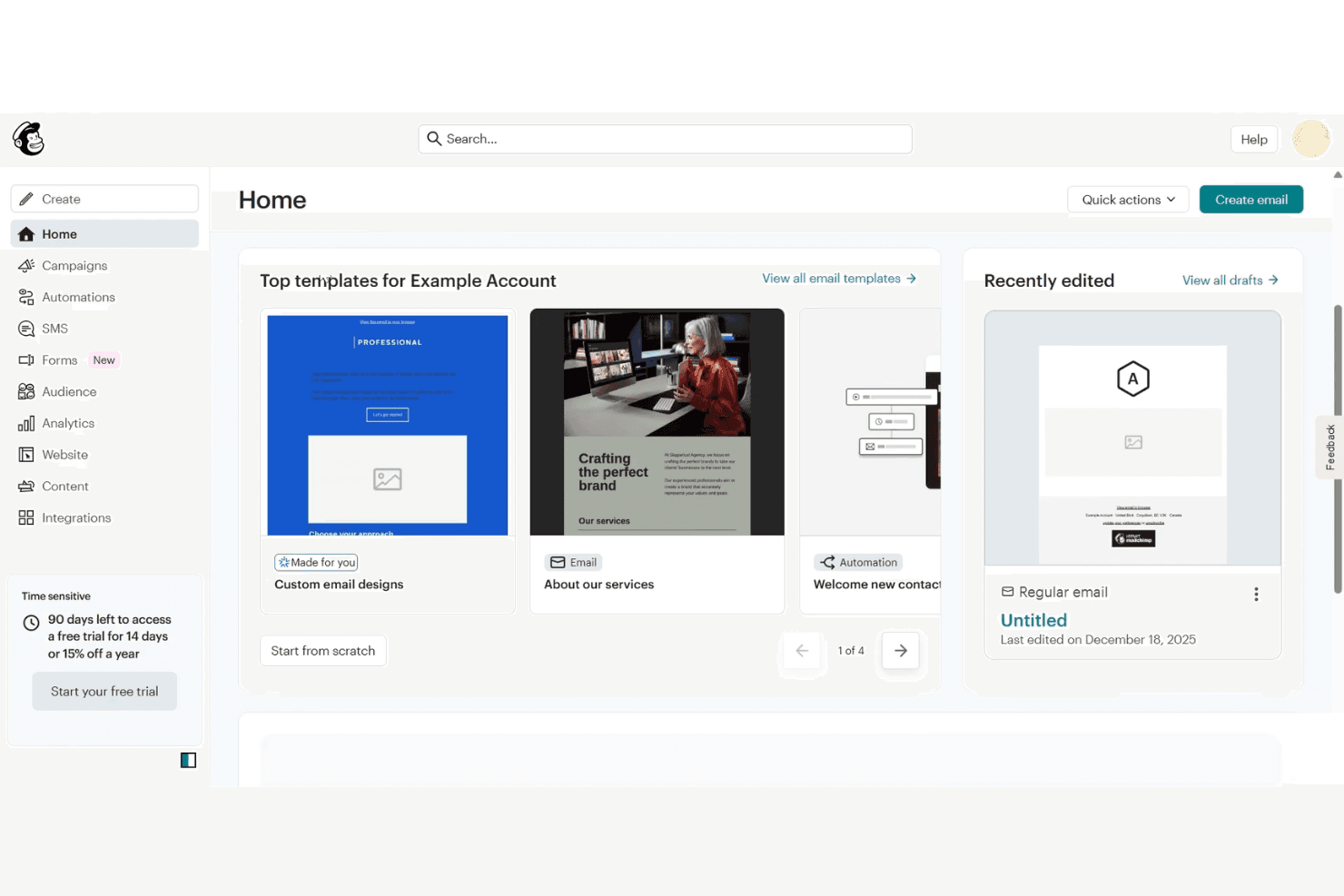
If your goal is to launch campaigns quickly without piecing together multiple tools, Mailchimp gives you a strong starting point. With its core email marketing software plus multichannel capabilities, you can build emails in minutes using its intuitive editor and templates, then expand into automations, landing pages, ads, and social—all from one place. Its extensive integration ecosystem also makes it easy to sync data and automate workflows across your tech stack. As you scale, though, it’s worth watching how costs increase with a growing audience.
Pros
- Easy-to-use email builder and templates make campaign creation fast.
- All-in-one platform (email, automation, landing pages, ads, social) reduces tool sprawl.
- 300+ integrations support e-commerce, analytics, and workflow automation.
Cons
- Pricing scales quickly as your contact list grows.
- Deeper segmentation and advanced automation require higher-tier plans.
- Unsubscribed and inactive contacts still count toward billing.
Is Mailchimp Right For Your Needs?
Who Would be a Good Fit for Mailchimp?
Mailchimp is a strong choice for small businesses, nonprofits, and marketing teams that need accessible automation, campaign management, and audience tools without heavy IT support. Its drag-and-drop builder, AI content tools, and built-in templates make it easy for teams with limited resources or technical skills to launch campaigns quickly. If you’re in an industry where fast execution and simple reporting matter more than deep customization, Mailchimp’s feature set and pricing structure are well aligned.
- Ecommerce BusinessesMailchimp’s integrations with platforms like Shopify and WooCommerce let you sync customer and order data, making it easier to run automations like abandoned cart emails and post-purchase follow-ups.
- Small to Midsize Businesses (SMBs)If you’re looking for an all-in-one marketing platform without a steep learning curve, Mailchimp gives you the core tools—email, automation, and audience management—in a single, easy-to-use system.
- Startups and Lean TeamsWith prebuilt templates, simple signup forms, and guided setup, Mailchimp helps you get campaigns live quickly without needing dedicated marketing ops or technical support.
- Professional Services FirmsMailchimp helps you stay top of mind with clients through newsletters, updates, and automated follow-ups without requiring a complex marketing setup. Its email templates, audience segmentation, and simple automation flows make it easy to nurture relationships.
- Nonprofit OrganizationsEngage supporters with email campaigns, newsletters, and updates using prebuilt templates and simple audience management tools. You can segment donors and subscribers, automate outreach, and run campaigns without needing extensive technical resources.
- Marketing DepartmentsMailchimp allows you to manage email, landing pages, social posts, and ads from one place, making it easier to coordinate campaigns without switching between platforms.
Who Would be a Bad Fit for Mailchimp?
Mailchimp may not be the best choice if your marketing needs go beyond straightforward campaigns and automation. While it excels at ease of use and all-in-one functionality, it can fall short for teams that require advanced segmentation, deep CRM capabilities, or highly customized workflows. Costs can also increase quickly as your contact list grows, especially given how contacts are counted. If your organization depends on complex lifecycle marketing, large-scale sending, or more specialized data and compliance requirements, you may find Mailchimp limiting compared to more advanced platforms.
- Large EnterprisesMailchimp may lack the depth needed for enterprise-scale marketing, particularly in areas like advanced segmentation, complex automation, and CRM integration.
- Advanced Segmentation NeedsMailchimp supports basic segmentation, but more granular targeting and predictive capabilities are typically reserved for higher-tier plans or better handled by specialized platforms.
- B2B SaaS CompaniesIf your strategy relies on lead scoring, sales pipeline management, and tightly integrated marketing and sales data, Mailchimp’s capabilities may feel limited compared to dedicated CRM and lifecycle marketing tools.
- Organizations Managing Large Contact ListsBecause Mailchimp charges based on total contacts—including unsubscribed and non-subscribed records—costs can scale quickly as your database grows.
- Strict Compliance RequirementsAlthough Mailchimp offers strong baseline security and compliance certifications, teams in highly regulated industries may need more specialized controls or assurances depending on their requirements.
- Global Retail ChainsManaging large customer databases across regions and brands can become costly and complex due to Mailchimp’s contact-based pricing and audience structure.
Come Testiamo e Valutiamo gli Strumenti
Abbiamo passato anni a costruire, perfezionare e migliorare il nostro sistema di test e valutazione del software. Il nostro metodo è progettato per cogliere le sfumature nella selezione del software e ciò che rende uno strumento efficace, concentrandoci sugli aspetti critici del processo decisionale. Qui sotto puoi vedere esattamente come funziona il nostro sistema di test e valutazione su sette criteri. Questo ci permette di offrire una valutazione imparziale del software basata su funzionalità principali, funzioni distintive, facilità d’uso, onboarding, supporto clienti, integrazioni, recensioni dei clienti e rapporto qualità-prezzo.
Funzionalità principali (25% del punteggio finale)
Il punto di partenza della nostra valutazione è sempre la funzionalità principale dello strumento. Include le caratteristiche e le funzioni basilari che un utente si aspetterebbe di trovare? Alcune di queste funzionalità sono bloccate nei piani premium? Ci aspettiamo che ogni strumento soddisfi almeno le capacità di base dei suoi concorrenti.
Funzionalità distintive (25% del punteggio finale)
Successivamente, valutiamo le funzionalità uniche che vanno oltre la normale funzionalità principale, quelle poco comuni negli strumenti simili. Un punteggio alto riflette caratteristiche specializzate o uniche che rendono il prodotto più veloce, efficiente o offrono un valore aggiunto all’utente. Valutiamo anche quanto sia semplice integrare il software con altri strumenti abitualmente usati in una tech stack, per espandere le funzionalità e l’utilità del prodotto. Sono valutate positivamente soluzioni con molte integrazioni native, connessioni di terze parti e API per creare integrazioni personalizzate.
Facilità d’uso (10% del punteggio finale)
Consideriamo la rapidità e semplicità con cui si possono eseguire le attività principali tramite lo strumento. I software con punteggio più alto sono ben progettati, intuitivi, dispongono di app mobili, offrono template e semplificano compiti complessi.
Onboarding (10% del punteggio finale)
Sappiamo quanto sia importante l’adozione rapida in azienda, quindi valutiamo la facilità di apprendimento e utilizzo di uno strumento con formazione minima. Analizziamo quanto velocemente un utente senza esperienza può iniziare a usare il software. Le soluzioni migliori richiedono poco o nessun supporto.
Supporto clienti (10% del punteggio finale)
Analizziamo la rapidità e facilità nel trovare aiuto tramite telefono, chat dal vivo o knowledge base. Gli strumenti che offrono supporto in tempo reale ottengono il punteggio migliore: i chatbot invece i peggiori.
Recensioni dei clienti (10% del punteggio finale)
Oltre ai nostri test, consideriamo il net promoter score di attuali ed ex clienti. Valutiamo la probabilità che, potendo scegliere, l’utente decida di utilizzare ancora quello strumento per le funzionalità principali. Un software con un punteggio alto corrisponde ad un alto net promoter score tra clienti attuali o passati.
Rapporto qualità-prezzo (10% del punteggio finale)
Infine, tenendo conto di tutti gli altri criteri, confrontiamo il prezzo medio dei piani base rispetto alle funzionalità principali e agli altri fattori di valutazione. I software che offrono di più, a meno, ottengono i punteggi più alti.
Core Features
Email Campaign Builder
Create and send branded email marketing campaigns using a drag-and-drop editor with 300+ templates. The builder supports dynamic content and AI-powered suggestions for subject lines and messaging.
Marketing Automation
Set up automated customer journeys for welcomes, abandoned carts, and follow-ups with visual workflow tools. Always-on automations help nurture leads and drive repeat engagement.
Multi-Channel Campaign Management
Manage email, SMS, landing pages, ads, and social media posts from a single platform. This all-in-one approach helps you coordinate campaigns without switching between tools.
Audience Management
Segment contacts by behavior, demographics, or engagement to personalize outreach. Use tags, groups, and predictive insights to refine targeting and improve results.
Reporting and Analytics
Track open rates, clicks, conversions, and revenue with real-time dashboards. Visual reports make it easy to judge campaign performance and optimize future sends.
Lead Capture (Forms & Landing Pages)
Grow your audience with customizable signup forms, pop-ups, and landing pages. Capture leads and feed them directly into your campaigns and automations.
Transactional Emails (Mailchimp Transactional)
Send order confirmations, receipts, and other transactional messages using Mailchimp’s transactional API or SMTP.
Standout Features
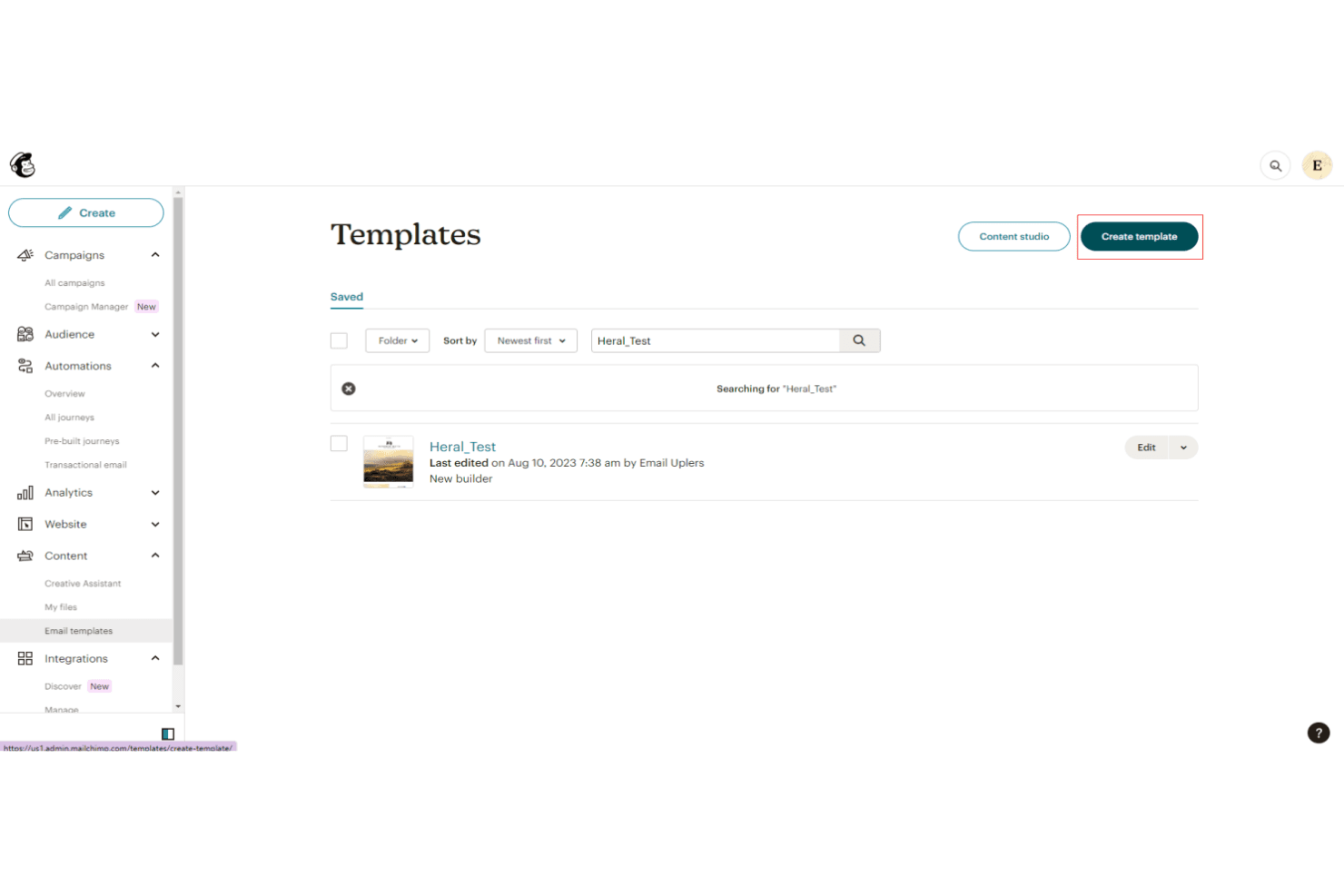
Intuit Assist
Mailchimp’s AI-powered assistant helps you turn data into insights and generate personalized marketing content more efficiently. It can also automate campaign creation and suggest ways to improve performance, helping you execute faster with less manual effort.
Send Time Optimization
Send Time Optimization uses AI to predict when each contact is most likely to engage. Mailchimp schedules emails for delivery at those optimal times, increasing open and click rates.
Ease of Use
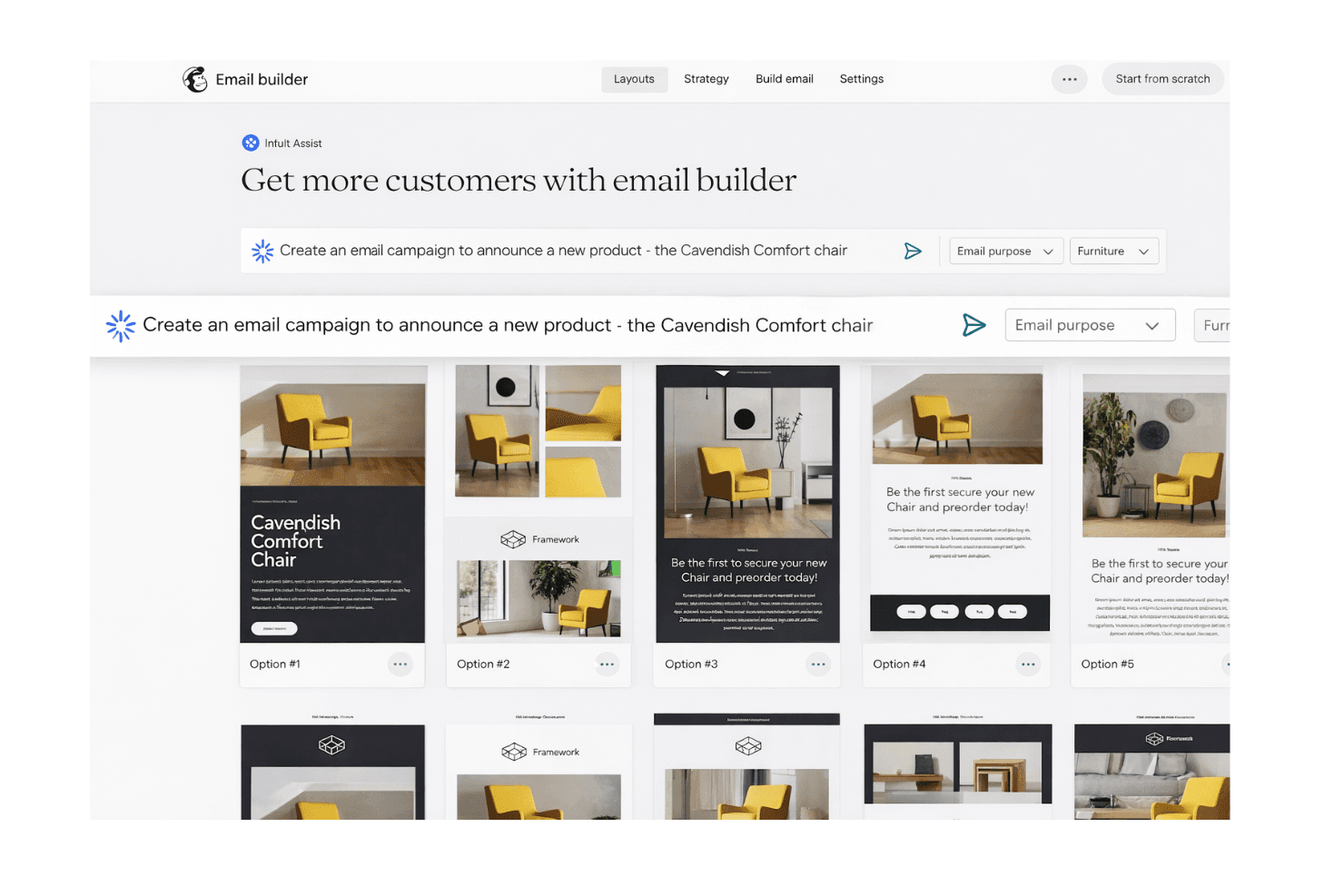
Mailchimp is widely recognized for its user-friendly, intuitive interface and straightforward navigation, making it accessible even for users with limited technical experience. The drag-and-drop builder, guided setup, and clear menu structure help users launch campaigns quickly. Many reviewers highlight the easy user experience when it comes to managing lists, automating emails, and accessing reports.
As Mailchimp has grown, they have kept its core philosophy intact: ease of use is incredibly important for small to medium-sized businesses. Even as they have added more advanced features to the platform, they remain easy to learn and get into.
Onboarding
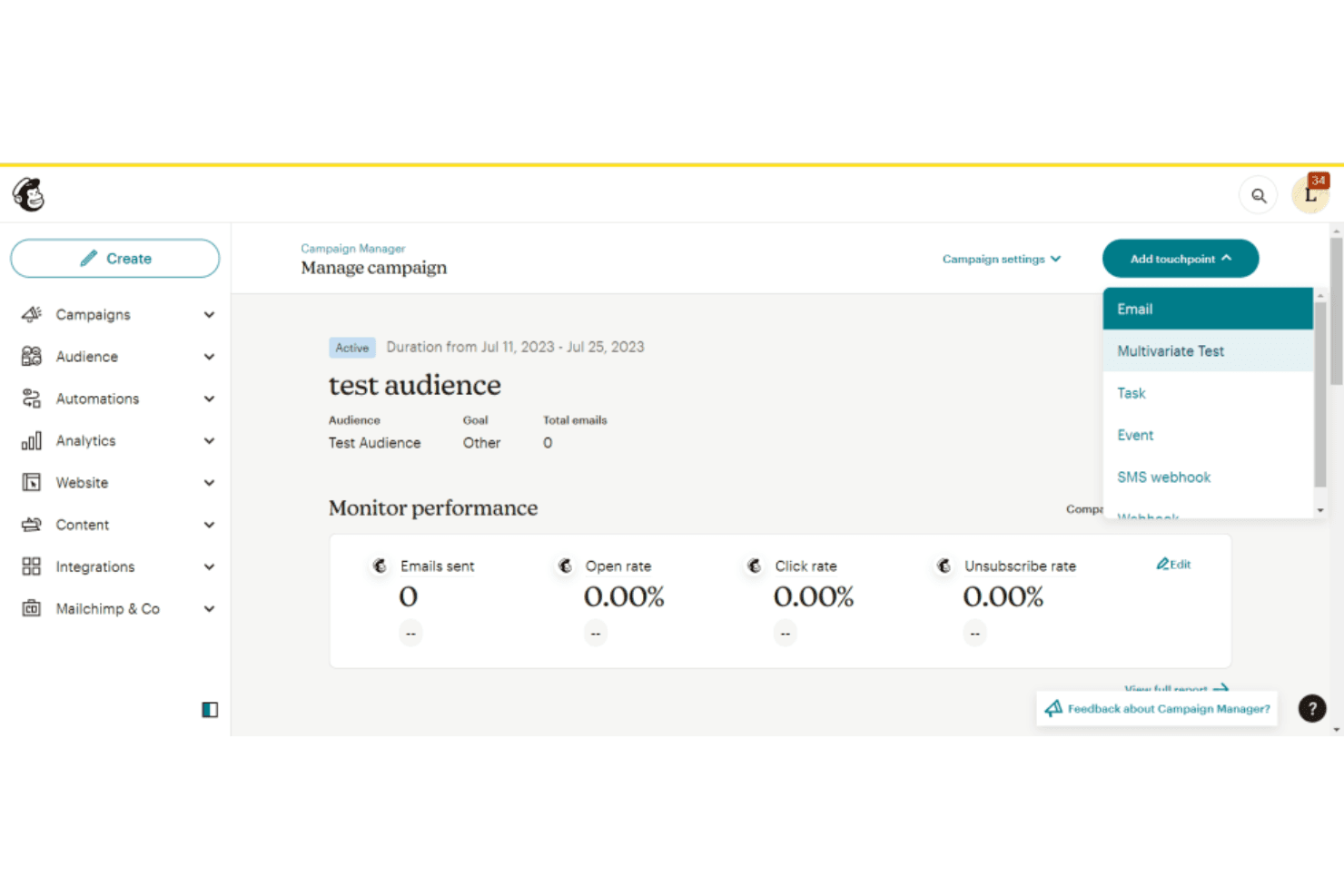
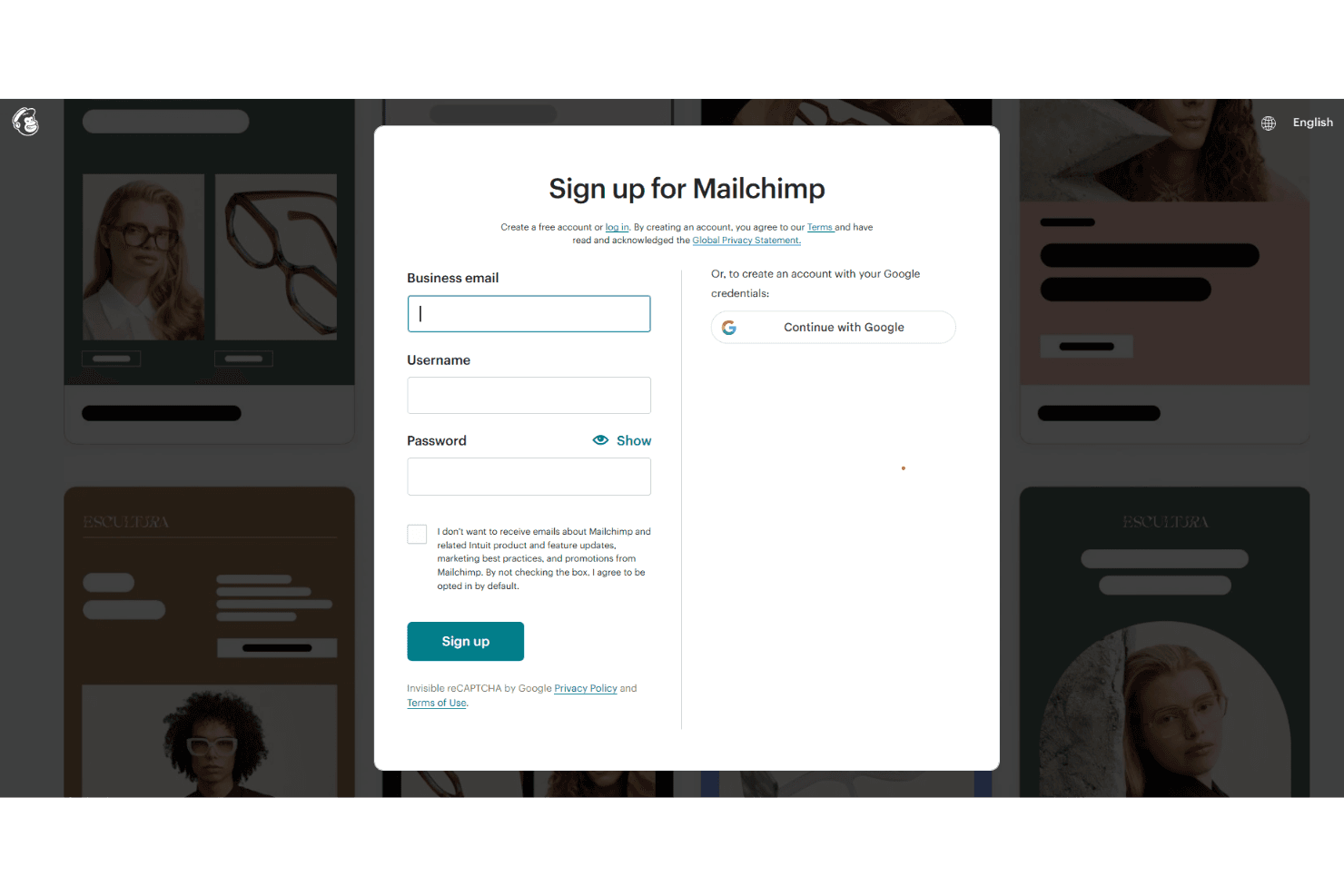
Mailchimp’s onboarding process is designed to be fast and approachable, with guided setup steps, recommended next actions, and prebuilt templates that help you launch campaigns quickly. In-app prompts walk you through key tasks like setting up your audience, creating forms, and sending your first campaign. For additional support, the platform offers a comprehensive knowledge base with tutorials and videos, along with live chat and email support on paid plans.
One of the big highlights is on their Standard plan: They offer a dedicated live onboarding session with a specialist who can help you with your goals and get the most out of the platform. Higher-tier plans also include personalized onboarding with dedicated consultations, helping teams get up and running with their marketing strategy more efficiently.
Customer Support
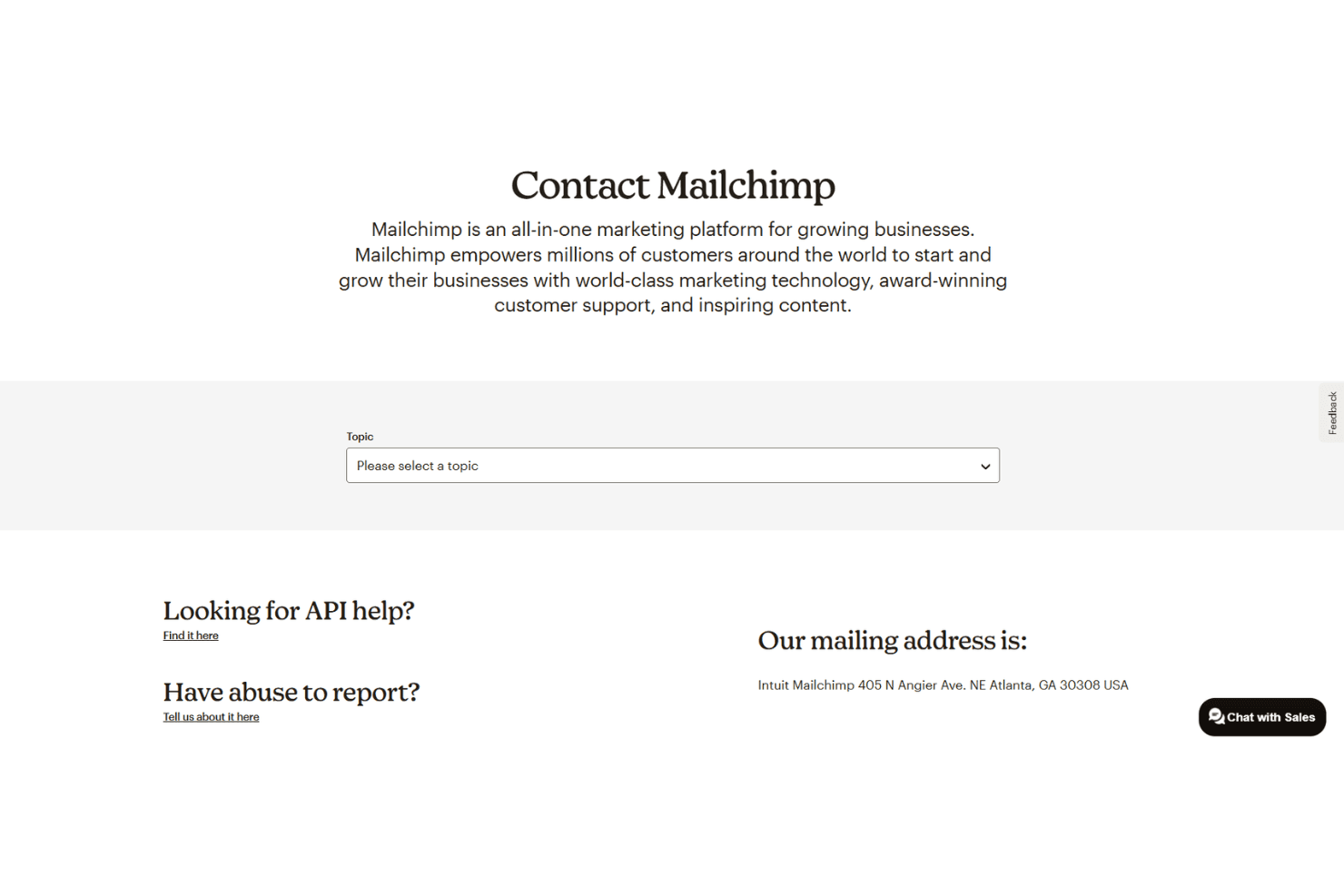
Mailchimp’s support model is tiered based on your plan. Paid plans include 24/7 email and chat support, while Premium users also get access to phone support and a dedicated support team. Free plans receive 30 days of email support, after which users rely on the Mailchimp Assistant chatbot and self-serve resources. The platform also offers a robust Help Center with detailed articles and video tutorials, making it easy to find answers independently.
Integrations
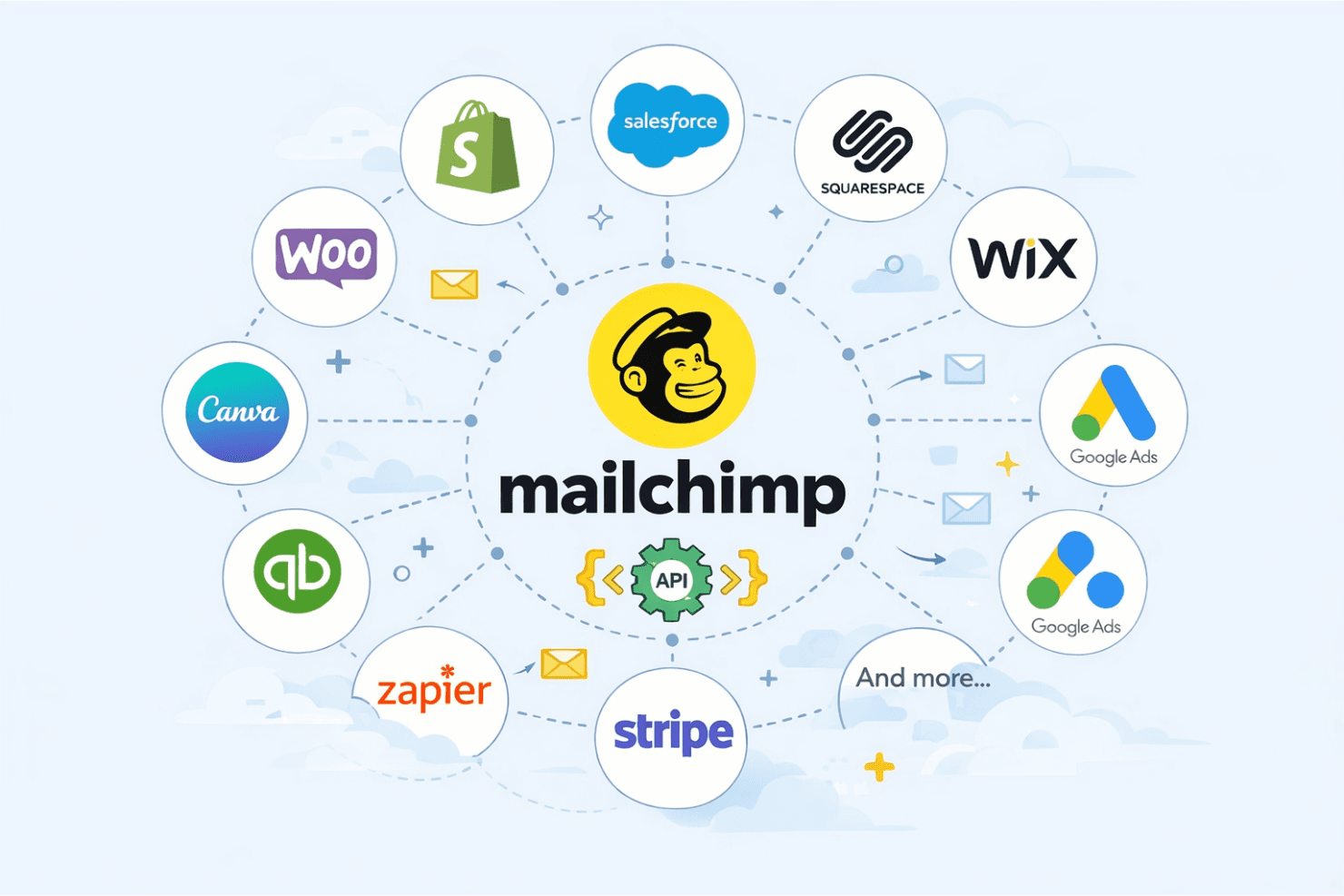
Mailchimp integrates with Shopify, WooCommerce, Salesforce, Squarespace, Wix, QuickBooks Online, Canva, Stripe, and Google Lead Ads, among others.
Mailchimp also offers a robust API and connects with third-party integration tools, like Zapier, for custom workflows and extended functionality.
Value for Money
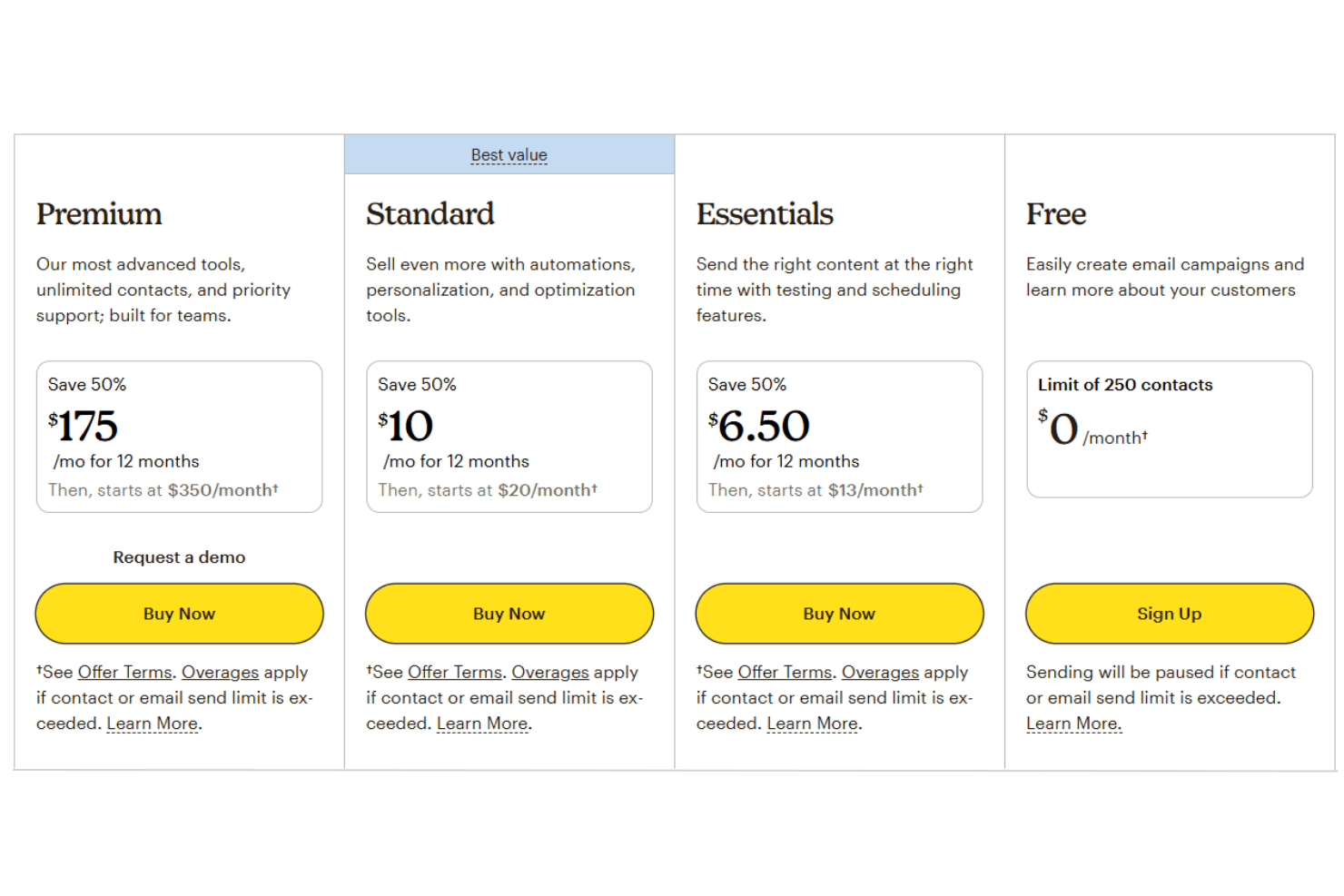
Mailchimp offers great value for small businesses and startups, particularly if you’re looking for an all-in-one digital marketing platform with a low barrier to entry. However, costs can increase quickly as your email list grows—especially since subscribed, unsubscribed, and non-subscribed contacts all count toward billing. The platform delivers the most value for teams with basic to moderate marketing needs, while more advanced features are reserved for higher-tier pricing plans.
- Free Plan: Basic email tools, up to 250 contacts, 500 monthly email sends, and limited automation.
- Essentials Plan: Removes Mailchimp branding, adds A/B testing, increased sending limits, and basic automation capabilities.
- Standard Plan: Includes advanced automation tools and flows, predictive insights, and enhanced segmentation features.
- Premium Plan: Offers priority support, phone access, advanced segmentation, and onboarding services for large-scale marketing teams.
Mailchimp Specs
- A/B Testing: Yes
- API: Yes
- Audience Targeting: Yes
- Brand Management: No
- Calendar Management: Yes
- Campaign Management: Yes
- Compliance Tracking: No
- Contact Management: Yes
- Contact Sharing: No
- Conversion Tracking: Yes
- CRM Integration: Yes
- Customer Management: Yes
- Dashboard: Yes
- Data Export: Yes
- Data Import: Yes
- Data Visualization: Yes
- Email Integration: Yes
- External Integrations: Yes
- Google Apps Integration: Yes
- Lead Management: Yes
- Lead Scoring: Yes
- Link Tracking: Yes
- Marketing Automation: Yes
- Multi-User: Yes
- Notifications: Yes
- Scheduling: Yes
- Social-Media Integration: No
- Third-Party Plugins/Add-Ons: Yes
Mailchimp FAQs
Mailchimp Company Overview & History
Mailchimp, founded in 2001 in Atlanta, Georgia, is a leading marketing automation and email marketing platform. The company was acquired by Intuit in 2021 and now operates as a subsidiary, serving millions of customers worldwide. Mailchimp is known for its creative, inclusive work culture and its commitment to empowering small businesses and nonprofits. As of its acquisition, Mailchimp had over 1,200 employees and was valued at approximately $12 billion.
Mailchimp Major Milestones
- 2001: Mailchimp founded in Atlanta, Georgia.
- 2001: Launch of the Mailchimp email marketing platform.
- 2018: Reported $600 million in annual revenue.
- 2020: Revenue reached $800 million, with half from outside the U.S.
- 2021: Acquired by Intuit for approximately $12 billion in cash and stock.
- 2021: Workforce grew to over 1,200 employees.
- 2021: Recognized for investing over $15 million in small and medium-sized nonprofits.