

Recensione di Livestorm: Pro, Contro, Caratteristiche e Prezzi Spiegati per 2026
Livestorm si distingue per la sua facilità d'uso e automazione, rendendolo ideale per i team che cercano webinar ed eventi virtuali interattivi e ottimizzati.

Recensiamo gli strumenti in modo indipendente, e le commissioni aiutano a finanziare i nostri test. Consulta la nostra politica sulla trasparenza, la nostra metodologia o suggerisci uno strumento.
Livestorm is a webinar software built for marketing and sales teams that need to run live events, product demos, and on-demand sessions without requiring attendees to download anything. I'd consider it over Zoom Webinars if registration workflows, attendee engagement tools, and post-event analytics matter as much to you as the broadcast itself—Livestorm gives you more control over the full attendee journey, from signup to follow-up, in a single platform.
Livestorm Evaluation Summary
4.5/5
- From $3/attendee
- Free trial + free demo available
Perché fidarsi dei nostri consigli sui software
6,700+
Reviews
20
Industry experts
16+
Evaluation factors
14
Years
Il nostro team testa e recensisce software dal 2012. In quanto leader del marketing noi stessi, sappiamo quanto sia difficile — e importante — scegliere il software giusto.
Per questa guida, abbiamo valutato gli strumenti attraverso test pratici e ricerche indipendenti, assegnando un punteggio agli strumenti in base ai nostri criteri di selezione.
Le nostre recensioni riflettono il nostro giudizio editoriale umano, non un discorso di vendita.
Revisori esperti:
 Gui DrusinaDirettore creativo
- Shriya GhateSenior Marketing Lead
 Amanda JacquesResponsabile Marketing Ops

Livestorm Overview
Overall, Livestorm offers an intuitive interface, quick onboarding, and a fully browser-based experience—no downloads required. Its built-in automation, analytics, and integrations make it a strong choice for marketing teams focused on lead capture and audience engagement. While pricing may scale with audience size and advanced features, and customization is somewhat limited compared to more design-heavy platforms, its ease of use and all-in-one functionality stand out. If you’re selecting a solution for recurring webinars, product demos, or training sessions where reliability and simplicity matter most, Livestorm is a strong contender.
Pros
- Fully browser-based platform with no downloads required for attendees.
- Strong analytics and data export for tracking event performance.
- Built-in automation, including scheduled events and on-demand (evergreen) webinars.
Cons
- Customization options for registration pages and branding are somewhat limited compared to specialized tools.
- Pricing can increase with larger audiences or advanced features.
- Some advanced capabilities (e.g., interpretation, PPT embedding) are restricted to higher-tier plans.
Is Livestorm Right For Your Needs?
Who Would be a Good Fit for Livestorm?
Livestorm is a strong choice for teams that prioritize interactive, browser-based webinars with minimal IT involvement and need reliable analytics for lead generation or training. Its user experience, responsive support, and event automation features make it especially appealing for marketing, sales, and education-focused roles in mid-sized organizations. If your business values attendee engagement tools and wants to avoid software downloads, Livestorm’s video conferencing platform is well-suited for you.
- Marketing TeamsLivestorm’s built-in analytics, UTM tracking, and engagement tools help teams capture, qualify, and nurture leads through webinars.
- SaaS Product DemosBrowser-based access and quick join links make it easy for prospects to attend live demos without friction.
- Higher EducationInteractive features like polls, chat, and Q&A support virtual classes and improve student participation.
- HR and TrainingAutomated reminders, attendance tracking, and on-demand replays streamline employee onboarding and internal training.
- Agencies Hosting EventsCustom branding, registration pages, and multi-session events support scalable, client-facing webinars.
- Customer Success TeamsLive chat, Q&A, and replay capabilities help deliver onboarding, training, and retention-focused sessions.
Who Would be a Bad Fit for Livestorm?
Livestorm may not be the best choice for organizations that require deep customization, highly advanced production control, or enterprise-grade scale for large global events. While it offers built-in automation, integrations, and on-demand webinars, teams with complex marketing automation workflows or highly specialized requirements may find it limiting. If your use case involves large-scale broadcasting, highly customized event environments, or advanced technical setups, you may want to consider more specialized platforms.
- Large Enterprises & Global EventsLivestorm may not scale as efficiently for very large audiences or high-frequency global events compared to enterprise-grade broadcasting platforms.
- Highly Customized Brand ExperiencesWhile branding is supported, teams needing fully custom-designed event environments or landing pages may find it restrictive.
- Event Production & Broadcast CompaniesLimited control over video production, staging, and broadcast quality makes it less suitable for highly produced or studio-level events.
- Budget-Constrained Teams at ScaleCosts can increase quite a bit with audience size and advanced features, which may be challenging for teams running frequent or large events.
- Always-On WebinarsLivestorm is designed for scheduled or on-demand events—not continuous, always-on webinar rooms or virtual environments.
- Advanced Marketing AutomationLivestorm includes automation, but it may not match the depth of dedicated marketing automation platforms for complex, multi-step campaigns.
Come Testiamo e Valutiamo gli Strumenti
Abbiamo passato anni a costruire, perfezionare e migliorare il nostro sistema di test e valutazione del software. Il nostro metodo è progettato per cogliere le sfumature nella selezione del software e ciò che rende uno strumento efficace, concentrandoci sugli aspetti critici del processo decisionale. Qui sotto puoi vedere esattamente come funziona il nostro sistema di test e valutazione su sette criteri. Questo ci permette di offrire una valutazione imparziale del software basata su funzionalità principali, funzioni distintive, facilità d’uso, onboarding, supporto clienti, integrazioni, recensioni dei clienti e rapporto qualità-prezzo.
Funzionalità principali (25% del punteggio finale)
Il punto di partenza della nostra valutazione è sempre la funzionalità principale dello strumento. Include le caratteristiche e le funzioni basilari che un utente si aspetterebbe di trovare? Alcune di queste funzionalità sono bloccate nei piani premium? Ci aspettiamo che ogni strumento soddisfi almeno le capacità di base dei suoi concorrenti.
Funzionalità distintive (25% del punteggio finale)
Successivamente, valutiamo le funzionalità uniche che vanno oltre la normale funzionalità principale, quelle poco comuni negli strumenti simili. Un punteggio alto riflette caratteristiche specializzate o uniche che rendono il prodotto più veloce, efficiente o offrono un valore aggiunto all’utente. Valutiamo anche quanto sia semplice integrare il software con altri strumenti abitualmente usati in una tech stack, per espandere le funzionalità e l’utilità del prodotto. Sono valutate positivamente soluzioni con molte integrazioni native, connessioni di terze parti e API per creare integrazioni personalizzate.
Facilità d’uso (10% del punteggio finale)
Consideriamo la rapidità e semplicità con cui si possono eseguire le attività principali tramite lo strumento. I software con punteggio più alto sono ben progettati, intuitivi, dispongono di app mobili, offrono template e semplificano compiti complessi.
Onboarding (10% del punteggio finale)
Sappiamo quanto sia importante l’adozione rapida in azienda, quindi valutiamo la facilità di apprendimento e utilizzo di uno strumento con formazione minima. Analizziamo quanto velocemente un utente senza esperienza può iniziare a usare il software. Le soluzioni migliori richiedono poco o nessun supporto.
Supporto clienti (10% del punteggio finale)
Analizziamo la rapidità e facilità nel trovare aiuto tramite telefono, chat dal vivo o knowledge base. Gli strumenti che offrono supporto in tempo reale ottengono il punteggio migliore: i chatbot invece i peggiori.
Recensioni dei clienti (10% del punteggio finale)
Oltre ai nostri test, consideriamo il net promoter score di attuali ed ex clienti. Valutiamo la probabilità che, potendo scegliere, l’utente decida di utilizzare ancora quello strumento per le funzionalità principali. Un software con un punteggio alto corrisponde ad un alto net promoter score tra clienti attuali o passati.
Rapporto qualità-prezzo (10% del punteggio finale)
Infine, tenendo conto di tutti gli altri criteri, confrontiamo il prezzo medio dei piani base rispetto alle funzionalità principali e agli altri fattori di valutazione. I software che offrono di più, a meno, ottengono i punteggi più alti.
Core Features
Browser-Based Access
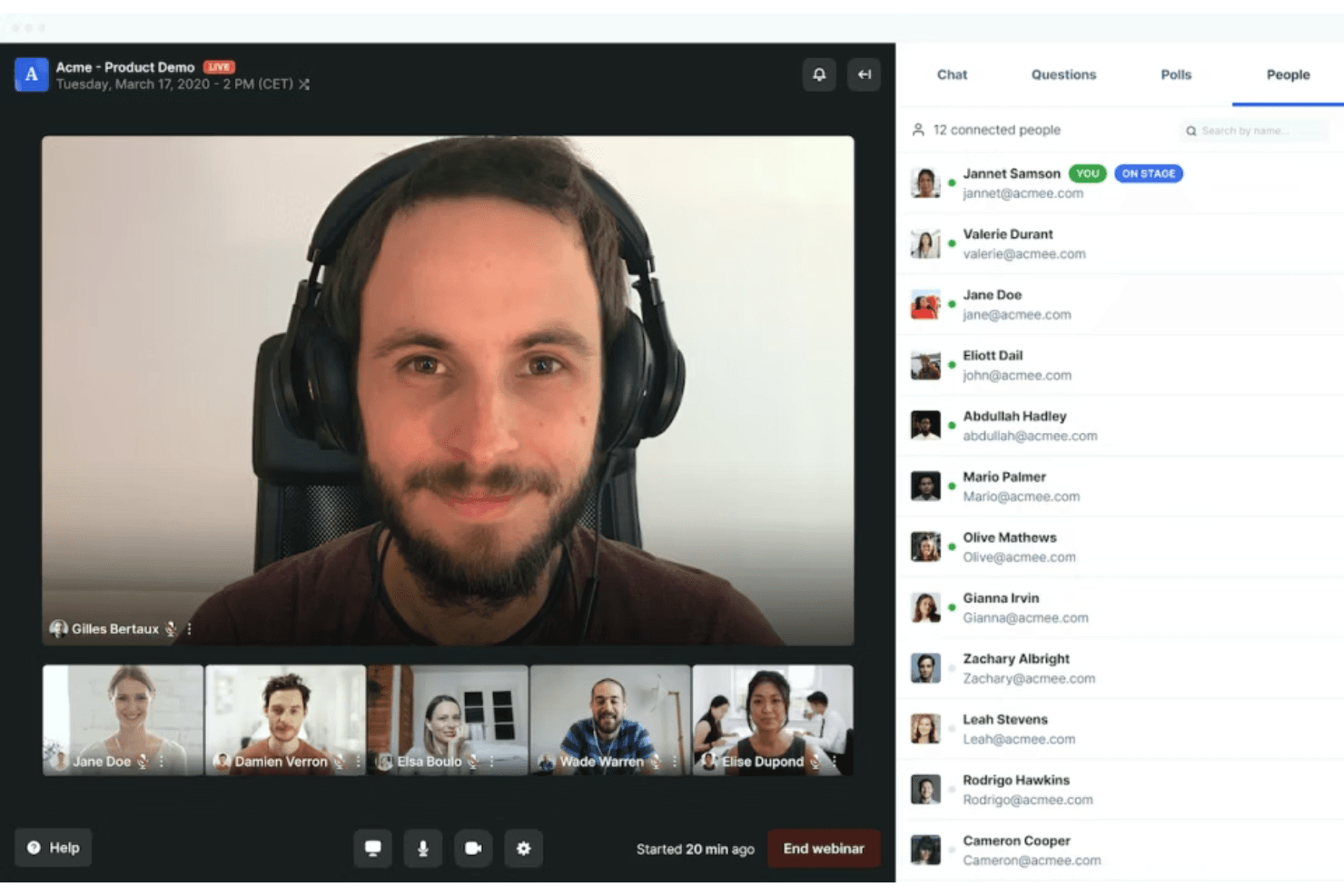
Attendees join events directly from their browser with no downloads required, making participation frictionless.
Custom Registration Pages
Create branded registration forms and landing pages to capture attendee information and reinforce your company identity.
Interactive Engagement Tools
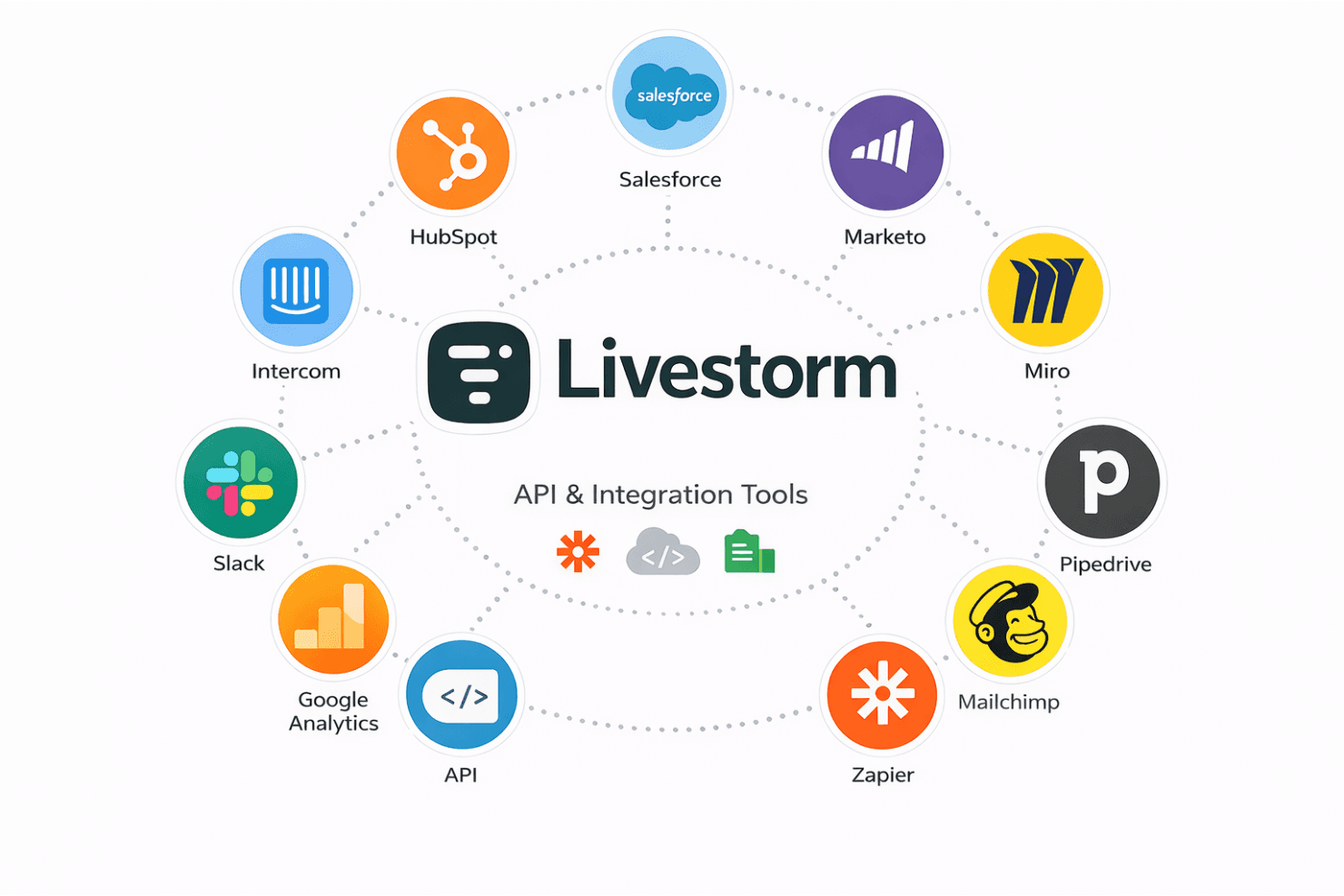
Use Livestorm for polls, Q&A, chat, screen sharing, and emoji reactions to boost audience participation during live sessions.
Automated Email Cadences
Schedule and send event reminders, confirmations, and follow-ups automatically to keep registrants informed.
Advanced Analytics and Reporting
Track attendance, engagement, and event performance with detailed dashboards and exportable reports.
On-Demand and Replay Options
Offer instant replays and on-demand access so attendees can view sessions at their convenience.
Ease of Use
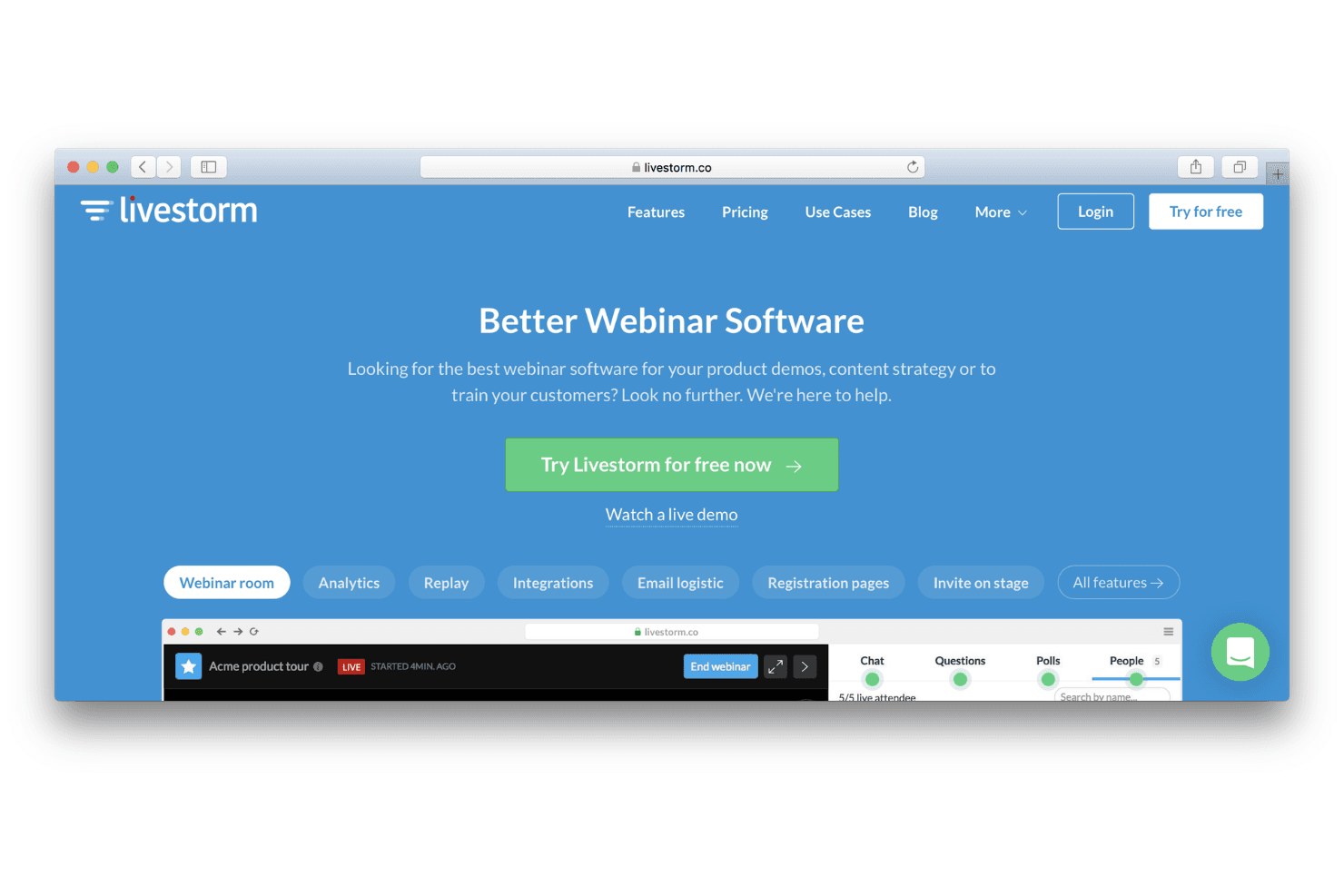
Livestorm is widely praised for its intuitive, browser-based interface that requires no downloads for hosts or attendees. Users highlight the straightforward event setup, clear navigation, and minimal technical barriers, making it accessible even for non-technical teams. Features like drag-and-drop registration page builders and automated email workflows further reduce manual effort. Overall, Livestorm’s usability stands out for teams seeking quick onboarding and hassle-free live webinar management.
Integrations
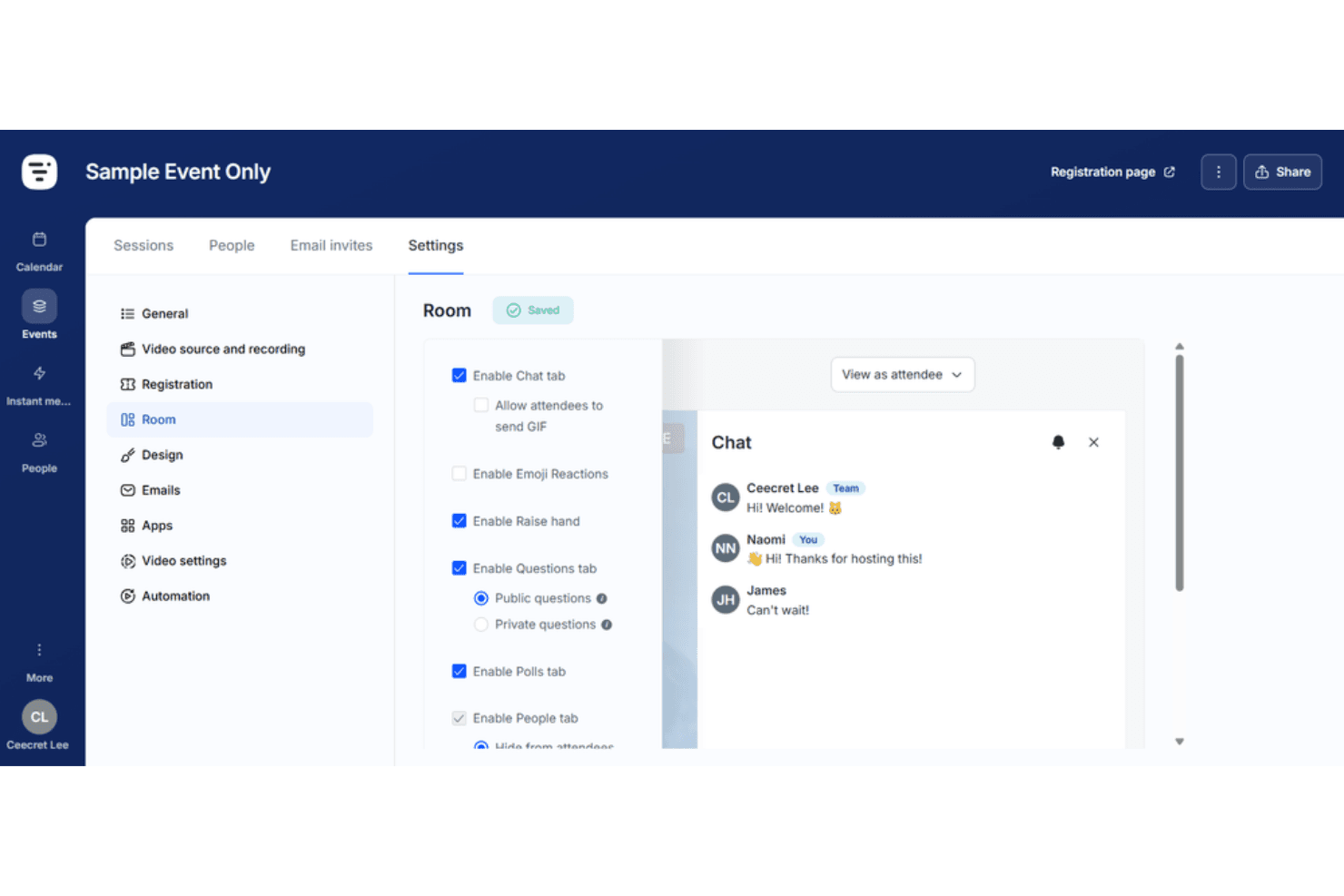
Livestorm integrates with HubSpot, Salesforce, Slack, Google Analytics, Zapier, Intercom, Marketo, Miro, Pipedrive, and Mailchimp, among others.
Livestorm also offers an API and connects with third-party integration tools for expanded automation and data syncing.
Livestorm Specs
- API: Yes
- Calendar Management: Yes
- Chat: Yes
- Contact Management: Yes
- Contact Sharing: Yes
- Email Integration: Yes
- External Integrations: Yes
- Google Apps Integration: Yes
- History/Version Control: Yes
- Multi-User: Yes
- Notifications: Yes
- Project Management: Yes
- Scheduling: Yes


