

Recensione GanttPRO: Pro, Contro, Funzionalità e Prezzi
GanttPRO eccelle nell'offrire una visualizzazione intuitiva dei progetti tramite diagrammi di Gantt, rendendolo una scelta eccellente per i team che desiderano una pianificazione dei progetti semplice e diretta.

Recensiamo gli strumenti in modo indipendente, e le commissioni aiutano a finanziare i nostri test. Consulta la nostra politica sulla trasparenza, la nostra metodologia o suggerisci uno strumento.
GanttPRO is a marketing planning software built around Gantt chart-based project timelines. It's a good fit for marketing teams that need to map out campaign schedules, assign tasks, and track dependencies across multiple projects at once. I'd consider it over Asana if your team thinks in timelines rather than task lists—GanttPRO's visual timeline tools are more intuitive for deadline-heavy campaign planning, without the broader feature complexity Asana layers on top.
GanttPRO Evaluation Summary
4.8/5
- From $7/user/month (billed annually)
- 14-day free trial
Perché fidarsi dei nostri consigli sui software
6,700+
Reviews
20
Industry experts
16+
Evaluation factors
14
Years
Il nostro team testa e recensisce software dal 2012. In quanto leader del marketing noi stessi, sappiamo quanto sia difficile — e importante — scegliere il software giusto.
Per questa guida, abbiamo valutato gli strumenti attraverso test pratici e ricerche indipendenti, assegnando un punteggio agli strumenti in base ai nostri criteri di selezione.
Le nostre recensioni riflettono il nostro giudizio editoriale umano, non un discorso di vendita.
Revisori esperti:
 Gui DrusinaDirettore creativo
- Shriya GhateSenior Marketing Lead
 Amanda JacquesResponsabile Marketing Ops

GanttPRO Overview
In my opinion, GanttPRO is a solid choice for teams looking for straightforward project planning. Its Gantt chart functionality is intuitive and efficient, making it easy for users to manage and assign tasks. Compared to other tools, GanttPRO stands out with its user-friendly interface and affordable pricing. However, it may not have as many advanced integrations as some competitors. If your team values simplicity and effective project visualization, GanttPRO is worth considering. It's particularly suitable for marketing teams and small businesses that need a reliable tool without unnecessary complexity.
Pros
- Your team can easily visualize projects with intuitive Gantt charts.
- It's simple to manage timelines and resources effectively.
- The interface is user-friendly, making it easy for everyone to use.
Cons
- It may lack some advanced features found in other tools.
- Your team might find limited integration options.
- It could be less suitable for very complex project needs.
Is GanttPRO Right For Your Needs?
Who Would be a Good Fit for GanttPRO?
GanttPRO is a great fit for small to medium-sized businesses and marketing teams that need a clear way to manage projects. Its intuitive Gantt charts help you visualize timelines and resources effectively. If your team values simplicity and needs an easy-to-use tool for straightforward project planning, GanttPRO is worth considering. Its user-friendly interface makes it accessible for everyone, even those who aren't tech-savvy.
- Small BusinessesGanttPRO's straightforward features make it easy for small businesses to manage projects without unnecessary complexity.
- Marketing TeamsYour team can effectively plan campaigns with GanttPRO's clear timeline visualization.
- Project ManagersYou'll find GanttPRO useful for tracking project progress and resource allocation efficiently.
- Event PlanningGanttPRO helps your team organize tasks and timelines for events with ease.
- Startup TeamsGanttPRO supports startup teams by offering a simple tool for managing their dynamic projects.
- Educational ProjectsTeachers and students can use GanttPRO to plan and visualize school projects and assignments.
Who Would be a Bad Fit for GanttPRO?
GanttPRO might not suit large enterprises or teams that rely on complex integrations and advanced features. If your work involves intricate project dependencies and requires a high level of customization, GanttPRO's simplicity could be limiting. Additionally, if your team needs extensive collaboration tools or integration with a wide range of other software, you might find GanttPRO lacking in these areas.
- Large EnterprisesGanttPRO's limited advanced features might not meet the needs of your large-scale projects.
- Tech CompaniesYour team may find GanttPRO insufficient for complex tech project management requiring intricate dependencies.
- Software DevelopersDevelopers might miss advanced integration options and customization in GanttPRO.
- Financial ServicesYour industry might need more robust tools for handling complex financial project requirements.
- Manufacturing FirmsGanttPRO may not handle the detailed planning required in manufacturing processes.
- Healthcare OrganizationsYour team might require more specialized tools for managing healthcare-specific project needs.
Come Testiamo e Valutiamo gli Strumenti
Abbiamo passato anni a costruire, perfezionare e migliorare il nostro sistema di test e valutazione del software. Il nostro metodo è progettato per cogliere le sfumature nella selezione del software e ciò che rende uno strumento efficace, concentrandoci sugli aspetti critici del processo decisionale. Qui sotto puoi vedere esattamente come funziona il nostro sistema di test e valutazione su sette criteri. Questo ci permette di offrire una valutazione imparziale del software basata su funzionalità principali, funzioni distintive, facilità d’uso, onboarding, supporto clienti, integrazioni, recensioni dei clienti e rapporto qualità-prezzo.
Funzionalità principali (25% del punteggio finale)
Il punto di partenza della nostra valutazione è sempre la funzionalità principale dello strumento. Include le caratteristiche e le funzioni basilari che un utente si aspetterebbe di trovare? Alcune di queste funzionalità sono bloccate nei piani premium? Ci aspettiamo che ogni strumento soddisfi almeno le capacità di base dei suoi concorrenti.
Funzionalità distintive (25% del punteggio finale)
Successivamente, valutiamo le funzionalità uniche che vanno oltre la normale funzionalità principale, quelle poco comuni negli strumenti simili. Un punteggio alto riflette caratteristiche specializzate o uniche che rendono il prodotto più veloce, efficiente o offrono un valore aggiunto all’utente. Valutiamo anche quanto sia semplice integrare il software con altri strumenti abitualmente usati in una tech stack, per espandere le funzionalità e l’utilità del prodotto. Sono valutate positivamente soluzioni con molte integrazioni native, connessioni di terze parti e API per creare integrazioni personalizzate.
Facilità d’uso (10% del punteggio finale)
Consideriamo la rapidità e semplicità con cui si possono eseguire le attività principali tramite lo strumento. I software con punteggio più alto sono ben progettati, intuitivi, dispongono di app mobili, offrono template e semplificano compiti complessi.
Onboarding (10% del punteggio finale)
Sappiamo quanto sia importante l’adozione rapida in azienda, quindi valutiamo la facilità di apprendimento e utilizzo di uno strumento con formazione minima. Analizziamo quanto velocemente un utente senza esperienza può iniziare a usare il software. Le soluzioni migliori richiedono poco o nessun supporto.
Supporto clienti (10% del punteggio finale)
Analizziamo la rapidità e facilità nel trovare aiuto tramite telefono, chat dal vivo o knowledge base. Gli strumenti che offrono supporto in tempo reale ottengono il punteggio migliore: i chatbot invece i peggiori.
Recensioni dei clienti (10% del punteggio finale)
Oltre ai nostri test, consideriamo il net promoter score di attuali ed ex clienti. Valutiamo la probabilità che, potendo scegliere, l’utente decida di utilizzare ancora quello strumento per le funzionalità principali. Un software con un punteggio alto corrisponde ad un alto net promoter score tra clienti attuali o passati.
Rapporto qualità-prezzo (10% del punteggio finale)
Infine, tenendo conto di tutti gli altri criteri, confrontiamo il prezzo medio dei piani base rispetto alle funzionalità principali e agli altri fattori di valutazione. I software che offrono di più, a meno, ottengono i punteggi più alti.
Core Features
Gantt Chart Visualization
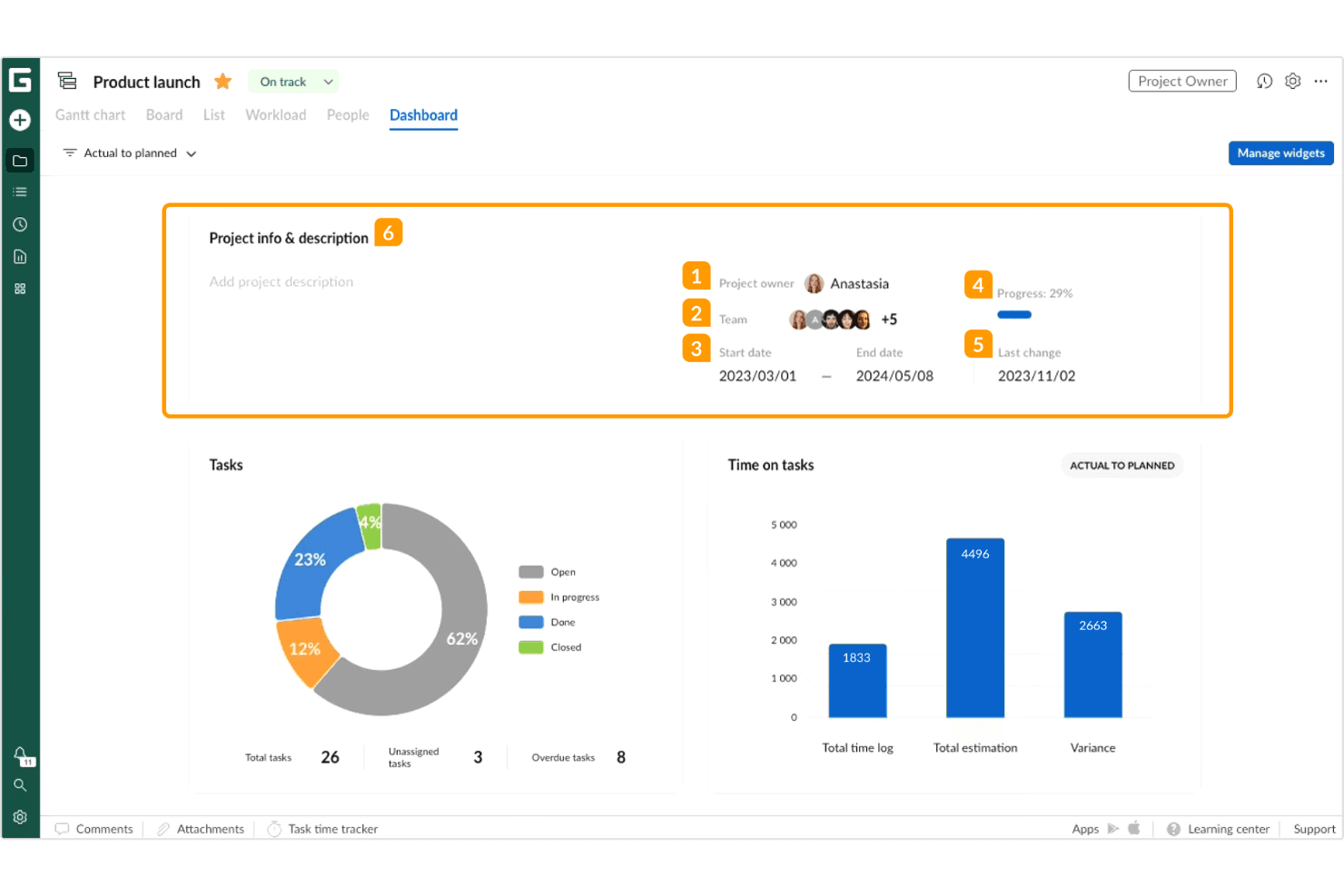
You can easily create and manage project timelines with clear, Gantt chart views on your project dashboards. This feature helps your team see project progress at a glance.
Task Management
Track tasks and assign subtasks in real-time, ensuring everyone knows their responsibilities. It keeps your team organized and on the same page with notifications.
Resource Management
Allocate resources effectively to avoid overloading team members. This ensures your team works efficiently without burnout.
Time Tracking
Monitor time spent on tasks to improve productivity. It helps you identify areas where your team can be more efficient.
Collaboration Tools
Communicate and share updates within the platform to keep everyone informed. Your team can collaborate seamlessly without switching tools.
Project Templates
Use ready-made templates to kickstart your projects quickly. It saves you time and helps maintain consistent formats across projects.
Ease of Use
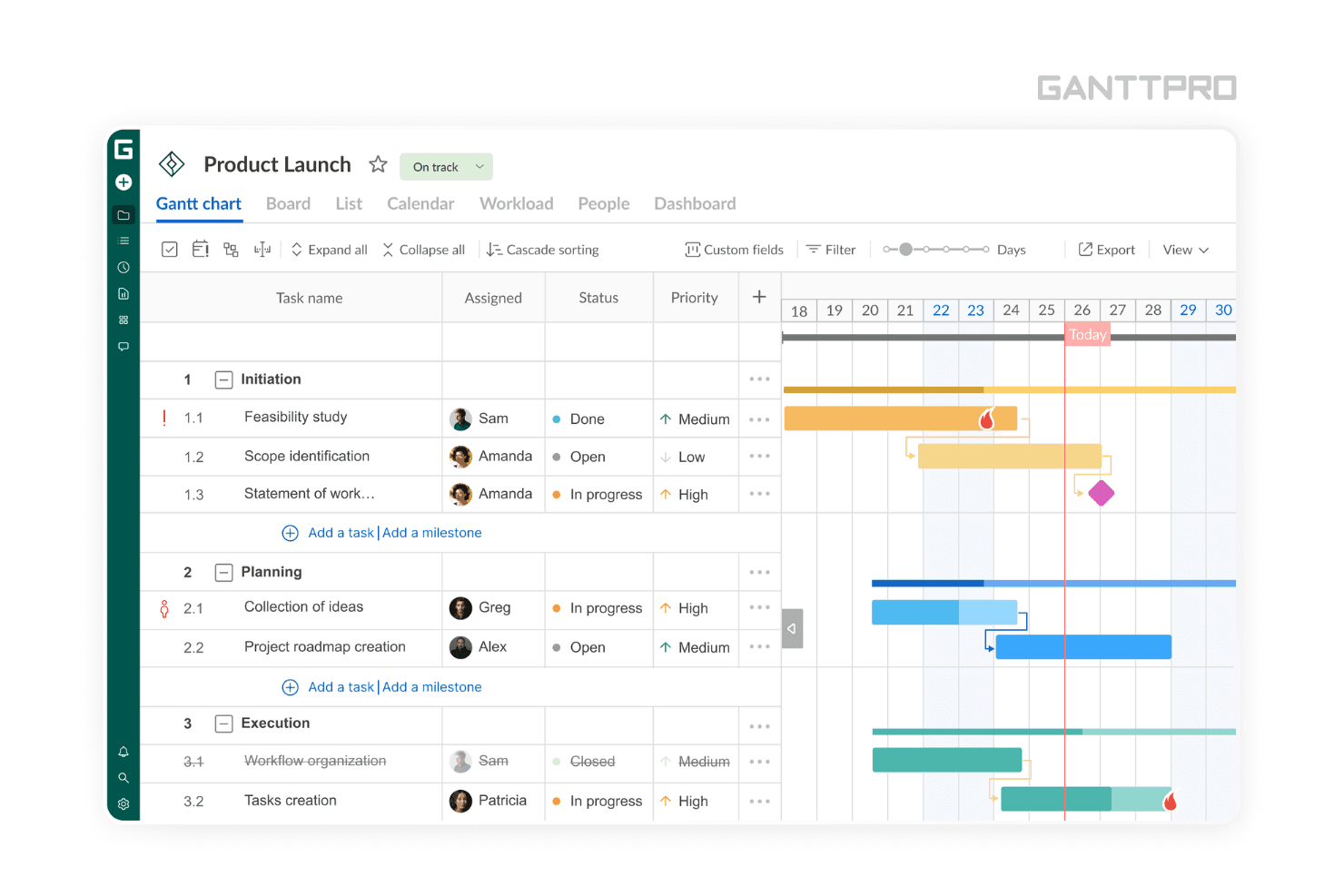
GanttPRO is incredibly user-friendly, making it easy for your team to jump right in without a steep learning curve. Its intuitive drag-and-drop functionality allows you to adjust tasks and timelines effortlessly. The clear layout and straightforward features ensure that even those new to project management can navigate it with ease. Compared to other software, GanttPRO’s simplicity and accessibility make it a favorite for teams that need effective planning without the complexity.
Integrations
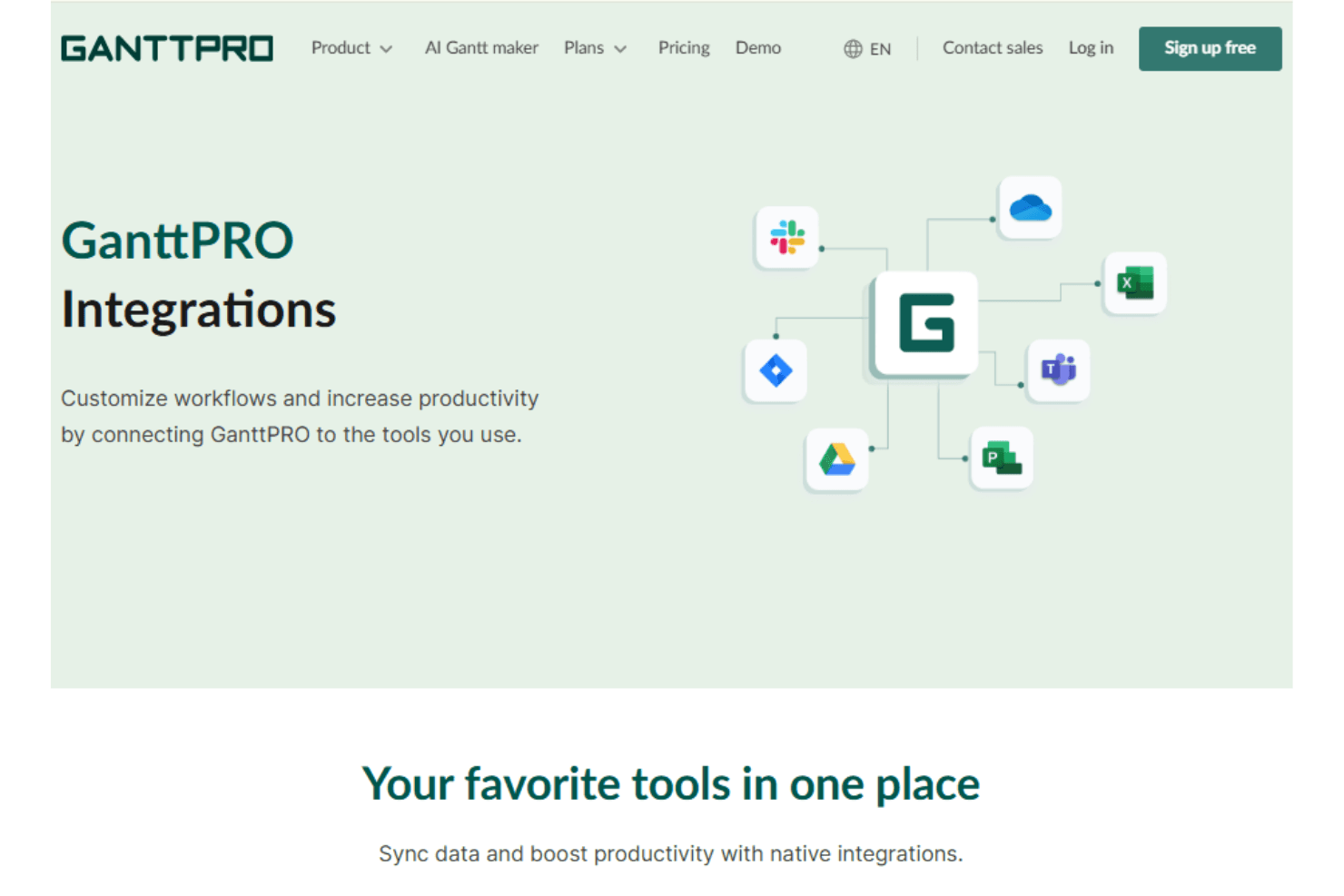
GanttPRO integrates Google Drive, Slack, Jira Cloud, Microsoft Teams, Onedrive, and calendar tools to streamline collaboration and task planning.
GanttPro also provides a developer API to extend and automate your workflow through connections with third-party business applications.
GanttPRO Specs
- API: Yes
- Batch Permissions & Access: Yes
- Budgeting: Yes
- Calendar Management: Yes
- Collaboration Support: Yes
- Contact Management: Yes
- Contact Sharing: Yes
- Customer Management: Yes
- Dashboard: Yes
- Dashboards: Yes
- Data Export: Yes
- Data Import: Yes
- Data Visualization: Yes
- Dependency Tracking: Yes
- Document Sharing: Yes
- Expense Tracking: Yes
- External Integrations: Yes
- File Sharing: Yes
- Gantt Charts: Yes
- Kanban Boards: Yes
- Multi-User: Yes
- Notifications: Yes
- Project Management: Yes
- Resource Management: Yes
- Scheduling: Yes
- Task Scheduling/Tracking: Yes
- Third-Party Plugins/Add-Ons: Yes
- Time Management: Yes
- Travel Management: Yes
- Workflow Management: Yes


