

Avis sur Smartsheet : Avantages, Inconvénients, Fonctionnalités et Tarifs
Smartsheet se distingue par sa flexibilité et sa collaboration, ce qui en fait un excellent choix pour les équipes recherchant des solutions de flux de travail marketing polyvalentes.

Nous évaluons les outils de manière indépendante, et les commissions aident à financer nos tests. Consultez notre politique de transparence, notre méthodologie ou suggérez un outil.
Smartsheet is a marketing workflow software built around a spreadsheet-style grid that marketing teams use to manage campaigns, content calendars, and multi-step approvals. It's worth a close look if your team juggles complex, multi-phase projects across multiple stakeholders. Compared to monday.com, Smartsheet gives you more control over formula-based logic, advanced reporting, and structured data—making it a stronger fit for teams who need more than visual boards and basic task tracking.
Smartsheet Evaluation Summary
4.5/5
- From $9/user/month (billed annually)
- 30-day free trial
Pourquoi faire confiance à nos recommandations de logiciels
6,700+
Reviews
20
Industry experts
16+
Evaluation factors
14
Years
Notre équipe teste et évalue des logiciels depuis 2012. En tant que leaders marketing nous-mêmes, nous savons à quel point il est difficile — et important — de choisir le bon logiciel.
Pour ce guide, nous avons évalué les outils grâce à des tests pratiques et une recherche indépendante, en notant les outils selon nos critères de sélection.
Nos avis reflètent notre jugement éditorial humain, et non un argumentaire de vente.
Réviseurs experts:
 Gui DrusinaDirecteur de la création
- Shriya GhateSenior Marketing Lead
 Amanda JacquesResponsable Marketing Ops

Smartsheet Overview
In my opinion, Smartsheet is a solid choice for teams needing a flexible marketing workflow platform. Its spreadsheet-like interface offers powerful features, though it might feel outdated compared to more intuitive tools. Smartsheet excels in integrations and handling complex projects, making it great for project managers and marketing departments dealing with extensive data or requiring advanced reporting.
However, the onboarding process could be smoother, and its pricing might not suit smaller teams. If you're looking to compare, other tools might offer sleeker interfaces, but Smartsheet's functionality and scalability can be hard to match for those who value depth over aesthetics.
Pros
- You can manage complex projects with ease using its powerful project management tools.
- The spreadsheet-like interface makes it easy for your team to adopt.
- It offers extensive customization options for tailoring workflows to your needs.
Cons
- Your team might find the interface feels outdated compared to newer tools.
- The learning curve can be steep if you're new to project management software.
- It lacks some intuitive features found in other marketing workflow tools.
Is Smartsheet Right For Your Needs?
Who Would be a Good Fit for Smartsheet?
Smartsheet is great for marketing teams and project managers in industries like advertising and event planning. If your work involves managing large projects with many moving parts, Smartsheet's powerful project management tools and customization options help you stay organized and on track. Its spreadsheet-like interface is familiar and easy for your team to adopt, making it an excellent choice for teams that need detailed tracking and reporting.
- Marketing AgenciesSmartsheet helps your agency manage multiple client projects with its detailed task tracking and reporting features.
- Event PlanningYou can coordinate complex schedules and logistics easily with Smartsheet's customizable workflows and timelines.
- Construction ProjectsSmartsheet's project management tools allow you to track budgets, timelines, and tasks effectively in construction projects.
- Product DevelopmentYour team can manage product launches and track progress with Smartsheet's robust project planning features.
- Human ResourcesHR teams can benefit from Smartsheet's ability to track recruitment processes and employee onboarding efficiently.
- IT DepartmentsIT teams can use Smartsheet to manage projects and track IT infrastructure changes with its detailed task management capabilities.
Who Would be a Bad Fit for Smartsheet?
Smartsheet might not suit small businesses or startups with limited budgets and simple project management needs. If your team prefers visually appealing interfaces or needs intuitive, easy-to-learn software, Smartsheet's spreadsheet-like format could feel cumbersome. Creative teams seeking advanced design collaboration tools might also find it lacking. Its learning curve can deter teams looking for quick setup and immediate ease of use.
- Small StartupsSmartsheet’s extensive features might overwhelm small startups looking for simple solutions without a steep learning curve.
- Design AgenciesAgencies focusing on design might find Smartsheet lacking in visual tools for creative collaboration.
- Retail StoresRetail operations needing quick, day-to-day task handling might find Smartsheet’s functionality unnecessarily complex.
- Non-Tech Savvy TeamsTeams unfamiliar with project management software may struggle with Smartsheet’s interface and require simpler tools.
- FreelancersFreelancers needing basic task management might find Smartsheet's features excessive for their needs.
- Education InstitutionsEducational settings that require user-friendly interfaces may find Smartsheet’s layout less appealing for educators and students.
Comment nous testons et évaluons les outils
Nous avons passé des années à construire, affiner et améliorer notre système de test et de notation des logiciels. Notre grille d’évaluation est conçue pour prendre en compte toutes les nuances du choix logiciel et ce qui rend un outil efficace, en mettant l’accent sur les aspects critiques du processus de décision. Ci-dessous, vous pouvez découvrir précisément comment nos tests et notations fonctionnent selon sept critères. Cela nous permet d’offrir une évaluation impartiale des logiciels en fonction de la fonctionnalité principale, des fonctionnalités différenciantes, de la facilité d’utilisation, de l’onboarding, du support client, des intégrations, des avis clients et du rapport qualité-prix.
Fonctionnalité principale (25% de la note finale)
Le point de départ de notre évaluation est toujours la fonctionnalité principale de l’outil. Dispose-t-il des fonctions de base attendues ? Certaines de ces fonctionnalités sont-elles bloquées dans des offres tarifaires supérieures ? Nous attendons d’un outil qu’il soit à la hauteur des capacités fondamentales de ses concurrents.
Fonctionnalités différenciantes (25% de la note finale)
Ensuite, nous évaluons les fonctionnalités spéciales qui vont au-delà de ce que l’on trouve habituellement chez ce type d’outils. Un score élevé indique des fonctionnalités uniques ou spécialisées qui rendent le produit plus rapide, plus efficace, ou offrent une valeur ajoutée à l’utilisateur. Nous évaluons également la facilité d’intégration avec d’autres outils couramment utilisés pour élargir les possibilités et l’utilité du logiciel. Les outils offrant de nombreuses intégrations natives, des connexions tierces et un accès API pour bâtir des intégrations personnalisées obtiennent les meilleures notes.
Facilité d’utilisation (10% de la note finale)
Nous considérons la rapidité et la facilité d’exécution des tâches principales via l’outil. Les logiciels les mieux notés sont bien conçus, intuitifs à utiliser, proposent des applications mobiles, des modèles prêts à l’emploi, et simplifient des tâches parfois complexes.
Onboarding (10% de la note finale)
Nous savons combien l’adoption rapide par l’équipe est cruciale pour une nouvelle plateforme. Nous évaluons donc la facilité avec laquelle il est possible d’apprendre et d’utiliser un outil sans formation poussée. On mesure aussi la vitesse à laquelle un membre de l’équipe peut être opérationnel, sans expérience préalable. Les solutions bien notées requièrent peu ou pas d’assistance.
Support client (10% de la note finale)
Nous examinons la rapidité et la facilité avec lesquelles on peut obtenir de l’aide par téléphone, chat en direct ou base de connaissances. Les outils et sociétés offrant un support en temps réel sont favorisés ; les chatbots sont pénalisés.
Avis clients (10% de la note finale)
Au-delà de nos propres tests et évaluations, nous prenons en compte le score de recommandation nette des clients actuels et passés. Nous étudions leur propension, si l’occasion se présente, à réutiliser l’outil pour sa fonctionnalité principale. Un score élevé reflète donc un bon taux de recommandation.
Rapport qualité-prix (10% de la note finale)
Enfin, après avoir pris en compte tous les autres critères, nous confrontons le prix moyen des offres de base aux fonctionnalités principales et prenons en compte la valeur apportée par les autres éléments d’évaluation. Les logiciels qui offrent plus pour moins obtiennent une note supérieure.
Core Features
Task Management
You can easily create, assign, and track tasks, ensuring your team stays on top of deadlines. This feature helps you manage workloads and prioritize effectively.
Gantt Charts
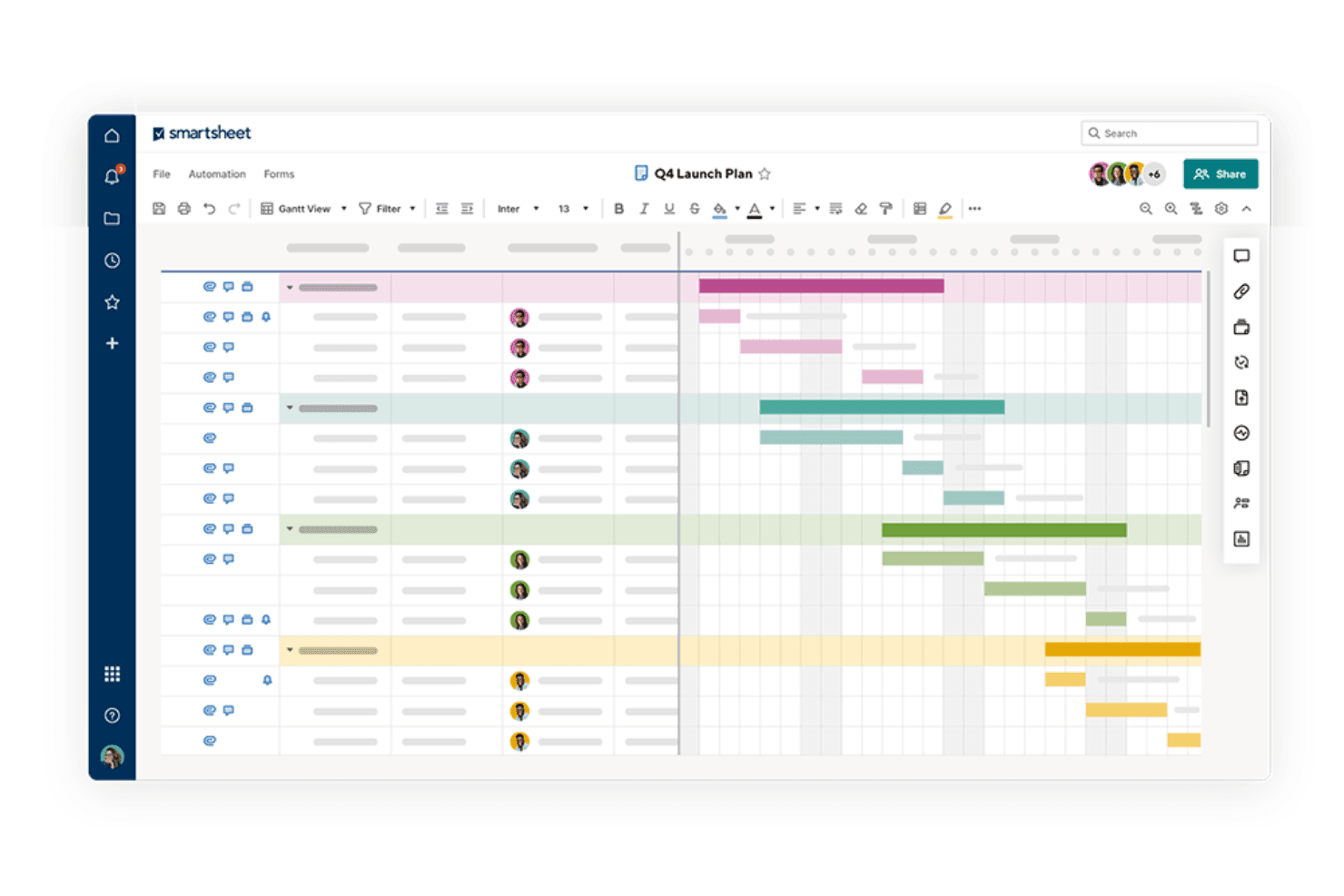
Smartsheet's Gantt charts let you visualize project timelines and dependencies at a glance. They help you plan and adjust project schedules with ease.
Dashboards
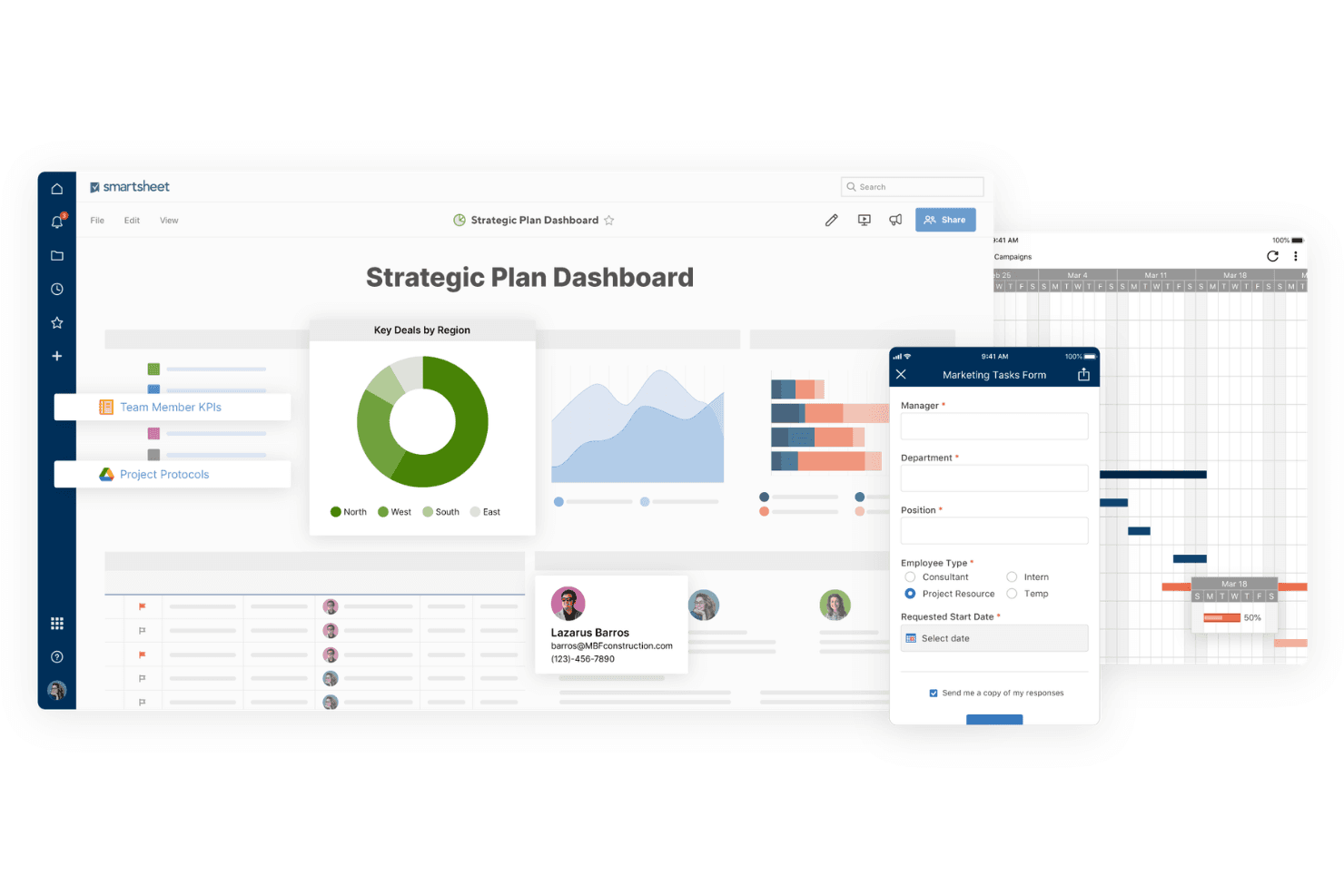
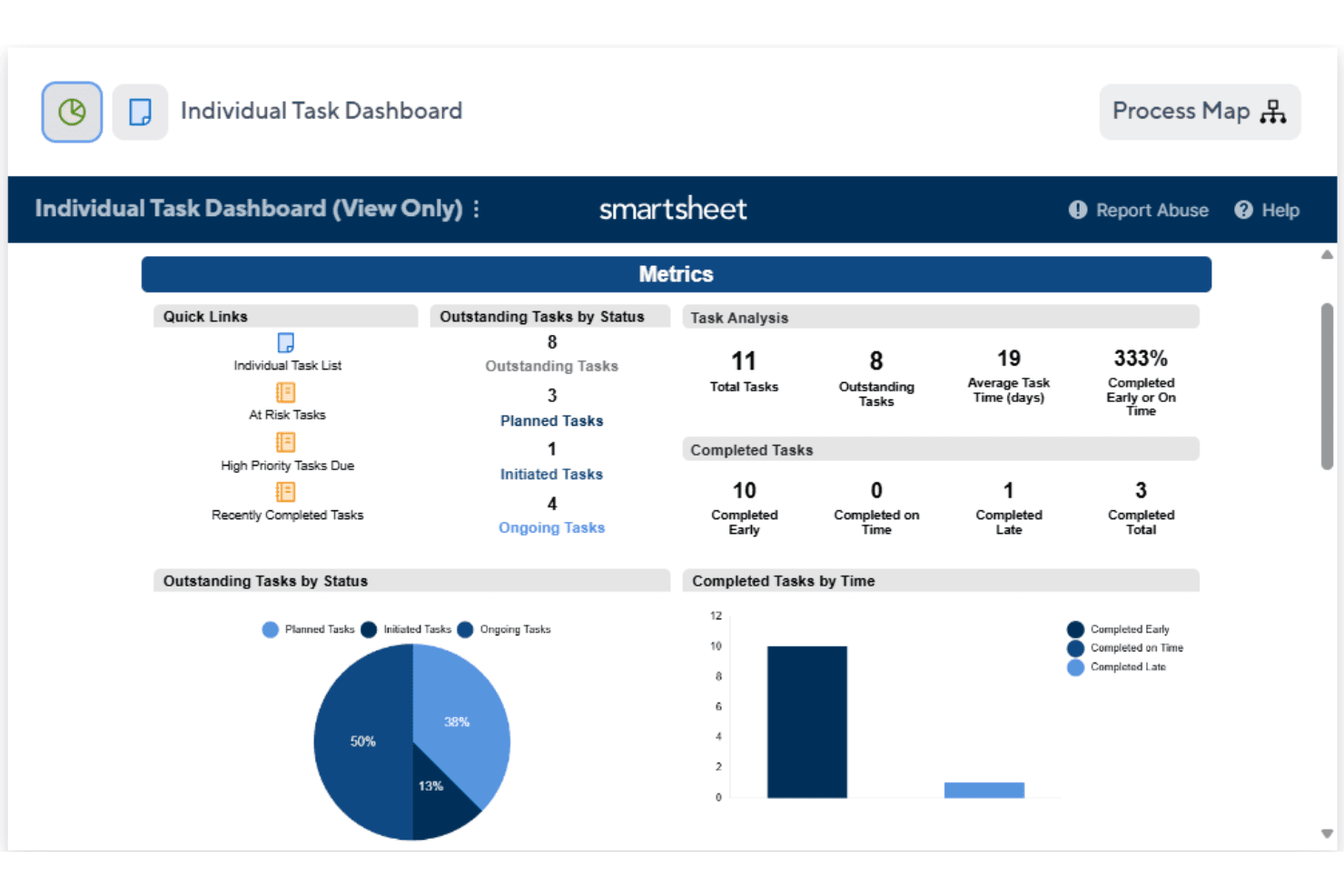
With dashboards, you get a real-time overview of project status and metrics. They keep your team informed and aligned with project goals.
Automation
Automate repetitive tasks to save time and reduce errors in your workflows. This feature allows you to focus on more strategic activities.
Reporting
Generate detailed reports to analyze progress and performance across projects. This helps you make informed decisions based on data insights.
Collaboration Tools
Smartsheet's collaboration tools let your team communicate and share files within the platform. This feature enhances team coordination and reduces email overload.
Standout Features
Customizable Templates
Smartsheet offers a range of templates that you can tailor to fit your project needs. This flexibility allows you to quickly set up projects without starting from scratch.
Resource Management
Track and allocate resources effectively to ensure your team is balanced and productive. This feature helps you avoid overloading team members and maintain project efficiency.
Ease of Use
Smartsheet's ease of use can be a mixed bag for your team. The spreadsheet-like interface offers familiarity, but it can feel clunky compared to more modern tools. While its extensive features provide depth, new users might find the learning curve steep. Once you get past the initial setup, you’ll likely appreciate its powerful project management capabilities. However, if your team prefers intuitive and sleek interfaces, Smartsheet might not be the best fit.
Onboarding
Smartsheet's onboarding process might challenge your team initially, as it requires time to get accustomed to its features. While the platform provides tutorials and guides, some users feel these resources don’t fully ease the transition. The learning curve can delay your team’s time to value, especially if they’re new to project management tools. However, once you navigate the setup, the platform's capabilities can become a strong asset for your projects.
Customer Support
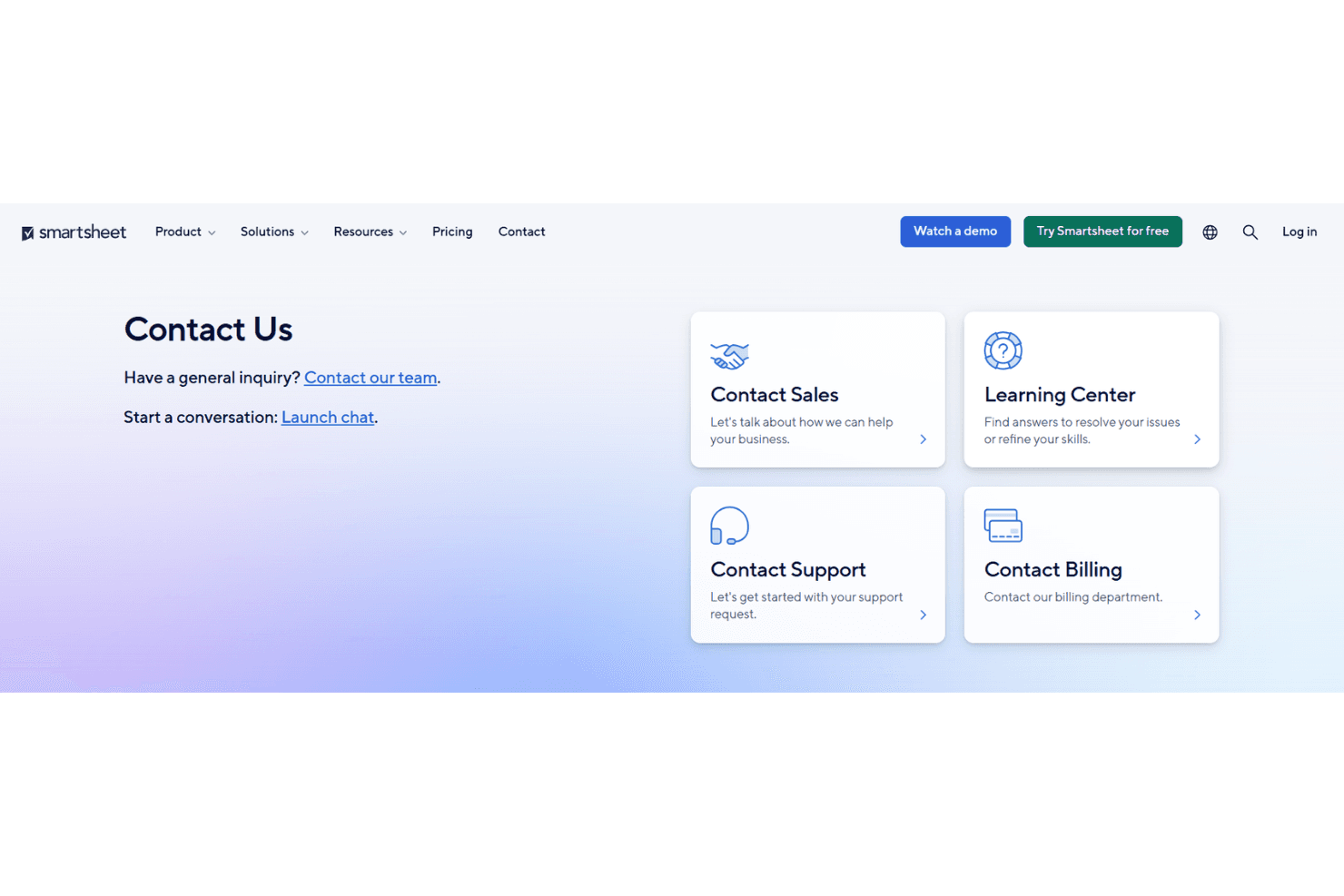
Smartsheet offers decent customer support, which can be a relief when you face issues. Users report that the support team is responsive and willing to help, though some feel the resolution times could improve. You’ll find a range of support channels, including email and phone, but advanced users might wish for more in-depth assistance. The availability of comprehensive online resources can also aid your team in troubleshooting common problems.
Integrations
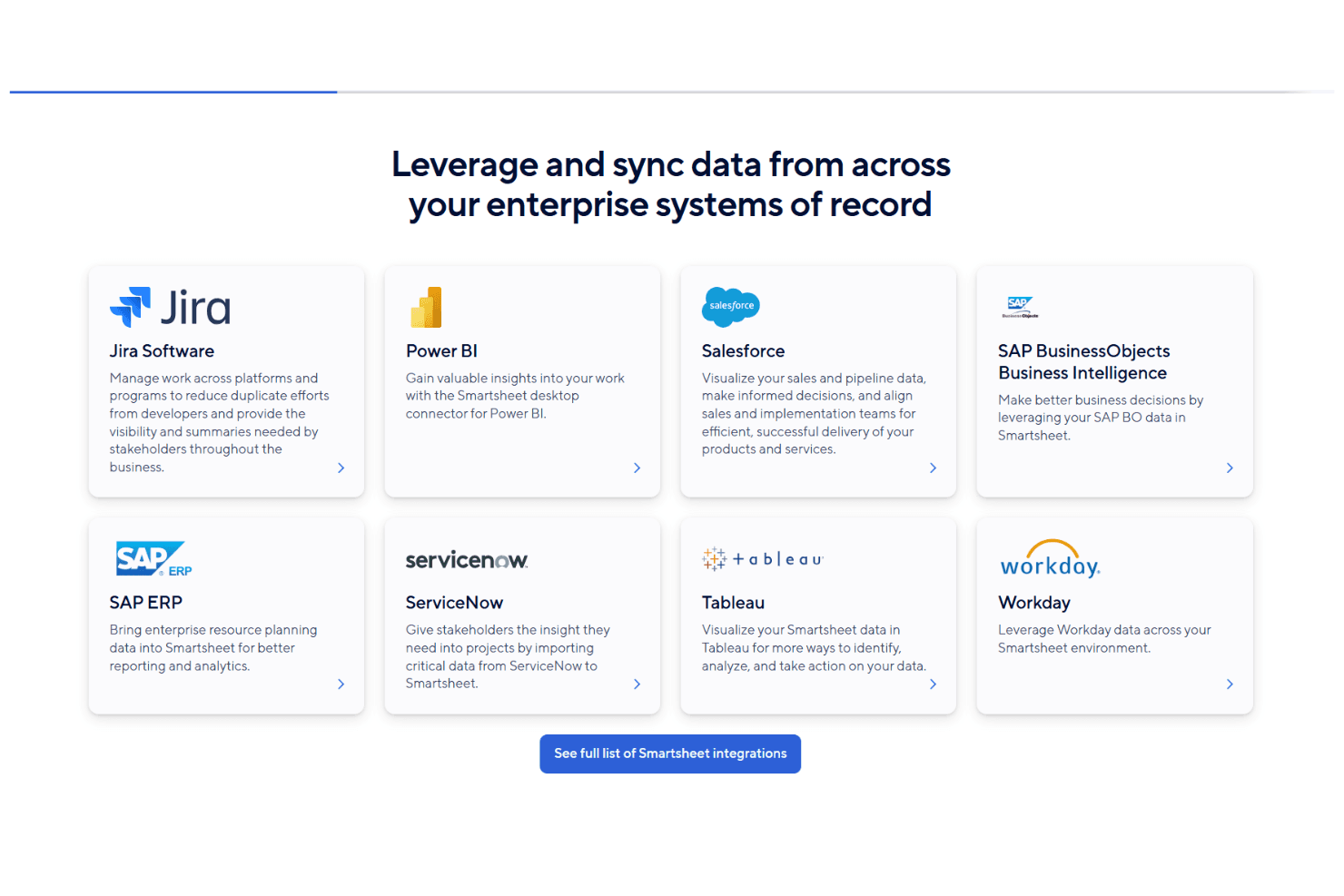
Smartsheet integrates with Microsoft Teams, Slack, Adobe Creative Cloud, Power BI, Tableau, Salesforce, Jira, Power Automate, Zapier, and Google Workspace. Smartsheet also offers an API and connects with third-party integration tools to further extend its capabilities.
Value for Money
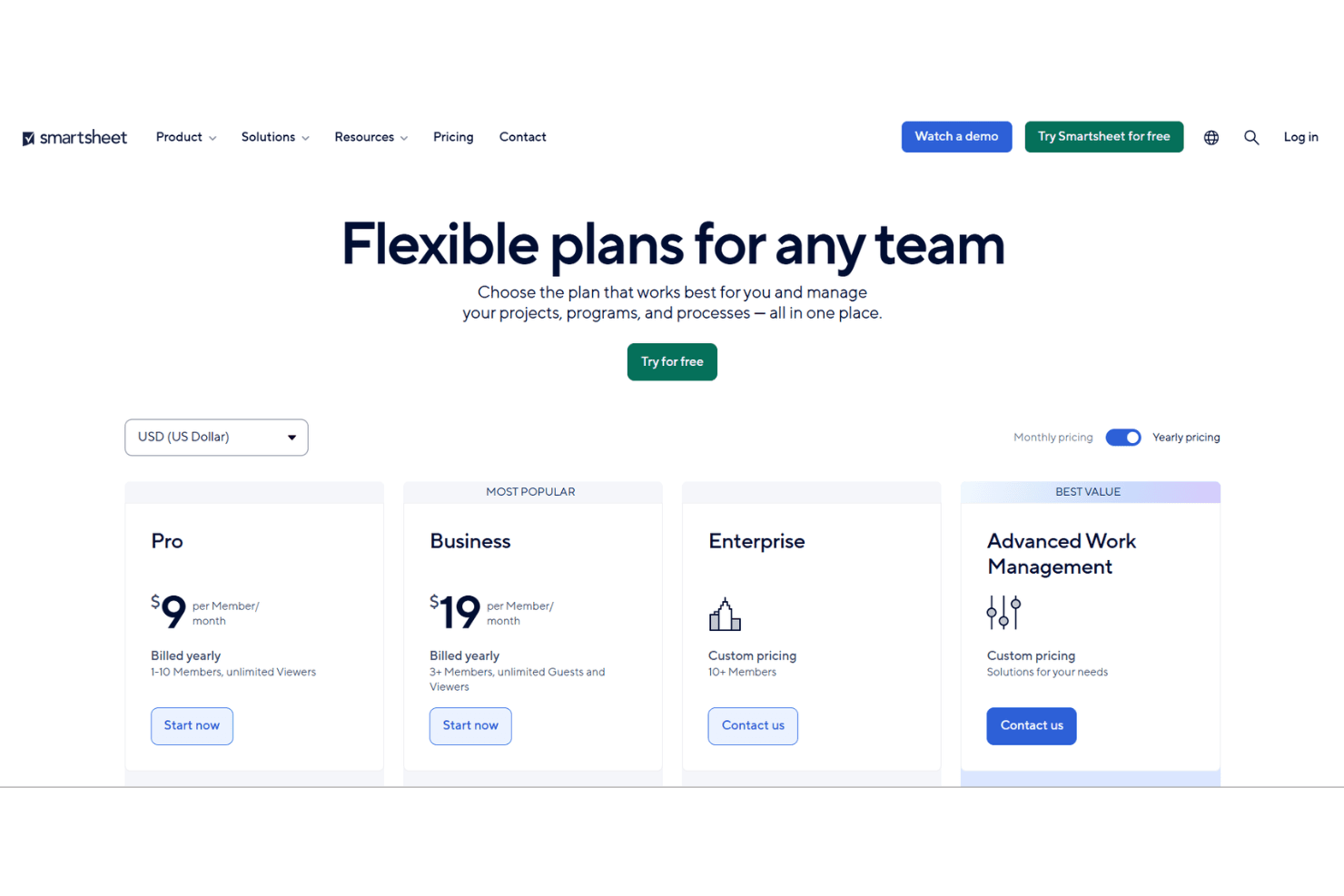
Smartsheet uses a tiered subscription model designed to scale with team size and feature needs. It offers a 30-day free trial, allowing teams to explore paid features before committing. While pricing increases with more advanced capabilities, many organizations find the Business and Enterprise plans worthwhile for their automation, reporting, and collaboration tools.
- Pro Plan: Starts at $9 per user/month (billed annually). Includes core project and task management features for individuals and small teams.
- Business Plan: Starts at $19 per user/month (billed annually). Adds unlimited automations, enhanced collaboration tools, advanced reporting, and workload tracking.
- Enterprise Plan: Custom pricing. Includes advanced security, enterprise-grade administration controls, integrations, and premium support.
Smartsheet Specs
- API: Yes
- Batch Permissions & Access: No
- Budgeting: Yes
- Calendar Management: Yes
- Collaboration Support: Yes
- Contact Management: No
- Contact Sharing: No
- Customer Management: Yes
- Dashboard: Yes
- Dashboards: Yes
- Data Export: Yes
- Data Import: Yes
- Data Visualization: Yes
- Dependency Tracking: No
- Document Sharing: No
- Expense Tracking: Yes
- External Integrations: Yes
- File Sharing: No
- Gantt Charts: Yes
- Kanban Boards: No
- Multi-User: Yes
- Notifications: Yes
- Project Management: Yes
- Resource Management: Yes
- Scheduling: Yes
- Task Scheduling/Tracking: Yes
- Third-Party Plugins/Add-Ons: Yes
- Time Management: No
- Travel Management: No
- Workflow Management: No
Smartsheet FAQs
Smartsheet Company Overview & History
Smartsheet Inc., founded in 2005, is headquartered in Bellevue, Washington, and employs around 3,330 people. Known for its work management software, Smartsheet serves a diverse client base across various industries. The company was publicly traded on the NYSE under the ticker SMAR from 2018 to 2025 before being taken private by Blackstone Inc. and Vista Equity Partners for $8.4 billion. As of 2024, Smartsheet reported a revenue of $958 million, reflecting its strong market position.
Smartsheet Major Milestones
- 2005: Company founded as Navigo Technologies, Inc.
- 2010: Significant software redesign.
- 2018: Went public on the NYSE under the ticker SMAR.
- 2025: Taken private by Blackstone Inc. and Vista Equity Partners for $8.4 billion.