

Avis sur monday.com : Avantages, Inconvénients, Fonctionnalités et Tarification Expliqués 2026
J’ai mis monday.com à l’épreuve en tant qu’atout pour la planification marketing—voici ce qui dynamise réellement les campagnes, là où la plateforme montre ses limites, et comment ses outils se comparent pour des équipes réelles.

Nous évaluons les outils de manière indépendante, et les commissions aident à financer nos tests. Consultez notre politique de transparence, notre méthodologie ou suggérez un outil.
monday AI Workspace is a marketing planning software that combines project boards, campaign tracking, and AI-assisted workflow management in one place. It's a strong fit for marketing teams coordinating across multiple campaigns and channels who need AI built directly into their planning workspace. I'd consider it over Asana if you want more customizable board structures and AI features woven into how you plan and execute work—rather than added on top of standard task management.
monday AI Workspace Evaluation Summary
4.6/5
- From $9/user/month (billed annually)
- Free plan available
Pourquoi faire confiance à nos recommandations de logiciels
6,700+
Reviews
20
Industry experts
16+
Evaluation factors
14
Years
Notre équipe teste et évalue des logiciels depuis 2012. En tant que leaders marketing nous-mêmes, nous savons à quel point il est difficile — et important — de choisir le bon logiciel.
Pour ce guide, nous avons évalué les outils grâce à des tests pratiques et une recherche indépendante, en notant les outils selon nos critères de sélection.
Nos avis reflètent notre jugement éditorial humain, et non un argumentaire de vente.
Réviseurs experts:
 Gui DrusinaDirecteur de la création
- Shriya GhateSenior Marketing Lead
 Amanda JacquesResponsable Marketing Ops

monday AI Workspace Overview
In my experience, monday.com stands out for its flexible boards, visual workflows, and unbeatable ease of onboarding—especially for teams with mixed technical skills. The pricing feels fair for what you get, though some advanced automation and integrations can add up. I find its interface cleaner and more user-friendly than many alternatives, and customer support is responsive. If you’re judging options for a fast-paced marketing team that juggles campaigns, assets, and approvals, monday.com is one of the easiest to recommend. I’d choose it for organizations that value visibility, customization, and quick ramp-up over deep niche marketing features.
Pros
- Visual campaign timelines simplify deadline tracking for teams
- Multiple board views make team progress transparent at a glance
- Built-in automations reduce repetitive campaign coordination tasks
Cons
- Advanced reporting features require higher-tier subscriptions
- Campaign budget management tools are limited for marketing teams
- Task dependencies can be confusing and need clearer documentation
Is monday AI Workspace Right For Your Needs?
Who Would be a Good Fit for monday AI Workspace?
monday.com really shines for marketing teams, agencies, and project-driven companies that want a highly visual, collaborative way to plan, track, and adjust campaigns or projects. Its feature set works best for organizations that rely on creative handoffs, require big-picture timelines, and need frequent task updates, all without heavy IT lift or custom development.
- Marketing AgenciesYou get campaign dashboards, automated client updates, and file sharing that streamline client collaboration.
- In-House Marketing TeamsEasy campaign calendars, approval tracking, and shared assets make it simple to run multi-channel campaigns.
- Creative TeamsVisual timelines and clear review cycles help manage content, design projects, and feedback loops.
- Event PlannersHandle task assignments, venue logistics, and vendor communication with customizable templates and automations.
- Small to Medium BusinessesYou benefit from fast setup, intuitive workflows, and the ability to scale processes as you grow.
- Project ManagersGantt charts, resource planning, and workload views support simultaneous campaign management and clear reporting.
Who Would be a Bad Fit for monday AI Workspace?
monday.com isn’t built for compliance-heavy industries, complex corporate hierarchies, or teams in need of deep financial and budget controls baked into their workflow. If you require classic project management methodologies or work in regulated fields, you’ll probably find its focus on flexibility and marketing-style collaboration lacking.
- Highly Regulated IndustriesLacks advanced compliance tracking and validation features required for sectors like healthcare or finance.
- Enterprises With Legacy SystemsLimited support for deep, custom integrations with old on-premise business software.
- Finance DepartmentsBudget tracking and fiscal reporting tools aren’t robust enough for teams needing granular control.
- Construction CompaniesDoesn’t offer built-in resource scheduling, blueprint management, or field data collection specifics.
- Heavy ManufacturingNo modules for inventory management, shop floor automation, or supply chain logistics.
- Legal PracticesMissing advanced document management, case tracking, and confidentiality controls specific to law firms.
Comment nous testons et évaluons les outils
Nous avons passé des années à construire, affiner et améliorer notre système de test et de notation des logiciels. Notre grille d’évaluation est conçue pour prendre en compte toutes les nuances du choix logiciel et ce qui rend un outil efficace, en mettant l’accent sur les aspects critiques du processus de décision. Ci-dessous, vous pouvez découvrir précisément comment nos tests et notations fonctionnent selon sept critères. Cela nous permet d’offrir une évaluation impartiale des logiciels en fonction de la fonctionnalité principale, des fonctionnalités différenciantes, de la facilité d’utilisation, de l’onboarding, du support client, des intégrations, des avis clients et du rapport qualité-prix.
Fonctionnalité principale (25% de la note finale)
Le point de départ de notre évaluation est toujours la fonctionnalité principale de l’outil. Dispose-t-il des fonctions de base attendues ? Certaines de ces fonctionnalités sont-elles bloquées dans des offres tarifaires supérieures ? Nous attendons d’un outil qu’il soit à la hauteur des capacités fondamentales de ses concurrents.
Fonctionnalités différenciantes (25% de la note finale)
Ensuite, nous évaluons les fonctionnalités spéciales qui vont au-delà de ce que l’on trouve habituellement chez ce type d’outils. Un score élevé indique des fonctionnalités uniques ou spécialisées qui rendent le produit plus rapide, plus efficace, ou offrent une valeur ajoutée à l’utilisateur. Nous évaluons également la facilité d’intégration avec d’autres outils couramment utilisés pour élargir les possibilités et l’utilité du logiciel. Les outils offrant de nombreuses intégrations natives, des connexions tierces et un accès API pour bâtir des intégrations personnalisées obtiennent les meilleures notes.
Facilité d’utilisation (10% de la note finale)
Nous considérons la rapidité et la facilité d’exécution des tâches principales via l’outil. Les logiciels les mieux notés sont bien conçus, intuitifs à utiliser, proposent des applications mobiles, des modèles prêts à l’emploi, et simplifient des tâches parfois complexes.
Onboarding (10% de la note finale)
Nous savons combien l’adoption rapide par l’équipe est cruciale pour une nouvelle plateforme. Nous évaluons donc la facilité avec laquelle il est possible d’apprendre et d’utiliser un outil sans formation poussée. On mesure aussi la vitesse à laquelle un membre de l’équipe peut être opérationnel, sans expérience préalable. Les solutions bien notées requièrent peu ou pas d’assistance.
Support client (10% de la note finale)
Nous examinons la rapidité et la facilité avec lesquelles on peut obtenir de l’aide par téléphone, chat en direct ou base de connaissances. Les outils et sociétés offrant un support en temps réel sont favorisés ; les chatbots sont pénalisés.
Avis clients (10% de la note finale)
Au-delà de nos propres tests et évaluations, nous prenons en compte le score de recommandation nette des clients actuels et passés. Nous étudions leur propension, si l’occasion se présente, à réutiliser l’outil pour sa fonctionnalité principale. Un score élevé reflète donc un bon taux de recommandation.
Rapport qualité-prix (10% de la note finale)
Enfin, après avoir pris en compte tous les autres critères, nous confrontons le prix moyen des offres de base aux fonctionnalités principales et prenons en compte la valeur apportée par les autres éléments d’évaluation. Les logiciels qui offrent plus pour moins obtiennent une note supérieure.
Core Features
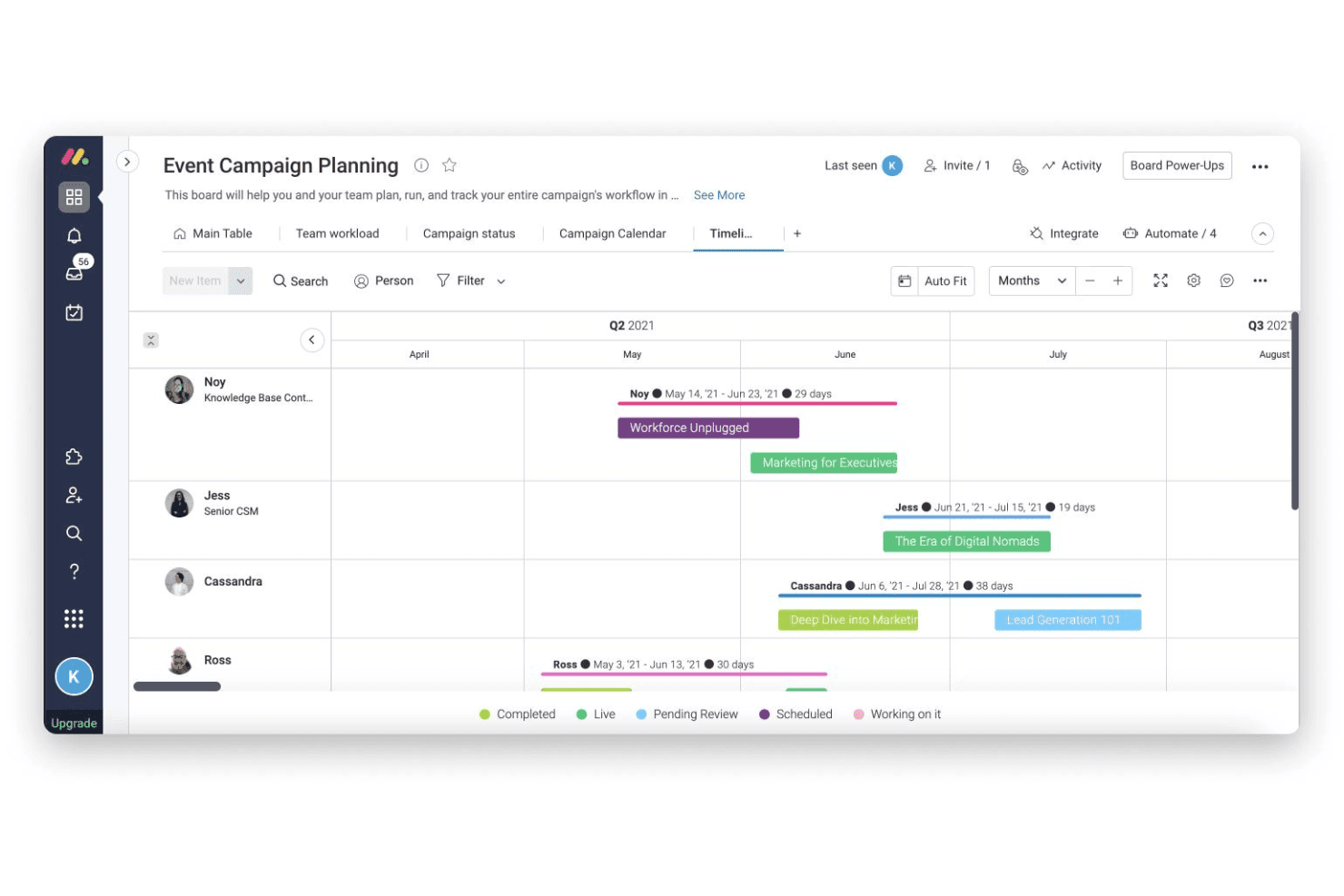
Campaign Timeline Views
Plan, view, and adjust campaign schedules using Gantt or calendar views. Easily spot dependencies and shift deadlines for multiple campaigns.
Automated Workflows
Set up trigger-based automations to assign tasks and send updates. This cuts down manual follow-ups and keeps campaigns moving.
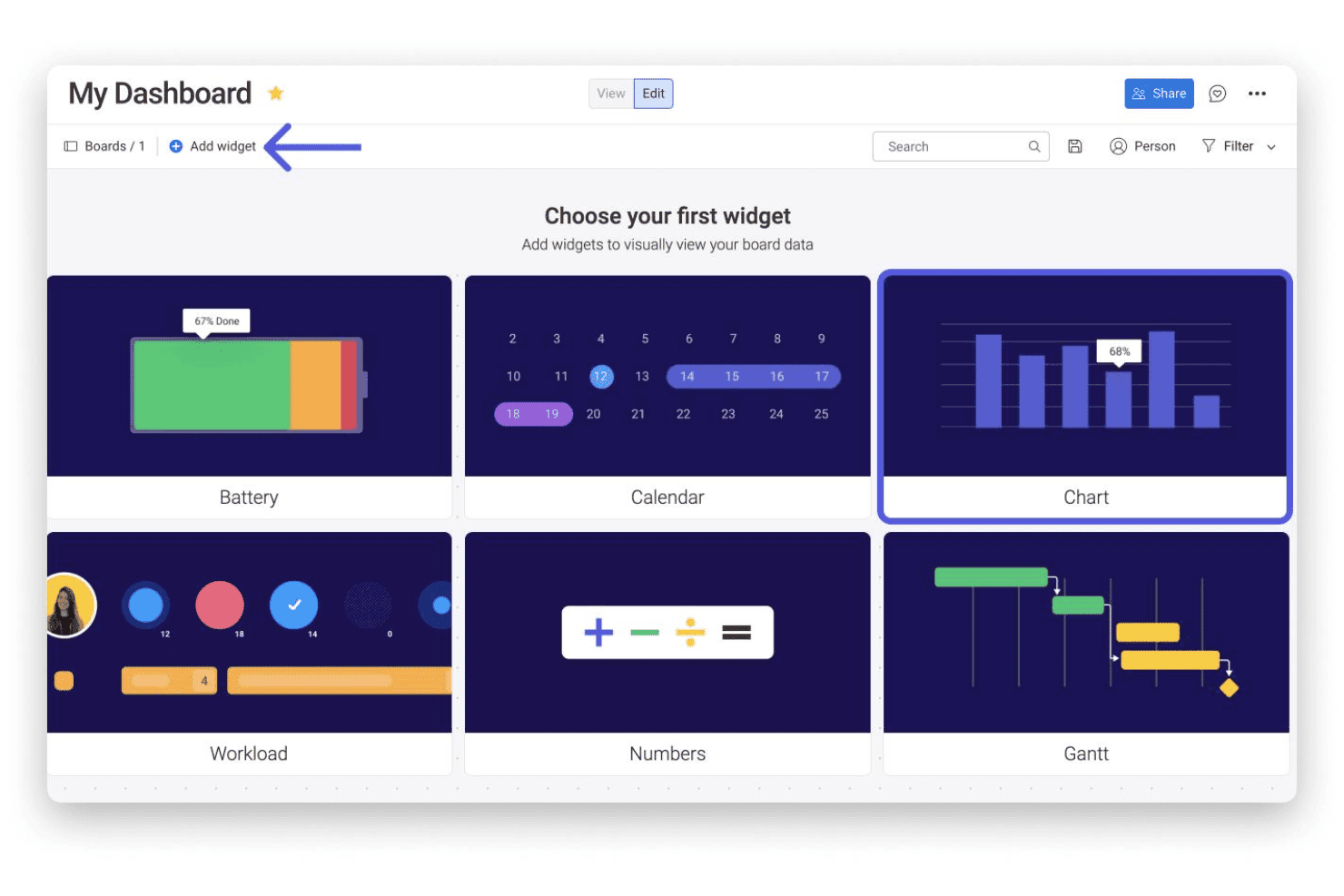
Custom Dashboards
Build dashboards to track campaign KPIs, leads, and spend. Drag-and-drop widgets let you visualize results for fast reporting.
Shared Content Libraries
Store and share campaign assets, graphics, and files in one place. Collaborators can access and update materials without leaving their workflow.
Approval Tracking
Manage requests for creative or budget sign-offs directly in task boards. See what’s pending and nudge reviewers with one click.
Form-Based Intake
Capture project briefs and content requests through customizable intake forms. Submissions land on your board ready to be prioritized and assigned.
Standout Features
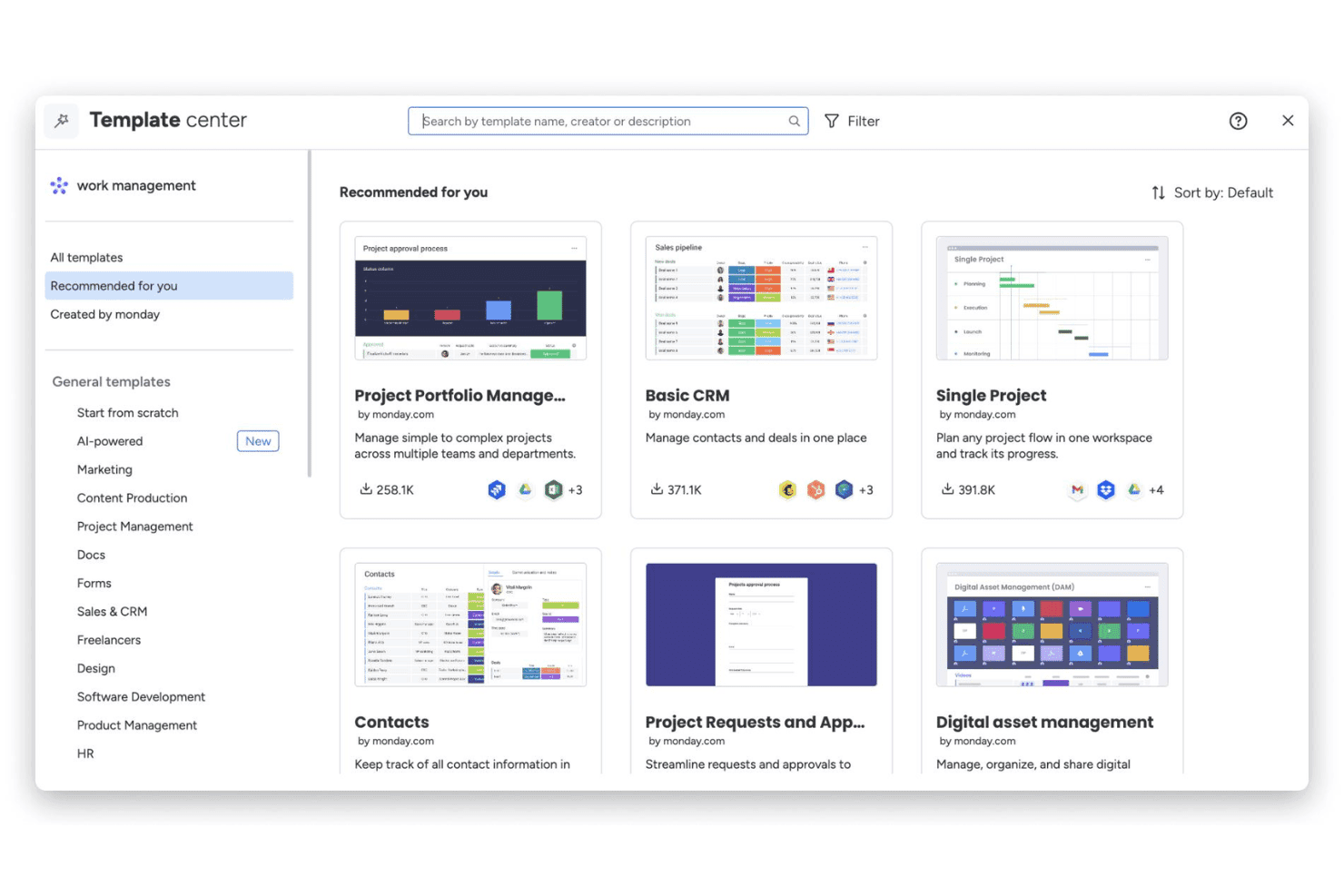
Customizable Board Templates
Choose from dozens of marketing-specific board templates built for launches, events, and content calendars. Teams can launch new projects in minutes, not hours.
Workload Management and Resource View
Monitor team bandwidth and see who’s overloaded across all campaigns. Easily reassign tasks to balance workloads for better project delivery.
Ease of Use
monday.com’s drag-and-drop boards, intuitive navigation, and quick-start templates make it one of the easiest marketing planning tools to set up and use. I see users call out how quickly non-technical team members adapt, and I find campaign tracking, updates, and approvals feel genuinely simple—no extra training or complicated workflows needed.
Onboarding
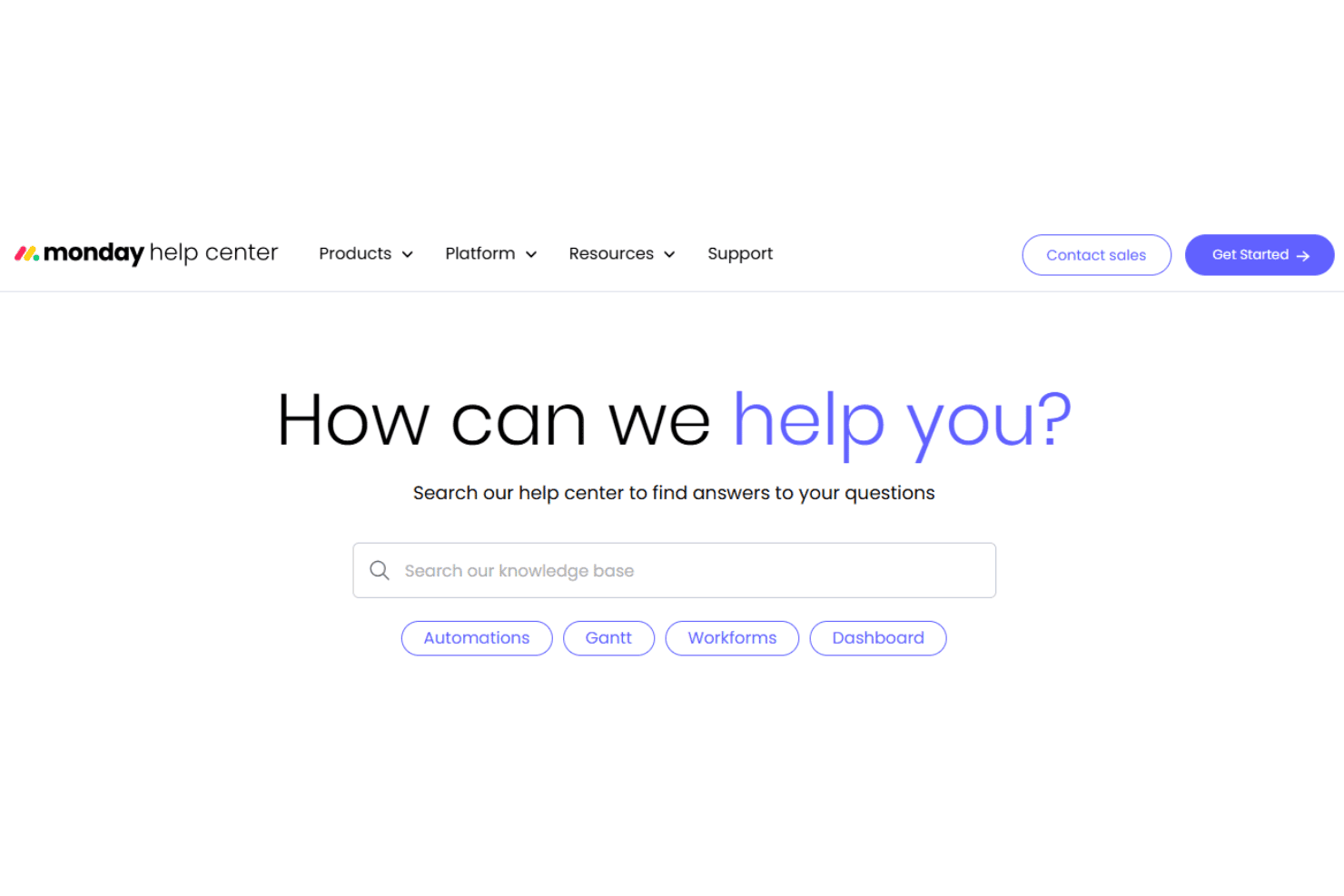
monday.com’s onboarding stands out for its step-by-step in-app guides, marketing-focused templates, and instant access to a help center full of video tutorials. I’ve seen users mention getting a project up and running within an hour, and the live chat and quick email support add even more confidence for new teams looking to get value right away.
Customer Support
monday.com offers responsive live chat, email support, and a well-populated online knowledge base, which I think puts it ahead for customer care. Users frequently mention fast ticket responses and clear, helpful troubleshooting from the support team—even on lower-tier plans—which helps keep marketing projects on track.
Integrations
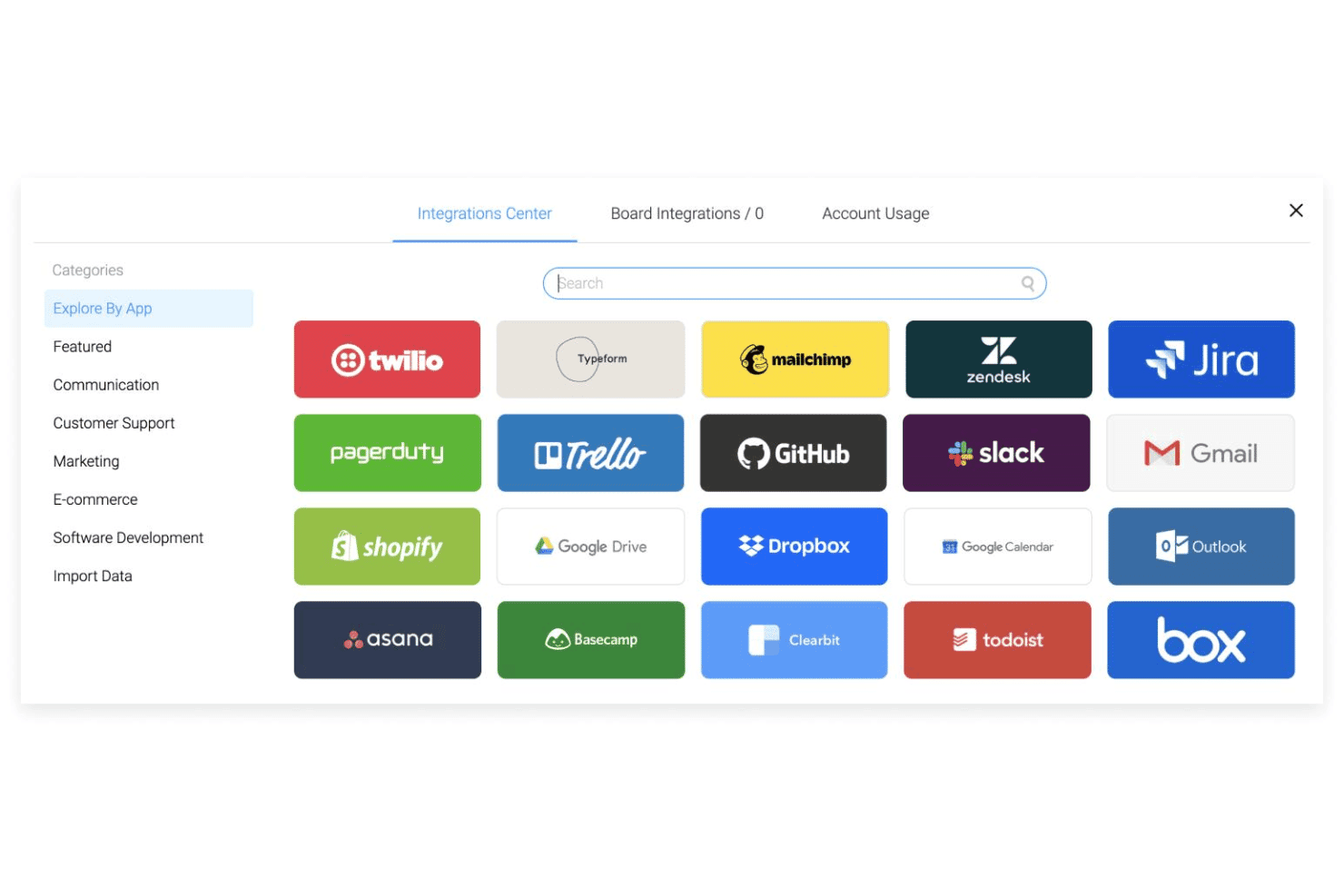
monday.com natively integrates with Slack, QuickBooks, Salesforce, Asana, GitHub, Outlook, Zoom, and Dropbox, among others.
monday.com also offers an open API and connects with third-party integration tools like Zapier and Make.
Value for Money
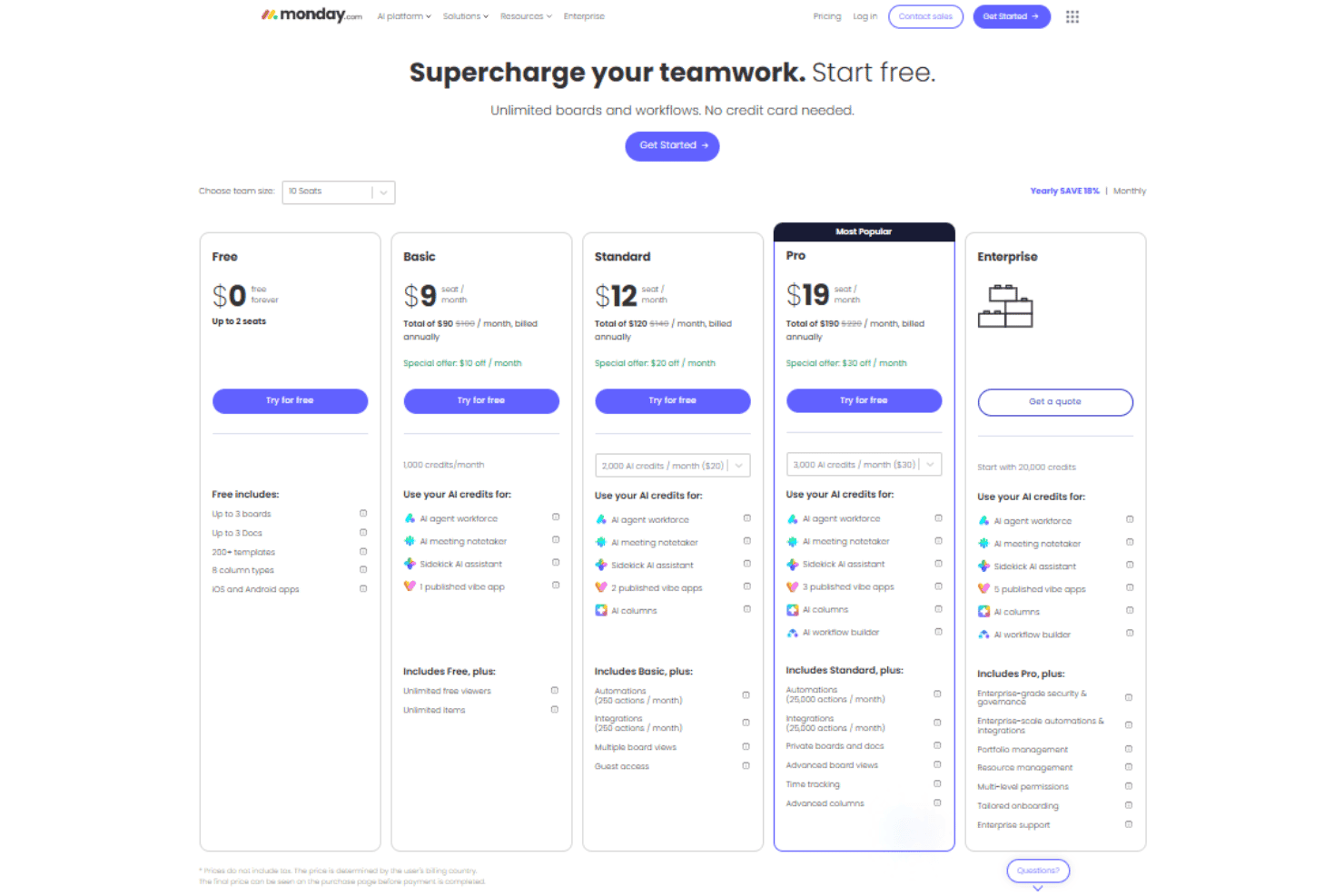
monday.com’s pricing feels fair for the depth of features, and most users say they see real value, especially when managing large teams or projects. The free and basic plans suit small teams, while premium tiers unlock workflow automation, reporting, and advanced permissioning.
- Free: Includes up to two seats, three boards, three docs, over 200 templates, and eight column types.
- Basic: Adds unlimited seats, unlimited boards & items, and 5 GB of file storage.
- Standard: Provides timeline, calendar, and map views, 20 GB of file storage, and Zoom integration.
- Pro: Includes time tracking, formula column, dependency column, and board administrators.
- Enterprise: Offers resource planner, capacity maanger, portfolio management, and AI risk insights.
monday AI Workspace Specs
- API: Yes
- Batch Permissions & Access: Yes
- Budgeting: No
- Calendar Management: Yes
- Collaboration Support: Yes
- Contact Management: No
- Contact Sharing: No
- Customer Management: No
- Dashboard: Yes
- Dashboards: Yes
- Data Export: Yes
- Data Import: Yes
- Data Visualization: Yes
- Dependency Tracking: Yes
- Document Sharing: Yes
- Expense Tracking: No
- External Integrations: Yes
- File Sharing: Yes
- Gantt Charts: Yes
- Kanban Boards: Yes
- Multi-User: Yes
- Notifications: Yes
- Project Management: Yes
- Resource Management: Yes
- Scheduling: Yes
- Task Scheduling/Tracking: Yes
- Third-Party Plugins/Add-Ons: Yes
- Time Management: Yes
- Travel Management: No
- Workflow Management: Yes
monday AI Workspace FAQs
monday AI Workspace Company Overview & History
monday.com is a work management platform headquartered in Tel Aviv, Israel, with offices in New York, London, and other major cities. Founded in 2012 by Roy Mann and Eran Zinman, monday.com employs over 1,700 people worldwide. The company went public on the NASDAQ in 2021 under the ticker MNDY. monday.com is used by teams at Coca-Cola, Hulu, Universal, and numerous other global brands.
monday.com Major Milestones
- 2012: Company founded in Tel Aviv, Israel
- 2014: Core platform launched to the public
- 2019: Reaches unicorn status after $150M Series D, valued at $1.9 billion
- 2021: IPO on the NASDAQ under ticker symbol MNDY
- 2022: Surpasses $400 million in annual recurring revenue
- 2023: Expands product offering with monday sales CRM and monday dev