

Reseña de VWO: Ventajas, Desventajas, Características y Análisis de Precios
Aquí tienes por qué creo que VWO se destaca en el saturado espacio de pruebas A/B: configuraciones ágiles, análisis sólidos y precios que permiten a equipos orientados al crecimiento experimentar sin miedo.

Revisamos herramientas de manera independiente, y las comisiones ayudan a financiar nuestras pruebas. Consulta nuestra política de transparencia, nuestra metodología o sugiere una herramienta.
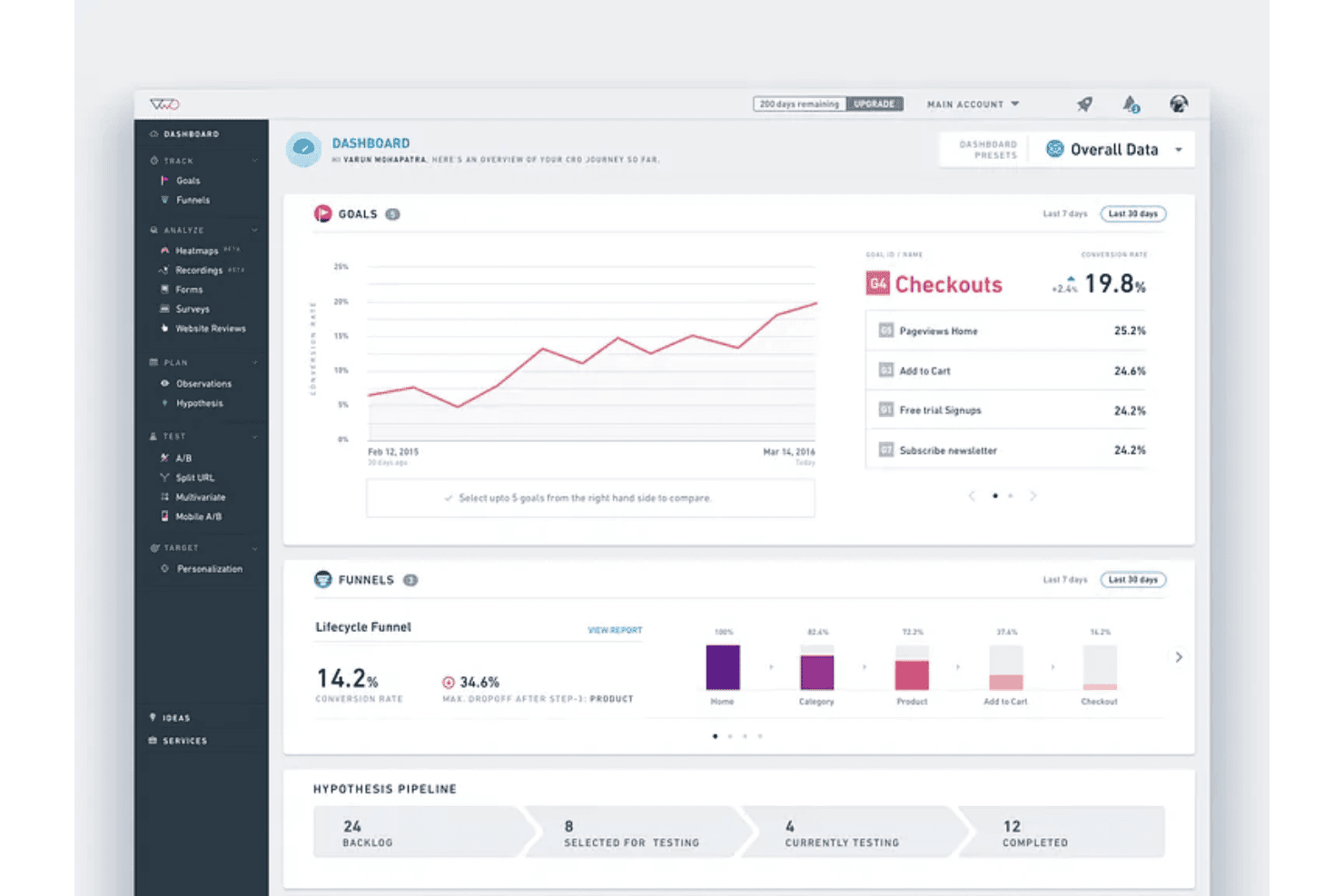
VWO is A/B testing software for marketing and product teams who want to run experiments and optimize conversion rates without heavy developer involvement. It covers the full CRO workflow—from split testing and heatmaps to session recordings—in one platform. I'd consider VWO over Optimizely if you want that same depth of experimentation capability without Optimizely's enterprise price tag or lengthy onboarding.
VWO Evaluation Summary
4.3/5
- Pricing upon request
- 30-day free trial + free demo available
Por qué confiar en nuestras recomendaciones de software
6,700+
Reviews
20
Industry experts
16+
Evaluation factors
14
Years
Nuestro equipo lleva probando y evaluando software desde 2012. Como líderes de marketing, sabemos lo difícil —y lo importante— que es elegir el software adecuado.
Para esta guía, evaluamos las herramientas mediante pruebas prácticas e investigación independiente, puntuando las herramientas según nuestros criterios de selección.
Nuestras reseñas reflejan nuestro criterio editorial humano, no un discurso de ventas.
Revisores expertos:
 Gui DrusinaDirector creativo
- Shriya GhateSenior Marketing Lead
 Amanda JacquesLíder de Marketing Ops

VWO Overview
When I compare VWO against other A/B testing software, I judge it to be a standout pick for teams wanting easy onboarding, an intuitive visual editor, and broad integrations. VWO’s pricing tiers offer flexibility, and its support team responds quickly when issues arise. I think the analytics and reporting stack up well, but more advanced experimenters might find the segmentation and personalization options narrower than top-tier competitors. For marketing teams, agencies, or businesses choosing a solution to grow their optimization program without heavy internal tech resources, VWO is an option I’d recommend.
Pros
- Visual editor simplifies creating and launching web experiments
- Robust user behaviour analytics built into the main workflow
- Custom goal tracking and funnel analysis are available out of the box
Cons
- Limited options for advanced audience targeting
- Pricing scales quickly when traffic volume increases
- Statistical significance sometimes takes longer to achieve on low-traffic sites
Is VWO Right For Your Needs?
Who Would be a Good Fit for VWO?
VWO is ideal for digital-first brands, ecommerce, and enterprise teams that want in-depth website testing and rich behavioral analytics under one roof. Large marketing teams, growth departments, and ecommerce managers will appreciate VWO’s visual editor, multivariate testing, and heatmaps. If you have diverse customer segments or high site traffic, the audience targeting and experiment automation features make iteration fast and insight-driven.
- Ecommerce TeamsVWO’s funnel analysis and conversion optimization tools help uncover and resolve drop-off points on product and checkout pages.
- Enterprise MarketingCentralized hypothesis tracking, advanced segmentation, and integrated analytics are well suited for companies scaling experimentation across many web properties.
- SaaS Growth TeamsVisual editor and rapid test deployment let SaaS teams validate onboarding flows, in-app offers, and landing pages with no developer bottlenecks.
- Digital AgenciesClient work benefits from session recordings, reporting, and unified dashboards, making it easy to demo insights and run structured optimization programs.
- Global BrandsMultilingual site support and advanced targeting let global businesses personalize experiences for diverse geographic audiences.
Who Would be a Bad Fit for VWO?
VWO can be overkill for smaller sites, limited budgets, or teams just starting out with experimentation. Businesses with very low traffic, resource constraints, or static brochure sites won’t see the same returns. Simpler or lighter-weight testing options are better fits for basic needs, as VWO is built for depth, experimentation scale, and ongoing optimization.
- Early-Stage StartupsVWO’s cost and feature set may be more complex than necessary for teams just beginning to test website concepts.
- Small NonprofitsTighter budgets and lower web traffic often make heavily-featured solutions like VWO hard to justify.
- Local Services CompaniesWith static “contact us” websites and simple lead forms, the advanced analytics in VWO are often underutilized.
- SolopreneursUnless they manage high-traffic or complex sites, individual site owners won’t make full use of the platform.
- Government AgenciesProcurement requirements and highly regulated environments may make cloud-based tools like VWO hard to implement.
- Community BlogsHobbyist or small-group blogs typically lack enough daily traffic to produce valid testing results with VWO’s statistical engine.
Cómo Probamos y Puntuamos las Herramientas
Hemos dedicado años a construir, refinar y mejorar nuestro sistema de prueba y puntuación de software. El marco está diseñado para captar los matices de la selección de software y lo que hace a una herramienta eficaz, enfocándose en los aspectos críticos del proceso de decisión. A continuación, puedes ver exactamente cómo funcionan nuestras pruebas y puntuaciones en siete criterios. Esto nos permite brindar una evaluación imparcial de los programas basada en la funcionalidad principal, características destacadas, facilidad de uso, integración, soporte al cliente, reseñas de clientes y relación calidad-precio.
Funcionalidad Principal (25% de la puntuación final)
El punto de partida de nuestra evaluación siempre es la funcionalidad principal de la herramienta. ¿Cuenta con las funciones básicas que un usuario esperaría? ¿Alguna de esas funciones está reservada solo para planes de pago avanzados? Esperamos que, en esencia, una herramienta se mantenga al nivel de las capacidades mínimas de sus competidores.
Características Destacadas (25% de la puntuación final)
Después, evaluamos las características poco comunes y destacadas que van más allá de la funcionalidad típica de herramientas similares. Una puntuación alta refleja funciones especializadas o únicas que hacen el producto más rápido, eficiente o aportan un valor adicional al usuario. También evaluamos qué tan fácil es integrarse con otras herramientas habituales en el entorno tecnológico para expandir la funcionalidad del software. Las herramientas que ofrecen muchas integraciones nativas, conexiones de terceros y acceso a API para crear integraciones personalizadas tienen la mejor puntuación.
Facilidad de Uso (10% de la puntuación final)
Consideramos cuán rápido y fácil es ejecutar las tareas definidas en la funcionalidad central utilizando la herramienta. El software mejor puntuado está bien diseñado, es intuitivo, ofrece aplicaciones móviles, proporciona plantillas y hace que tareas relativamente complejas parezcan sencillas.
Incorporación (10% de la puntuación final)
Sabemos lo importante que es que un equipo adopte rápidamente una nueva plataforma, por eso evaluamos lo fácil que es aprender y usar una herramienta con la menor formación posible. Analizamos lo rápido que un integrante puede comenzar a usar la herramienta sin experiencia previa. Las soluciones mejor puntuadas requieren poco o ningún soporte.
Soporte al Cliente (10% de la puntuación final)
Vemos cuán rápido y sencillo es obtener ayuda por teléfono, chat en vivo o base de conocimientos. Las empresas y herramientas que ofrecen soporte en tiempo real logran la mejor puntuación, mientras que los chatbots obtienen la peor.
Reseñas de Clientes (10% de la puntuación final)
Más allá de nuestras propias pruebas y evaluaciones, consideramos el puntaje de recomendación de clientes actuales y anteriores. Revisamos la probabilidad de que, de poder elegir de nuevo, seleccionarían la herramienta por su funcionalidad principal. Un software con alta puntuación refleja una elevada recomendación de sus usuarios.
Relación Calidad-Precio (10% de la puntuación final)
Finalmente, considerando todos los demás criterios, revisamos el precio promedio de los planes básicos frente a las funciones y el valor de los demás factores de evaluación. El software que ofrece más por menos obtiene mejor puntuación.
Core Features
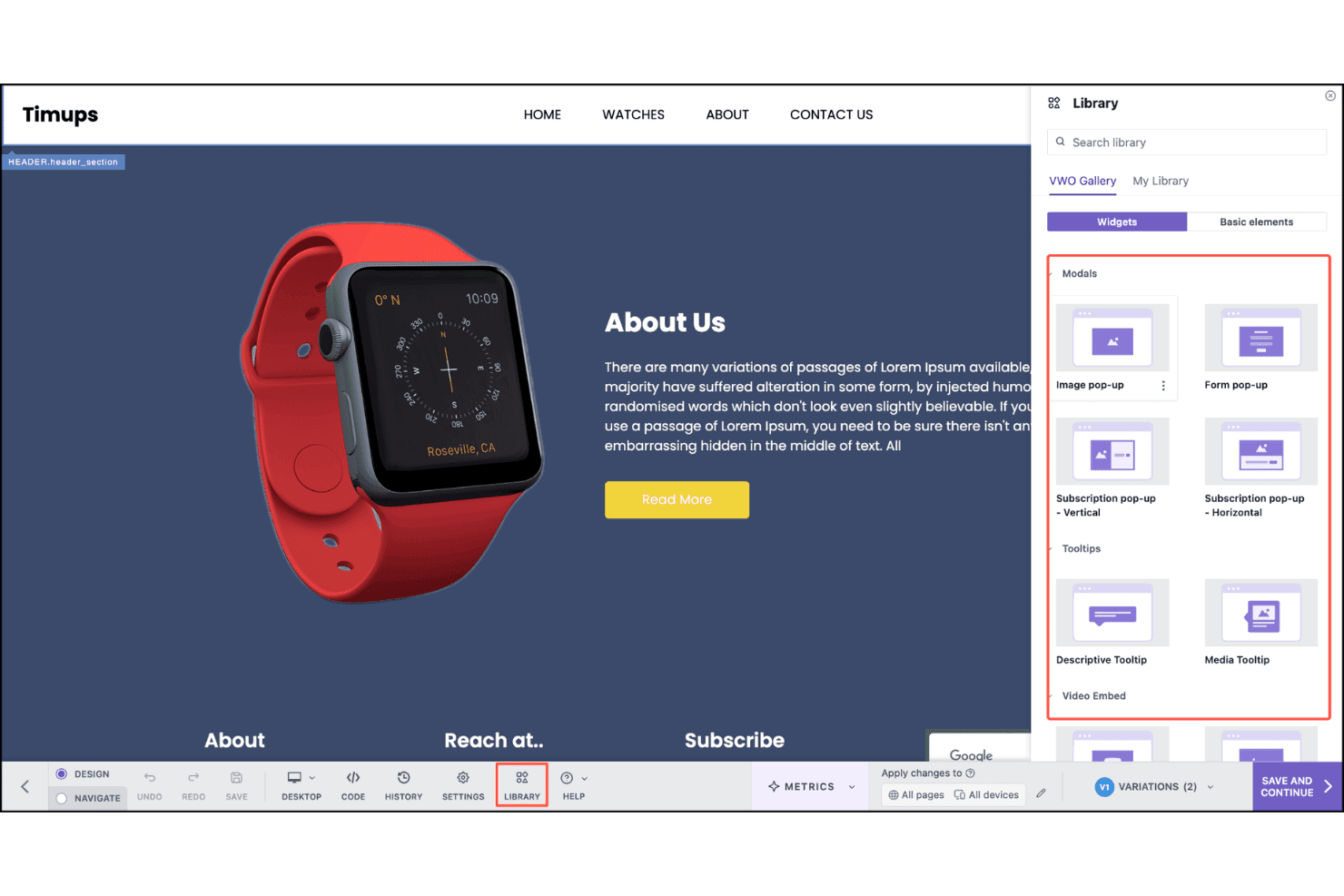
Visual Editor
Make changes to your site’s design, content, and layout with a drag-and-drop interface. You don’t need coding skills to run experiments on live pages.
Split URL Testing
Test entirely different versions of pages using unique URLs. This is ideal for comparing landing page concepts or redesigns.
Audience Targeting
Set up rules to show experiments to specific user segments based on behavior, geography, device, or referral source. Tailor tests to the audiences that matter to your business.
Multivariate Testing
Test multiple elements (like headlines and images) at once to find high-impact combinations. VWO calculates and reports the best-performing variant automatically.
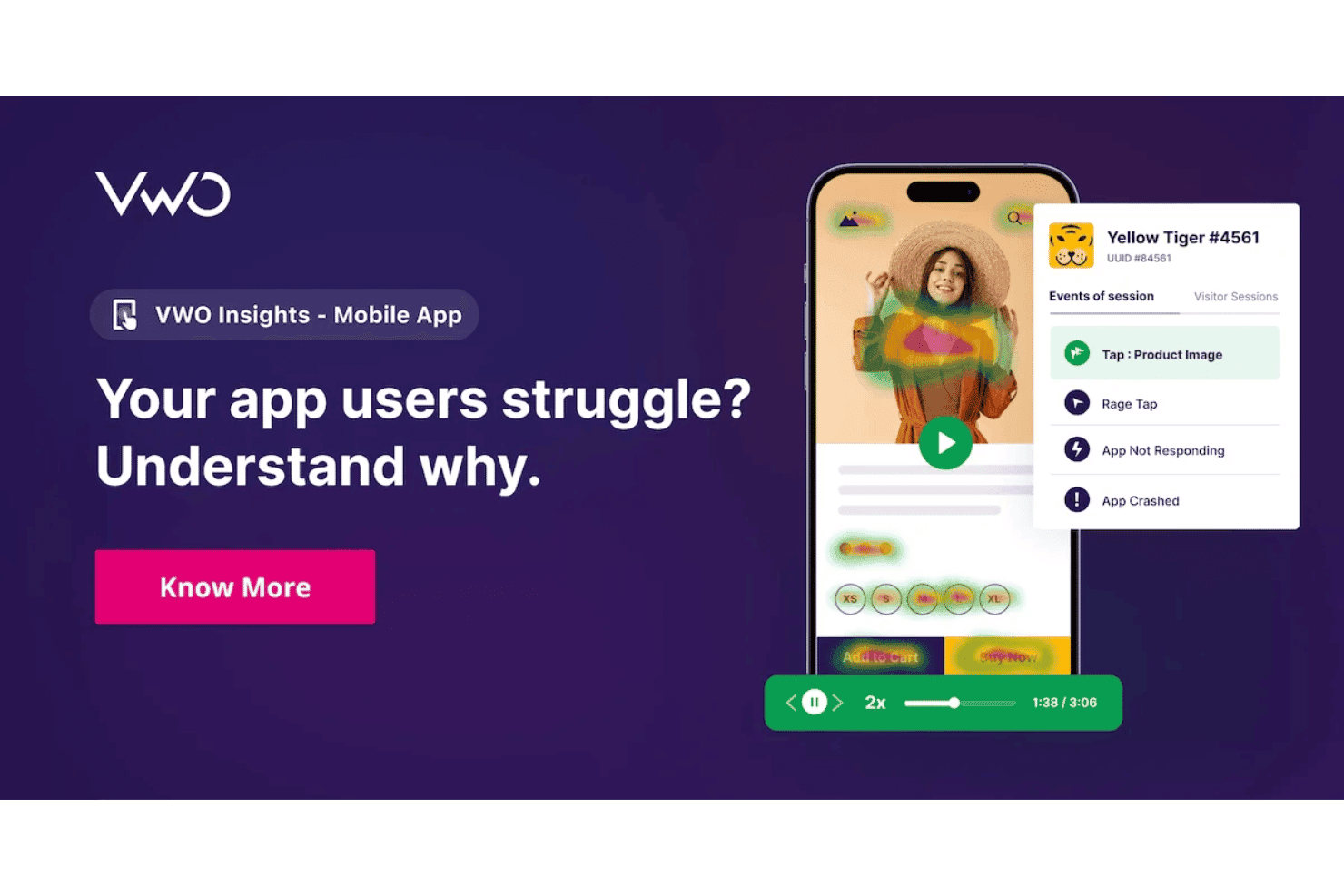
Session Recordings
Watch real visitor sessions to see exactly how users interact with variants. Use insights to refine experiments and spot usability issues.
Heatmaps
Visualize where users click, scroll, or pay attention on your experiment pages. Quickly identify opportunities for improving page engagement and conversion paths.
Ease of Use
VWO stands out for its intuitive workflow and low-friction setup, especially with the visual editor and built-in onboarding guides. Users find launching tests fast, and built-in heatmaps and session recordings save steps compared to juggling multiple tools. Even those without technical backgrounds praise how simple it is to start experimenting.
Integrations
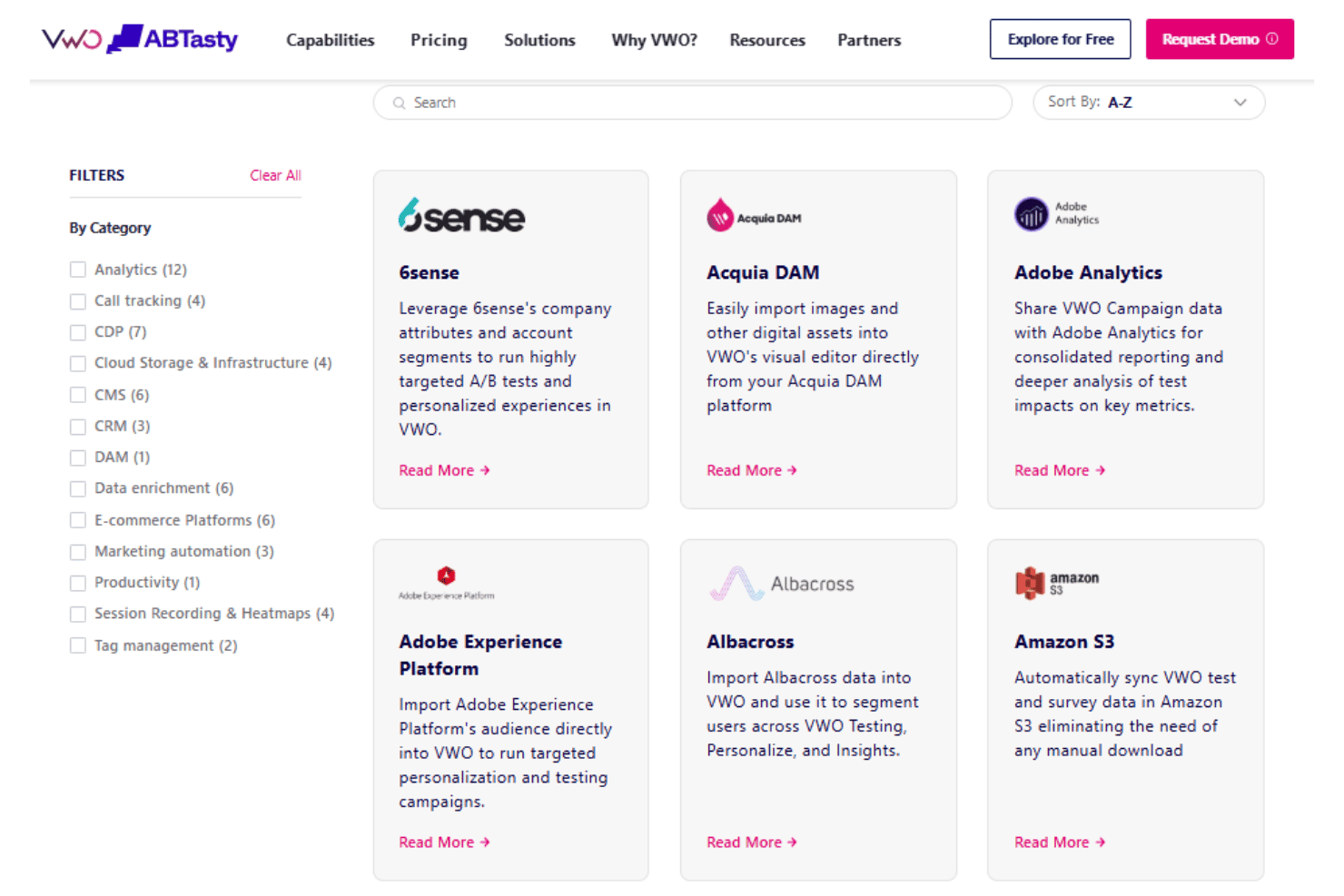
VWO integrates with Google Analytics, Google Tag Manager, Mixpanel, HubSpot, Salesforce, Shopify, Drupal, and WordPress, among others.
VWO also offers an API and supports connections through third-party integration platforms.
VWO Specs
- A/B Testing: Yes
- AI Integration: Yes
- Analytics: Yes
- API: Yes
- Automated Testing: Yes
- Bug Tracking: Yes
- Campaign Management: Yes
- Conversion Tracking: Yes
- Custom Reports: Yes
- Dashboards: Yes
- Data Export: Yes
- Data Import: Yes
- Data Visualization: Yes
- Design Templates: Yes
- External Integrations: Yes
- Feedback Management: Yes
- Form Builder: Yes
- History/Version Control: Yes
- Multi-Site: Yes
- Multi-User: Yes
- Notifications: Yes
- Performance Testing: Yes
- Referral Tracking: Yes
- Regression Testing: Yes
- Release Management: Yes
- Reports: Yes
- Scenario Planning: Yes
- SEO: Yes
- Test Management: Yes
- Visualization: Yes
- Workflow Management: Yes


