

Reseña de ClickUp 2026: Características clave, ventajas, desventajas y precios
ClickUp destaca por su profunda personalización y su enfoque todo en uno, pero su amplio conjunto de funciones puede abrumar a los nuevos usuarios que buscan una solución de gestión de productos más sencilla.

Revisamos herramientas de manera independiente, y las comisiones ayudan a financiar nuestras pruebas. Consulta nuestra política de transparencia, nuestra metodología o sugiere una herramienta.
ClickUp is a product management tool built for cross-functional teams that need to manage tasks, documentation, goals, and sprints in a single workspace. If you've outgrown Asana but don't want to pay for multiple specialized tools, ClickUp gives you more views, deeper customization, and built-in docs and time tracking that Asana requires integrations to match.
ClickUp Evaluation Summary
4.6/5
- From $7/user/month (billed annually)
- Free plan available
Por qué confiar en nuestras recomendaciones de software
6,700+
Reviews
20
Industry experts
16+
Evaluation factors
14
Years
Nuestro equipo lleva probando y evaluando software desde 2012. Como líderes de marketing, sabemos lo difícil —y lo importante— que es elegir el software adecuado.
Para esta guía, evaluamos las herramientas mediante pruebas prácticas e investigación independiente, puntuando las herramientas según nuestros criterios de selección.
Nuestras reseñas reflejan nuestro criterio editorial humano, no un discurso de ventas.
Revisores expertos:
 Gui DrusinaDirector creativo
- Shriya GhateSenior Marketing Lead
 Amanda JacquesLíder de Marketing Ops

ClickUp Overview
If you’re judging ClickUp against other product management tools, you’ll notice its customization, automation, and all-in-one workspace outperform most alternatives—especially for teams juggling complex projects or cross-functional campaigns. I think ClickUp’s pricing is competitive for the feature set, and its integrations cover most marketing stacks. The interface can feel busy, and onboarding takes effort, but once set up, you get granular control over tasks, docs, and reporting.
I’d suggest ClickUp is best for teams who want to tailor workflows and don’t mind investing time upfront to get the most out of their platform.
Pros
- Customizable workflows fit complex marketing and product teams
- Built-in docs, dashboards, and whiteboards in one workspace
- Automation reduces repetitive manual work for project managers
Cons
- Interface can feel crowded with too many features visible
- Time tracking and scheduling lack depth compared to others
- Onboarding and setup require significant initial effort
Is ClickUp Right For Your Needs?
Who Would be a Good Fit for ClickUp?
ClickUp is a strong choice for teams that need customizable workflows, centralized documentation, and automation to manage complex projects. I think it’s especially valuable for organizations with cross-functional collaboration, recurring campaigns, or detailed reporting needs. ClickUp’s flexibility and all-in-one workspace make it a good fit for fast-growing companies, creative teams, and those who want to consolidate multiple tools into one platform.
- Marketing AgenciesClickUp’s campaign templates and client dashboards help manage multiple projects at once.
- Product TeamsCustom fields and roadmaps support detailed product planning and feature tracking.
- Remote TeamsBuilt-in chat, docs, and whiteboards keep distributed teams aligned.
- StartupsScalable pricing and modular features grow with expanding teams.
- Creative DepartmentsAsset management and proofing tools streamline creative review cycles.
- Operations TeamsAutomations and recurring tasks simplify process management and reporting.
Who Would be a Bad Fit for ClickUp?
ClickUp packs a huge range of features into one platform, which can make the interface feel cluttered and overwhelming at first. Many users say the customization options are a double-edged sword—powerful, but easy to overcomplicate. Once you invest time in setup and training, navigation becomes more intuitive, and you can streamline views to match your workflow. I think ClickUp rewards teams willing to learn, but it’s not the fastest tool to master.
- Small Retail ShopsClickUp’s feature set is overkill for basic inventory and scheduling.
- Construction FirmsLacks advanced Gantt and resource allocation for field-heavy projects.
- Legal DepartmentsMissing legal-specific workflows and compliance tracking tools.
- Healthcare ProvidersDoesn’t offer HIPAA compliance or medical record integrations.
- FreelancersToo complex and costly for solo project tracking needs.
- Finance TeamsLimited financial reporting and audit trail features compared to specialized tools.
Cómo Probamos y Puntuamos las Herramientas
Hemos dedicado años a construir, refinar y mejorar nuestro sistema de prueba y puntuación de software. El marco está diseñado para captar los matices de la selección de software y lo que hace a una herramienta eficaz, enfocándose en los aspectos críticos del proceso de decisión. A continuación, puedes ver exactamente cómo funcionan nuestras pruebas y puntuaciones en siete criterios. Esto nos permite brindar una evaluación imparcial de los programas basada en la funcionalidad principal, características destacadas, facilidad de uso, integración, soporte al cliente, reseñas de clientes y relación calidad-precio.
Funcionalidad Principal (25% de la puntuación final)
El punto de partida de nuestra evaluación siempre es la funcionalidad principal de la herramienta. ¿Cuenta con las funciones básicas que un usuario esperaría? ¿Alguna de esas funciones está reservada solo para planes de pago avanzados? Esperamos que, en esencia, una herramienta se mantenga al nivel de las capacidades mínimas de sus competidores.
Características Destacadas (25% de la puntuación final)
Después, evaluamos las características poco comunes y destacadas que van más allá de la funcionalidad típica de herramientas similares. Una puntuación alta refleja funciones especializadas o únicas que hacen el producto más rápido, eficiente o aportan un valor adicional al usuario. También evaluamos qué tan fácil es integrarse con otras herramientas habituales en el entorno tecnológico para expandir la funcionalidad del software. Las herramientas que ofrecen muchas integraciones nativas, conexiones de terceros y acceso a API para crear integraciones personalizadas tienen la mejor puntuación.
Facilidad de Uso (10% de la puntuación final)
Consideramos cuán rápido y fácil es ejecutar las tareas definidas en la funcionalidad central utilizando la herramienta. El software mejor puntuado está bien diseñado, es intuitivo, ofrece aplicaciones móviles, proporciona plantillas y hace que tareas relativamente complejas parezcan sencillas.
Incorporación (10% de la puntuación final)
Sabemos lo importante que es que un equipo adopte rápidamente una nueva plataforma, por eso evaluamos lo fácil que es aprender y usar una herramienta con la menor formación posible. Analizamos lo rápido que un integrante puede comenzar a usar la herramienta sin experiencia previa. Las soluciones mejor puntuadas requieren poco o ningún soporte.
Soporte al Cliente (10% de la puntuación final)
Vemos cuán rápido y sencillo es obtener ayuda por teléfono, chat en vivo o base de conocimientos. Las empresas y herramientas que ofrecen soporte en tiempo real logran la mejor puntuación, mientras que los chatbots obtienen la peor.
Reseñas de Clientes (10% de la puntuación final)
Más allá de nuestras propias pruebas y evaluaciones, consideramos el puntaje de recomendación de clientes actuales y anteriores. Revisamos la probabilidad de que, de poder elegir de nuevo, seleccionarían la herramienta por su funcionalidad principal. Un software con alta puntuación refleja una elevada recomendación de sus usuarios.
Relación Calidad-Precio (10% de la puntuación final)
Finalmente, considerando todos los demás criterios, revisamos el precio promedio de los planes básicos frente a las funciones y el valor de los demás factores de evaluación. El software que ofrece más por menos obtiene mejor puntuación.
Core Features
Tasks and Subtasks
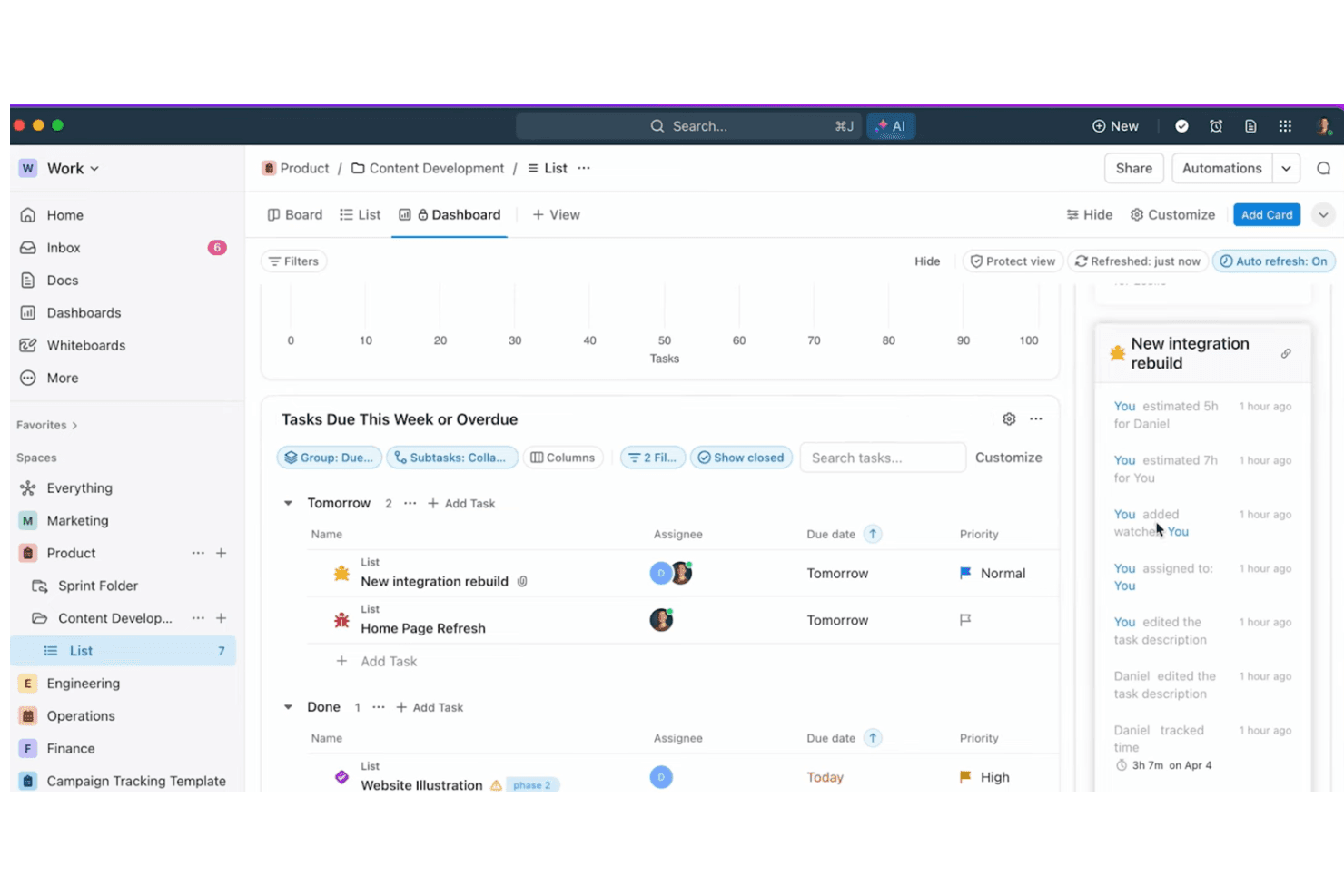
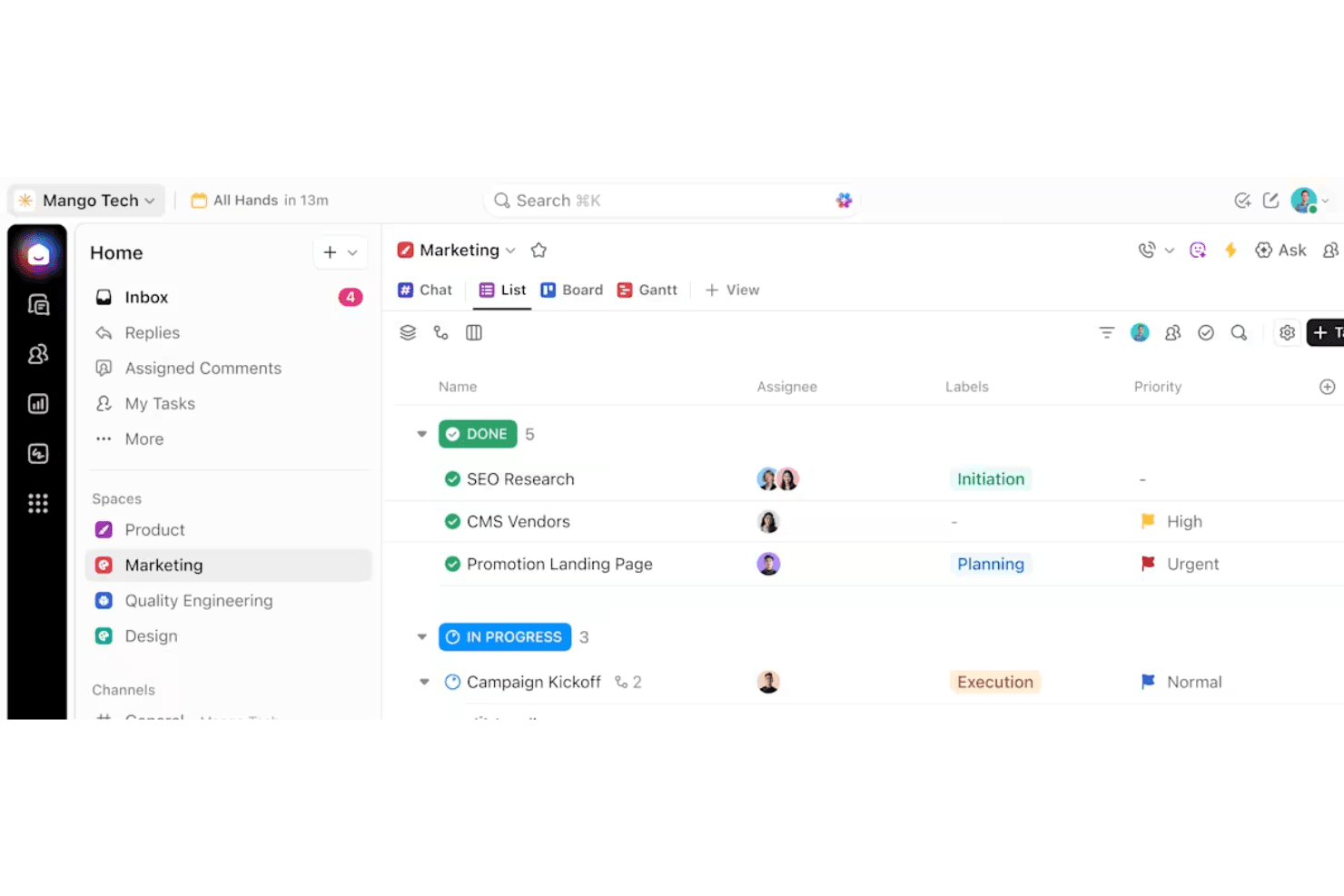
Organize work with nested tasks, custom statuses, and priorities. Assign owners, set due dates, and track progress visually.
Docs and Wikis
Create, edit, and share documents directly in your workspace. Link docs to tasks for easy reference and team collaboration.
Dashboards
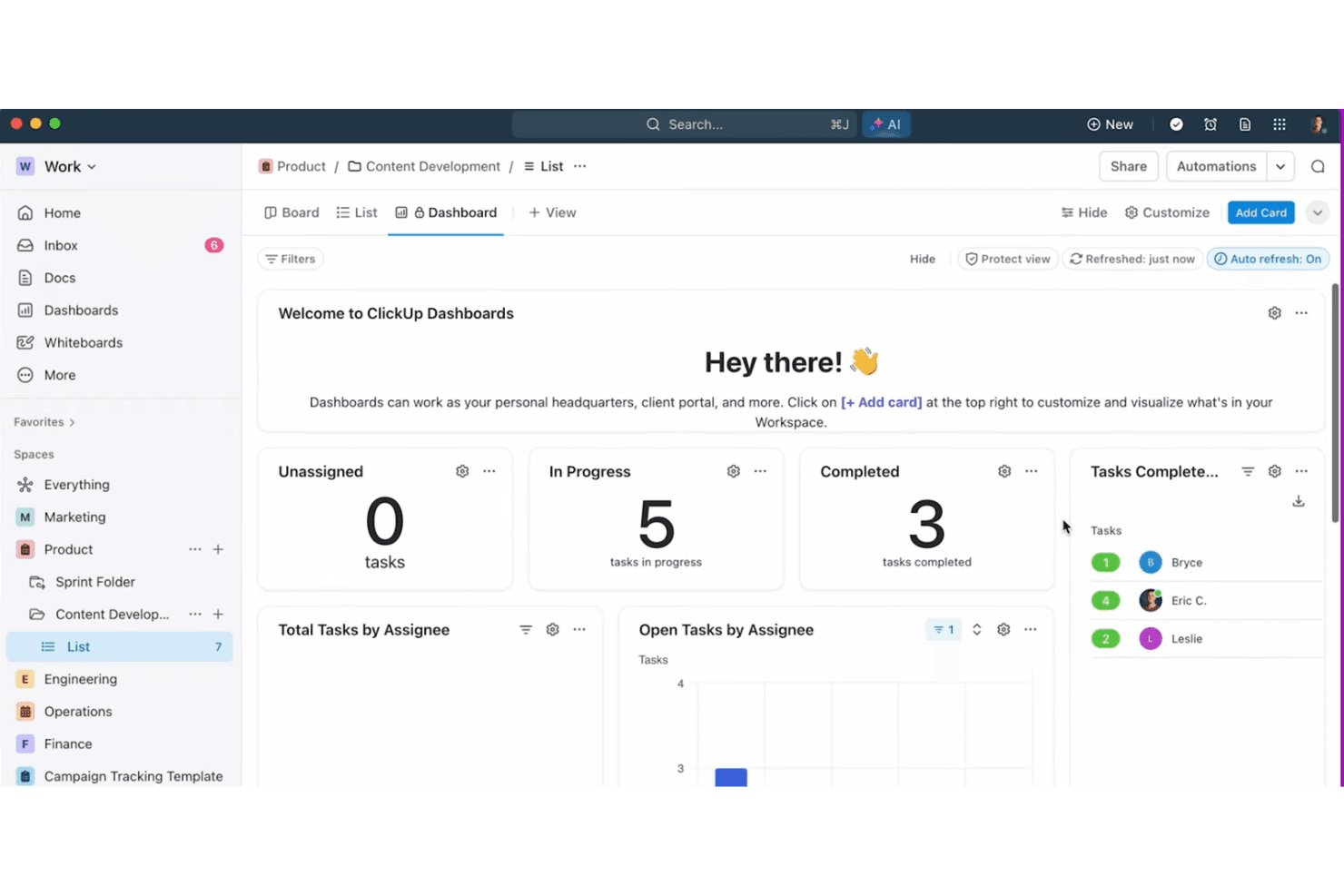
Build custom dashboards with widgets for tasks, goals, and time tracking. Visualize project health and team workload at a glance.
Whiteboards
Map out ideas, workflows, and project plans visually. Collaborate in real time with drag-and-drop elements and sticky notes.
Automations
Set up triggers and actions to automate repetitive steps. Use prebuilt or custom automations to save time on routine work.
Goals and Milestones
Track objectives, key results, and project milestones in one place. Connect goals to tasks for real-time progress updates.
Standout Features
Custom Views
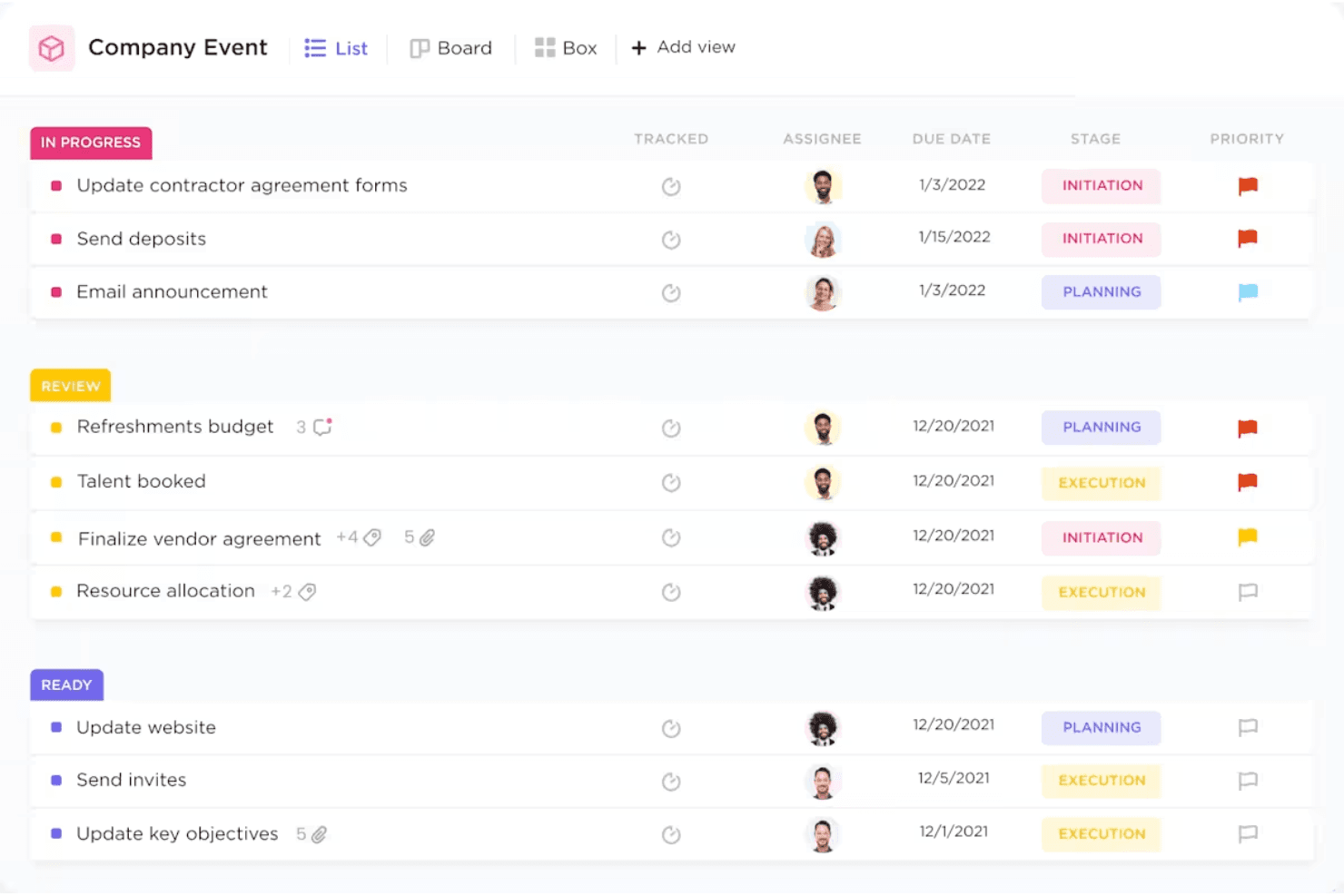
Choose from list, board, calendar, Gantt, or mind map views for any project. This flexibility lets teams visualize work in the way that fits their process best.
ClickApps
Enable or disable modular features like time tracking, sprints, or dependencies per workspace. You can tailor ClickUp to match your team’s workflow without cluttering the interface.
Ease of Use
ClickUp packs a huge range of features into one platform, which can make the interface feel cluttered and overwhelming at first. Many users say the customization options are a double-edged sword—powerful, but easy to overcomplicate. Once you invest time in setup and training, navigation becomes more intuitive, and you can streamline views to match your workflow.
I think ClickUp rewards teams willing to learn, but it’s not the fastest tool to master.
Onboarding
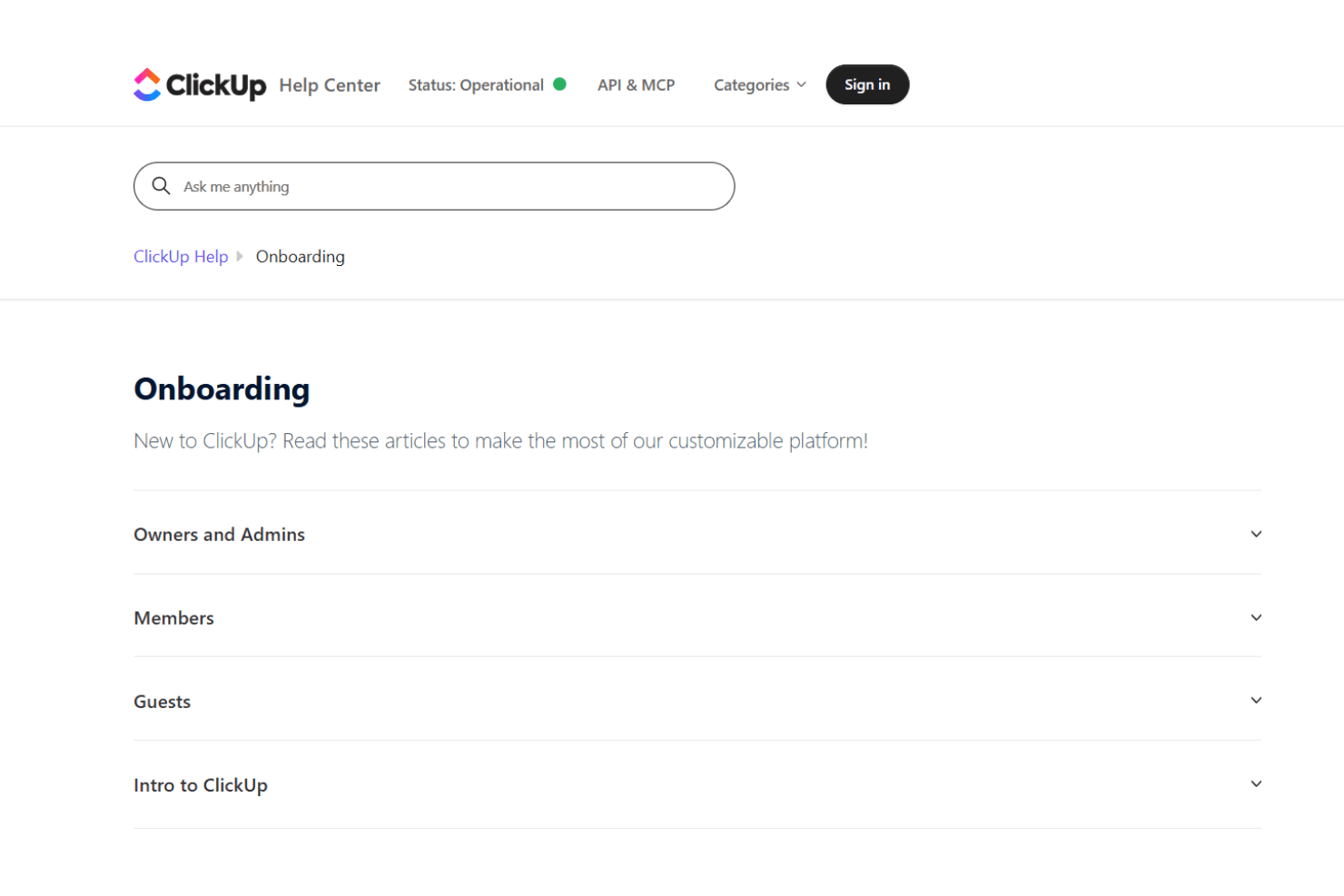
ClickUp’s onboarding experience is thorough but can feel overwhelming due to the sheer number of features and settings. New users get access to guided tours, video tutorials, and a detailed help center, which helps shorten the learning curve. Many users mention that initial setup takes time, but the available templates and onboarding checklists make it easier to get started. I think teams with dedicated admins or project leads will get the most value from ClickUp’s onboarding resources.
Customer Support
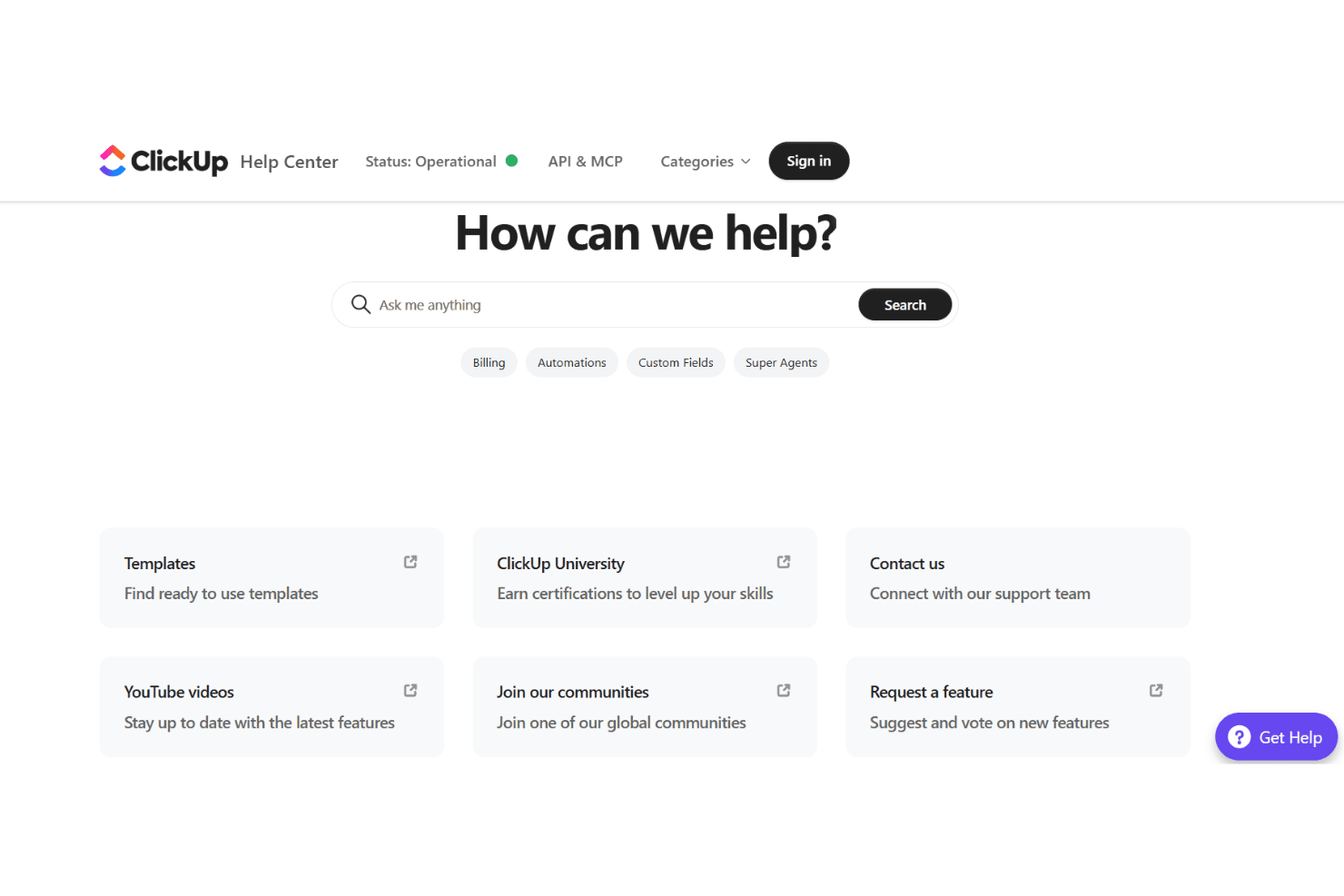
ClickUp offers 24/7 live chat, a robust help center, and an active community forum, which most users find helpful for troubleshooting and learning. Many users praise the quick response times and detailed support articles, though some mention delays during peak times or with complex issues. I think the variety of support channels and self-serve resources make it easy to find answers, but larger teams may want to consider premium support for faster, more personalized help.
Integrations
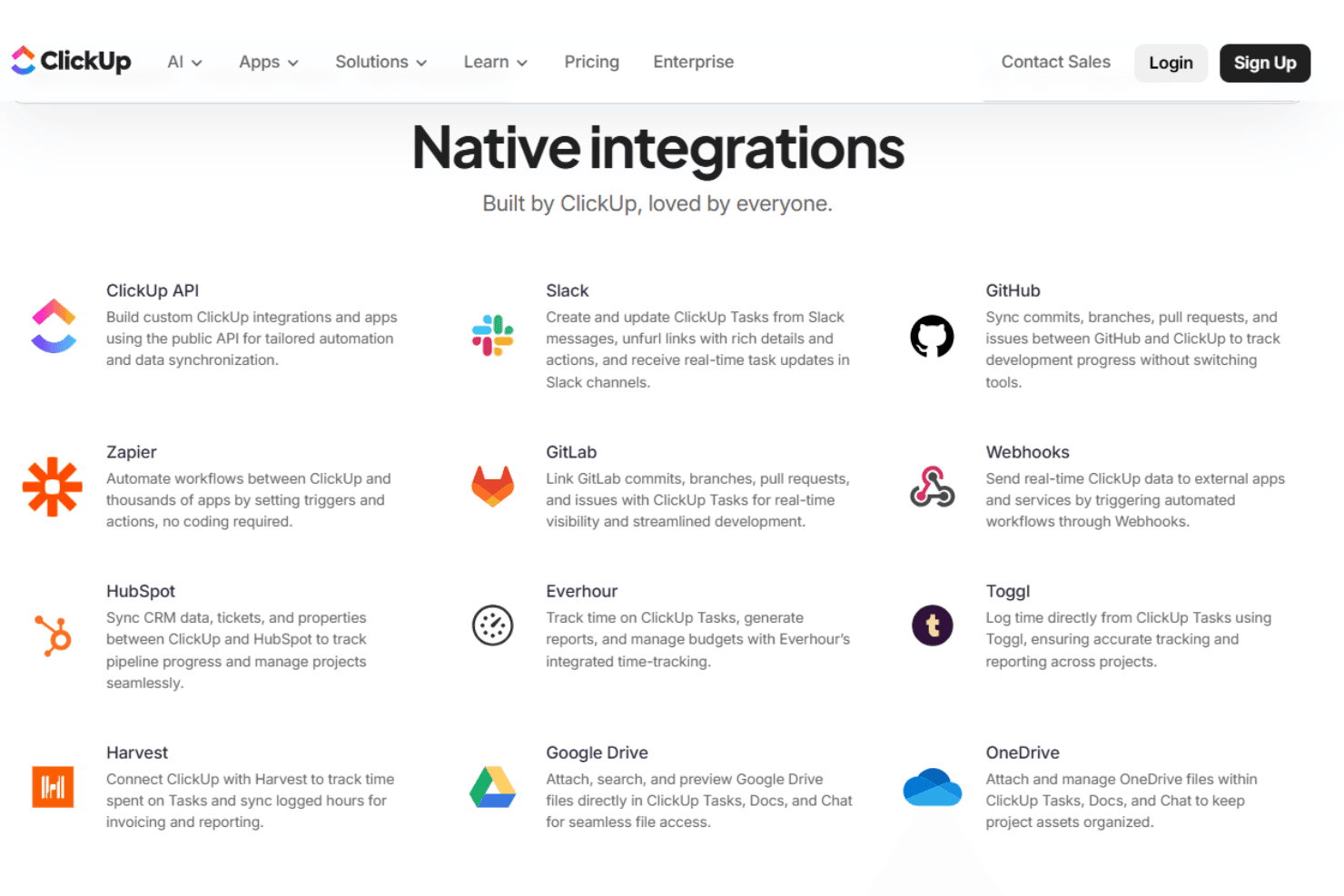
ClickUp integrates with Slack, Google Drive, Zoom, Microsoft Teams, GitHub, Dropbox, Outlook, Zapier, HubSpot, and OneDrive, among others.
ClickUp also offers an open API and connects with third-party integration tools for even more flexibility.
Value for Money
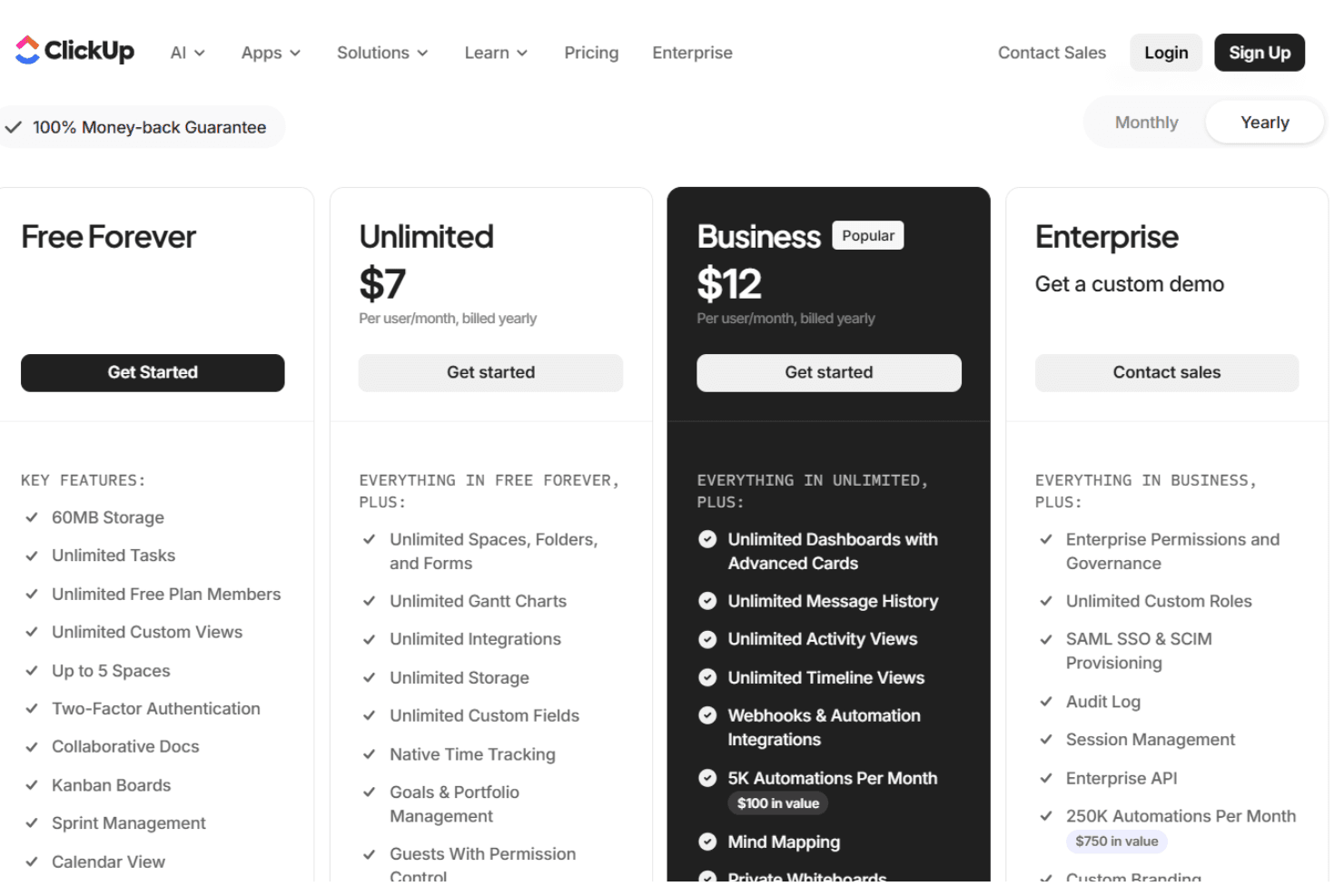
ClickUp is widely seen as offering strong value, especially for teams that want a feature-rich platform at a competitive price. The free plan is generous, and paid tiers unlock advanced features like automations, custom permissions, and advanced reporting. Many users feel the flexibility and depth justify the cost, especially as teams grow.
- Free Forever: Unlimited tasks and members, limited storage, basic features.
- Unlimited: Adds unlimited storage, integrations, and advanced reporting.
- Business: Includes advanced automations, time tracking, and custom permissions.
- Enterprise: Offers advanced security, white labeling, and dedicated support.
ClickUp Specs
- API: Yes
- Batch Permissions & Access: Yes
- Budgeting: No
- Calendar Management: Yes
- Collaboration Support: Yes
- Contact Management: No
- Contact Sharing: No
- Customer Management: Yes
- Dashboard: Yes
- Dashboards: No
- Data Export: Yes
- Data Import: Yes
- Data Visualization: Yes
- Dependency Tracking: No
- Document Sharing: No
- Expense Tracking: No
- External Integrations: Yes
- File Sharing: Yes
- Gantt Charts: Yes
- Kanban Boards: Yes
- Multi-User: Yes
- Notifications: Yes
- Project Management: Yes
- Resource Management: Yes
- Scheduling: Yes
- Task Scheduling/Tracking: Yes
- Third-Party Plugins/Add-Ons: Yes
- Time Management: Yes
- Travel Management: No
- Workflow Management: Yes
ClickUp FAQs
ClickUp Company Overview & History
ClickUp is headquartered in San Diego, California, with team members across the United States, Canada, Ireland, the United Kingdom, Australia, and globally. The company is known for its mission to maximize human productivity by converging software, AI, and human collaboration into a single platform. ClickUp is not affiliated with or owned by other companies and focuses solely on its flagship product. Millions of teams worldwide, including notable enterprise clients, rely on ClickUp, and the company is recognized for its energetic, growth-focused work culture and industry leadership.
ClickUp Major Milestones
- 2017: ClickUp is founded and begins development of its all-in-one productivity platform.
- 2018: Hosts major user meetups in New York and launches early product versions.
- 2019: Expands internationally with events in Prague and grows its global workforce.
- 2020: Releases ClickUp 3.0 and hosts a major event in San Francisco.
- 2025: Launches new AI-driven features like Super Agents and Ambient Agents.