

Reseña de CapCut: Ventajas, Desventajas, Características y Precios
CapCut destaca por su edición fácil de usar, convirtiéndose en la mejor opción para equipos que buscan soluciones sencillas de marketing en video sin funciones complicadas.

Revisamos herramientas de manera independiente, y las comisiones ayudan a financiar nuestras pruebas. Consulta nuestra política de transparencia, nuestra metodología o sugiere una herramienta.
CapCut is a video marketing software built for creating short-form, social-ready video content without heavy production overhead. It's worth considering if your team publishes regularly to TikTok, Instagram Reels, or YouTube Shorts and needs a fast, template-driven editing workflow. Compared to Adobe Premiere Pro, CapCut trades professional-grade precision for speed and accessibility—making it a better fit for marketers who need to produce polished content at volume without a dedicated video editor on staff.
CapCut Evaluation Summary
4.5/5
- From $25.99/month (billed annually)
- Free plan available
Por qué confiar en nuestras recomendaciones de software
6,700+
Reviews
20
Industry experts
16+
Evaluation factors
14
Years
Nuestro equipo lleva probando y evaluando software desde 2012. Como líderes de marketing, sabemos lo difícil —y lo importante— que es elegir el software adecuado.
Para esta guía, evaluamos las herramientas mediante pruebas prácticas e investigación independiente, puntuando las herramientas según nuestros criterios de selección.
Nuestras reseñas reflejan nuestro criterio editorial humano, no un discurso de ventas.
Revisores expertos:
 Gui DrusinaDirector creativo
- Shriya GhateSenior Marketing Lead
 Amanda JacquesLíder de Marketing Ops

CapCut Overview
In my opinion, CapCut is a solid choice for teams seeking straightforward video marketing solutions. Its user-friendly interface and affordable pricing make it appealing for small businesses and content creators. Compared to other editing software, it excels in ease of use but might lack advanced features needed by larger enterprises. While onboarding and support could improve, CapCut's simplicity is its strength, especially for those new to video editing. If you're looking for an intuitive tool without complex integrations, CapCut may be the right fit for your team.
Pros
- CapCut's intuitive interface makes video editing easy for beginners.
- It offers a wide range of editing tools perfect for social media content.
- The software's quick export options save your team valuable time.
Cons
- Advanced editing features might be limited for professional videographers.
- Your team might find customer support response times slower than expected.
- Onboarding resources could be more comprehensive for new users.
Is CapCut Right For Your Needs?
Who Would be a Good Fit for CapCut?
CapCut suits small businesses, social media managers, and content creators needing quick, engaging videos. It's ideal for teams focused on social media content due to its user-friendly interface and wide array of editing tools. If your work involves creating quick, eye-catching videos for platforms like Instagram or TikTok, CapCut's easy export options and intuitive design will serve you well. Its simplicity allows you to produce quality content without a steep learning curve, making it perfect for those who need speed and efficiency.
- Social Media MarketingCapCut allows your team to quickly create engaging videos tailored for platforms like Instagram and TikTok.
- Small BusinessesCapCut's simplicity help small businesses produce quality marketing videos without needing a dedicated video team.
- Content CreatorsContent creators benefit from CapCut's wide range of editing tools to craft eye-catching videos easily.
- FreelancersFreelancers can use CapCut to deliver polished video content for clients.
- InfluencersInfluencers find CapCut ideal for its quick export options, allowing them to maintain a consistent content schedule.
- Educational ContentEducators can use CapCut to create simple, effective video lessons quickly for online platforms.
Who Would be a Bad Fit for CapCut?
CapCut might not suit large enterprises or professional video production teams needing advanced editing tools and features. If your work involves detailed editing, extensive collaboration, or high-end video production, you might find CapCut's capabilities limited. Its simplicity lacks the depth required for complex projects, and larger teams may find the customer support and onboarding resources inadequate. For sophisticated editing tasks, you'd be better off with more feature-rich software.
- Film ProductionCapCut lacks the advanced editing tools and precision needed for professional filmmaking.
- Large EnterprisesLarge enterprises may find CapCut's feature set too basic for their extensive video marketing needs.
- Corporate TrainingCorporate training departments might require more robust tools for interactive and detailed video content.
- Broadcast MediaBroadcast media professionals need sophisticated editing capabilities that CapCut doesn't offer.
- Advertising AgenciesAgencies creating high-budget ads will miss the advanced features and integrations found in other software.
- High-End VideographersHigh-end videographers need detailed editing and color correction options that CapCut doesn't provide.
Cómo Probamos y Puntuamos las Herramientas
Hemos dedicado años a construir, refinar y mejorar nuestro sistema de prueba y puntuación de software. El marco está diseñado para captar los matices de la selección de software y lo que hace a una herramienta eficaz, enfocándose en los aspectos críticos del proceso de decisión. A continuación, puedes ver exactamente cómo funcionan nuestras pruebas y puntuaciones en siete criterios. Esto nos permite brindar una evaluación imparcial de los programas basada en la funcionalidad principal, características destacadas, facilidad de uso, integración, soporte al cliente, reseñas de clientes y relación calidad-precio.
Funcionalidad Principal (25% de la puntuación final)
El punto de partida de nuestra evaluación siempre es la funcionalidad principal de la herramienta. ¿Cuenta con las funciones básicas que un usuario esperaría? ¿Alguna de esas funciones está reservada solo para planes de pago avanzados? Esperamos que, en esencia, una herramienta se mantenga al nivel de las capacidades mínimas de sus competidores.
Características Destacadas (25% de la puntuación final)
Después, evaluamos las características poco comunes y destacadas que van más allá de la funcionalidad típica de herramientas similares. Una puntuación alta refleja funciones especializadas o únicas que hacen el producto más rápido, eficiente o aportan un valor adicional al usuario. También evaluamos qué tan fácil es integrarse con otras herramientas habituales en el entorno tecnológico para expandir la funcionalidad del software. Las herramientas que ofrecen muchas integraciones nativas, conexiones de terceros y acceso a API para crear integraciones personalizadas tienen la mejor puntuación.
Facilidad de Uso (10% de la puntuación final)
Consideramos cuán rápido y fácil es ejecutar las tareas definidas en la funcionalidad central utilizando la herramienta. El software mejor puntuado está bien diseñado, es intuitivo, ofrece aplicaciones móviles, proporciona plantillas y hace que tareas relativamente complejas parezcan sencillas.
Incorporación (10% de la puntuación final)
Sabemos lo importante que es que un equipo adopte rápidamente una nueva plataforma, por eso evaluamos lo fácil que es aprender y usar una herramienta con la menor formación posible. Analizamos lo rápido que un integrante puede comenzar a usar la herramienta sin experiencia previa. Las soluciones mejor puntuadas requieren poco o ningún soporte.
Soporte al Cliente (10% de la puntuación final)
Vemos cuán rápido y sencillo es obtener ayuda por teléfono, chat en vivo o base de conocimientos. Las empresas y herramientas que ofrecen soporte en tiempo real logran la mejor puntuación, mientras que los chatbots obtienen la peor.
Reseñas de Clientes (10% de la puntuación final)
Más allá de nuestras propias pruebas y evaluaciones, consideramos el puntaje de recomendación de clientes actuales y anteriores. Revisamos la probabilidad de que, de poder elegir de nuevo, seleccionarían la herramienta por su funcionalidad principal. Un software con alta puntuación refleja una elevada recomendación de sus usuarios.
Relación Calidad-Precio (10% de la puntuación final)
Finalmente, considerando todos los demás criterios, revisamos el precio promedio de los planes básicos frente a las funciones y el valor de los demás factores de evaluación. El software que ofrece más por menos obtiene mejor puntuación.
Core Features
Basic Editing Tools
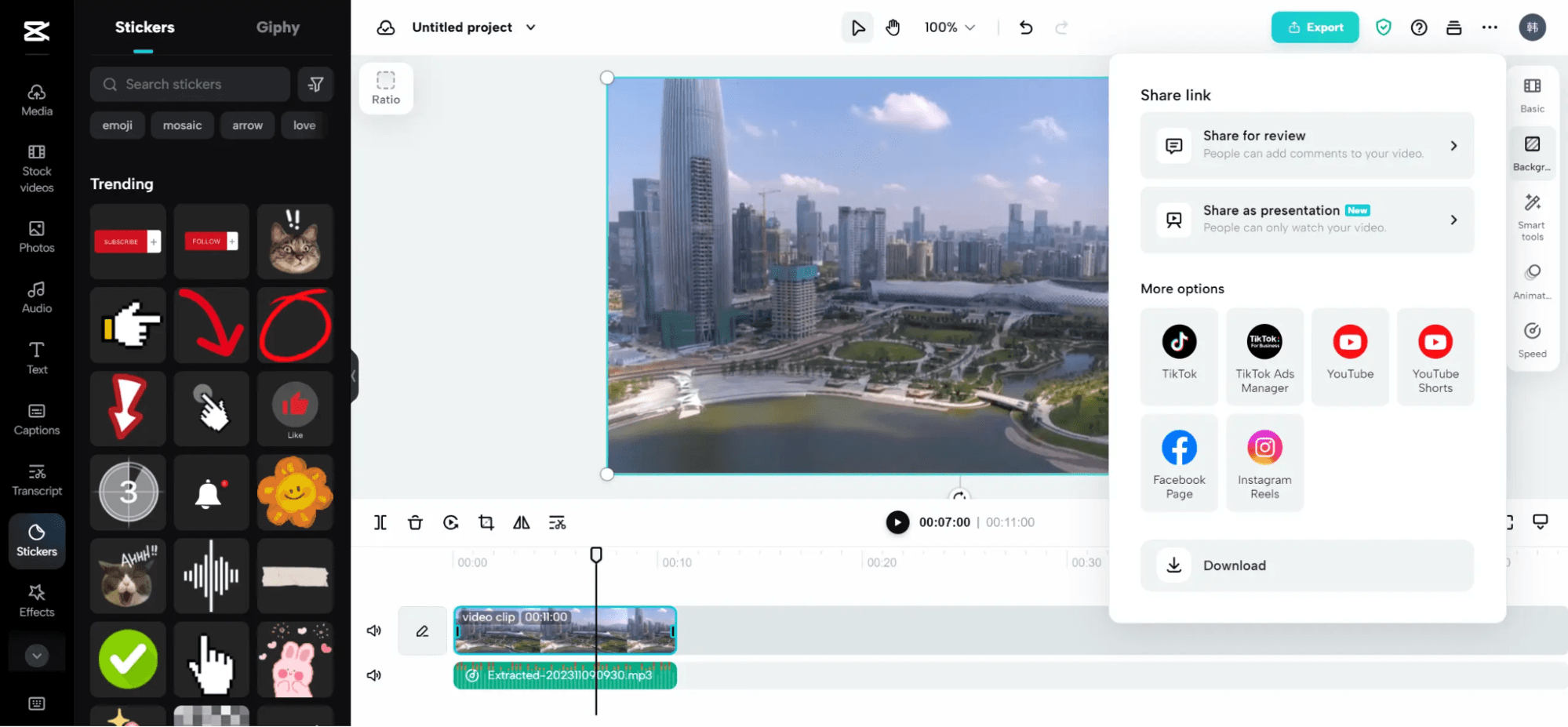
Essential tools like trimming, splitting, and voice overs let your team create polished videos easily.
Music and Sound Effects
Add background music and sound effects from CapCut's library to set tone and mood.
Transitions
Smooth transitions between clips help create professional-looking videos effortlessly.
Auto Captions
Automatically generate subtitles to make your videos more accessible and engaging.
Template Library
CapCut provides a library of templates that speed up your editing process.
Ease of Use
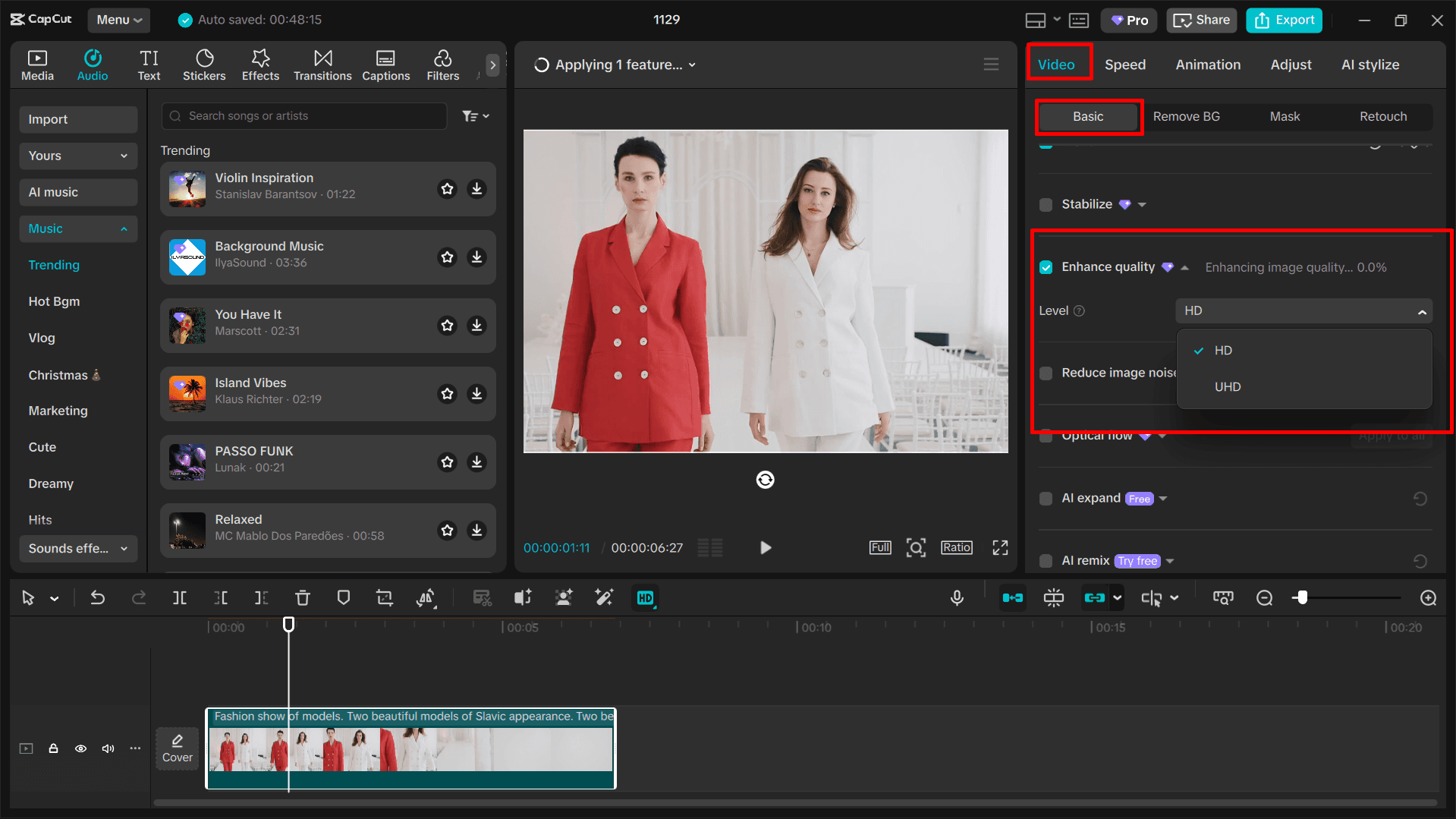
CapCut stands out for its user-friendly design, making it a top choice for those new to video editing. You'll find its interface intuitive, allowing you to navigate and use its features without hassle. Compared to other video editing software, CapCut simplifies the editing process with its straightforward video editing tools and quick export options. This editing experience ensures your team can produce quality videos efficiently, saving time and reducing the learning curve.
Integrations
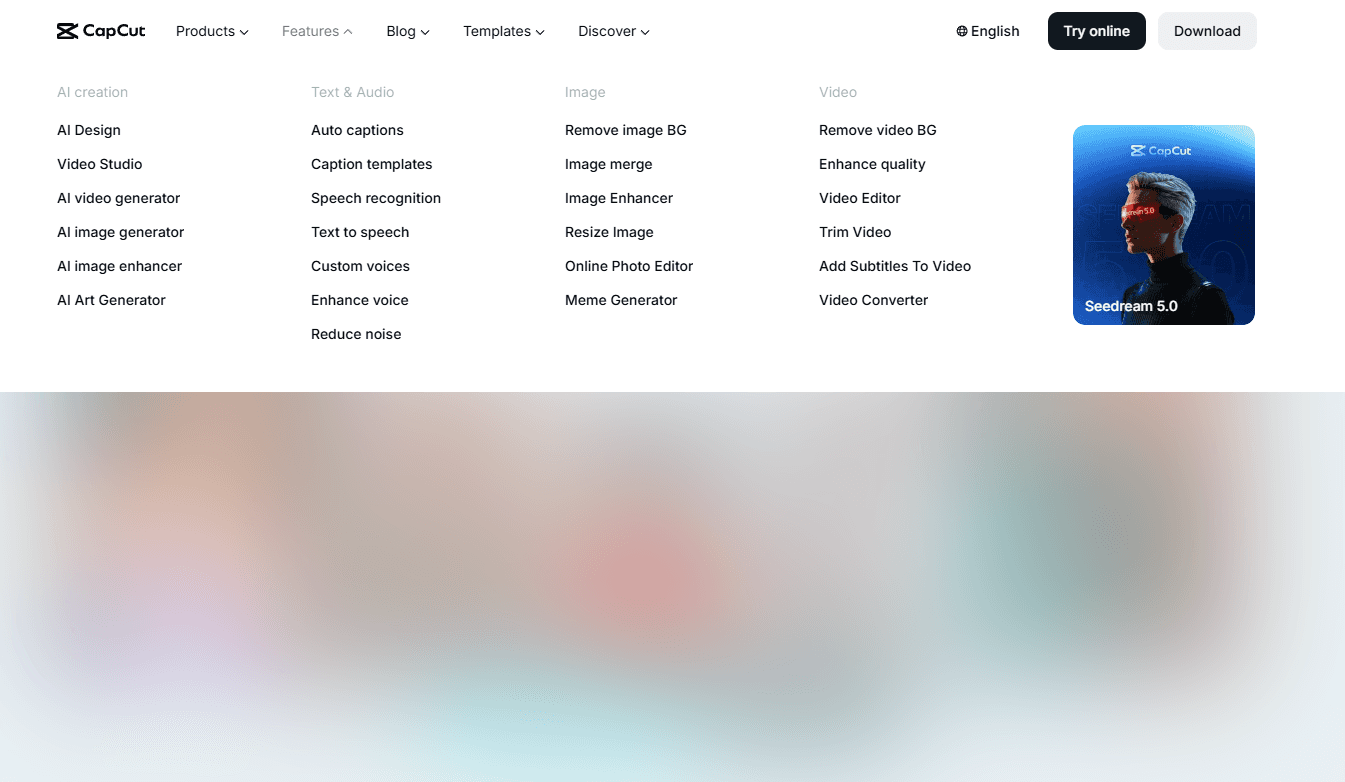
CapCut integrates with TikTok, Instagram, YouTube, Facebook, Snapchat, Twitter, LinkedIn, Pinterest, Vimeo, and Dailymotion.
CapCut currently does not offer an API or connect with third-party integration tools.
CapCut Specs
- A/B Testing: No
- API: No
- Approval Workflows: No
- Audience Targeting: No
- Brand Asset Creation: Yes
- Brand Management: No
- Calendar Management: No
- Campaign Management: No
- Conversion Tracking: No
- Custom Domains: No
- Custom Reports: No
- Dashboard: No
- Data Export: Yes
- Data Import: Yes
- Data Visualization: No
- Design Templates: Yes
- Email Integration: No
- External Integrations: Yes
- Feedback Management: No
- Keyword Tracking: No
- Landing Pages: No
- Link Tracking: No
- Marketing Automation: No
- Multi-User: Yes
- Notifications: Yes
- Review Monitoring: No
- Scheduling: No
- Sentiment Analysis: No
- SEO: No
- Social-Media Integration: Yes
- White-label: No
- Workflow Management: No


