

Omnisend-anmeldelse: Fordele, ulemper, funktioner og priser
Omnisend udmærker sig inden for omnichannel-marketing og tilbyder problemfri integration samt brugervenlig automatisering, der adskiller tjenesten fra andre e-mail-løsninger.

We review tools independently, and commissions help fund our testing. See our transparency policy, our methodology, or suggest a tool.
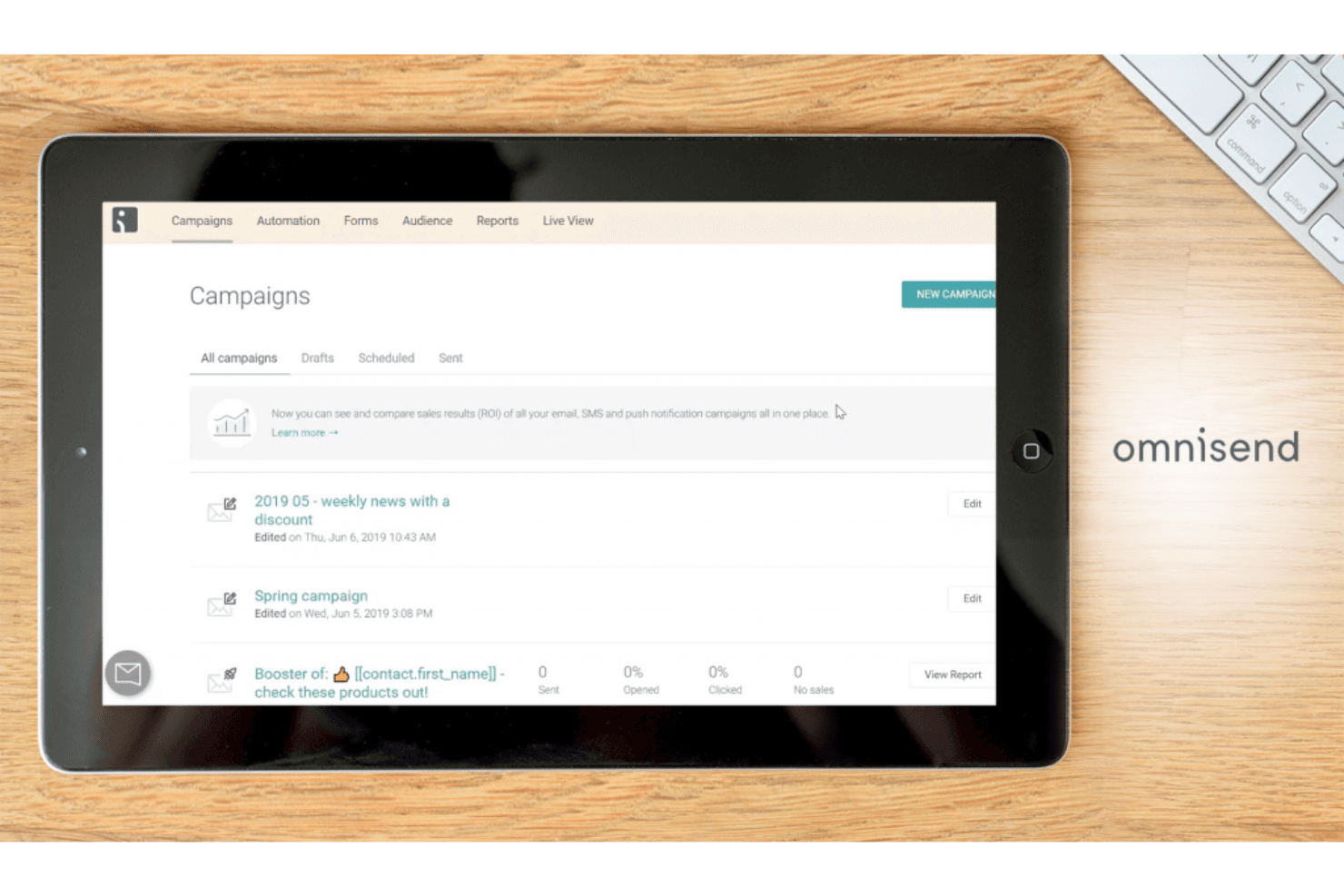
Omnisend is an email marketing automation software built for ecommerce brands that need to run email, SMS, and push notification campaigns from one place. It's a natural fit if your store runs on Shopify, WooCommerce, or BigCommerce and you want automation workflows tied directly to customer purchase behavior. I'd consider it over Klaviyo if pricing is a real constraint—Omnisend's plans are more accessible, and you still get pre-built automations, segmentation, and a product-picker tool without paying Klaviyo's premium.
Omnisend Evaluation Summary
4.6/5
- From $11.20/mo
- Free plan available
Hvorfor du kan stole på vores softwareanbefalinger
6,700+
Reviews
20
Industry experts
16+
Evaluation factors
14
Years
Vores team har testet og anmeldt software siden 2012. Vi er selv marketingledere, så vi ved, hvor svært og hvor vigtigt det er at vælge den rigtige software.
Til denne guide har vi vurderet værktøjerne gennem praktisk afprøvning og uafhængig research og givet dem point ud fra vores udvælgelseskriterier.
Vores anmeldelser bygger på vores egen redaktionelle vurdering. De er ikke et salgsargument.
Ekspertanmeldere:
 Gui DrusinaCreative Director
- Shriya GhateSenior Marketing Lead
 Amanda JacquesMarketing Ops Leader

Omnisend Overview
In my opinion, Omnisend is a solid choice for e-commerce businesses and marketing teams looking to integrate multiple channels. It offers competitive features and automation options that can simplify your marketing efforts. However, its onboarding process and customer support might not be as seamless as other email marketing platforms, which could be a consideration for smaller teams. Despite this, Omnisend stands out with its omnichannel capabilities and ease of use for those familiar with marketing automation. If your team values integration with SMS and social media alongside email, Omnisend is worth considering.
Pros
- You can easily manage campaigns across email, SMS, and social media.
- Automation features save your team time and effort.
- The user interface is intuitive and straightforward for your team.
Cons
- Onboarding can be challenging for your team if they're new to automation tools.
- Customer support response times might not meet your expectations.
- Some users find the reporting features less detailed compared to other providers.
Is Omnisend Right For Your Needs?
Who Would be a Good Fit for Omnisend?
Omnisend is well-suited for e-commerce businesses and marketing teams that need to manage and automate campaigns across multiple channels. If your team values the ability to integrate email, SMS, and social media seamlessly, Omnisend's omnichannel capabilities make it a great choice. It’s especially useful if your work involves repetitive tasks that can be automated, freeing up your time for more strategic planning. Its user-friendly interface means your team can quickly adapt and start creating effective campaigns without extensive training.
- E-commerce BrandsOmnisend's automation features help you manage and optimize marketing campaigns across channels efficiently.
- Digital Marketing TeamsThe platform's user-friendly interface supports your team in executing complex marketing strategies with ease.
- Retail BusinessesOmnisend's SMS integration lets you reach customers directly, enhancing your promotional efforts.
- Small to Medium EnterprisesAutomation and easy setup make Omnisend ideal for businesses with limited marketing resources.
- Social Media ManagersYou can integrate social media campaigns with email marketing for a cohesive strategy.
- Email Marketing SpecialistsOmnisend's features allow you to create personalized and automated campaigns that engage your audience effectively.
Who Would be a Bad Fit for Omnisend?
Omnisend might not be the best choice for large enterprises with complex, specialized marketing needs that require extensive customization and advanced features. If your team relies heavily on detailed analytics and reporting, you might find Omnisend's capabilities lacking. Additionally, businesses that require intensive customer support or have teams unfamiliar with automation tools might struggle with Omnisend's onboarding process and support responsiveness.
- Large EnterprisesOmnisend's features might not meet the extensive needs of your complex marketing strategies.
- Data-Driven TeamsIf your team requires detailed analytics, Omnisend's reporting might not provide the depth you need.
- Beginner MarketersThe onboarding process might be challenging if you or your team are new to marketing automation.
- Highly Regulated IndustriesIf you need specialized compliance features, Omnisend might not offer the customization you require.
- Customer Support-Dependent BusinessesIf your team relies on quick, responsive support, Omnisend might fall short of your expectations.
- Advanced Customization NeedsIf your marketing strategies need extensive customization, Omnisend might not provide the flexibility you need.
How We Test & Score Tools
We’ve spent years building, refining, and improving our software testing and scoring system. The rubric is designed to capture the nuances of software selection and what makes a tool effective, focusing on critical aspects of the decision-making process.
Below, you can see exactly how our testing and scoring works across seven criteria. It allows us to provide an unbiased evaluation of the software based on core functionality, standout features, ease of use, onboarding, customer support, integrations, customer reviews, and value for money.
Core Functionality (25% of final scoring)
The starting point of our evaluation is always the core functionality of the tool. Does it have the basic features and functions that a user would expect to see? Are any of those core features locked to higher-tiered pricing plans? At its core, we expect a tool to stand up against the baseline capabilities of its competitors.
Standout Features (25% of final scoring)
Next, we evaluate uncommon standout features that go above and beyond the core functionality typically found in tools of its kind. A high score reflects specialized or unique features that make the product faster, more efficient, or offer additional value to the user.
We also evaluate how easy it is to integrate with other tools typically found in the tech stack to expand the functionality and utility of the software. Tools offering plentiful native integrations, 3rd party connections, and API access to build custom integrations score best.
Ease of Use (10% of final scoring)
We consider how quick and easy it is to execute the tasks defined in the core functionality using the tool. High scoring software is well designed, intuitive to use, offers mobile apps, provides templates, and makes relatively complex tasks seem simple.
Onboarding (10% of final scoring)
We know how important rapid team adoption is for a new platform, so we evaluate how easy it is to learn and use a tool with minimal training. We evaluate how quickly a team member can get set up and start using the tool with no experience. High scoring solutions indicate little or no support is required.
Customer Support (10% of final scoring)
We review how quick and easy it is to get unstuck and find help by phone, live chat, or knowledge base. Tools and companies that provide real-time support score best, while chatbots score worst.
Customer Reviews (10% of final scoring)
Beyond our own testing and evaluation, we consider the net promoter score from current and past customers. We review their likelihood, given the option, to choose the tool again for the core functionality. A high scoring software reflects a high net promoter score from current or past customers.
Value for Money (10% of final scoring)
Lastly, in consideration of all the other criteria, we review the average price of entry level plans against the core features and consider the value of the other evaluation criteria. Software that delivers more, for less, will score higher.
Core Features
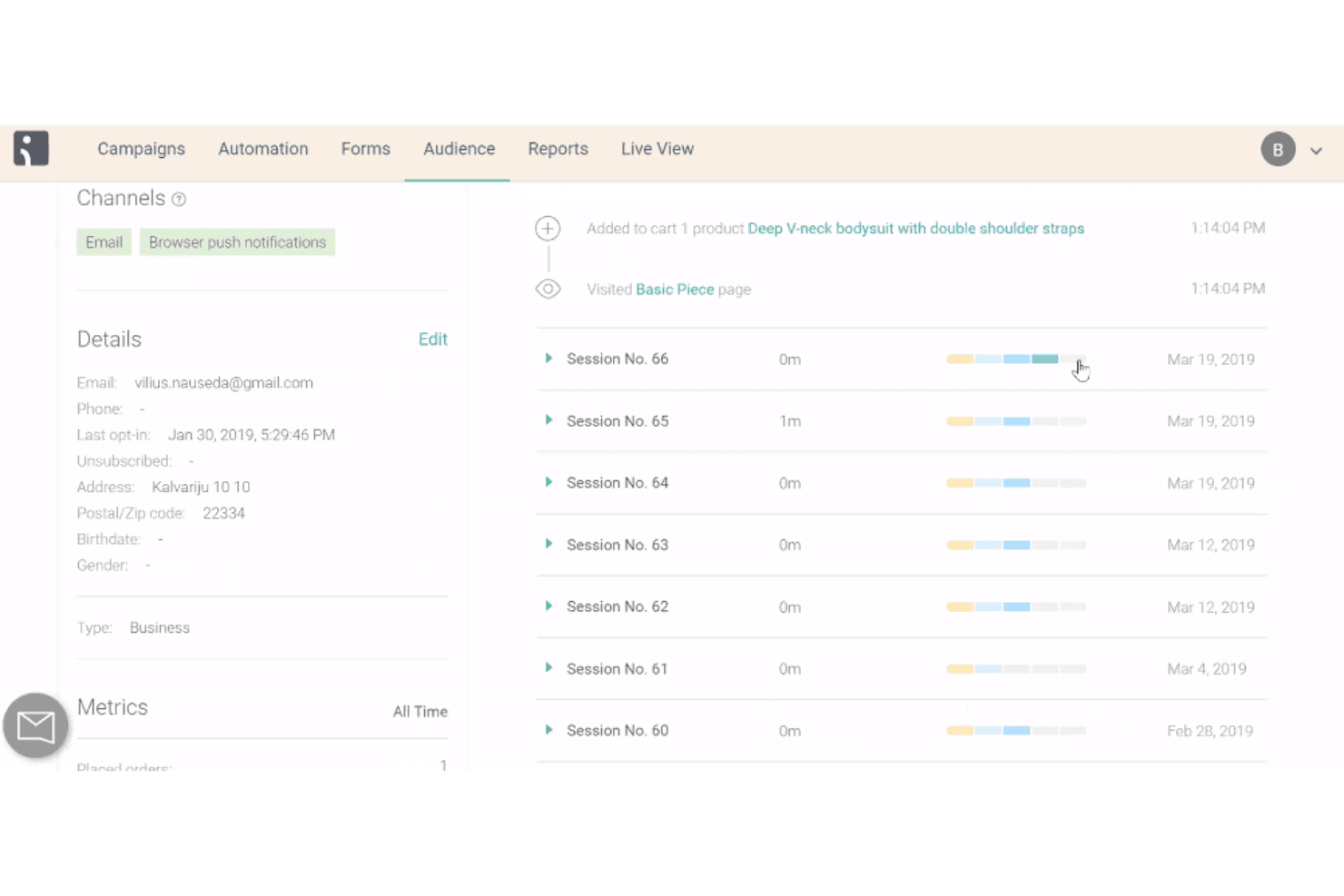
Email Campaigns: Omnisend lets you create and manage email campaigns easily, helping your team reach your subscribers effectively. Its drag-and-drop email builder makes designing emails simple and quick.
SMS Marketing: You can send targeted SMS messages alongside your email campaigns for a cohesive strategy. This feature helps you engage customers directly on their phones and promote time-sensitive offers like discount codes.
Automation Workflows: Omnisend offers pre-built automation workflows that save your team time by automating repetitive tasks, like email follow-ups. You can customize these workflows to fit your marketing strategy.
Segmentation: Omnisend lets you segment your audience based on behavior, preferences, and customer lifecycle stage. You can capture subscribers with popups and send more personalized messages.
Reporting: You can track your campaign performance with Omnisend's reporting tools. While not the most detailed, it provides essential insights into metrics like conversion rates to help you refine your strategy.
Ease of Use
Omnisend is relatively user-friendly, with an intuitive interface that makes it easy for your team to create and manage campaigns. The drag-and-drop editor simplifies email and landing page design, and pre-built automation workflows save time. However, some users find the onboarding process a bit tricky, especially if they're new to automation tools. While it’s generally straightforward, it might take your team some time to fully explore all its features and functionalities.
Integrations
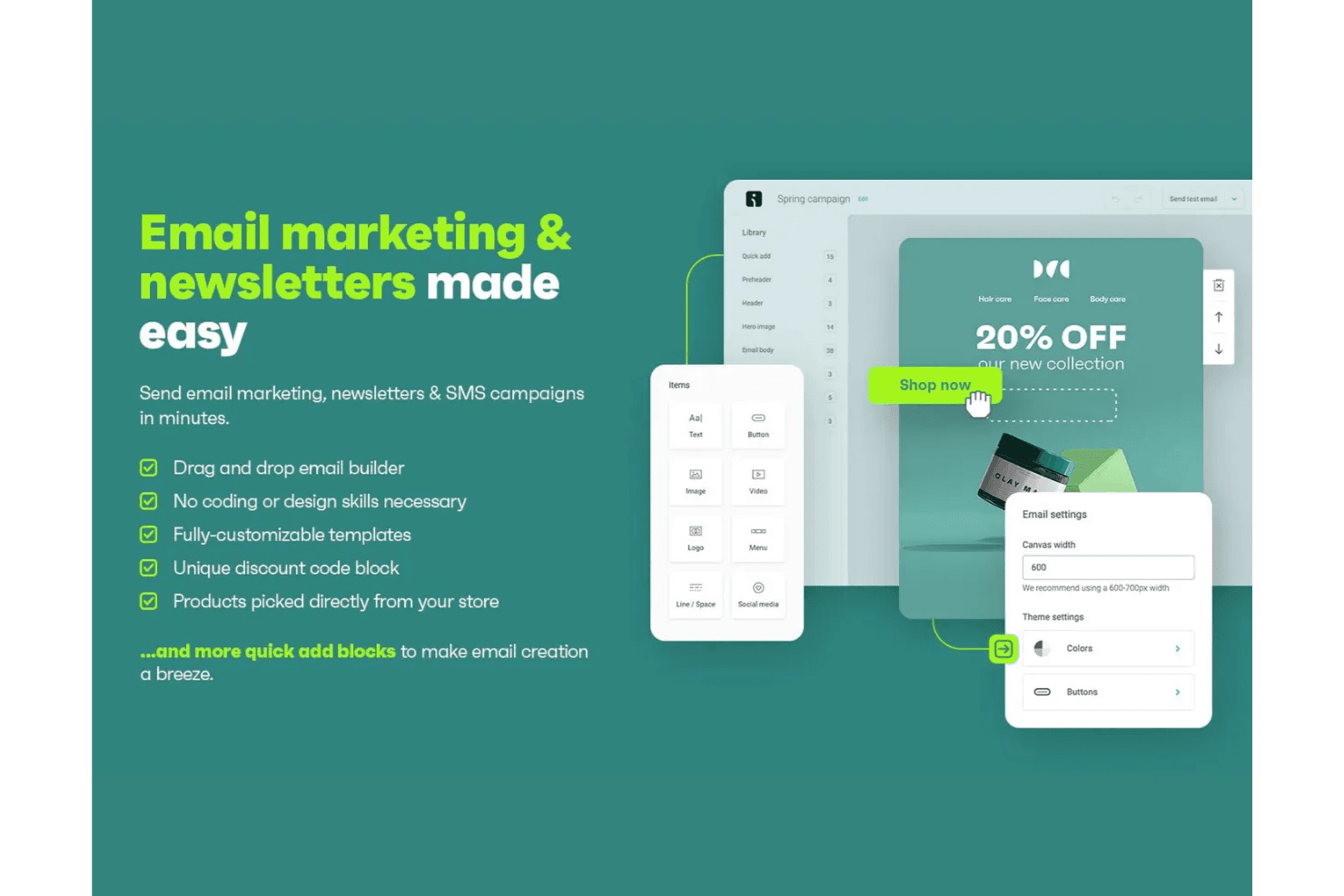
Omnisend integrates with over 160+ apps through its built-in integrations and marketplace, including major ecommerce platforms like WooCommerce, BigCommerce, Wix, WordPress, and directly to your Shopify store. It also supports connections with review and loyalty tools such as Yotpo and Loox.
Omnisend offers an API for custom integrations and connects with third-party automation tools like Zapier and Integrately to extend its functionality across many other applications.
New Product Updates from Omnisend
 Opens new window
Omnisend Expands Automation Workflows and Shopify Search Tracking
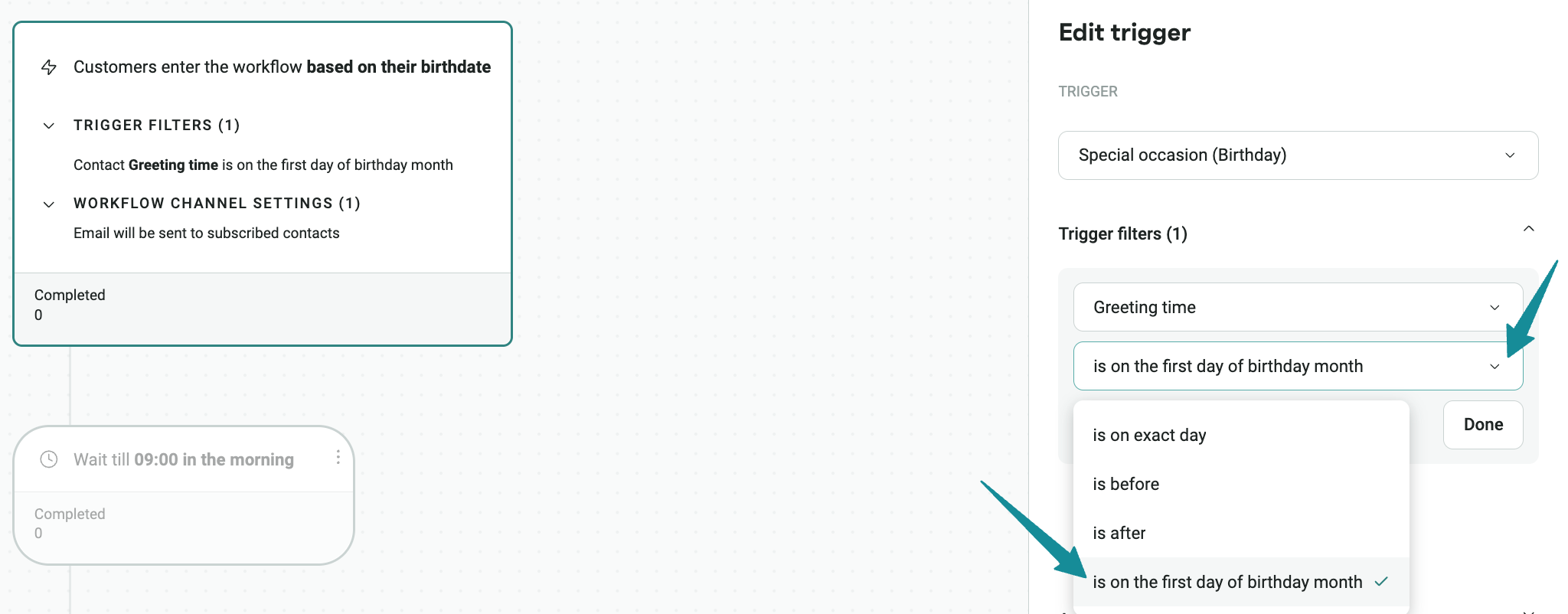
Omnisend adds Shopify on-site search events, a Search Abandonment workflow preset, new AI recommendations, and a birthday-month automation trigger. These updates give marketers more ways to build timely workflows around search behavior, repeat purchases, reactivation, and birthdays. Highlights include:
- Shopify Search Tracking: Capture submitted searches with the search term, page URL, and result count.
- Search Abandonment Automation: Trigger follow-up workflows after shoppers leave a Shopify search.
- AI Workflow Recommendations: Surface additional automation opportunities such as reorder reminders, reactivation, second-order nudges, and search abandonment.
- Birthday Month Trigger: Start birthday workflows on the first day of a contact’s birthday month for earlier engagement.
- Search-Based Segmentation: Use recorded search activity to build segments based on shopper intent.
Visit Omnisend’s official site for more details.
 Opens new window
Omnisend Adds Attribution and Reporting Comparison Controls
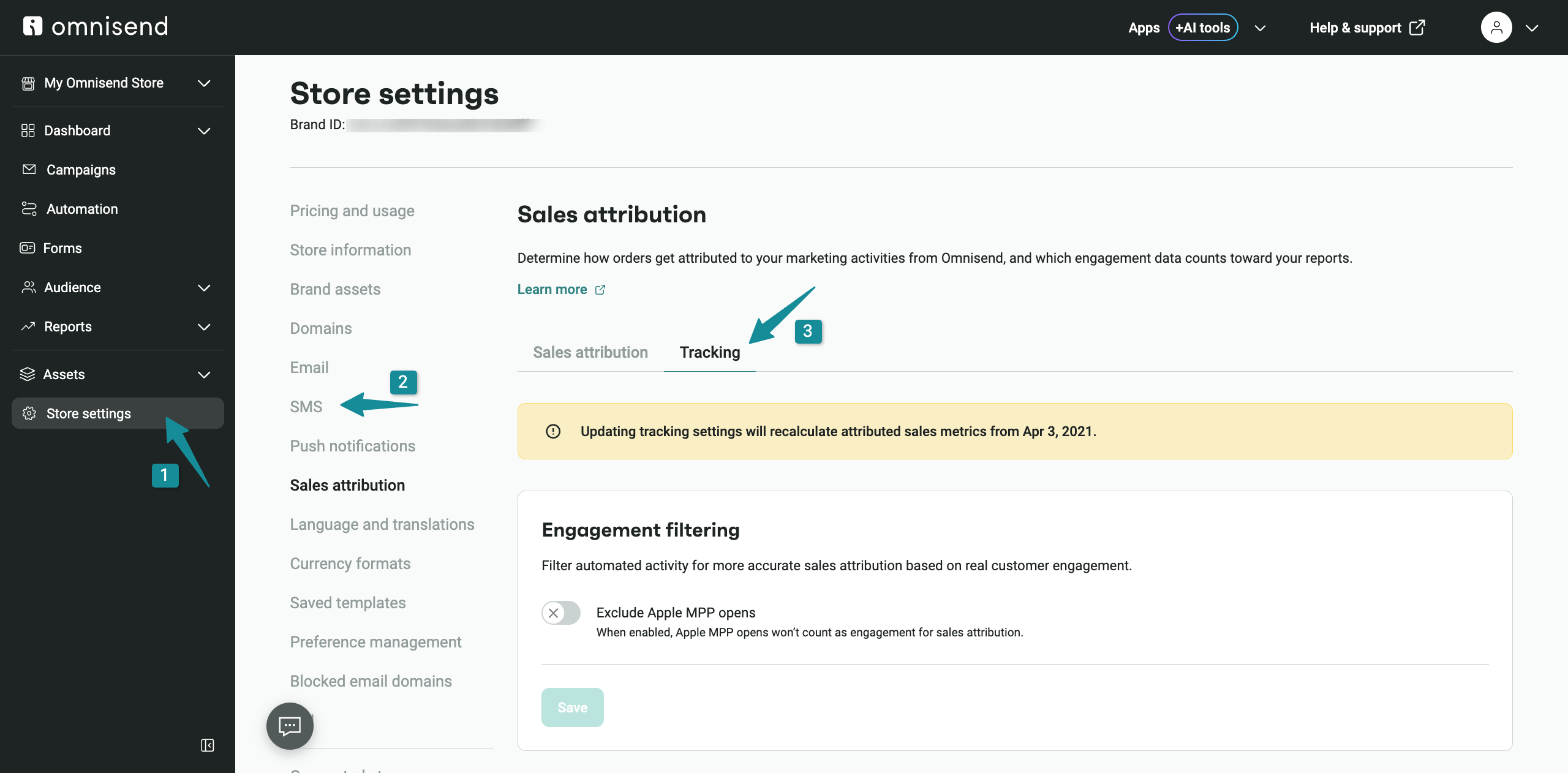
Omnisend adds an option to exclude Apple Mail Privacy Protection opens from sales attribution and new benchmark comparisons for previous periods, previous years, or custom date ranges. These updates give marketers more control over how performance is measured and compared. Highlights include:
- Apple MPP Attribution Controls: Choose whether Apple MPP opens count toward attributed orders and sales.
- Historical Recalculation: Recalculate attributed sales metrics when Apple MPP opens are excluded.
- Flexible Benchmarks: Compare performance against the previous period, previous year, or a custom date range.
- Cross-Report Comparisons: Use benchmark comparisons across Sales, Campaigns, Automations, and Dashboard Overview.
- Saved Comparison Periods: Keep the selected comparison period between report visits.
Visit Omnisend’s official site for more details.
 Opens new window
Omnisend Adds Multi-Step Forms, Targeting, Testing, and Timers
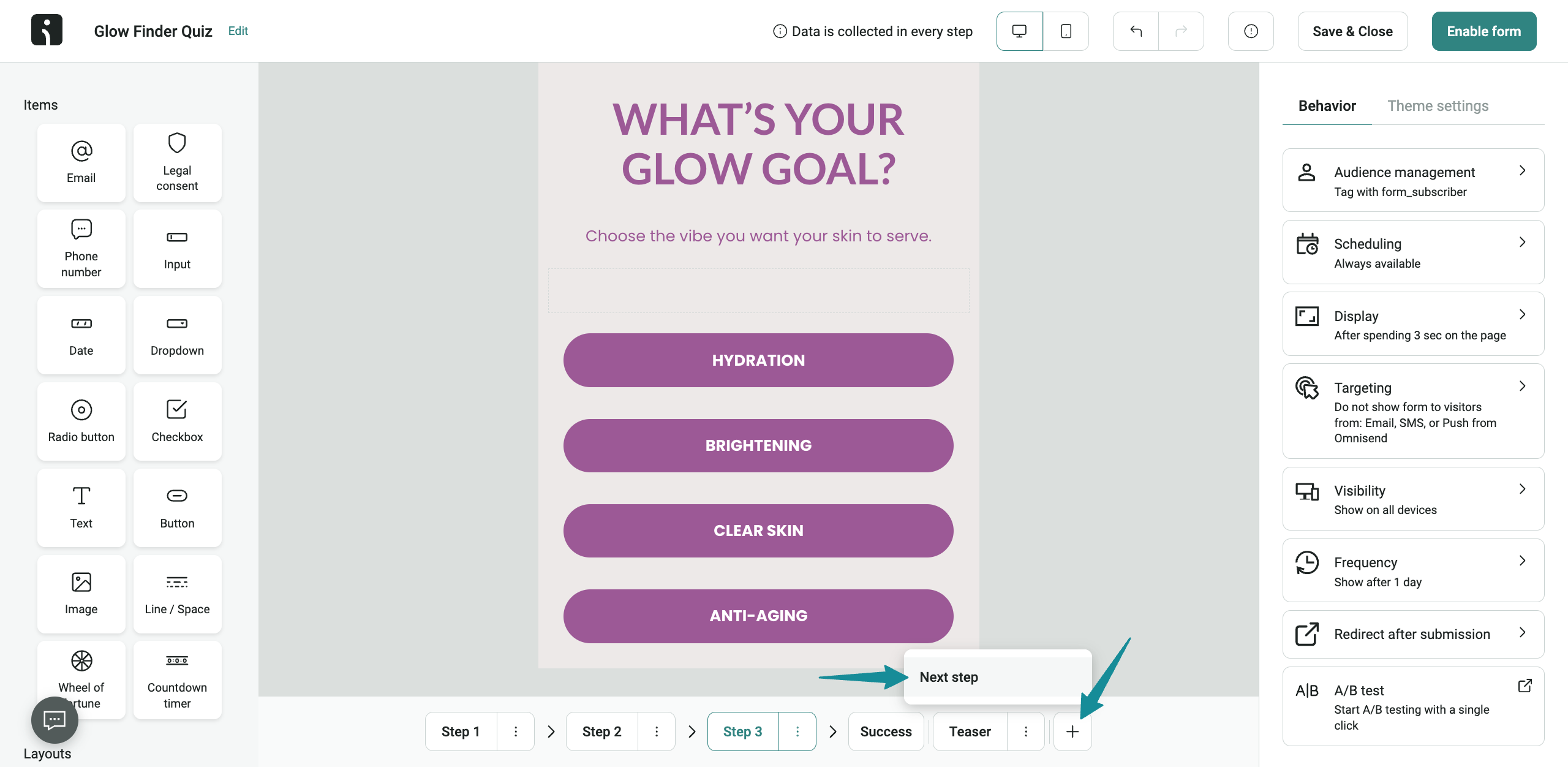
Omnisend adds up to four signup steps, cart-based and embedded form targeting, flexible A/B test end conditions, and customizable countdown timers. These updates help marketers tailor signup experiences and manage form testing with more precision. Highlights include:
- Four-Step Signup Forms: Build signup flows with up to four steps for collecting subscriber information.
- Cart-Based Targeting: Show Shopify Forms based on cart value, item count, or both.
- Embedded Form Targeting: Target visitors by type, URL, product availability, location, source, or UTM parameters.
- A/B Test Controls: End tests by statistical significance, due date, or whichever comes first, and pause tests without canceling them.
- Countdown Timers: Set personalized countdown durations and choose from multiple display formats.
Visit Omnisend’s official site for more details.
 Opens new window
Omnisend Adds Claude Connector and Updates MCP Features
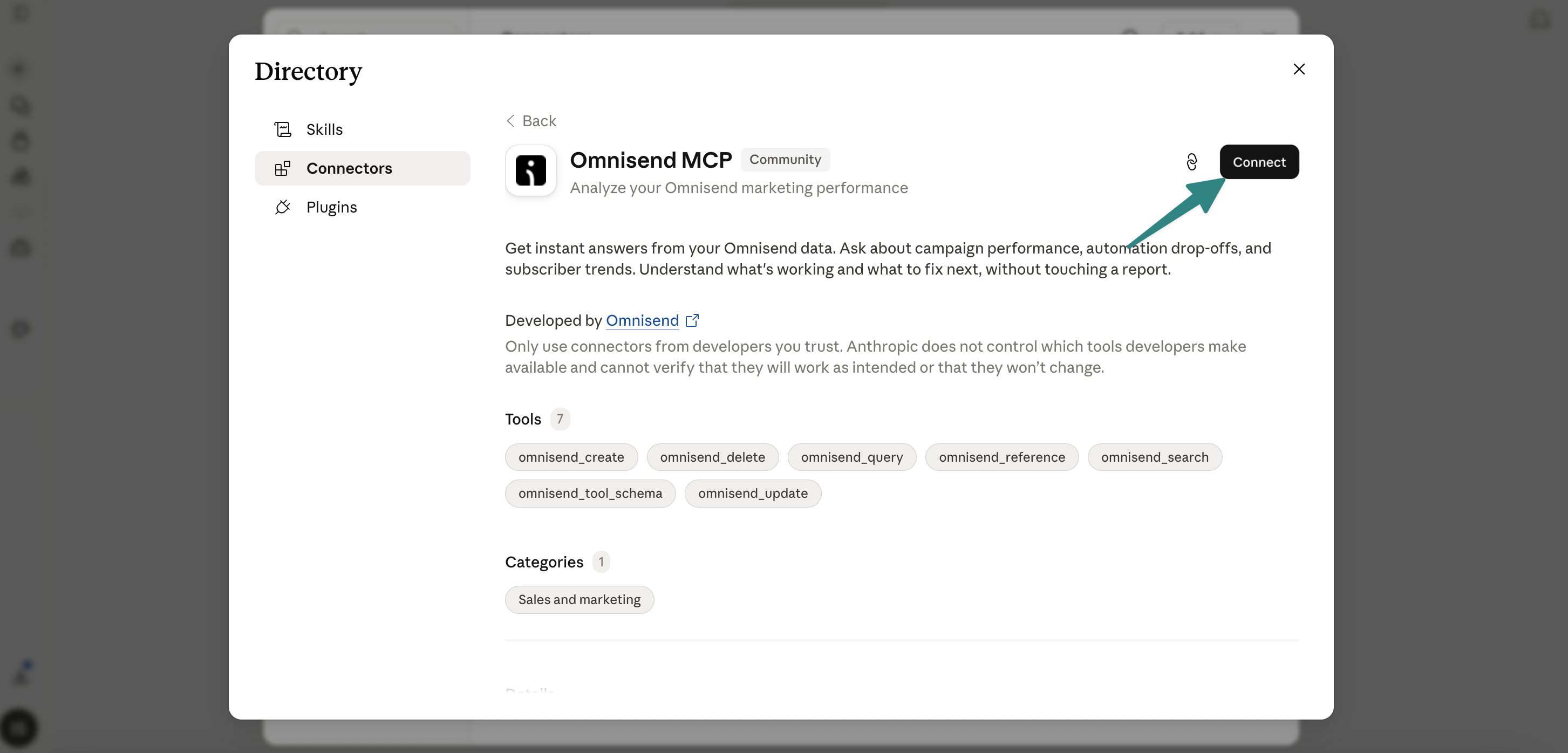
Omnisend adds direct Claude connectivity, improved MCP-generated email templates, and granular read and write permissions for connected AI tools. The updates let users access Omnisend data through natural language, create emails using existing Brand Assets, and control which account data each AI tool can access. Highlights include:
- Claude Connector: Connects Omnisend directly to Claude for accessing campaign, automation, contact, and performance data using natural language.
- On-Brand Email Templates: Uses Brand Assets to automatically apply store colors, fonts, and logos to MCP-generated emails.
- Granular MCP Permissions: Lets users independently enable read and write access for individual data areas when connecting AI tools.
Visit Omnisend’s official site for more details.
Omnisend Adds 12 New Integrations
Omnisend adds integrations with Coefficient, eDesk, Commslayer, Help Scout, Redo, 8returns, Eventbrite, Recurpay, TrustWILL, KickoffLabs, RetentionX, and SurveySparrow. The integrations connect data and events from external tools with Omnisend to trigger email and SMS automations, build reports, and personalize customer messaging. Highlights include:
- Analytics and Support: Coefficient connects reporting data, while eDesk, Commslayer, and Help Scout bring customer support activity into Omnisend workflows.
- Returns, Events, and Subscriptions: Redo, 8returns, Eventbrite, and Recurpay use customer events and status changes to trigger automated messaging.
- Loyalty and Customer Intelligence: TrustWILL, KickoffLabs, RetentionX, and SurveySparrow bring loyalty, referral, behavioral, and survey data into Omnisend for segmentation and automation.
Visit Omnisend’s official site for more details.
 Opens new window
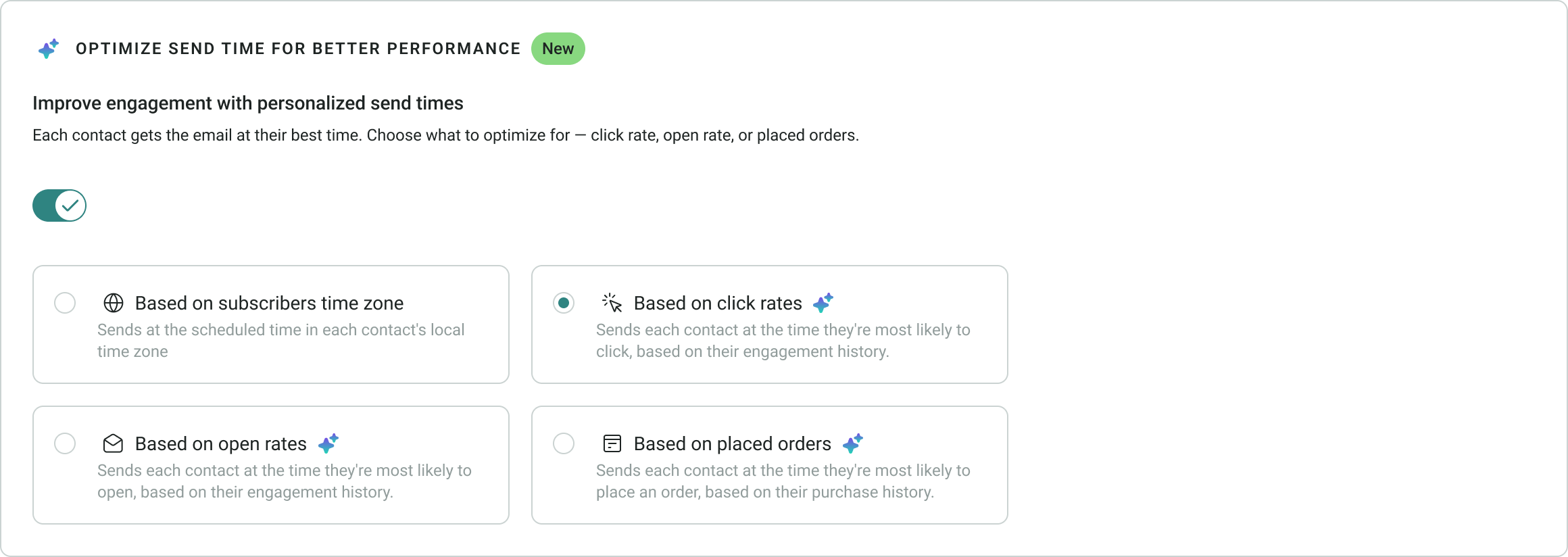
Omnisend Adds Send Time Optimization for Email Campaigns
Omnisend adds Send Time Optimization with options to optimize email delivery based on click rates, open rates, or placed orders. The feature uses each contact’s engagement history to determine the best send time, with brand-level engagement data used when individual history is insufficient. Highlights include:
- Click Rate Optimization: Sends emails when each contact is most likely to click.
- Open Rate Optimization: Schedules delivery when each contact is most likely to open an email.
- Order Optimization: Sends emails when each contact is most likely to place an order.
Visit Omnisend’s official site for more details.
Omnisend Expands Integrations With Canva Updates and 14 New Apps
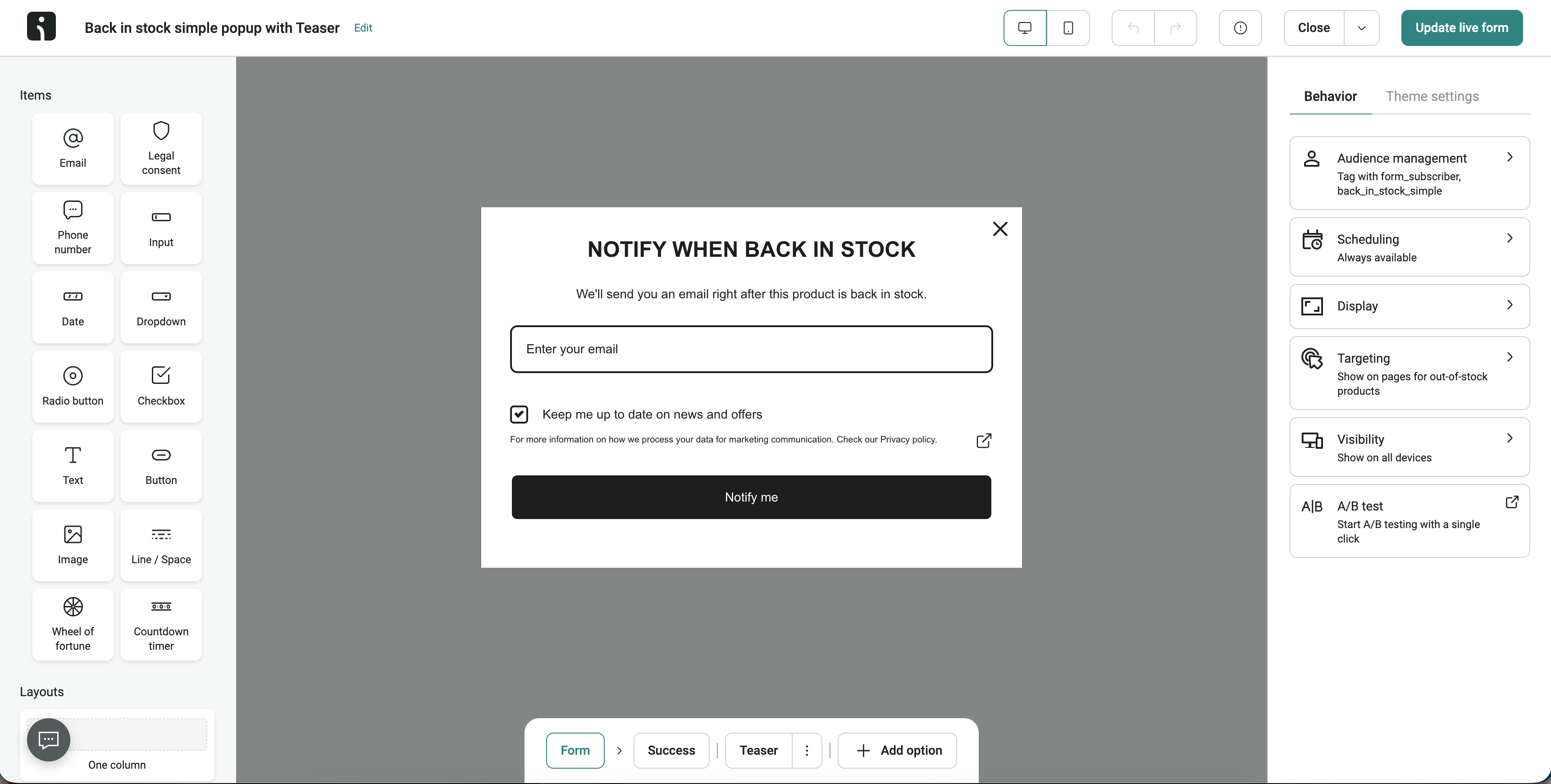
Omnisend now lets users sync designs from any Canva folder and connect multiple Canva accounts. The platform also expanded its App Market with 14 new integrations to help businesses connect subscription, loyalty, support, shipping, analytics, and communication tools. Highlights include:
- Enhanced Canva Integration: Sync designs from any Canva folder and manage multiple Canva accounts with separate folder syncing.
- 14 New App Integrations: Connect Omnisend with Paywhirl, Chargebee, Fourthwall, Unbounce, Zendesk, Viral Loops, Friendbuy, ReferralCandy, EmailHeatmaps, ShipBob, Tickvio, Lapio, Wrapped, and Aircall.
Visit Omnisend's official site for more details.
 Opens new window
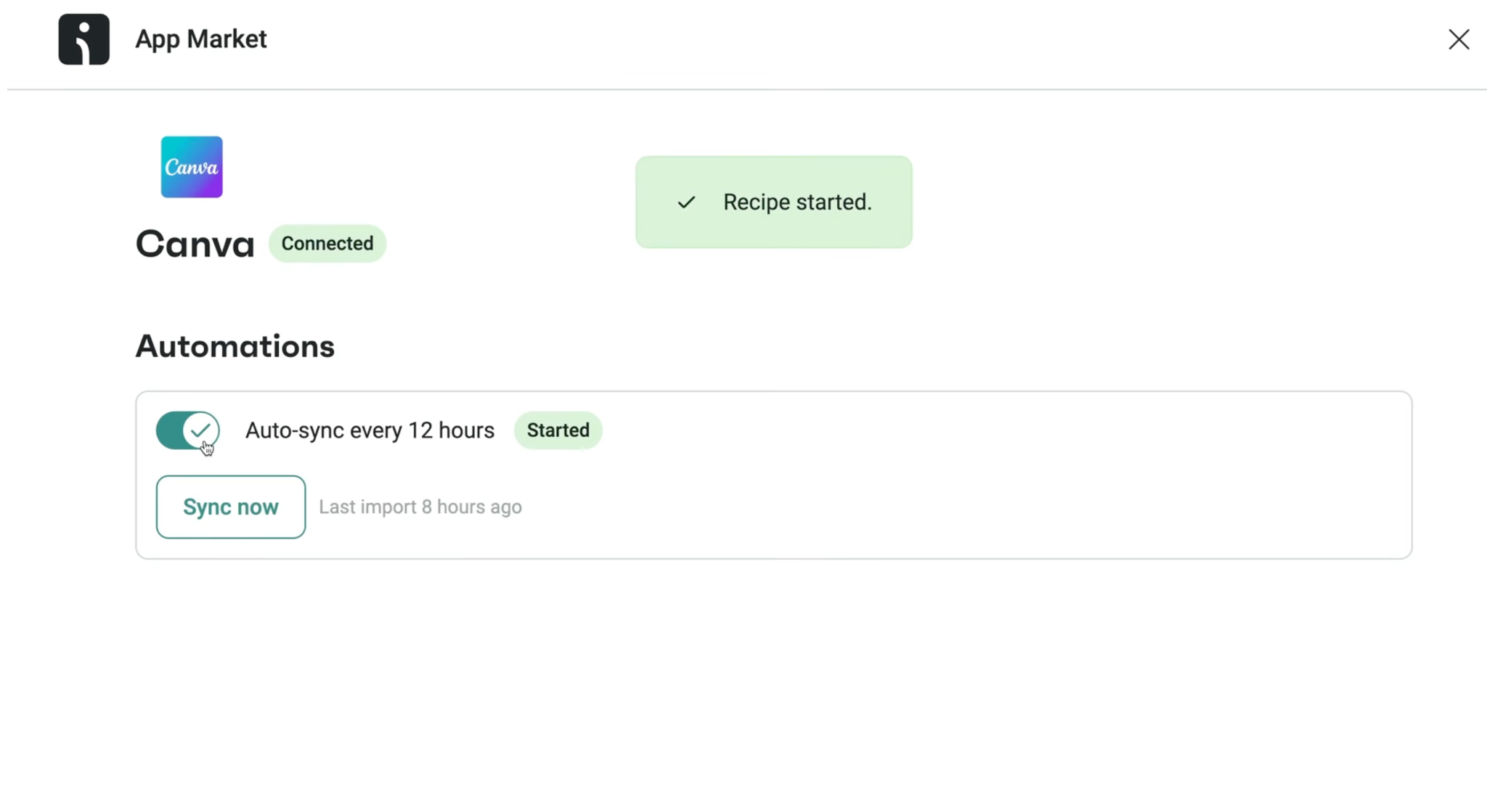
Omnisend Expands Signup Form Subscription and Redirect Options
Omnisend now lets Back in Stock forms add consenting visitors as subscribed contacts. Users can also redirect submissions from popups, flyouts, embedded forms, and landing pages to a custom URL. Highlights include:
- Back in Stock Subscribers: Adds consenting visitors to the subscribed contact list while capturing product demand.
- Custom Form Redirects: Sends visitors to a selected URL after submission, with controls for tab behavior, delay, and countdown messaging.
Visit Omnisend’s official site for more details.
Omnisend MCP Expands Campaign and Automation Management
Omnisend has expanded MCP to cover more end-to-end marketing execution, giving teams more control over campaigns and automations without leaving their MCP workflows. This helps streamline setup, testing, and optimization across channels. Highlights include:
- Expanded Campaign Support: Create and manage SMS, email A/B test, and Booster campaigns through MCP.
- Full Automation Management: Create, edit, enable, disable, and update automations, including UTM parameters and automation blocks.
Visit Omnisend's official site for more details.
 Opens new window
Omnisend Adds New Integrations and Migration Tools
Omnisend adds new integrations and migration tools to simplify campaign creation and ecommerce automation workflows. These updates help users connect design assets, transfer customer segments, and create more targeted messages. Highlights include:
- Canva Integration: Sync Canva designs directly to the Omnisend Image Library for faster campaign creation.
- Klaviyo Segment Migration: Import Klaviyo segments into Omnisend through a self-serve migration workflow.
- New App Integrations: Connect Buy Again & Reorder Reminders and StockIQ to support reorder and inventory-based messaging.
Visit Omnisend’s official site for more details.
Omnisend Specs
- A/B Testing: Yes
- API: Yes
- Audience Targeting: Yes
- Brand Management: Yes
- Calendar Management: Yes
- Campaign Management: Yes
- Compliance Tracking: Yes
- Contact Management: Yes
- Contact Sharing: Yes
- Conversion Tracking: Yes
- CRM Integration: Yes
- Customer Management: Yes
- Dashboard: Yes
- Data Export: Yes
- Data Import: Yes
- Data Visualization: Yes
- Email Integration: Yes
- External Integrations: Yes
- Google Apps Integration: Yes
- Lead Management: Yes
- Lead Scoring: Yes
- Link Tracking: Yes
- Marketing Automation: Yes
- Multi-User: Yes
- Notifications: Yes
- Scheduling: Yes
- Social-Media Integration: Yes
- Third-Party Plugins/Add-Ons: Yes


