
Meltwater-beoordeling 2026: voordelen, nadelen, functies en prijzen uitgelegd
After hands-on use, I reveal where Meltwater truly shines, where it stumbles, and if its features and pricing in 2026 finally justify the buzz and the bucks.

We review tools independently, and commissions help fund our testing. See our transparency policy, our methodology, or suggest a tool.
When brand conversations are happening everywhere, fragmented monitoring makes it easy to miss what matters. A strong media intelligence platform brings news, social, podcast, and broadcast coverage into one clear view, and increasingly it has to account for how AI assistants describe you as well.
Meltwater is a media monitoring software platform for marketing and PR teams that need to track brand mentions, competitor coverage, and industry conversations across news outlets, social platforms, podcasts, and broadcast channels in one place. The suite reaches further than monitoring alone, covering social listening, media relations, influencer work, and visibility inside AI-generated answers. I’d reach for it when your team needs that breadth in a single workspace, rather than stitching together separate tools for press clippings, social sentiment, and AI answer tracking.
Meltwater Evaluation Summary
4.1/5
- From $10,000/year (billed annually)
- Free demo available
Waarom u onze softwareaanbevelingen kunt vertrouwen
6,700+
Reviews
20
Industry experts
16+
Evaluation factors
14
Years
Ons team test en beoordeelt software sinds 2012. Als marketingleiders weten we zelf hoe moeilijk — en belangrijk — het is om de juiste software te kiezen.
Voor deze gids hebben we tools geëvalueerd met behulp van praktijktests en onafhankelijk onderzoek, waarbij we tools beoordeelden aan de hand van onze selectiecriteria.
Onze reviews weerspiegelen ons menselijke redactionele oordeel, geen verkooppraatje.
Deskundige beoordelaars:
 Gui DrusinaCreatief directeur
- Shriya GhateSenior Marketing Lead
 Amanda JacquesMarketing Ops Leader

Meltwater Overview
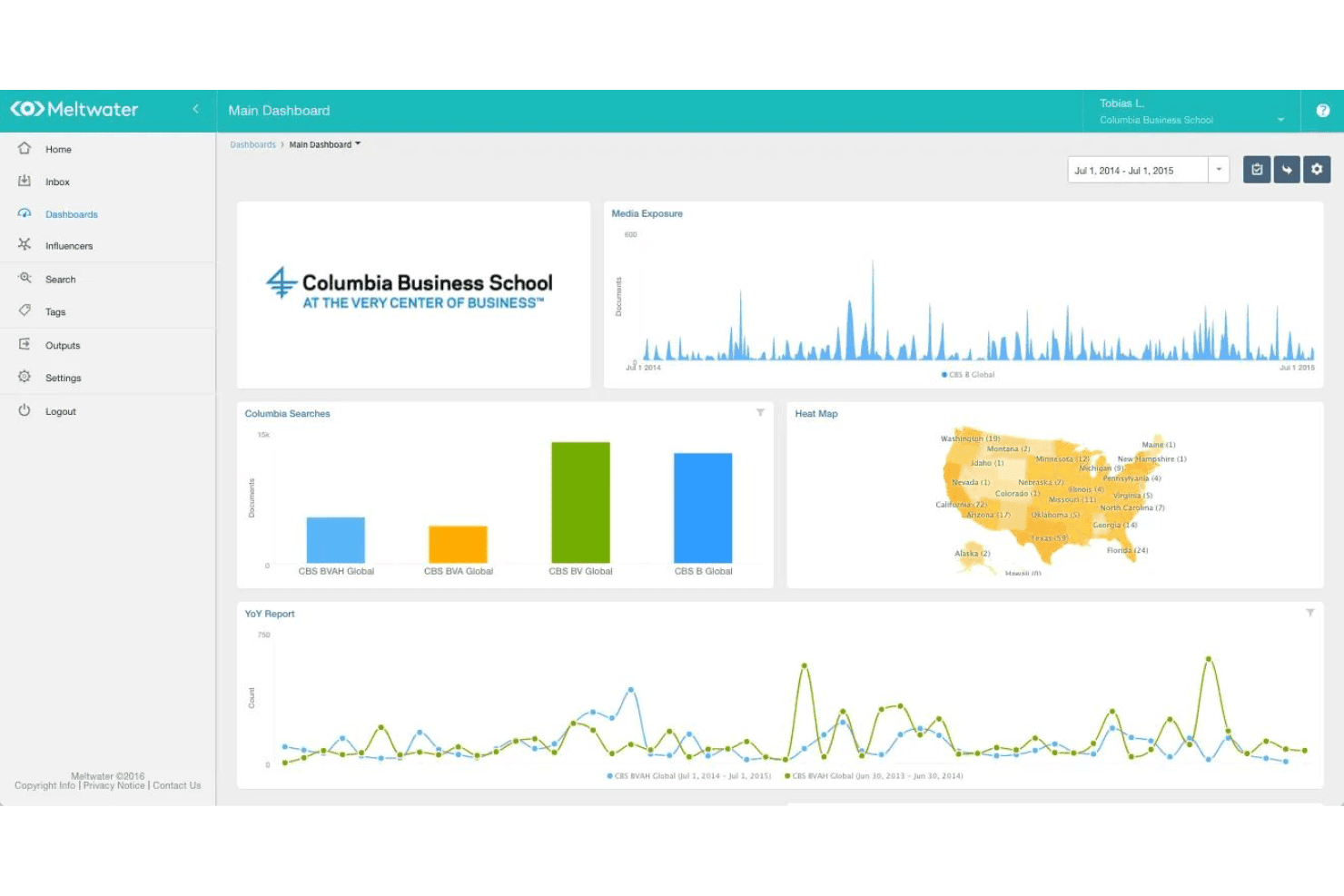
I think Meltwater delivers strong global news and social monitoring from one dashboard, covering everything from mainstream media to niche podcasts, and now the answers AI assistants give about your brand. The interface feels modern and the onboarding guides are handy, which helps new users get started quickly. Pricing is higher than a lot of other tools, but you get in-depth analytics, media contact database, sentiment analysis, and flexible reporting. I find the search filters deep, and coverage holds up across a wide span of languages, which matters when you report on more than one market. If your team manages international PR or cares about multi-channel visibility and detailed media analysis, Meltwater is a smart, centralized pick.
Pros
- Brings global news, broadcast, podcasts, social, and AI answers into one view
- Monitors and analyzes mentions across a wide span of languages
- Offers an up-to-date, searchable journalist and influencer database
Cons
- Pricing is higher than most alternative platforms
- Social customer care, paid social, and employee advocacy need separate tools
- Custom dashboard setup can be time-consuming for large teams
Is Meltwater Right For Your Needs?
Who Would be a Good Fit for Meltwater?
Meltwater is suitable for organizations that require ongoing media, social, and AI visibility programs. Best for PR agencies, corporate communications, or marketing teams needing broad coverage, advanced reporting, and scalable workflows. It's particularly valuable for tracking across languages, benchmarking, and systems integration. Larger teams benefit from its structure, though smaller teams with a clear owner and use case can also see real value.
- Global EnterprisesMeltwater’s multi-language monitoring, advanced analytics, and API support help global brands manage reputation across markets and see how each one is represented in AI-generated answers.
- PR AgenciesCustom dashboards and journalist engagement tracking make it easy for agencies to manage media outreach and client reporting at scale.
- Corporate CommunicationsDetailed news alerting and sentiment analysis let corporate comms teams respond fast to reputation risks and coverage trends.
- Large Marketing TeamsAutomated benchmarking, consumer insight, and integrations with business tools help large teams centralize reporting and collaborate across regions.
- Higher EducationUniversities can monitor coverage across traditional and digital media, track industry trends, and benchmark against peer institutions.
- Regulated IndustriesFinancial services, health, or energy companies benefit from deep monitoring and audit trails, backed by security and privacy certifications that stand up to procurement review.
Who Would be a Bad Fit for Meltwater?
Meltwater is less suitable if you lack a dedicated comms owner or only need occasional media/social/AI monitoring. Teams focused on high-volume social customer care, managing paid social ads, or running formal employee advocacy programs should look for specialized tools. Ad-hoc monitoring needs or tight budgets also limit the value you'll get from Meltwater.
- Social Customer Care At ScaleTeams fielding heavy inbound service volume need case routing, ticketing, and service-level tracking that live in a dedicated support platform.
- Paid Social ManagementMeltwater measures campaign impact well, but ad creation, budget tuning, and day-to-day media buying belong in an advertising platform.
- Employee Advocacy ProgramsInternal content distribution, gamification, and employee-level engagement tracking call for a purpose-built advocacy tool rather than this suite.
- One-Off Monitoring NeedsIf you only want coverage reports around a single launch or crisis, an ongoing intelligence subscription is hard to justify.
- No Owner For CommsWithout someone accountable for PR, communications, or insights, alerts and dashboards pile up and nobody acts on them.
- Tight Tooling BudgetsOrganizations that cannot commit budget and internal time to adoption will get more from a lightweight monitoring tool.
How We Test & Score Tools
We’ve spent years building, refining, and improving our software testing and scoring system. The rubric is designed to capture the nuances of software selection and what makes a tool effective, focusing on critical aspects of the decision-making process.
Below, you can see exactly how our testing and scoring works across seven criteria. It allows us to provide an unbiased evaluation of the software based on core functionality, standout features, ease of use, onboarding, customer support, integrations, customer reviews, and value for money.
Core Functionality (25% of final scoring)
The starting point of our evaluation is always the core functionality of the tool. Does it have the basic features and functions that a user would expect to see? Are any of those core features locked to higher-tiered pricing plans? At its core, we expect a tool to stand up against the baseline capabilities of its competitors.
Standout Features (25% of final scoring)
Next, we evaluate uncommon standout features that go above and beyond the core functionality typically found in tools of its kind. A high score reflects specialized or unique features that make the product faster, more efficient, or offer additional value to the user.
We also evaluate how easy it is to integrate with other tools typically found in the tech stack to expand the functionality and utility of the software. Tools offering plentiful native integrations, 3rd party connections, and API access to build custom integrations score best.
Ease of Use (10% of final scoring)
We consider how quick and easy it is to execute the tasks defined in the core functionality using the tool. High scoring software is well designed, intuitive to use, offers mobile apps, provides templates, and makes relatively complex tasks seem simple.
Onboarding (10% of final scoring)
We know how important rapid team adoption is for a new platform, so we evaluate how easy it is to learn and use a tool with minimal training. We evaluate how quickly a team member can get set up and start using the tool with no experience. High scoring solutions indicate little or no support is required.
Customer Support (10% of final scoring)
We review how quick and easy it is to get unstuck and find help by phone, live chat, or knowledge base. Tools and companies that provide real-time support score best, while chatbots score worst.
Customer Reviews (10% of final scoring)
Beyond our own testing and evaluation, we consider the net promoter score from current and past customers. We review their likelihood, given the option, to choose the tool again for the core functionality. A high scoring software reflects a high net promoter score from current or past customers.
Value for Money (10% of final scoring)
Lastly, in consideration of all the other criteria, we review the average price of entry level plans against the core features and consider the value of the other evaluation criteria. Software that delivers more, for less, will score higher.
Core Features
Global News, Social, and AI Answer Monitoring
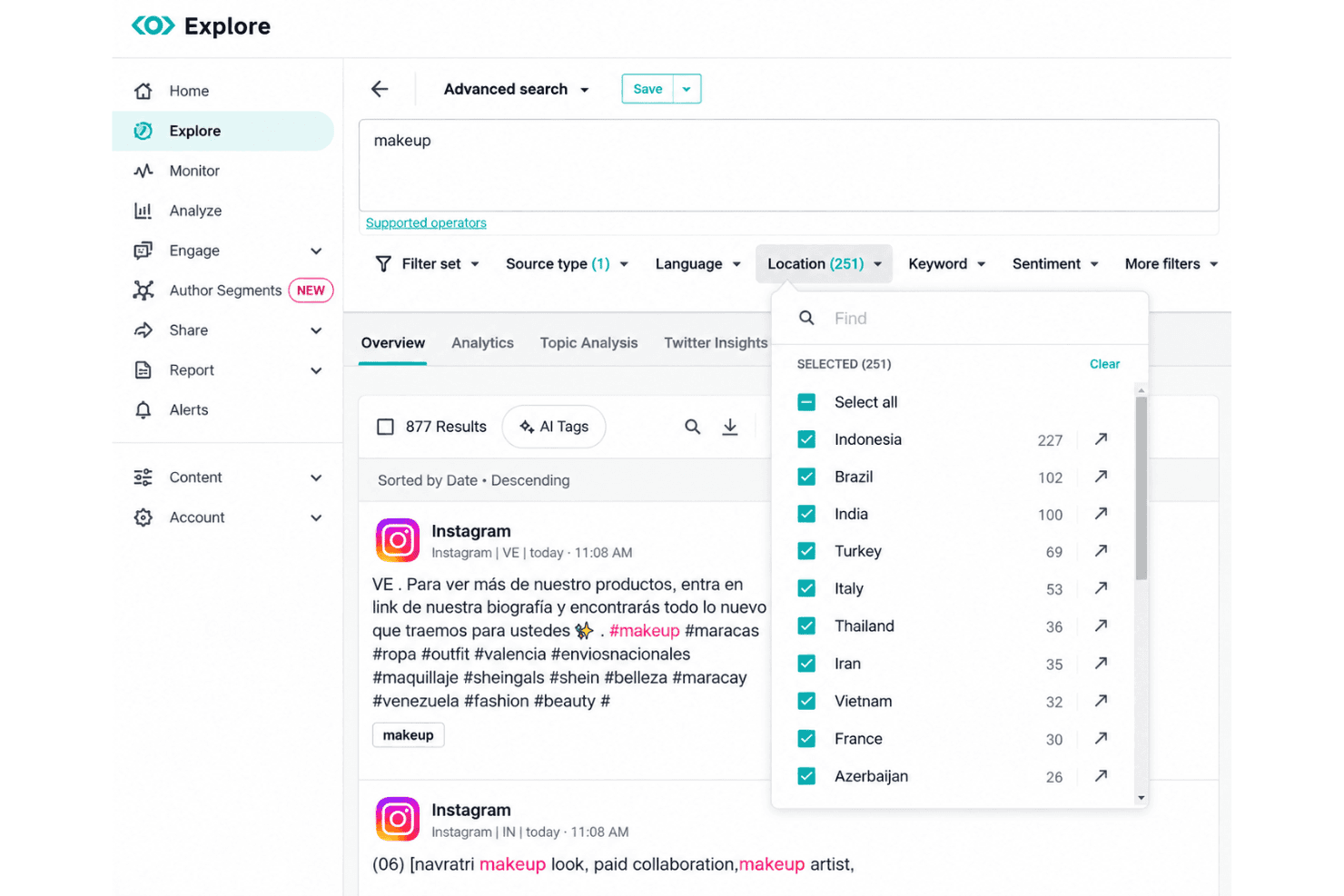
Track mentions of your brand, competitors, and industry topics across news outlets, blogs, online forums, podcasts, social channels, and the answers generated by AI assistants. You can use advanced filters to focus on specific regions, languages, or media types, and there is no cap on how many mentions you collect.
Sentiment Analysis
Automatically detect sentiment of media coverage using built-in AI language processing, with analysis that holds up well beyond English. Get instant visibility into positive, neutral, or negative mentions so you can flag and respond to reputation shifts.
Journalist and Influencer Database
Search a constantly updated media contact database to discover journalists and influencers covering your topics. Build outreach lists directly from the platform, see recent articles published by each contact, and run influencer campaigns without moving to a separate tool.
Custom Dashboards and Reporting
Create tailored dashboards that visualize coverage, share of voice, sentiment, and media reach for any campaign or brand. Export interactive reports to share campaign impact or crisis updates with stakeholders, with layouts pitched at executive audiences rather than analysts.
Real-Time Alerts
Set up real-time alerts for specific keywords, topics, or coverage spikes so your team never misses a critical story or PR risk. Alerts are sent via email or mobile push, keeping you updated wherever you work.
Media Coverage Analytics
Analyze the reach, resonance, and relevance of your earned media across every monitored source. See metrics like potential audience, sentiment trends, and top stories so you can measure and optimize PR performance.
Standout Features
Automated Competitive Benchmarking
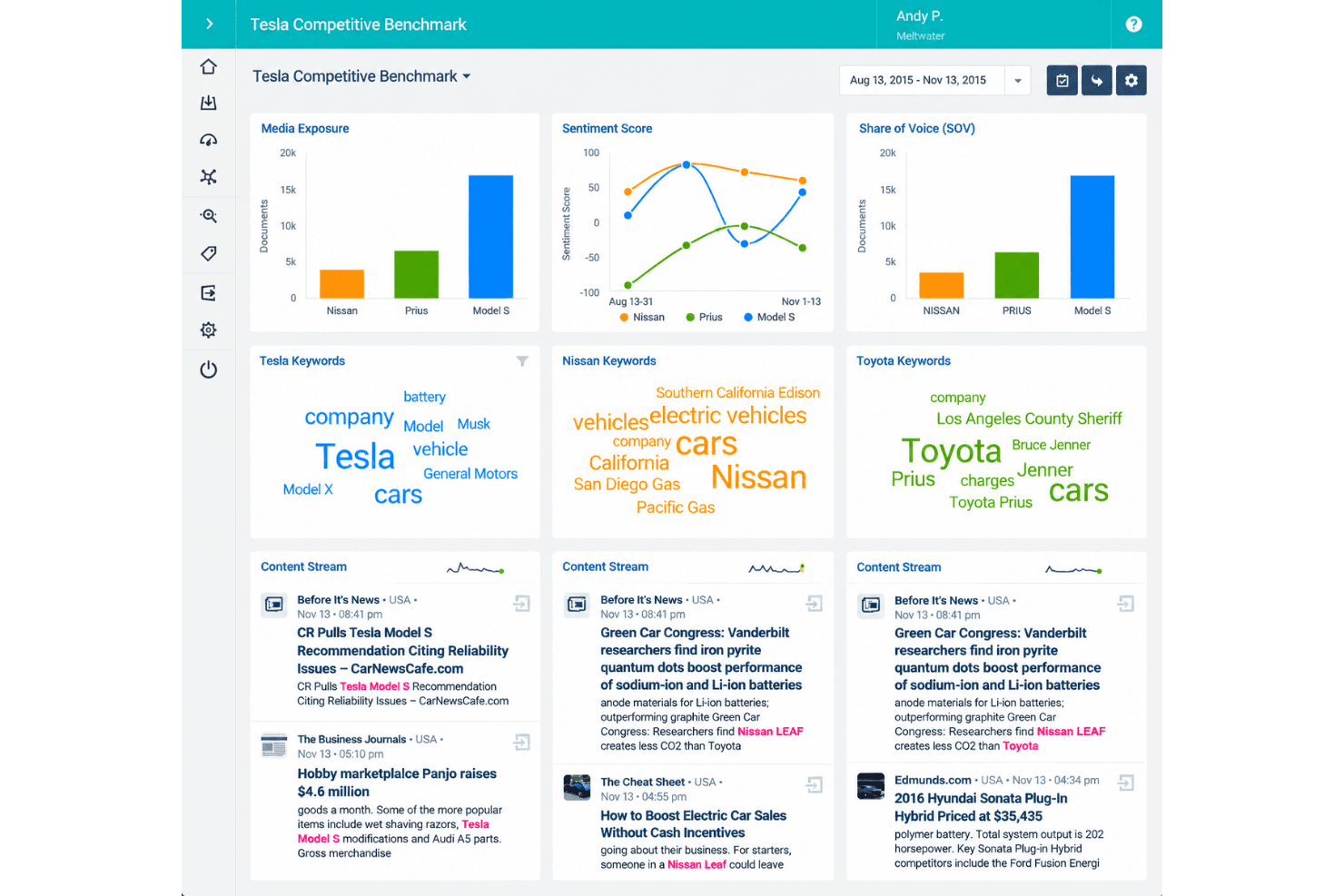
Meltwater lets you stack your brand's earned media metrics beside competitors in real-time, mapping share of voice and sentiment trends for any set of companies. You can instantly visualize where your brand outpaces or trails competitors on specific news topics or crisis events.
Journalist Engagement Tracking
Track every journalist interaction, pitch, and story outcome right inside Meltwater, building a history of who responds and when. This helps you refine your outreach strategies by showing which contacts open, engage, and convert to coverage over time.
AI Answer Visibility Tracking
Meltwater tracks how your brand turns up in AI-generated answers, showing which sources the models lean on and where competitors get cited instead of you. For teams watching discovery shift away from traditional search, this is the capability that separates it most clearly from legacy monitoring tools.
Ease of Use
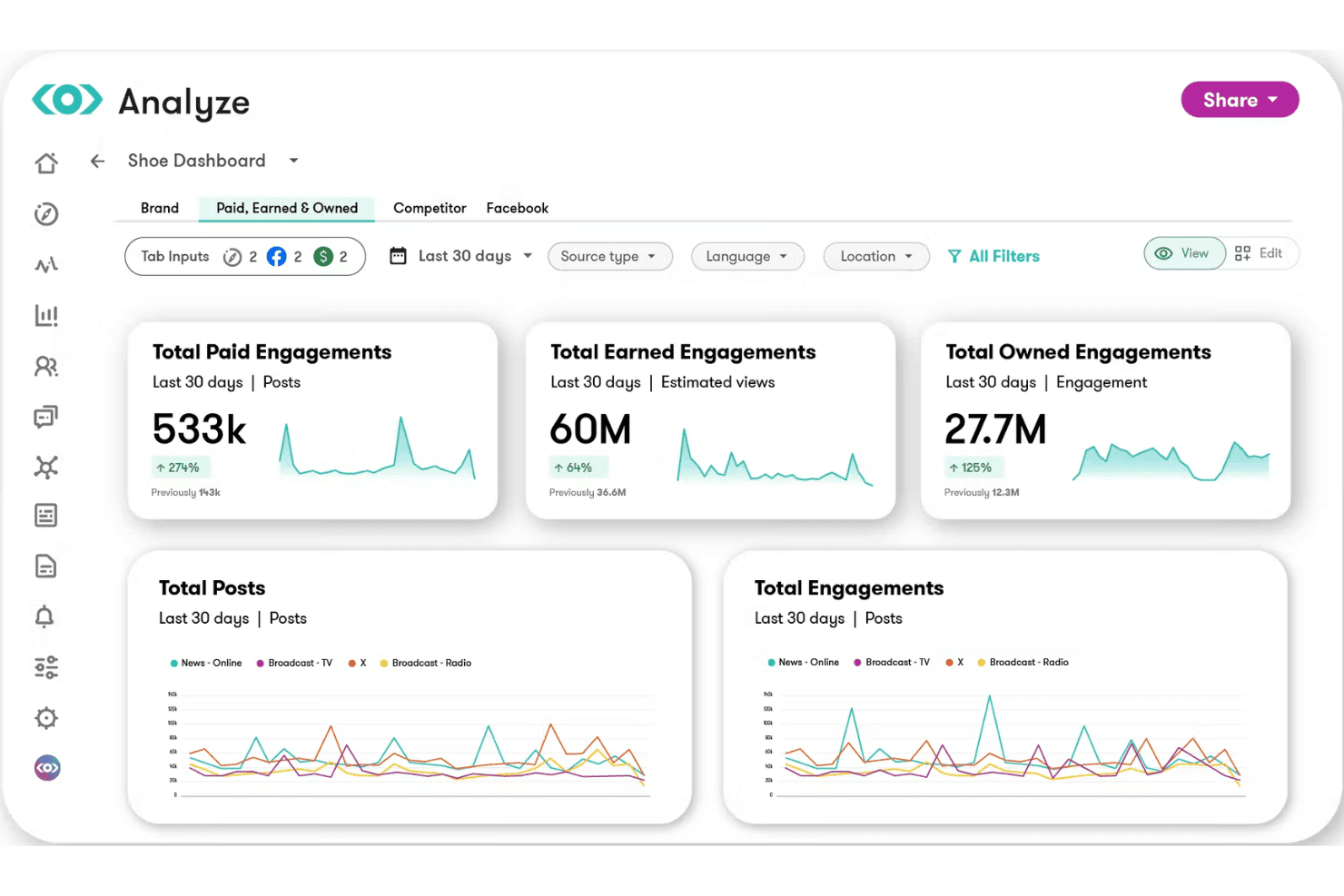
Meltwater is user-friendly with a modern, intuitive user interface that makes it easy to track news and social coverage from one place. Onboarding guides help teams get started quickly. I think the advanced filtering makes narrowing results simple, but some users find custom dashboard setup and navigation take time to master for bigger teams, and the breadth of the suite means there is more to learn if you buy several products at once. Overall, it’s well-designed for everyday PR monitoring without steep learning curves.
Onboarding
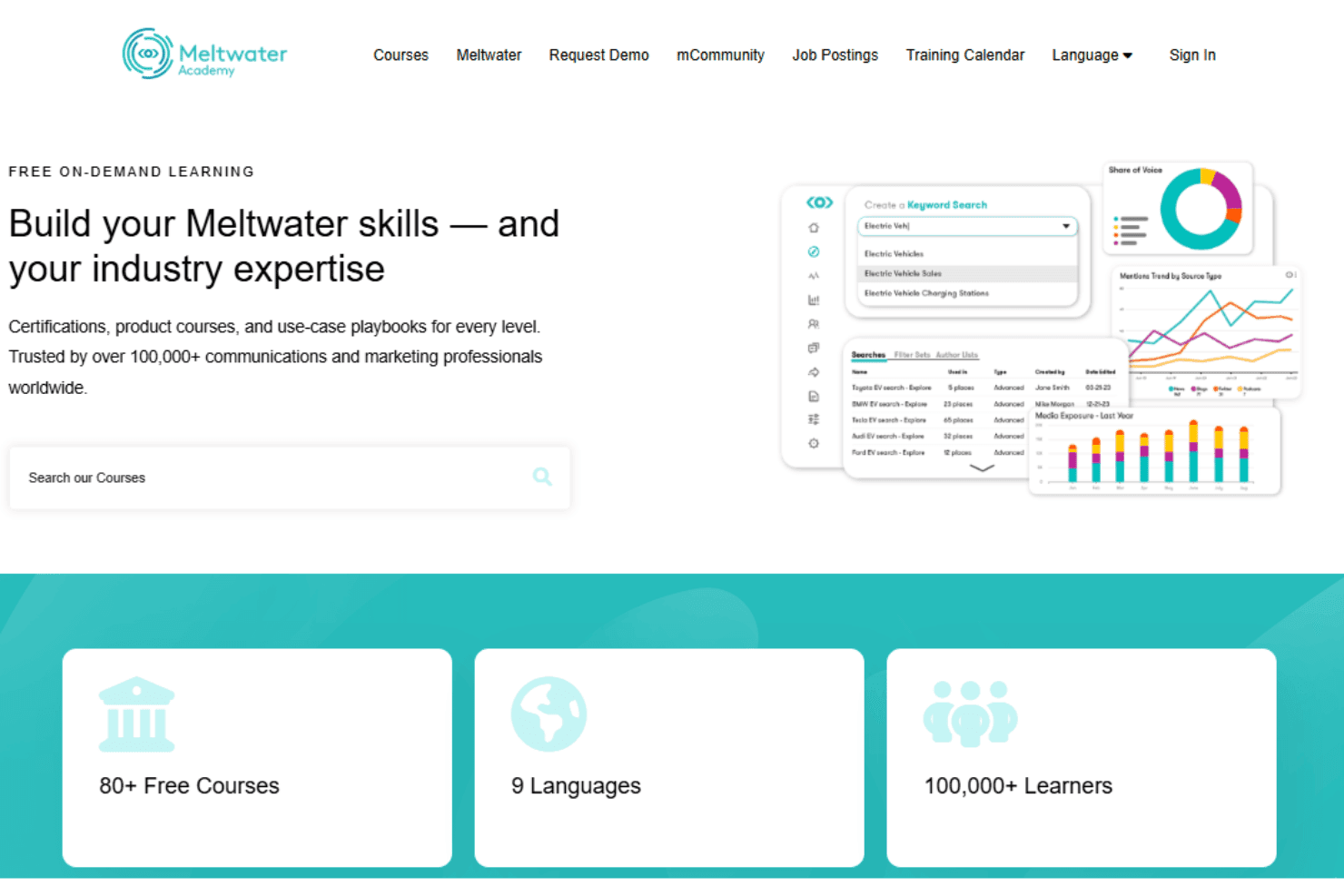
Meltwater runs a flexible onboarding model that scales with what you buy. Every customer gets structured digital guidance through the first month, including in-platform checklists, new-user resources, optional workshops, and certification courses. Larger accounts are assigned an implementation specialist who runs kickoff, configuration, and training, and who can take on limited data migration where it falls inside scope. I think the onboarding resources are detailed, and the support team is responsive via chat and email. Smaller deployments tend to wrap up in about a month, while mid-market and enterprise rollouts usually run longer.
Customer Support
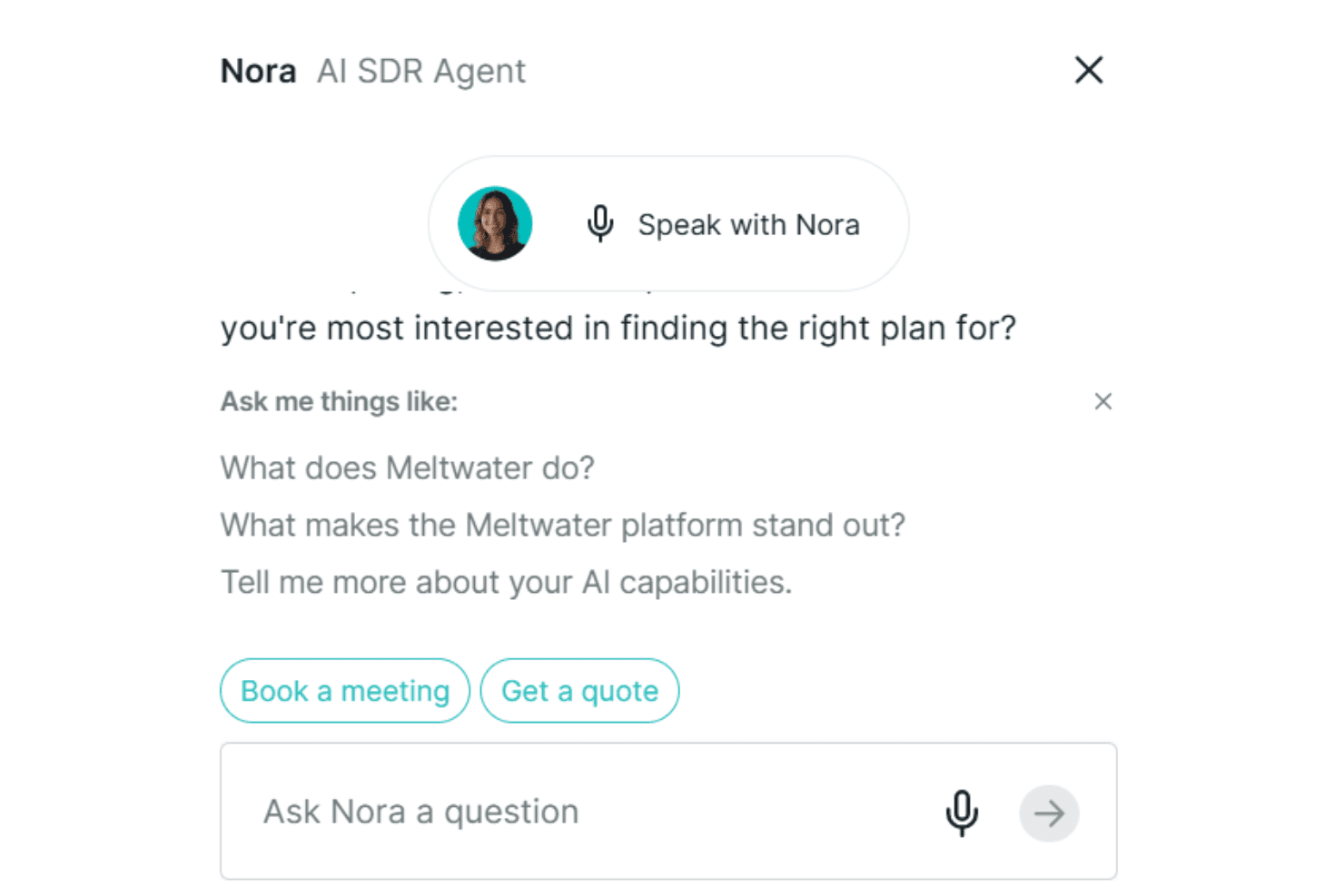
Meltwater offers responsive customer support with chat and email channels, plus a thorough help center filled with documentation and tutorials. There is also a user community and an academy program where teams work through structured courses and earn certification badges, which helps when staff turn over. I think users get quick answers from the support team, which I’ve seen mentioned positively in reviews. Compared to most media monitoring platforms, Meltwater’s onboarding resources and live assistance make it easier for large teams to get up to speed.
Integrations
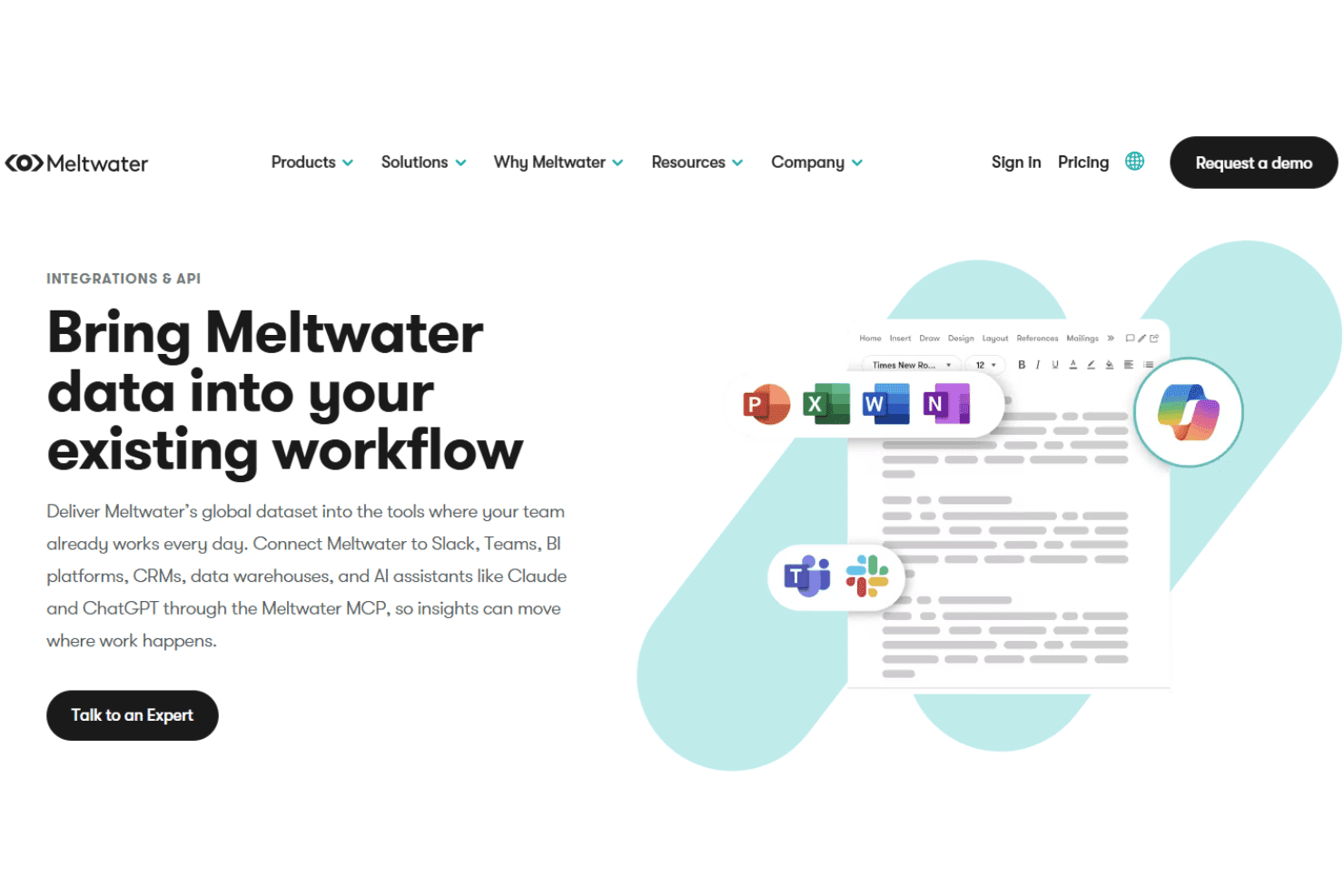
Meltwater integrates with Slack, Microsoft 365, Salesforce, Power BI, Claude, ChatGPT, and HubSpot, among others.
Meltwater also offers an API and connects with third-party integration tools like Zapier.
Value for Money
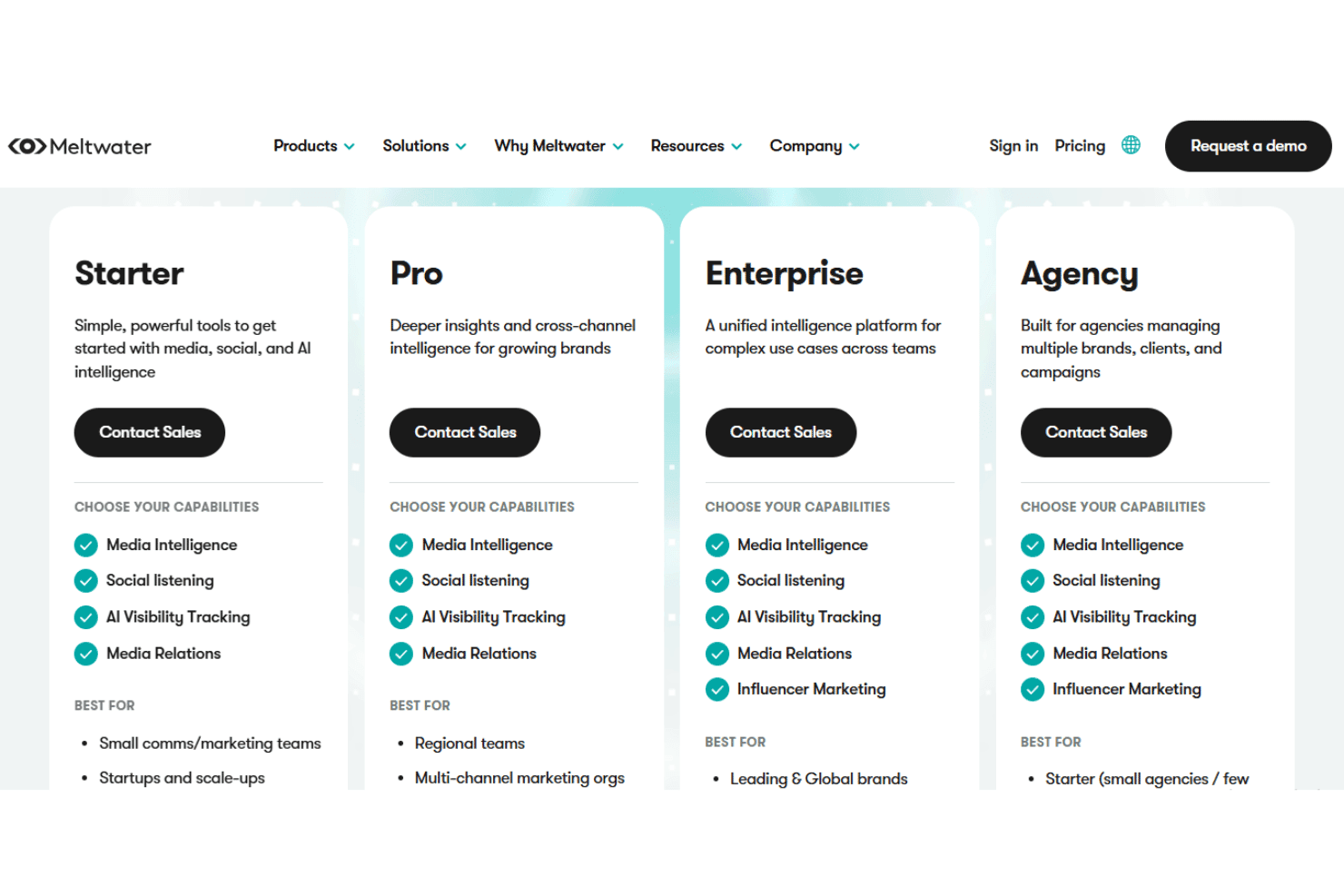
Meltwater uses custom, quote-based pricing rather than publishing fixed rates, with costs shaped by the modules you choose, coverage regions, data volume, users, integrations, support, and contract scope. Plans span Starter, Pro, Enterprise, and Agency tiers, and each package can be customized around capabilities such as media intelligence, social listening, AI visibility tracking, media relations, and influencer marketing. Most agreements are annual, and more complex implementations may include an additional onboarding or setup fee.
- Starter: Includes media intelligence, social listening, and AI visibility tracking.
- Pro: Adds media relations, influence marketing, and unlocks advanced features for Mira AI.
- Enterprise: Offers a unified intelligence platform, API & MCP integrations, governance, workflows, and permissions.
- Agency: Offers the same features as Enterprise tier but expands its capabilities for agencies managing multiple brands and clients.
Meltwater Specs
- A/B Testing: Yes
- Access Management: Yes
- Analytics: Yes
- API: Yes
- Conversion Tracking: Yes
- Custom Reports: Yes
- Customer Management: Yes
- Dashboards: Yes
- Data Export: Yes
- Data Import: Yes
- Data Mining: Yes
- Data Visualization: Yes
- External Integrations: Yes
- Forecasting: Yes
- Inventory Tracking: Yes
- Keyword Tracking: Yes
- Link Tracking: Yes
- Multi-User: Yes
- Notifications: Yes
- Project Management: Yes
- Reports: Yes
- Scenario Planning: Yes
- SEO: Yes
- Supplier Management: Yes
- Visualization: Yes
Meltwater FAQs
Meltwater Company Overview & History
Meltwater is a global media intelligence and social analytics company headquartered in Oslo, Norway, with additional operational headquarters in San Francisco. Founded in 2001, Meltwater employs more than 2,000 people worldwide and operates in over 25 countries. The company has built its reputation by acquiring several media monitoring and social analytics companies, expanding its portfolio to offer advanced PR and marketing tools for enterprise clients. Meltwater has served a range of notable organizations across sectors, including the United Nations and major multinational brands.
Meltwater Major Milestones
- 2001: Founded in Oslo, Norway as Magenta News.
- 2005: Expanded operations to the United States and rebranded as Meltwater.
- 2016: Acquired Infomart, expanding media monitoring in North America.
- 2021: Publicly listed on Euronext Growth Oslo, then moved to the main Oslo Stock Exchange.
- 2022: Acquired Linkfluence, DeepReason.ai, and Owler to expand analytics capabilities.
- 2023: Announced plan to take the company private after being acquired by technology investment firm Altor and Marlin Equity Partners.