

Et godt alternativ til Carrd gir deg brukervennlige verktøy for nettstedbygging, fleksible designalternativer og funksjoner som passer til prosjektet ditt – enten du lager en portefølje, en landingsside eller nettsider for oppstartsbedrifter. Hvis du ikke lenger vil bruke Carrd, ser du sannsynligvis etter plattformer med åpen kildekode eller AI-drevne plattformer som tilbyr flere tilpasningsmuligheter, avanserte funksjoner for å automatisere arbeidsflyter eller andre prismodeller som passer behovene dine, før du i det hele tatt må oppgi kredittkort.
Denne listen hjelper deg med å sammenligne de beste alternativene for 2026, slik at du kan finne den rette nettstedbyggeren for målene, skalerbarheten og budsjettet ditt.
Hva er Carrd?
Carrd er en nettstedbygger utviklet for å lage enkle, responsive nettsider med én side. Den tilbyr en intuitiv dra-og-slipp-redigerer, noe som gjør det enkelt for alle å lansere personlige profiler, landingssider eller porteføljer uten koding.
Carrd er populært blant frilansere, innholdsprodusenter og små bedrifter som trenger en rask og rimelig måte å etablere en tilstedeværelse på nettet. Den enkle tilnærmingen appellerer til brukere som vil publisere nettsider raskt med minimalt oppsett.
Sammenligningstabell over alternativer til Carrd
Denne sammenligningstabellen oppsummerer prisdetaljene for mine beste utvalgte alternativer til Carrd:
Score legend (out of 5)
- Excellent4.5–5
- Good4–4.4
- Average3–3.9
- Below average2–2.9
- Poor1–1.9
Sorted by: Default
| Tool | Starting Price | Website | |||||||
|---|---|---|---|---|---|---|---|---|---|
Best for creative portfolio showcases | 4.0 out of 5 | 5 | 4 | 3 | 4 | 4 | 4 | $5.40/month 15-day free trial available | Website |
Best for content-driven projects | 3.8 out of 5 | 4 | 4 | 3 | 4 | 4 | 4 | $9/month Free plan available | Website |
Best for rapid landing page creation | 3.8 out of 5 | 5 | 4 | 4 | 2 | 5 | 3 | $24/month 14-day free trial available | Website |
Best for visually rich templates | 4.0 out of 5 | 4 | 4 | 4 | 4 | 4 | 4 | $25/month 14-day free trial available | Website |
Best for A/B testing capabilities | 3.2 out of 5 | 3 | 3 | 4 | 2 | 4 | 3 | $29/month 14-day free trial + free demo available | Website |
Best for quick multilingual sites | 3.5 out of 5 | 3 | 4 | 3 | 4 | 3 | 4 | Pricing upon request Free plan + Free demo available | Website |
Best for custom code control | 4.3 out of 5 | 4 | 4 | 4 | 5 | 5 | 4 | $15/month Free plan + free trial + free demo available | Website |
Best for integrated ecommerce tools | 3.2 out of 5 | 2 | 4 | 3 | 5 | 3 | 2 | $16/month Free plan available | Website |
From $16/month (billed annually) | 4.2 out of 5 | 5 | 4 | 4 | 5 | 4 | 3 | $17.77/month Free plan + 14-day free trial + free demo available | Website |
Best for one-page site simplicity | 2.7 out of 5 | 3 | 2 | 3 | 2 | 3 | 3 | $8/month Free plan available | Website |


Hvorfor du kan stole på våre programvareanbefalinger
6,700+
Reviews
20
Industry experts
16+
Evaluation factors
14
Years
Teamet vårt har testet og anmeldt programvare siden 2012. Vi er selv markedsføringsledere, så vi vet hvor vanskelig og hvor viktig det er å velge riktig programvare.
I denne guiden har vi vurdert verktøyene gjennom praktisk testing og uavhengig research og gitt dem poeng ut fra våre utvelgelseskriterier.
Anmeldelsene våre bygger på vår egen redaksjonelle vurdering. De er ikke et salgsargument.
Ekspertanmeldere:
 Gui DrusinaCreative Director
- Shriya GhateSenior Marketing Lead
 Amanda JacquesMarketing Ops Leader

Anmeldelser av alternativer til Carrd
Nedenfor finner du mine detaljerte sammendrag av alternativene til Carrd som kom med på kortlisten min. Anmeldelsene mine gir et detaljert innblikk i funksjonene, de beste bruksområdene og integrasjonene til hver plattform, slik at du kan finne den som passer best for deg.
 Best for creative portfolio showcases
- 15-day free trial available
- From $5.40/month (billed every 2 years)
Visit WebsiteCustomer Rating:4.7/5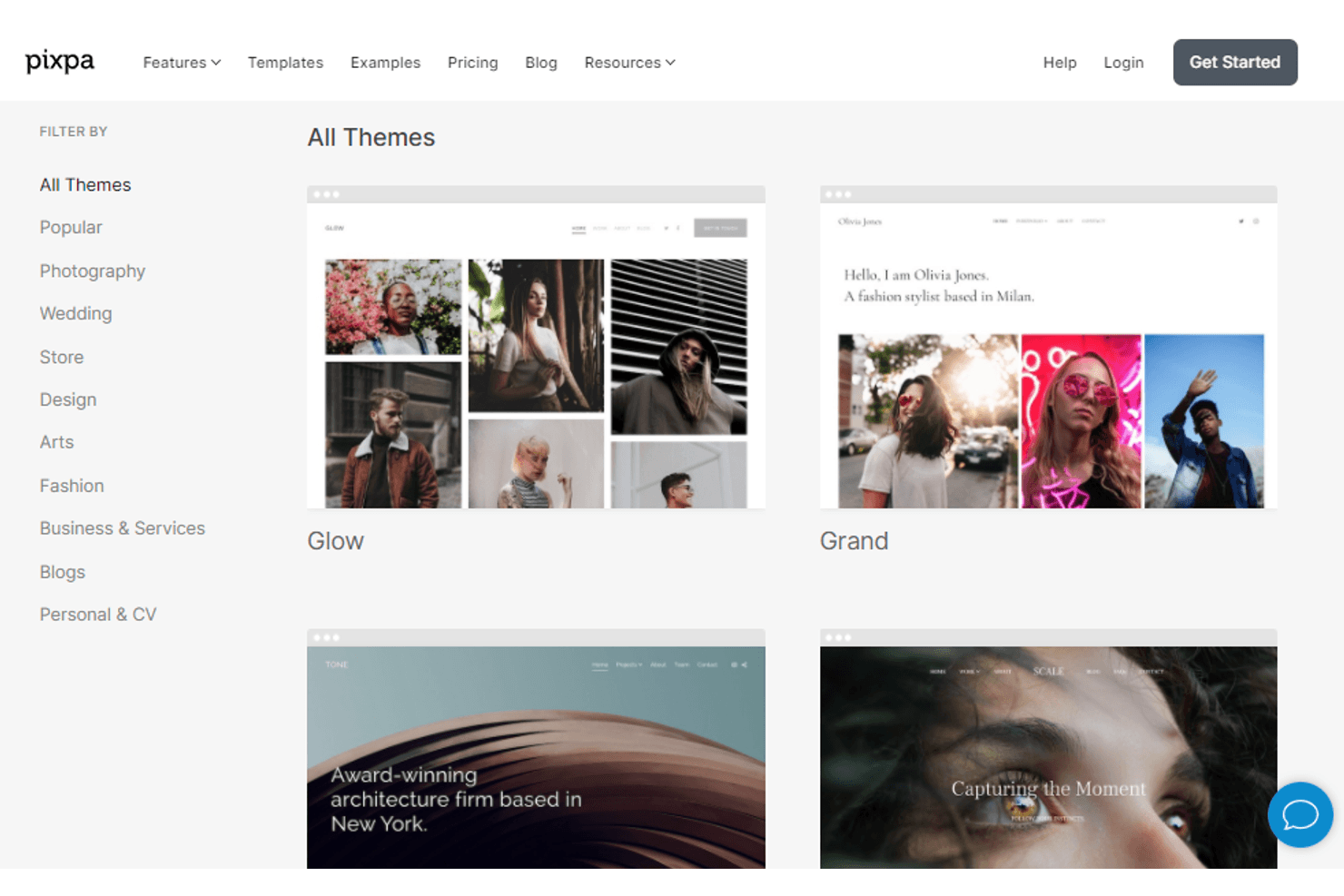
Pixpa offers a variety of themed templates for portfolio websites. Pixpa is an all-in-one website builder designed for creatives—photographers, designers, and freelancers—who want to combine a portfolio, client galleries, online store, and blog without switching between platforms.
Who Is Pixpa Best For?
Pixpa is a great fit for photographers, designers, and other visual creatives who need a portfolio, client gallery, online store, and blog all under one roof.
Why I Picked Pixpa
Pixpa earns its spot on my shortlist because it's built specifically for visual creatives who've outgrown Carrd's single-page limits. I particularly like how it combines a full portfolio, client proofing galleries, and an online store under one roof, so a photographer can deliver images to clients, sell prints, and showcase their work without juggling separate platforms. The 200+ designer-made templates are tailored to creative use cases, and switching between them keeps your existing galleries and pages intact.
Pixpa Key Features
- Built-in client galleries: Share password-protected galleries with clients for proofing, image selection, and secure file delivery directly from your website.
- Zero-commission online store: Sell physical products, digital downloads, services, and image prints without paying Pixpa a cut of your sales.
- AI Writer: Generate page copy, product descriptions, and SEO titles using your brand name, description, and preferred tone.
- 301 redirects and auto-generated sitemaps: Set up URL redirects and let Pixpa automatically generate website and image sitemaps to support search indexing.
Pixpa Integrations
Pixpa offers 100+ marketplace integrations, including Google Analytics, Google Sheets, Instagram, Mailchimp, Stripe, and PayPal. It also supports Zapier.
Pros and Cons
Pros:
- Template designs earn repeated reviewer praise
- Clients can proof images beside portfolio work
- Portfolio, galleries, and stores share one site
Cons:
- Store layouts and mobile edits feel restrictive
- Carrd content requires a manual rebuild
Learn more about Pixpa:
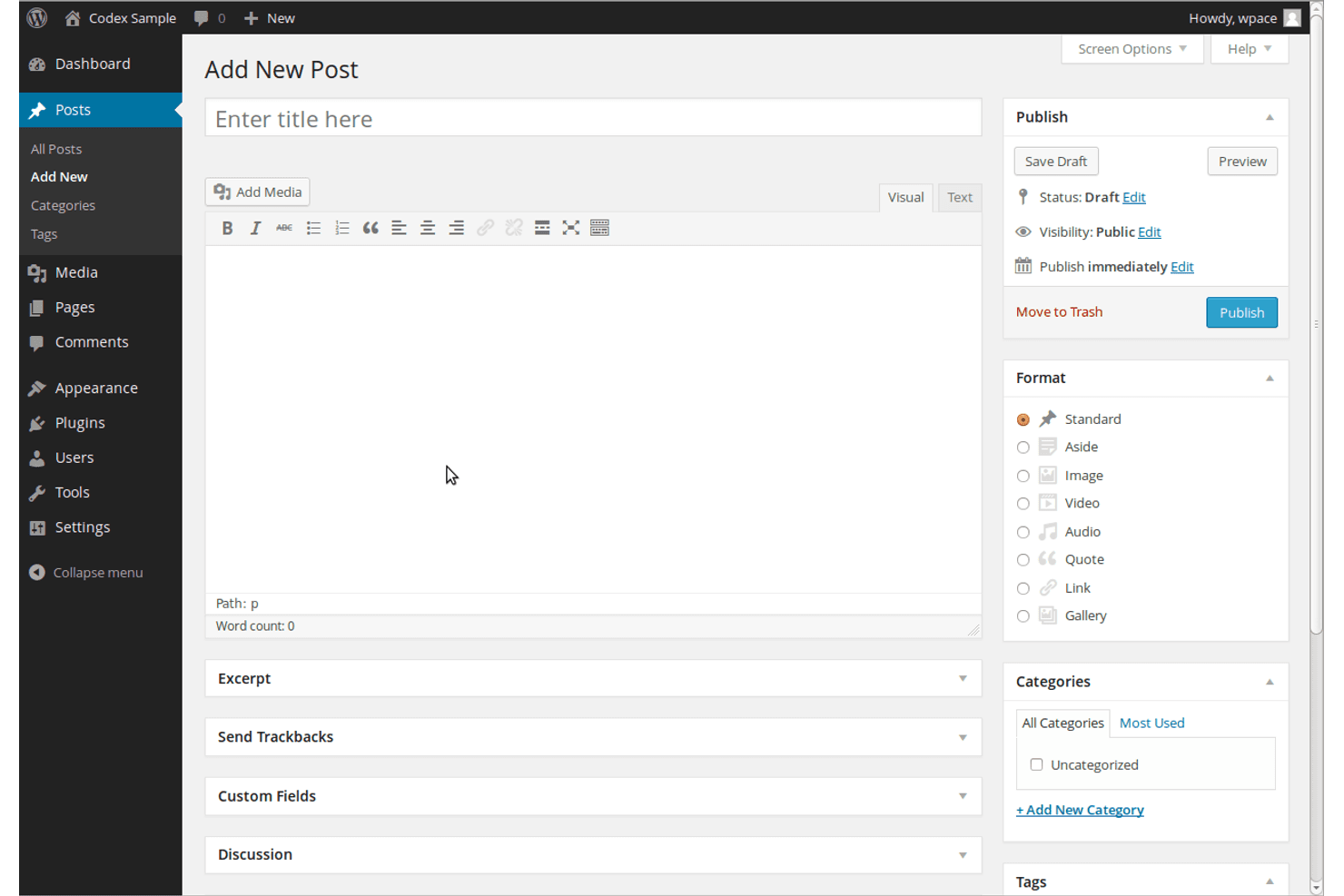
WordPress lets users create and publish new posts with ease. WordPress.com is a hosted website builder and publishing platform that appeals to content creators, small business owners, and marketers who need a scalable site with built-in SEO tools, email marketing, and ecommerce capabilities beyond what a simple one-page builder can offer.
Who Is WordPress Best For?
WordPress.com suits content-focused creators and small business owners who want to grow beyond a single-page site into a full publishing or marketing hub.
Why I Picked WordPress
I picked WordPress as one of the best Carrd alternatives because it's built for content-driven growth in a way that Carrd simply can't match. The block editor lets me publish posts, newsletters, and landing pages from one place, while built-in SEO tools like custom meta titles, XML sitemaps, and clean URLs mean my content is discoverable from day one. I also appreciate the newsletter feature, which lets me send new posts directly to subscribers and even publish paid newsletters without a separate email platform.
WordPress Key Features
- Block patterns: Choose from pre-built content layouts to drop into any page or post without starting from scratch.
- WooCommerce integration: Add a full online store with product listings, inventory management, and checkout directly to your site.
- Password-protected pages: Restrict individual pages or posts so only visitors with the correct password can view them.
- Social sharing automation: Automatically publish new posts to connected social profiles like Facebook, LinkedIn, and Tumblr.
WordPress Integrations
WordPress.com offers native integrations with Google Analytics, Stripe, PayPal, Facebook, LinkedIn, and Tumblr. Its marketplace adds WooCommerce, MailPoet, HubSpot, and Site Kit by Google, while REST API, OAuth2, and MCP support custom connections.
Pros and Cons
Pros:
- Responsive themes support multi-page websites
- More than 1,000 themes support varied layouts
- Content publishing scales beyond single-page sites
Cons:
- Plugins require upkeep and can conflict or slow sites
- Editing interface can feel dated and clunky
Learn more about WordPress: Best for rapid landing page creation
- 14-day free trial available
- From $24/month (billed annually)
Visit WebsiteCustomer Rating:4.6/5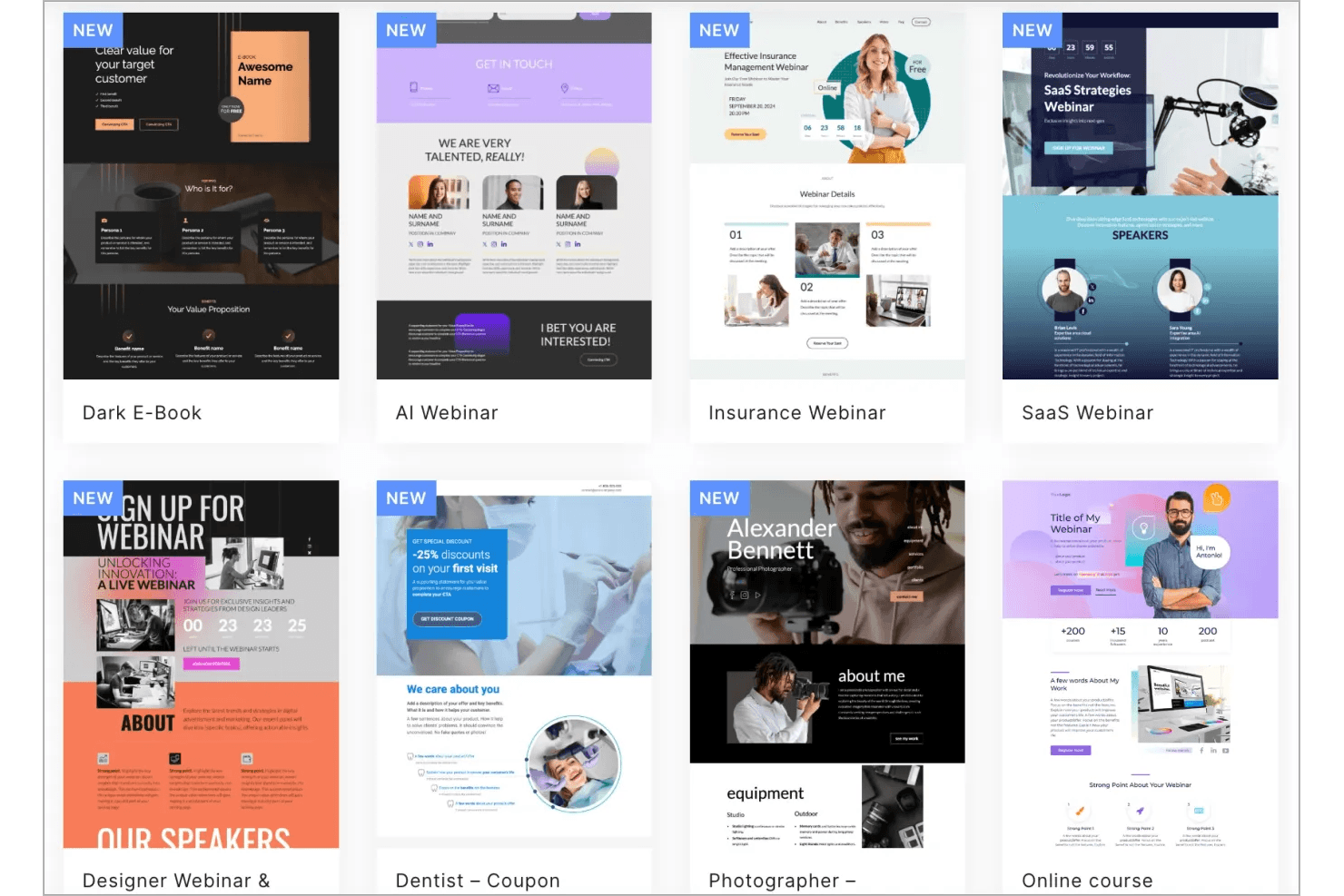
Landingi offers ready-made landing page templates for various niches. Landingi is an AI-powered landing page platform built for marketers who need to design, publish, and optimize campaign pages without relying on developers—combining a flexible drag-and-drop editor, 400+ templates, and built-in A/B testing to turn traffic into leads faster.
Who Is Landingi Best For?
Landingi is a strong fit for marketers and agencies who need to build, test, and launch campaign landing pages fast—without handing every update to a developer.
Why I Picked Landingi
I picked Landingi as one of the best because it's purpose-built for rapid landing page creation in a way Carrd simply isn't. The Lunar AI generator can produce a complete, campaign-ready page from a brief in seconds, and 400+ templates searchable by goal or funnel stage mean you're never starting from scratch. I also love the built-in A/B testing and EventTracker, which let you run split tests and track scroll depth or click behavior without bolting on a separate tool.
Landingi Key Features
- Smart Sections: Reuse shared page sections across multiple pages and update recurring content—like headers, footers, or offer blocks—from a single location.
- Programmatic landing pages: Generate targeted page variants at scale from one template using structured data supplied via CSV or API.
- 170+ integrations: Connect pages directly to CRM, email marketing, analytics, and payment tools including HubSpot, Salesforce, Mailchimp, and Stripe.
- Custom HTML, CSS, and JavaScript support: Add custom code directly in the editor to extend page functionality beyond the built-in drag-and-drop elements.
Landingi Integrations
Landingi offers 170+ integrations, including HubSpot, Salesforce, Mailchimp, Google Analytics 4, Google Sheets, Stripe, and Shopify Buy Button. It also supports Zapier, Make, webhooks, and a public API for custom connections.
Pros and Cons
Pros:
- Campaign templates help teams launch faster
- Pixel-level editing gives more layout control
- Lunar drafts editable campaign pages quickly
Cons:
- Site-wide navigation requires custom code
- Mobile layouts often need manual rearranging
Learn more about Landingi: Best for visually rich templates
- 14-day free trial available
- From $25/month
Visit WebsiteCustomer Rating:4.6/5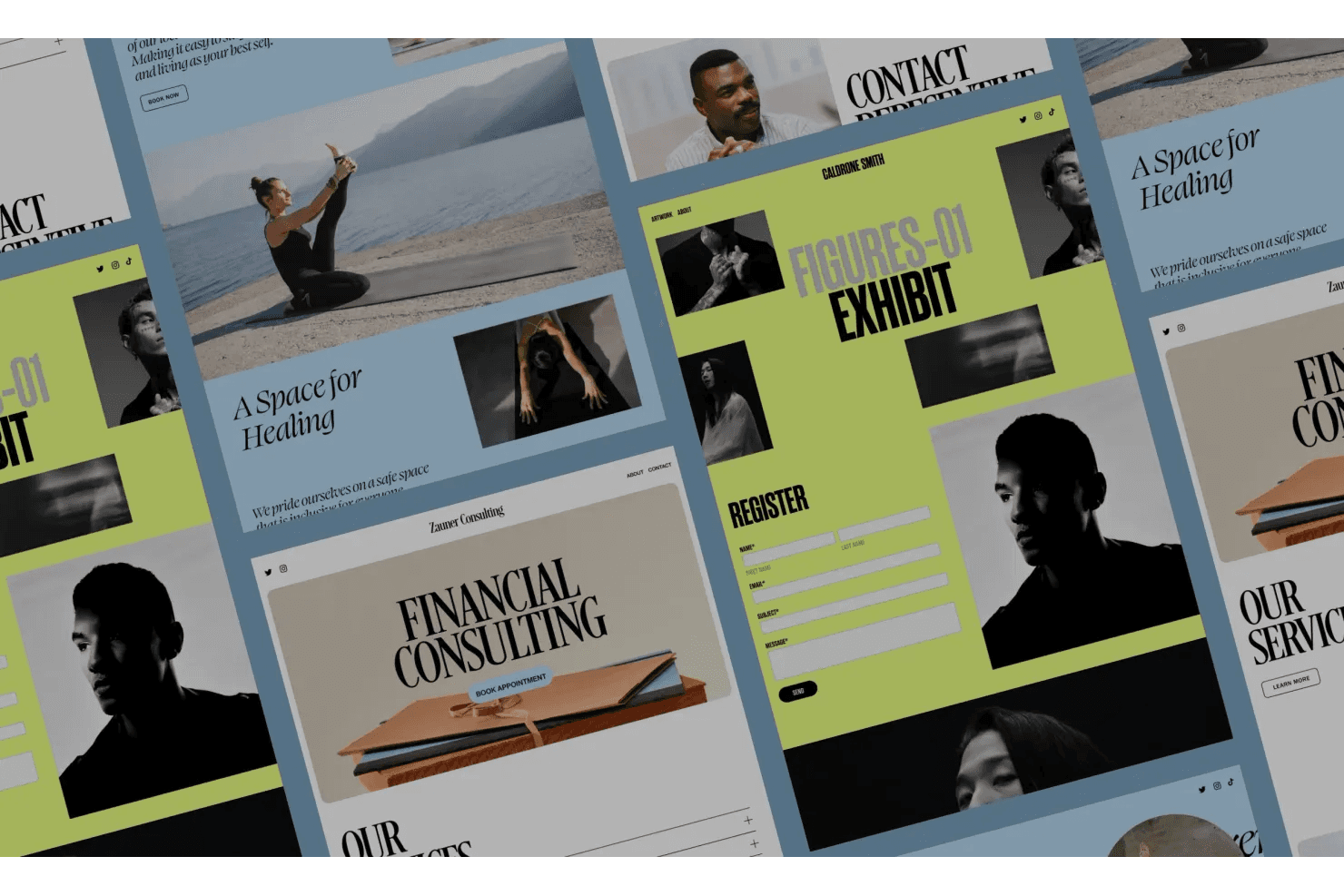
Squarespace offers versatile website templates for various industries. Squarespace is a website builder that lets small business owners, freelancers, and marketers create multi-page sites with built-in commerce, analytics, email campaigns, and SEO tools—making it a fuller-featured step up from simpler one-page builders.
Who Is Squarespace Best For?
Squarespace is a strong fit for small business owners and freelancers who want polished, design-forward sites with built-in commerce and marketing tools.
Why I Picked Squarespace
Squarespace earns its spot on my shortlist because its template library is genuinely in a different league from what Carrd offers. I love how every template ships with fully customizable sections, typography controls, and color palettes, so a portfolio or product page looks polished right out of the gate. The Fluid Engine editor lets me reposition elements on a pixel-level grid, which means I can push a layout well beyond its starting point without touching code.
Squarespace Key Features
- Blueprint AI builder: Answers a few questions about your business and Squarespace generates a suggested site structure, copy, and images to get you started.
- Built-in ecommerce tools: Manage product listings, inventory, orders, taxes, and shipping, and accept payments directly through your site.
- Squarespace Analytics: Track pageviews, traffic sources, referrers, bounce rate, conversions, and sales from a single dashboard.
- Promotional pop-ups and announcement bars: Display targeted messages, discount codes, or signup forms to site visitors without any third-party tools.
Squarespace Integrations
Squarespace offers native integrations with Google Workspace, Facebook, Instagram, Stripe, PayPal, and Google Merchant Center. Marketplace integrations include Mailchimp and HubSpot by Hotglue; Zapier and REST APIs with webhooks support custom integrations.
Pros and Cons
Pros:
- Built-in commerce and analytics connect site activity to sales
- Multi-page structure supports growth beyond single-page sites
- Polished templates give campaigns a strong visual starting point
Cons:
- Carrd designs and layouts don’t transfer directly
- More platform than simple one-page sites need
Learn more about Squarespace: Best for A/B testing capabilities
- 14-day free trial + free demo available
- From $29/month
Visit WebsiteCustomer Rating:4.4/5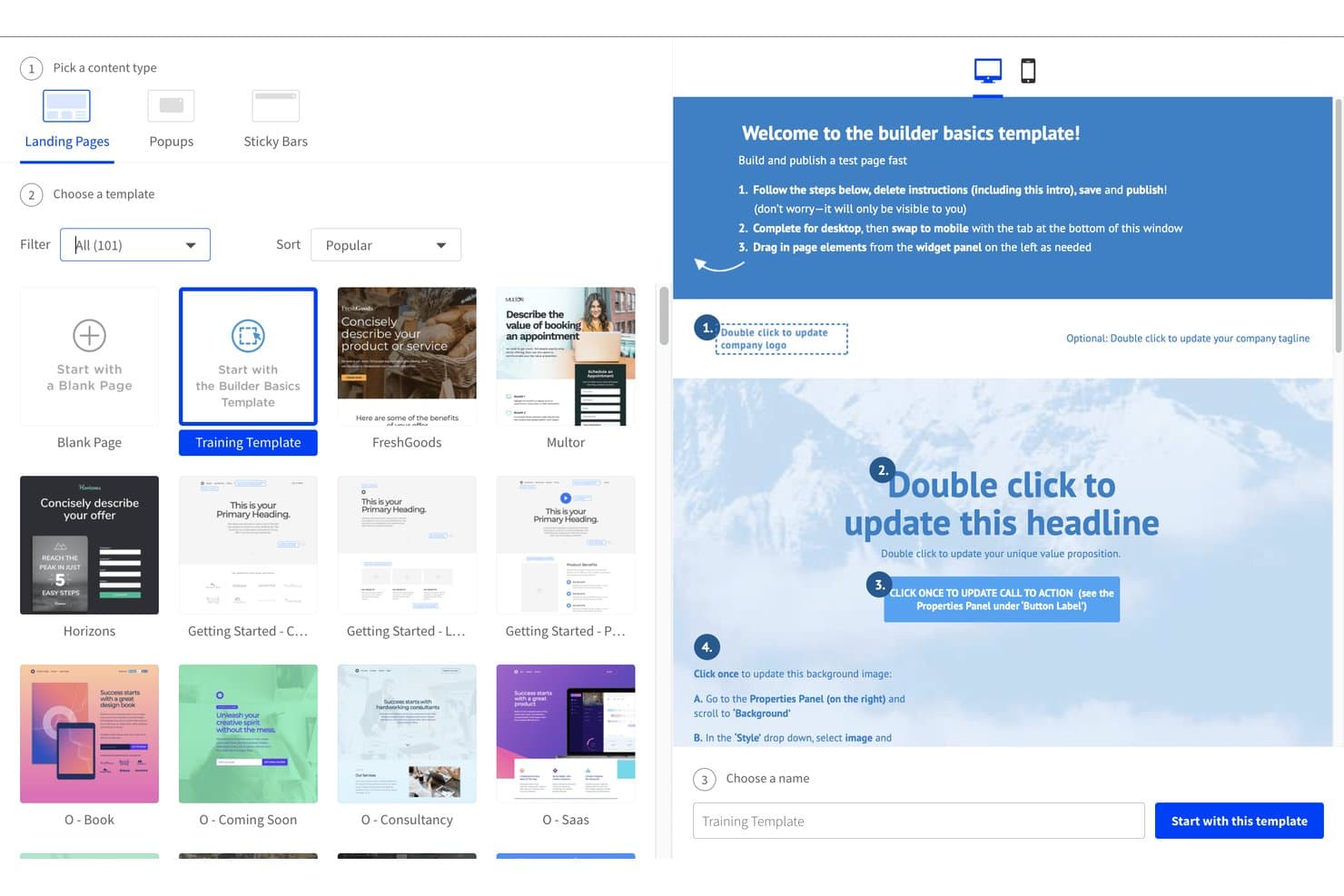
Unbounce lets users pick templates and preview them before building. Unbounce is an AI-powered landing page builder designed for marketers who need to build, test, and optimize campaign pages without relying on developers.
Who Is Unbounce Best For?
Unbounce is a strong fit for performance marketers and PPC teams who need to build, test, and optimize campaign landing pages without writing code.
Why I Picked Unbounce
Unbounce earns its spot on my shortlist because its A/B testing setup is genuinely built for marketers running paid campaigns. I can spin up unlimited page variants, allocate traffic manually between them, and read confidence intervals, all without touching code. What I find especially useful is Smart Traffic, which automatically routes visitors to whichever variant is most likely to convert based on signals like device, location, and browser, so tests keep optimizing even when I'm not watching.
Unbounce Key Features
- AI page generation: Build a landing page from a text prompt, with Unbounce's AI writing copy, selecting images, and laying out sections based on data from 2.5 billion conversions.
- Dynamic text replacement: Automatically swap headline text to match a visitor's search query, keeping your page copy aligned with the ad that brought them there.
- 1,000+ integrations: Connect landing pages to tools like Salesforce, HubSpot, Mailchimp, Marketo, and ActiveCampaign, or extend further through Zapier.
- MCP server: Link Unbounce to Claude or ChatGPT to build, edit, publish, and analyze landing pages directly from those AI assistants.
Unbounce Integrations
Unbounce offers 60+ native integrations, including Salesforce, HubSpot, Mailchimp, ActiveCampaign, Marketo, Google Analytics, and Google Tag Manager. It also connects to 900+ apps through Zapier and supports webhooks plus an MCP server for Claude and ChatGPT.
Pros and Cons
Pros:
- Campaign templates help teams launch pages quickly
- AI drafts campaign landing pages from prompts
- Marketers can test page variants without developers
Cons:
- Mobile layouts can need manual adjustments
- No dedicated portfolio or bio-link tools
Learn more about Unbounce: Best for quick multilingual sites
- Free plan + Free demo available
- Pricing upon request
Visit WebsiteCustomer Rating:4.4/5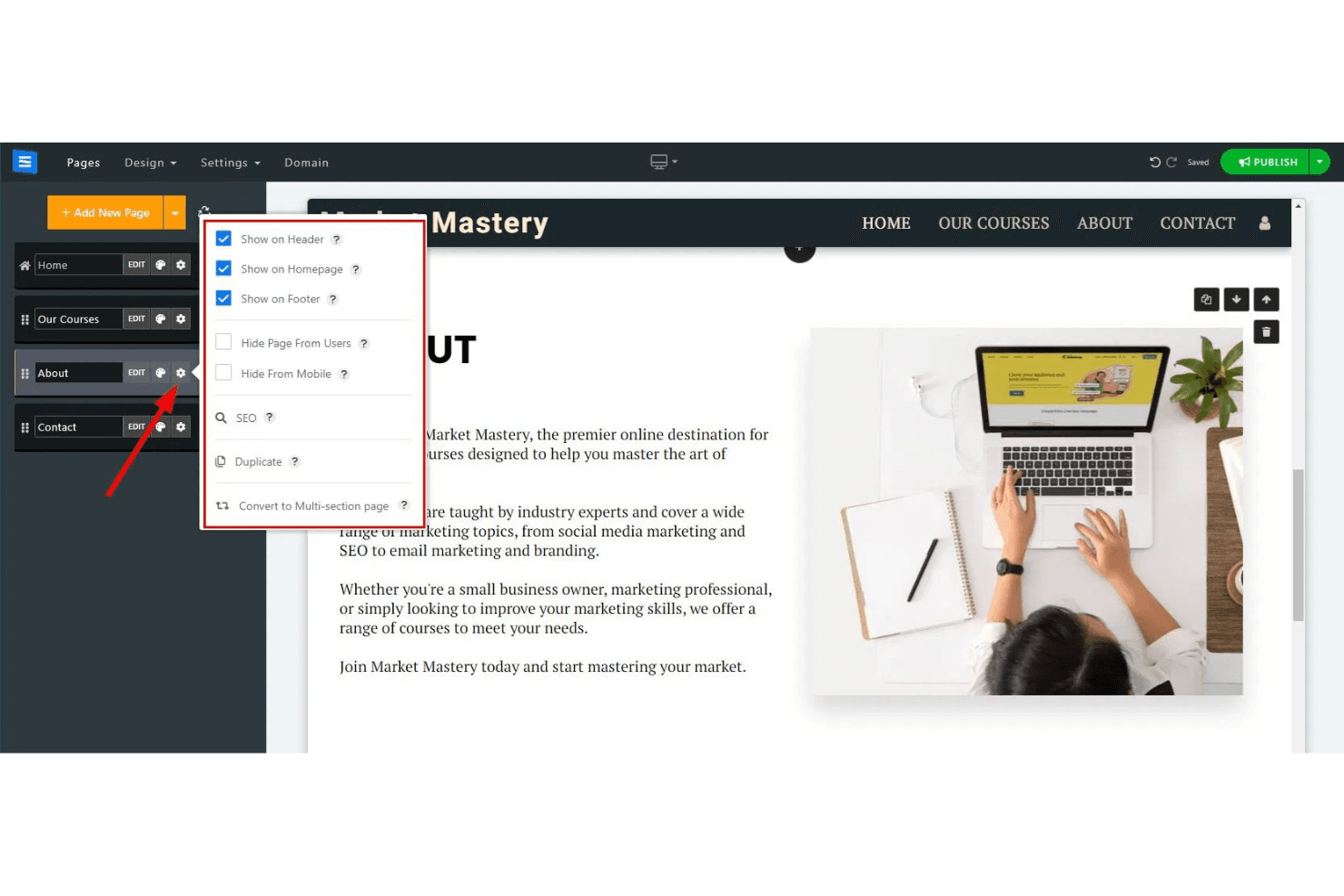
SITE123 lets users control page visibility and navigation settings. SITE123 is a no-code website builder designed for small business owners, freelancers, and agencies who need to get a professional site live quickly—without wrestling with complex editors or hiring a developer.
Who Is SITE123 Best For?
SITE123 is a strong fit for small business owners and freelancers who need to launch a multilingual site quickly without touching code.
Why I Picked SITE123
I picked SITE123 as one of the best Carrd alternatives because its built-in multilingual tools are genuinely ahead of what most simple site builders offer. You can translate content via Google Translate or Bing Translate, or export a translation file for a professional translator and re-import it. Each language gets its own URL and hreflang tags automatically, so a site serving audiences in multiple countries stays SEO-friendly without manual configuration.
SITE123 Key Features
- Custom form builder: Create multi-step forms with field types including text, dropdown, file upload, and checkbox, plus auto-replies and custom thank-you messages.
- Password-protected pages: Hide your site behind a password screen with customizable titles, messages, and background images.
- Built-in online store: Sell physical or digital products with inventory tracking, order management, coupons, and abandoned-cart email recovery.
- Landing page builder: Build focused, navigation-free pages for product promotions, event campaigns, or lead collection.
SITE123 Integrations
SITE123 offers marketplace integrations including Google Analytics, Google Tag Manager, Facebook Pixel, Tidio Chat, and Amazon Pay, plus native integrations with PayPal, Stripe, Google Translate, and Bing Translate.
Pros and Cons
Pros:
- Up to 200 pages support growing sites
- Multi-step forms capture richer lead details
- Built-in multilingual SEO supports translated audiences
Cons:
- Moving sites means rebuilding pages manually
- Fixed layouts limit precise visual control
Learn more about SITE123: Best for custom code control
- Free plan + free trial + free demo available
- From $15/month (billed annually)
Visit WebsiteCustomer Rating:4.4/5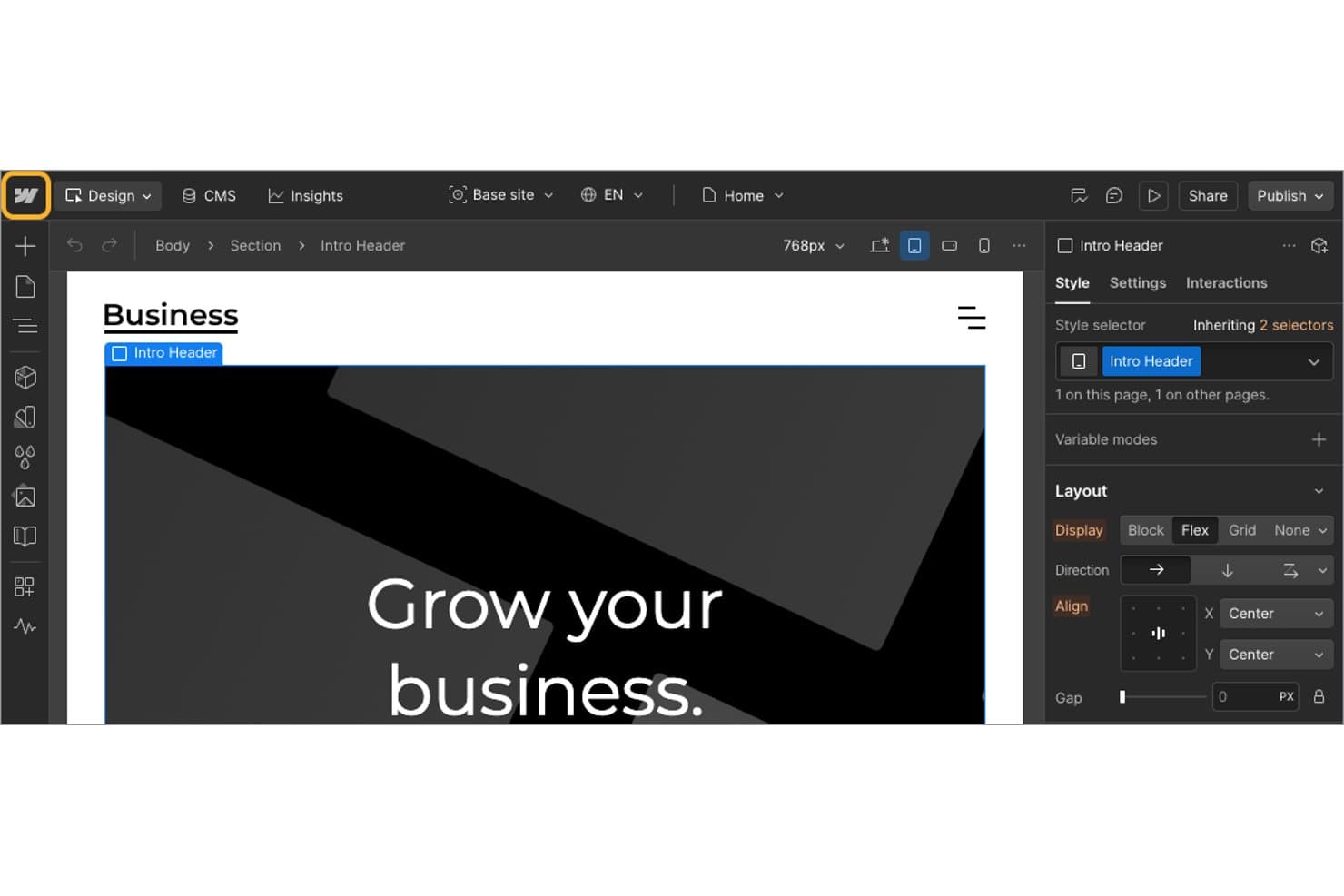
Webflow lets users set Flex display and alignment in the Style panel. Webflow is a visual website builder for designers, marketers, and agencies who need pixel-level design control, CMS-driven content management, and scalable site architecture without relying on a developer for every change.
Who Is Webflow Best For?
Webflow is a strong fit for web designers, marketing teams, and agencies that need fine-grained control over layout, interactions, and CMS-driven content without handing every change to a developer.
Why I Picked Webflow
I picked Webflow as one of the best Carrd alternatives because it gives you genuine control over your site's code without forcing you to leave the visual canvas. Where Carrd caps out quickly on design complexity, Webflow lets you embed custom HTML, CSS, and JavaScript at the page or site level, and you can build with flexbox and CSS Grid directly in the Designer. Its CMS Collections also mean you can manage a blog or portfolio at scale, something Carrd simply wasn't built for.
Webflow Key Features
- Flexbox and CSS Grid layout controls: Design page layouts using flexbox and CSS Grid directly in the visual canvas without touching code.
- CMS Collections: Structure and manage dynamic content like blogs or portfolios using reusable collection templates and fields.
- Interactions and animations: Build scroll-triggered animations and interactive experiences, including GSAP-powered effects, through a visual timeline editor.
- Password-protected pages: Restrict access to individual pages or entire sites using password protection, available on paid Site plans.
Webflow Integrations
Webflow offers native integrations with Mailchimp, Meta, Google Shopping, Stripe, PayPal, and Apple Pay. Its marketplace lists 437 apps, including Google Workspace, Airtable, HubSpot, and Zapier; REST APIs, webhooks, OAuth, SDKs, and an MCP server support custom connections.
Pros and Cons
Pros:
- Custom code extends visual designs
- CMS supports ongoing multi-page updates
- Visual flexbox and Grid control
Cons:
- Multiple plans complicate total site costs
- Designer takes practice without CSS experience
Learn more about Webflow: Best for integrated ecommerce tools
- Free plan available
- From $16/month
Visit WebsiteCustomer Rating:4.3/5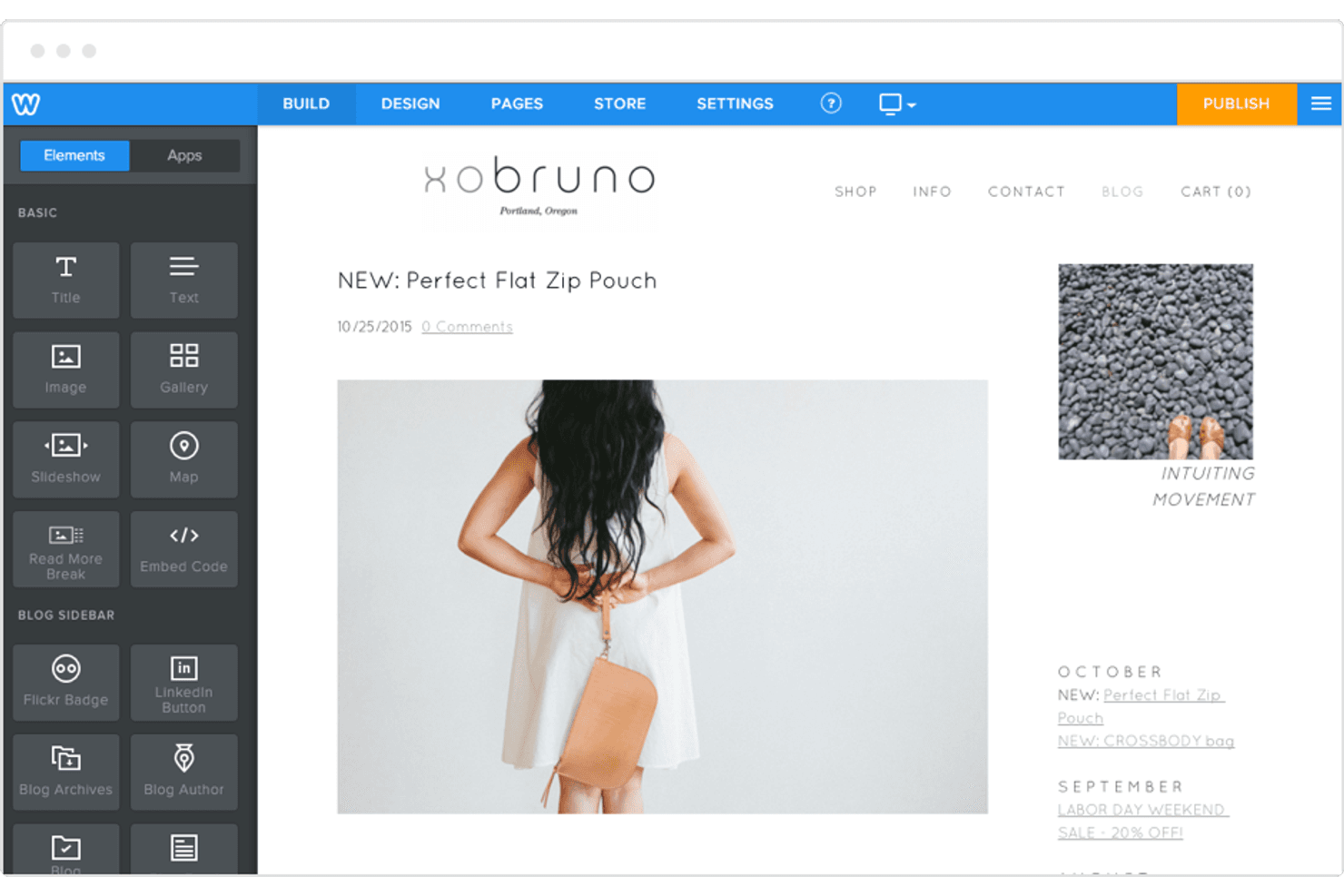
Weebly lets users build and customize blog pages with drag-and-drop elements. Weebly is a drag-and-drop website builder owned by Square that suits small business owners and solo entrepreneurs who want to build a multi-page site, capture leads, and sell products online without writing code.
Who Is Weebly Best For?
Weebly is a strong fit for small business owners who want to sell products online and manage in-person sales through a single Square-connected system.
Why I Picked Weebly
I've included Weebly in my top picks because its Square-connected ecommerce tools go further than anything Carrd can offer a small business owner. If you're running a physical shop alongside an online store, Weebly syncs your inventory, orders, and payments across both channels automatically. I also like that you can sell physical products, digital downloads, and in-person pickups from a single dashboard, with automatic tax calculation built in.
Weebly Key Features
- Drag-and-drop page editor: Build and edit multi-page sites visually in a browser by placing text, images, maps, videos, and other elements without writing code.
- Blog publishing tools: Create and customize blog layouts with categories, tags, comments, and scheduled post publishing built directly into the editor.
- Email marketing campaigns: Design and send newsletters, promotions, and event emails using a template library and drag-and-drop email editor with contact segmentation.
- Password-protected pages: Restrict access to individual pages or your entire site with password protection, available on the Professional plan and above.
Weebly Integrations
Weebly offers native integrations with Square, Stripe, PayPal, Authorize.net, and Google Analytics, plus marketplace integrations with Shippo, Instagram, and WhatsApp. Its Developer Center supports REST APIs, webhooks, and OAuth2 for custom integrations.
Pros and Cons
Pros:
- Adds built-in ecommerce to simple sites
- Captures leads with customizable forms
- Supports unlimited nested pages
Cons:
- Templates feel dated and look alike
- Mobile formatting can be inconsistent
Learn more about Weebly: 9From $16/month (billed annually)
Wix
- Free plan + 14-day free trial + free demo available
- From $17.77/month (billed annually)
Visit WebsiteCustomer Rating:4.4/5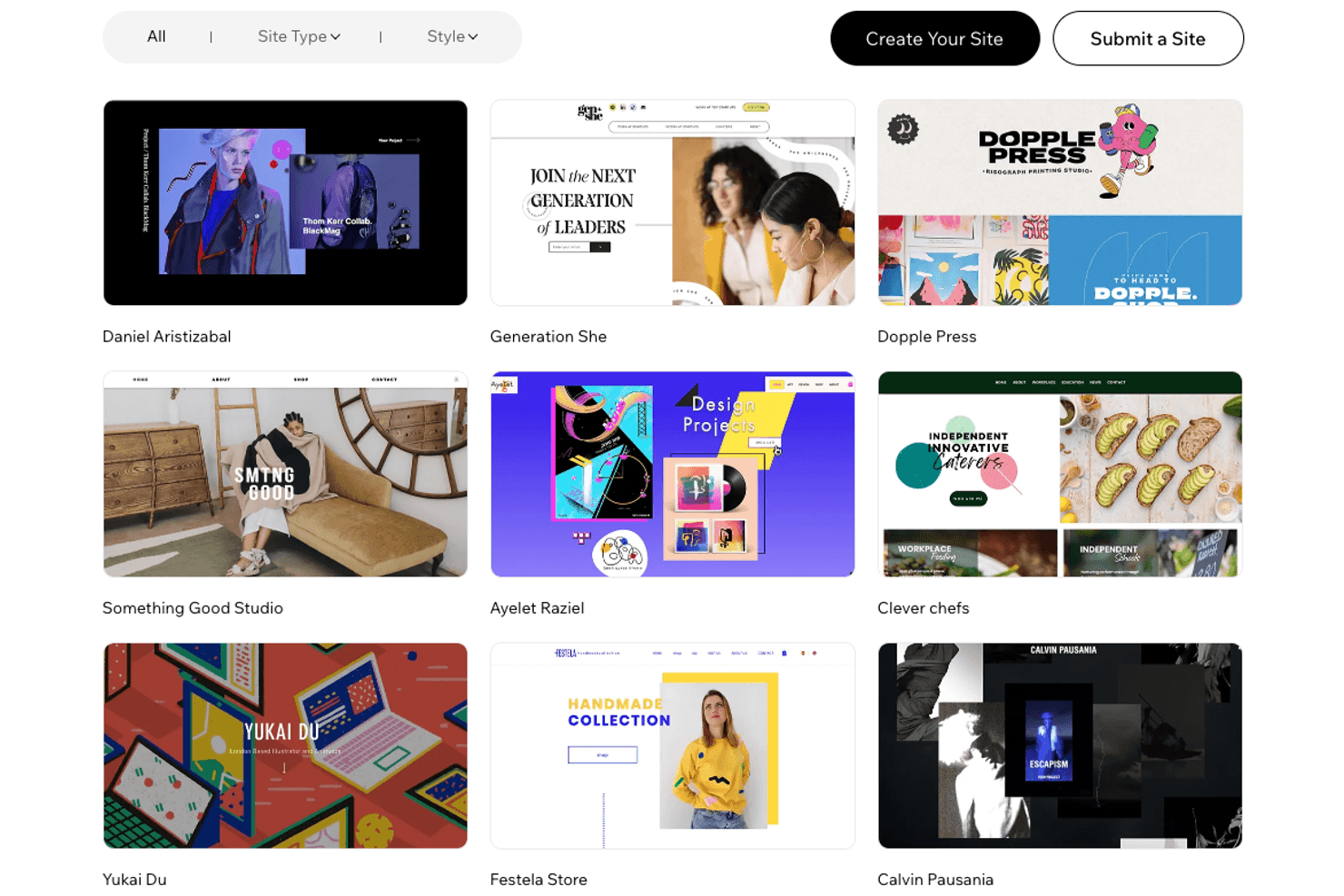
Wix showcases curated website examples across styles and industries. Wix is a no-code website builder that appeals to small business owners, marketers, and freelancers who've outgrown simple one-page tools and need multi-page sites, built-in ecommerce, marketing automation, and AI-assisted design in one place.
Who Is Wix Best For?
Wix is a strong fit for small business owners and freelancers who need to grow beyond a single page into a full site with built-in marketing, ecommerce, and booking tools.
Why I Picked Wix
I picked Wix as one of the best Carrd alternatives because it removes the ceiling that makes Carrd frustrating once your site needs to do more than sit on a single page. With over 2,000 customizable templates and support for up to 298 pages, you can build everything from a portfolio to a full service business site without touching code. I especially appreciate the AI site builder, which generates a complete site with content, images, and a brand kit from a prompt, so you're not starting from scratch.
Wix Key Features
- AI site builder: Generate a full site with content, images, and a brand kit from a text prompt, then refine it through conversational editing or the drag-and-drop editor.
- Built-in ecommerce: Set up an online store with product pages, checkout, shipping options, and support for cards, Apple Pay, and Google Pay.
- Marketing automation: Create automated workflows for welcome emails, abandoned-cart follow-ups, and other contact actions directly from the Wix dashboard.
- Password-protected pages: Restrict access to individual pages or your entire site by requiring visitors to enter a password before viewing the content.
Wix Integrations
Wix offers marketplace integrations with Google Analytics, Google Search Console, Semrush, Google Calendar, Zoom, and Mailchimp through MailMunch, plus native Google Ads and Facebook and Instagram Ads. Its REST APIs, webhooks, and SDKs support custom integrations.
Pros and Cons
Pros:
- Combines portfolios, bookings, and stores
- Generates branded sites from prompts
- Expands one-page sites into 298-page structures
Cons:
- Mobile layouts need post-edit adjustments
- Carrd sites require manual rebuilding
Learn more about Wix: Best for one-page site simplicity
- Free plan available
- From $8/month (billed annually)
Visit WebsiteCustomer Rating:4.1/5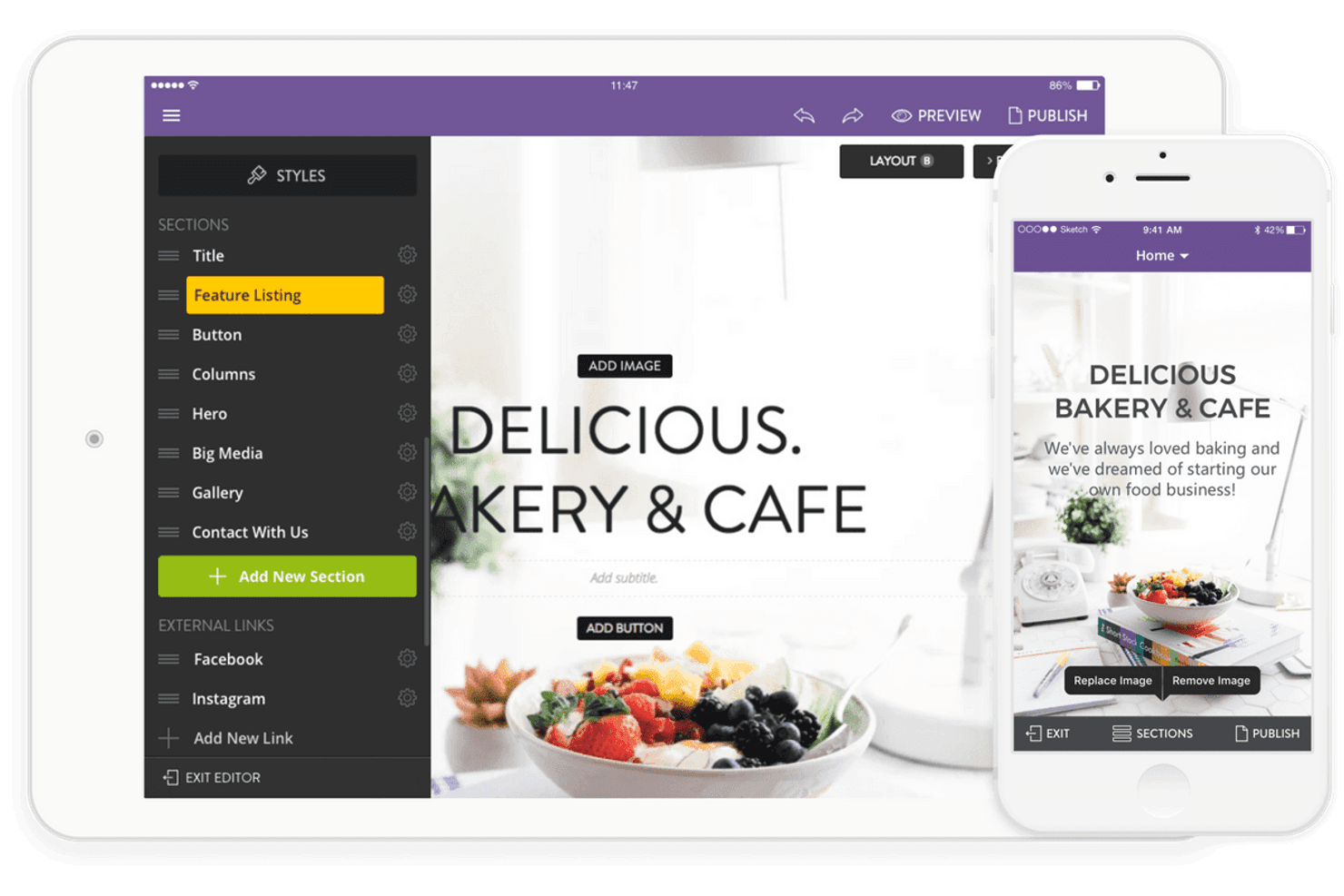
Strikingly lets users build and edit websites on tablet and mobile. Strikingly is a no-code website builder designed for individuals and small businesses who want to get a simple, polished site live fast—without wrestling with templates, layouts, or hosting setup.
Who Is Strikingly Best For?
Strikingly is a good fit for solo creators and small business owners who want a clean, single-page web presence live quickly—without touching code.
Why I Picked Strikingly
Strikingly earns its spot on my shortlist because it's built from the ground up around the single-page format that makes Carrd so appealing in the first place. I particularly like its scroll-reveal animations and parallax background effects, which let a one-page site feel polished and intentional without any custom code. The AI Site Builder also impresses me: give it a business name and a short description, and it generates a styled, single-page layout in minutes, with options to adjust tone and regenerate section styles on the spot.
Strikingly Key Features
- Simple Store: Add a built-in ecommerce section to sell physical goods, digital downloads, or services directly from your site.
- Site memberships: Gate content behind free or paid subscription memberships, with multiple membership tiers available on VIP.
- Built-in analytics: Track visitors, top pages, traffic sources, devices, and countries from a native analytics dashboard.
- KICKSTART setup service: Have Strikingly's team design and build a mobile-optimized site for you within 48–72 hours, available on Pro and VIP plans.
Strikingly Integrations
Strikingly offers native integrations with PayPal, Stripe, Square, Facebook, Twitter, and Instagram. Marketplace integrations include Typeform, Mailchimp, Eventbrite, Reservio, and Disqus; API availability isn’t documented.
Pros and Cons
Pros:
- Scroll effects add polish without custom code
- Site drafts start from short business descriptions
- Polished templates support quick one-page launches
Cons:
- Multi-page sites strain as content grows
- Section layouts restrict precise element placement
Learn more about Strikingly:
Andre alternativer til Carrd
Her er noen flere alternativer til Carrd som ikke kom med på kortlisten min, men som likevel er verdt å sjekke ut:
How I Evaluate Carrd Alternatives
Whether you're building a campaign waitlist page or a link-in-bio, I evaluate tools on two levels: the core builder requirements a tool must meet, then the differentiators that separate strong options from weak ones.
Core Functionality (Table Stakes For This List)
When I'm selecting tools for my list, I rank each one on a scale from 0 (does not offer the functionality) to 5 (excels in this area) for each core functionality listed below. Then, I calculate the tool's total score into a percentage. Each tool needs to achieve a minimum total score of 65% to be considered for inclusion.
- Single-Page Site Builder: I look for tools that let you spin up a focused one-page site—like a product launch page or event RSVP—without wrestling with multi-page structures.
- Visual Page Editor: Each tool's editor should let you arrange sections, images, and CTAs by dragging elements into place rather than editing raw code.
- Ready-Made Templates: A solid template library matters here. I check for variety across use cases like portfolios, link-in-bio pages, and lead gen landing pages.
- Custom Domain & Hosting: I evaluate whether you can connect your own domain and publish with SSL included, so your campaign page looks professional from day one.
- Lead Capture Forms: Tools should include a native form builder for collecting emails or signups—think waitlist forms, contact submissions, or gated content opt-ins.
- Mobile-Responsive Output: Every page built in the tool should render cleanly on mobile devices, since most traffic to landing pages and bio links comes from phones.
Once I have a list of tools that meet this criteria, I consider what sets each platform apart.
Differentiating Factors (What Sets Vendors Apart)
Here's how I compare and contrast different vendors:
Standout Features
Marketing integrations matter a lot here—I check whether a tool connects directly to ESPs like Mailchimp or ConvertKit so captured leads flow into nurture sequences without manual exports. Built-in analytics also make a real difference when you're running a campaign landing page and need to track conversions without bolting on a separate tracking setup. A/B testing rounds things out for demand gen use cases, where even small headline or CTA tweaks on a waitlist page can move signup rates.
Beyond Features
Pricing structure is one of the first things I evaluate, since Carrd's appeal is rooted in affordability. I look at whether free tiers or entry plans gate features like custom domains or form submissions behind expensive upgrades. Speed to publish also weighs heavily—a freelancer building a client landing page before a Monday meeting needs to go from signup to live URL in minutes. Scalability matters too. Tools like Webflow and Framer let you grow into multi-page sites or manage multiple projects under one account, which is important for consultants juggling several brands.
Hvorfor se etter et alternativ til Carrd?
Selv om Carrd er et godt valg som nettstedbygger, finnes det flere grunner til at enkelte brukere ser etter alternative løsninger. Det kan hende du ser etter et alternativ til Carrd fordi …
- Du trenger innebygd netthandel eller betalingsbehandling
- Du ønsker mer avanserte verktøy for SEO eller analyse
- Du trenger støtte for nettsider med flere sider til større prosjekter
- Du trenger innebygde integrasjoner med markedsførings- eller CRM-plattformer
- Du ønsker større kontroll over designtilpasning
- Du trenger bedre støtte for flerspråklige nettsider
Hvis noe av dette høres kjent ut, har du kommet til rett sted. Listen min inneholder flere alternativer til nettstedbyggere som passer bedre for team som møter disse utfordringene med Carrd og ser etter alternative løsninger.
Viktige funksjoner i Carrd
Her er noen av de viktigste funksjonene i Carrd, slik at du kan sammenligne hva alternative løsninger tilbyr:
- Opprettelse av én-sides nettsteder med en visuell redigerer
- Bredt utvalg av responsive maler
- Støtte for egendefinerte domener i betalte abonnementer
- Skjemaer og widgeter som kan bygges inn
- Enkel innebygging av bilder, videoer og lyd
- Grunnleggende SEO-innstillinger for hvert nettsted
- Integrasjon med Google Analytics
- Eksport og duplisering av nettstedsprosjekter
- Injisering av egendefinert kode for avanserte brukere
- Gratis og betalte abonnementer for ulike behov