

Recensione Warmy: Pro, Contro, Caratteristiche e Prezzi
Warmy eccelle con i suoi strumenti di deliverability email guidati dall’IA, offrendo un’automazione senza pari e un’ottimizzazione in tempo reale, perfetta per marketer e agenzie.

Recensiamo gli strumenti in modo indipendente, e le commissioni aiutano a finanziare i nostri test. Consulta la nostra politica sulla trasparenza, la nostra metodologia o suggerisci uno strumento.
Warmy is an email deliverability software built around automated email warmup. It's a solid fit if you're running cold outreach at scale and need to protect sender reputation across multiple inboxes before a campaign goes live. I'd consider it over Mailreach if you want more granular control over warmup schedules and a cleaner dashboard for monitoring inbox health across a larger volume of accounts. This review covers what Warmy does well, where it falls short, and who it's actually built for.
Warmy Evaluation Summary
5/5
- Pricing upon request
- Free trial + free demo available
Perché fidarsi dei nostri consigli sui software
6,700+
Reviews
20
Industry experts
16+
Evaluation factors
14
Years
Il nostro team testa e recensisce software dal 2012. In quanto leader del marketing noi stessi, sappiamo quanto sia difficile — e importante — scegliere il software giusto.
Per questa guida, abbiamo valutato gli strumenti attraverso test pratici e ricerche indipendenti, assegnando un punteggio agli strumenti in base ai nostri criteri di selezione.
Le nostre recensioni riflettono il nostro giudizio editoriale umano, non un discorso di vendita.
Revisori esperti:
 Gui DrusinaDirettore creativo
- Shriya GhateSenior Marketing Lead
 Amanda JacquesResponsabile Marketing Ops

Warmy Overview
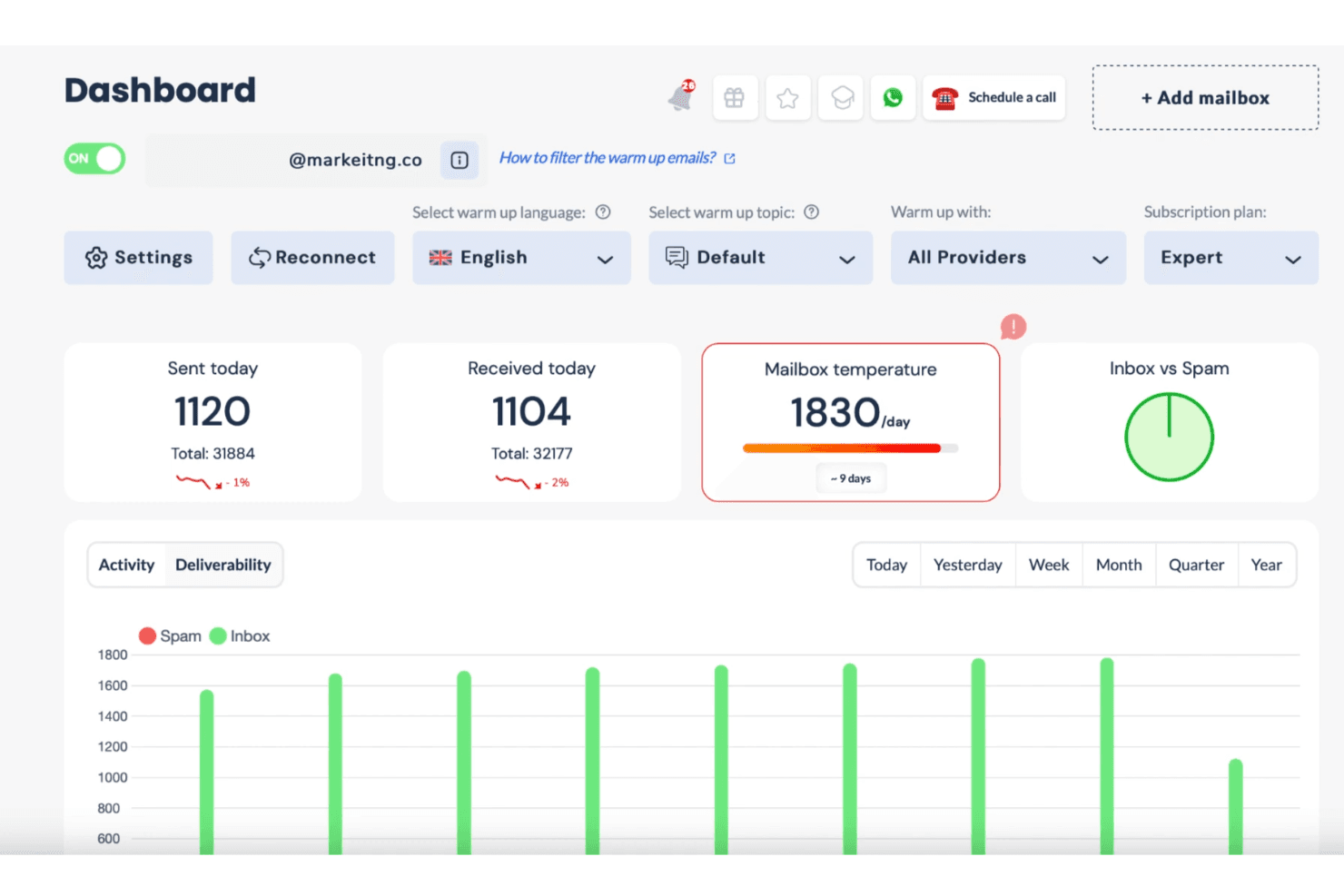
In my opinion, Warmy is a solid choice for email deliverability, particularly for marketing and sales teams in tech startups and digital agencies. Its standout feature is the AI-driven email warm-up, which outperforms many competitors by ensuring your emails reach the inbox. However, its onboarding process could be smoother compared to other providers. If you're looking for a tool that balances cost with functionality and offers great customer support, Warmy should be on your shortlist. It’s best suited for environments where email outreach is crucial, like marketing campaigns and client communications.
Pros
- Warmy's AI-driven email warm-up boosts your email delivery rates significantly.
- You can easily manage and monitor your email campaigns with its intuitive interface.
- Warmy's customer support is responsive and helpful for your team's needs.
Cons
- Onboarding could be more streamlined to help your team get started faster.
- Some users find the reporting features lacking in detail for their work.
- You might experience occasional delays in email scheduling.
Is Warmy Right For Your Needs?
Who Would be a Good Fit for Warmy?
Warmy is great for marketing teams and digital agencies that need reliable email deliverability. If your team frequently runs email campaigns, Warmy's AI-driven tools can improve your open rates by ensuring emails land in inboxes. It's especially useful for tech startups that rely on email outreach to grow their customer base. The intuitive interface and responsive customer support further make it ideal for teams that need to manage and monitor campaigns efficiently.
- Tech StartupsWarmy helps your startup achieve better outreach with its AI-driven email warm-up and delivery tools.
- Digital AgenciesYour agency can benefit from Warmy's intuitive interface to manage multiple client campaigns effectively.
- Sales TeamsWarmy's features ensure your cold emails avoid spam filters and reach potential clients' inboxes.
- E-commerce BusinessesWarmy can boost your email marketing efforts by improving deliverability and open rates.
- NonprofitsIf your nonprofit relies on newsletters, Warmy's tools help ensure your messages reach supporters.
- Event PlannersWarmy helps your event invites get noticed by enhancing email delivery success.
Who Would be a Bad Fit for Warmy?
Warmy might not be the best choice for small businesses with limited email marketing needs. If your team sends emails infrequently, the advanced features of Warmy might be more than you need. Also, if your business requires detailed reporting for analytics, Warmy's current reporting capabilities may not suffice. Companies with simple email needs or those heavily reliant on comprehensive analytics tools might find better fits elsewhere.
- Small Local ShopsWarmy's advanced email tools might be unnecessary for your simple email communication needs.
- FreelancersIf you send a few emails, Warmy's capabilities could be overkill for your work.
- Analytics-Driven FirmsYour team might find Warmy's reporting features lacking for deep analytical insights.
- Brick-and-Mortar StoresIf you don't rely on email marketing, Warmy's features may not offer much value.
- Traditional IndustriesIndustries with minimal digital outreach could find Warmy more than necessary for their email needs.
- Casual BloggersWarmy's advanced deliverability functions might exceed your basic email newsletter requirements.
Come Testiamo e Valutiamo gli Strumenti
Abbiamo passato anni a costruire, perfezionare e migliorare il nostro sistema di test e valutazione del software. Il nostro metodo è progettato per cogliere le sfumature nella selezione del software e ciò che rende uno strumento efficace, concentrandoci sugli aspetti critici del processo decisionale. Qui sotto puoi vedere esattamente come funziona il nostro sistema di test e valutazione su sette criteri. Questo ci permette di offrire una valutazione imparziale del software basata su funzionalità principali, funzioni distintive, facilità d’uso, onboarding, supporto clienti, integrazioni, recensioni dei clienti e rapporto qualità-prezzo.
Funzionalità principali (25% del punteggio finale)
Il punto di partenza della nostra valutazione è sempre la funzionalità principale dello strumento. Include le caratteristiche e le funzioni basilari che un utente si aspetterebbe di trovare? Alcune di queste funzionalità sono bloccate nei piani premium? Ci aspettiamo che ogni strumento soddisfi almeno le capacità di base dei suoi concorrenti.
Funzionalità distintive (25% del punteggio finale)
Successivamente, valutiamo le funzionalità uniche che vanno oltre la normale funzionalità principale, quelle poco comuni negli strumenti simili. Un punteggio alto riflette caratteristiche specializzate o uniche che rendono il prodotto più veloce, efficiente o offrono un valore aggiunto all’utente. Valutiamo anche quanto sia semplice integrare il software con altri strumenti abitualmente usati in una tech stack, per espandere le funzionalità e l’utilità del prodotto. Sono valutate positivamente soluzioni con molte integrazioni native, connessioni di terze parti e API per creare integrazioni personalizzate.
Facilità d’uso (10% del punteggio finale)
Consideriamo la rapidità e semplicità con cui si possono eseguire le attività principali tramite lo strumento. I software con punteggio più alto sono ben progettati, intuitivi, dispongono di app mobili, offrono template e semplificano compiti complessi.
Onboarding (10% del punteggio finale)
Sappiamo quanto sia importante l’adozione rapida in azienda, quindi valutiamo la facilità di apprendimento e utilizzo di uno strumento con formazione minima. Analizziamo quanto velocemente un utente senza esperienza può iniziare a usare il software. Le soluzioni migliori richiedono poco o nessun supporto.
Supporto clienti (10% del punteggio finale)
Analizziamo la rapidità e facilità nel trovare aiuto tramite telefono, chat dal vivo o knowledge base. Gli strumenti che offrono supporto in tempo reale ottengono il punteggio migliore: i chatbot invece i peggiori.
Recensioni dei clienti (10% del punteggio finale)
Oltre ai nostri test, consideriamo il net promoter score di attuali ed ex clienti. Valutiamo la probabilità che, potendo scegliere, l’utente decida di utilizzare ancora quello strumento per le funzionalità principali. Un software con un punteggio alto corrisponde ad un alto net promoter score tra clienti attuali o passati.
Rapporto qualità-prezzo (10% del punteggio finale)
Infine, tenendo conto di tutti gli altri criteri, confrontiamo il prezzo medio dei piani base rispetto alle funzionalità principali e agli altri fattori di valutazione. I software che offrono di più, a meno, ottengono i punteggi più alti.
Core Features
AI-Driven Email Warm-Up
This feature helps your emails land in inboxes by gradually building a positive sender reputation through an automated warmup process. It works automatically, saving you time and effort.
Real-Time Analytics
You can track your email performance instantly, including insights gathered from test sends to a seed list. It provides insights into key metrics so you can make quick adjustments.
Spam Filter Testing
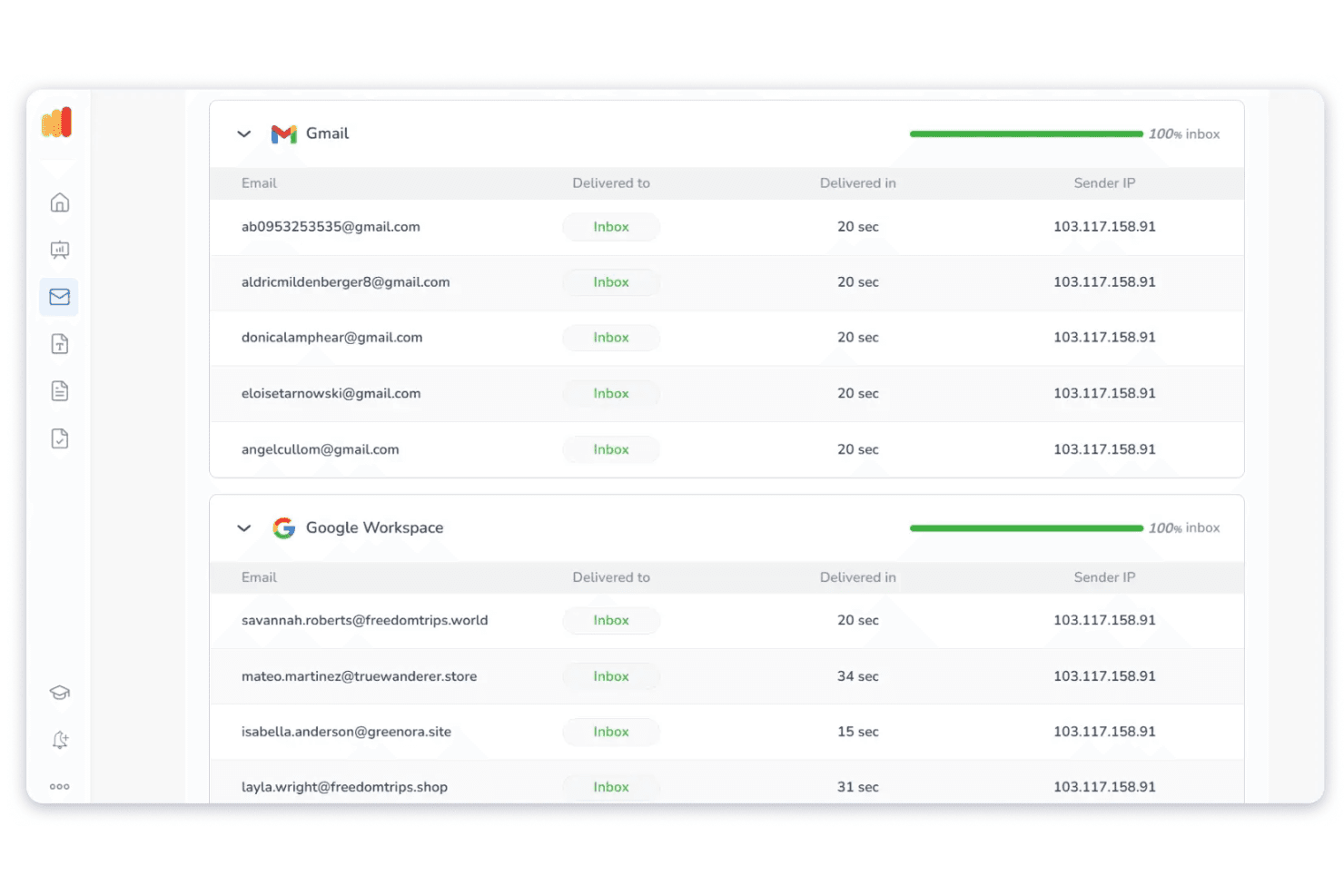
Warmy checks your emails against spam filters, helping improve inbox placement and ensuring your messages reach your audience. It minimizes the risk of emails landing in the spam folder.
Customizable Templates
Your team can use and modify pre-designed email templates, saving time on crafting emails. It ensures consistency across your campaigns.
Email Scheduling
Schedule your emails to send at optimal times for your audience. It maximizes engagement by reaching recipients when they're most active.
Blacklist Monitoring
This feature alerts you if your domain is blacklisted. It helps maintain your sender reputation by addressing issues promptly.
Ease of Use
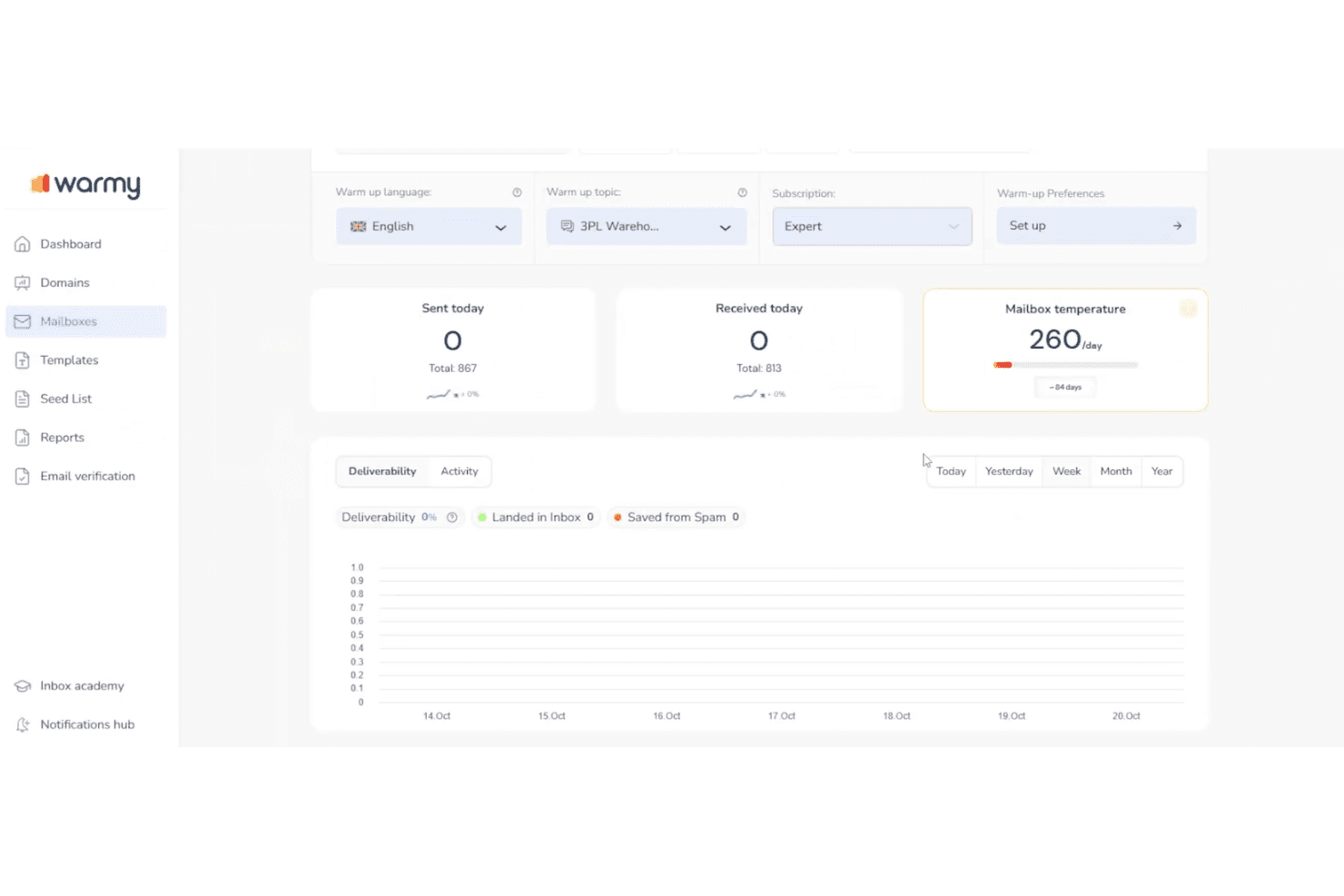
Warmy is user-friendly with an intuitive interface that makes managing email campaigns straightforward for your team. Its dashboard is well-organized, allowing you to easily navigate between features like analytics and email scheduling. While some users mention a learning curve during onboarding, the overall experience is smooth once you get the hang of it. Compared to other solutions, Warmy simplifies complex tasks, helping you focus on improving deliverability without getting bogged down in technical details.
Integrations
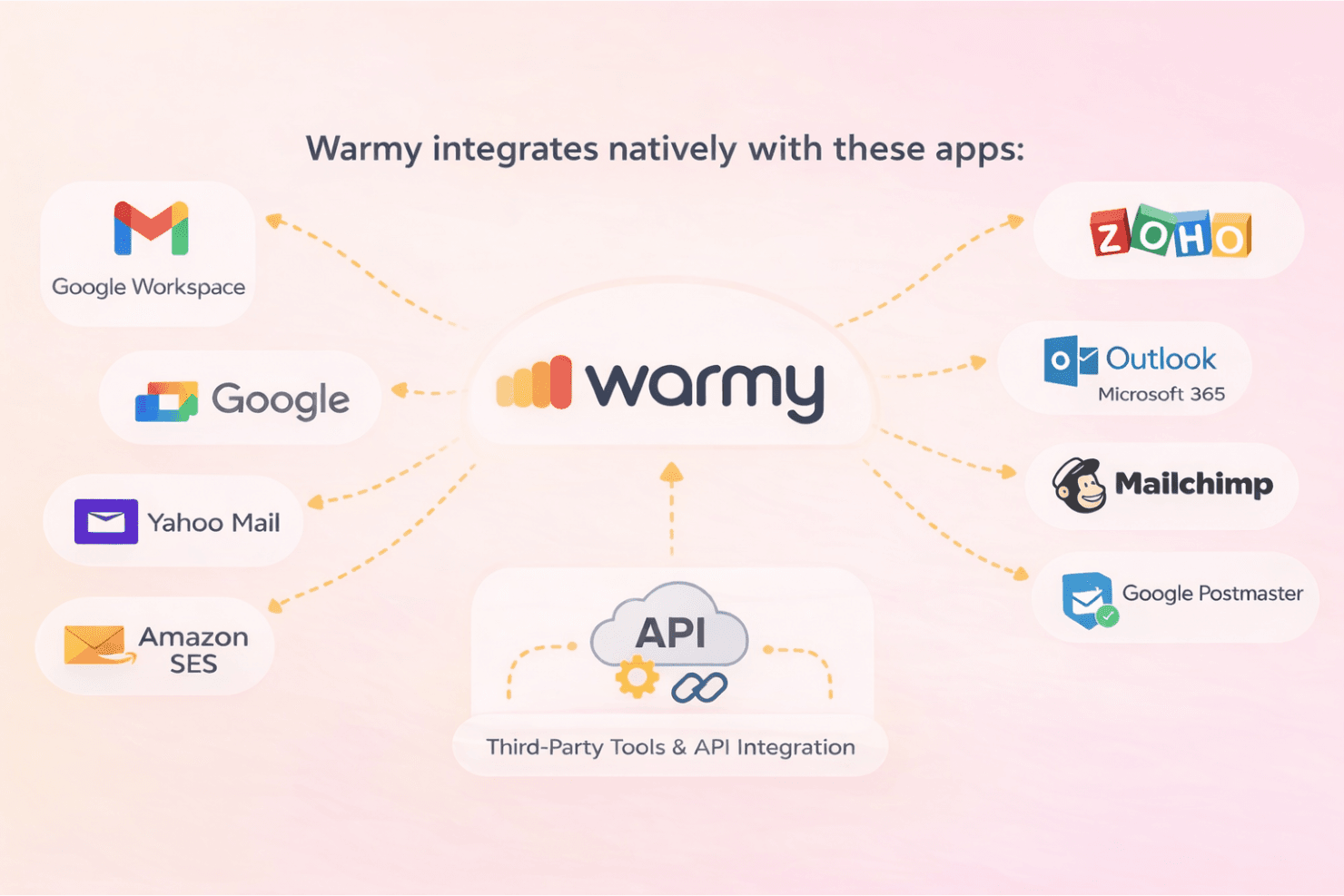
Warmy integrates natively with Gmail, Google Workspace, Outlook, Microsoft 365, Yahoo Mail, Amazon SES, SMTP (custom SMTP servers), Google Postmaster, Mailchimp, and Zoho.
Warmy also offers an API for deeper integration, and it can connect with third-party tools as part of its broader integration ecosystem.
Warmy Specs
- A/B Testing: Yes
- API: Yes
- Audience Targeting: No
- Brand Management: No
- Calendar Management: No
- Campaign Management: No
- Compliance Tracking: No
- Contact Management: No
- Contact Sharing: No
- Conversion Tracking: No
- CRM Integration: No
- Customer Management: Yes
- Dashboard: Yes
- Data Export: Yes
- Data Import: Yes
- Data Visualization: No
- Email Integration: Yes
- External Integrations: Yes
- Google Apps Integration: No
- Lead Management: Yes
- Lead Scoring: No
- Link Tracking: No
- Marketing Automation: Yes
- Multi-User: Yes
- Notifications: Yes
- Scheduling: Yes
- Social-Media Integration: No
- Third-Party Plugins/Add-Ons: No


