

Recensione VWO: Pro, Contro, Caratteristiche e Analisi dei Prezzi
Ecco perché penso che VWO si distingua nello spazio affollato dei test A/B: configurazioni agili, approfondimenti robusti e prezzi che permettono ai team orientati alla crescita di sperimentare senza timori.

Recensiamo gli strumenti in modo indipendente, e le commissioni aiutano a finanziare i nostri test. Consulta la nostra politica sulla trasparenza, la nostra metodologia o suggerisci uno strumento.
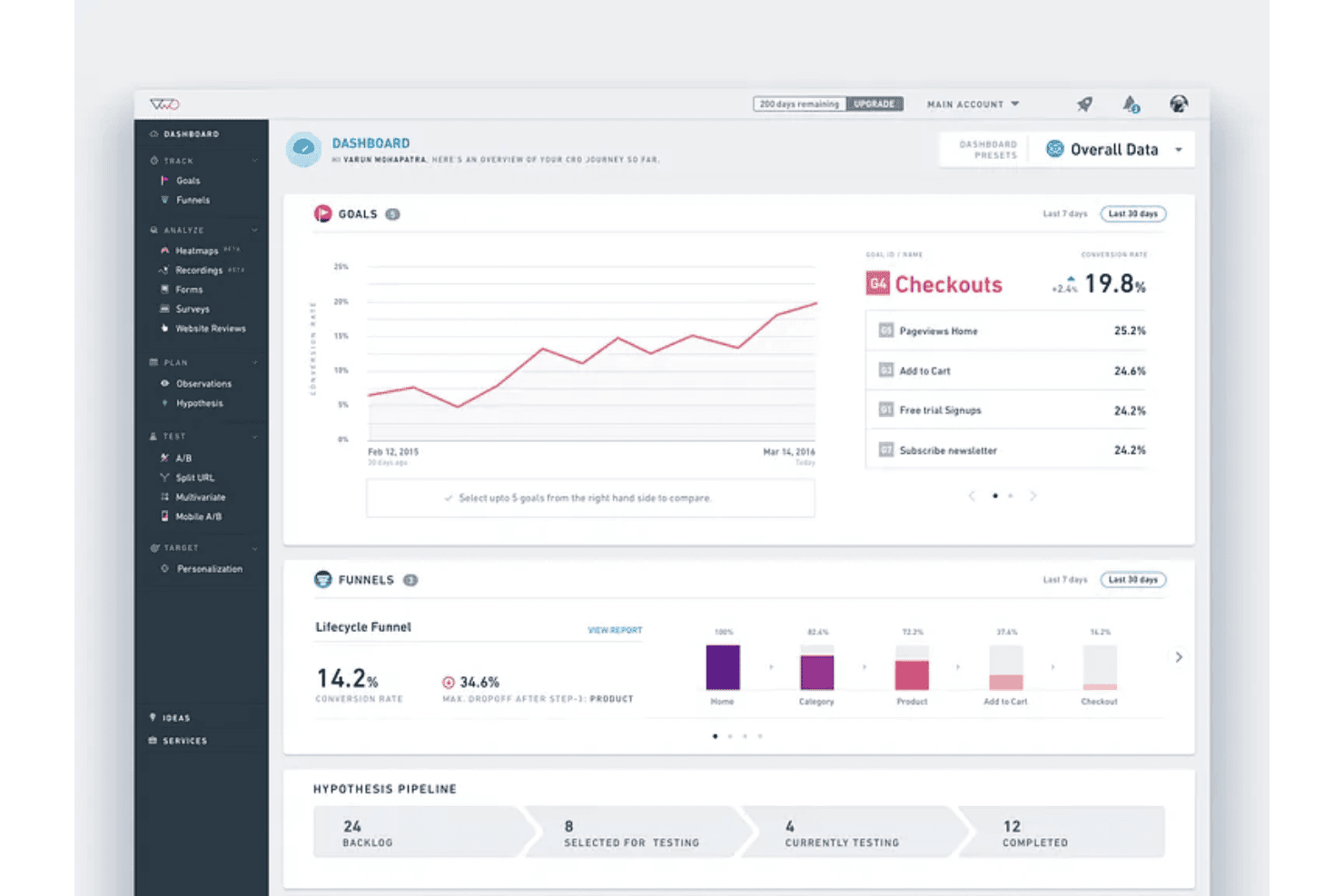
VWO is A/B testing software for marketing and product teams who want to run experiments and optimize conversion rates without heavy developer involvement. It covers the full CRO workflow—from split testing and heatmaps to session recordings—in one platform. I'd consider VWO over Optimizely if you want that same depth of experimentation capability without Optimizely's enterprise price tag or lengthy onboarding.
VWO Evaluation Summary
4.3/5
- Pricing upon request
- 30-day free trial + free demo available
Perché fidarsi dei nostri consigli sui software
6,700+
Reviews
20
Industry experts
16+
Evaluation factors
14
Years
Il nostro team testa e recensisce software dal 2012. In quanto leader del marketing noi stessi, sappiamo quanto sia difficile — e importante — scegliere il software giusto.
Per questa guida, abbiamo valutato gli strumenti attraverso test pratici e ricerche indipendenti, assegnando un punteggio agli strumenti in base ai nostri criteri di selezione.
Le nostre recensioni riflettono il nostro giudizio editoriale umano, non un discorso di vendita.
Revisori esperti:
 Gui DrusinaDirettore creativo
- Shriya GhateSenior Marketing Lead
 Amanda JacquesResponsabile Marketing Ops

VWO Overview
When I compare VWO against other A/B testing software, I judge it to be a standout pick for teams wanting easy onboarding, an intuitive visual editor, and broad integrations. VWO’s pricing tiers offer flexibility, and its support team responds quickly when issues arise. I think the analytics and reporting stack up well, but more advanced experimenters might find the segmentation and personalization options narrower than top-tier competitors. For marketing teams, agencies, or businesses choosing a solution to grow their optimization program without heavy internal tech resources, VWO is an option I’d recommend.
Pros
- Visual editor simplifies creating and launching web experiments
- Robust user behaviour analytics built into the main workflow
- Custom goal tracking and funnel analysis are available out of the box
Cons
- Limited options for advanced audience targeting
- Pricing scales quickly when traffic volume increases
- Statistical significance sometimes takes longer to achieve on low-traffic sites
Is VWO Right For Your Needs?
Who Would be a Good Fit for VWO?
VWO is ideal for digital-first brands, ecommerce, and enterprise teams that want in-depth website testing and rich behavioral analytics under one roof. Large marketing teams, growth departments, and ecommerce managers will appreciate VWO’s visual editor, multivariate testing, and heatmaps. If you have diverse customer segments or high site traffic, the audience targeting and experiment automation features make iteration fast and insight-driven.
- Ecommerce TeamsVWO’s funnel analysis and conversion optimization tools help uncover and resolve drop-off points on product and checkout pages.
- Enterprise MarketingCentralized hypothesis tracking, advanced segmentation, and integrated analytics are well suited for companies scaling experimentation across many web properties.
- SaaS Growth TeamsVisual editor and rapid test deployment let SaaS teams validate onboarding flows, in-app offers, and landing pages with no developer bottlenecks.
- Digital AgenciesClient work benefits from session recordings, reporting, and unified dashboards, making it easy to demo insights and run structured optimization programs.
- Global BrandsMultilingual site support and advanced targeting let global businesses personalize experiences for diverse geographic audiences.
Who Would be a Bad Fit for VWO?
VWO can be overkill for smaller sites, limited budgets, or teams just starting out with experimentation. Businesses with very low traffic, resource constraints, or static brochure sites won’t see the same returns. Simpler or lighter-weight testing options are better fits for basic needs, as VWO is built for depth, experimentation scale, and ongoing optimization.
- Early-Stage StartupsVWO’s cost and feature set may be more complex than necessary for teams just beginning to test website concepts.
- Small NonprofitsTighter budgets and lower web traffic often make heavily-featured solutions like VWO hard to justify.
- Local Services CompaniesWith static “contact us” websites and simple lead forms, the advanced analytics in VWO are often underutilized.
- SolopreneursUnless they manage high-traffic or complex sites, individual site owners won’t make full use of the platform.
- Government AgenciesProcurement requirements and highly regulated environments may make cloud-based tools like VWO hard to implement.
- Community BlogsHobbyist or small-group blogs typically lack enough daily traffic to produce valid testing results with VWO’s statistical engine.
Come Testiamo e Valutiamo gli Strumenti
Abbiamo passato anni a costruire, perfezionare e migliorare il nostro sistema di test e valutazione del software. Il nostro metodo è progettato per cogliere le sfumature nella selezione del software e ciò che rende uno strumento efficace, concentrandoci sugli aspetti critici del processo decisionale. Qui sotto puoi vedere esattamente come funziona il nostro sistema di test e valutazione su sette criteri. Questo ci permette di offrire una valutazione imparziale del software basata su funzionalità principali, funzioni distintive, facilità d’uso, onboarding, supporto clienti, integrazioni, recensioni dei clienti e rapporto qualità-prezzo.
Funzionalità principali (25% del punteggio finale)
Il punto di partenza della nostra valutazione è sempre la funzionalità principale dello strumento. Include le caratteristiche e le funzioni basilari che un utente si aspetterebbe di trovare? Alcune di queste funzionalità sono bloccate nei piani premium? Ci aspettiamo che ogni strumento soddisfi almeno le capacità di base dei suoi concorrenti.
Funzionalità distintive (25% del punteggio finale)
Successivamente, valutiamo le funzionalità uniche che vanno oltre la normale funzionalità principale, quelle poco comuni negli strumenti simili. Un punteggio alto riflette caratteristiche specializzate o uniche che rendono il prodotto più veloce, efficiente o offrono un valore aggiunto all’utente. Valutiamo anche quanto sia semplice integrare il software con altri strumenti abitualmente usati in una tech stack, per espandere le funzionalità e l’utilità del prodotto. Sono valutate positivamente soluzioni con molte integrazioni native, connessioni di terze parti e API per creare integrazioni personalizzate.
Facilità d’uso (10% del punteggio finale)
Consideriamo la rapidità e semplicità con cui si possono eseguire le attività principali tramite lo strumento. I software con punteggio più alto sono ben progettati, intuitivi, dispongono di app mobili, offrono template e semplificano compiti complessi.
Onboarding (10% del punteggio finale)
Sappiamo quanto sia importante l’adozione rapida in azienda, quindi valutiamo la facilità di apprendimento e utilizzo di uno strumento con formazione minima. Analizziamo quanto velocemente un utente senza esperienza può iniziare a usare il software. Le soluzioni migliori richiedono poco o nessun supporto.
Supporto clienti (10% del punteggio finale)
Analizziamo la rapidità e facilità nel trovare aiuto tramite telefono, chat dal vivo o knowledge base. Gli strumenti che offrono supporto in tempo reale ottengono il punteggio migliore: i chatbot invece i peggiori.
Recensioni dei clienti (10% del punteggio finale)
Oltre ai nostri test, consideriamo il net promoter score di attuali ed ex clienti. Valutiamo la probabilità che, potendo scegliere, l’utente decida di utilizzare ancora quello strumento per le funzionalità principali. Un software con un punteggio alto corrisponde ad un alto net promoter score tra clienti attuali o passati.
Rapporto qualità-prezzo (10% del punteggio finale)
Infine, tenendo conto di tutti gli altri criteri, confrontiamo il prezzo medio dei piani base rispetto alle funzionalità principali e agli altri fattori di valutazione. I software che offrono di più, a meno, ottengono i punteggi più alti.
Core Features
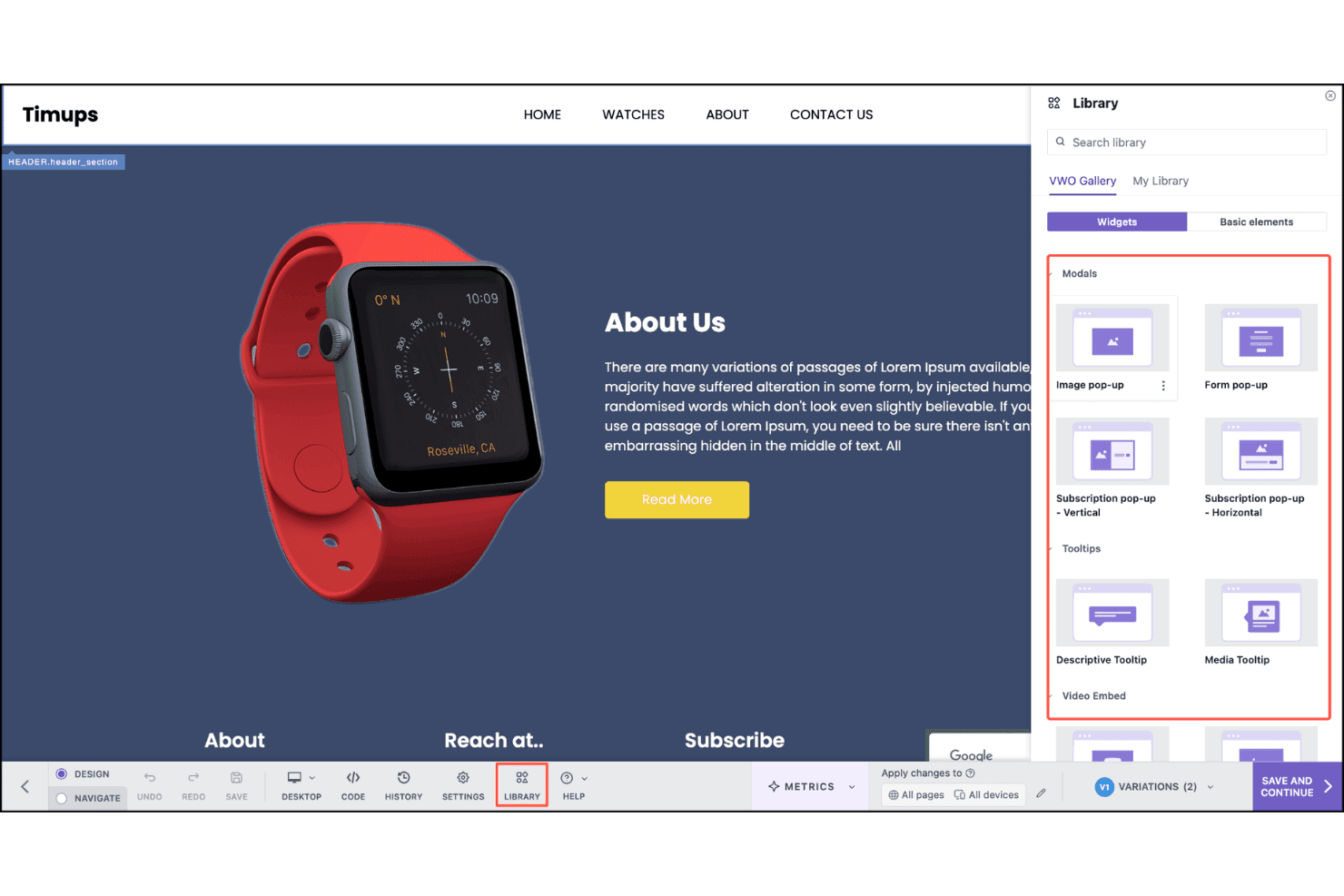
Visual Editor
Make changes to your site’s design, content, and layout with a drag-and-drop interface. You don’t need coding skills to run experiments on live pages.
Split URL Testing
Test entirely different versions of pages using unique URLs. This is ideal for comparing landing page concepts or redesigns.
Audience Targeting
Set up rules to show experiments to specific user segments based on behavior, geography, device, or referral source. Tailor tests to the audiences that matter to your business.
Multivariate Testing
Test multiple elements (like headlines and images) at once to find high-impact combinations. VWO calculates and reports the best-performing variant automatically.
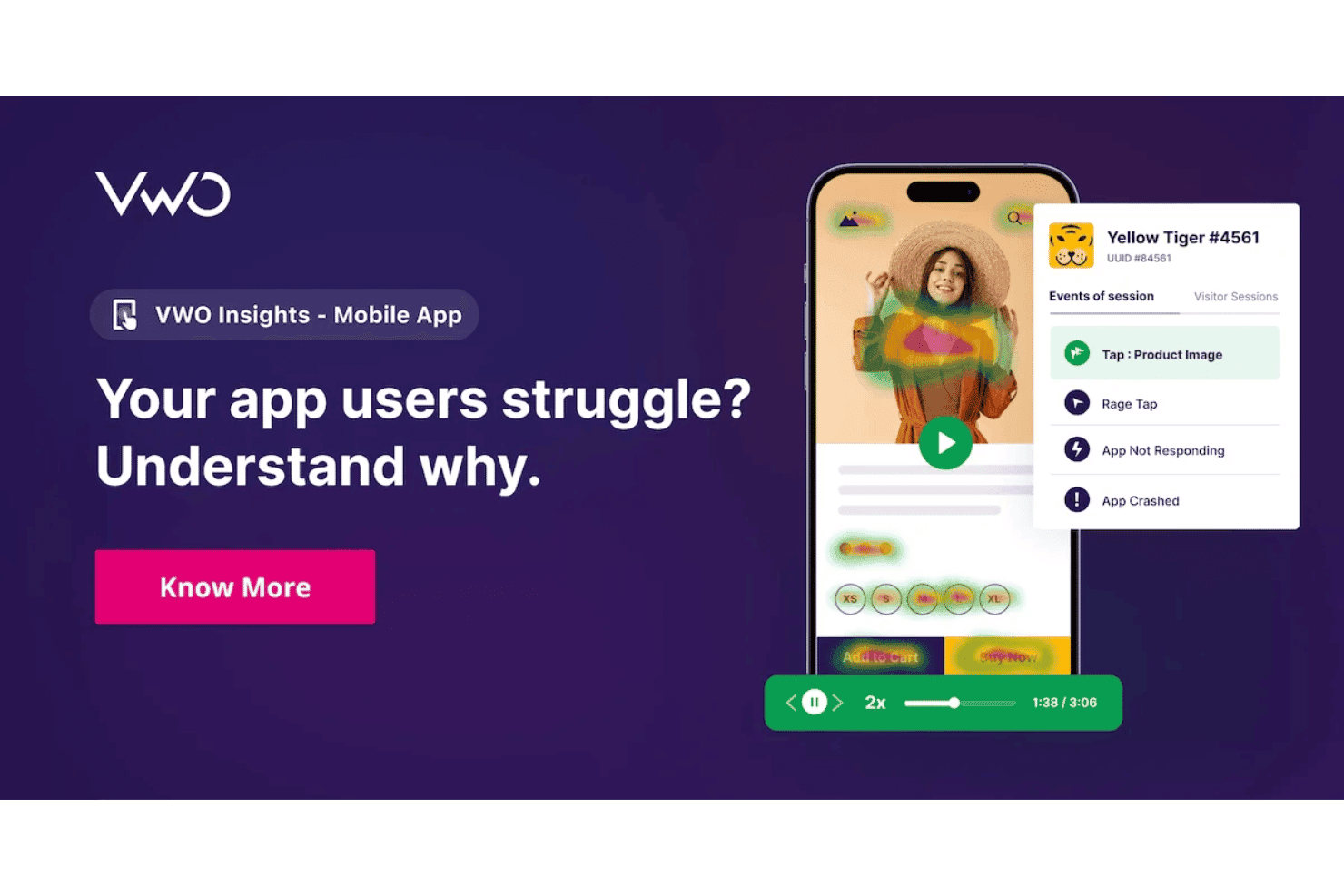
Session Recordings
Watch real visitor sessions to see exactly how users interact with variants. Use insights to refine experiments and spot usability issues.
Heatmaps
Visualize where users click, scroll, or pay attention on your experiment pages. Quickly identify opportunities for improving page engagement and conversion paths.
Ease of Use
VWO stands out for its intuitive workflow and low-friction setup, especially with the visual editor and built-in onboarding guides. Users find launching tests fast, and built-in heatmaps and session recordings save steps compared to juggling multiple tools. Even those without technical backgrounds praise how simple it is to start experimenting.
Integrations
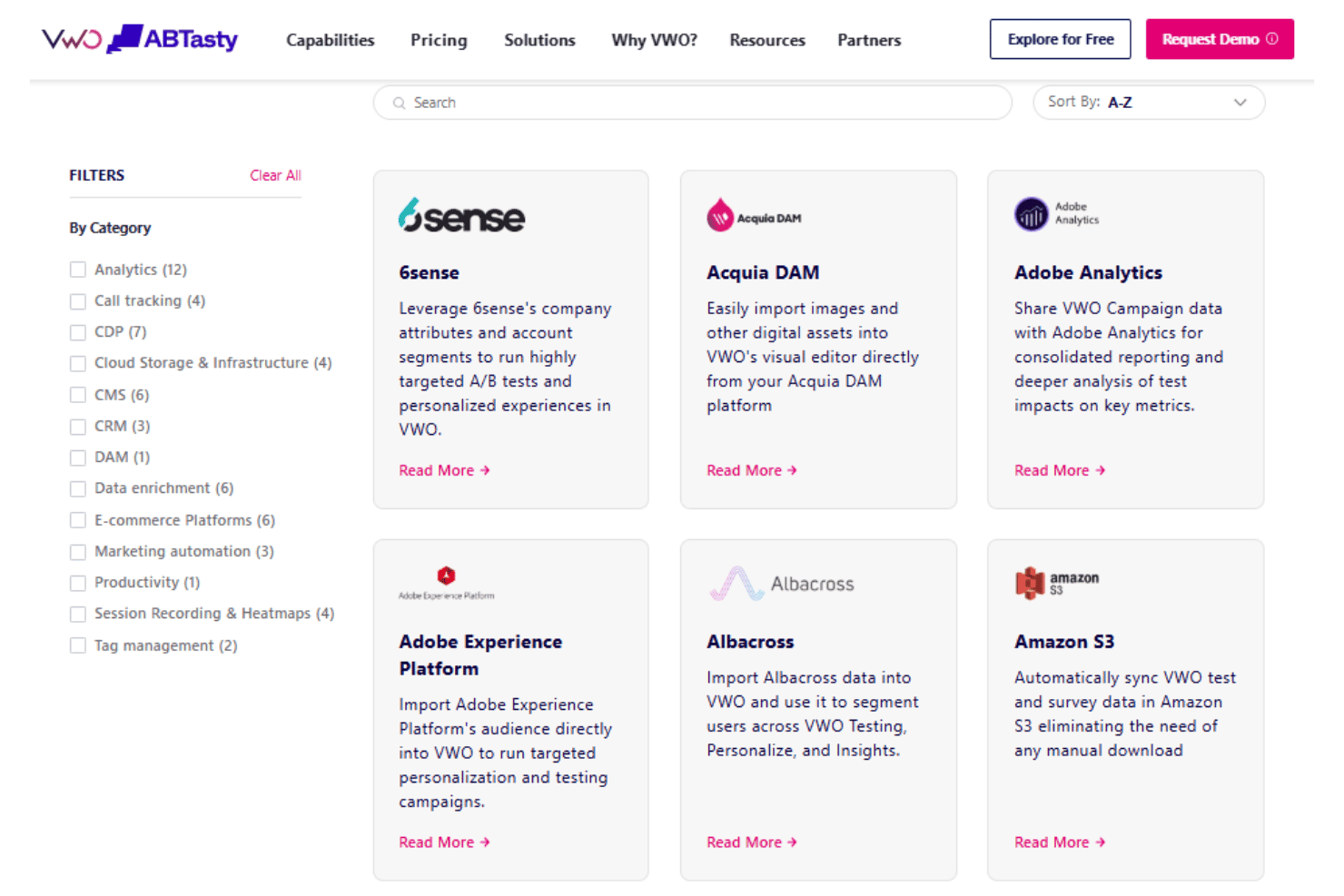
VWO integrates with Google Analytics, Google Tag Manager, Mixpanel, HubSpot, Salesforce, Shopify, Drupal, and WordPress, among others.
VWO also offers an API and supports connections through third-party integration platforms.
VWO Specs
- A/B Testing: Yes
- AI Integration: Yes
- Analytics: Yes
- API: Yes
- Automated Testing: Yes
- Bug Tracking: Yes
- Campaign Management: Yes
- Conversion Tracking: Yes
- Custom Reports: Yes
- Dashboards: Yes
- Data Export: Yes
- Data Import: Yes
- Data Visualization: Yes
- Design Templates: Yes
- External Integrations: Yes
- Feedback Management: Yes
- Form Builder: Yes
- History/Version Control: Yes
- Multi-Site: Yes
- Multi-User: Yes
- Notifications: Yes
- Performance Testing: Yes
- Referral Tracking: Yes
- Regression Testing: Yes
- Release Management: Yes
- Reports: Yes
- Scenario Planning: Yes
- SEO: Yes
- Test Management: Yes
- Visualization: Yes
- Workflow Management: Yes


