

Recensione GoDaddy: Pro, Contro, Caratteristiche e Prezzi Spiegati
GoDaddy si distingue per la sua velocità e semplicità, rendendolo ideale per i principianti, ma la personalizzazione limitata potrebbe non soddisfare gli utenti avanzati che cercano più controllo.

Recensiamo gli strumenti in modo indipendente, e le commissioni aiutano a finanziare i nostri test. Consulta la nostra politica sulla trasparenza, la nostra metodologia o suggerisci uno strumento.
GoDaddy is a website builder platform for small business owners who need a functional site live fast, without spending weeks on design decisions. I'd consider it most seriously if you want something quicker to launch than Squarespace, where template customization can become a rabbit hole, and you're comfortable trading some design flexibility for speed.
GoDaddy Evaluation Summary

4.2/5
- From $9.99/month (billed annually)
- 7-day free trial available
Perché fidarsi dei nostri consigli sui software
6,700+
Reviews
20
Industry experts
16+
Evaluation factors
14
Years
Il nostro team testa e recensisce software dal 2012. In quanto leader del marketing noi stessi, sappiamo quanto sia difficile — e importante — scegliere il software giusto.
Per questa guida, abbiamo valutato gli strumenti attraverso test pratici e ricerche indipendenti, assegnando un punteggio agli strumenti in base ai nostri criteri di selezione.
Le nostre recensioni riflettono il nostro giudizio editoriale umano, non un discorso di vendita.
Revisori esperti:
 Gui DrusinaDirettore creativo
- Shriya GhateSenior Marketing Lead
 Amanda JacquesResponsabile Marketing Ops

GoDaddy Overview
GoDaddy is a solid pick if you’re judging website builders by speed, onboarding ease, and built-in marketing tools. Its drag-and-drop editor and guided setup help you launch a site fast, while affordable pricing appeals to budget-conscious teams. However, customization and advanced integrations are limited compared to some competitors. If you’re selecting a platform for a small business, personal brand, or quick campaign site, GoDaddy’s simplicity and responsive support make it a practical choice. For highly customized or complex sites, you may find its design and integration options restrictive.
Pros
- Built-in marketing tools like email and social posts
- Fast site publishing with guided setup and templates
- 24/7 customer support with live chat and phone
Cons
- Limited control over mobile site design options
- No access to underlying site code or advanced CSS
- Fewer third-party app options than some competitors
Is GoDaddy Right For Your Needs?
Who Would be a Good Fit for GoDaddy?
GoDaddy works best for users who need to launch a professional site quickly without deep technical skills or complex requirements. Its guided setup, built-in marketing tools, and responsive support make it a strong choice for small businesses, personal brands, and teams focused on speed over customization. If you value fast publishing, simple content updates, and integrated marketing features, GoDaddy can help you get online and start promoting your brand with minimal hassle.
- Local Retail StoresGoDaddy’s templates and built-in appointment booking help small shops get online fast.
- Solo EntrepreneursThe platform’s guided setup and bundled marketing tools support one-person businesses.
- Nonprofit OrganizationsEasy donation buttons and event promotion features suit nonprofits with limited resources.
- Real Estate AgentsProperty listing templates and contact forms simplify site creation for agents.
- Marketing DepartmentsIntegrated email marketing and social posting tools support campaign launches.
- Event PlannersPre-built event pages and RSVP forms make event sites quick to launch.
Who Would be a Bad Fit for GoDaddy?
GoDaddy is less suited for users who need advanced customization, deep integrations, or highly specialized site features. Large enterprises, tech startups, and creative agencies may find its design flexibility and app ecosystem too limited for their needs. If your team requires custom code access, complex workflows, or integration with niche tools, GoDaddy’s platform may not keep up with your requirements.
- Large EnterprisesGoDaddy lacks advanced security, compliance, and workflow controls for big organizations.
- SaaS StartupsNo developer access or API support limits custom product integrations.
- Creative AgenciesDesign restrictions and limited animation options hinder unique web design projects.
- Ecommerce BrandsBasic ecommerce features may not support large catalogs or custom checkout flows.
- Educational InstitutionsNo learning management system or student portal integrations for schools.
- Healthcare ProvidersLimited HIPAA compliance and patient portal options restrict healthcare use.
Come Testiamo e Valutiamo gli Strumenti
Abbiamo passato anni a costruire, perfezionare e migliorare il nostro sistema di test e valutazione del software. Il nostro metodo è progettato per cogliere le sfumature nella selezione del software e ciò che rende uno strumento efficace, concentrandoci sugli aspetti critici del processo decisionale. Qui sotto puoi vedere esattamente come funziona il nostro sistema di test e valutazione su sette criteri. Questo ci permette di offrire una valutazione imparziale del software basata su funzionalità principali, funzioni distintive, facilità d’uso, onboarding, supporto clienti, integrazioni, recensioni dei clienti e rapporto qualità-prezzo.
Funzionalità principali (25% del punteggio finale)
Il punto di partenza della nostra valutazione è sempre la funzionalità principale dello strumento. Include le caratteristiche e le funzioni basilari che un utente si aspetterebbe di trovare? Alcune di queste funzionalità sono bloccate nei piani premium? Ci aspettiamo che ogni strumento soddisfi almeno le capacità di base dei suoi concorrenti.
Funzionalità distintive (25% del punteggio finale)
Successivamente, valutiamo le funzionalità uniche che vanno oltre la normale funzionalità principale, quelle poco comuni negli strumenti simili. Un punteggio alto riflette caratteristiche specializzate o uniche che rendono il prodotto più veloce, efficiente o offrono un valore aggiunto all’utente. Valutiamo anche quanto sia semplice integrare il software con altri strumenti abitualmente usati in una tech stack, per espandere le funzionalità e l’utilità del prodotto. Sono valutate positivamente soluzioni con molte integrazioni native, connessioni di terze parti e API per creare integrazioni personalizzate.
Facilità d’uso (10% del punteggio finale)
Consideriamo la rapidità e semplicità con cui si possono eseguire le attività principali tramite lo strumento. I software con punteggio più alto sono ben progettati, intuitivi, dispongono di app mobili, offrono template e semplificano compiti complessi.
Onboarding (10% del punteggio finale)
Sappiamo quanto sia importante l’adozione rapida in azienda, quindi valutiamo la facilità di apprendimento e utilizzo di uno strumento con formazione minima. Analizziamo quanto velocemente un utente senza esperienza può iniziare a usare il software. Le soluzioni migliori richiedono poco o nessun supporto.
Supporto clienti (10% del punteggio finale)
Analizziamo la rapidità e facilità nel trovare aiuto tramite telefono, chat dal vivo o knowledge base. Gli strumenti che offrono supporto in tempo reale ottengono il punteggio migliore: i chatbot invece i peggiori.
Recensioni dei clienti (10% del punteggio finale)
Oltre ai nostri test, consideriamo il net promoter score di attuali ed ex clienti. Valutiamo la probabilità che, potendo scegliere, l’utente decida di utilizzare ancora quello strumento per le funzionalità principali. Un software con un punteggio alto corrisponde ad un alto net promoter score tra clienti attuali o passati.
Rapporto qualità-prezzo (10% del punteggio finale)
Infine, tenendo conto di tutti gli altri criteri, confrontiamo il prezzo medio dei piani base rispetto alle funzionalità principali e agli altri fattori di valutazione. I software che offrono di più, a meno, ottengono i punteggi più alti.
Core Features
Drag-and-Drop Editor
Arrange sections and content blocks visually without coding. The editor uses pre-designed layouts for fast site creation and optimized load times.
Mobile-Responsive Templates
All templates automatically adjust for mobile and tablet screens. You can preview and edit your site on any device.
Built-In Marketing Tools
Send email campaigns and schedule social posts directly from your dashboard. These tools are included in every plan.
Appointment Scheduling
Let visitors book appointments or events online and sync with your calendar. Accept payments for bookings through your site.
Content Creator Tool
Design graphics for social media, ads, and banners using a built-in editor. This tool works like a simplified version of Canva.
Basic CRM Functionality
Store and manage customer contacts from forms, bookings, and email signups. Use this database to track interactions and send updates.
Ease of Use
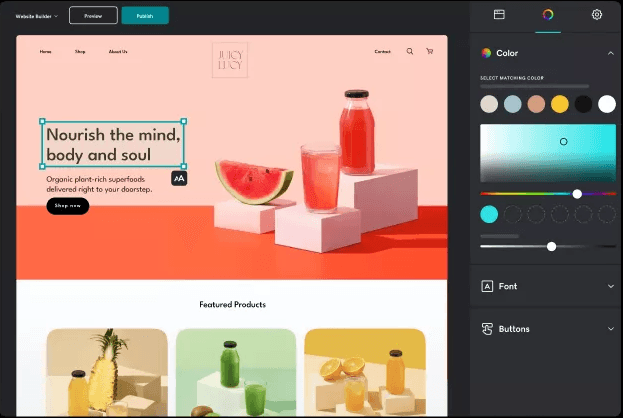
GoDaddy is widely recognized for its straightforward, beginner-friendly interface and fast onboarding, contributing to a smooth user experience. The drag-and-drop editor, guided setup, and clear navigation make it easy for non-technical users to build and update sites. Many users highlight how quickly they can publish a site, thanks to step-by-step prompts and pre-built templates. However, some users note that the simplicity comes at the expense of deeper design control and advanced customization options.
Integrations
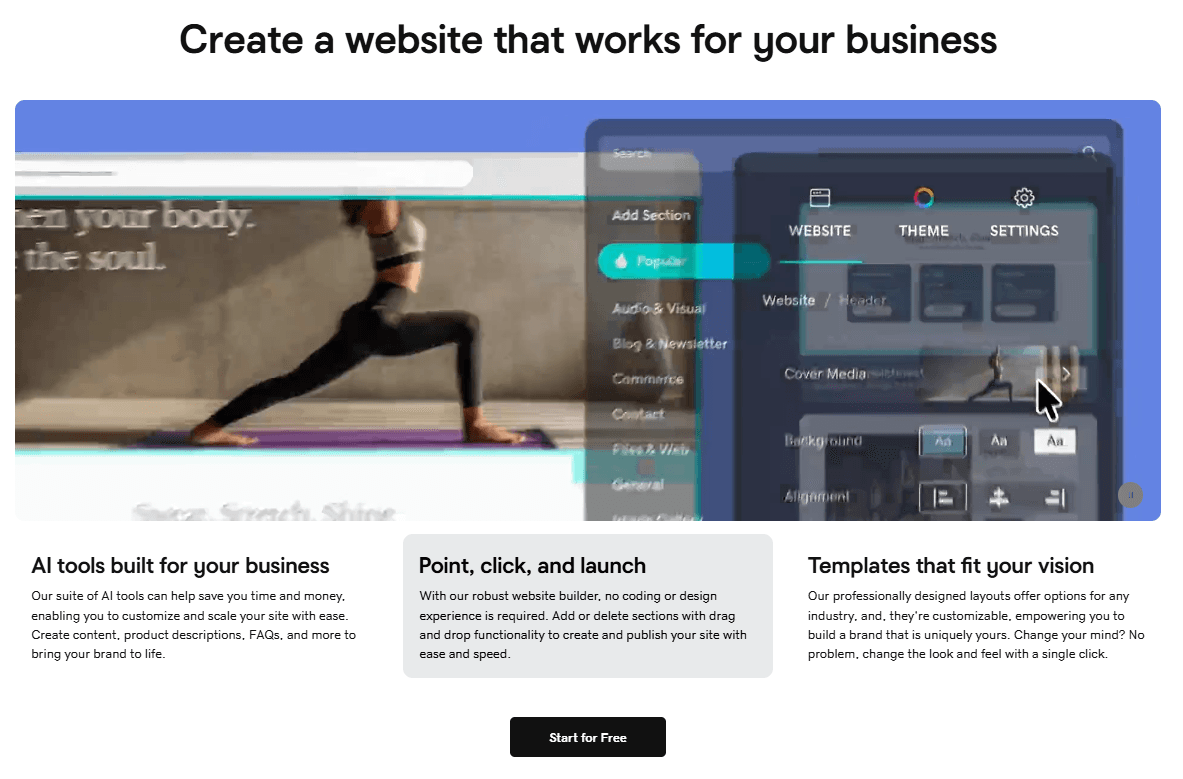
GoDaddy natively integrates with LiveChat, GoogleWorkspace, Jotform, and Vibe.co, among others.
GoDaddy also offers an API and connects with some third-party integration tools for expanded functionality.
GoDaddy Specs
- A/B Testing: Yes
- API: Yes
- Data Export: Yes
- Data Import: Yes
- External Integrations: Yes
- Landing Pages: Yes
- Multi-User: Yes
- Third-Party Plugins/Add-Ons: Yes


